

Summary
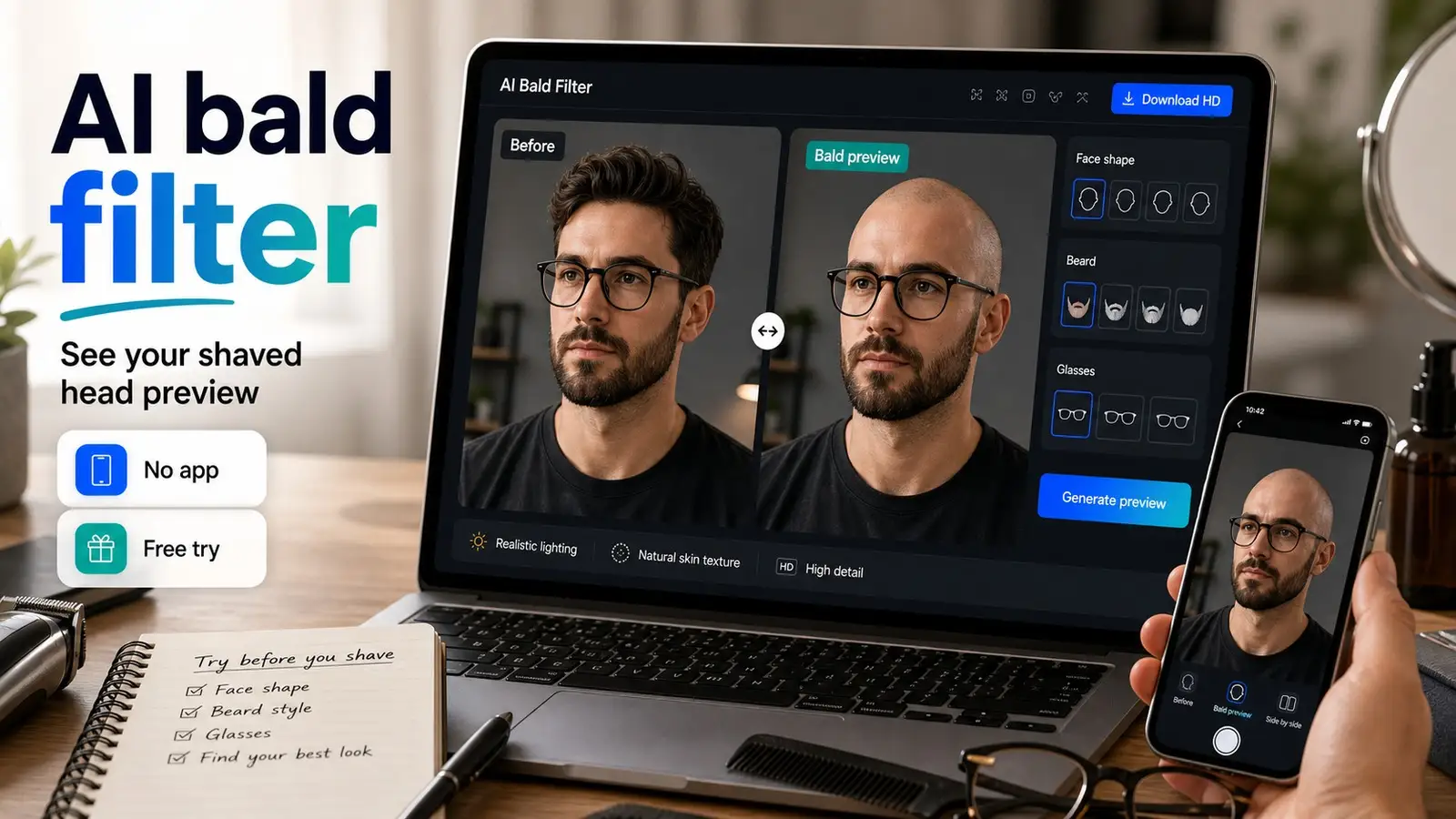
Wondering what you would look like bald? A realistic AI bald filter helps you preview a shaved head before making a real haircut decision. This guide explains what changes when hair is removed, how face shape, jawline, beard, glasses, lighting, and photo quality affect the result, and how to use Pixelbin to generate a natural bald-head preview online.
Introduction
Ever wondered what you'd really look like bald? Whether it's pure curiosity or just wanting a fresh style change, an AI filter is the quickest way to find out. Skip the cartoonish apps where you have to upload a clear photo and see your future.
Modern AI filters aren't like old ones. They analyze your face shape, respect your features, and keep your personality intact. You get a realistic look at how baldness would suit you, complete with accurate lighting and shadows.
Ready to test it? Pixelbin bald filter is simple with three no-sign-up tries. This guide walks you through using it, explains how different face shapes handle the bald aesthetic, and shows you how to get the most realistic preview possible.
What actually changes when you remove hair?
When people think about going bald, they often assume they are just removing a layer of hair. In reality, shedding your locks fundamentally alters how visual weight is distributed across your face. Understanding these shifts will help you analyze your shaved head simulator results with a practical, objective eye.
Forehead and hairline visibility
Your hair acts as a frame that dictates where your face "ends." Once that frame is gone, your forehead extends seamlessly into the rest of your scalp. If you have a naturally high forehead or a receding hairline, the bald head filter will show you that the distinction between your forehead and your head shape disappears. This often creates a cleaner, more intentional look than struggling to hide a thinning hairline.
Jawline and cheekbone emphasis
Without the volume of hair on the top and sides of your head to draw the eye upward, the human eye automatically focuses on the lower half of your face. Your jawline and cheekbones will instantly appear more prominent, sharp, and defined. For many men, using an ai bald filter reveals a stronger, more masculine facial structure that was previously hidden beneath bulkier haircuts.
Ear visibility
If your current hairstyle partially or completely covers your ears, freeing up that space can be a surprise. Your ears will become a more defined focal point of your profile. The bald filter online free tool ensures that the transition around your ears looks natural, allowing you to see if your ears stick out or blend harmoniously with your bare skull.
Glasses and frames
If you wear eyeglasses or sunglasses, they will transition from a functional accessory to a major architectural feature of your face. Without hair, your frames have no competition. Bold, dark, or structured frames look incredibly sharp on a bald head, giving you an intellectual or edgy look that can be tested effortlessly through a comprehensive bald filter.
Head shape and scalp shadow
Everyone's skull has unique bumps, ridges, and contours. While a make me bald filter cannot perfectly predict the exact bone structure under your hair, a high-quality simulator applies realistic gradients and scalp shadows. These shadows mimic how overhead lighting interacts with a smooth surface, giving you a believable sense of depth.
Will a bald look suit your face shape?
One of the biggest anxieties keeping people from trying a shaved head is their specific face shape. While certain shapes are traditionally celebrated as ideal for the bald look, it is vital to avoid absolute certainty. Genetics are unique, and variations in features mean there are no hard rules. Here is a practical breakdown of how a bald filter typically interacts with different face shapes:
Oval faces
Oval faces are widely considered the universal canvas for hairstyles and a lack thereof. Because your proportions are inherently balanced, transitioning to a bald look via an AI bald filter will likely look incredibly natural. Your forehead, cheekbones, and jaw are already symmetrical, meaning the lack of hair won't throw off your facial harmony.
Square faces
If you have a square face, congratulations: you possess the ideal structural foundation for a shaved head. A strong, angular jawline and sharp cheekbones look intensely commanding when paired with a bald scalp. Think of iconic action stars their square bone structure thrives without the distraction of hair. The shaved head simulator will highlight these sharp angles beautifully.
Round faces
Round faces lack sharp angles, meaning a completely smooth, bald head can sometimes accentuate the soft, circular nature of your face. However, this is easily remedied. If the bald head filter makes your face look too circular, mentally add (or digitally test) a structured beard or sharp stubble. A beard adds the vertical length and geometric angles that a round face needs to look balanced.
Long faces
For individuals with oblong or long faces, removing hair from the top can sometimes make the face appear even more elongated if not managed correctly. When reviewing your bald filter instagram or online preview, pay close attention to how your features stack up. Utilizing glasses or growing out a well-groomed beard can break up the vertical plane, adding much-needed horizontal width.
Heart and triangle faces
Heart-shaped faces feature a wider forehead and a sharply tapered, pointed chin. When you use a free bald filter, you remove the hair volume that used to balance out the wider top half of your head. This can make your chin look even more prominent. Conversely, triangle faces (narrow forehead, wide jaw) will see their strong jawline emphasized heavily.
Bald, Buzz Cut, Or Shaved Head: Which Preview Should You Try First?
If you look at your results from an ai bald filter and feel a jolt of shock, that is completely normal. Going from a full head of hair to total smoothness is a massive psychological leap. Fortunately, you do not have to jump directly into the deep end. You can use the preview process to plan a gradual transition.
The bald look
This is the cleanest, lowest-maintenance option. It removes every single follicle virtually, presenting a completely smooth skin surface. It is the highest contrast change you can make, offering maximum impact. If you have severe hair thinning, jumping straight to this look often provides an immediate sense of relief and style reinvention.
The buzz cut
If the total bald look feels a bit too radical for your current comfort level, consider a buzz cut as a safer middle step. A buzz cut leaves a tiny fraction of an inch of hair (like a number 1 or number 2 guard). It gives you a rugged, athletic aesthetic while letting your scalp slowly adjust to the elements and visibility.
Shaved head with a beard
As mentioned earlier, pairing a bald guy with a beard dynamic is an absolute game-changer. If your clean-shaven bald preview looks a bit bare, look at photos of yourself with a beard and try to visualize them combined with beard filter. The contrast between a smooth scalp and textured facial hair is universally flattering and highly stylish.
Short hair previews
If you are currently sporting very long hair, jumping straight to an AI bald filter can cause intense visual shock. You might want to use a broader hairstyle changer tool first to preview a standard short haircut or a crew cut. Once your eyes adjust to seeing less hair around your face, stepping up to the shaved head simulator will feel far less jarring.
How accurate are AI bald filters?
To build true confidence before picking up the clippers, you need to understand how a bald filter online works and where its limitations lie. Modern AI tools are exceptionally advanced, but their accuracy depends entirely on the data you feed them.
To get a flawless, hyper-realistic output from an AI bald filter, your source photo needs to meet a few basic criteria:
- Front-Facing Alignment: The AI needs to see your entire face symmetrically. Side profiles or dramatic angles force the algorithm to guess the shape of the other side of your skull, reducing accuracy.
- Optimal Lighting: Clear, even lighting prevents harsh, artificial shadows from distorting your head shape or creating mismatched skin tones on your newly generated scalp.
- Clear Forehead Visibility: If you have heavy bangs or hair that completely covers your eyebrows, the AI will have a harder time figuring out exactly where your natural forehead ends and your scalp begins.
- Minimal Obstructions: Try to avoid photos where you are wearing hats, beanies, or bulky headphones, as these block the AI from accurately calculating your skull's curvature.
While a free bald filter handles curly, straight, thick, or thinning hair with ease, keep in mind that real life introduces variables. An AI cannot perfectly predict your exact scalp skin tone (which hasn't seen the sun in years), nor can it see hidden moles or surgical scars. However, as a visual guide for checking your overall proportions, face shape alignment, and style compatibility, an advanced bald head filter is incredibly accurate.
How to create a bald head using Pixelbin AI tool?
If you want a flawless digital preview, the Pixelbin AI Bald Filter is the gold standard. Unlike standard photo apps that merely overlay a flat, artificial skin graphic over your existing hair, Pixelbin utilizes advanced deep-learning algorithms to analyze your unique cranial structure.
The system intelligently differentiates between your hairline, facial hair, and accessories, ensuring that your final transformation looks authentic, seamless, and entirely realistic. It acts as a precise digital mirror, giving you a crystal-clear look at a shaved head before you make any commitments. It is fast, intuitive, and designed to provide high-definition results without forcing you to deal with annoying software installations or immediate sign-up blocks.
Key features
- Advanced Cranial Mapping: The AI naturally calculates the underlying curve of your skull to render a believable, realistically proportioned bald head.
- Beard and Glasses Preservation: It isolates your facial hair and eyewear, ensuring they remain untouched and perfectly blended into your new look.
- Zero Quality Loss: Your processed images are handled with care, preserving the original resolution so your skin texture looks sharp and natural.
- No App Downloads Required: The tool operates directly within your mobile or desktop web browser, saving you phone storage and setup time.
- Watermark-Free Previews: You can view and evaluate your transformed image clearly without obstructive digital stamps or brand logos blocking the view.
- 3 Free No-Sign-Up Credits: You can test multiple photos immediately without sharing any personal information, credit card details, or creating an account.
Step-by-step guide to transforming your look
Achieving a highly realistic preview of a shaved head is simple. Pixelbin streamlines the entire generation process into five clear, effortless steps:
1. Select and upload your source photo
Start by choosing a clear, high-resolution photo from your device. You can easily paste a direct image link or upload your file manually. The platform seamlessly supports multiple standard file formats, including JPEG, JPG, PNG, and WEBP, ensuring you do not have to worry about converting your files beforehand.
2. Let the AI analyze and process your features
Once your image is submitted, the system takes over. The smart AI bald filter detects your face and applies a realistic shaved head effect. It maps your facial contours, shadows, and lighting angles while keeping all your unique facial features intact for an authentic result.
3. Preview your high-definition result
Before saving anything, take a moment to look closely at the generated output on your screen. Take this time to inspect the symmetry, evaluate how your jawline looks without hair framing it, and see how well the smooth scalp transition blends around your ears and forehead.
4. Save and download the image
When you are satisfied with the digital transformation, click the download button. You can save the final image in pristine HD quality, completely free of watermarks, added texts, labels, or logos, giving you a clean file to review or share with friends.
5. Compare options and plan your style
Use your saved image as a practical reference point. You can contrast it side-by-side with your current hairstyle, show the high-definition download directly to your barber for a professional opinion, or plan out a gradual transition like a sharp buzz cut.
Compare results across different photos and lighting (Author’s tip)
One of the biggest mistakes people make when using a make me bald filter is uploading a single, poorly-lit selfie taken from a low angle, panicking at the result, and abandoning the idea forever. A single photo only captures a fraction of your appearance. To get an authentic, multi-dimensional view of how you would look, you should test several different variations.
The straight-on selfie
Start with a neutral, passport-style photo. This gives the bald head filter the cleanest canvas to map your facial symmetry, cheekbones, and jawline without perspective distortion.
The natural daylight photo
Take a photo outdoors or near a large window. Natural light shows how your skin tone and features look in everyday environments. This prevents the "washed out" or overly digital look that harsh indoor fluorescent bulbs can cause in an AI generation.
The bearded or glasses look
If you occasionally rock stubble, wear a full beard, or switch between contacts and glasses, upload a photo for each look. You will be amazed at how drastically a pair of thick-rimmed glasses or a week’s worth of facial growth can transform a bald head from looking plain to looking incredibly sharp.
Diverse expressions
Upload one photo with a wide, natural smile and another with a neutral, serious expression. Your facial muscles shift depending on your mood, and seeing your bald self smiling can make the transition feel far more approachable and less intimidating.
Professional vs. Casual
Test a high-quality profile picture like a LinkedIn headshot or a well-dressed photo from an event. Seeing yourself bald while wearing a suit or a crisp collar proves that a shaved head can look remarkably professional, sophisticated, and polished.
Conclusion
Stop wondering "how would i look bald" and hovering anxiously over your bathroom clippers. Visualizing your next major style upgrade shouldn't involve guesswork or fear.
Try Pixelbin's AI Bald Filter online today. Take advantage of your 3 free no-sign-up credits to upload your favorite selfies, preview your realistic shaved-head look instantly, and step into your next style chapter with absolute confidence.
FAQs
The easiest and most reliable method is to use an online AI bald filter. By uploading a clear, front-facing photo to a platform like Pixelbin, the AI digitally processes your facial structure and replaces your hair with a highly realistic, smoothly blended bald scalp preview.
Yes! Pixelbin provides a free bald filter online. You can access the tool through your web browser and receive 3 free processing credits without needing to sign up or enter a credit card, making it completely risk-free to try.
Absolutely. The Pixelbin bald filter online free tool allows you to upload your image, run the AI algorithm, and view your results instantly without making an account. If you want to process more photos after your initial free credits, you can easily sign up for an extended plan.
Yes, the bald head filter is completely gender-neutral. It maps the underlying skull structure and removes hair regardless of gender, making it an excellent tool for women considering a dramatic buzz cut, a fashion-forward shaved head, or preparing for a theatrical role.
Yes. Unlike older, primitive photo editors, an advanced AI bald filter recognizes glasses frames and facial hair. It intelligently removes only the hair on your head while keeping your beard, mustache, and eyewear perfectly intact and naturally blended.
Yes, you do not need a powerful computer or a dedicated bald filter app download. You can simply open your mobile browser on an iPhone or Android device, visit the Pixelbin website, and upload a selfie straight from your camera roll.









