


Support webp/jpg/jpeg/png, up to 10MB
/pixelbin_blogs/PB_2.0/Apps_New_design_graphics/AI_buzz_cut_filter/indian-male-dressed-red-shirt-isolated-grey-background.webp)
/pixelbin_blogs/PB_2.0/Apps_New_design_graphics/AI_buzz_cut_filter/handsome-young-man-with-thick-beard-long-hair-posing-trendy-outfit-against-green-backdrop.webp)
/pixelbin_blogs/PB_2.0/Apps_New_design_graphics/AI_buzz_cut_filter/portrait-handsome-smiling-stylish-young-man-model-wearing-jeans-clothes-sunglasses-fashion-man.webp)
AI buzz cut filter
Free AI buzz cut filter online
Try a realistic buzz cut hairstyle on your photo with AI while keeping face shape, lighting, and expression natural.
/pixelbin_blogs/PB_2.0/Apps_New_design_graphics/AI_buzz_cut_filter/download_(6)-oes-Zsv-H-transformed.webp)
/pixelbin_blogs/PB_2.0/Apps_New_design_graphics/AI_buzz_cut_filter/465-transformed.webp)


How to add the buzz cut filter using Pixelbin?
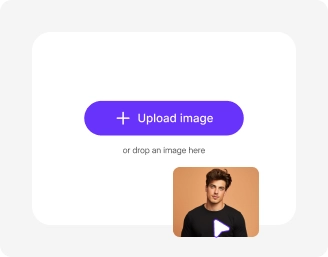
Add your image
Paste a URL or upload your image, in any of the following formats: JPG, JPEG, WEBP, or PNG.
.webp)
Let AI process your image
Pixelbin automatically applies the buzz cut filter to your photo without any manual editing required.
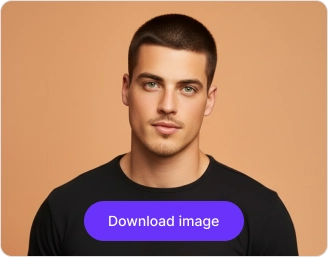
Download your image
Preview the filtered output & download it in HD, free from any watermark or additional costs.
Why choose Pixelbin's AI buzz cut filter?

Natural face preservation
Apply the AI buzz cut filter while keeping your facial features, head shape, and overall portrait look natural and recognizable.
_(1)-transformed-8bITcR-d9.webp)
Aspect ratio options
Choose the output aspect ratio that fits best for profile photos, reels, stories, posts, or other social media platforms.

Convert output into videos
Turn your buzz cut photo into a live AI video to make the hairstyle transformation more engaging for sharing, reels, or creative content.
.png)
Edit result further
After applying the buzz cut filter, you can continue editing the image in the AI image editor and even try different hairstyle styles
.png)
Side-by-side preview
Compare your original photo with the buzz cut version side by side to review the haircut before downloading.

Simple to use
Upload your photo, preview the AI buzz cut result, and download the final hairstyle transformation in just a few clicks.
Try a new look in seconds, not salons
With Pixelbin, you can get a quick preview of a buzz cut style on your photos without any complex manual work or downloading editing tools.
Instant, realistic results
Accurately matches your hairline and texture to create a natural, buzz-cut look without any manual adjustments.
No app installations
Access the editor directly from your browser on any device – no downloads or installations required.
Free trial for everyone
Create up to three buzz-cut images for free each month, and upgrade anytime for more credits or API access.
Unchanged picture quality
Keep your photo’s original resolution, detail, and sharpness even after applying the buzz-cut filter.
/pixelbin_blogs/PB_2.0/Apps_New_design_graphics/AI_buzz_cut_filter/One-click_removal-transformed.webp)
AI tools by Pixelbin
/pixelbin_blogs/PB_2.0/Related_apps_tumbnail/Thumbnail_41-transformed.png)
/pixelbin_blogs/PB_2.0/Related_apps_tumbnail/Thumbnail_(16)-transformed.webp)
/pixelbin_blogs/PB_2.0/Related_apps_tumbnail/erasebg-transformed_(9)-transformed.webp)
/pixelbin_blogs/PB_2.0/Related_apps_tumbnail/Thumbnail_36-transformed.webp)
Key highlights of Pixelbin’s buzz cut filter online free tool
Benefits of using our buzz cut camera filter
Pixelbin lets you try the buzz haircut online for free with no sign-up or watermark, in just a single click. Here are some of its benefits:
- Instant style preview: See yourself with a new hairstyle in seconds, without any commitment or trip to the barber.
- No editing skills needed: Our AI editor does all the work, giving you a clean result without manual tools.
- Easily shareable: Download your new look and share it directly with friends on social media to get their opinion.
- Reliable results: Pixelbin gives you a consistent experience every time you use it, free from glitches or long waiting times.
- No watermarks: Download your filtered image in high quality, without any distracting watermarks.
- Works across devices: Pixelbin comes with cross-platform support, which means you can access the AI filter from your phone, tablet, or computer.
Use cases of our best buzz cut filter
Using Pixelbin, you can apply a buzz cut filter to your face & even download it for free, without installing any app. Here are some of the most common ways to use it.
1. Preview before you commit
Thinking of getting a real buzz cut? Use our filter online first to see how the style suits your face shape before you visit the salon.
2. Create fun social media content
Surprise your followers or friends with a dramatic new look by using Pixelbin’s buzz cut AI filter. Our AI filter is perfect for creating engaging 'before and after' posts or funny reveal videos.
3. Prank your friends
Grab a photo of a friend, apply the filter, and send the generated output to them. It's a harmless, funny way to spark a laugh in your group chats.
4. Make funny memes
Got a great meme idea? Use Pixelbin’s buzz cut app to give a buzz cut to a celebrity, politician, or any pop culture figure for a timely and humorous post.
5. Create a character concept art
As a writer, artist, or game developer, you can use our tool to quickly visualize a character's look or experiment with different short hairstyles for your designs
How to get the best results from buzz cut filter websites?
To make sure your photos look as realistic as possible, here are some simple recommendations.
- Use a high-resolution photo for the best results.
- A clear, front-facing photo with good, even lighting is more likely to deliver an accurate preview.
- Ensure your entire head and shoulders are visible in the frame.
- Avoid photos with extreme angles, heavy shadows, or motion blur.
- Make sure the background of your image isn’t too cluttered.
FAQs
Here are some of the most common questions about our Buzz Cut App Filter Tool. If you can’t find the information you need, contact us at support@pixelbin.io or refer to our documentation for more details.


Edit images in seconds, not hours
Get pixel-perfect results just with your words
Start Editing with AI