PixelBin logo
Black Friday offer is live now. Flat 30% on all annual plans. Use code at checkout - BF30. Claim Now

AI video generator

Generate studio-quality videos from text prompts without filming or manual editing.

2500 chars left
Loading

AI Magic in progress
Generating your video

After

Your video is ready!

Download your video

Create another video
Generation Failed

There was some issue on our end. Please try again.

Try Again
How to create AI videos using Pixelbin?
1
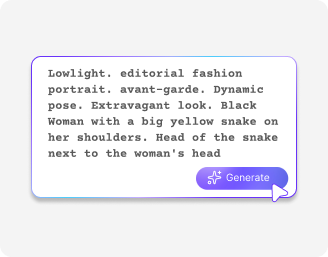
Start with your idea
Upload an image or describe your video idea, depending on the AI model you choose.
2
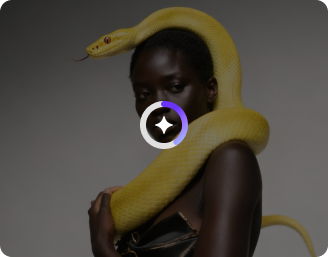
Generate your video
Click on “Generate” & wait for a few seconds while Pixelbin starts processing your request.
3
Download the output
Preview the generated video, and download it in HD quality instantly at no extra cost.
Why choose Pixelbin’s free AI video generator app?
Multiple image formats
Upload images in any of the following formats, including JPG, JPEG, WEBP, or PNG.
Text-based editor
Describe your idea in a few words and get a ready-to-share video in minutes.
Monthly free trials
Generate up to three high-quality videos each month for free, no signup required.
Free HD downloads
Preview and download your videos in HD without watermarks or extra costs.
No credit card login
Start creating videos instantly without entering payment details or creating an account.
Browser-based editor
Access the video generator directly from your browser without downloading or installing any software.
Turn your creative ideas into video content instantly

Pixelbin’s free AI video generator online makes video creation accessible to everyone. Create HD videos from scratch, without needing a camera or complicated software.

Simple & fast results

Create shareable videos in minutes. Just describe your idea, and the tool instantly processes it.

Feature 1
No editing skills needed

Skip complicated video software. Generate HD videos with your images and ideas in just a few clicks.

Feature 2
Top-end AI models

Choose from leading models like Seedance 1.0 Pro, Google Veo 3.1 Fast, Sora 2 Pro, Kling 2.5 Turbo, and more.

Feature 3
Complete privacy

Your videos are processed securely on protected servers and never shared without your consent.

Feature 4

AI tools by Pixelbin

Key highlights of Pixelbin’s AI video generator free online tool

Benefits of using our best AI video generator

Create high-quality videos from text prompts – no complex tools or editing skills required. Here’s what makes it stand out:

  • Faster video creation: Skip expensive software and long render times. Generate high-quality clips in just minutes.
  • Animate still images: Turn static photos into smooth, dynamic videos using powerful AI motion generation.
  • Consistent brand style: Keep your videos on brand by fine-tuning prompts to match your visual identity and tone.
  • Customizable output: Adjust video duration, aspect ratio, and overall mood to create content for social media, ads, and presentations.
  • Privacy you can trust: Your videos are processed on secure servers, and your data is never shared with third parties.
  • No watermarks: Download your final videos clean, crisp, and ready to share with no watermarks.
  • Cross-platform access: Use the AI video generator on any device or operating system, including Windows, Android, and iOS.
  • Built for creative control: Unlike other tools that produce generic results, this AI video generator gives you full creative flexibility to create videos that truly reflect your vision.

Use Cases for the Free AI Video Generator

Create professional-quality videos simply by describing your idea in a prompt. Here are a few ways to use the tool:

1. Create marketing and ad videos

Write a short prompt describing your product, scene, and tone – the AI instantly generates an engaging promo video for social media or campaigns.

2. Generate explainer or tutorial clips

Turn a concept, process, or feature into a short video. Just describe the action or flow, and the AI brings it to life visually.

3. Produce storytelling or concept videos

Transform written stories, poems, or creative ideas into cinematic clips that visualize your narrative in motion.

4. Make music or mood-based visuals

Describe the atmosphere, setting, or rhythm you want, and generate abstract visuals that sync perfectly with a song or mood.

5. Visualize ideas for presentations or pitches

Quickly create short conceptual videos to showcase ideas, product demos, or design directions without needing manual editing.

How to Get the Best Results from the AI Image-to-Video Generator?

Follow these simple tips to help the AI create videos that match your vision:

  • Be clear and detailed with your prompt: Describe what you want to see as specifically as possible. Instead of “a car,” try “a red sports car racing along a coastal road at sunset” for more accurate and visually rich results.
  • Define the style or tone: Include style cues in your prompt, such as “cinematic,” “animated,” “vintage film,” “pixel art,” or “documentary style.”This helps the AI generate a video that fits your desired mood and aesthetic.
  • Add movement or camera directions: You can guide motion by including cues like “camera panning slowly,” “zooming in,” or “drone shot of the city skyline.”This gives the video a more dynamic, natural flow.
  • Mention lighting and atmosphere: Phrases like “golden hour lighting,” “moody and foggy,” or “bright studio setup” can help the AI set the right tone and color balance.
  • Keep prompts concise but descriptive: Avoid overly long or complex sentences. Aim for one or two clear lines that describe the subject, style, and setting.

FAQs

Here are some of the most commonly asked questions about our AI Video Generator Tool. If you still can’t find what you’re looking for, contact us at support@pixelbin.io or read our documentation for more details.

Pixelbin offers a free plan that lets you create up to three videos per month. If you need more, you can sign up to get ten free credits or upgrade to a premium plan anytime for extra perks and additional video credits.
The AI video generator is designed for short-form, high-quality clips between 5 and 10 minutes – ideal for social media content and quick visuals.
No downloads required. The tool runs entirely on the web, so you can use it on any device with an internet connection and a browser.
Yes, you can upload files up to 10 MB in supported formats, including JPG, JPEG, WEBP, and PNG.
Yes, all videos generated using the AI video generator tool are copyright-free for both personal and commercial use.
Edit images in seconds, not hours
Get pixel-perfect results just with your words
Start editing with AI