PixelBin logo
Image generator is here -   Create Now   and Claim 30% off on Pro Plans. Use code SALE30 at checkout.   Claim Discount

AI bald filter

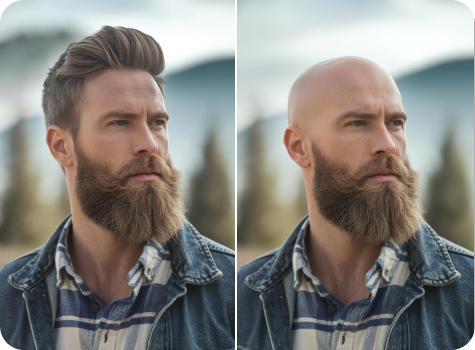
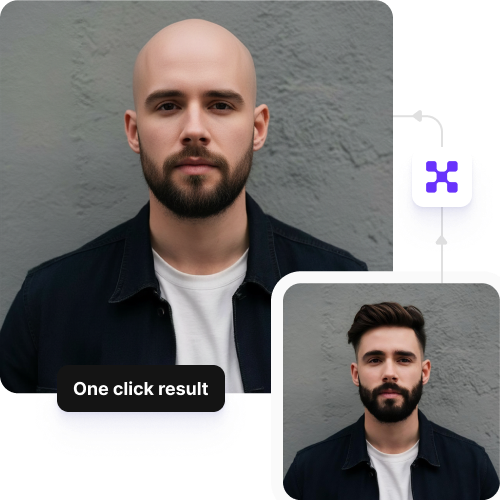
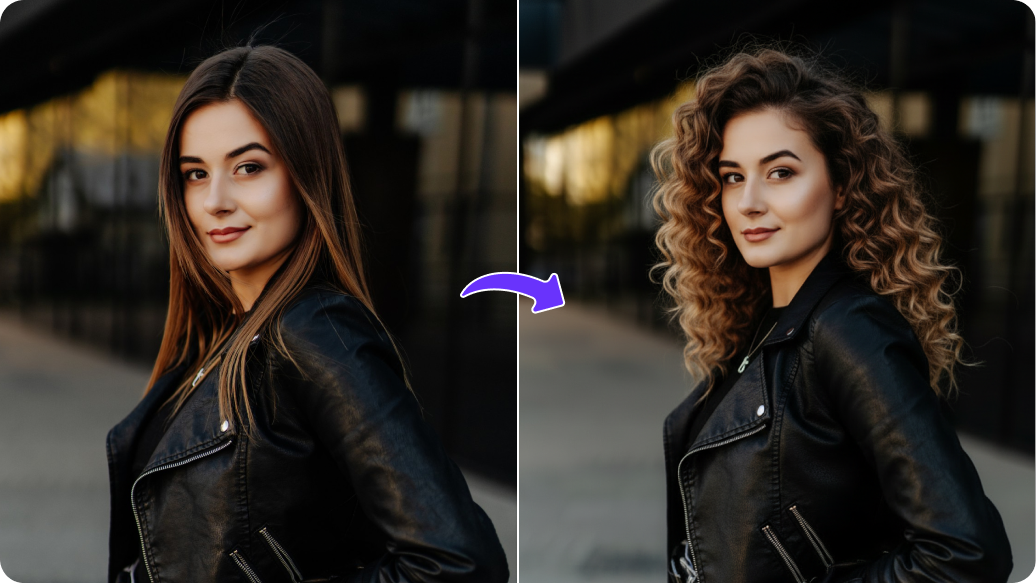
Make yourself bald in a single click, with your expression and features unchanged.

Upload Image

File should be less than 10MB

or paste URL

Before
Loading

AI Saree Design in Progress
Removing hair and generating a realistic bald look

After

Your AI-generated bald look is ready!

Edit image with AI
Get 🔥 free credits for image editing, upscaling, generation and more
Try Bald Filter on Another Photo
Generation Failed

There was some issue on our end. Please try again.

Try Again
Show case

How to create a bald head using Pixelbin’s AI filter?

1
Upload a photo
Paste an image link or upload your image in JPEG, JPG, PNG, or WEBP format.
2
Wait for AI processing
Pixelbin detects your face and applies a realistic shaved head effect, while keeping all your facial features intact.
3
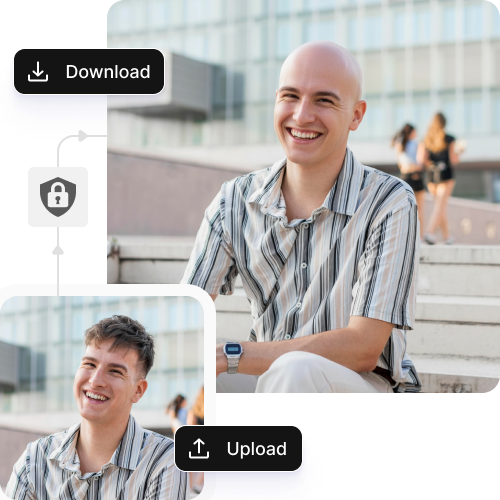
Download the image
Preview and save the image in HD quality, without any watermarks, added texts, labels, or logos.

Why use Pixelbin’s bald filter online?

Multiple formats
Upload your selfies or portraits in popular formats, such as JPEG, JPG, PNG, or WEBP.
No sign-up
Access the AI bald filter immediately without the need to create an account or provide personal details.
Global CDN delivery
Share and access your visuals quickly worldwide with Pixelbin’s fast and reliable content delivery network.
Digital asset management
Organize and manage all your images in one convenient location so you can easily find them when needed.
Mobile-friendly
Create, view, and download your new looks easily on any mobile device or tablet.
Watermark-free results
Download your images without marks, added texts, or overlays, ready for social media or professional portfolios.

Try completely shaved or short buzz cuts in seconds

See bold, low-maintenance styles instantly from anywhere, ideal for portraits, profiles, and campaigns.

No skills needed

Try a bold bald head look easily with the bald AI filter, no barber or haircut experience require.d.

Feature 1
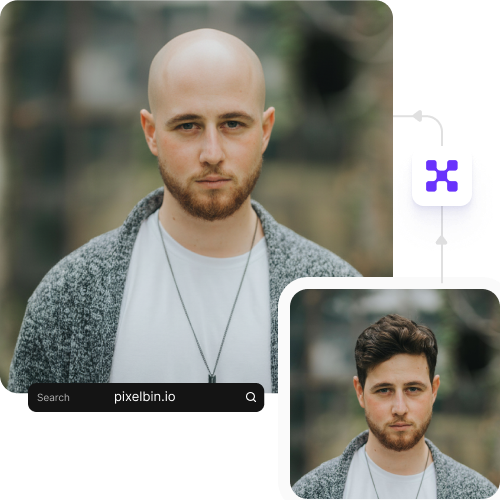
Browser-based

Use the AI bald filter online directly on any modern browser you use, such as Safari, Chrome, Edge, or Firefox.
Feature 2
Complete privacy

Your shaved head styles are processed on secure servers and never shared or reused.
Feature 3
Image upscaling

Increase the image resolution by up to 2X, 4X, or 8X while keeping your facial features intact.

Feature 4

AI tools by Pixelbin

Key highlights of Pixebin’s AI bald filter

Benefits of using AI for creating shaved head styles

  • Test your look without the risk: Shaving your head requires you to make a permanent decision about your hair. The filter allows you to see the new appearance, which helps you decide whether you should get a bald look or not.
  • Highlight your natural facial features: Balding causes people to view your facial features in a different way. With our AI bald filter, you can see how your scalp smoothness highlights your brow, jawline, and cheekbones.
  • Coordinate with your current style: See how shaved head styles match with your current beard, glasses, and tattoos instantly. This will help maintain your personal style.
  • Prepare for medical or genetic changes: If you are facing hair loss from chemotherapy or thinning, a realistic preview can ease the emotional transition. It helps you build confidence and take control of your appearance in a safe environment.
  • Create high-energy social content: The bald filter AI can help increase your user interaction on TikTok and Instagram platforms. The filters produce instant viral responses to create shocking "before and after" reveals for pranks on friends.
  • Communicate better with your barber: You can show your barber a filtered photo that demonstrates your desired buzz cut or shave style instead of trying to explain it. The system gives you a transparent visual guide to decide on the final appearance.

Use cases for creating shaved head styles

1. Getting a professional barber’s opinion

Before you sit in the chair, show your barber a filtered photo of yourself. It’s the easiest way to ask, “Does my head shape actually suit this?” and get a professional's honest feedback.

2. Planning your next big cosplay

If you’re prepping for a convention or a role, use the AI bald filter to see if you can pull off a character’s bald look. It helps you decide between buying a cap or committing to the shave.

3. Previewing scalp micro-pigmentation (SMP)

If you’re considering SMP or hair transplants, the filter acts as your blueprint. You can visualize exactly where your new hairline should start, helping you make a more confident, permanent decision with your technician.

4. Showing solidarity with a loved one

When a friend or family member starts losing hair due to medical treatments, you can use the bald AI filter to join them. It’s a simple, human way to normalize the change and show you’re in it together.

5. Shopping for new glasses or hats

Frames look completely different without hair. Use the filter while online shopping for eyewear to see which shapes actually balance your face. It ensures your new look feels intentional and stylish, not just a random guess.

How to get realistic shaved head styles with Pixelbin’s AI bald filter?

To get the most realistic outcomes from our AI tool, here are a few things you need to keep in mind:

  • Use a clear photo of your face, looking straight at the camera.
  • Make sure your face is well-lit with no strong shadows.
  • Avoid hats, sunglasses, or anything covering your head.
  • Keep your hair tied back if it’s long or messy.
  • Use a plain background so the filter can focus on your head.
  • Do not use blurry or pixelated images, as that can impact the output.

FAQs

Here’s a list of commonly asked questions about our Saree Trend Maker Tool. If you still can't find what you're looking for, reach out to us at support@pixelbin.io or check out our documentation for more details.

Yes, you can try our filter on your mobile browsers easily without downloading any software or apps.
Pixelbin offers 3 credits for free, which means you can try upto 3 actions without paying anything. Also, the free version comes with a no-sign-up experience. However, if you wish to continue editing or try multiple bald versions, then you need to create an account and purchase additional credits on a pay-as-you-go basis.
Yes. You can upload a group photo and apply the bald effect to everyone in the image. The filter detects each face separately and creates a shaved head look for all visible people.
Yes, it works best on front-facing photos, but it can also handle slight angles. Very sharp side profiles may not give the most accurate result, so clearer face visibility usually gives better output.
The filter removes all hair types, including curly, thick, or textured hair, and replaces them with a smooth scalp. The final result keeps your face shape and expression the same while showing a clean-shaven head look.
Edit images in seconds, not hours
Get pixel-perfect results just with your words
Start editing with AI