.webp)

You do not need a camera, a studio setup, editing experience, or even your own voice to publish video content today. With a free faceless video generator, you can turn a simple written idea into a short moving clip, download it without a watermark, and publish it across YouTube Shorts, Instagram Reels, TikTok, Facebook, or your own website.
Faceless videos have become popular for a practical reason. Not everyone wants to appear on camera. Some creators prefer privacy. Others manage several niche pages and cannot film every idea themselves. Many small businesses simply need quick social visuals without hiring actors, renting equipment, or organizing a shoot.
But faceless does not mean careless. The videos that perform well still need a clear message, a strong opening, relevant visuals, and a reason for someone to keep watching. AI removes much of the production burden; it does not remove the need for judgment.
This guide explains how to generate faceless videos using AI, how to write prompts that produce better results, which types of videos work best without a presenter, and what you should know before using AI clips for YouTube monetization.
What is a faceless video?
A faceless video is a video that communicates its message without showing the creator's face. You may never appear in the frame at all. Instead, the video relies on visuals, narration, text, music, screen recordings, product shots, animation, or AI-generated scenes.
The important thing is that the absence of a face does not make the video empty. A good faceless video still has personality. It may come from the way you write captions, the tone of your voiceover, the type of visuals you choose, the pacing of your edits, or the subjects you consistently cover.
How to generate faceless videos using AI for free
The simplest way to begin is with Pixelbin's AI faceless video generator. It works in a browser, does not require an account to start, and lets you create a short clip from a text prompt.
The process is straightforward, but the quality of your result depends heavily on how you use the prompt box and video settings.
Step 1: open Pixelbin's AI faceless video generator
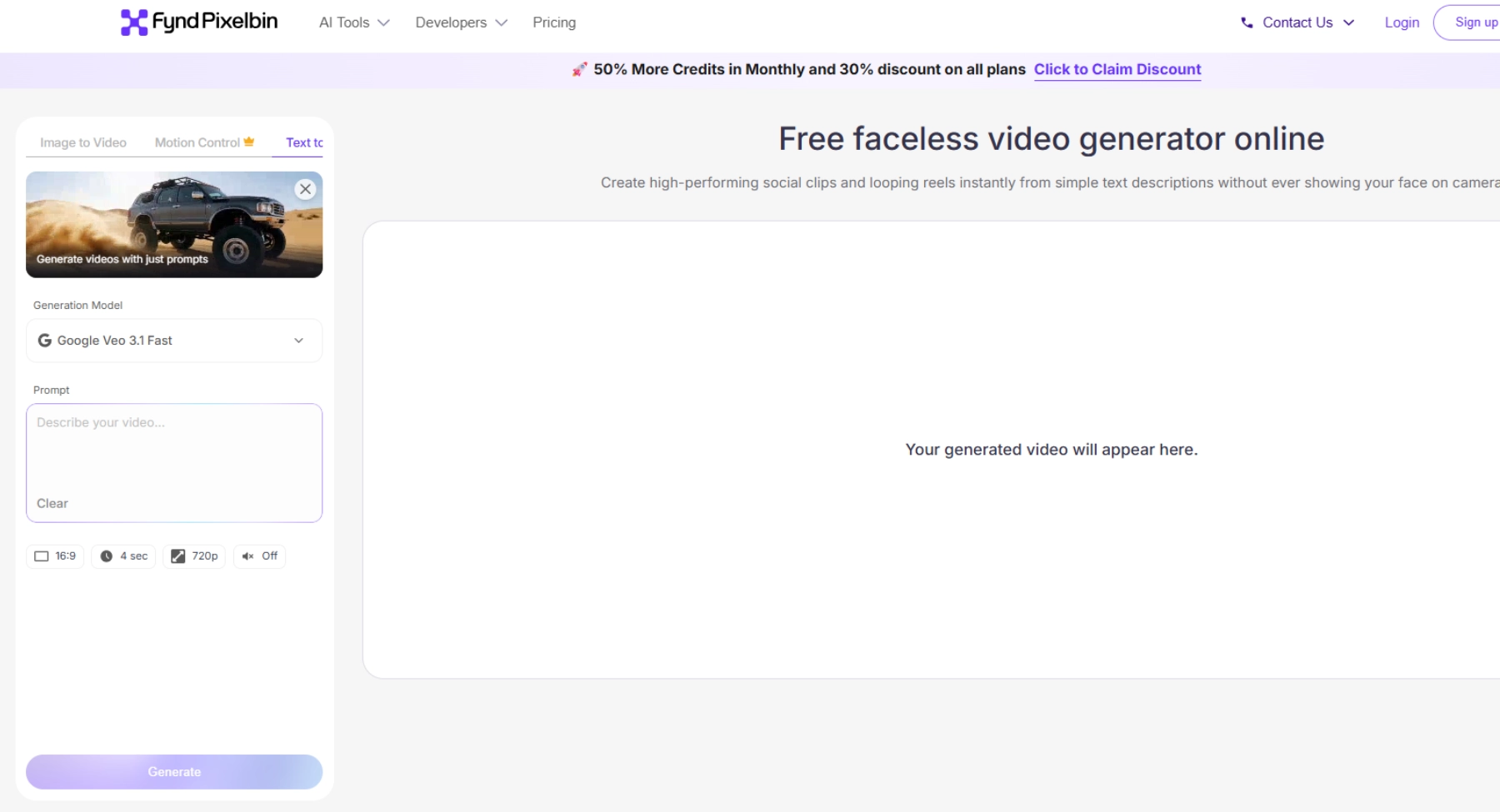
Go to Pixelbin's free faceless video generator. You do not need to download an app or install software. The tool works in common browsers, including Chrome, Edge, Firefox, and Safari.
When the page loads, you will see a prompt box and a set of video settings. That is your workspace. This simplicity is useful if you are new to video creation. You can focus on one thing at a time: describing the visual you want, choosing the right format, and reviewing the result.
Step 2: enter a prompt for your video
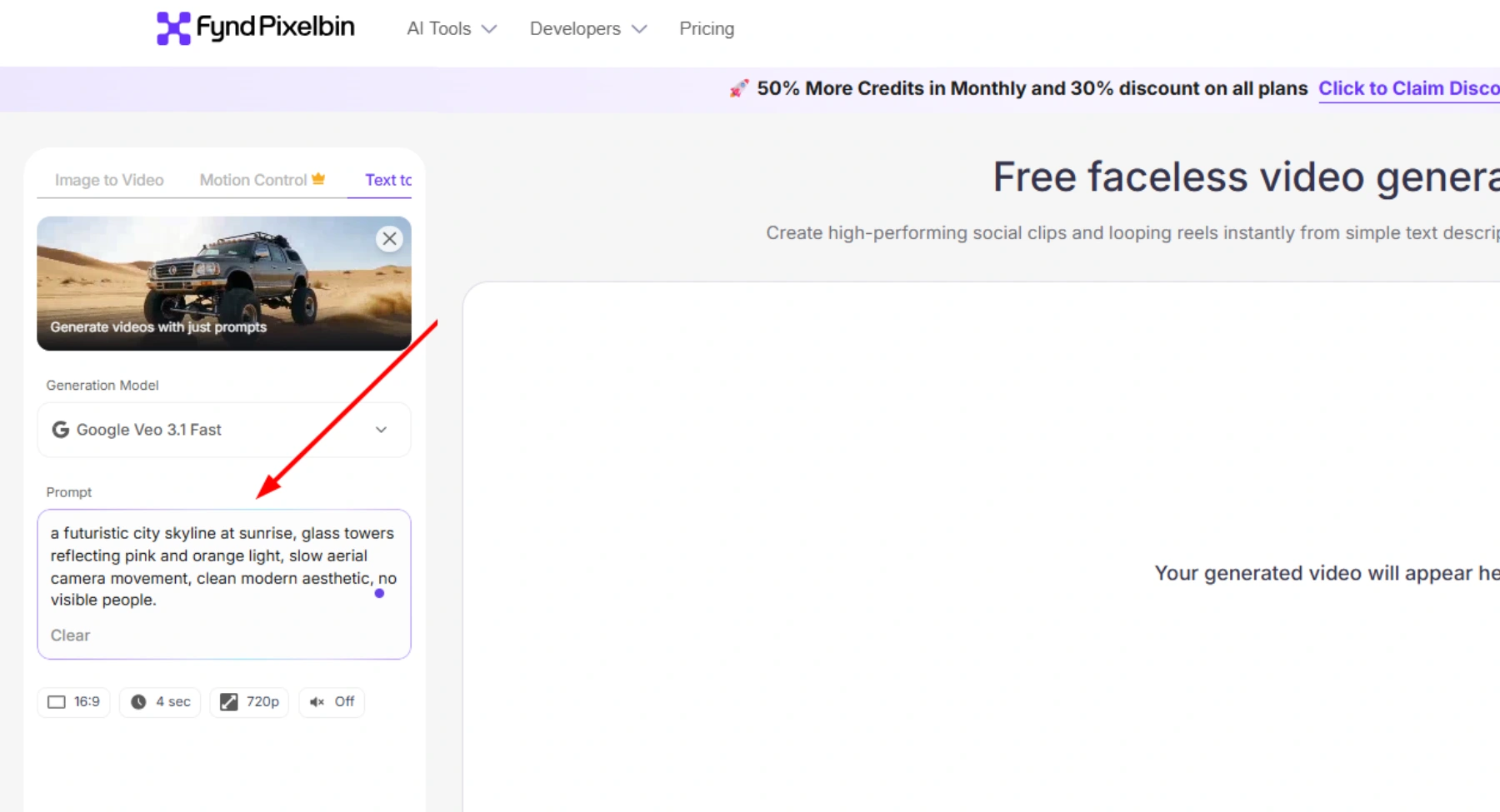
Type a description of the scene you want to create.
A weak prompt usually looks like this: make a motivational video. That instruction gives the model a mood but not a visual scene. "Motivational" could mean a sunrise, a person running, a city skyline, a notebook on a desk, or someone climbing a mountain. The tool has no way to know which direction you want.
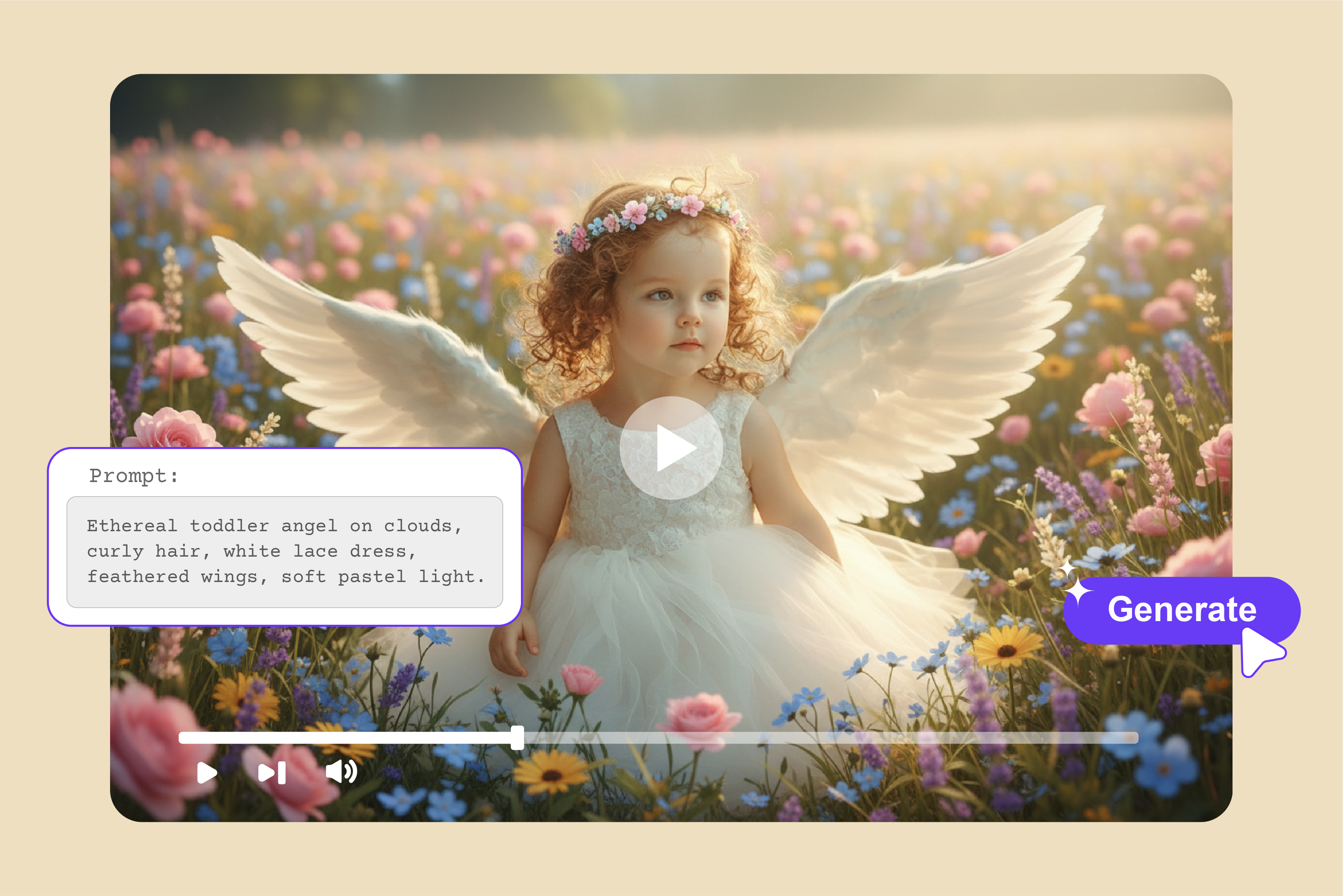
A stronger prompt includes the main subject, the action, the setting, the lighting, the color mood, and, when relevant, the camera movement.
Instead of "make a motivational video," try something like: a lone writer working at a wooden desk beside a rain-covered window, warm lamp light, slow cinematic camera push-in, calm and focused atmosphere, muted brown and amber tones.
Or, if you want a more cinematic visual: a futuristic city skyline at sunrise, glass towers reflecting pink and orange light, slow aerial camera movement, clean modern aesthetic, no visible people.
Tip: One useful habit is to keep each generation focused on one main action. If you try to fit five scene changes into a four-second clip, the result can feel rushed or visually confusing. A short clip works best when it has one clear visual idea.
Step 3: configure the available video settings
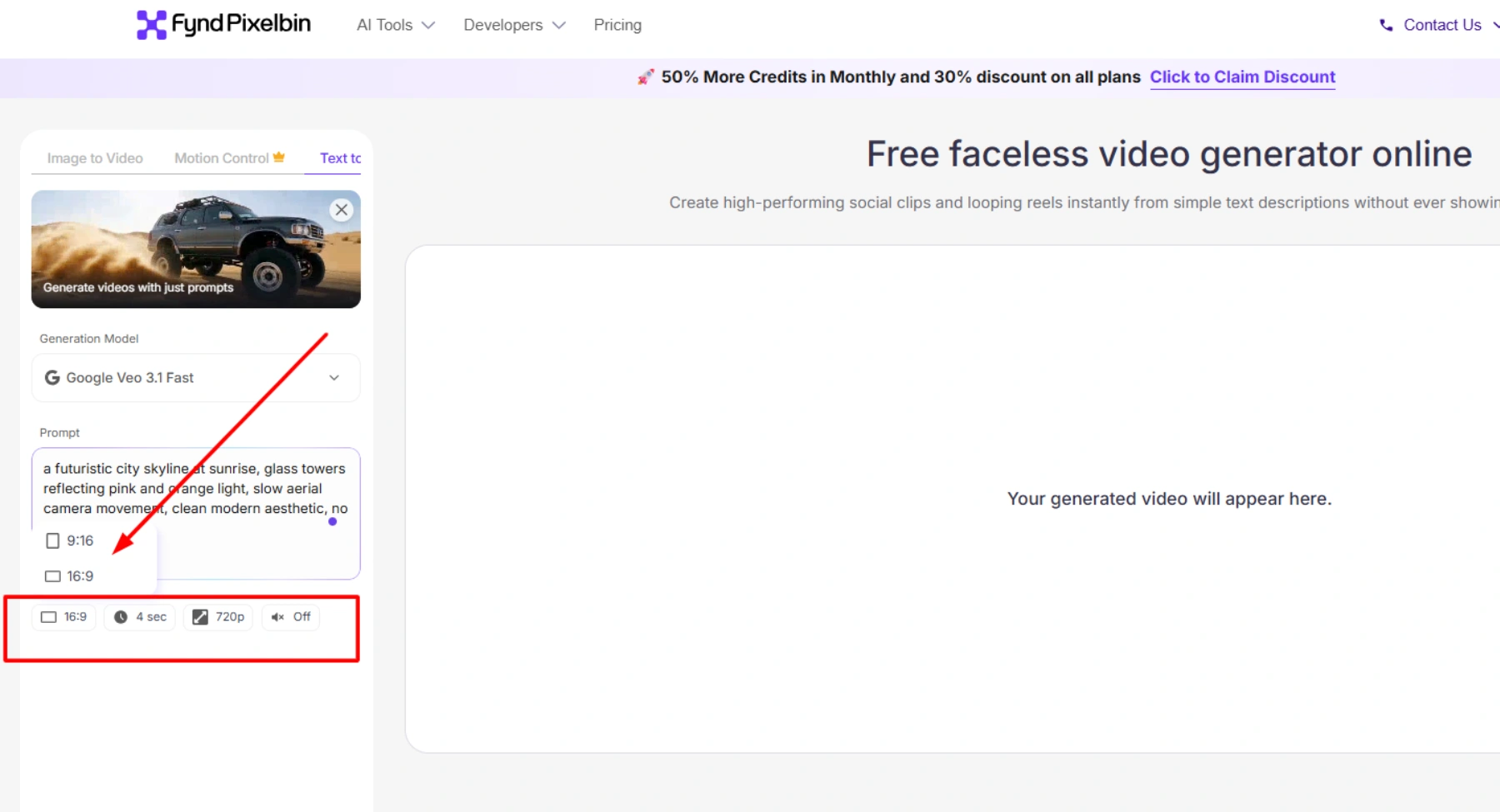
After writing your prompt, set the format and duration.
Pixelbin lets you choose the video shape, set the clip duration, and toggle sound on or off.
For YouTube Shorts, Instagram Reels, TikTok, and Facebook Reels, choose a vertical format. Most people will watch on a phone, and a vertical frame fills the screen without awkward black bars.
For a standard YouTube video, website header, presentation, or desktop advertisement, widescreen is usually the better choice.
Duration matters too when using faceless ai tools. A short clip works well as a hook, loop, teaser, or background visual. If you plan to build a longer video, generate several short scenes rather than trying to create one long clip in a single generation.
Sound is another setting worth considering carefully. If you plan to add your own voiceover, music, or sound effects later, generate the visual with sound off. If you want a standalone atmospheric Reel, turn sound on and check whether the generated audio supports the mood you want.
Step 4: generate your faceless video
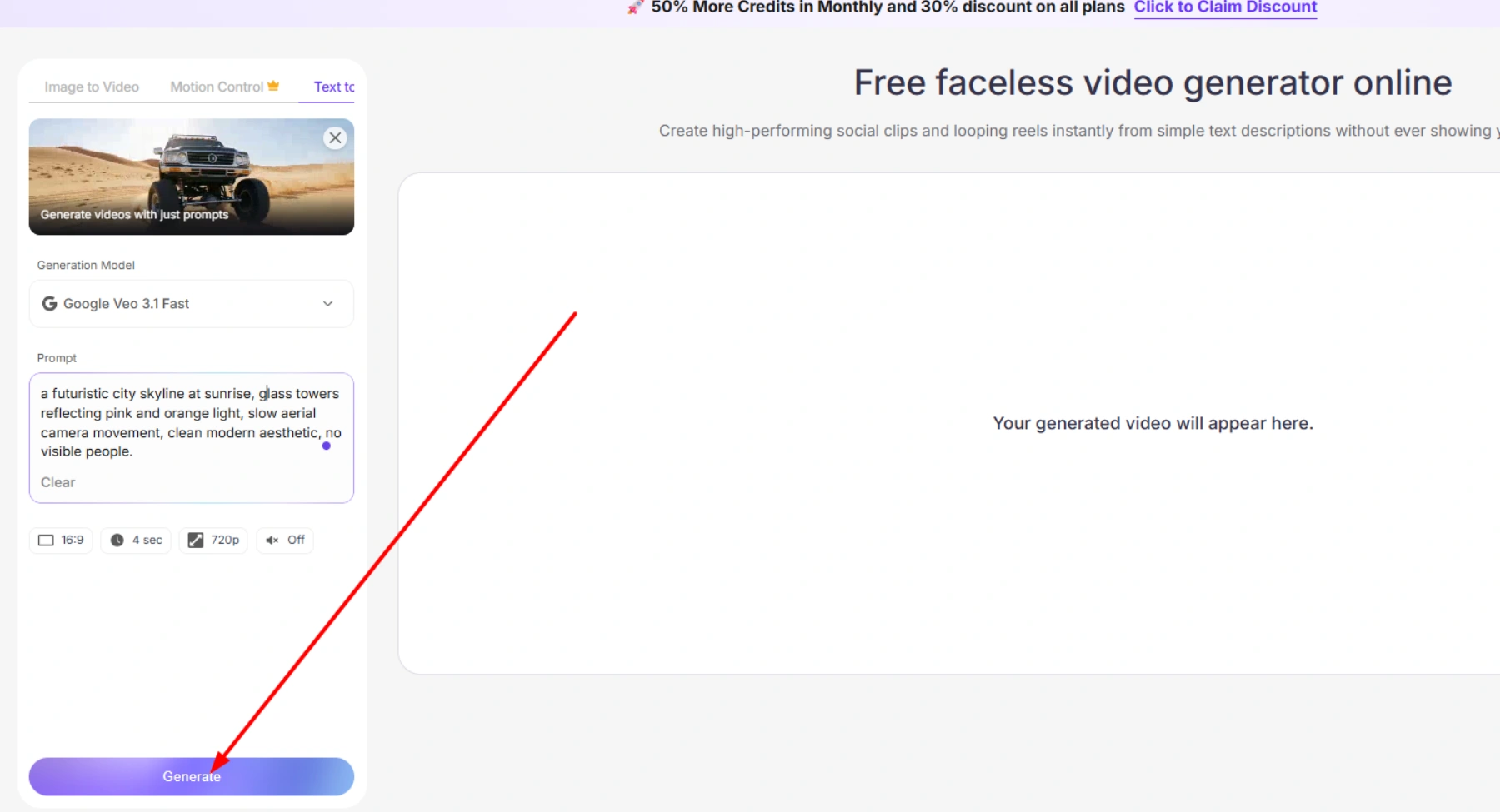
Click generate.
Pixelbin processes your prompt and creates the clip. The platform turns your text ideas into smooth-moving visuals using Google Veo 3.1, with clean clips produced within seconds.
This is where prompt quality becomes obvious.
Step 5: Preview and download the generated video
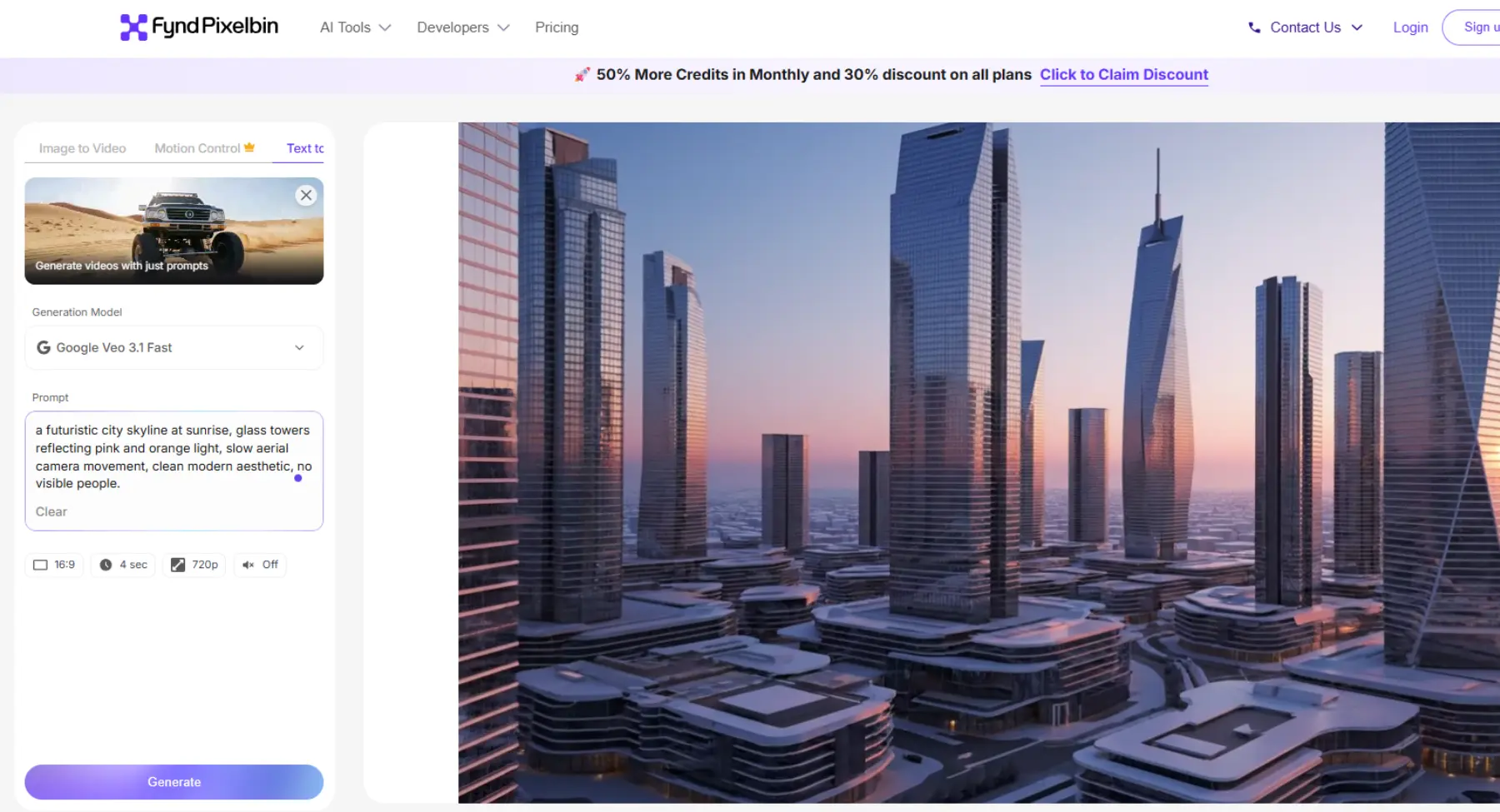
Once the clip is ready, preview it before downloading. The outputs are in HD and with our AI faceless video AI generator free without watermark, you dont have to worry about branding marks or labels.
Check whether the movement looks natural, whether the main subject is clear, whether the lighting matches the mood you wanted, and whether there are any strange visual artifacts. Also ask whether the clip would hold attention in the first second if someone scrolled past it on Reels or Shorts.
If the result looks good, download the file. With the free version, you get a four-second clip in 720p, and downloaded videos are watermark free. That matters more than it may seem. A watermark can make a clip look unfinished, especially if you plan to add your own branding, captions, voiceover, or transitions.
What types of faceless videos can you create with Pixelbin?
Pixelbin is most useful for short, scene-based visuals. That makes it suitable for several faceless content formats, especially those where visuals support a message rather than replace a presenter.
YouTube shorts and social media videos
Short-form video is the most direct use case. A generated clip can become a Reel, Short, TikTok, or Facebook Reel on its own, or it can serve as the visual foundation for a voiceover, quote, fact, or call to action.
For social platforms, the first second matters most. The opening frame should be visually clear and relevant to the hook. A strong clip does not need to explain everything; it needs to make someone stop scrolling.
Vertical formatting is usually the right choice for these platforms. Pixelbin lets you select the video shape before generation, which reduces the need to crop or reformat later.
Storytelling and motivational videos
Storytelling works well without a face because the visuals create emotion while the narration provides meaning. A scene of rain, a quiet room, a mountain trail, or a city at night can support a message about discipline, change, ambition, or reflection.
The visual and message should match. A story about starting over should not use chaotic visuals. A message about ambition may work better with upward movement, sunrise light, or open landscapes. A reflection-based video may suit slower motion, softer lighting, and quieter setting.
Educational and explainer videos
Educational faceless videos work when visuals make an idea easier to understand. Instead of showing a presenter for the entire video, use generated scenes to illustrate a concept while your voiceover explains it.
This format suits productivity, psychology, finance, history, technology, study methods, and language learning. The visual should clarify the point, not merely fill space.
For example, a video about focus can use a clean workspace, a phone placed away, or a person writing one task in a notebook. The scene supports the explanation without requiring the creator to appear on camera.
Cinematic and aesthetic videos
Aesthetic faceless videos rely on mood rather than instruction. Rainy windows, night cities, quiet landscapes, cozy interiors, and slow camera movement can create a recognizable visual identity for a page.
These clips work well for quotes, music, poetry, journaling prompts, reflections, and ambient content. They also perform well when reused across platforms because the visual style can remain consistent.
Consistency is important. If your page is built around calm nature visuals, sudden harsh neon or high-contrast clips can feel off-brand unless the change is deliberate.
Product and marketing videos
Businesses can use faceless AI clips to create product atmosphere without organizing a shoot. A skincare product beside soft light, a coffee cup on a café table, or a tech accessory on a minimal desk can create a premium visual context.
Use AI visuals for mood and setting, but rely on real product images or footage when product accuracy matters. AI-generated product details may not always match the actual item.
How to write effective prompts for AI faceless videos
Prompt quality determines output quality. You do not need technical language, but you do need to give the model clear visual instructions.
A strong prompt includes five elements: subject, action, environment, lighting or color mood, and camera movement.
A simple structure is: main subject, specific action, setting, lighting or color direction, and camera movement.
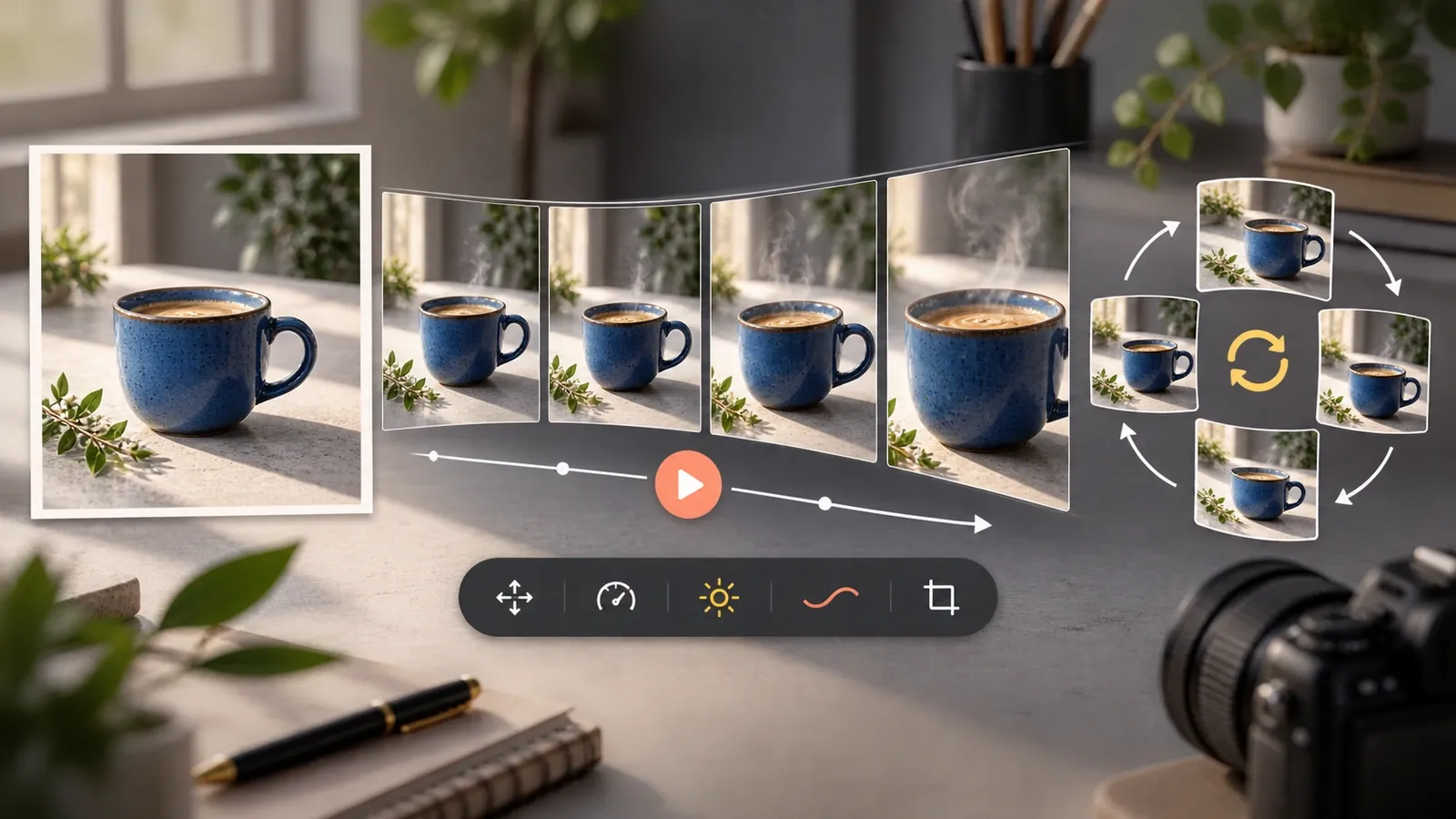
For example: a black coffee cup on a wooden café table, steam rising slowly, rain visible through the window, warm amber lighting, gentle close-up camera movement.
Each part gives the model something specific to interpret. The subject tells it what to show. The action tells it what should move. The setting establishes context. Lighting and color create mood. Camera movement controls how the viewer experiences the scene.
Avoid stuffing too many details into one prompt. Choose the details that matter most for the visual and message.
Example prompts to generate AI faceless videos
These prompts below work because they are specific without being overloaded. They describe one clear scene and give the model enough direction to create a usable visual.
Best practices for creating engaging faceless videos
Generating a clip is only part of the process. Engagement depends on topic selection, visual clarity, platform fit, and editorial review.
Choose a clear topic and target audience
Before generating anything, define who the video is for and what it should achieve.
"Motivation for everyone" is too broad. "Motivation for students struggling with consistency" gives the content a direction. "Finance tips" is broad. "Money habits for someone starting their first job" is more actionable.
A clear audience makes it easier to choose visuals, write a hook, and decide whether a generated clip fits the message.
Use specific visual descriptions
Specific prompts produce more controlled results. Instead of asking for a beautiful landscape, describe the time of day, weather, colors, textures, movement, and camera angle.
You do not need every possible detail. A prompt with a few strong visual directions will usually outperform one filled with vague adjectives. The goal is clarity, not complexity.
Match the video format to the publishing platform
A vertical clip made for Reels may look awkward in a widescreen YouTube video. A widescreen clip may leave awkward empty space on TikTok.
Decide where the video will be published before generating it. Reels, Shorts, TikTok, and Facebook Reels generally require vertical video. Long-form YouTube, websites, presentations, and desktop ads generally require widescreen.
Pixelbin allows you to choose the format before generation, which makes platform planning easier.
Review the generated video before publishing
Never publish the first output without reviewing it.
Check for unnatural movement, visual artifacts, weak opening frames, poor lighting, distracting objects, or audio that conflicts with the message. If the clip is close but imperfect, regenerate with a refined prompt. If it is usable but incomplete, improve it with captions, music, voiceover, or editing.
Human review is what turns an AI-generated clip into a polished piece of content.
Mistakes to avoid when creating faceless videos with AI
How to make faceless YouTube videos with AI
For a full YouTube video, use AI clips as building blocks rather than trying to generate the entire video in one prompt.
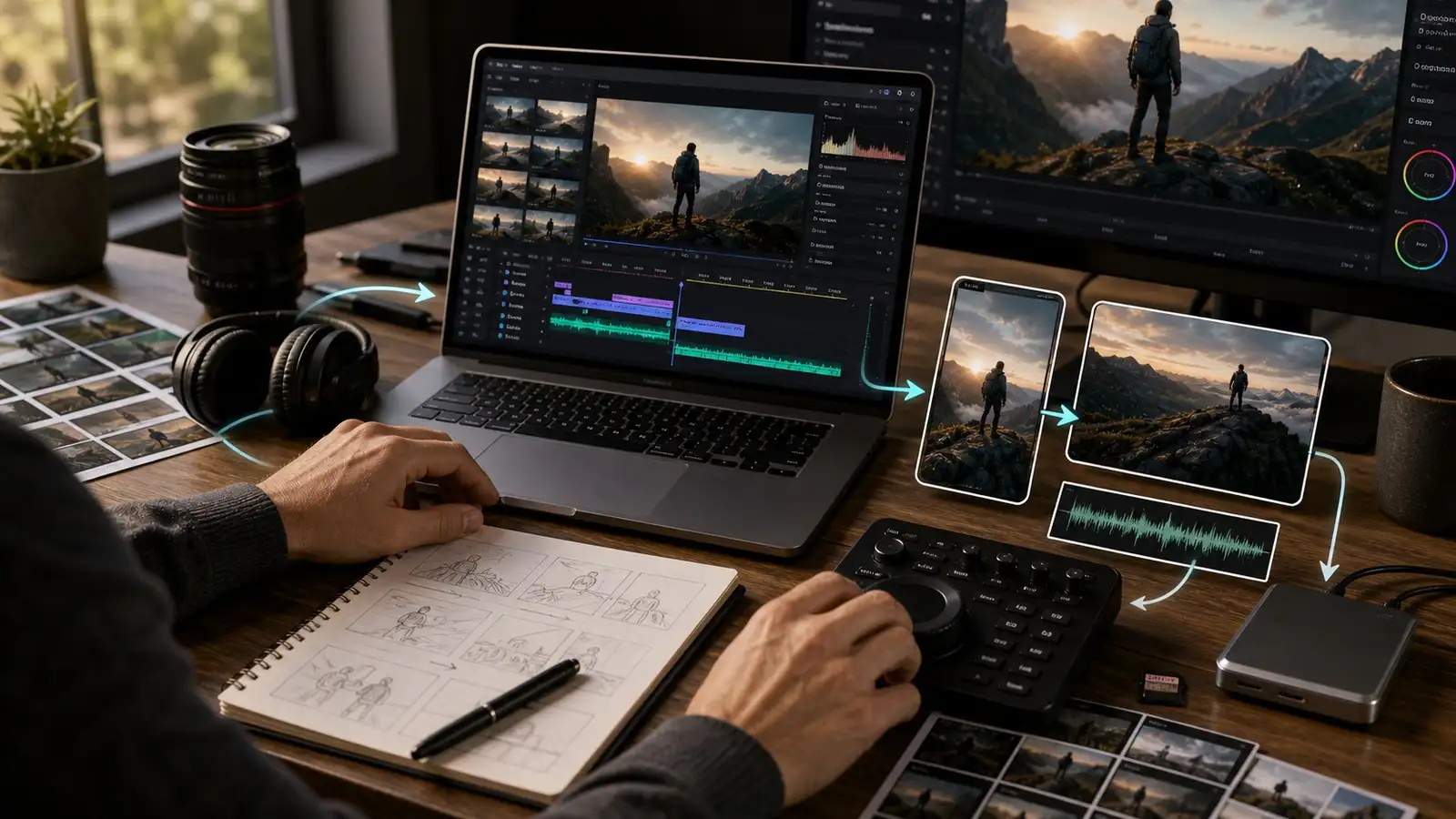
Choose a narrow topic. Write a short script or outline. Break the script into visual moments. Generate a clip for each moment. Add voiceover, captions, music, and transitions. Export the final video in the correct aspect ratio.
For example, a YouTube Short about focus habits can use separate visuals for a cluttered desk, a phone placed away, a notebook, and a calm workspace. Each clip supports one point, and together they form a complete video.
This method gives you more control over pacing and message clarity than relying on one long generation.
Can you create faceless videos using AI for free?
Yes. Pixelbin's faceless video generator is free to test. The free version provides a four-second clip in 720p, requires no account signup, and downloads without a watermark.
That is enough to learn prompting, test visual styles, create short Reels or Shorts, and produce background visuals for larger edits.
If you need longer clips, higher resolution, or more generation volume, Pixelbin offers credits for upgraded usage. Use the free tier to learn the workflow first, then upgrade only when your publishing needs require it.
Can you monetize AI-generated faceless videos on YouTube?
Yes, but monetization depends on originality and value, not simply on whether the video is faceless.
YouTube does not prohibit faceless videos or AI-assisted content. It penalizes low-effort, repetitive, mass-produced material that does not add original value.
A faceless AI video can be monetizable when it includes an original script, useful information, thoughtful editing, clear narration or commentary, and visuals that support the message. It becomes risky when it relies on repeated templates, generic visuals, scraped text, automated voiceovers, or minimal transformation.
YouTube also requires disclosure for realistic altered or synthetic content in certain cases. If an AI video could mislead viewers about real people, events, or places, disclosure may be necessary.
Use AI as a production tool, not as a replacement for original thinking. That distinction is what determines whether faceless content can build a sustainable channel.
Final thoughts
Faceless video creation is not about avoiding the camera. It is about removing an unnecessary production barrier so you can focus on the idea, message, and audience.
Start with one clear topic, write a specific prompt, choose the correct format, generate the clip, and review it before publishing. Add your own voice, captions, or editing style to make the content feel intentional.
The creators who succeed with faceless content are not the ones generating the most clips. They are the ones who turn simple AI visuals into content that feels useful, consistent, and worth watching.
FAQs
An AI faceless video generator creates video visuals without requiring you to appear on camera. You provide a text description, and the tool generates a short moving scene based on that prompt.
Yes. Pixelbin's faceless video generator creates clips from written descriptions. You enter a prompt, choose settings such as shape, duration, and sound, then generate and download the result.
Yes. You can generate silent visuals or use generated sound. You can also add music, captions, or a voiceover later if you prefer not to record narration.
Yes. Choose the vertical format before generating. Pixelbin's faceless reels AI tool is designed for mobile-first social clips, including Reels and Shorts.
Yes the downloads from our faceless video generator are watermark-free, and the tool is meant for creators, marketers, and businesses.You need to review the terms and conditions of the platform or before using clips in paid advertising or client work.
Pixelbin describes its generation process as fast, with clean clips produced within minutes using Google Veo 3.1. Actual time can vary depending on the prompt, settings, and platform demand.
The best option depends on your workflow. If you want a browser-based tool that creates short faceless clips from text without requiring an account, Pixelbin's free faceless video generator is a strong starting point. It offers a four-second, 720p, watermark-free download in the free version.
Yes. Pixelbin allows you to preview and download the generated clip in HD. The free version provides a four-second 720p file without a watermark.