How to use Pixelbin's AI faceless video generator?
Add prompts
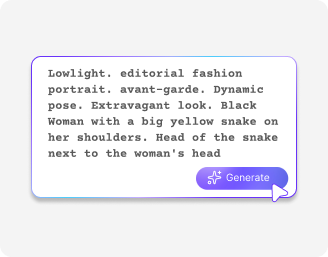
Type a simple description of what you want to see in your clip into the text box, such as lighting, colors, and the overall mood of your scene

Choose video settings
Select your preferred shape, like vertical for mobile reels or widescreen for videos, set your clip duration, and toggle the sound on or off.
Generate and save
Click the generate button to let the faceless video AI free tool process your scene, preview the final clip, and download your file in HD
Why use Pixelbin's free faceless video AI generator?
Fast scene building
Turn your text ideas into smooth-moving pictures using the Google Veo 3.1 engine to get clean clips within seconds.
Smart background matching
Generate environments like cozy rain offices, futuristic city views, or peaceful mountain ranges that fit your exact story theme.
Viral-style content visuals
Generate dynamic visuals inspired by modern short-form content styles designed for reels, shorts & social storytelling.
Voiceover-friendly visual structure
Create scene-based visuals that work naturally with narration, educational scripts, storytelling, or commentary-style content.
Vibrant color balance
Fix lighting automatically so every frame looks deep, rich, and colorful on bright mobile screens and dark mode timelines.
Test & motion graphics
Combine moving typography, transitions, visual effects, and animated elements to make faceless videos more engaging.
Make engaging social media clips from simple texts
Produce high-retention content easily using the best faceless video AI generator built for modern creators and busy brands.
No camera gear required
Skip buying expensive recording lights or lenses and let the faceless video AI maker build your entire visual story from plain words.
Watermark-free downloads
Save every faceless AI video you create in clean quality without any annoying brand names or text labels covering your screen.
Completely free to test
Start creating your very first project right now without setting up a payment plan or spending money up front.
Smooth browser editing
Run the faceless video AI for free right inside your daily web browser, such as Chrome, Edge, Firefox, or Safari; no apps needed
AI tools by Pixelbin
Key highlights of the faceless reels AI tool
Benefits of using a free faceless video generator
Pixelbin helps digital creators, marketers, and side-hustlers build beautiful video channels without the stress of public filming. Using a high-quality faceless AI generator gives you several clear advantages:
- Total personal privacy: You can grow a massive following online and share helpful stories without ever showing your own face on screen.
- Consistent upload schedules: Instead of spending days scripting, filming, and fixing messy video mistakes, you can build a week of clips in minutes.
- Lower production costs: Avoid hiring actors, renting studio spaces, or paying for heavy editing software just to get clean social media assets.
- Zero signup blocks: Open up the application and start typing your scene descriptions instantly without jumping through verification loops or sharing data.
- Global content scaling: Create multiple theme accounts for different worldwide audiences using simple text adjustments to change the local vibe.
- Better channel testing: Try out various content ideas to see which topics get more traffic before investing your money or energy.
Use cases of our faceless reels AI generator
- Social media theme channels: Build highly engaging vertical pages focused on daily motivation, relaxing landscapes, historical facts, or deep storytelling clips.
- Digital marketing agencies: Generate smooth background visuals and high-converting ad hooks for product promotions across major social networks without hiring creative models.
- Faceless faceless AI content creators: Produce faceless reels AI assets that grab user attention on phone screens using fast text prompts.
- Online teachers and tutors: Make clean background graphics and atmospheric visual aids to keep your student lectures visually interesting and engaging.
- Music and podcast hosts: Design moody, atmospheric visual loops to place behind your audio tracks and voice recordings for online video platforms.
- Small shop owners: Create eye-catching product background scenes and conceptual clips to highlight your items clearly to online shoppers.
How to get the best results from the best faceless video AI generator?
- Write clear, descriptive prompts that mention specific colors, lighting styles, and what items should be moving in the frame.
- Pick the correct video ratio before you hit the generate button so your visuals fit your target feed perfectly.
- Keep your text descriptions focused on one main action per clip rather than cramming multiple changing scenes together.
- Test out different text words to see how the fast Google Veo 3.1 model changes the look and style of your project.
- Avoid using overly complex phrases or technical terms when describing your video scene to the tool.
FAQs
Edit images in seconds, not hours
Get pixel-perfect results just with your words
Start editing with AI