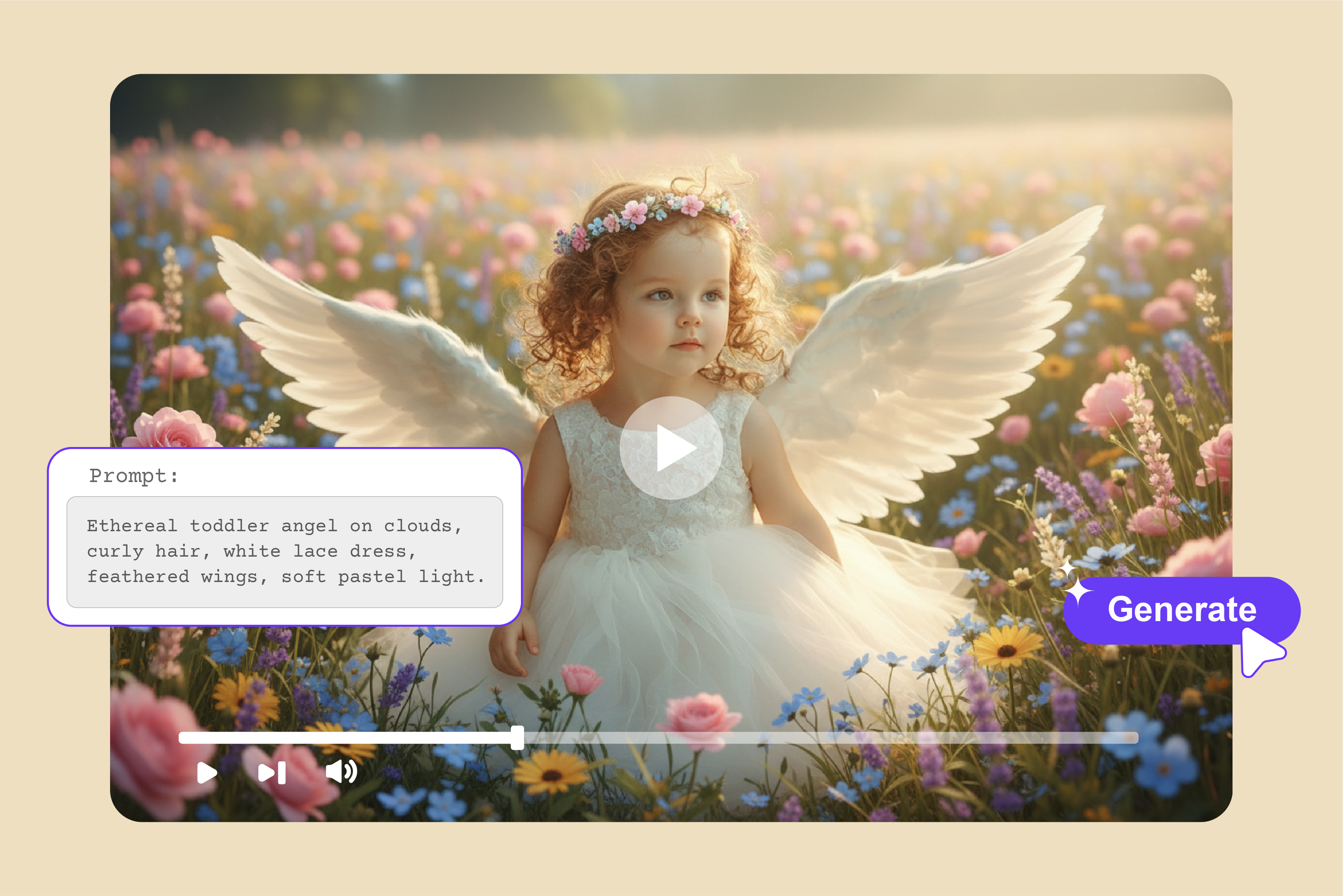


Are you struggling to turn simple ideas into attractive short videos without wasting hours on complicated editing software? Then you are on the right page. That's the wall most creators hit in 2026, until how to create an AI video from a well-described text prompt.
This AI text-to-video generator means you just have to type your idea, like "sunset beach run with golden retriever and a girl," and the tool will provide you with a polished clip, not just a static image. Tools like Pixelbin, Kapwing, Fotor, and others make dynamic motion happen instantly, no cameras, no crews needed.
In this guide, I'll take you through how to write prompts for text-to-video generation, the top 10 AI text-to-video generators, step-by-step workflows, and pro tips to make your clips go viral and engage.
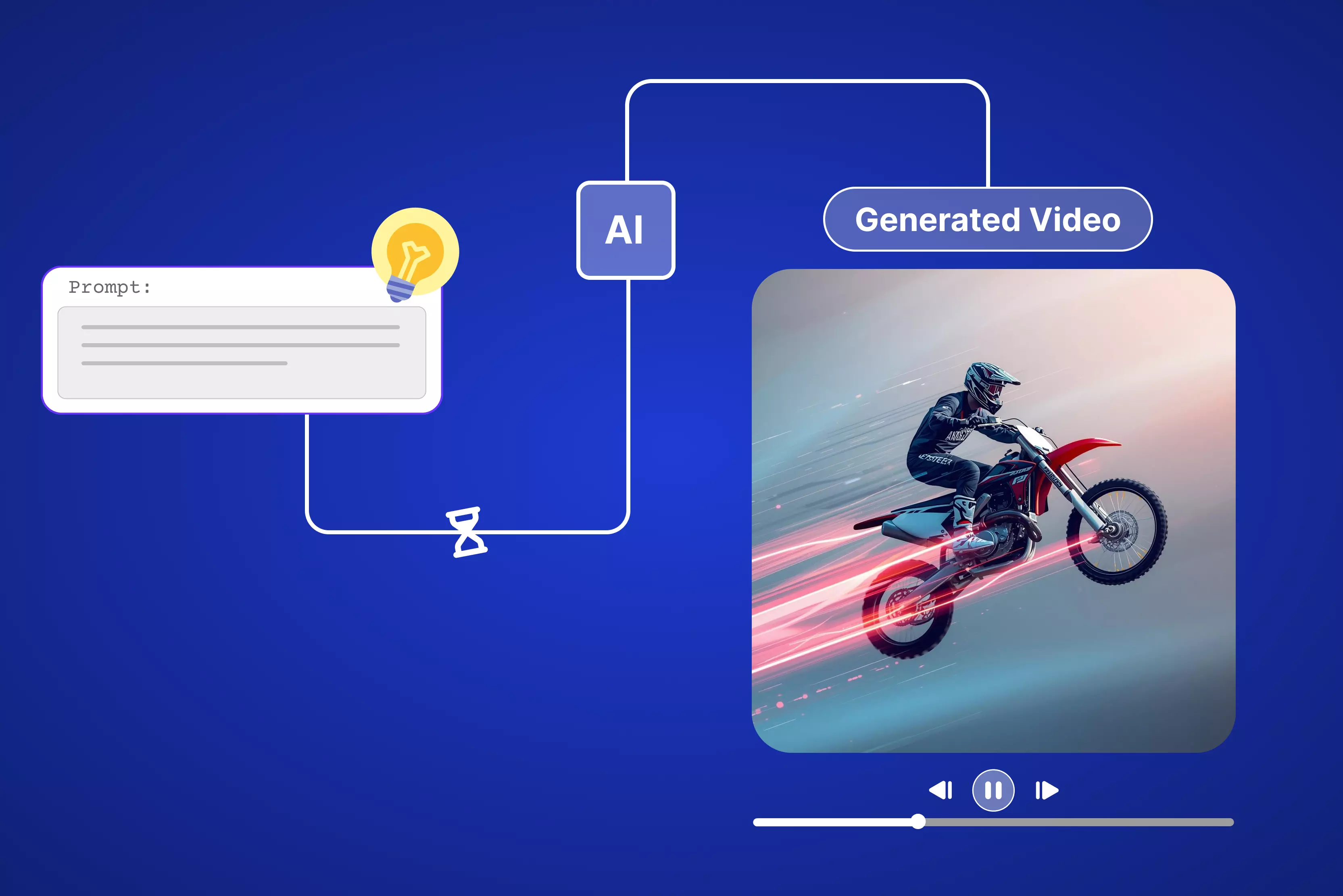
How to create an AI video from text prompts - General steps
Turn words into videos in 5 steps, like choose a tool, craft a prompt, generate a clip, refine edits, and export ready-to-post. AI video from text prompts made simple.
1. Choose your tool
First step is picking the right platform, don't just grab the shiniest logo. Free tools like Pixelbin or Fotor nail quick tests, while pro models like Veo or Kling handle templates and longer runs. Scope daily credits, resolutions (720p vs 1080p), and style fits for cinematic, cartoon, or demos.
2. Craft effective prompts
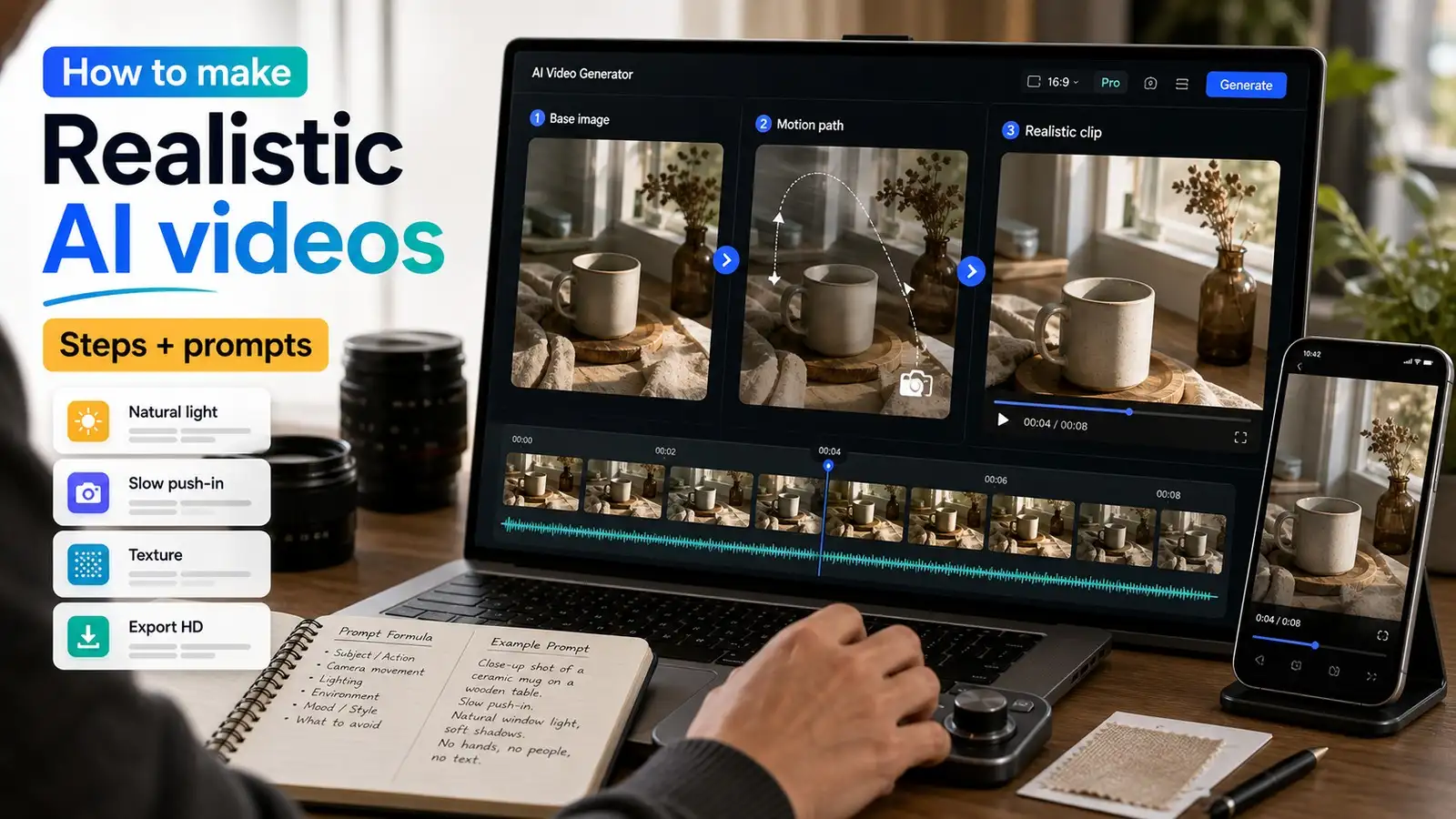
This makes or breaks everything. Skip meaningless prompts like "make a video of a dog running." Sora, Kling, or Veo need more details in prompts. So, keep the formula: subject + action + environment + lighting + camera movement + mood.
3. Generate the video
Few AI models generate video just with the text prompts, and a few allow you to drop an image for the video to come up clean. Hit generate, and it takes 10 seconds to 2 minutes, depending on length (5-20s typical free). Watch the preview spin up smooth motion, realistic physics. If it glitches (warped faces, floating objects), regenerate with a tighter prompt.
4. Refine and edit
Most tools drop straight to timeline editors. You can get options to tweak speed, trim ends, and layer music/text/transitions. Pixelbin/Fotor adds subtitles automatically; Kapwing shines for overlays. Fix wonky frames by remixing sections and adding lip-sync if talking heads. Aim for under 15s for social punch.
5. Export and use
Download MP4 (HD exports are free in many below mentioned tools mentioned below), no watermarks on the video are included. Post directly to Insta/TikTok or drop into Premiere for final polish. Track views with prompt tweaks showing 2x engagement means you're dialed in. Batch test tools weekly; workflows evolve fast.
Google Gemini AI prompts for text-to-video generation
Creators brainstorming prompts for reels, marketers testing ads, educators mocking up explainers, as Gemini shines when you feed it structured prompts for tools like Veo or Kling integrations. The hypothetical situations are mentioned below.
1. Pet video for social media
Situation: Need a quick, cute clip for Instagram Reels to boost engagement.
AI Prompt: "Your pet (say-Golden retriever) chasing a ball in a sunny backyard, sun through trees, mid-air jump catch."
Author’s testing experience: I tried it, and my video came out bouncy and adorable. My perfect little guy leaping had everyone smiling.
2. Urban Night Scene
Situation: City vibe nightlife background.
Prompt: "A crosswalk dusk, neon reflects in puddles, cyclist pedals then brakes sharply in the city (say- Chennai)."
Experience: I ran this prompt, and my video glowed with neon magic. The cyclist stuttered once through the streets of the city, but the mood was perfect.
3. Whimsical Nature
Situation: Creative brand storytelling or kids' content.
Prompt: "Airplanes flock through misty clouds and bright sky and birds flying free."
Experience: I generated it, and my video flowed smoothly. The plane was passing through a clear sky, which looked straight magical among the busy clouds.
4. Coffee Shop Morning Rush
Situation: Cozy cafe promo or daily vlog opener.
Prompt: "Barista pours in a busy cafe, steam rises slowly, morning light through windows, close-up foam heart forms."
Experience: I used this, and my video came out warm and inviting as the steam swirl and foam heart made it feel like a video shot from a real coffee cup in front of me.
5. Product Demo open video
Situation: E-commerce product shot for a mug showcase, rotating view.
Prompt: "White ceramic mug on marble counter, soft morning light, slow 360 camera spin."
Experience: I tested it, and my video spun clean every curve and steam wisp showed pro, ready for ads.
6. Tech gadget video
Situation: Sleek headphone launch video.
Prompt: "Wireless headphones float in a white void, dramatic side shadows, smooth upward circle."
Experience: I fired this up, and my video shone metallic, shadow play made it feel expensive right away.
7. Holiday Atmosphere
Situation: Makar Sankranti market teaser.
Prompt: "Foggy town afternoon time, warm colour Kites flying, children enjoying along with elders."
Experience: I created it using Pixelbin video generator, and my video came out like I clicked a shot of Makar Sankranti, kites flying, and sealed the festive deal.
8. Nightlife Party
Situation: Event invite or club promo.
Prompt: "Balcony rave lights pulse to beat, camera circles champagne glasses clinking."
Experience: I generated my version, and the energy popped, lights throbbed, perfect for party hype.
9. Fitness Motivation
Situation: Gym hoodie brand street run.
Prompt: "Hoodie runner sprints past graffiti wall, dawn pink sky, handheld shaky cam."
Experience: I ran it, and my video breathed grit; the shaky cam pace felt raw and real.
10. App Feature Explainer
Situation: Mobile app screen demo with product shot.
Prompt: "Smartphone floats white space, screen shows blue chat app, yellow text features pop up, product gleams center frame."
Experience: I used this prompt, and my video came out sharp and to the point. The phone glowed, and a pop-up text screamed, "Download now."
What is the best AI text-to-video generator?
Having text ideas in your mind and want them to be generated in a video? I tested 10 top text-to-video AI generators like Pixelbin, Kapwing, VEED, and many more. Keep reading to get more insights.
1. Pixelbin AI video generator

A few times, you just need a quick text-to-video generator without diving into a full editor, and that’s exactly where Pixelbin’s AI Video Generator fits in. It lets you turn your ideas into short, social‑ready clips in a way that feels natural, not technical.
Start by logging into the console, add the text, and never leave your Pixelbin ecosystem for optimization and delivery. Avoid the tools-hopping nightmare. I used to ping-pong between Canva and Photoshop just for one decent reel.
Now everything can be done in Pixelbin: write the prompt, optimize the adjustments, and export the HD-quality video. Focus purely on your story while the AI editor handles everything from video generation to tweaking the duration, resolution, and more.
Must known features
- Text‑to‑video and image‑to‑video generation are available for social posts, ads, and explainers.
- Generation modes tuned for marketing use cases like product demos and promos.
- Web‑based interface designed for non‑technical users and marketing teams.
- Controls for duration, aspect ratio, and resolution suitable for major platforms.
- Rapid rendering so you can iterate on creatives and test variations quickly.
- API‑friendly architecture for automating bulk or template‑based video creation.
How to generate a video from a text prompt using AI models in Pixelbin?
- Log in to your Pixelbin account and go to AI Video Generator. This page lists all supported video models (Kling 2.1 Master, Seedance 1.0 Fast/Lite/Pro, Sora 2, Veo 2/3/3.1 Fast/3 Fast, Wan 2.2/2.5)
- Select a text‑to‑video option; all the above mentioned options include the image-to-video feature. You can use one or two images (JPG/PNG preferred) as the starting or start/end frames, but that is.
- In the prompt box, describe: subject and action (what moves, what happens). Camera moves (slow pan, zoom in, orbit, handheld, etc.). Environment, lighting, mood, and style (cinematic, anime, realistic, product demo, etc.).
Set technical parameters like:
- Duration: choose clip length (Pixelbin image to video flows commonly target short social clips up to 10 seconds of video).
- Aspect ratio/resolution: pick 9:16, 16:9, 1:1, and more, and a resolution such as 720p or 1080p, depending on the specific model you choose.
- Generate the video: Click the generate button, and get a premium plan because you will technically need 30 credits at least to run the above-mentioned steps through the models.
2. EaseMate
Sometimes you crave a free AI video generator that skips the hassle and spits out pro clips fast, so that EaseMate AI's tool hits the mark. After you open the generator, it reveals a clean page that doesn't have any complicated settings, "From prompt to video in a few minutes," boasting text-to-video or image-to-video magic without needing any software installation.
After picking up text-to-video, you can see AI models pop right up like Veo 3, Runway, Midjourney, Kling, Hailuo, and more; perfect for creators, photographers, ads, and games.
After choosing the suitable model and adding the prompt, I got to find great features like tweaking duration, mode, and quality of the video. EaseMate is a mini editor suite, just type ideas, hit go, grab HD exports.
Must known features
- Generates watermark-free videos instantly without accounts or payments.
- Choose from various models for different motion styles and quality levels. Some are mentioned below
- Sora 2
- Veo 3 fast, 3.1, 3
- Seedaance Pro, Fast, Lite, 1.5 Pro
- Kling standard, pro, master, and many more
- Supports texts up to 2500 characters; auto-creates polished clips with natural animations.
- Adjust export quality from 480p to 1080p.
- Adjust duration up to 15 seconds.
- Support prompt enhancement through AI.
- Professional clips ready for social media, branding, or content without extra editing.
- Provides a Chrome extension for quick edits.
- Unlimited use for quick tests and production, no usage limits.
3. Kapwing
Many times, all you want is a free AI text-to-video tool that just works without logins or downloads, and Kapwing delivers. Landing page hits you with AI text-to-video, where you have to enter a text prompt that will generate studio-grade video right up top.
Promises clips so real they fool the eye, great for social UGC, AI influencers, or training stuff. After hitting "Generate video," it shows sample text prompts leading to customizable edits, b-roll generation, script to video, trends, repurposing, and more, but to enable more options like dubbing, lip-sync, transitions, subtitles, and more, you have to sign up.
You will find an AI Assistant Kai that can stitch voiceovers, images, subtitles, and transitions. Free start, pro for unlimited under 60s from idea to share. Kapwing a full suite, turning prompts into platform-ready videos fast.
Must known features
- Cranks out realistic videos in under 60 seconds using models like Veo, Sora, MiniMax, Pika, and Seedance for hyper-real styles from cyberpunk to 80s vibes.
- Add "camera shots name" in prompts for scene changes; build 15-second to 5-minute videos optimized for TikTok, Instagram, and YouTube.
- A full editing suite is available for lip-sync dubbing, watermarks, logos, aspect ratios (9:16, 16:9, etc.), plus stock library swaps for templates.
- Supports pasting URLs or text (up to 1,000 characters) to auto-extract highlights, add music, and sync narration.
- Allows importing media from Google Drive and Vimeo, or uploading from phone.
- Provides no watermarks on video, cloud-based, collaborative edits; pro unlocks on sign up, and advanced tweaks.
4. VEED text to video AI
When a free AI text-to-video tool that turns words into slick video clips without downloads or steep learning curves calls your name, Veed.io's generator steps up big time.
Fire it up, and the page loads clean with a big "Turn your ideas into high-quality videos" callout, pushing AI magic for social posts, tutorials, or presentations that are all browser-based, no software hassle.
Pick text-to-video and options roll out like create an ad, create a tutorial, and more in many languages, plus stock media grabs. Models such as Kling 2.5 or Google Veo 3 and others handle the heavy lifting for realistic footage. Add from sample prompt like "Surfing for beginners," then choose the format, avatar, or voiceover, music, and caption style.
Edit the AI-generated prompt to match your message and brand voice. Replace footage with your own media, stock videos, or generative AI clips. Veed feels like a smart editor sidekick, just type your idea, generate, swap clips or fonts, export in seconds for short videos or reels.
Must known features
- AI text to video with templates for ads, explainers, and social clips, along with AI self-generated prompts for each of the templates.
- Supports different dimensions from portrait to landscape.
- Supports multiple shots till four images in one go.
- Supports download in HD and 4K versions only underthe paid plan.
- Duration adjustment available from 5 to 12 seconds for different AI models.
- AI video generation models available, some of them are:
- Kling 2.5 Turbo Pro
- Kling 2.6 Pro
- Google Veo 3.1
- Seedance 1 Lite
- Minimax Hailuo 2.3
- Wan v2.5
- Pixverse v4.5 and more
- Export profiles optimized for TikTok, Instagram, YouTube, and more under the paid version.
- Browser‑based, no‑software workflow suitable for agencies.
5. ImagineArt
When you need an AI video generator that turns text into smooth clips without downloads or endless tweaking, ImagineArt's tool immediately captures your attention. The page opens clean and simple: "Describe your video in the prompt box below and start," but it nudges you to grab Premium for full access to the AI models, no free tier, straight to pro-level stuff like text-to-video or image-to-video magic.
Type in a prompt, or you can pick a template and models like Hailuo, Kling, or VEO 2 kick in, spitting out 4-10 second clips with camera actions, lighting shifts, or cyberpunk vibes. Toss up a photo, and it animates with natural motion, zooms, parallax, and even cinemagraphs that keep the original look sharp.
Extend clips seamlessly or restyle old footage, add synced music from their library, tweak aspect ratios like 1:1, 9:16, or more for video. Feels like a quick creative boost, just include the prompt, refine fast, export HD for social media without any complicated steps.
Must known features
- AI text to video with templates for reels and videos, along with AI-generated prompts for each of the templates.
- Paid plan includes working with AI models like Kling, Hailuo, or VEO 2 and more, split 4-10s clips with dynamic camera moves, lighting moods, and styles from photoreal to anime without any manual keyframes.
- Sign up to gain 100 free credits to generate videos for free.
- Supports image uploading for easy understanding of the prompt idea.
- Allows to adjust the quality, duration, and dimension of the video.
- Provide presets for every need, like camera control, action movement, viral reels, and more, for easy and simple video generation in no time.
6. Fotor AI video generator
Fotor’s AI Video Generator is that go-to tool when you’ve got a story or idea buzzing in your head and need it out as a video pronto. Pick presets like fighting, hug, kiss, raised white wings, or whatever fits your vibe, and it kicks things off smoothly. Start with a reference pic, and the right AI models layer in visuals and motion around it without any fuss.
The setup’s dead simple, nothing like wrestling traditional editing software. You’re just tweaking prompts, swapping templates, and dialing clips toward your brand or story, building it short and sharp one go at a time.
Must known features
- Text‑to‑video allows for converting written prompts or scripts into full videos.
- Ready-made templates like Ballet, Giant Tiger, Runway walk, and more are designed to spark engagement on TikTok, Instagram, and Facebook.
- Includes AI models, some of which are:
- Kling 2.1
- Kling 2.6
- Kling O1
- Veo 3
- Sora 2
- Seedance 1.0 Lite and more
- Supports prompt or choose your preset AI video template for marketing, education, storytelling, and more.
- Provides trending styles like Ghibli, minifigures, and a few more.
- Free credits available daily.
- Supports clip duration up to 12 seconds.
- The definition varied from 480p to 1080p, with watermark-free output.
- User‑friendly interface suitable for non‑editors and solo creators.
- Supports both text‑based and image‑based workflows in one place.
7. Media.io
Media.io's AI text-to-video tool is your quick fix when you've got words or a script that needs to hit the screen fast, no editing degree required. Page opens clean: drop your text prompt, select the AI model if you have a subscription, and hit generate.
Boom, realistic clips roll out in minutes with smooth camera work and scene flow. Let's you tweak frame rate/resolution/aspect ratio before download. No learning curve; just click on "Generate" and go.
It grabs AI avatars that talk in 120+ languages, slaps on subtitles, voiceovers, and background tracks automatically. Free to start, toss in templates or music tweaks right after, preview, and share straight to social.
Must known features
- Text character limit upto 1000 for describing the prompts.
- Supports prompt generation based on a picture that will be uploaded to transform into a video.
- Provides 5 free credits
- Optionally add audio to the generative video.
- AI video generation models available under the paid plan, some of them are:
- Kling
- Hailuo
- Runway
- Sora
- Google Veo and more
- Includes free aspects like:
- Choose a resolution between 420p and 1080p.
- Adjust duration up to 15 seconds.
- Public visibility is available by choosing a zone.
8. Pictory text to video generator
Pictory's text-to-video tool is the grab-and-go option when you've got a script or an idea inside your mind to become a real video, minus the drag of hunting stock footage or syncing audio tracks.
Right off the bat, the landing page blasts "Generate your video for free," laying out AI Studio that chews through your words, raids a strong stock library, layers voices in a few languages, and spits out full scenes with captions, no need to touch a timeline.
Sign up first, then paste your text or grab a video idea to get rolling. Use the AI to cook up new text if yours needs a spark, pick your length and platform, like Instagram or YouTube.
Rephrase it, quickly shorten, optimize, whatever fits best to sharpen the script. You can tweak the dimension, scene settings, and create a brand. Free trial runs the full flow; HD exports land ready for social blasts or team training in minutes.
Must known features
- Builds the AI-generated prompt into sequenced clips with matching video type for free.
- AI Voiceovers are a part of the paid plan in many languages and accents, natural tones that fit any vibe.
- Provides video type selection like explainers, marketing, and more.
- No AI models available, you can select themes that are pre-built.
- Supports the following adjustments while generating the video;
- Dimension - 16:9, 9:16, and 1:1
- Create your own brand
- Scene settings are available.
- Create scenes from sentences
- Create scenes on line breaks
- Highlight keywords with Al
- Select visuals with Al
- Platform-ready formats for YouTube, Snapchat, Pinterest, and more
- Provides a length addition of 30 seconds to less than 5 minutes.
- HD downloads and no watermarks are available on paid plans.
9. Pixlr AI video generator
Pixlr’s AI video generator tool feels like a mini suite of quick edits, so that you can generate your text prompt into a video by choosing any suitable AI model, as mentioned below.
Simply add an image, make your usual adjustments by mentioning in the prompt, so the image becomes a short, shareable video instead of just sharing a static visual. The interface is beginner-friendly and will not overwhelm you with advanced timeline controls, which keeps things light and approachable.
You can animate product shots or personal shots into professional clips in minutes. If you have a paid version, then you can add music, dynamic motion, special effects, add speech, and custom layouts.
Must known features
- Text‑to‑video conversion with free 50 tokens available only on sign-up.
- AI model options available, like
- Fast AI - 20 tokens
- Pro AI- 45 tokens
- Ultra AI- 80 tokens
- Templates optimized for social formats like TikTok videos, Instagram reels, and more.
- Dimensions available like 9:16 and 16:9.
- Completely web‑based, no software installation needed.
- Supports export up to 4K resolution for free.
- Free download available.
- Beginner‑friendly controls for motion, speed, and transitions under the paid plan.
10. PixVerse
PixVerse hooked me hard the first time when I tossed in two photos and tapped the "AI Hug" effect from a stack of free ones; those still shots flipped into a looping boomerang video that blew up with likes on Instagram overnight.
Stuff like AI Kiss, Hug, Muscle Flex, Fight scenes, and even Jesus Hug templates go viral on TikTok and Reels. Super easy for creators or marketers, just snap a pic, slap on an effect, crank out grabby social clips that stop scrolls dead.
Hit perfect for my reel tests, dishing that instant photo-to-motion spark without the crash-and-burn glitches you see everywhere else. Signing up felt like no big deal to dive into those hot templates for fresh video plays.
Must known features
- Delivers higher video quality, smoother animation, and more realistic transformations than earlier versions.
- Create videos from simple text prompts and upload selfies, portraits, group photos, or any image for instant animation, along with downloading the output, including free credits.
- Ready-made effects like AI Hug, Comic hero in action, AI Fighting, and more are designed to spark engagement on TikTok, Instagram, and Facebook.
- Includes free aspects like:
- Choose a resolution between 360p and 540p
- Adjust clip duration upto 10s
- Multi-shot available
- Generates video with audio
- Choose an aspect ratio from 16:9 to 9:16
- Intuitive interface, as it is to upload a photo, allows choosing from templates, transitions, speech, and more.
- Trusted by millions of users worldwide, reinforcing stability, trend-driven templates, and continued model improvements.
Final thoughts
Lastly, spinning text prompts into killer AI videos totally shakes up how you make content without any endless editing grinds or digging for clips anymore. Pixelbin, Kapwing, Veed.io, Pictory, PixVerse, and all the above-mentioned tools crush it whether you're after snappy Reels for TikTok or sharp explainers for LinkedIn.
Go for quick-hit presets if viral's your game for locked-in brand stuff. Real tests proved they slash hours to minutes, pumping out crisp HD that hooks every scroll.
Follow the above mentioned infrmation and steps to nail AI videos from text prompts with those top tools. For next-level text-to-video that fits your flow, hit Pixelbin's generator. It is my personal favourite because it is super quick, has no watermarks, built for marketers. Dive in today!
FAQs
AI Video from Text turns simple prompts into pro motion clips without a camera. If you are working in Pixelbin video generator, it grabs your words like "sunset surfer in pan shot," adds camera shots as per the prompt, and polishes for instant HD social reels.
According to my recommendation its Pixelbin video generator as it leads drops studio promos from product prompts, no login, watermark-free exports. Handles teasers to abstracts fast for marketers craving quick campaign wins.
Yes, Pixelbin video generator runs free text-to-video, no signup, 3 credits test promos, or concepts browser-fast. Upgrade scales are unlimited for heavy content drops.
Scene + action + mood: "neon chase, fast pans, cyberpunk glow." Pixelbin nails the flow that keeps under 50 words, test short runs first.
Vague prompts yield stiff clips. Pixelbin thrives on specifics: camera moves, lighting, and pacing upfront for smooth pro output every time.
When it comes to AI, tools like Pixelbin video generator cut hours to seconds, no timelines or stock hunts. Traditional drags with skills and renders; AI spits ready social HD instantly.