Ever snapped a photo and wished your teeth looked whiter? It happens to everyone. Coffee stains, lighting, or camera color balance can make smiles appear dull or yellow in photos. You want a bright grin for selfies or posts, but fixing it shouldn't cost money or take hours.
Free teeth whitening photo editors make it easy to fix the photo. These tools use smart AI techniques to spot your teeth and brighten them fast. No skills needed, just upload a picture and adjust a slider. They work great for social media, profiles, or family pics.
I tried one on an old photo, and it looked so much better right away. This blog covers free teeth whitening photo editors like Pixelbin, Picmonkey, Media.io, and more. You'll find what the filter does, top picks, tips for real results, and more to answer your questions.
What is a teeth whitening photo editor?
A teeth whitening photo editor is a simple tool that makes teeth look brighter and cleaner in pictures. It removes yellow stains or dull spots from smiles without changing the rest of the photo. Most use AI tools to find the teeth area fast and apply changes that look natural. You don't need editing skills. They work online or as apps, and many are free.
How does it work?
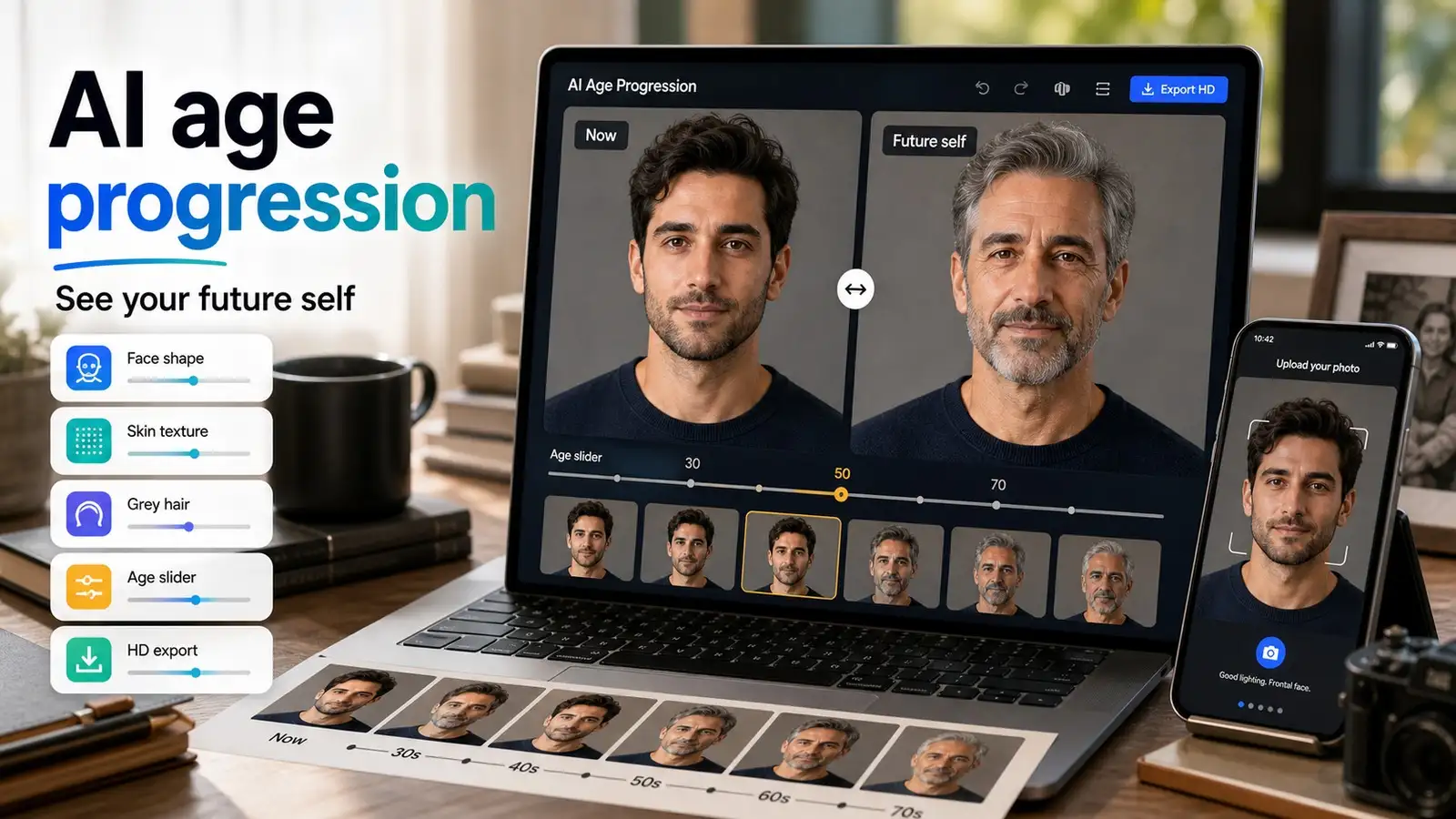
Upload a photo from your phone or computer. The AI scans and picks out the teeth automatically. It brightens the color, cuts stains from coffee, wine, or smoking, and smooths rough edges. Slide a bar to adjust strength until it matches the photo's lighting. The job takes less than a minute. Download the fixed image right away. No complex steps needed.
Key features to check for in the editors
- Auto-detects teeth so you skip manual work.
- Adjustable slider for strength to get real-looking results.
- Free HD downloads without watermarks.
- Supports extras like skin smoothing or background blur.
- Works in any browser on phone, tablet, or computer, no app install.
- Handles JPG, PNG, or WEBP files up to 10MB.
Benefits of teeth whitening for photo editors
- Fixes yellow or stained teeth in seconds for brighter smiles.
- Saves time over manual editing or pro software.
- No skills or expensive tools required, perfect for beginners.
- Boosts selfies, headshots, and social media posts.
- Gives natural results without fake over-white looks.
- Free options deliver pro-quality for everyday use.
Best free teeth whitening photo editors (10 tools tested)
Brighten dull smiles in your photos with the best free teeth whitening photo editors available today. These AI-powered tools remove yellow stains naturally without requiring editing skills or software downloads. Perfect for selfies, headshots, and social media posts, know more through the glance table below.
1. Pixelbin Teeth Whitening Tool

Ever notice how a dull smile can wreck even the best photo? Coffee stains, meals, or just bad lighting turn happy moments into something less than perfect. Pixelbin free AI teeth whitening photo editor steps in to save the day. You upload any JPG, PNG, or WEBP file under 10MB, or drop in the link, and it auto-finds the teeth to zap yellow spots right away.
No signup needed for three free tries each month, and you get crisp HD downloads without watermarks. Works smoothly for selfies, family snaps, or work profiles, keeping everything looking real and sharp. This tool shines because it's all browser-based, safe with encrypted files that delete after use, and skips fake, over-bright looks.
Preview on the spot, tweak if needed, and grab your edit fast on phone or computer. Batch options wait if you need more volume later. Forgot to smile right at that event? Pixelbin fixes it quickly, no apps or hassle required. Give it a go and watch your pics pop.
Why use Pixelbin’s free teeth whitening photo editor tool?
- Accepts JPG, JPEG, PNG, and WEBP files for easy uploads straight from phones, cameras, or computers without format conversion hassles.
- AI auto-detects faces perfectly and applies a smooth fisheye curve automatically, so you skip all manual sliders and editing work completely.
- Browser access works instantly across phones, tablets, laptops, and desktops using only a basic internet connection, no apps needed anywhere.
- HD downloads give you crisp, watermark-free profile pictures ready for social media at absolute zero extra cost ever.
- No sign-up required means you start editing images immediately without login screens, payment details, or account creation barriers.
- Full encryption protects photos securely during the entire processing with automatic deletion afterward, keeping everything completely private always.
2. Imagine.art AI Teeth Whitening
Tired of yellow teeth making your photos look off? Imagine.art offers AI photo editing tools that can help brighten teeth quickly. Upload any photo, and it brightens teeth by tweaking color, tone, and texture while leaving gums and lips alone. Smiles end up polished and real, no matter the lighting in selfies or pro shots. Many AI tools work online within seconds and can be tried in a browser without downloads. Great for social media or portfolios.
It can help improve teeth brightness even in photos with shadows or multiple faces. It matches tones, so nothing looks fake or overdone. No Photoshop needed, just a few clicks for natural results on iPhone, Android, or camera pics. Keep facial details sharp and share-ready. From personal keepsakes to work images, it makes editing effortless every time.
Must known features
- AI automatically detects teeth and whitens their color, tone, and texture for completely natural-looking smiles in every photo.
- Perfectly matches teeth to the photo's lighting conditions without creating halos or distortions in any kind of scene.
- Handles low-light conditions, shadows, or multiple faces in a single photo with consistent and balanced enhancements always.
- Processes high-resolution images very fast, entirely online without requiring signup or any app downloads at all.
- Preserves all important facial details and skin tones to deliver professional-quality results for every selfie edited.
- Fully browser-based tool works instantly and is free on phones, tablets, or computers without any complications whatsoever.
3. NoteGPT Free AI Teeth Whitening Online
Yellow teeth holding back your selfies? NoteGPT AI teeth whitening changes that with one click. It brightens smiles super easily, keeping your facial lines natural and real. No complicated apps or kits, just upload and go for confident posts online. Works fast and looks realistic, like one student said after fixing her pics for sharing.
Perfect if the camera light makes teeth dull. The tool erases yellowing while matching your skin and lighting. Try it free online, no downloads. Boost those portraits or social shots in moments. Feels simple yet pro, turning hesitant posters into happy sharers. Your brighter smile waits, ready for the world.
Must known features
- One-click AI whitening brightens teeth naturally without over-editing the rest of the face or surrounding areas.
- Provides instant stain removal that delivers realistic smile boosts right in your web browser every single time.
- Matches skin tones and lighting perfectly for flawless, non-fake-looking results on all edited photos.
- Free browser-based tool fixes selfies quickly from any mobile device available without extra software needed.
- Maintains the original photo quality at a high level with clean, watermark-free downloads every time.
- Features a simple beginner-friendly interface perfect for social media shares and portrait photos alike.
4. Fotor Free Teeth Whitening Photo Editor
Dull smiles dragging down your photos? Fotor's free online teeth whitening editor brightens them naturally. Upload your image, brush over teeth if needed, and AI handles the rest for a flawless grin. Keeps quality high, even from low-light shots, and works on any device, like phones.
No skills or software downloads required. Great for selfies, portraits, or headshots. Add-ons like blemish fix or sharpen make pics pop more. Web-based,d so edit on the go with iOS or Android. Get clean, bright teeth fast without losing sharpness. Your perfect smile is just clicks away.
Must known features
- The brush tool lets you select the teeth area precisely for targeted whitening adjustments made easily online.
- AI removes yellow stains fast while brightening smiles completely naturally in seconds through the web platform.
- Enhances low-light photos effectively while keeping full sharpness and quality completely intact at all times.
- Free web editor runs smoothly on phones, tablets, or computers without requiring any downloads whatsoever.
- Pairs seamlessly with skin-smoothing tools available for complete and polished face touch-ups every session.
5. InsMind Free Teeth Whitening Photo Editor Online
Yellow teeth spoiling a good photo? InsMind's free AI teeth whitening editor cleans them up in one click. Upload your image, brush over the teeth spot, type "Whiten teeth," and the AI creates a natural, bright smile fast. No quality drop, ideal for selfies, headshots, product images, or wedding pics. It is phone-friendly too.
It goes further with blemish removal, expression tweaks, or full face edits. Quick processing gives real results, not overdone white. Free web tool suits social media, dating apps, events, or prints. Easy steps: upload, select area, add a prompt like "Whiten teeth naturally," download. Pro look without hiring help. Every shot gets that fresh smile boost.
Must known features
- Brush the teeth area, then add a "Whiten teeth" prompt for AI-generated natural smiles instantly.
- One-click processing works fast on selfies, headshots, or product images without any delays occurring.
- Delivers realistic results without suffering any quality loss or showing artificial white tones anywhere.
- Free online tool supports phones perfectly, along with extra editing options for more versatility.
- Quick steps include upload, select area, add prompt, and download files made easily accessible.
- Custom prompts prove ideal for events, dating profiles, or professional prints used in various situations.
6. Media.io Free AI Teeth Whitening Editor
Yellow teeth spoiling a good photo? Media.io free AI teeth whitening editor cleans them up online in seconds. Upload your image, type "whiten teeth," and it brightens smiles, removes stains, and matches skin tones naturally. No quality loss or watermarks, perfect for selfies, group shots, headshots, or social posts. Works on any device, too.
It targets just teeth smartly, fixing low light or shadows without touching gums or lips. Free credits for starters give real results, not fake, over-bright white. The browser tool fits dating profiles, events, or prints quickly. Simple steps: upload pic, add prompt like "Whiten teeth naturally," download HD file.
Must known features
- Type a "Whiten teeth" prompt, and AI brightens smiles with natural stain removal applied precisely.
- Precision targeting completely avoids the gums for realistic HD downloads provided every time, instantly available.
- Fixes low-light conditions or shadows perfectly in any browser on every device, completely free, always.
- Free starter credits provide watermark-free results suitable for selfies or group photos effortlessly.
- Secure processing automatically deletes files right after your editing session finishes without issues.
- Balanced whitening works perfectly for business needs or personal photo uses handled on a daily basis.
7. PicMonkey Teeth Whitener Touch-up Tool
Dull teeth from coffee or bad lighting are spoiling your photos? PicMonkey's teeth whitener tool cleans them up easily in the touch-up menu. Open your image, select teeth whiten, brush over the chompers, and adjust the fade and brightness sliders for a natural shade that blends right in. No quality loss, perfect for social posts, prints, or quick fixes on the go with their mobile app too.
It goes further with an eraser for mistakes, red-eye removal, or pairing with lip tint for full smile boosts. Quick cloud saves give real results without overdone white. Free trial web tool suits selfies, headshots, events, or family shots. Easy steps: upload photo, grab touch-up, brush teeth area, tweak sliders like fade naturally, apply, and download.
Must known features
- Brush over teeth directly in the touch-up menu and adjust fade sliders naturally for best results.
- Erase any mistakes quickly to gain precise control over perfect shade blending effects.
- Cloud saves allow editing seamlessly on web platforms or mobile apps during the free trial.
- Counters coffee stains effectively without needing any professional editing skills or prior experience.
- Pairs well with lip tint options included for complete smile enhancements done super fast.
- Targeted tool provides pro-level touch-ups ready immediately for social posts or print materials.
8. LightX Free Teeth Whitening Tool
Yellow teeth ruining a solid photo shoot? LightX Editor's free teeth whitening tool fixes them fast online with smart AI detection. Upload your picture, let it auto-find teeth, slide brightness, and tone for natural whitening that matches skin and light perfectly. No watermarks or drops in quality, ideal for portraits, selfies, product images, or group pics on any phone or computer.
It handles extras like stain removal, smoothing, or shadow fixes without hitting gums or lips. Fast browser processing delivers realistic smiles, not fake, bright overloads. Free web option works for social media, dating profiles, events, or prints anytime. Simple steps: upload image, select teeth tool, adjust sliders like whiten naturally, preview, and download HD. Pro results, no editing experience needed. Your shots turn vibrant with bright smiles every time.
Must known features
- AI auto-finds teeth precisely using adjustable brightness and tone sliders for perfect customization.
- Removes stains smoothly while preserving skin tones and lighting conditions completely naturally every time.
- Free browser tool handles portraits or groups easily on phones or computers without problems.
- Includes no watermarks on fast HD preview options and download features made readily available.
- Extra fixes for shadows ensure all results look completely real and lifelike without fail.
- Beginner-friendly steps make editing any type of photo quick and straightforward for everyone.
9. Easeus Fixo AI Free Teeth Whitening Photo Editor
Stained teeth dragging down your favorite photos? Easeus Fixo AI teeth whitening editor brightens them effortlessly in seconds online. Upload any image, AI spots teeth automatically and adjusts color and brightness for natural, clean smiles that fit the lighting just right. Keeps full quality intact, great for personal selfies, headshots, family events, or professional uses across devices easily.
The tool adds blemish fixes, skin smoothing, or full face touch-ups with secure processing for lifelike outcomes minus artificial white. Free trial access suits social shares, profiles, weddings, or prints without hassle. Expert finish skips pro software costs. All your pictures gain that polished, happy vibe instantly.
Must known features
- AI automatically spots teeth and adjusts color brightness levels for natural-looking smiles.
- Keeps full photo quality intact using secure online processing completed during every editing session.
- Free trial works great for selfies, headshots, or events across all supported devices easily.
- Adds skin-smoothing features available for complete and refreshing face touch-ups done properly.
- Intensity tweaks prevent over-whitening to deliver lifelike smile outcomes consistently.
10. StarryAI Teeth Whitening
Coffee marks or dullness dimming photo smiles? StarryAI's free teeth whitening tool restores them quickly through simple AI power online. Upload your snap, it detects teeth precisely and lets you slide for brightness, tone, and even texture tweaks to create genuine sparkling grins without altering the rest. HD outputs stay sharp, suited for casual selfies, pro portraits, eCommerce models, or event memories on mobile or desktop.
Beyond basics, enjoy creative edits like style blends or batch options with private handling for authentic, non-overbleached results. The browser-based free tier fits Instagram, profiles, ads, or prints perfectly. Studio-quality, easy, no skills required. Transform ordinary shots into standout ones with vivid smiles.
Must known features
- AI detects teeth accurately with sliders provided for brightness and tone adjustments made easy.
- Blends smiles naturally perfect into portraits or eCommerce product shots done completely seamlessly.
- Free browser tier fully supports batch edits performed with private file handling included.
- HD, sharp outputs prove ideal for Instagram posts or professional ad visuals created daily.
- Creative style options combine well with whitening features to generate unique visual effects.
Final thoughts
Free teeth whitening photo editors take the hassle out of fixing dingy smiles in your pics. I’ve tried a bunch like Pixelbin, Fotor, and InsMind, and they all use AI to zap stains super quick without making teeth look plastic or fake. Great for jazzing up selfies before Instagram or cleaning headshots for job sites. They run right in your browser, no downloads, no fuss, saving you from messing with Photoshop for hours.
Just double-check the preview so it blends with your lighting, and don’t crank it too high, or it looks off. For an easy and fast method, check out Pixelbin free AI teeth whitening photo editor. No signup, auto-detects yellow teeth, and only gives out HD clean smiles fast on any phone.
FAQs
Yes, many tools like Pixelbin let you edit up to three photos monthly at no cost, delivering HD downloads without watermarks or signup hassles for basic needs.
No, quality stays sharp since AI processes only teeth while preserving the original image resolution, colors, and details for crisp, professional-looking results every time.
Absolutely, they enhance smiles naturally for LinkedIn profiles or business sites, boosting your approachable vibe without over-editing that could look fake or unprofessional.
No account needed for free uses, and it's fully browser-based, working smoothly on phones, tablets, or computers without any app downloads or installations required.
Upload a JPG, PNG, or WEBP file under 10MB, AI automatically detects and whitens teeth instantly, then preview and download your enhanced photo right away.
Yes, the AI brightens subtly to match your skin tone and lighting, avoiding harsh over-whitening for realistic smiles that blend seamlessly with the rest of the face.


.webp)