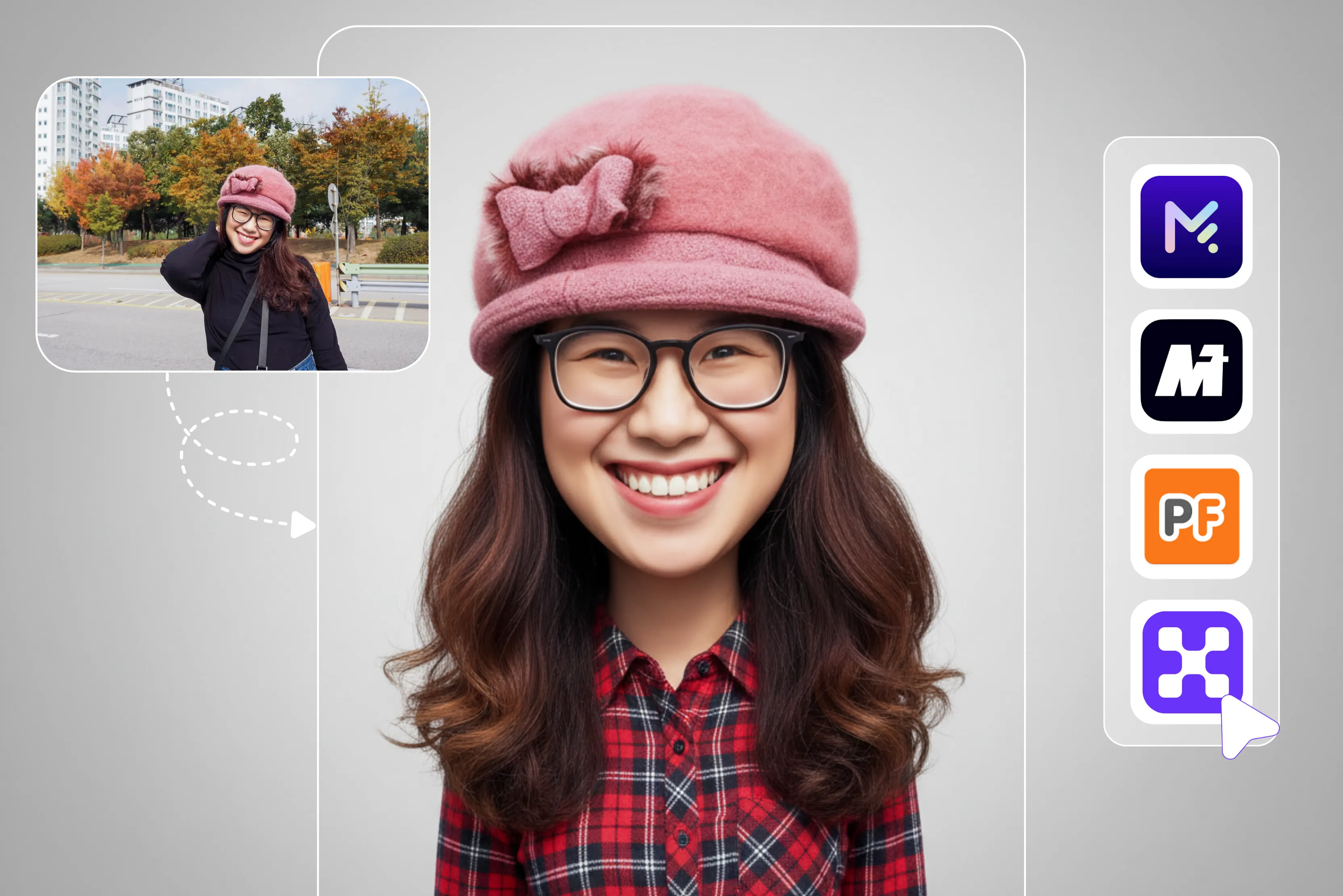


Many people are interested in turning their selfies into cartoon-style images. Cartoon and caricature apps have recently gained popularity, with many users sharing stylized images across social media platforms. Converting a realistic photo into that of a cartoon sounds like it would be quite fun.
Cartoon images are often used for entertainment and may help boost engagement on social media. Caricature apps are programs that transform your ordinary photos into humorous images by exaggerating the subject's features.
The application provides an entertaining way to create playful images of yourself or your loved ones. Most caricature apps are designed to deliver fast results with minimal effort.
The issue comes up when you have to select a caricature app. It’s entirely normal to feel confused when there are so many possibilities. You can create the greatest cartoon images, apply various effects, and alter them as you see fit using my all-time favorite, Pixelbin.
Let’s take a closer look at Pixelbin, which allows you to turn your photos into cartoons. The app is very easy to use; just upload the image and wait for a few seconds, and you will see the result. To help you and make your work fast, I researched and compiled a list of nine popular free photo caricature makers, along with their key features and benefits.
What is caricature?
A caricature is a drawing or illustration that exaggerates distinctive features of a person for humorous, satirical, or artistic effect. The primary purpose of this type of representation is often to create humor, satire or artistic expressions.
You may easily turn your photo into a caricature and produce amusing customized images with a variety of apps. Let's examine a few of the most well-liked free caricature applications that will be accessible in 2026.
Best caricature app free in 2026
1. Pixelbin

Are you tired of boring generic photos that lack personality and creativity? My all time favorite app helps you turn photos into a fun exaggerated version of yourself in just a single click without writing any prompts using the Pixelbin free online caricature art generator.
You can upload various types of images like JPG, JPEG, PNG, WEBP and without any manual editing Pixelbin automatically turns your image into a caricature. The app creates multiple caricatures at once with our bulk editing API to save time and effort.
The app is designed to work without requiring detailed prompts or manual adjustments. Just upload your image, and our caricature maker tool will instantly generate the result in HD quality. I tested one of the images and clicked on the upload image and waited for a few seconds till the AI do magic.
I received results that were impressive and did a fantastic job of creating polished rather than overly distorted images. The output images appeared sharp and vibrant, making them suitable for social media users and potentially for print depending on the selected resolution.
It is easy for having fun with different images because of the quick and reliable processing speed that produces results. For anyone wishing to create funny and expressive caricatures from pictures, high-quality results are a fantastic option.
Key features
- Ease of use
- Fast & simple
- No watermarks
- Beginner friendly
- No technical knowledge required
- Download and sharing options
- No signup required
2. MyEdit
MyEdit offers AI-powered tools that allow users to create caricature-style and cartoon images from their photos. The process is simple: upload your image, select the type of caricature you want, and click the generate button.
There are many options for a Japanese anime style or a Disney/Pixar-style cartoon look. There are various caricature styles available; select the one that best meets your requirements.
I tested one of my images: I uploaded it, selected a cartoon style and clicked the generate button. I received a result that was a blurry image with a watermark. So it wasted my efforts.
The app offered various styles but had a single drawback: it left a watermark on the image. While the app offers multiple styles, the free version may include watermarks and resolution limitations. In my opinion, it's better to go with Pixelbin; with less effort, it easily converts your image into a caricature style.
Key features
- Ease of use
- Wide variety of caricature styles
- Text features to add funny captions
- No login required
- Support multiple formats
3. ToonArt
ToonArt is an AI-powered photo editing app that transforms selfies into cartoon, anime, or 3D characters. Lyrebird Studios has developed a free app for Android users.
ToonArt includes makeup-style filters and enhancement effects for portrait editing. With a single click, you can easily create caricature pictures. The tool offers hundreds of stylized filters, including Barbie, baby, big-head effects, to create caricatures, 3D avatars, and digital art.
You can also use ToonArt to make beautiful anime art that you can share with your friends on Instagram, Facebook, Snapchat, and other social media profiles. The tool also offers auto background removal and editing for profile pictures.
I tested and uploaded the image, and where I saw it, the result was not perfect. In my experience, the frequent prompts to upgrade made the editing process feel less smooth, especially when using the free version.
Key features
- Ease of use
- Multiple style support
- No watermark
- No signup required
- Beginner-friendly
4. Media.io
Media.io turns your photos into hilarious caricatures online with just one tap. Whether you’re an art enthusiast or a beginner, Media.io offers an easy-to-use caricature maker online tool. Media.io is very easy to use; simply upload your photo, and the tool will instantly transform it into a fun and exaggerated cartoon-style image.
You can upload .jpg, png, jpeg, webp, gif, and .heic at a resolution of 4000x4000 px. As a web-based tool, Media.io can be accessed through modern browsers on Windows, Mac, Linux, Android, or iOS devices.
Perfect for social media avatars, birthday cards, or creative gifts, anyone can effortlessly create a caricature from a photo. I tested it by uploading one image.
To start editing, simply upload or drag and drop an image, explore various comic styles, pick the one you like best, click the apply button, and then download and share your new photo. I received a less interesting result, as the face was big in size and the blurry color combination was not proper.
Key features
- Ease of use
- Various comic-style support
- Support multiple formats
- No signup needed
- No watermark
5. ToonMe
Converting your realistic photo into that of a cartoon sounds like it would be quite fun. It may help for various purposes, from making someone smile to attracting more likes and shares on social media accounts.
ToonMe is a photo-to-cartoon app that can convert many portraits into cartoon-style images, typically within seconds, depending on processing time. The process is very simple; you only upload your picture and wait for AI to process it.
The app provides various styles to select from, from Pixar-style to 3D to classic caricature looks. You can test this app with just a single tap. I tested one image and waited for a few seconds.
The result was a somewhat blurry image I received, and it was time-consuming too. However, the app does not provide any watermarks at the time of the results. You can do further editing if required; if you are not satisfied with the result, you have to click on the Resample.
Key features
- Easy one-tap process
- No signup needed
- Support multiple styles
- Flexible designs and features
6. PortraitArt
With the help of the PortraitArt app, you can personalize your photos into funny caricatures, cool sketches, oil paintings, and many more. Powered by a state-of-the-art photo-to-art AI generator, you can easily create your caricature photos.
The app works with various types of photos like portraits, group shots, pet photos, buildings, and scenic views. There are various types of styles available, like classic oil painting, watercolor, colored line art, and much more, according to your requirements.
You can first try it if you like; then you can go with the subscription plan. I tested one of my photos with PortraitArt, where I selected the cartoon style and clicked on the generate button.
Wait for a few seconds, I received the result with no watermar. You can download the image if you are satisfied with the result. You can do further editing if required; if you are not satisfied with the result, you have to click on the Resample.
Key features
- Easy one-tap process
- No signup needed
- Support multiple styles
- Flexible designs and features
- No technical knowledge needed
7. LightX
LightX's free AI caricature generator makes it a fun and easy way to turn your photo into a cartoon. Experience the magic of LightX AI caricature style, transforming your photo into captivating caricatures, showcasing a variety of unique styles and artistic flair.
The process is very easy: select your photo and style from premade sketch styles or enter text prompts describing your desired custom look for yourself in the photo. Click on the generate button and wait for seconds. Once it gets generated, you download the result.
I clicked on the “Upload image” button and selected the image I wanted to generate. Message received. Please wait a moment and select the style you want to generate. I selected Witch and clicked on the generate button.
Wait for a few seconds till your image is generated. Uploaded a photo in the group and received the result of only one girl. However, the tool does not provide any watermark, as I can say to avoid it because it does not match the photo face that is uploaded.
Key features
- Ease of use
- Multiple style support
- No watermark
- No login needed
- No technical knowledge required
8. OpenArt
OpenArt helps you easily convert your photo to a caricature. You can easily upload your photos and create live images with just a few clicks. The app allows you to generate various avatars with various differences in exaggerated subject details.
Once you are satisfied with the work, you can save the image to your device. Experience with various styles and effects using AI filters, allowing you to enhance or completely change the vibe of your images.
However, the app accepts images in different formats and sizes. The app can work on iOS and Android. I tested one of my images, selected the style, and clicked on the create button.
I patiently waited for a few seconds before proceeding. I received an unsatisfactory result because it was too blurry and unclear. I am really disappointed with the caricature AI feature in the OpenArt app. I can’t recommend it.
Key features
- Ease of use
- Multiple style support
- No watermark
- Funky image
- Available on iOS and Android
9. PhotoFunia
PhotoFunia is an online photo effects tool that lets users apply various artistic templates, including sketch and cartoon-style effects, to their images. There are various options available in style to select according to your requirements.
The process is very simple; only upload the image and wait for a few seconds, and you will get a result. I tested one of my images, and it is very simple to upload and crop the image you want to create.
Just click the crop button and then the create button. In my test, the selected effect produced a black-and-white result by default. Some templates may offer color variations or alternative styles, depending on the effect chosen.
Key features
- Ease of use
- Compatible with various image dimensions
- Various image formats
- No technical knowledge
- No watermark
How to transform a photo into caricature style?
Creating a caricature manually using drawing or editing software can require technical skills and attention to detail, especially if done from scratch. Both of these requirements are challenging to fulfill. An alternative option is to use an AI-powered editor that automatically converts a photo into a caricature-style image.
Although accuracy and detail may differ based on the application and the input image, these tools are often meant to yield results rapidly. Additionally, since I've already covered the main features of several programs, using these tools won't require any technical expertise.
Benefits of the Caricature app
Caricature apps provide various benefits to you while you are using them.
- Ease of use: You can easily use and create caricatures in seconds; just upload a photo, and the app does the work for you.
- Unique profile pictures: You can generate eye-catching avatars for social media, gaming profiles, or messaging apps. This can help individuals and brands boost their online presence.
- No technical skill needed: You don’t need drawing experience; the AI handles all the transformation automatically. No technical or programming skills are needed; just upload your image.
- Fun and entertaining: Caricatures are excellent for sharing with your friends, posting on social media, and making people laugh since they playfully exaggerate features.
- Editorial illustrations: Magazines and newspapers frequently use caricatures to inject humor into their stories and opinion pieces.
FAQs
Pixelbin allows you to create a wide variety of caricatures effortlessly using AI. Simply upload your image and select the type of caricature you want.
You can create a caricature online by uploading an image to Pixelbin. Simply upload your photo with just a click or drag-and-drop to start editing, and AI will automatically create an image. Download your result.
Easily create unique and personalized caricature art with an AI caricature maker. When this app is open in a design, you can upload your image and click on the generate button.
To turn your picture into a caricature, use AI-powered online tools like Pixelbin. Simply upload a clear photo and click on the upload button, and the AI will automatically provide results.
From anime-style artworks to bold comics, it’s easy to use Pixelbin as an AI cartoon generator for free. All you need to do is upload an image, and within a few seconds, AI will automatically provide you with results.
No, there is no need for any technical knowledge to create caricature types of pictures.










