


Support png/jpg/jpeg/webp, up to 10MB
/pixelbin_blogs/PB_2.0/Apps_New_design_graphics/caricature/erasebg-transformed_(23).webp)
/pixelbin_blogs/PB_2.0/Apps_New_design_graphics/caricature/erasebg-transformed_(22).webp)
/pixelbin_blogs/PB_2.0/Apps_New_design_graphics/caricature/erasebg-transformed_(15).webp)
/pixelbin_blogs/PB_2.0/Apps_New_design_graphics/caricature/erasebg-transformed_(18).webp)
/pixelbin_blogs/PB_2.0/Apps_New_design_graphics/caricature/erasebg-transformed_(17).webp)
/pixelbin_blogs/PB_2.0/Apps_New_design_graphics/caricature/erasebg-transformed_(16).webp)
/pixelbin_blogs/PB_2.0/Apps_New_design_graphics/caricature/erasebg-transformed_(19).webp)
/pixelbin_blogs/PB_2.0/Apps_New_design_graphics/caricature/erasebg-transformed_(20).webp)
Photo to caricature maker
Free AI Caricature Maker
Turn photos into a fun, exaggerated version of yourself in just a single click, without writing prompts, using Pixelbin’s AI caricature maker.
/pixelbin_blogs/PB_2.0/Apps_New_design_graphics/caricature/erasebg-transformed_(25).webp)
/pixelbin_blogs/PB_2.0/Apps_New_design_graphics/caricature/erasebg-transformed_(24).webp)


How to create your caricature with Pixelbin?
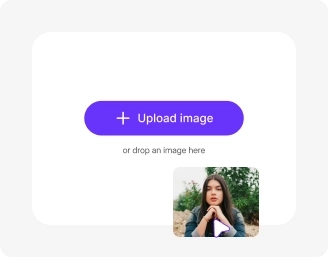
Add your image
Paste a URL or click “Upload Image” to select your picture in any of these formats: JPG, JPEG, PNG, or WEBP.
Wait for AI processing
Pixelbin automatically turns your image into a caricature without any manual editing required.
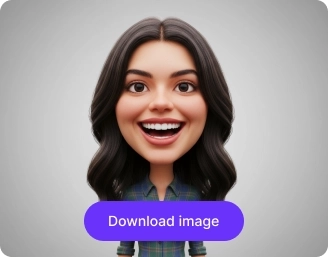
Download your image
Preview & download your generated caricature for free, without watermarks or any hidden costs.
Why use Pixelbin’s caricature maker AI tool?

Multiple image formats
Upload images in popular formats such as JPG, JPEG, PNG, or WEBP for complete flexibility.
.png)
Batch processing
Create multiple caricatures at once with our bulk editing API to save time and effort.

Smart AI editor
Automatically transform your images into cartoon-style caricatures without prompts or manual edits.
.png)
Free HD downloads
Preview and download your caricatures in high definition without watermarks or extra costs.
.png)
No credit card login
Access Pixelbin instantly without signing up or entering your credit card details.

Complete privacy
All your images are encrypted & handled on secure servers, and never shared.
Design custom caricatures for any occasion in just one click
Turn your favourite memories into fun cartoon versions instantly with Pixelbin’s free caricature maker.
One-click result
Create fun caricatures from your images instantly without using complex tools or taking extra steps.
No need for prompts
Turn your images into cartoon-like caricatures without the need for writing lengthy prompts or manual editing skills.
Free trials for everyone
Generate up to three caricatures per month for free, and upgrade anytime for more credits or API access.
Browser-based editing
Create funny caricatures directly from your web browsers (Edge, Chrome, Safari, etc.), without requiring software downloads or plugin installations.
/pixelbin_blogs/PB_2.0/Apps_New_design_graphics/caricature/One-click_result.webp)
AI tools by Pixelbin
/pixelbin_blogs/PB_2.0/Apps_Graphics/Unpixelate_Image/Graphics/Thumbnail_(13).png)
/pixelbin_blogs/PB_2.0/Related_apps_tumbnail/erasebg-transformed_-_2026-04-01T130755.340.webp)
/pixelbin_blogs/PB_2.0/Apps_Graphics/Logo_Enhancer/Graphics/Thumbnail_(11).png)
/pixelbin_blogs/PB_2.0/Related_apps_tumbnail/CARTOON_(2).webp)
Free online caricature maker from photo
Benefits of using online caricature maker from photo free tools
Turn your photos into fun, cartoon-style caricatures using our online caricature maker AI free tool. Here are some of its benefits:
- Fast & simple: Upload your photo, wait a few seconds, and get your caricature instantly.
- Simple accessibility: You can use our caricature maker app from anywhere, with just an internet connection.
- No watermarks: Download your caricature in high definition without any distracting watermarks.
Use cases of online photo to caricature maker free tools
Whether it’s for weddings, gifts, or social media, Pixelbin’s caricature maker online free tool makes it simple to edit your images. Here are some of its best use cases:
1. Design funny avatars for social media
Make your profile stand out from the crowd. Use our cartoon photo caricature maker to create a humorous avatar for Instagram, Facebook, TikTok, or gaming profiles that shows off your personality.
2. Create personalized gifts for loved ones
Give a truly one-of-a-kind gift to your loved ones. Turn a family photo into a fun portrait with our family caricature maker, or surprise a friend with a funny depiction they’ll love. With Pixelbin, you can give the perfect personal touch for any occasion.
3. Craft unique wedding invitations & stationery
Use our wedding caricature maker to design memorable save-the-dates, invitations, or thank you cards. Pixelbin’s wedding caricature maker online free tool is perfect for couples looking for a creative theme.
4. Make fun holiday cards
Switch on the festivities with a custom holiday card. Use our Christmas caricature maker to turn family portraits into cheerful greeting cards that will make your friends and family smile.
5. Add a fun touch to team profiles
Lighten up your company’s internal website or Slack profiles with Pixelbin. Using our group caricature maker online free tool, you can create consistent headshots for your entire team, adding a dose of fun to the corporate world.
How to get the best results from photo cartoon caricature maker online free tools?
Follow these simple tips to ensure you generate the best-looking caricature from our tool:
- Upload a clear, high-quality photo where the person’s face is well-lit.
- Make sure the subject is facing forward with their facial features clearly visible.
- Avoid using photos that are blurry, too dark, or have objects covering the face.
- Try different photos with various facial expressions for varied results.
FAQs
Here are some of the most commonly asked questions about our AI Caricature Maker. If you still can’t find what you’re looking for, you can reach out to us at support@pixelbin.io or read our documentation for more details.


Edit images in seconds, not hours
Get pixel-perfect results just with your words