

Videos grab attention far more effectively than static images, but producing them manually can be an incredibly frustrating process. Scripting scenes, sourcing b-roll, and stitching assets together without rendering glitches can easily consume days of work, especially when you are managing production schedules for multiple social media channels or clients.
Generative AI reduces this production duration from weeks down to minutes. To get you started, we’ve investigated and evaluated the best AI video producers accessible in 2026, from lightweight social media apps to full-featured browser-based editing suites. Today, tools are so powerful that from a text prompt you can create a professional Reels, or YouTube tutorial, or commercial promo.
This hands-on guide covers the 16 best AI video generators, from the latest generative text-to-video models to seamless image-to-video capabilities.
What can the best AI video generators do?
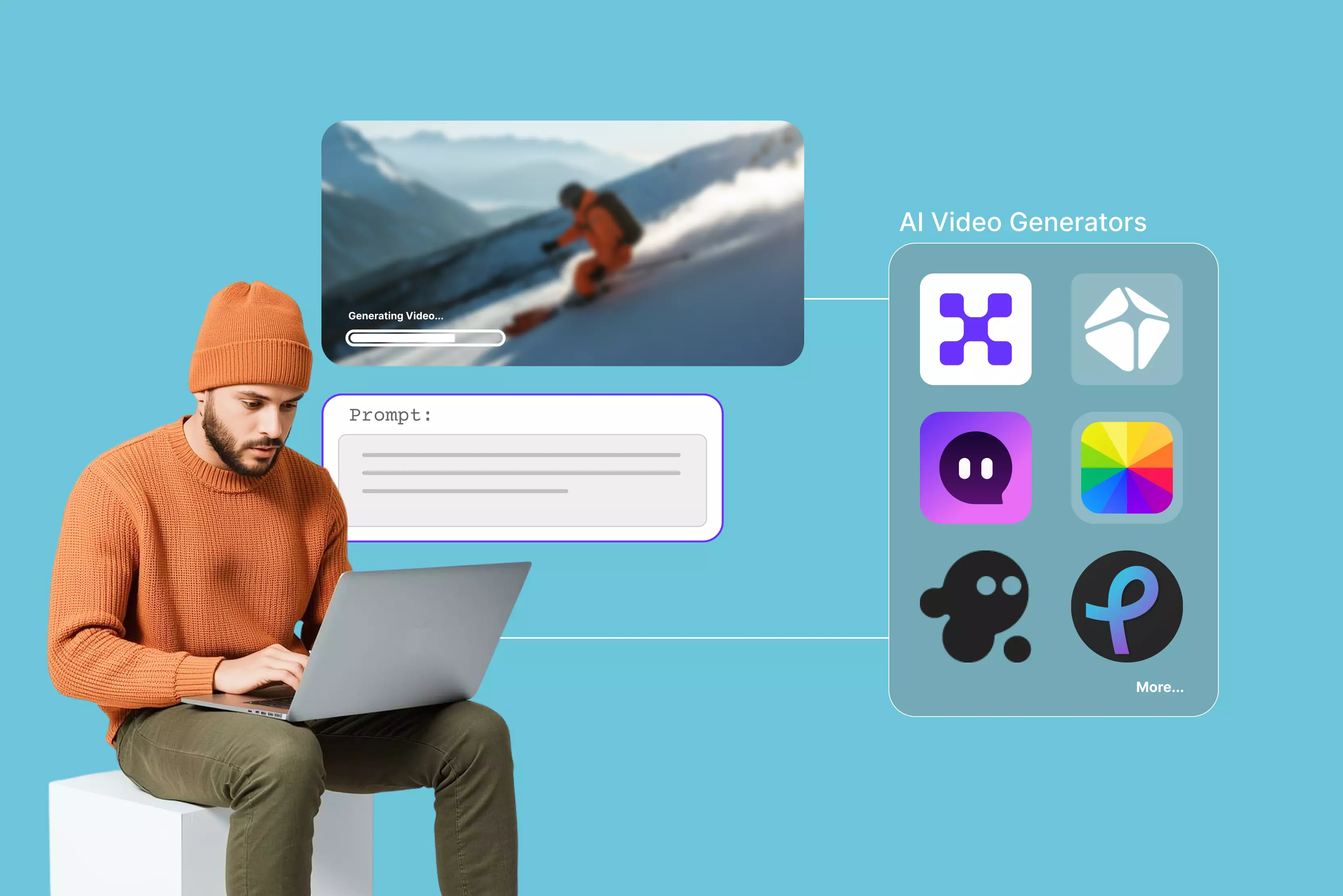
AI video generators have exploded with the rise of AI, giving beginners and pros alike tons of solid choices. I've handpicked 11 standout online tools and 5 generative models that deliver real results with these key features:
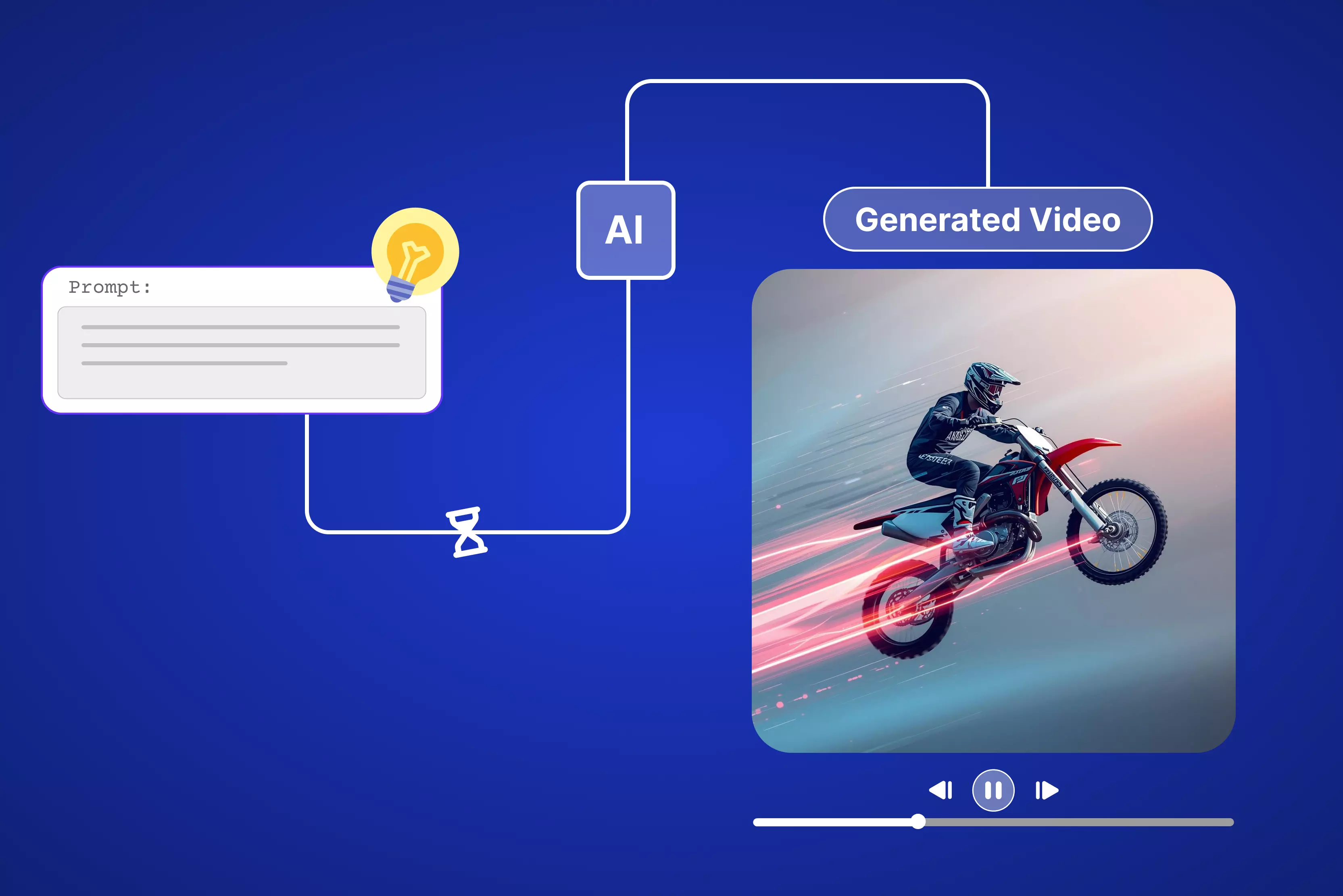
- Text to video: Drop in a script or prompt and the AI builds complete videos with scenes, characters, and voiceovers automatically.
- Image to video: Upload photos and watch AI animate them into smooth sequences with transitions and effects.
- Old video to video: Refresh old footage by changing styles, boosting quality, or adding AI effects for a completely new look.
- Video effect templates: Grab trending templates to create viral clips or YouTube Shorts in just a few clicks.
- Auto subtitles and captions: Generate accurate subtitles directly from your video audio without any manual transcription.
- Avatar and character generation: Create realistic AI presenters or animated characters to front your video content without filming anyone.
- Background removal in video: Remove or replace video backgrounds in real time without a green screen setup.
- Aspect ratio formatting: Automatically reformat a single video into multiple aspect ratios for YouTube, Instagram Reels, and TikTok simultaneously.
- Brand kit integration: Apply your brand
color, fonts, logos, and style consistently across every video you generate.
How did I select and evaluate the best AI video generators?
Choosing an AI video generator requires looking past marketing hype. To evaluate these tools objectively, I put each platform through a standardized testing workflow using the same benchmark prompt:
"A busy downtown coffee shop during the morning rush, steam rising from a porcelain cup on a wooden table, slow-motion cinematography, warm morning light."
During our evaluation, I assessed each platform against the following performance benchmarks:
- Generation Speed: How long the engine takes to turn a prompt into a playable HD file. (For example, Pixelbin completed this render in 45 seconds).
- Free Tier Utility: The practical value of daily or monthly credit caps, resolution caps (evaluating 720p versus crisp 1080p), and the placement of watermarks on exported files.
- Aspect Ratio Flexibility: Native support for vertical formats (9:16 for TikTok and Reels) and widescreen formats (16:9 for YouTube).
- Motion Continuity: The tool's ability to handle complex camera movements (like cinematic pans or orbital tracking) without introducing janky motion blur or visual artifacts.
11 Best AI video generators (leading over the web)
AI video tools make professional videos from text, without requiring any camera or editing tools. Save hours for TikTok or YouTube clips. I tested the top ones ranking on Google as mentioned below.
1. Pixelbin AI video generator (Best multi-model AI video generator)
.webp)
Sometimes you just need a quick video without diving into a full editor, and that’s exactly where Pixelbin’s AI Video Generator fits in. Pixelbin is one of the best AI video generators for users who want multiple top AI video models, flexible creative controls and marketing-ready templates in one browser-based workspace. It lets you turn your ideas, product shots, or brand visuals into short, social‑ready clips in a way that feels natural, not technical.
Start with text or images and stay right inside Pixelbin for all the fixes and sharing. Skip jumping between apps. I used to bounce from Canva to CapCut to Photoshop just to get one good reel done. Now Pixelbin handles it all: upload your stuff, optimize it quickly, and export HD video ready to post. Focus on your story. Let the AI editor take care of cuts, transitions from first/last frame to video, and lighting fixes only if you mention it in the prompt. No extra work.
Must known features
- Text‑to‑video and image‑to‑video generation are available for social posts, ads, and explainers.
- Generation modes tuned for marketing use cases like product demos and promos.
- Web‑based interface designed for non‑technical users and marketing teams.
- Controls for duration, aspect ratio, and resolution suitable for major platforms.
- Rapid rendering so you can iterate on creatives and test variations quickly.
- API‑friendly architecture for automating bulk or template‑based video creation.
How to make a video from an image or text for free in Pixelbin?
- Head to Pixelbin AI Video Generator and select from the dropdown present under “Google Veo 3.1 fast” and choose the model you want.
- According to your model, you have to add images or text or both to generate a video, add a prompt like how you want the video to be, and click on generate.
- To get a text, you have to type in your prompt like you're directing a mini movie. For my viral social media video, I punched in: "a golden retriever riding a bike in a zoom shot." Make it clear because AI eats that up.
- Hit generates, and the AI crunches for a maximum of 10 seconds. Preview the before and after results, tweak if needed, then export. Click export, and the video drops to your downloads.
How to make a video from an image or text with a paid plan in Pixelbin?
- Sign up for your Pixelbin account and go to AI Video Generator. This page lists all open AI video models (Kling 2.1 Master, Seedance 1.0 Fast/Lite/Pro, Sora 2, Veo 2/3/3.1 Fast/3 Fast, Wan 2.2/2.5)
- Select an image‑to‑video or text-to-video option; all the above-mentioned options. For images, you have to upload one or two images (JPG/PNG preferred) as the start/end frames.
- For the text-to-video, the prompt box is there, describing: subject and action (what moves, what happens). Camera moves (slow pan, zoom in, orbit, handheld, etc.). Environment, lighting, mood, and style (cinematic, anime, realistic, product demo, etc.).
- Set technical parameters like:
- Duration: choose clip length (Pixelbin image to video flows commonly target short social clips up to 10 seconds of video).
- Aspect ratio/resolution: pick 9:16, 16:9, 1:1, and more, and a resolution such as 720p or 1080p, depending on the specific model you choose.
- Generate the video: Click the generate button, and get a paid plan because you will technically need 30 or more credits at least to run the above-mentioned steps through the models.
2. Leonardo

Leonardo.ai video generator totally surprised me the first time I took a still photo and turned it into a smooth 4-10 second loop. It comes with a full set of AI tools built for images, videos, and pro editing right from their dashboard. These tools work great for everyday stuff like making content, upscaling shots, or testing ideas fast.
It's ideal for creators who want to try cinematic looks without paying upfront. I grabbed a DSLR photo, typed a simple prompt like "gentle orbit left with golden hour light," picked 9:16 for vertical video, and boom, I got a sharp 1080p clip ready to post in seconds. No hassle, just results.
Must known features
- A lot of ready-made presets are pre-built for specific tasks, such as product grids or holiday themes.
- Supports JPG, PNG, or WEBP images up to 5 MB.
- For Image-to-video conversion, just upload the start frame of the image and write a prompt to create a 4 to 10-second animated video directly after choosing the AI model.
- Supports export quality from 480p to 1080p for free.
- Access to different styles like vibe, lighting, and color theme is available under a few AI models.
- Provides AI models, some of which are Kling 2.6, Hailuo 2.3, Seedance 1.0 Pro, Sora 2, Motion, LTX-2, Veo 3.1 and more than.
3. Kling 3.0
I have tested a lot of AI video tools and Kling 3.0 is the one I keep going back to when the output actually needs to look real. Not AI-real. Real real. I ran a simple product shot through it, a coffee cup on a wooden table with morning steam rising, and the physics held together the entire clip. The steam moved the way steam moves. The light stayed consistent. No warping, no drift. That kind of temporal stability used to require a full production setup. Now it takes a text prompt and about 30 seconds.
Must known features
- Built on the Omni One architecture, one unified engine handles text-to-video, image-to-video, and video editing
- Physics-accurate motion, objects, liquids, and characters move with real-world gravity and weight
- Native multilingual audio with lip-sync across 5 languages, no external audio file required
- Multi-shot storytelling across up to 6 connected shots inside a single generation
- Motion transfer, upload any reference video and apply its exact motion pattern to a completely different subject
- Free tier with 66 daily credits, paid plans starting from $6.99 per month
4. Runway Gen-4
The first time I used Runway's motion brush, I stopped thinking of it as a video generator and started thinking of it as a directing tool. You paint exactly which part of the frame moves and in which direction. Everything else stays locked.
That level of control does not exist anywhere else at this price point. Gen-4 also solved the one problem that made multi-shot AI video unusable for professional work, character drift. The same person now looks the same from shot to shot. Same face, same clothes, same features. For anyone making ads, short films, or client deliverables where consistency actually matters, this changes what AI video can do.
Must known features
- Reference image support holds character appearance, clothing, and features consistent across multiple shots and angles
- Motion Brush lets you paint directional movement onto specific areas of the frame manually
- Aleph in-video editor handles post-generation edits inside the platform without exporting to another tool
- Act-Two motion capture maps human performance directly onto generated characters
- Native audio generation built into the Gen-4 model
- Up to 60 seconds of continuous 4K video on Pro plans
- Plans from $12 per month, Pro at $76 per month with priority queue and native 4K
5. Google Veo 3.1
Every other tool on this list reads your prompt and makes a reasonable guess at what you meant. Veo 3.1 actually understands it. I typed "handheld follow shot of a street vendor at blue hour, shallow depth of field, 35mm grain" and got back footage where every single word was honored. The grain was there. The follow motion was there. The blue hour color cast was there. That level of prompt comprehension comes from being built by the same team behind Google Search, YouTube, and DeepMind. The output quality is the best available right now. The access is the main friction point.
Must known features
- Native 4K output with vertical video format support built directly into the model
- Best-in-class prompt comprehension, responds accurately to cinematography and camera-specific language
- Character consistency held across shots without needing a separate reference image
- Ingredients to Video keeps visual consistency when working from reference images across multiple generations
- Frames to Video gives precise start and end frame control for scene transitions
- Insert and remove objects for post-generation editing inside the platform
- Available via Gemini Advanced at $19.99 per month
6. VEED
VEED AI video generator steps up when you want slick clips from text or images, no downloads, no big learning curve. Page loads simply with a front and clean interface, promising fast browser magic for social posts, tutorials, or ads.
Start with text prompts or upload photos for image-to-video. Pick models like Google Veo 3.1, Kling, or PixVerse to get HD-ready clips. Try samples like "man diving into the sea," tweak format, add avatar voices, music, and captions. Edit scripts that fit your brand, swap in stock clips or your media. Feels like an easy sidekick editor, type ideas or drop pics, generate quick, change clips or fonts, export shorts or Reels in seconds for TikTok, YouTube, Instagram.
Must known features
- Templates for ads, explainers, and social clips with auto-generated prompts to start fast.
- Supports different dimensions from portrait to landscape.
- Supports multiple shots till four images in one go.
- Supports download in HD and 4K versions only under the paid plan.
- Set video length from 5 to 12 seconds, depending on the AI model selected.
- AI models include: Kling 2.5 Turbo Pro, Kling 2.6 Pro, Google Veo 3.1, Seedance 1 Lite, Minimax Hailuo 2.3, Wan v2.5, Pixverse v4.5, and others.
- Export profiles optimized for TikTok, Instagram, YouTube, and more under the paid version.
- Works in the browser only, no software download, good for agency teams.
7. Pika 2.5
Nobody else on this list makes video that stops people mid-scroll the way Pika does. I used Pikaffects to melt a skincare product into a liquid pool and the clip hit 40,000 views in 48 hours. That is not an accident. Pika is built specifically for the kind of visual creativity that social media rewards. It is not trying to replicate reality. It is trying to make something nobody has seen before. If your content lives on TikTok, Instagram Reels, or YouTube Shorts, and you want people to actually watch till the end, Pika is the tool you need open on your second screen.
Must known features
- Pikaswaps replaces objects or characters within an existing clip without regenerating from scratch
- Pikaffects applies
stylizedvisual effects like melting, squishing, inflating, and full material transformations - Pikaframes builds keyframe transitions between two images across 1 to 10 seconds
- Pikaformance brings still images to life with talking-head motion and accurate lip-sync
- Reference image support for tighter character and style consistency across shots
- Full renders complete in around 42 seconds
- Free tier available, paid plans from $8 per month
8. Pixlr
Pixlr’s AI video generator tool feels like a mini suite of quick edits, so that you can generate your text prompt and images into a video by choosing any suitable AI model, as mentioned below. Simply add an image, make your usual adjustments by mentioning in the prompt, so the image becomes a short, shareable video instead of just sharing a static visual.
The interface is beginner-friendly and will not overwhelm you with advanced timeline controls, which keeps things light and approachable. You can animate an image or create personal shots into professional clips in minutes. If you have a paid version, then you can add music, dynamic motion, special effects, add speech, and custom layouts.
Must known features
- Image‑to‑video and Text‑to‑video conversion with free 50 tokens available only on sign-up.
- AI model options available, like
- Fast AI - 20 tokens
- Pro AI- 45 tokens
- Ultra AI- 80 tokens
- Templates optimized for social formats like TikTok videos, Instagram reels, and more.
- Dimensions available like 9:16 and 16:9.
- Completely web‑based, no software installation needed.
- Supports export up to 4K resolution for free.
- Free download available.
- Beginner‑friendly controls for motion, speed, and transitions under the paid plan.
9. PixVerse
PixVerse hooked me hard the first time when I tossed in two photos and tapped the "AI Hug" effect from a stack of free ones; those still shots flipped into a looping boomerang video that blew up with likes on Instagram overnight. Stuff like AI Kiss, Hug, Muscle Flex, Fight scene, and even Jesus Hug templates go viral on TikTok and Reels. Super easy for creators or marketers, just snap a pic, slap on an effect, crank out grabby social clips that stop scrolls dead.
Hit perfect for my reel tests, dishing that instant photo-to-motion spark without the crash-and-burn glitches you see everywhere else. Signing up felt like no big deal to dive into those hot templates for fresh video plays.
Must known features
- Delivers higher video quality, smoother animation, and more realistic transformations than earlier versions.
- Create videos from simple text prompts and upload selfies, portraits, group photos, or any image for instant animation, along with downloading the output, including free credits.
- Ready-made effects like AI Hug, Comic hero in action, AI Fighting, and more are designed to spark engagement on TikTok, Instagram, and Facebook.
- Includes free aspects like:
- Choose a resolution between 360p and 540p
- Adjust clip duration up to 10s
- Multi-shot available
- Generates video with audio
- Choose an aspect ratio from 16:9 to 9:16
- Intuitive interface, as it is to upload a photo, allows choosing from templates, transitions, speech, and more.
- Trusted by millions of users worldwide, reinforcing stability, trend-driven templates, and continued model improvements.
10. Invideo
Invideo.ai turns text prompts and scripts into professional videos, with no need to dig for stock clips or sync audio yourself. Homepage clearly claims it's a tool that grabs your idea, scans 16M+ stock assets, layers human-like voiceovers in 50+ languages, adds subtitles and music, all automatic, no editing timeline mess.
Sign up for free, type a prompt for motion clips, pick an audience, a platform like Instagram or YouTube, set the length, and accent. AI rewrites scripts, generates visuals, and lets you edit via sample texts. Free plan gives 2 video mins weekly with watermark; export HD-ready for social posts in minutes.
Must known features
- Supports only image or text-to-video generation through prompts, scripts, and more.
- Record a 30-second video once to create personal digital clones with voice, face, and expressions for unlimited multilingual videos; product/brand twins animate items in real scenarios from links or images.
- Generate scripts, visuals, and voiceovers from prompts; supports V1.0 to 4.0, blends uploaded images into motion clips.
- Supports magic Box editing via simple text commands like "delete scene," "change accent," "add intro"; no timeline needed.
- Includes free adjustments like:
- Duration - 4 sec to 12 sec
- Platform versatile- Instagram, TikTok, YouTube Shorts
- Media - Basic, Pro, or Ultra
- Stock Library includes a good stock of royalty-free photos, videos, and music; auto-selects for prompts.
- Supports human-like AI voices in 50+ languages/accents; auto-captions, translations.
- Real-time multiplayer editing; brand kits for consistency.
11. Luma
Luma does not try to be the most powerful tool in the room. It tries to be the most useful one for the majority of creators, and it pulls that off well. The keyframes feature is what sold me on it. You pick where the shot starts, you pick where it ends, and Luma builds everything in between. That one feature alone makes it feel less like generating and more like editing. For anyone who wants cinematic image-to-video without a $76 monthly bill or a 45-minute learning curve, this is where I would start.
Must know features
- Keyframes feature builds the motion transition between a start frame and an end frame you define
- Fast cinematic image-to-video with strong visual depth, typically 5 second clips
- Ray3 model delivers Hi-Fi 4K HDR output with noticeably improved physics simulation
- Multi-model experimentation lets you run the same prompt through different models inside one platform
- Artistic and expressive motion style, different from the photorealism-first approach most tools chase
- Free tier available with 720p generation
- Paid plans from $7.99 per month, Plus at $20.99 per month
5 powerful generative AI video tools to consider
Beyond the classic multi-purpose video editor apps, five foundational models and enterprise tools are driving significant advancements across the media production landscape:
12. Adobe Firefly
Adobe Firefly builds steady upgrades into tools like Photoshop and Premiere Pro for creating AI videos and images right in your workflow. The interface feels simple once you start, though Adobe's full suite demands real editing know-how to get the most out. Outputs stay commercially safe, meaning no legal headaches for business use.
Start with text prompts or tweak existing footage, fire off generations for b-roll, effects, or full scenes. It is advantageous for its seamless app ties; newbies might need practice. Free trials let you test before committing to the Creative Cloud plan.
13. HeyGen
HeyGen is the tool I point people to when they say "I need a video, but I cannot be on camera." You upload a photo, clone your voice from a 30 second audio sample, paste in a script, and HeyGen builds a polished presenter-led video with your face, your voice, and accurate lip-sync in under 30 minutes. I tested it for a product explainer in three languages. Same avatar, same script, translated and lip-synced into Spanish, Hindi, and English. All three came back usable without a single retake. For any business producing training content, marketing videos, or multilingual campaigns at scale, there is no faster workflow available right now.
14. Dreamina
Dreamina from CapCut hosts ByteDance's sharp AI model, gunning to match Veo 3 with pro-grade clips, sound baked in, and foolproof controls. Paste prompts for scenes that pop with good lighting, steady cams, and even basic audio sync. It trails slightly on physics but nails consistency for shorts. Free browser use skips installs; upload pics for image-to-video spins. Edit outputs in CapCut for polish. Watch this one climb as updates drop. Perfect for TikTok creators wanting quick, voiced stories without pro gear, start typing and share the same day.
15. Hailuo
I was not expecting much the first time I ran Hailuo. It looked like another budget tool trying to compete with Runway at half the price. Then the clip came back in 35 seconds and the physics were sharper than tools I was paying three times more for. A glass of water tipping off a table, the way the liquid actually arced and spread across the floor, that is the kind of detail that normally breaks in AI video. Hailuo held it. It is built by MiniMax, ranked number one for physics simulation on WorldModelBench in 2026, and it is the fastest generator on this list by a significant margin. For high volume short-form content where physical accuracy matters, nothing else comes close at this price.
16. Genmo
Genmo uses open-source Mochi 1 to handle bold camera moves smoothly like pans, orbits, and tracks stay steady without shaking. Objects hold their shape through all the motion, doing better than many paid models at staying consistent. Just use the web with no app download needed. It spits out 4-8 second loops quickly from simple prompts.
Free plan covers the basics fine. Paid version unlocks longer clips and extra styles. Play with reference images for custom vibes like cyberpunk or real-life looks. Developers dig the open access for tinkering. Pick it when you want lively, smooth dynamics over super-real faces, results jump alive right away.
Final thoughts
The generative video landscape in 2026 offers highly practical workflows that save hours compared to traditional production pipelines. Advanced models like Google Veo 3.1 and Runway Gen-4 handle intricate camera logic and character consistency with impressive precision, while browser-based suites like Pixelbin and VEED provide excellent all-in-one frameworks for managing daily social media assets, ads, and explainer clips and so on.
FAQs
The ideal tool depends on your production workflow. For complete script-to-video automation with built-in stock assets, InVideo and VEED are exceptional. For granular creative control and raw generative motion, Runway Gen-4 and Google Veo 3.1 set the industry standard.
Yes, several platforms provide entry-level free tiers. Platforms like Kling 3.0 offer daily credit renewals, while Leonardo AI and Pixelbin allow users to test text-to-video and image-to-video rendering engines before upgrading to premium, watermark-free tiers.
Users upload a baseline source image (such as a photograph or digital graphic) and input descriptive motion text instructions. The AI model analyzes the visual composition and realistically animates the characters, lighting, and camera paths based on your prompt guidelines.
While AI video generators drastically cut down time spent on scripting, rough assembly, and basic b-roll generation, professional post-production workflows still rely on traditional tools like Adobe Premiere or DaVinci Resolve for final editorial tweaks, precise sound engineering, and exact pacing control.
It depends on the platform’s licensing and subscription level. Premium paid tiers usually grant full commercial rights. Free tiers often restrict usage to personal projects and include watermarks. Always review terms regarding data training and asset ownership before launching commercial campaigns.
Rendering times fluctuate based on server load, video length, and model complexity. A standard five-second clip takes one to five minutes. Script-to-video workflows or full-length presentations with extensive asset stitching and voiceovers can take up to twenty minutes to process.