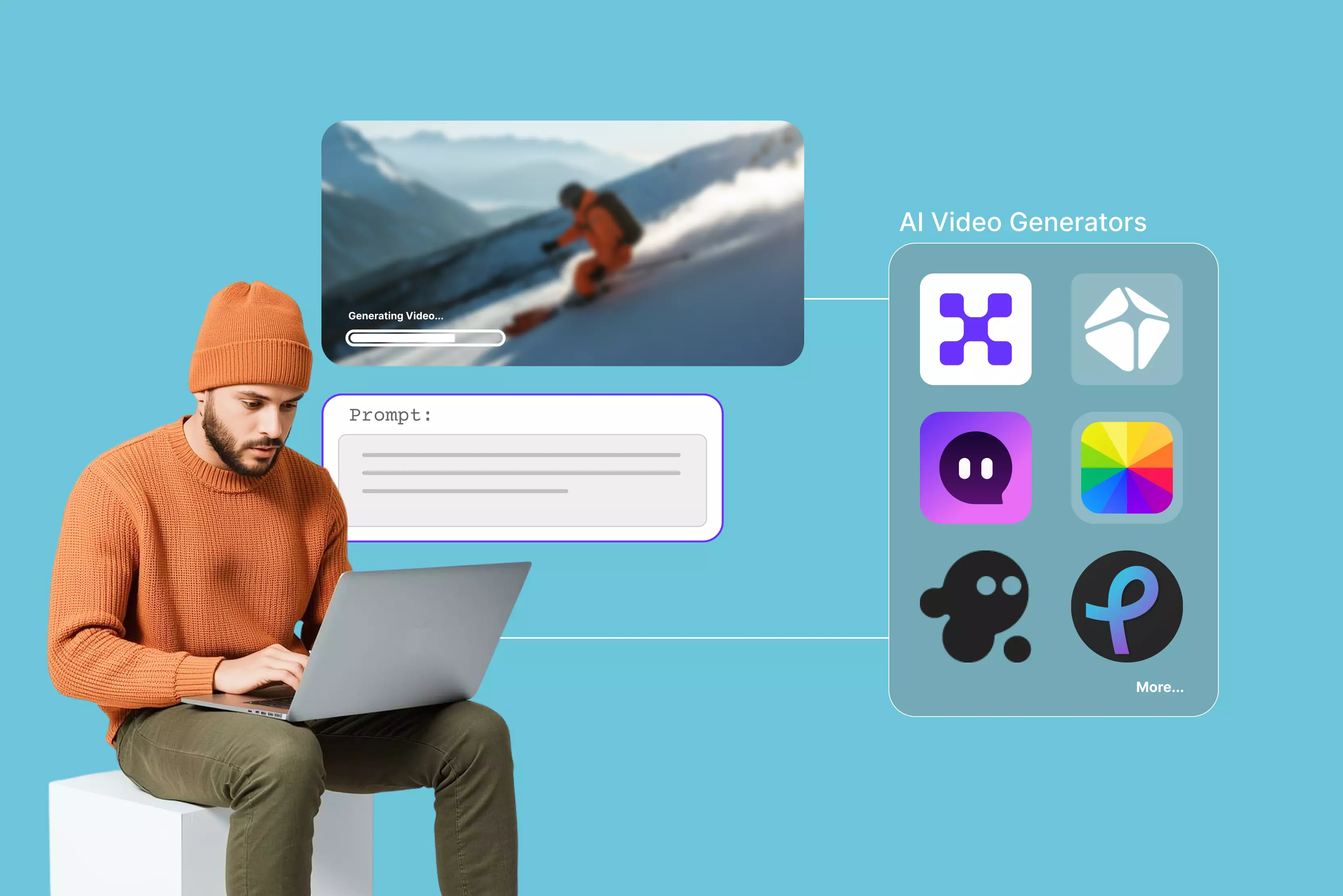


Watching videos feels easy. Making good ones yourself turns out to be complex work. Planning scenes, hunting stock clips, syncing audio, and fixing glitches takes days, especially when you're a beginner posting for Instagram or TikTok.
AI text-to-video tools fix that, turning ideas into finished clips that significantly reduce the time of generation. I tested 12 of the most user-friendly AI text-to-video tools for beginners in 2026, from simple generators to full editing suites. These top options now deliver professional social media reels, explainers, or promos straight from text.
Whether you're growing a YouTube channel, posting daily social content, or managing client feeds, these picks make it simple. From InVideo and Veed.io to Pixelbin's simple workflows, my hands-on tests reveal what actually works for non-techies like me in 2026.
How to determine the best AI video generator?
Figuring out which AI text-to-video tools work for total beginners comes down to testing them like you would use them every day. I look for stuff where you type something simple like "dog chasing ball in park," and it's a finished video ready for social media in a few minutes flat, no video editing classes needed.
Can I do it without hunting for tutorials? That's the real test. Yes, a few tools nail it the first time with messy prompts, have a drag-and-drop option, auto-size for social media, and a few are mentioned below.
- Fast text-to-video generation slashes waiting from hours to minutes. No more staring at render bars.
- Free tier hands you free credits right away, no login hassle; paid plan cuts watermarks for full campaigns.
- All browser, no downloads, works perfectly on laptop, phone, even during client calls when inspiration hits.
- Built-in social sizes (9:16 Reels, 16:9 YouTube) plus real motion controls, skip the After Effects learning curve.
- Handles everything from product teasers, explainers, artsy mood clips, and more. Pixelbin nails e-commerce spins to full stories.
Best AI video generators (12 tools tested)
AI video tools make professional videos from text, without requiring any camera or editing tools. I tested the top ones ranking on Google as mentioned below, and you can get more insights from the glance table.
1. Pixelbin AI video generator

Sometimes you need a fast text-to-video tool that skips the full editing task. Pixelbin AI Video Generator nails exactly that. Type your idea, hit generate, and done. It spits out short social clips that feel natural, not like you wrestled software for hours.
Pixelbin also provides the option to create a video from an image. Start by logging into the console, add the text, and never leave your Pixelbin console for optimization and delivery. Avoid the tools-hopping nightmare.
I used to ping-pong between Canva and Photoshop just for one decent reel. Now everything can be done in Pixelbin: write the prompt, optimize the adjustments, and export the HD-quality video. Focus purely on your story while the AI editor handles everything from video generation to tweaking the duration, resolution, and more.
Must known features
- Text‑to‑video is available for social posts, ads, and explainers.
- Generation modes tuned for marketing use cases like product demos and promos.
- Web‑based interface designed for non‑technical users and marketing teams.
- Controls for duration, aspect ratio, and resolution suitable for major platforms.
- Rapid rendering so you can iterate on creatives and test variations quickly.
- API‑friendly architecture for automating bulk or template‑based video creation.
How to create videos from text prompts on Pixelbin
Step 1: Sign in to Pixelbin and navigate to AI Video Generator. You'll see all available models like Kling 2.1 Master, Seedance 1.0 (Fast/Lite/Pro), Sora 2, Veo 2/3/3.1, and Wan 2.2/2.5.
Step 2: Pick any model that supports both text and image inputs. Upload 1-2 JPG/PNG images as start frames or bookend shots if desired (optional).
Step 3: Write Your Prompt in the text box, and describe:
- Main subject + action: "Dog running through field" or "Car driving city streets."
- Camera movement: Slow zoom, pan left, orbit, handheld shake
- Style/setting: "Golden hour cinematic," "Neon anime," "Clean product shot," "Rainy noir."
Step 4: Set technical parameters like:
- Length: 5-10 seconds (perfect for social clips)
- Format: 9:16 (Reels), 16:9 (YouTube), 1:1 (posts)
- Quality: 720p or 1080p based on model
Step 5: Hit "Generate" (requires premium plan, ~30 credits per video). Wait for studio-quality output, without any filming or editing needed.
2. HeyGen text to video
HeyGen text-to-video tool works like a simple text-to-video generator. Just paste your script or idea and log in to process the video. After that, you can pick an avatar and voice from their huge list of templates (over 1100 faces, 175 languages), and it builds a full video in minutes.
The page keeps it super easy with no confusing menu or pro settings to scare you off. Type your words, choose a template, add subtitles or music if you want, and download ready-to-post videos for social, training, or ads.
Paid plans remove watermarks and unlock higher resolutions and advanced features like voice cloning. This tool is good for turning blog posts into quick explainers without the hassle.
Must known features
- Paste any script or prompt and get full videos with avatars talking naturally.
- Pick templates and avatars from 1100+ faces and 300+ voices in 175 languages for any tone needed.
- Provides free credits for unlimited testing and exporting one file.
- Supports cloning your own voice for consistent narration across all clips.
- Simple drag-and-drop editor adds subtitles, music, and background changes fast.
- Export HD/4K in portrait, square, or landscape, ready for any social media platforms.
3. VEED text-to-video AI
When you need an easy, free AI text-to-video tool that turns words into clean clips without installations or confusing menus, Veed.io delivers for beginners. Page opens crisp with clear menu and settings.
Choose text-to-video and pick from templates after you sign up. Models like Kling 2.5 and Google Veo 3 crank out realistic motion. Start with a simple, descriptive prompt like ("Man surfing on a red surf boat"), set format/aspect ratio, pick avatar/voiceover, music, captions.
Adjust the AI script to fit your brand tone. Feels like a smart assistant type idea, hit generate, adjust fonts or footage fast, export reels in seconds. Perfect first tool when you want results without fighting software.
Must known features
- Ad/explainer/social templates with auto-generated starter prompts for each one.
- Portraits through landscape aspect ratios to match any platform.
- Up to 4 shots/images generated simultaneously in a single workflow.
- HD free downloads; 4K requires paid subscription upgrade.
- 5-12 second lengths are adjustable per the AI model selected.
- AI models: Kling 2.5 Turbo Pro, Kling 2.6 Pro, Google Veo 3.1, Seedance 1 Lite, Minimax Hailuo 2.3, Wan v2.5, Pixverse v4.5, and more.
- TikTok/Instagram/YouTube optimized export settings on paid plans.
- 100% browser-based, perfect for agency teams, zero software installs.
4. Synthesia text to video
When you are searching for a professional AI text-to-video tool that makes corporate videos feel human without hiring actors or crews, Synthesia.io steps right in for beginners. Page opens clean with straightforward script and avatar choices without any overwhelming options.
Paste your text, script, URL, or file, pick from realistic AI avatars that talk naturally, and choose voices in 140+ languages. Templates cover training, demos, and explainers.
I started with a simple prompt like "man diving into the sea," set the length and style, and let AI match lip movements perfectly. Tweak pacing or background if needed. The process is so simple that you just type your message, generate, and download enterprise-ready clips fast. It'ss one of the best when you need polished business videos from a beginner-friendly text-to-video generator.
Must known features
- Hyper-realistic AI avatars with natural facial expressions and perfect lip-sync matching.
- Instant voice cloning - record once, use your voice across unlimited training videos.
- AI dubbing in 140+ languages with preserved lip movements for global teams.
- Interactive video elements like quizzes, clickable CTAs, and branching scenarios.
- 45 free credits are provided for testing and free exports.
- Provides AI models- Veo 3, Veo 3.1, and Sora 2.
- Tweak dimensions - 9:16 or 16:9.
- Drag-and-drop scene editor for teams to collaborate without design skills.
- One-click translations turn a single video into localized versions for every market.
5. ImagineArt
When you're hunting for the most user-friendly AI text-to-video tools as a beginner that skip downloads and fiddly settings, ImagineArt grabs you right away. Page loads super clean with "Describe your video below and start creating," though it pushes a premium upgrade for full model access with no free tier, jumping straight to text-to-video, and it also provides an image-to-video generator option.
Simply write a prompt or grab a template, and models like Hailuo, Kling, or VEO 2 fire up 4-10 second clips with smooth camera pans, lighting changes, or cyberpunk flair. Upload a photo, and it animates naturally with zooms, parallax effects, even cinemagraphs, keeping your original image crisp.
Stretch clips longer, restyle footage, sync library music, adjust ratios like 9:16 or 1:1. Feels like instant creative spark, prompt it, tweak quickly, export HD social clips without tech headaches. Perfect beginner boost when you want a fast polish over complex editors.
Must known features
- Reel and video templates come with AI-written starter prompts already built in for each one.
- Premium unlocks Kling, Hailuo, and VEO 2 models that create 4 to 10 second clips with smooth camera pans, lighting effects, and styles from photorealistic to anime, no manual keyframe work needed
- Signing up gets you 100 free credits to start generating videos right away
- Upload images alongside your text prompts to help the AI better understand your vision.
- Allows for adjusting the quality, duration, and dimension of the video.
- Provide presets for every need, like camera control, action movement, viral reels, and more, for easy and simple video generation in no time.
6. Fotor AI video generator
Fotor's text-to-video tool shines when an idea hits, and you need video output fast. Grab presets like fighting scenes, hugs, kisses, or dramatic wing moments. Pick whatever fits your mood, and it rolls out smoothly. Drop in a reference photo. AI models layer visuals and motion around them with zero hassle.
The interface keeps things super basic. No fighting Premiere or Final Cut. Focus on tweaking prompts, swapping templates, and nudging clips to match your story or brand. Build sharp, short videos one piece at a time. Skip the technical chaos entirely.
Must known features
- Text‑to‑video allows for converting written prompts or scripts into full videos.
- Ready-made templates like Ballet, Giant Tiger, Runway walk, and more are designed to spark engagement on TikTok, Instagram, and Facebook.
- Includes AI models, some of which are:
- Kling 2.1
- Kling 2.6
- Kling O1
- Veo 3
- Sora 2
- Seedance 1.0 Lite and more
- Supports prompt or choose your preset AI video template for marketing, education, storytelling, and more.
- Provides trending styles like Ghibli, minifigures, and a few more.
- Free credits available daily.
- Supports clip duration up to 12 seconds.
- The definition varied from 480p to 1080p, with watermark-free output.
- User‑friendly interface suitable for non‑editors and solo creators.
- Supports both text‑based and image‑based workflows in one place.
7. Kapwing AI text to video
Kapwing gives you a free AI text-to-video tool that works for beginners. The landing page jumps straight to AI text-to-video. Just enter a prompt, sign in, and it spits out studio-grade clips. Perfect for social UGC, AI influencers, or training videos.
Hit "Generate video," and sample prompts pop up. They lead into customizable edits, b-roll, script-to-video, trends, and repurposing. Sign up to unlock dubbing, lip-sync, transitions, subtitles, and extras.
Meet AI Assistant Kai. It pulls together voiceovers, images, subtitles, and transitions effortlessly. Start free. Go for the paid plan for unlimited clips under 60 seconds from idea to share. Kapwing turns prompts into platform-ready videos in a flash.
Must known features
- It pumps out realistic videos in under 60 seconds. Uses models like Veo, Sora, MiniMax, Pika, and Seedance. Delivers hyper-real styles from cyberpunk to 80s vibes.
- Add camera shot names in prompts for scene switches. Builds 15-second to 5-minute videos. Optimized for TikTok, Instagram, and YouTube.
- Full editing suite handles lip-sync dubbing, watermarks, logos, aspect ratios like 9:16 or 16:9. Swap in stock library for templates.
- Supports pasting URLs or text (up to 1,000 characters) to auto-extract highlights, add music, and sync narration.
- Allows importing media from Google Drive and Vimeo, or uploading from phone.
- Paid plan provides no watermarks on video, cloud-based, collaborative edits, and advanced tweaks.
8. Invideo
Invideo.ai turns text prompts and scripts into professional videos, with no need to dig for stock clips or sync audio yourself. Homepage clearly claims it's a tool that grabs your idea, scans 16M+ stock assets, layers human-like voiceovers in 50+ languages, adds subtitles and music, all automatic, no editing timeline mess.
Sign up for free, type a prompt for motion clips, pick an audience, a platform like Instagram or YouTube, set the length, and accent. AI rewrites scripts, generates visuals, and lets you edit via sample texts. Free plan gives 2 video mins weekly with watermark; export HD-ready for social posts in minutes.
Must known features
- Supports text-to-video and image-assisted video generation.
- Record a 30-second video once to create personal digital clones with voice, face, and expressions for unlimited multilingual videos; product/brand twins animate items in real scenarios from links or images.
- Generate scripts, visuals, and voiceovers from prompts; supports V1.0 to 4.0, blends uploaded images into motion clips.
- Supports magic Box editing via simple text commands like "delete scene," "change accent," "add intro"; no timeline needed.
- Includes free adjustments like:
- Duration—4 sec to 12 sec
- Platform versatility—Instagram, TikTok, YouTube Shorts
- Media—Basic, Pro, or Ultra
- Stock Library includes a good stock of royalty-free photos, videos, and music; auto-selects for prompts.
- Supports human-like AI voices in 50+ languages/accents; auto-captions, translations.
- Real-time multiplayer editing; brand kits for consistency.
9. Pictory text to video generator
Pictory's text-to-video tool is the grab-and-go option when you've got a script or an idea inside your mind to become a real video, minus the drag of hunting stock footage or syncing audio tracks.
Right off the bat, the landing page blasts "Generate your video for free," laying out AI Studio that chews through your words, raids a strong stock library, layers voices in a few languages, and spits out full scenes with captions, no need to touch a timeline.
Sign up first, then paste your text or grab a video idea to get rolling. Use the AI to cook up new text if yours needs a spark, pick your length and platform, like Instagram or YouTube.
Rephrase it, quickly shorten, optimize, whatever fits best to sharpen the script. You can tweak the dimension, scene settings, and create a brand. Free trial runs the full flow; HD exports land ready for social blasts or team training in minutes.
Must known features
- Builds the AI-generated prompt into sequenced clips with matching video type for free.
- AI Voiceovers are a part of the paid plan in many languages and accents, natural tones that fit any vibe.
- Provides video type selection like explainers, marketing, and more.
- No AI models available, you can select themes that are pre-built.
- Supports the following adjustments while generating the video;
- Dimension—16:9, 9:16, and 1:1
- Create your own brand
- Scene settings are available.
- Create scenes from sentences.
- Create scenes on line breaks.
- Highlight keywords with Al.
- Select visuals with Al.
- Platform-ready formats for YouTube, Snapchat, Pinterest, and more
- Provides a length addition of 30 seconds to less than 5 minutes.
- HD downloads and no watermarks are available on paid plans.
10. Media.io AI text to video
Media.io's AI text-to-video tool stands out among the most user-friendly AI text-to-video tools for beginners. Turn words or scripts into screen-ready videos fast. No editing skills needed. Page loads clean and simple. Drop your text prompt. Pick an AI model with a subscription and hit generate.
Realistic clips appear in minutes with smooth camera moves and scene flow. Tweak frame rate, resolution, and aspect ratio before download. Zero learning curve. Click generate and roll.
AI avatars speak in 120+ languages. Adds subtitles, voiceovers, and background tracks automatically. Start free. Use templates or music tweaks instantly. Preview and share to social platforms right away.
Must known features
- Text character limit upto 1000 for describing the prompts.
- Supports prompt generation based on a picture that will be uploaded to transform into a video.
- Provides 5 free credits
- Optionally add audio to the generative video.
- AI video generation models available under the paid plan, some of them are:
- Kling
- Hailuo
- Runway
- Sora
- Google Veo and more
- Includes free aspects like:
- Choose a resolution between 420p and 1080p.
- Adjust duration up to 15 seconds.
- Public visibility is available by choosing a zone.
11. Pixlr AI video generator
Pixlr's AI video generator turns out to be one of the best among the most user-friendly AI text-to-video tools for beginners. Turn text prompts into videos by picking any AI model listed. Watch it transform into a short, shareable clip instead of a flat static shot.
The interface is beginner-friendly and will not overwhelm you with advanced timeline controls, which keeps things light and approachable. You can animate product shots or personal shots into professional clips in minutes. If you have a paid version, then you can add music, dynamic motion, special effects, add speech, and custom layouts.
Must known features
- Text‑to‑video conversion with 50 free tokens available only on sign-up.
- AI model options available, like
- Fast AI - 20 tokens
- Pro AI- 45 tokens
- Ultra AI- 80 tokens
- Templates optimized for social formats like TikTok videos, Instagram reels, and more.
- Dimensions available like 9:16 and 16:9.
- Completely web‑based, no software installation needed.
- Supports export up to 4K resolution for free.
- Free download available.
- Beginner‑friendly controls for motion, speed, and transitions under the paid plan.
12. EaseMate AI text-to-video generator
Sometimes you hunt for the most user-friendly AI text-to-video tools for a beginner AI video generator that skips the hassle and spits out pro clips fast, so that EaseMate AI's tool hits the mark.
After you open the generator, it reveals a clean page that doesn't have any complicated settings, just prompts to video in a few minutes, boasting text-to-video or image-to-video magic without needing any software installation.
After picking up text-to-video, you can see AI models pop right up like Veo 3, Runway, Midjourney, Kling, Hailuo, and more; perfect for creators, photographers, ads, and games.
After choosing the suitable model and adding the prompt, I got to find great features like tweaking duration, mode, and quality of the video. EaseMate is a mini editor suite, just type ideas, hit go, grab HD exports.
Must known features
- Generates watermark-free videos instantly without accounts or payments.
- Choose from various models for different motion styles and quality levels. Some are mentioned below
- Sora 2
- Veo 3 fast, 3.1, 3
- Seedaance Pro, Fast, Lite, 1.5 Pro
- Kling standard, pro, master, and many more
- Supports texts up to 2500 characters; auto-creates polished clips with natural animations.
- Adjust export quality from 480p to 1080p.
- Adjust duration up to 15 seconds.
- Support prompt enhancement through AI.
- Professional clips ready for social media, branding, or content without extra editing.
- Provides a Chrome extension for quick edits.
- Unlimited use for quick tests and production, no usage limits.
Final thoughts
Turning text prompts into killer AI videos revolutionizes content creation. Skip endless editing or clip hunting. Pixelbin, Kapwing, Veed.io, Pictory, PixVerse, and the other top tools above deliver whether you need TikTok Reels or LinkedIn explainers.
Pick quick presets for viral hits. Use locked-in brand templates for consistency. Real tests cut hours down to minutes. Output stays crisp HD that grabs every scroll. Follow the above-mentioned beginner-friendly tools and steps to master text-to-video.
For next-level results that match your workflow, try Pixelbin's generator. It is my personal favorite because it is super quick, has no watermarks, and is built for marketers. Dive in today!
FAQs
Pictory, Pixelbin, and Media.io lead with one-click text input and auto-scenes, matching that simplicity butaddings marketer-ready presets and free credits.
Kapwing offers free starts with credits for testing. Veed.io and Pixlr deliver solid free clips. Pixelbin provides free access for experimenting, perfect for quick tests before scaling up.
Formula to write prompt on AI tools- Scene + action + mood: "man surfing on ocean on a red surfboard, fast pan shot." Pixelbin nails the flow that keeps under 50 words, testing runs first.
Most tools like Fotor generate clips in minutes. Kapwing hits under 60 seconds. Pixelbin cranks out full videos fastest, slashing hours to seconds with Veo models.
Pixlr turns images into pro clips easily. Pictory adds captions and voices automatically. Pixelbin ensures HD outputs with brand tweaks, letting novices skip editing entirely.
Veed.io optimizes 9:16 ratios perfectly. Fotor handles dynamic presets like fights or hugs. Pixelbin excels here with Reel-specific templates, camera pans, and viral formats.