


Support png/webp/jpg/jpeg, up to 10MB
/pixelbin_blogs/PB_2.0/Apps_New_design_graphics/product_photoshoot/erasebg-transformed_(98).webp)
/pixelbin_blogs/PB_2.0/Apps_New_design_graphics/product_photoshoot/erasebg-transformed_(99).webp)
/pixelbin_blogs/PB_2.0/Apps_New_design_graphics/product_photoshoot/erasebg-transformed_(100)-transformed.webp)
AI product photography
Free AI product photoshoot
Create studio-quality product photos with custom backgrounds, lighting, and scenes using simple text prompts.
/pixelbin_blogs/PB_2.0/Apps_New_design_graphics/product_photoshoot/erasebg-transformed_-_2026-03-28T125353.558.webp)
/pixelbin_blogs/PB_2.0/Apps_New_design_graphics/product_photoshoot/erasebg-transformed_-_2026-03-28T125352.266.webp)


How to create professional product photos with Pixelbin?
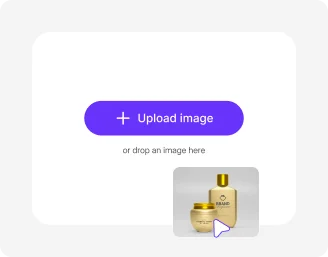
Add your image
Upload your image in any of the following formats: JPG, JPEG, PNG, or WEBP.
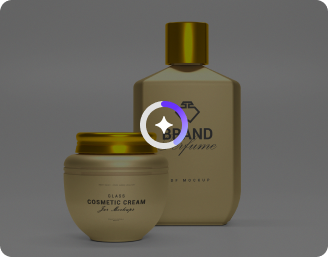
Write a custom prompt
Describe what type of edits you want to make. Use simple words & sentences for the best results.
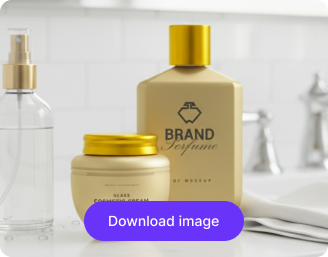
Select model, ratio & generate
Pick Nano Banana or pro, choose your desired ratio, then click generate to create and download your image in HD quality.
Why use Pixelbin’s AI product photoshoot generator?

Custom backgrounds
Easily replace or create backgrounds to match your brand, campaign, or style without extra editing tools.

Enhanced image resolution
Upscale your product images by up to 8X for crisp, high-quality visuals that stand out.

Instant sharing
Download and share your generated images instantly across social media, e-commerce, or marketing platforms.

Multiple product angles
Generate your product from different perspectives to showcase every detail and feature to your audience.

Optimized for all platforms
Choose ratios and formats like 1:1, 16:9, or 9:16 to ensure perfect display on any device or channel.

Complete privacy
Your images are encrypted, processed securely, and never shared with anyone.
Create high-quality product shoots without a studio
With Pixelbin, you can turn raw product shots into high-converting marketing visuals, without any manual editing, studio setups, or software downloads.
Professional-grade results
Upload your photo & write a prompt to generate ready-to-share product shots without manual editing.
Endless possibilities
Generate endless HD product visuals by experimenting different prompts for effects, angles, lighting, backgrounds, etc.
No app installations
Access Pixelbin directly from your browser (like Edge, Chrome, Safari) on any device – no downloads or installations required.
Monthly free trials
Create free studio-quality product shots up to three times a month and upgrade to a premium plan anytime for more credits or API access.
/pixelbin_blogs/PB_2.0/Apps_New_design_graphics/product_photoshoot/Prompt-free_generation.webp)
AI tools by Pixelbin
/DynamicApps/thumbnails/AI_BG_Remover.png)
/pixelbin_blogs/PB_2.0/Related_apps_tumbnail/erasebg-transformed_-_2026-04-01T130755.340.webp)
/DynamicApps/thumbnails/AI_Image_Upscaler.png)
/pixelbin_blogs/PB_2.0/Apps_Graphics/Add_White_Background/Graphics/Thumbnail.png)
Key highlights of Pixelbin’s AI product photoshoot generator free tool
Benefits of using our AI editor for product photoshoots
- Natural light simulation: Create softbox, studio, or daylight lighting without using real equipment.
- No editing skills required: Our AI editor interprets your text-based commands to ensure you can make pro edits without any manual work.
- Zero production costs: Eliminate the expense of renting studios and buying props for every new campaign.
- Instant results: Launch your products faster by generating product shots in minutes instead of waiting weeks for edited photos.
- Zero distortion: Your edited product shot will have the same clarity as the original, free from blur.
- No watermarks: Download your edited image in high quality, without any distracting watermarks.
Use cases of our AI product photoshoot online free tool
Using Pixelbin, you can create studio-quality product photos, perfect for various purposes. Here are some common use cases:
1. Boost eCommerce listings
Enhance your product listings on platforms like Amazon, Etsy, or Shopify. Convert a plain photo into a professional image that helps customers visualize the product in their daily lives, which can help increase conversion rates.
2. Create seasonal marketing campaigns
Instantly adapt your catalog for holidays without a reshoot. Using our AI editor, you can simply prompt for "Christmas decorations" or "Valentine's mood" to give your existing product images a festive look for timely promotions.
3. Design digital ad creatives
Generate engaging visuals for Meta or Google Ads with Pixelbin’s AI product photoshoot generator. Test different backgrounds, like a clean studio look versus a vibrant outdoor scene, to see which version performs better with your target audience.
4. Enhance email marketing campaigns
Make your newsletters more engaging by featuring your products in seasonal settings. For example, you can upload a perfume bottle & prompt “place the perfume bottle on a bed of snow for a winter sale email” to create immediate thematic relevance.
5. Enhance food photography
Make your food products look more appetizing by placing them in a kitchen or dining setting. A prompt like "rustic wooden table with fresh ingredients" can transform a plain food shot into a great culinary shot.
How to get the best results from product photoshoot AI tools?
1. Upload a clear image
Use a photo with good lighting and minimal shadows for the cleanest output.
2. Write direct prompts
Mention only what you want, like “white studio lighting with soft shadows.”
3. Keep the product fully visible
Ensure the product edges aren’t cropped or blurred in the uploaded image.
4. Avoid reflective surfaces
Highly reflective items may need simpler backgrounds for accurate results.
5. Specify the mood
Mention whether you want minimal, luxury, lifestyle, or natural lighting for better accuracy.
6. Use neutral backgrounds
Intricate items look better on simple backdrops like beige, white, or dark grey.
FAQs
Here are some of the most common questions about our AI Product Photoshoot. If you can’t find the information you need, contact us at support@pixelbin.io or refer to our documentation for more details.


Edit images in seconds, not hours
Get pixel-perfect results just with your words
Start editing with AI