

Summary
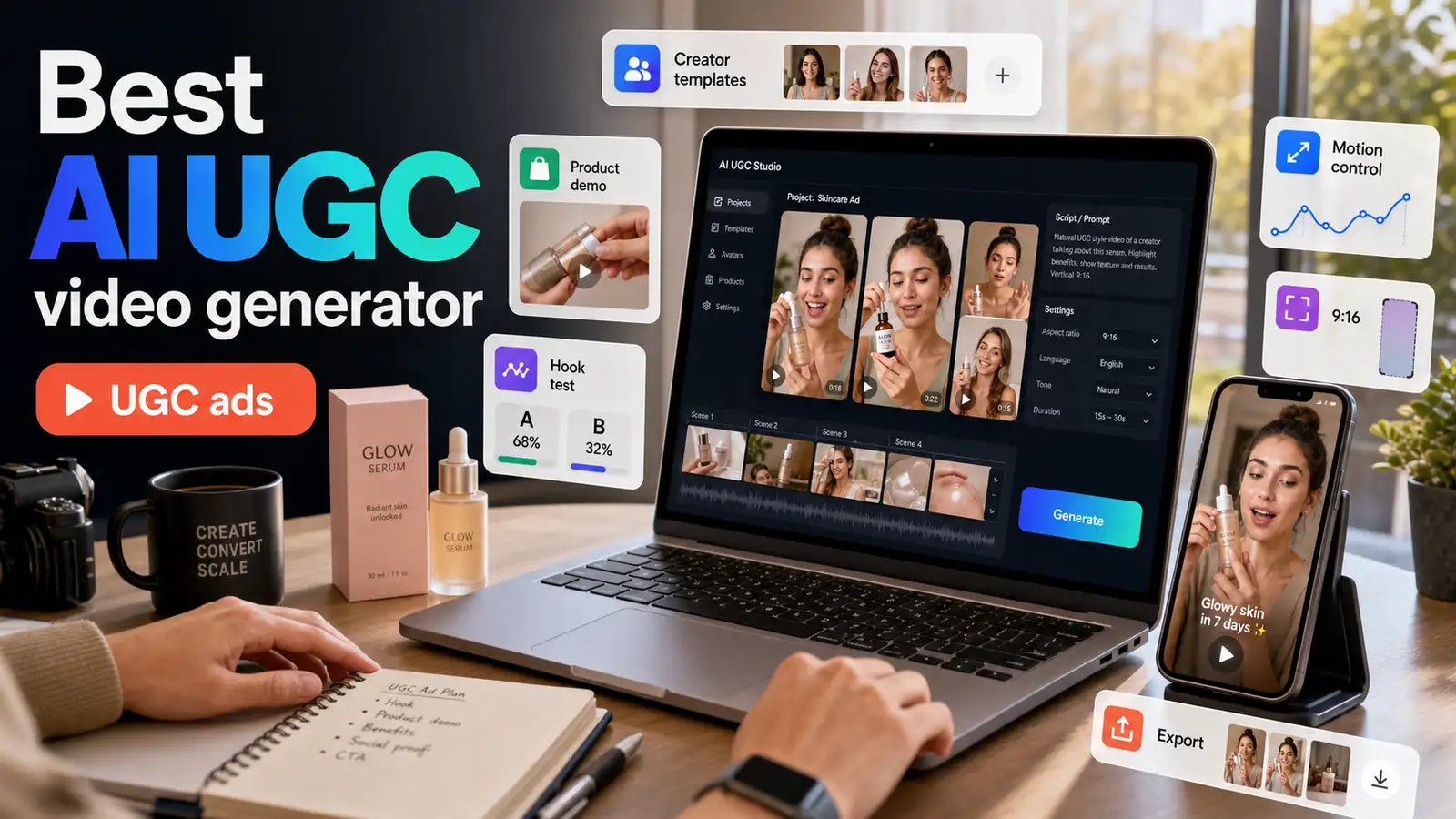
The best AI UGC video generator is the one that helps you turn a product idea into a creator-style video fast while still giving you control over the character, motion, background, format, and CTA. In 2026, strong options include Pixelbin, Arcads, Creatify, VEED, LTX Studio, MakeUGC, Bandy AI, and InVideo. Pixelbin is a practical choice for teams that want UGC creator templates, character references, prompt-based scenes, motion control, and advanced video models such as Kling in one workflow. This guide compares the top tools and explains how to choose one based on real ad work, not homepage promises.
Introduction
If you have ever launched a paid social campaign, you already know the bottleneck. Traditional user-generated content (UGC) is incredibly effective for conversion, but the production pipeline is slow. Shipping products, waiting for creator drafts, requesting edits, and managing usage rights can take weeks. By the time your ad is live, the creative fatigue has already set in on platforms like TikTok and Instagram.
This is exactly why performance marketing teams are pivoting to a specialized software layer: the AI UGC video generator. Instead of relying on random stock clips or cold, corporate avatars, modern production tools let you create UGC ads with AI that look, feel, and convert like organic creator posts.
This guide breaks down the absolute best AI UGC video generator options available in 2026, analyzes how to scale your creator-style video ads, and reviews the key features needed to keep your paid channels permanently fresh.
Quick answer: what is the best AI UGC video generator?
For most marketing teams, the best AI UGC video generator is the tool that can create believable creator-style videos, support fast variations, and give enough control over the scene so the output does not feel random.
Pixelbin is a strong choice if you want a flexible AI UGC workflow with creator templates, character references, motion control, prompt-based scenes, image or video background options, and advanced models such as Kling. Arcads is strong for teams that want a large AI actor library. Creatify is useful for URL-to-video ecommerce ads. VEED is a good fit if you want generation plus editing in one place. LTX Studio is better suited for larger creative teams and agencies.
The simple answer: choose Pixelbin if you care about controllable creator-style videos and motion-led UGC workflows, not just a talking avatar reading a script.
What is an AI UGC video generator?
An AI UGC generator is a production platform that combines synthetic actors, physical behavioral mapping, and realistic environments to produce UGC-style videos from simple scripts or product URLs.
Unlike traditional text-to-video tools that produce sweeping cinematic landscapes, a specialized UGC video generator AI focuses entirely on platform-native aesthetics: casual home backdrops, realistic phone-camera jitters, front-facing talking-head hooks, and organic hand movements.
Traditional UGC vs. AI-generated UGC
Understanding the boundary lines between these formats is crucial for compliance and ad performance:
- Traditional UGC: Content filmed by real customers or hired influencers sharing their actual experiences with a physical product. Best for deep middle-of-funnel validation and building long-term community trust.
- AI-Generated UGC: High-retention creative assets built inside an AI video ad generator. It mimics the visual pacing, raw authenticity, and framing of mobile creators. Best for rapid top-of-funnel testing, iteration on hooks, and multi-market localization.
Why AI UGC video generators are growing fast?
UGC works because it feels native to social platforms. People scroll past polished ads quickly, but they often stop for videos that feel like a creator is speaking directly to them.
The problem is production. Real UGC is valuable, but it can be slow. You need to find creators, send briefs, ship products, wait for drafts, request edits, handle usage rights, and then repeat the process when a campaign needs new hooks.
AI UGC tools help solve the speed problem. A team can create several versions of the same idea in one sitting:
- One video with a direct product demo.
- One video with a problem-solution hook.
- One video with a founder-style explanation.
- One video in a casual home setting.
- One video in a street, gym, office, or studio-style scene.
This is especially useful for paid social teams that need fresh creative every week. AI UGC will not replace the best real creators, but it can help you test ideas before spending more money on production.
What makes the best AI UGC video generator?
Not all AI video tools are built to handle social ads. A platform might generate a flawless talking avatar but fail completely when asked to interact with a product or look natural on a vertical feed. Look for these essential pillars:
- Physical Interaction & Motion Control: Basic platforms keep an avatar rigidly locked to the center of the frame. The best tools leverage a built-in motion control video generator to allow creators to walk, turn, gesture, and showcase physical items naturally.
- Diverse Built-in Actor Libraries: To beat creative fatigue on TikTok UGC ads or Instagram Reels ads, you need access to dozens of different demographics, vocal tones, and presentation styles.
- Native Product Integration: A high-performing product demo video generator must allow you to cleanly overlay or insert your physical items into the creator's hands or environment seamlessly.
- Built-in UGC Creator Templates: You shouldn't have to write prompt formulas from scratch for every iteration. High-yield tools provide pre-built structures for unboxings, problem-solution frameworks, and before-and-after hooks.
Best AI UGC video generators in 2026
Below is a practical comparison of the strongest AI UGC video generators to consider in 2026.
1. Pixelbin UGC Studio: best for controllable AI UGC videos with templates and motion control
Pixelbin UGC Studio is the strongest fit for teams that want more than a basic avatar reading a script. Its AI UGC workflow is designed around creator-style generation, reusable character references, visual prompts, and motion control.
In Pixelbin, a logged-in user can access the video generator from the console, choose Video mode, open UGC Creator Templates, add a reference character image, choose the generation model, select the background source, and write a prompt for the scene. For motion-led UGC, the workflow can use Motion Control with models such as Kling 2.6 and Kling 3.0 Motion Control, depending on availability and plan access.
This matters because UGC is not only about a face on screen. The video needs to feel like a creator is doing something: walking, sitting, showing a product, reacting, turning toward the camera, or moving naturally in a setting.
Why Pixelbin works well for AI UGC
Pixelbin gives marketers useful control points:
- Reusable Persona Builder: Designs saved digital influencers anchoring physical attributes like ethnicity, age, and skin traits across runs.
- Motion Control Tracking: Leverages advanced video models like Kling to replicate real body kinetics from uploaded references.
- UGC Creator Templates: Provides structural lifestyle blueprints including walk-and-talks, cooking, fashion, and product demos for fast staging.
- 3D Camera Control: Enables precise adjustment of framing perspective on a virtual sphere using tilt, rotation, and zoom.
- Region Specific Editing: Drops localized visual anchors directly onto images to make isolated prompt changes to text zones.
- Multi Background Sourcing: Integrates prompt scripts, static images, or motion clips to generate contextual environment backdrops dynamically.
This makes Pixelbin a good choice for brands that want to create creator-style ads, product demo videos, fashion clips, app walkthrough-style scenes, and social media variations.
Why Pixelbin UGC Studio tops the list?
- Eliminates Talent Overhead: Cuts out recurring modeling, shooting, and licensing costs by building owned, permanent digital brand spokespersons.
- Rapid Variation Testing: Speeds up creative iteration by generating matching multi-market variants using a single saved actor persona.
- Parallel Multi Format Output: Streams vertical-first assets calibrated automatically for rapid delivery on TikTok, Shorts, and Instagram Reels channels.
- Maintains Brand Consistency: Keeps visual actor continuity uniform across massive, batch-produced digital ad assets and social media calendar drops.
- Accurate Physical Interaction: Fixes traditional algorithmic glitches by tying visual outputs strictly to realistic human movement reference grids.
- Optimizes Production Budgeting: Lowers expensive real-world staging risks by enabling marketing teams to visually storyboard layouts before shooting.
2. Arcads
Arcads operates as a high-volume AI UGC ad generator designed specifically for media buyers who prioritize speed, presenter variety, and direct-response performance. The platform eliminates the logistical friction of traditional content sourcing by providing instant access to an expansive digital talent marketplace filled with realistic human actors. Marketing teams can easily convert standard text copy into persuasive spoken scripts while customizing the exact visual framing of their selected presenter. This workflow is exceptionally effective for executing rapid creative testing frameworks across diverse target demographics, enabling brands to efficiently combat ad fatigue without stretching their production budgets.
- Massive Actor Catalog: Features over one thousand pre-vetted synthetic human actors tailored for high converting social media marketing.
- Script to Voice: Converts raw marketing copy into natural text to speech voiceovers with realistic emotional pacing.
- Rapid Angle Testing: Generates dozens of distinct talking head variations simultaneously to beat ad fatigue on social channels.
- Custom Avatar Positioning: Allows creative teams to easily adjust framing, scale, and placement of presenters inside video feeds.
- Multi Language Localization: Translates direct response scripts into multiple global dialects while keeping native speaker lip syncing accurate.
- Native Social Aesthetic: Ensures final video assets feel entirely organic and platform native on TikTok and Meta networks.
3. Creatify
Creatify focuses heavily on the e-commerce sector, functioning as an automated UGC video generator AI that instantly turns product listings into profitable social marketing assets. By bypassing manual drafting stages entirely, the platform ingests standard retail links to automatically extract primary imagery, core features, and selling points. This data powers an intelligent script-writing engine that produces tailored marketing copy matched with believable synthetic presenters. It serves as an essential tool for scaling storefront operations, allowing brands to launch highly targeted product demo video generator cycles with minimal operational overhead or technical video editing expertise.
- URL to Video: Scrapes text, imagery, and features directly from Shopify or Amazon links to build assets.
- Automated Script Writing: Analyzes target audience pain points to generate highly persuasive direct response copy for feeds.
- AI Video Generator: Syncs synthetic talking head presenters with dynamic product media overlays for clear feature walkthroughs.
- Smart Caption Overlay: Automatically burns stylistic, high retention captions onto video files to capture silent scrolling traffic.
- Fast Content Iteration: Lets marketing teams swap hooks, voices, and audio tracks in seconds without regenerating scenes.
- E-commerce Layout Presets: Packs visual styles explicitly engineered to drive high click through rates on storefront pages.
4. VEED
VEED approaches the market as a comprehensive cloud editing platform that features a dedicated AI UGC generator workflow for modern social media managers. The platform seamlessly blends algorithmic script generation and realistic digital avatars with an incredibly detailed multi-layer video timeline interface. This unique setup gives creative teams the best of both worlds: automated asset generation alongside complete manual authority over post-production styling, typography, and visual branding. It represents a highly practical choice for corporate teams requiring polished creator-style video ads that strictly respect established corporate graphic guidelines and stylistic asset constraints.
- Integrated Timeline Editor: Houses generation and manual editing workflows in one dashboard for seamless post production adjustments.
- Text Asset Tracking: Places dynamic text callouts, lower thirds, and animated text blocks precisely over content.
- Synthetic Presenter Avatars: Deploys realistic digital actors capable of reading complex technical scripts with natural facial expressions.
- Auto Captions Engine: Generates highly accurate subtitles instantly in multiple languages to maximize muted video viewer retention.
- Brand Kit Storing: Saves logos, color palettes, and fonts directly inside the console for uniform ad styling.
- Multi Layer Footage: Overlays physical product footage seamlessly on top of talking head tracks for clearer demonstrations.
5. LTX Studio
LTX Studio provides a highly sophisticated, enterprise-grade AI video ad generator environment engineered for creative agencies and larger brand design houses. Moving far beyond basic single-scene avatar generation, this advanced workspace treats video production as an integrated, multi-frame cinematic narrative journey. Directors can script entire storyboards, coordinate complex character interactions, maintain facial consistency across environments, and apply granular camera controls from a single dashboard. It represents the gold standard for marketing campaigns that demand deep conceptual storytelling, thematic world-building, and high-fidelity output that looks identical to a professionally crewed studio commercial shoot.
- Multi Scene Scoping: Controls complex, multi frame storyboards and script progressions inside a single cohesive creative workspace.
- Deep Directorial Control: Adjusts camera angles, lightning styles, atmospheric moods, and actor positioning with highly granular inputs.
- Character Rendering Consistency: Locks down facial features across drastic setting shifts to maintain brand narrative across campaigns.
- Audio Generation Suite: Builds custom sound effects and ambient atmospheric tracks tailored to match individual scene transitions.
- Agency Scale Workflows: Enables large marketing teams to organize, edit, and collaborate on massive asset iterations simultaneously.
- Advanced Inpainting Tools: Allows creators to modify, replace, or erase specific visual objects inside rendered frames smoothly.
6. MakeUGC
MakeUGC specializes directly in high-conversion direct-response performance, offering a dedicated AI UGC video ad generator framework built entirely around physical product interaction. The platform addresses a common limitation of automated video tools by focusing heavily on realistic object manipulation and product-in-hand modeling. Utilizing advanced behavioral skeleton mapping, the software forces synthetic creators to hold, showcase, and demonstrate physical merchandise with natural weight shifts and believable hand coordination. It stands as an ideal solution for e-commerce brands requiring organic unboxings, routine product applications, and energetic close-up feature demonstrations.
- Product In Hand: Replicates complicated behavioral skeleton models to make synthetic actors hold and display products organically.
- Behavioral Skeletal Duplication: Maps human hand gestures accurately to ensure physical interaction looks natural on social feeds.
- Unboxing Flow Templates: Provides structural blueprints designed specifically to create engaging, platform native product reveals and impressions.
- Integrated Media Editor: Polishes raw generated clips with native music tracks, captions, and quick cuts simultaneously.
- High Retention Pacing: Structures visual cuts and voice delivery to grab user attention within critical opening seconds.
- Social Feed Calibration: Tunes output video brightness and contrasts specifically to pop out visually on mobile displays.
How to create an AI UGC video with Pixelbin
Here is a practical workflow you can follow inside Pixelbin.
Step 1: start with the ad angle
Before opening any tool, decide what the video should prove.
Examples:
• “This product saves time.”
• “This app is easier than the old way.”
• “This skincare product fits a morning routine.”
• “These shoes look premium without feeling uncomfortable.”
• “This feature solves one annoying daily problem.”
Do not start with a generic script. Start with the reason someone should care.
Step 2: choose the format
Pick one UGC format:
• Problem-solution video.
• First impression video.
• Product demo.
• Before/after style explanation.
• Unboxing-style video.
• Walk-and-talk video.
• “Three reasons I like this” video.
• App walkthrough.
• Founder-style pitch.
For paid ads, keep the idea simple. One video should sell one message.
Step 3: add a character or product reference
In Pixelbin, add a character reference if you want a consistent creator look. If your product is visual, use product imagery or a clear prompt so the model understands what needs to appear in the scene.
Reference images help reduce randomness and make the output feel more planned.
Step 4: choose UGC creator templates or motion control
Use UGC Creator Templates when you want a ready-made creator-style starting point.
Use Motion Control when the movement matters, such as:
• Walking toward the camera.
• Sitting and leaning forward.
• Holding or showing a product.
• Turning to reveal an outfit.
• Moving hands naturally.
• Following a specific camera angle.
Motion control is especially helpful for UGC because small body movements can make or break the realism of the clip.
Step 5: choose the generation model
Choose the model based on what you need from the output. For example, Kling models are useful for realistic motion, image-to-video animation, start and end frame control, and natural movement.
If you are testing concepts, start with shorter clips and a few variations. Once you find the best direction, refine the strongest one.
Step 6: select the background source
Pixelbin gives background source options such as video, image, or prompt. Choose based on the creative:
• Use video if you want to match a movement or real-world action.
• Use image if you want a fixed visual setting.
• Use prompt if you want to describe a new setting from scratch.
For UGC ads, everyday locations often work best: bedroom, bathroom counter, kitchen, gym, office desk, street, car, cafe, or living room.
Step 7: write a natural prompt
A good prompt should include:
• Shot type.
• Creator action.
• Product or object.
• Setting.
• Camera feel.
• Mood.
• Final CTA or expression.
Example prompt:
“Medium shot of a creator sitting on a couch, leaning forward to show a pair of white sneakers. They tap the toes together, rotate one foot to show the side profile, then look at the camera with a confident smile. Cozy living room, casual handheld camera, natural daylight, UGC ad style.”
Step 8: generate variations
Do not stop at one output. Generate several versions:
• Different opening actions.
• Different backgrounds.
• Different creator expressions.
• Different CTAs.
• Different camera distance.
• Different product angles.
In performance marketing, the first three seconds often matter more than the rest of the video.
Step 9: add final ad elements
Before publishing, add:
• Captions.
• CTA.
• Brand-safe copy.
• Offer details.
• Product claim review.
• AI disclosure if required by platform or region.
If the video is for TikTok, Reels, or Shorts, make sure it still makes sense without sound.
How to choose the best AI UGC video generator for your team
Use this simple decision guide.
Choose Pixelbin if:
• You want creator-style templates.
• You want to use character references.
• You care about motion control.
• You want prompt, image, or video-based background options.
• You want access to advanced AI video models such as Kling.
• You need UGC-style clips for social ads, product demos, or short-form content.
• You want more visual control than a basic avatar tool provides.
Choose Arcads if:
• You mainly need a large actor library.
• You create lots of direct-response talking-head ads.
• Your workflow depends on presenter variety.
Choose Creatify if:
• You want to turn product URLs into videos quickly.
• You are an ecommerce team with strong product pages.
• You want platform-ready ad exports.
Choose VEED if:
• You want generation plus editing.
• You need captions, CTAs, overlays, and simple post-production.
• Your team prefers a familiar editing interface.
Choose LTX Studio if:
• You work in a larger creative team.
• You need more structured production workflows.
• You create content for multiple markets or clients.
Choose MakeUGC if:
• You need product-in-hand videos.
• You want a dedicated UGC ad workflow.
• You care about recreating motion and editing inside the same tool.
5 ready-to-use UGC prompt blueprints
To get an authentic "creator feel," structure your prompts using this layout:
Shot Type \& Frame +Creator Action +Product \& Environment Details +Camera/Lighting Aesthetic
1. The skincare "bathroom counter" demo
- Format: 9:16 Vertical (TikTok/Reels)
- Aesthetic: Morning Routine Vlog
Prompt: A vertical 9:16 extreme close-up shot of an aesthetic skincare bottle sitting on a marble bathroom vanity counter. A casual creator's hand enters the frame, picks up the dropper bottle, and smoothly applies a single translucent drop onto the back of their hand. The background is softly blurred showing a clean bathroom with bright morning window light. Casual, handheld phone camera movement, natural light, organic texture fidelity, native UGC vlog style.
2. The apparel "street walk" try-on
- Format: 9:16 Vertical (Instagram Reels)
- Aesthetic: Fashion Influencer Lookbook
Prompt: A full-body vertical 9:16 video of a relatable, casual creator walking two steps forward toward a handheld mobile camera lens on a concrete urban street. The creator pauses, turns slightly to the side to showcase the profile and fit of their oversized denim jacket, and smiles genuinely. Warm golden hour sunlight, subtle lens flares, realistic phone camera panning, natural shadows, high-converting lifestyle fashion UGC aesthetic.
3. The tech/SaaS "desk setup" desk explainer
- Format: 16:9 or 9:16 (YouTube Shorts/Ad Feeds)
- Aesthetic: Founder/Tech Reviewer First Impression
Prompt: A medium close-up shot of a casual creator sitting at a minimal wooden desk with an open laptop glowing in front of them. The creator looks slightly puzzled at first, types briefly, then breaks into a wide, satisfied smile while pointing directly at the screen. Cozy bedroom office background, natural overhead ambient lighting, slight handheld lens micro-jitters, raw native tech review UGC style, no commercial gloss.
4. The e-commerce "kitchen counter" unboxing
- Format: 9:16 Vertical (TikTok Spark Ads)
- Aesthetic: High-Energy Product Reveal
Prompt: A top-down vertical 9:16 shot focusing on a matte cardboard subscription box resting on a modern kitchen island counter. A creator's hands confidently slice open the tape with a key, lift the box flaps back, and pull out a sleek metallic beverage can. Bright natural kitchen lighting, crisp material textures, fast-paced casual framing transitions, organic hand motions, relatable product unboxing UGC style.
5. The fitness "home gym" feature walkthrough
- Format: 9:16 Vertical (Meta Ads)
- Aesthetic: Relatable Workout Diary
Prompt: A vertical 9:16 medium shot of an energetic fitness creator standing in a sunlit home living room workspace. The creator is holding a compact resistance band, stretching it once to show the elastic tension while nodding directly at the camera in a friendly, conversational manner. Bright and airy room backdrop, realistic tracking follow-shot with slight mobile lens shaking, everyday fitness diary vibe.
Final verdict: which AI UGC video generator is best?
The best AI UGC video generator depends on the job.
If you need a large library of AI actors, Arcads is a strong option. If you want product URL-to-video ads, Creatify is useful. If you want editing control, VEED is practical. If you are running agency-level production, LTX Studio is worth exploring.
But if you want a flexible AI UGC workflow with creator templates, reference images, motion control, background options, and advanced video models, Pixelbin is one of the strongest choices to start with.
For brands that want more traffic, more ad variations, and faster creative testing, the real win is not just generating a video. It is building a repeatable workflow:
• Start with a clear ad angle.
• Use templates and references to guide the scene.
• Generate multiple versions.
• Test the opening hook.
• Keep what works.
• Replace what feels fake.
• Stay honest about AI-generated content.
That is how AI UGC becomes useful: not as a shortcut for authenticity, but as a faster way to make better creative decisions.
FAQs
The best AI UGC video generator depends on your workflow. Pixelbin is a strong choice for controllable creator-style videos because it supports UGC creator templates, character references, motion control, prompt-based scenes, and advanced models such as Kling. Arcads is strong for AI actor variety, Creatify is useful for ecommerce URL-to-video ads, and VEED is practical for editing-led workflows.
Yes. AI can generate UGC-style videos using avatars, scripts, prompts, product images, reference characters, and motion templates. The result is not real user-generated content, but AI-generated content designed to feel like creator-style social video.
AI UGC ads can be legal when they are honest, properly disclosed where required, and do not include fake testimonials or misleading claims. Do not use AI avatars to pretend a real customer used a product. Review FTC rules, platform policies, and local advertising laws before launch.
Not completely. AI UGC is useful for testing hooks, making product demos, and creating fast ad variations. Real creators are still better for authentic stories, real testimonials, and trust-led campaigns.
A realistic AI UGC video usually has a simple script, natural body movement, casual setting, clear product context, believable lighting, handheld-style camera movement, captions, and a direct CTA. Overly polished scenes often feel less native to TikTok, Reels, and Shorts.
Pixelbin is a strong ecommerce option when you need product demo scenes, motion control, and creator-style templates. Creatify and Bandy AI are also useful for ecommerce teams that want product link or product image workflows.