How to use Pixelbin’s Kling AI video generator?
Upload your visuals (optional)
Add a start image or end image to guide how your video begins and ends, or skip if you want to start from scratch.
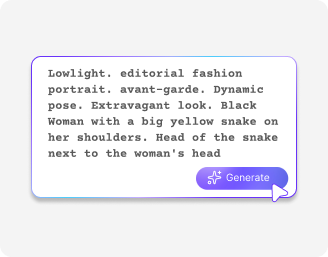
Add your prompt and settings
Describe your video in a simple prompt, choose the duration, and turn the audio on if you want audio
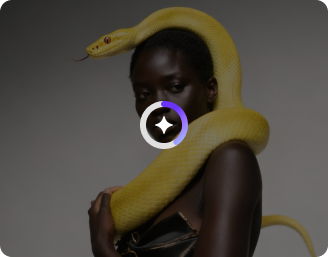
Generate your video
Click generate to instantly turn your idea into a ready-to-use video. Download in HD!
Why use Pixelbin’s Kling AI video generator?
Multi-shot generation
Generate storyboards of up to six shots in a single output only with Kling 3.0
Image-to-Video Animation
Upload any still image and Kling I brings it to life with natural, realistic motion.
Unified multimodal architecture
Generate visuals, voiceovers, sound effects, and ambient audio together in a single creation
Motion rendering
Create characters and objects that move with actual gravity, weight, and balance
Start and end frame control
Define your opening frame, closing frame, or both, and let Kling work out all the motion in between exactly as you intended.
Motion Brush
Draw motion paths on top of frames. It gives a level of creative control that text prompts can't match.
Bring lifelike motions into every frame
Make videos where movement feels natural, from flowing hair and moving clothes to realistic water and smooth character actions.
Native audio generation
Create Kling 3.0 videos with built-in sound that matches your visuals without needing extra editing.
Simple UI
Navigate easily and start making videos without any learning curve; ideal for beginners and professionals alike
Start & end frames
Set start and end frames to decide your video flow, and have better control over how each scene starts and finishes.
Complete storytelling
Turn ideas into complete 15-second stories to deliver a clear message or story.
AI tools by Pixelbin
Key highlights of Pixelbin’s Kling AI video generator
Benefits of using the Kling video generation model
- Beyond short clip storytelling: The four-second wall has been one of the greatest challenges with AI video. Kling disrupts that by letting sequences run as long as 15 seconds. If you are using Kling 2.1 or 2.6, then the limit is upto 10 seconds.
- Physics that feels real: It’s frustrating when AI motion looks "floaty". The reason that objects have real weight is that this model has been constructed to comprehend the action of gravity and inertia. The interaction appears to be believable, and this keeps the viewer engaged in the story.
- In-built sound: Pictures are half the battle. Kling makes things really easy by creating synchronized audio, background noise, and remarkably precise lip-sync all in a single shot. Regardless of the language used in the conversation, be it in English, Chinese, or Spanish, the movements are synchronized to the phonetics, which can save hours of handwork in post-production.
- Consistent character over time: One complaint that often happens with AI video generators is that the face or outfit of the character changes between every prompt. The Kling 3.0 AI video model basically provides you with a 3D anchor to your subject. This implies that your lead character will appear as the same character in both a wide shot and a close-up, and this is crucial in any sort of serialized content or branding.
- Granular control over movements: A text prompt cannot sometimes describe the particular curve of a camera pan, or how a hand is to wave. You can manually control that through prompts. It’s you who has the ultimate say on how a scene will be developed.
Use Cases
- Social media advertisements: You no longer require a complete camera crew to create 15-second commercials because you can create them directly at your desk. Due to the way how Kling works, you can make a branded ad with a character interacting with your product in a natural way.
- Pre-visualization of movies: As a director, you can even film the whole scene in the multi-shot directing mode. Rather than using a static image, a moving storyboard tells you precisely how the camera must swing between a wide shot and a close-up. This provides your crew with a crystal-clear view of the timing and blocking, and saves you hours of costly on-set corrections.
- Pedagogical and explanatory materials: Being an educator or content creator, you can use the Kling AI video generator to visualize some of the complex concepts, such as fluid dynamics or mechanical movements, which are traditionally difficult to film.
- Web series & YouTube: If you’re an indie animator or YouTuber, the Kling 3.0 is your biggest asset. You can take a single character design and place it in any environment, from a futuristic city to a historical setting, while their face and clothing remain identical. This allows you to build a recognizable protagonist for your series without having to learn 3D modeling or character rigging.
- E-commerce products: For fashion or lifestyle branding, you can control how a piece of clothing should hang or a bag should swing. You can generate a short 15-second clip of your product or service to showcase the quality and features of your offerings.
- B-roll news: When doing a breaking news story or even a hypothetical piece, you may need footage that is literally just not available. With Kling, you can create real-world sequences that perfectly fit your script, keeping your production value high even on a tight deadline.
How to get the best results using our Kling 3.0 AI video generator?
Here are some simple tips to get better results:
- Be clear with your prompt and describe exactly what you want to see in the video, including the setting, action, and mood.
- Use a start or end image when possible to guide the video and make the output more accurate.
- Keep your idea simple instead of adding too many details, so the video looks clean and focused.
- Try different prompts and small changes to see what works best and improve your results.
- Choose the right duration and settings so your video feels complete and not rushed.
FAQs
Edit images in seconds, not hours
Get pixel-perfect results just with your words
Start editing with AI