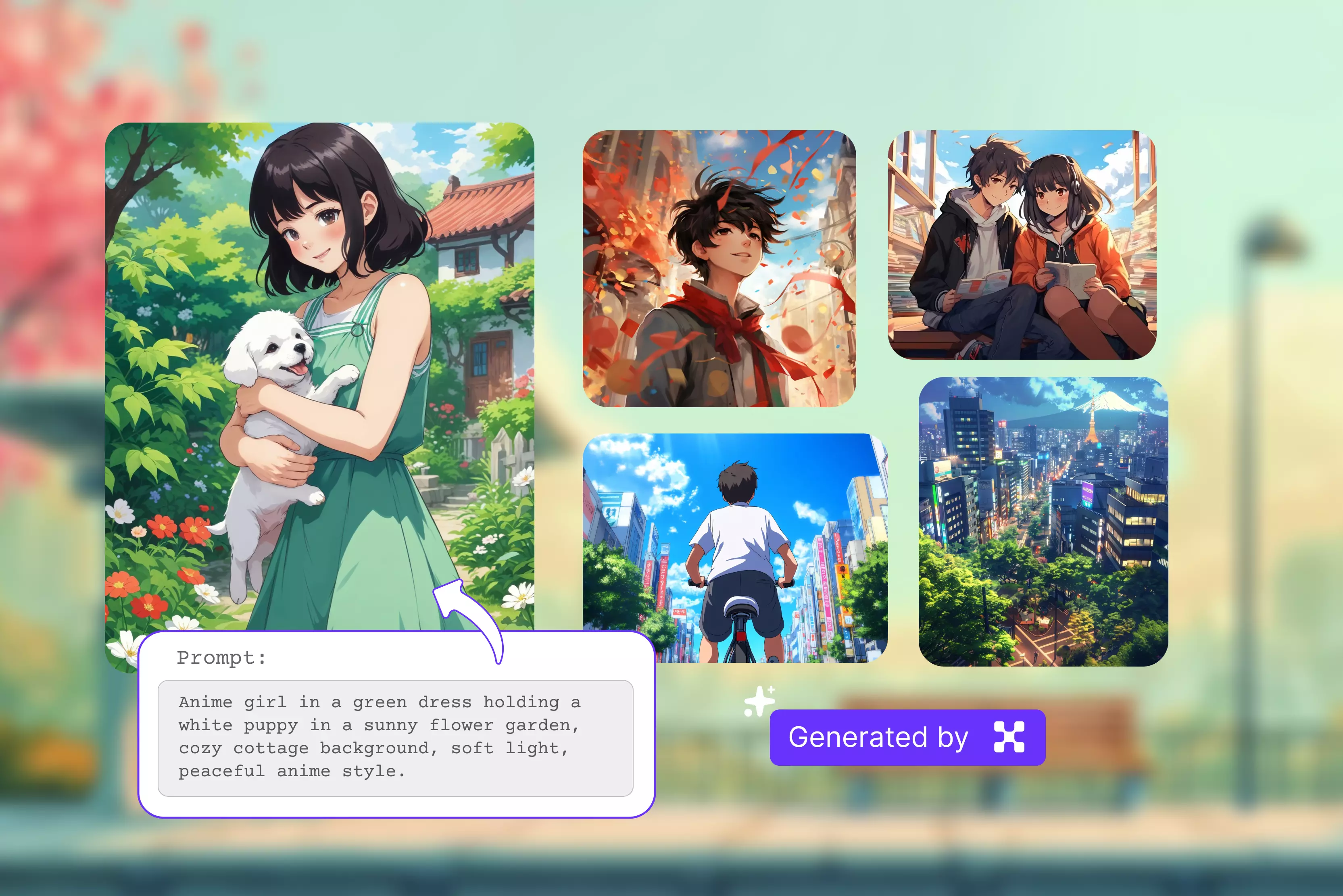


Anime has long been a powerful medium for storytelling with deep roots in Japanese culture and tradition. I've seen that nowadays people are more interested in Anime. An AI anime generator is a program that uses artificial intelligence to create anime-style characters, scenes, and artwork depending on user inputs like text prompts, uploaded photographs, or established templates.
2025 has been an amazing year for anime creation tools. With powerful AI models and easy-to-use apps, anyone can now make anime art. Whether you’re turning a selfie into an anime-style portrait or creating a brand-new character from scratch, I was really surprised by how well these tools work.
I have completed my search, tested numerous tools, and found them to be user-friendly. So, which anime AI generator stands out in 2026? I tested many famous ones myself based on my research and personal experience.
Here are the results. My all-time favorite is that working with Pixelbin is smooth. In this blog, I will explain what an Anime AI generator is, its benefits, and the top 7 tools and their ease of use. Let’s get started.
What is an AI anime generator?
An AI anime generator is an online tool that uses machine learning to create, edit, or transform images into artwork in the Japanese animation style.
These models understand patterns, styles, and features typical of anime art, enabling them to create unique, high-quality images quickly. You simply type a description or upload a photo, and the tool converts it into anime-like characters or scenes without requiring you to draw anything.
There are various tools available that are very easy to use, such as entering a text prompt, uploading a photo, selecting preferences, and generating art. These are used in various applications, including gaming and virtual worlds, merchandise and fan art, and personalized art creation.
Benefits of using an AI anime generator
- Ease of use: These tools are made to be easy to use and don't require any expertise in design or drawing, and anyone can produce anime art in just a few clicks.
- Save time: Fastly generate smooth anime art without spending hours perfecting your drawing skills.
- Cost-effective: Most AI anime generators offer free or low-cost access, making them a budget-friendly alternative to expensive software or hiring artists for basic designs.
- Speed: Generate high-quality anime images within seconds.
How to use an AI anime generator
AI anime generators may have unique features, but most follow a similar set of steps. Here’s a general guide to how they work.
- Input a text prompt: Describe the anime character or scene you want to create. For that, enter the text prompt that you have to describe.
- Upload a photo: Convert real-life images into anime-style portraits.
- Select preferences: Customize your images by selecting style options, aspect ratio, color palette, and background settings to match your vision.
- Create Art: Once you’re ready, the AI processes your input and generates the final image. You can then preview and download your anime artwork.
7 Best online Anime AI generators
1. Pixelbin

Generate Japanese-style art from text using the Pixelbin web-based free anime AI art generator. Depending on your prompt, Pixelbin can generate anime art resembling popular styles like soft pastel, cyberpunk, and many more.
Detailed prompts help achieve specific aesthetics. However, the tool is free for the first three uses each month; for additional advanced features, you need a subscription plan. The tool is very easy to use: simply write a text prompt describing your anime art generator, and use simple words and sentences for the best results.
Click Generate, and wait a while until you're prompted to create anime-style art with no further steps. Download the result. I tested a text prompt such as “Cute anime girl with long red hair, wearing a school uniform, standing under cherry blossoms," and then I waited for a few seconds while the AI transformed my idea into beautiful anime art.
The result was perfect because the color combination was clear. You can edit the image with AI again if you need any changes. You can remove watermarks, change backgrounds, and access editing tools to fine-tune your image based on your needs.
Zoom-in and zoom-out features are also available to view the image in greater detail and assess overall detail and composition. Pixelbin also offers additional tools, including an AI image generator, a background remover, and an image editor.
Key features:
- Ease of use
- No signup required
- No watermark
- No manual editing required
- No download and plugin installation required
- AI features, AI tools, and editing tools
- Cost-effective
- Beginner-friendly
2. MyEdit
Turn your photo into anime online for free with the AI Anime generator. Turn ordinary photos into stunning AI-generated anime art with the Anime AI generator. Use custom prompts to create unique anime characters and transform your photos with flexible customization.
There are currently 23 unique anime styles available, and we regularly add more. Styles include Santa, New Year, Zombie, Military, Cyberpunk, Bunny, and more. You can use short prompts to fine-tune existing styles, though customization is more limited compared to full prompt-based generators.
MyEdit free users receive 3 credits per day with no limit on how many they can accumulate. The tool is very easy to use; simply upload your image, select your style or input some text prompts, and in just a few seconds, you'll receive your AI anime result.
You can also upload images in JPG, PNG, GIF, WEBP, or BMP format, with a maximum file size of 50 MB. I tested the process by uploading an image and selecting the New Year style. The anime output was delivered in seconds with vibrant colors and clear details.
Key features:
- Ease of use
- Cost-effective
- Multiple style support
- Multiple format support
3. NightCafe
NightCafe is an AI anime generator that lets you create anime-style artwork using text prompts and customizable tools. Explore various styles and themes to craft truly original anime worlds and characters that reflect your personal artistic flair.
The tool is very easy to use. Simply start by describing your ideal anime character or scene in the prompt box. Be as accurate as possible, adding information like the character's look, outfit, pose, and backdrop aspects.
Once you have written your text prompt, click the generate button, and the AI processes your request and starts creating unique anime artwork. Download the result. I tested with a text prompt like "Cute anime girl with long red hair, wearing a school uniform, standing under cherry blossoms," clicked the create button, and received a clean, watermark-free result.
It also provides additional editing options, including prompts to edit, upscale, crop, and more. You can also download the image or publish it directly to the other platform as needed.
Key features:
- Ease of use
- No signup required
- Web and mobile AI generators
- No watermark
- Aspect ratio
- Generate Anime from text, photos, or drawings
4. Imagine art
Imagine art creates smooth anime-style images and animations with our advanced technology. Simply describe your character or scene, and our AI transforms your ideas into vibrant anime-style images.
Creating your own AI Anime characters is easy, making them perfect for social media, profile pictures, or simply for fun. Advanced AI technology analyzes your input and generates unique anime art that aligns with your desired styles, characters, and scenes.
I tested one of the texts, such as “Cute anime boy with short messy hair, smiling, wearing a red shirt and black jeans standing under a blue sky with clouds, soft shading, and clean line art,” and clicked the generate button, then waited a few seconds.
I received a result that was not perfect: some images showed the hair as black, even though I had requested messy hair. It was not as perfect as I was expecting; there is no watermark and no download option for those images. You can edit that image, upscale it, and edit and vary if you are not satisfied with the result.
Key features:
- Ease of use
- No design skills needed
- Cost-effective
- Multiple style options
- Speed and customization
5. Canva
Bring your anime dreams out of your imagination and into your creation with the AI anime generator available in Canva. Very simple: spell out your ideas in a descriptive text prompt, and select your favorite AI art generator.
Canva Magic Media's text-to-image generator uses Dream Lab to generate images. Select an anime based on the art style options, or provide your prompt to generate a result. With a free Magic Media or Canva subscription, you get a limited number of uses.
If you use a Canva Pro, Teams, EDU, or NFP subscription, you can generate even more images. I tried this tool by typing the text “Cute anime boy with short, messy hair, smiling, wearing a red shirt and white jeans, standing under a blue sky with clouds, soft shading, and clean line art,” then clicking the generate button.
The result was not perfect; I received 4 images, but in one, the boy was not wearing a shirt. I had only written "red shirt," but the result was completely different. The quality of the generated anime characters is poor, resulting in no meaningful creative output.
Key features:
- Ease of use
- Various art styles are available
- No watermark
- Aspect ratio
- Easy sharing and exporting tools
6. Deep AI
DeepAI is a free online AI anime that is ideal for designers, social media creators, and innovators. It allows you to create smooth, watermark-free anime images and artwork in seconds, with no login required. It allows limited control over generating multiple images.
Currently, the AI anime generator offers over 100 styles, and it regularly adds new ones. Each month, DeepAI Pro includes your first 500 standard images, 60 Genius Mode images, and 10 Super Genius 2k images.
I tested with the text prompt, “Cute anime boy with short, messy hair, smiling, wearing a red shirt and white jeans, standing under a blue sky with clouds and soft shading,” and selected the style, “anime portrait generator,” and clicked on the “Generate” button.
Wait a few seconds to receive the result, which shows only half a face wearing a red shirt. The color combination was clear and clean, with no watermark, but the boy was not standing, and only half his face was visible, so it was not as perfect as Pixelbin. For anyone serious about creating anime art, this tool is too simple and not worth your time. The one I asked for was not in line with that.
Key features:
- Ease of use
- AI text-to-image
- Multiple style support
7. Perchance's AI
Perchance's AI Anime generator offers a completely free, no-signup-required approach to anime creation. The tool is very simple to use; you can add a description, optionally specify what they don't want in the image, select an art style and shape, and generate anime art.
The tool offers a range of styles, including Painted anime, Anime, Studio Ghibli, and more, tailored to your requirements. You can also select various shapes, such as Portrait, Square, and Landscape.
I entered the text “A Barbie doll wears a pink frock in a red-colored flower garden” and clicked the generate button. Let's wait a few seconds/minutes; the process takes longer than with other tools. The result I received was not as perfect as I expected. One image had a plain white background, which was improper, and another was improper.
Key features:
- Ease of use
- No signup required
- Simple text-to-image interface
- Style and shape selection options
How I test the AI anime generator
It is easy to generate AI anime art; it is hard to compare them when they are all so similar.
- Test prompts: I used 3 prompts and created 3 images for each one. Keep the basic style and don't change any settings, so it's easier to compare the results.
- Extra features: Test bonus tools or styles offered by the platforms to ensure they work.
- Free vs. paid: Review available tools and get them for free, including how many credits you receive and which tools you can use.
- Prompt variations: Adjust the original prompts, add negative prompts, or change the style model to assess how well the generator produces more refined results.
- User feedback: Read real user reviews online to learn about how reliable each tool is, how good the support is, and what people really think.
FAQs
Pixelbin is the best AI anime generator, offering a wide range of styles and aspect ratios, and is very easy to use; with a few clicks, you get a result.
Yes, AI can generate anime-style visuals, including static images, character design, and short animated scenes from text prompts. Tools like Pixelbin and DeepAI enable you to create high-quality anime art.
Search for your favorite anime AI images, then select that tool. Now, from various AI tools, select the AI anime generator. Type a detailed prompt that you like to enter, click on the generate button, wait for a few seconds, and then check the result.
To create anime-style images, use an AI image editor tool or website like Pixelbin to upload your picture, select an anime style and filter, and let the AI generate the transformation. Then download and share your new anime portrait.
Yes, you can use various images you created for commercial purposes. You can also use any image on your platform created by Pixelbin for commercial purposes.
AI is not yet replacing human animators, but it is revolutionizing the animation production process so that animators get to handle more of the storytelling and creative process.