


AI art generator
Free AI art generator
Design avatars, illustrations, and creative visuals without any design skills.
/pixelbin_blogs/PB_2.0/Apps_New_design_graphics/AI_image_generator_from_text/showcase/Sky_Library_Dreamscape.webp)


How to generate AI art from text with Pixelbin?
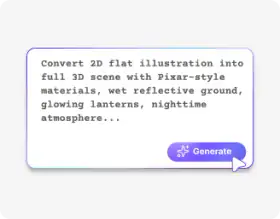
Describe your imagination
Write a text prompt of up to 2,500 characters describing the artwork, including the subject, style, mood, and visual details to guide the AI.
Generate your image
Click “generate” and Pixelbin automatically turns your text into a unique artwork within seconds.
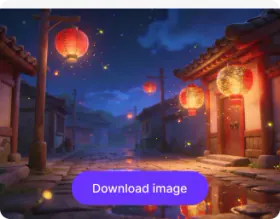
Preview & save
Preview the artwork, refine if needed, and save the final image for download or further creative use.
Why use Pixelbin’s online AI art generator?

Image upscaling
Enhance the clarity of your artwork by up to 8× for sharper, clearer, and more detailed visuals.

No sign-up
Access the tool immediately without the need to create an account or provide personal details.

Global CDN delivery
Share and access your visuals quickly worldwide with Pixelbin’s fast and reliable content delivery network.

Digital asset management
Organize and manage all your images in one convenient location so you can easily find them when needed.
.webp)
Mobile-friendly
Create, view, and download your artworks easily on any mobile device or tablet.

Watermark-free results
Download your creations without marks, added texts, or overlays, ready for professional or personal use.
Design artwork for branding, concepts & creative exploration
Explore different styles, moods, and effects with no drawing or design skills required.
Intuitive interface
Create and manage your artwork on a simple UI, designed for beginners and pros alike.
Easy sharing
Copy the URL link from the image within the folder or directly from the file, and share it easily with your friends or team members.
Browser-based
Use the AI art generator directly in your browser, such as Safari, Chrome, Firefox, or Edge; no downloads or installations needed.
Complete privacy
All your artwork is processed on secure servers, and never shared or reused without your consent.
/pixelbin_blogs/PB_2.0/Apps_New_design_graphics/AI_art_generator/design-01-intuitive-interface.webp)
AI tools by Pixelbin
/App_blogs/AI_Image_generator/graphics/Thumbnail.png)
/pixelbin_blogs/PB_2.0/Apps_New_design_graphics/AI_Headshot_generator/thumbnail_(3).webp)
/pixelbin_blogs/PB_2.0/Apps_New_design_graphics/Pixel_art/pixel_art_thumbnail.webp)
/pixelbin_blogs/PB_2.0/Apps_New_design_graphics/background_generator/background_generator.webp)
Key highlights of Pixelbin’s AI art generator
Benefits of the online AI art maker
- Visual exploration: Create multiple design iterations while eliminating the need for manual sketching and designing work that would take hours.
- Cost-effective content creation: Make marketing assets, digital art, and visuals at an affordable cost because the tool eliminates the need for hiring designers and expensive software purchases.
- Overcome creative blocks: Use simple text prompts to generate multiple variations of your artwork. This helps you discover new ideas and find inspiration when you experience creative blocks.
- Explore modern styles: Test various artistic styles by changing their current visual appearance through adjustments, mood selection, color adjustments, and layout changes.
- Blend art styles: Instantly apply, combine, and evaluate various artistic styles, such as 19th-century impressionism and modern steampunk, without needing to learn difficult artistic methods.
- Bring complex scenes to life: Create detailed backgrounds that include complex scenes of bustling futuristic city streets within seconds. Eliminate the need for traditional digital painting processes that require multiple hours to complete such an artwork.
Use cases
- Marketing and ads: Do you need visual content for your social media posts and advertisement campaigns? The AI art generator lets you create visual content you can test across multiple versions to find the best match for different platforms.
- Product photos: You can create mockups and lifestyle images for your online store product shots or your packaging design experiments.
- Brand assets: Create logos, icons, and illustrations to maintain visual uniformity throughout your website and marketing materials.
- Design & concept planning: Generate mood boards to show your design ideas, layout, or themes during the planning phase.
- Content for blog or presentations: Design paintings, sketches, or design avatars that work well for your articles, presentations, books, and comics.
- Games, stories, and educational content: You can create characters, backgrounds, scenes, and diagrams with the AI art maker to use in your games, storytelling, and training materials.
How to get the best results with Pixelbin’s art generator tool?
- Don't be vague with your ideas. Include important details such as age, where the subject is, what they are wearing, and the scene they are in.
- Be sure to mention the artistic style you have in mind. For example, do you want it to look realistic, like an illustration or anime, cinematic, or like a painting?
- Set the mood by adding details such as lighting, time of day, colors, and emotions to help shape the overall feel.
- Include composition details such as close-ups, wide shots, portraits, background focus, or perspective, if it makes sense.
- Try not to overcrowd too many thoughts into one prompt.
- To get better results, try tweaking a few words or removing details that aren't needed, rather than starting over from scratch.
FAQs
Here are some of the most commonly asked questions about our AI Art Generator. If you still can’t find what you’re looking for, you can reach out to us at support@pixelbin.io or read our documentation for more details.


Edit images in seconds, not hours
Get pixel-perfect results just with your words
Start editing with AI