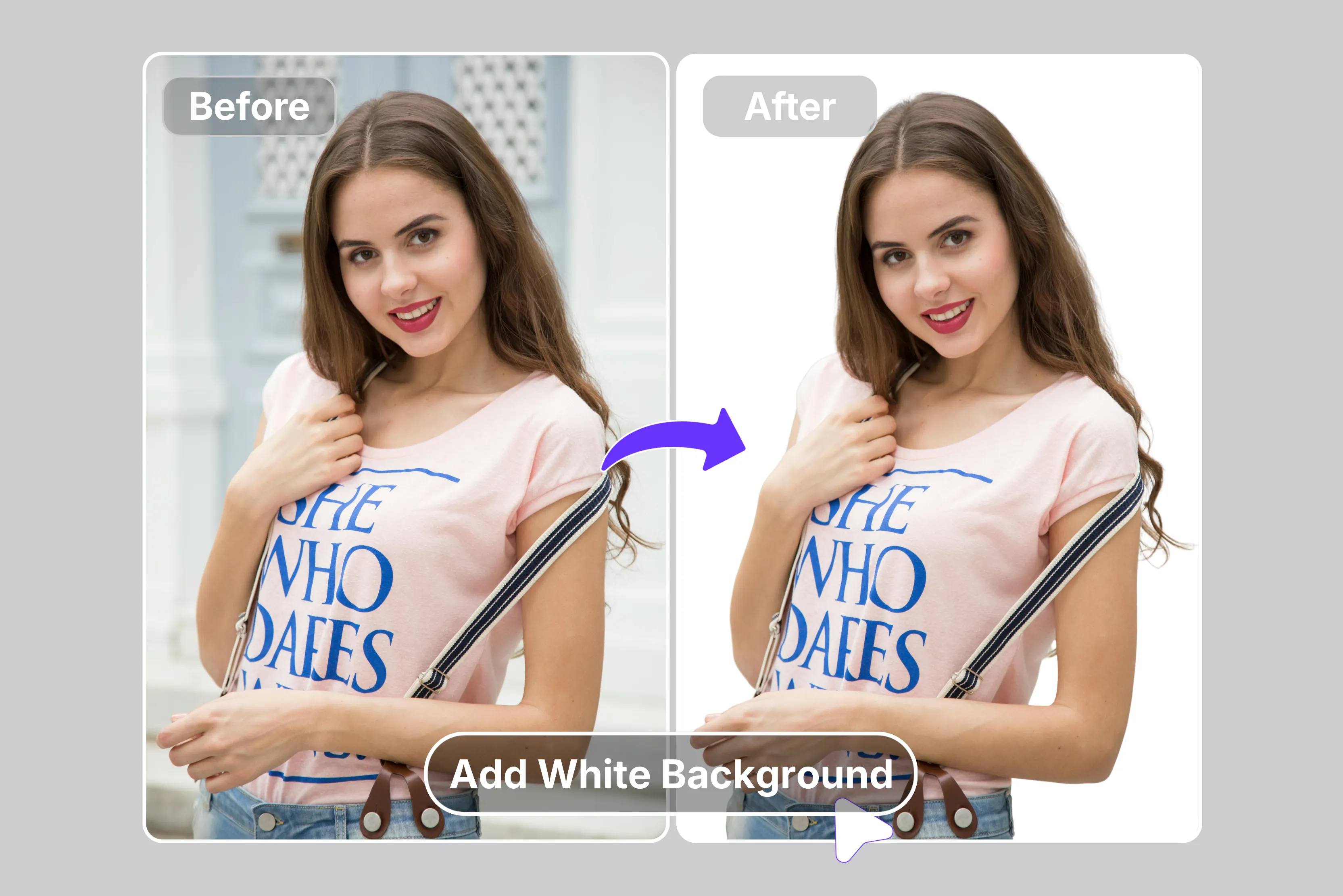


Clean white backgrounds are an e-commerce must-have. They boost product sales at a higher rate on Amazon and Etsy. Shoppers trust sharp product shots and fabric weaves over cluttered shots that distract from the main item.
This quick professional fix on how to add a white background to a photo turns smartphone snaps or old scans into print-ready assets in just a few minutes. Tools like Pixelbin, Remove.bg, Picsart, and a few others make it simple; no design skills are required. Upload any photo, and you're done with polished results fast.
It's time to forget expensive studio setups with a white background and spend bucks. I will talk about AI tools like Pixelbin, Pixa, Fotor, and more that handle messy backgrounds in seconds, no matter the original scene. For realistic touches, add light wraps and drop shadows so subjects sit naturally, not floating in space.
Understanding the importance of white backgrounds
White backgrounds serve more than just a fresh, clean, and professional look.
Here's why they're so valuable:
- Versatility: They provide a neutral canvas, allowing the subject say a product, fashion model, or portrait, to take center stage. This makes white backgrounds ideal for a wide range of applications, from e-commerce product photography to clean website layouts.
- Attractive: White backgrounds naturally draw the eye towards the subject, making it the focal point of the image or design. This is crucial when creating marketing materials and presentations where you want the audience to focus on a specific element.
- Clarity and cleanliness: White backgrounds create a sense of order and professionalism. This is especially beneficial for showcasing products or branding elements, as it conveys a sense of quality and attention to detail.
- Perfect for e-commerce: The classic white background is essential in e-commerce, especially if you (or your client) are selling on marketplaces like Amazon, Shopify, or others. Quite often, it’s not just optional; it’s a requirement, so if you’re working with product photography, creating a version with a white background is bound to become standard practice.
How to add a white background to a photo using AI tools
Here is how to add a crisp white backdrop using AI tools for that instant professional polish. Know how they are perfect for product shots, social media posts, or e-commerce listings, and more through the glance table and going through each tool.
1. Pixelbin

Ever snapped a product pic or headshot where the background steals the show and muddies the focus? Pixelbin white background tool swoops in as your quick fix to add a white background to a photo, ditching clunky software prompts or Photoshop hassles for one-click AI that auto-detects subjects like products, portraits, logos, or passport snaps and layers on crisp, pure white instantly, browser-based, no downloads needed.
Upload files under 10MB or paste URLs, watch it erase clutter, preserve edge details, and spit out pro visuals ready for Amazon, Etsy, or Shopify listings or Instagram posts without manual tweaks, saving you hours on edits.
Shop owners and creators love the tool for turning casual shots into compliant passport photos, minimalist aesthetics, or presentation cutouts, for free, as it offers 3 free credits per month, but beyond that, you need credits or a paid plan. Three edits monthly upgrade unlocks more credits and full API for bulk runs, keeping things simple, sharp every time.
Why does the Pixelbin photo to white background tool tops the list?
- Multiple image formats: Supports uploading images in popular formats like JPG, JPEG, PNG, or WEBP for smooth, hassle-free processing that handles everything from product shots to portraits without format headaches.
- Batch processing: Add white backgrounds to multiple photos at once using the bulk-editing API to save time, improve workflow efficiency, perfect for e-commerce stores or creators with piles of pics.
- Smart AI editor: Automatically isolates the subject to add a white background without manual cutouts needed, making pro results instant for Amazon listings, Etsy grids, or Insta posts.
- Free HD download: Preview and download processed images in full HD without watermarks or extra charges, s so that you can add a white background to a picture for free, and it stays crisp, ready to use.
- No credit card login: Use Pixelbin instantly without even creating an account or entering any payment or credit card details, jumping straight into adding white backgrounds hassle-free.
- Complete privacy: Your images are encrypted and processed on secure servers and never shared, keeping data safe while you focus on clean white backdrop magic.
2. Remove.bg
Ever snapped a product shot or headshot where the background just swallows up the main focus and kills your professional edge? Remove.bg makes it simple to add a white background to a photo for free, where you upload your image with a quick drag-and-drop, let AI strip away the clutter in seconds without needing plain walls or studio setups, then pick any white background from the options, preview the crisp result, and download PNG files that are ready for e-commerce listings, LinkedIn profile pictures, or Amazon product pages that grab eyes instantly.
E-commerce sellers and photographers count on it for bulk API support that supports thousands of images fast, delivering uniform, clean whites every time without hours of manual Photoshop work or skill barriers, turning everyday snaps into consistent professional visuals that boost sales and impressions effortlessly.
Must known features
- Remove.bg AI removes backgrounds in seconds, s so that you can add a white background to a photo online with drag-and-drop upload, no plain walls backdrops needed, keeping focus sharp on products, headshots, subjects instantly professional.
- Click Background > Color for solid white or Photo search “white” shades preview download PNG clutter-free consistent listings profiles versatile simple works anywhere every image polished.
- Bulk desktop app API processes thousands of images fast, saving manual hours, perfect for e-commerce managers, photographers, uniform white backgrounds across libraries, no skill barriers, quick, and reliable.
- No shooting setups required, upload AI strips, back applies white, ready PNG for use.
- Thousands of images handled seamlessly, with a focus subject, no distractions, white simple, versatile product listings, pro headshots, profile photos, consistency, clicks sa, and easy online fix.
3. Pixlr
Got stacks of product images or marketing shots bogged down by messy backgrounds that slow your content game? Pixlr steps up with a free powerful way to add a white background to a picture for free, clicking "Add White Background to Photo" to upload singles or batches where AI detects and zaps the backdrops, hits top-right white fill option, fine-tunes with Lasso Magic Draw tools for edge perfection on hair fabrics, then downloads crisp PNGs compliant for e-commerce sites across phone tablet or computer apps saving creators hours on hundreds of edits.
Online hustlers and social posters grab it for bulk speed and pro polish without steep learning curves, flipping rough stock into scroll-stopping clean whites that shine everywhere fast.
Must known features
- Pixlr AI instantly removes backgrounds so you can add a white background to a photo with one-click upload, detecting subjects, zapping backgrounds, and then a top-right white fill option for hundreds images, PNG download fast, no skills needed.
- Bulk editing processes multiple photos at once, perfect for e-commerce social creators, saving hours, consistent clean whites for product shots that are compliant across phone, tablet, and computer apps, and flexible anywhere.
- Fine-tune Lasso Magic Draw tools restore, remove parts with soft size opacity controls before white background, ensuring perfect edges, hair, fabric, fabric tails, no cutoffs, rough spots left behind.
- Supports JPG, PNG, WebP, TIFF, and HEIC formats, high-quality output for professional product portraits, thumbnails with no resolution loss, and post-edit ready exports immediately every time.
4. Photoroom
Product photos with distracting backgrounds tanking your sales focus and polish? Photoroom delivers a no-fuss online fix to add a white background to a photo, uploading any image, selecting the white option where AI removes clutter instantly, no masks, drawing, or Photoshop skills for e-commerce listings for Amazon, Shopify, or more, headshots that provide social media clean, consistent images that boost clicks and conversions fast from smartphone snaps.
No studio costs hours, edits, just upload and download PNG ready for suitable platforms, highlighting items perfectly in every shot. Sellers creators rely on batches for pro results, turning rough stock catalog-ready backdrop-free whites effortlessly.
Must known features
- Photoroom AI adds a white background to a photo instantly after upload, one-click, no drawing masks, layers, or skills; processing products, clothing, accessories, and sharp in seconds for e-commerce PNGs ready for listings.
- Solid white uniform matte fill preserves colors, details, edges pristine; quick previews, unlimited free exports, no watermarks, perfect for Etsy, Amazon, Shopify, every image.
- Browser-based, single or bulk fast; smartphone products into pro studio looks, sales boost, no photographers, setups, clean focus shots, consistent pro.
- Free core daily credits, high-volume, pro API, batch, video, refine team workflows; rough stock to scroll-stoppers easy.
- Platform optimizes listings, thumbnails, crisp whites mobile, desktop conversions seamless, no hassle needed.
5. Fotor
Ever snapped a product shot or portrait where the background overwhelms the subject and ruins that crisp professional vibe for your listings or social posts? Fotor's AI background remover steps right in as your go-to solution to add a white background to a photo.
Simply drag and drop your image, and the one-click AI erases all the clutter while keeping tricky details like hair, fur, and edges razor-sharp without any manual tracing or involving any complicated tools.
It handles everything from portraits and product shots to signatures and vectors, spitting out a clean white background that is PNG-ready for e-commerce pages, social media graphics, or logo designs.
And the best part? It's completely free online, and adding a white background to a picture for free is a reality without any steep learning curve. Whether you're prepping Amazon listings, Etsy thumbnails, or LinkedIn headshots, Fotor delivers standout results in seconds that look studio-fresh and boost your content's appeal every single time, no watermarks or limits holding you back.
Must known features
- Fotor AI background remover lets you add a white background to a photo, one click on portraits, products, signatures, vectors, creating transparent PNGs while keeping hair, fur edges, intricate details sharp, no matter the complexity.
- Magic Brush refines, removes, or restores background parts precisely. Blur auto-highlights subjects, AI edits create and modify elements for custom white perfection, tailored to your needs, for every image.
- Perfect for e-commerce social marketing with clean products for Amazon, eBay, and Shopify, eye-catching profiles, logos, transparent PNG integration, seamless, without any subject distractions at all.
- Drag-drop upload, AI instant erase download PNG for further edits backed by 550M users, 1.5B images, and Capterra-rated precise, accurate cutting even challenging areas flawlessly always.
- Free online powerful bg eraser handles all types in seconds, sharp, detailed post-removal ready for design projects, professional results on every upload, no limits.
6. Picsart
Tired of product pics or selfies buried in busy backgrounds that scream amateur on your shop pages or feeds? Picsart background changer nails adding a white background to a picture,
super simple AI-powered drag-drop upload auto-removes clutter taps white fill from 1000s styles batch up to 50 photos fine-tunes edges with AI precision no Photoshop needed for e-commerce creators social posters turning rough shots into crisp compliant for Amazon, Etsy, Shopify visuals fast. Content creators grab it for quick pro polish gradients, AI generations making white backs pop effortlessly.
Must known features
- Picsart AI background changer adds a white background to a picture, drag-drop AI removes clutter,r white fill from 1000s of styles, batch 50 photos, edge precision, no skills e,-commerce PNGs ready.
- Free tier provides mobile, web app, and flexible batches for Amazon, Etsy, Shopify-compliant creators, social posters, rough shots, crisp visuals, and fast hours saved.
- Fine-tune AI tools, edge hair fabrics, and precise gradients, generate professional, polished whites effortlessly every upload, no Photoshop grind needed.
- Supports bulk quick processes, multiple image styles, white perfection listings th, thumbnails posts, mobile device, and desktop power at the same time.
- Unlimited creative options, backgrounds fill AI magic, turning casual snaps shop-ready whites, boosting clicks and sales instantly, always.
7. PicWish
Product shots, portraits, and logos often get lost in distracting backgrounds that slow down store pages or profiles and make everything look less sharp than it should. PicWish brings dead-easy AI to add a white background to a photo with one-click upload that auto-detects subjects, zaps away all the clutter, and drops a clean white backdrop.
At the same time, batch processing runs free for HD quality PNG downloads with no watermarks or skills required, which are perfect for e-commerce on Amazon, eBay, Etsy, or social media with compliant shots that boost sales and keep focus razor-sharp.
Smartphone snaps flip into catalog-ready whites without any studio setups or Photoshop hours; just upload and download for listings and posts ready to go live right away.
Sellers and creators count on its bulk speed and edge accuracy to turn average pics into pro visuals instantly, making sure every image stands out clean and professional without the usual editing hassle.
Must known features
- PicWish AI adds a white background to a photo with one-click upload that auto-detects subjects, zaps clutter, drops clean white, and handles batch free HD quality PNG with no watermarks and no skills for Amazon, eBay, Etsy social shots.
- Free tier provides basics, and paid provides unlimited bulk process multiple images fast for clean co, compliant shots with sharp sales-boosting focus per, perfect for listings and social media every single time.
- Handles products, portraits, logos, hair, fur, glass, fabrics, and with precise edges and natural blends for studio-fresh results without any manual work or complex steps involved.
- Phone, web app flexibility lets you upload and download ready files with no setup or Photoshop needed for quick catalog whites that drive clicks on every shot.
8. Pixa
Gear shots, portraits, and thumbnails look bad with cluttered backs. They hurt social posts and shop pages. Pixa fixes that fast. A browser tool that allows you to add a white background to a picture for free.
AI cuts out the mess cleanly. Uploads up to 10MB. JPG, PNG, and WebP all work. Instant previews show changes. Feathering sliders' smooth edges. White shades pick easily. No login needed. Bulk jobs run quickly.
Crisp PNG files ready. Use eBay for ecommerce, Instagram, and blog headers. Creators love hairy edges and fabric patterns. No halo mess. Quick mobile tweaks give professional results, such as being quickly generated.
Must known features
- Pixa AI remover adds a white background to a picture for free, browser 10MB for JPG, PNG, and WebP, also instant previews without any login, unlimited edits anytime, and quick.
- Transparent PNGs, direct white fills keep colors, textures sharp, subjects pop, feathering sliders seamless eB, ay Insta blog blends perfectly, editing jobs custom tweaks white shades; those are jet soft and offer halo-free pro exports every time.
- Free tier provides formats like vignette glows, light match drop shadows, studio authentic Instagram mocks, and AI headshots.
9. YouCam Enhance
YouCam Enhance works great for selfies, products, and outfits that look flat against dull backgrounds. Everyone wants that clean studio finish. This white background photo editor runs on mobile. AI splits faces, hair, and accessories cleanly. It swaps in crisp white back.
Retouching smooths skin. AR live previews let you pose against a virtual white background before snapping. 4K exports shine on TikTok profiles. Content creators dream of high-contrast polish.
Upload from the gallery or snap a new one. Instant makeover makes curves highlight pop naturally. No heavy edits needed. Add a white background to the photo quickly and easily.
Creators grab it for clean to messy whites. Shape boosts go viral fast. The free plan works fine b, but if you opt for the paid one i,t adds more makeup body tools. Also, batches run smoothly using the PI in the paid one. Curves fit profiles, reels perfect without any app installation.
Must known features
- YouCam AI segments face hair outfits, adds a white background to the photo to mobile seamlessly, portrait retouch skin, eyes, slim, and one flow perfectly.
- One-tap changer adds gradients and vignette depth, so the figure stands out on white, hides flaws, boosts shine for viral posts every time.
- AR live pose against a virtual white snap or edit gallery with pro glam filters tied to background swap for quick results.
- Free core white 4K basic batch pro ad-free unlimited advanced makeup body tools for a complete makeover that flows smoothly.
- Integrates slim pose suggestions, white fill full transformation lights curves naturallynatural for profiles reels TikTok content ace.
10. Cutout.pro
Products, jewelry, clothing, and other items have messy backs that destroy catalog shine every time. Cutout.pro fixes this fast. Use it to add a white background to a photo. AI finds products, people, animals, or landscapes.
It removes the old background completely. Batch up to 2GB with free daily credits. Upscaling to 4K adds shadows and templates. No app needed, just browser upload. Get PNG files with no watermarks for Etsy or Amazon. Fur, hair, glass, and folds look perfect. HD download ready. Sellers save hours each week. Pro finish comes quickly.
Phone junk flips to studio gems quickly. Bulk speed edge accuracy natural shadows upscale sharpness. No Photoshop skill needed. Free tier provides templates, bokeh shapes, color pops, and more. For the paid plan, JPG, PNG, and WebP are supported for 10MB in a 2 GB batch, which are ready to use for heavy workflows.
Must known features
- Cutout.Pro AI removes backgrounds and adds a white background to photos in one click for products, people, animals, complex edges, fur, and glass with 4K upscaling and shadows for a studio look, with no loss.
- Manual brush refine, live preview, batch 2GB, free credits, PNG exports, API e-store workflows, high volume, fast.
- 2000 templates, white bokeh shapes, color pops, lighting fusion reflections, and DSLR edits pro not patched.
- Free unlimited basics pro video depth ad-free flats premium listings catalogs quick easy.
- Supports JPG, PNG, WebP in 10MB single and 2GB in batch processing.
How to change the photo background to white in Photoshop (Bonus tip)
The next best tool to change the background to white is Adobe Photoshop. This software is undoubtedly one of the most extensive professional-level editors available today. With the exact precision of changing the background manually, Photoshop is an editor that guarantees perfect results.
Photoshop is an ocean of features that you can use in several ways to get your task done. Here we explain to you how to add a white background to a photo in the easiest way. Know the steps below;
Step 1: Launch the software on your desktop and click on the Open button in the main menu. This will make the software move your picture to the main interface.
Step 2: The first thing you have to do is select the Select and Mask option. For this, go to the Select tab, and here you will find the Select and Mask option. This will make your interface adaptable for the background removal process.
Step 3: A transparency mask will cover the entire image. Just delete the mark on top of the main object. Be as precise as possible using the tools on the left side. Then click on the OK button at the bottom.
Step 4: Now you will have to apply the mask to the layer. To do this, right-click on the layer that your image is on and click on the Apply Layer Mask option.
Step 5: Change the background to white on a new layer. Create a New Layer icon at the bottom and keep it under the original layer. Use the bucket tool to paint your new layer white or the color of your choice.
Step 6: Save your final image. Go to the File tab and click on the Save As option.
Final thoughts
Nailing that crisp, professional look doesn't have to be a multi-hour chore in Photoshop anymore. When you add a white background to a photo using AI tools, you strip away the cluttered background and replace it with a clean, high-contrast white one in just a single click.
This isn't just about saving time; it’s about ensuring your product shots or portraits look uniform and polished across every platform, from e-commerce listings to LinkedIn profiles.
Choosing the right tool ultimately comes down to your specific volume and the level of precision you need to change the background to white. For anyone looking to skip the technical headache and get straight to the results, according to my suggestion, it’s always the Pixelbin add white background tool, which is a game-changer.
It handles the heavy lifting with impressive accuracy, making it one of the most reliable ways to give your entire photo library a high-end, studio-quality finish instantly.
FAQs
The fastest method is using an AI-powered background remover. Tools like Pixelbin, Remove.bg, and more automatically detect the subject and swap the background for a clean white one in a single click, taking seconds.
Not anymore. Modern AI editors handle complex edge detection like hair and fabric automatically. You can achieve studio-quality, professional results through a simple browser interface without any prior design experience.
Yes, advanced AI tools like Pixelbin are trained to distinguish subjects from cluttered environments. Even with complex outdoor backgrounds or busy crowds, the software accurately isolates the main subject to add a white background to photo assets.
Most top-tier AI tools like Pixa, YouCam, and a few more include a "Shadow" feature. Once the white background is applied, you can toggle on "Drop" or "Floating" shadows and adjust the opacity for a natural look.
Yes, Pixelbin offers a "Free Forever" plan that gives you 3 credits every month. This allows you to process and download high-definition, watermark-free images without any initial cost or subscription.
Pixelbin supports JPG, PNG, WEBP, and HEIC files up to 10MB. It’s ideal for e-commerce listings, professional headshots, and bulk catalog processing, ensuring high-resolution output for both web and print.









