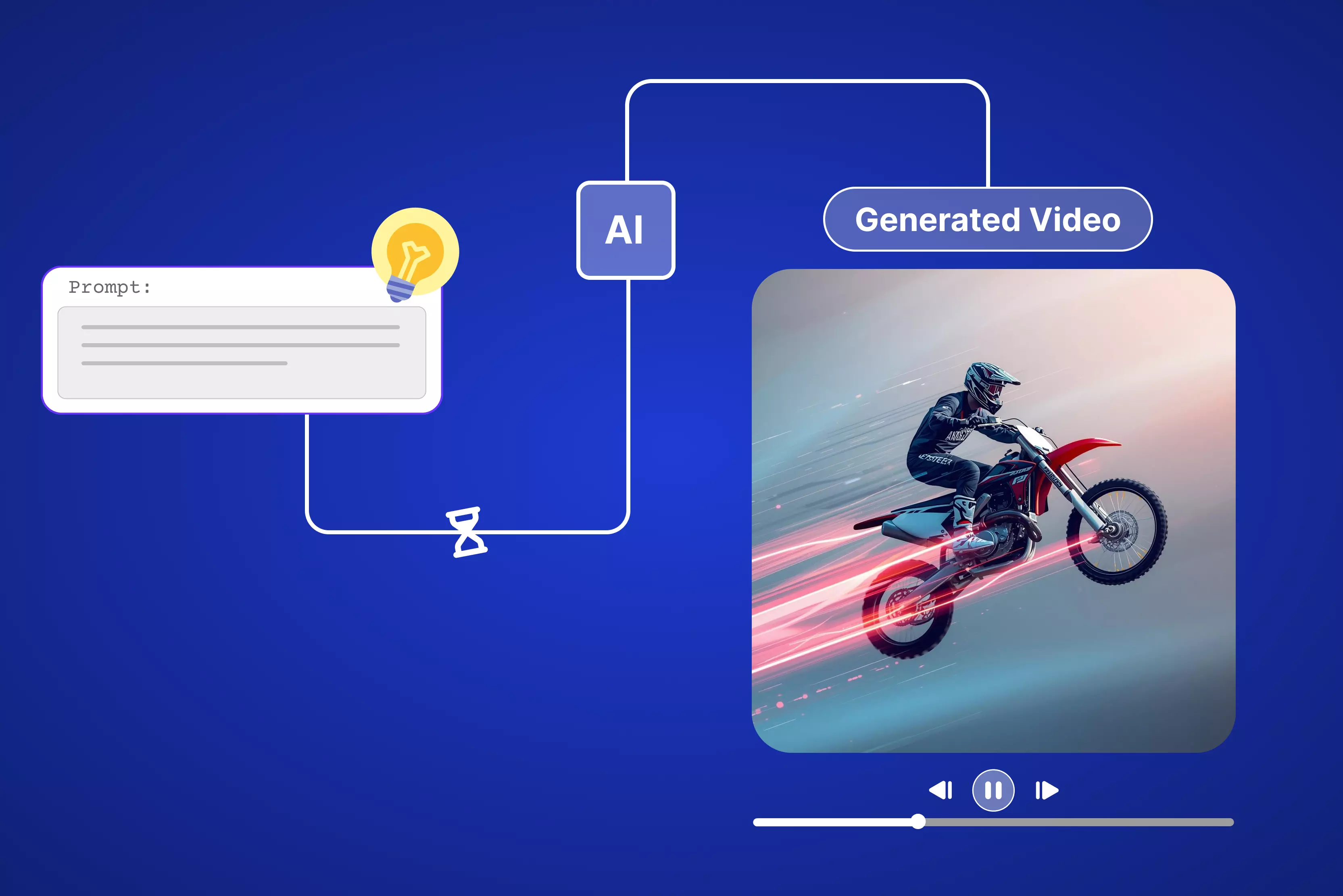


How quickly will AI video generation from text really get? How long does AI video generation take from text input to output? Quick Reels or TikTok hooks are generated in 15 to 60 seconds. Bigger jobs with edits typically run 15 minutes to 2 hours at most. This beats Adobe Premiere headaches or stock clip hunts every damn time.
You punch in a prompt, say a product demo or blog explainer. AI eats it up, taps models like Veo for visuals, slaps on camera moves, voices, captions. Pixelbin nails this stupid fast, no watermarks mucking up your HD export. Pictory grabs stock footage and runs. Kapwing bangs out basics before you blink. Marketers crank campaigns. I use it for client Reels non-stop.
After making all the tests, I got the insight that a 10-second clip takes just 30 seconds on fast tools. Avatar work or custom scenes run 5 to 10 minutes, but Pixelbin skips all waits and drops post-ready videos fast, so type your idea now and slay the algorithms with zero skills needed. Keep on reading to know everything in depth.
How long does AI video generation take from text input to output?
AI video generation from text totally flips how you crank out content these days, where you just type up a simple prompt describing your idea, fully formed visuals with smooth motion, voiceovers, and even captions pop out ready to roll. Without slogging through editing software, many workflows still involve trimming, re-prompting, or post-editing.
Speed all comes down to the clip length you're aiming for, the raw power behind the AI model handling it, and how zippy the platform runs things overall, so those quick Reels for TikTok or Instagram, complex scenes, avatars, long prompts, or retries can exceed “a few minutes.”
Pixelbin put all the heavy hitters through real tests, including Veo, Lumen, Kling, and extras like Sora, MiniMax, Pika, Runway, Hailuo, Seedance, and the hard numbers from those runs paint the clearest picture of what to expect in practice.
Factors affecting the length of AI video generation from text input to output
- The size and complexity of the AI model make a huge difference because giant ones like Sora-2 have millions more parameters to crunch through every single frame, which slows everything down compared to smaller, quicker models like Kling or Pika that just blast out your clips in no time flat.
- Video specs hit you hard, too, since bumping up resolution from 720p to 1080p or making a clip run from 10 seconds all the way to 60 seconds multiplies the processing time by 4 to 6 times on every single job you throw at it.
- Hardware and queues mess with free users the most because they get stuck in long lines that stretch to 30 minutes or more during busy hours, but when you grab a paid plan on Pixelbin, it hooks you up with dedicated GPUs that slash those waits down to just seconds.
- How detailed your prompt gets controls a ton since basic scenes with simple motion zip right through, but when you pack in fancy effects or camera switches or crowds or tricky lighting changes, the whole thing bogs down and takes 2 or 3 times longer to finish up.
Top 10 fastest AI video generation tools for text input to output
Having text ideas in your mind and want them to be generated in a video? I tested 10 top text-to-video AI generators like Pixelbin, Kapwing, VEED, and many more. Keep reading to get more insights.
1. Pixelbin AI video generator

Sometimes you need a fast text-to-video tool that skips the full editing task. Pixelbin AI Video Generator nails exactly that. Type your idea, hit generate, and done. It spits out short social clips that feel natural, not like you wrestled software for hours. Pixelbin also provides an option to create a video from an image.
Start by logging into the console, add the text, and never leave your Pixelbin console for optimization and delivery. Avoid the tools-hopping nightmare. I used to ping-pong between Canva and Photoshop just for one decent reel.
Now everything can be done in Pixelbin: write the prompt, optimize the adjustments, and export the HD-quality video. Focus purely on your story while the AI editor handles everything from video generation to tweaking the duration, resolution, and more.
Must known features
- Text‑to‑video is available for social posts, ads, and explainers.
- Generation modes tuned for marketing use cases like product demos and promos.
- Web‑based interface designed for non‑technical users and marketing teams.
- Controls for duration, aspect ratio, and resolution suitable for major platforms.
- Rapid rendering so you can iterate on creatives and test variations quickly.
- API‑friendly architecture for automating bulk or template‑based video creation.
How to create videos from text prompts on Pixelbin
Step 1: Sign in to Pixelbin and navigate to AI Video Generator. You'll see all available models like Kling 2.1 Master, Seedance 1.0 (Fast/Lite/Pro), Sora 2, Veo 2/3/3.1, and Wan 2.2/2.5.
Step 2: Pick any model that supports both text and image inputs. Upload 1-2 JPG/PNG images as start frames or bookend shots if desired (optional).
Step 3: Write Your Prompt in the text box, and describe:
- Main subject + action: "Dog running through field" or "Car driving city streets."
- Camera movement: Slow zoom, pan left, orbit, handheld shake
- Style/setting: "Golden hour cinematic," "Neon anime," "Clean product shot," "Rainy noir."
Step 4: Set technical parameters like:
- Length: 5-10 seconds (perfect for social clips)
- Format: 9:16 (Reels), 16:9 (YouTube), 1:1 (posts)
- Quality: 720p or 1080p based on model
Step 5: Hit "Generate" (requires premium plan, ~30 credits per video). Wait for studio-quality output, without any filming or editing needed.
2. Renderforest video editor
Many times, you need a free text-to-video tool that skips full editing tasks completely. Renderforest text-to-video AI nails exactly that need perfectly. Type your script or idea, pick a style, and hit generate right away.
It builds structured drafts with scenes, pacing, and narration that feel natural every time. No wrestling with clunky software for endless hours on end. Renderforest also lets you refine in the built-in editor seamlessly.
Start by entering your prompt, choose a way you want to create your video cartoon or stock visuals, and stay put for everything. Skip the tools-hopping nightmare that wastes your day.
Now handle it all in Renderforest: drop the prompt, enhance the script with AI, optimize the language, size, color, and audio. The free plan includes testing the tool; for exporting the output, you have to upgrade to a premium plan.
Must known features
- Enter scripts or ideas up to 2500 characters, pick styles like Cartoon, Stock, Generative AI, or AI images, and generate structured drafts with scenes, pacing, and narration.
- AI recommends styles or lets you choose video type, language, screen size/aspect ratios for social or ads.
- Preview drafts, download 720p videos/share links free, or open the built-in editor to swap visuals, add audio/transitions, insert AI voiceovers, and regenerate sections.
- Enhance scripts automatically for AI prompts, and support multilingual human-like voices for global reach.
- Provide different screen dimensions like 16:9 to 1:1, set colors, and add audio.
- Unified branding keeps team videos consistent, adapts one idea for promos/demos/training, and cuts production from days to minutes.
3. Kapwing AI text to video
Kapwing AI text-to-video packs simple power for quick clips. Many times, you crave a free tool that fires up with no logins or downloads needed, and Kapwing nails it spot on.
Landing page slams AI text-to-video front and center, where you drop prompts to spit studio-grade footage right off the bat. Pumps out lifelike clips perfect for UGC, influencers, or training reels every time.
After hitting "Generate video," it shows sample text prompts leading to customizable edits, b-roll generation, script to video, trends, repurposing, and more, but to enable more options like dubbing, lip-sync, transitions, subtitles, and more, you have to sign up.
You will find an AI Assistant Kai that can stitch voiceovers, images, subtitles, and transitions. Free start, pro for unlimited under 60s from idea to share. Kapwing is a full suite, turning prompts into platform-ready videos fast.
Must known features
- Pumps out realistic videos in under 60 seconds using models like Veo, Sora, MiniMax, Pika, and Seedance for hyper-real styles from cyberpunk to 80s vibes.
- Drop camera shot names like pan, zoom, dolly in prompts to switch scenes, build 15s to 5min clips tuned perfectly for TikTok, Instagram, and YouTube feeds.
- Full editor handles lip-sync dubbing, watermarks, logos, aspect ratios 9:16, 16:9, plus stock library swaps into fresh templates easily.
- Paste URLs or text up to 1000 chars to pull highlights, auto-add music sync narration, no manual grind.
- Pull media straight from Google Drive, Vimeo, or phone uploads seamlessly.
- Outputs clean, no watermarks, cloud-powered collaborative edits pro unlocks instant signup with pro-level tweaks.
4. Pixlr AI video generator
Pixlr AI video generator acts like a pocket toolkit for fast clip tweaks, where you pick any listed AI model to turn text prompts straight into videos without hassle. Toss in an image, then spell out changes right in the prompt and watch that still shot morph into a snappy shareable video over plain static posts.
The interface is beginner-friendly and will not overwhelm you with advanced timeline controls, which keeps things light and approachable. You can animate product shots or personal shots into professional clips in minutes. If you have a paid version, then you can add music, dynamic motion, special effects, add speech, and custom layouts.
Must known features
- Free 50 tokens for text-to-video conversion come only after signing up.
- AI model options available, like
- Fast AI - 20 tokens
- Pro AI- 45 tokens
- Ultra AI- 80 tokens
- Templates optimized for social formats like TikTok videos, Instagram reels, and more.
- Dimensions cover 9:16 alongside 16:9 options.
- Runs fully web-based, so no software install is required at all.
- Exports hit up to 4K resolution completely free.
- Downloads stay free too.
- Paid plan unlocks beginner-friendly tweaks for motion speed transitions.
5. Pictory text-to-video generator
Pictory text-to-video tool grabs your script or raw idea and turns it into an actual video fast, without digging for stock clips or matching audio tracks manually.
Landing page screams "Generate your video for free" up front, showing AI Studio that eats your text pulls huge stock library drops voices in multiple languages, builds complete scenes with captions, all without timeline fiddling.
Sign up, then paste text or pick a video idea to kick off. AI whips up fresh text if yours lacks punch. Choose a length platform like Instagram or YouTube. Rephrase, trim, optimize script, sharpen as needed, tweak dimensions, scenes, brand kit. Free trial runs the whole process, HD exports drop social-ready or training clips in minutes, but the exporting asks to grab the premium plan.
Must known features
- Builds the AI-generated prompt into sequenced clips with matching video type for free.
- AI Voiceovers are a part of the paid plan in many languages and accents, natural tones that fit any vibe.
- Provides video type selection like explainers, marketing, and more.
- No AI models available, you can select themes that are pre-built.
- Supports the following adjustments while generating the video;
- Dimension - 16:9, 9:16, and 1:1
- Create your own brand
- Scene settings are available:
- Create scenes from sentences.
- Create scenes on line breaks.
- Highlight keywords with AI.
- Select visuals with Al.
- Platform-ready formats for YouTube, Snapchat, Pinterest, and more
- Provides a length addition of 30 seconds to less than 5 minutes.
- HD downloads and no watermarks are available on paid plans.
6. EaseMate AI text-to-video generator
Sometimes you want a free AI video generator that cuts all the hassle and pumps pro clips quickly, so EaseMate AI tool nails it dead on. Open the generator and clean page loads, no messy settings, just “prompt to video in a few minutes" promising text-to-video or image-to-video tricks with zero software downloads needed.
After picking up text-to-video, you can see AI models pop right up like Veo 3, Runway, Midjourney, Kling, Hailuo, and more; perfect for creators, photographers, ads, and games.
After choosing the suitable model and adding the prompt, I got to find great features like tweaking duration, mode, and quality of the video. EaseMate is a mini editor suite, just type ideas, hit go, grab HD exports.
Must known features
- Generates watermark-free videos instantly without accounts or payments.
- Choose from various models for different motion styles and quality levels. Some are mentioned below
- Sora 2
- Veo 3 fast, 3.1, 3
- Seedaance Pro, Fast, Lite, 1.5 Pro
- Kling standard, pro, master, and many more
- Supports texts up to 2500 characters; auto-creates polished clips with natural animations.
- Adjust export quality from 480p to 1080p.
- Adjust duration up to 15 seconds.
- Support prompt enhancement through AI.
- Professional clips ready for social media, branding, or content without extra editing.
- Provides a Chrome extension for quick edits.
- Unlimited use for quick tests and production, no usage limits.
7. Synthesia text to video
When you are searching for a professional AI text-to-video tool that makes corporate videos feel human without hiring actors or crews, Synthesia.io steps right in for beginners. Page opens clean with straightforward script and avatar choices without any overwhelming options.
Paste your text, script, URL, or file, pick from realistic AI avatars that talk naturally, and choose voices in 140+ languages. Templates cover training, demos, and explainers. I started with a simple prompt like "man diving into the sea," set the length and style, and let AI match lip movements perfectly.
Tweak pacing or background if needed. The process is so simple that you just type your message, generate, and download enterprise-ready clips fast. It's one of the best when you need polished business videos from a beginner-friendly text-to-video generator.
Must known features
- Hyper-realistic AI avatars with natural facial expressions and perfect lip-sync matching.
- Instant voice cloning—record once, use your voice across unlimited training videos.
- AI dubbing in 140+ languages with preserved lip movements for global teams.
- Interactive video elements like quizzes, clickable CTAs, and branching scenarios.
- 45 free credits are provided for testing and free exports.
- Provides AI models—Veo 3, Veo 3.1, and Sora 2.
- Tweak dimensions—9:16 or 16:9.
- Drag-and-drop scene editor for teams to collaborate without design skills.
- One-click translations turn a single video into localized versions for every market.
8. VEED text-to-video AI
VEED text-to-video AI cranks words into slick clips, free, no downloads or learning grind needed. Fire up the page and clean layout hits with it, turn ideas into high-quality videos, pushing browser-based magic for social tutorials, presentations, and zero software mess.
Choose text-to-video and presets drop like ad makers tutorials in tons of languages, plus stock pulls. Models like Kling 2.5, Google Veo 3, and others grind realistic footage hard.
Grab sample "Surfing for beginners" pick format, avatar, voice, and music captions. Tweak the AI prompt to nail your brand swap in your clips, stock, or generative fills. Veed acts smart editor buddy type idea generate swap fonts clips export Reels seconds flat.
Must known features
- AI text to video with templates for ads, explainers, and social clips, along with AI self-generated prompts for each of the templates.
- Supports different dimensions from portrait to landscape.
- Supports multiple shots till four images in one go.
- Supports download in HD and 4K versions only underthe paid plan.
- Duration adjustment available from 5 to 12 seconds for different AI models.
- AI video generation models available, some of them are:
- Kling 2.5 Turbo Pro
- Kling 2.6 Pro
- Google Veo 3.1
- Seedance 1 Lite
- Minimax Hailuo 2.3
- Wan v2.5
- Pixverse v4.5 and more
- Export profiles optimized for TikTok, Instagram, YouTube, and more under the paid version.
- Browser‑based, no‑software workflow suitable for agencies.
9. ImagineArt
When you want an AI video generator that flips text into fluid clips, no downloads or constant fiddling required, the ImagineArt tool grabs you right away. Page loads clean and simple with "Describe video in prompt box below and start," but pushes Premium signup for full model access, skipping free tier straight to pro text-to-video image-to-video power.
Type in a prompt, or you can pick a template and models like Hailuo, Kling, or VEO 2 kick in, spitting out 4-10 second clips with camera actions, lighting shifts, or cyberpunk vibes. Toss up a photo, and it animates with natural motion, zooms, parallax, and even cinemagraphs that keep the original look sharp.
Extend clips seamlessly or restyle old footage, add synced music from their library, tweak aspect ratios like 1:1, 9:16, or more for video. Feels like a quick creative boost, just include the prompt, refine fast, export HD for social media without any complicated steps.
Must known features
- AI text to video with templates for reels and videos, along with AI-generated prompts for each of the templates.
- Paid plan includes working with AI models like Kling, Hailuo, or VEO 2 and more, split 4-10s clips with dynamic camera moves, lighting moods, and styles from photoreal to anime without any manual keyframes.
- Sign up to gain 100 free credits to generate videos for free.
- Supports image uploading for easy understanding of the prompt idea.
- Allows for adjusting the quality, duration, and dimension of the video.
- Provide presets for every need, like camera control, action movement, viral reels, and more, for easy and simple video generation in no time.
10. Fotor AI video generator
Fotor AI Video Generator grabs any story or idea spinning in your head and blasts it out as a video fast. Snag presets like fight scenes, hugs, kisses, wing flares, whatever vibes with you, and it rolls smoothly right away. Drop a reference pic, then AI models stack visuals, motion, no sweat at all.
The setup’s dead simple, nothing like wrestling traditional editing software. You’re just tweaking prompts, swapping templates, and dialing clips toward your brand or story, building it short and sharp one go at a time.
Must known features
- Text‑to‑video allows for converting written prompts or scripts into full videos.
- Ready-made templates like Ballet, Giant Tiger, Runway walk, and more are designed to spark engagement on TikTok, Instagram, and Facebook.
- Includes AI models, some of which are:
- Kling 2.1
- Kling 2.6
- Kling O1
- Veo 3
- Sora 2
- Seedance 1.0 Lite and more
- Supports prompt or choose your preset AI video template for marketing, education, storytelling, and more.
- Provides trending styles like Ghibli, minifigures, and a few more.
- Free credits available daily.
- Supports clip duration up to 12 seconds.
- The definition varied from 480p to 1080p, with watermark-free output.
- User‑friendly interface suitable for non‑editors and solo creators.
- Supports both text‑based and image‑based workflows in one place.
Final thoughts
Hence, wrapping text prompts into killer AI videos cuts the grind of editing marathons or clip hunts down to nothing. So, how long does AI video generation take from text input to output?
Tools like Pixelbin, Kapwing, Veed.io, and Pictory, PixVerse smash it for TikTok Reels or LinkedIn explainers with times from 30 seconds to 5 minutes. Quick presets nail viral hooks, brand templates, and lock consistency. Tests prove they shrink hours into minutes, spitting crisp HD that stops scrolls dead.
Grab the tips above to master prompt-to-video flow across top picks. Pixelbin generator takes next-level speed for your workflow, my go-to for zero watermarks and marketer focus.
FAQs
Synthesia takes 2-5 minutes for avatar videos with scripts up to 60 seconds using realistic presenters. Complex custom voices push 10 minutes, but free trials stay under 3 for basics.
Pixelbin leads at 15-30 seconds for 10-second clips on Kling/Veo models. Kapwing hits sub-60 seconds. EaseMate Veo 3 tests 25 seconds for Reels.
Peak queues, free tiers, detailed prompts, high-res specs, and overload models. Free Kling during rush hits 2+ minutes, pro GPUs drop to 20 seconds.
10-60 second clips, yes, under 5 minutes. Full 5-minute videos stretch 10-30 minutes on Runway/Sora due to coherence needs. Pixelbin chains shorts fast.
Use simple prompts, low-res, short durations, paid pro plans off-peak hours, light models like Pika. Pixelbin Pro skips queues under 20 seconds.
Model size, video specs, queues, prompt complexity, and hardware tiers. Sora-2 1080p peaks multiply times 4-6x pro Pixelbin cuts to seconds.