
Summary
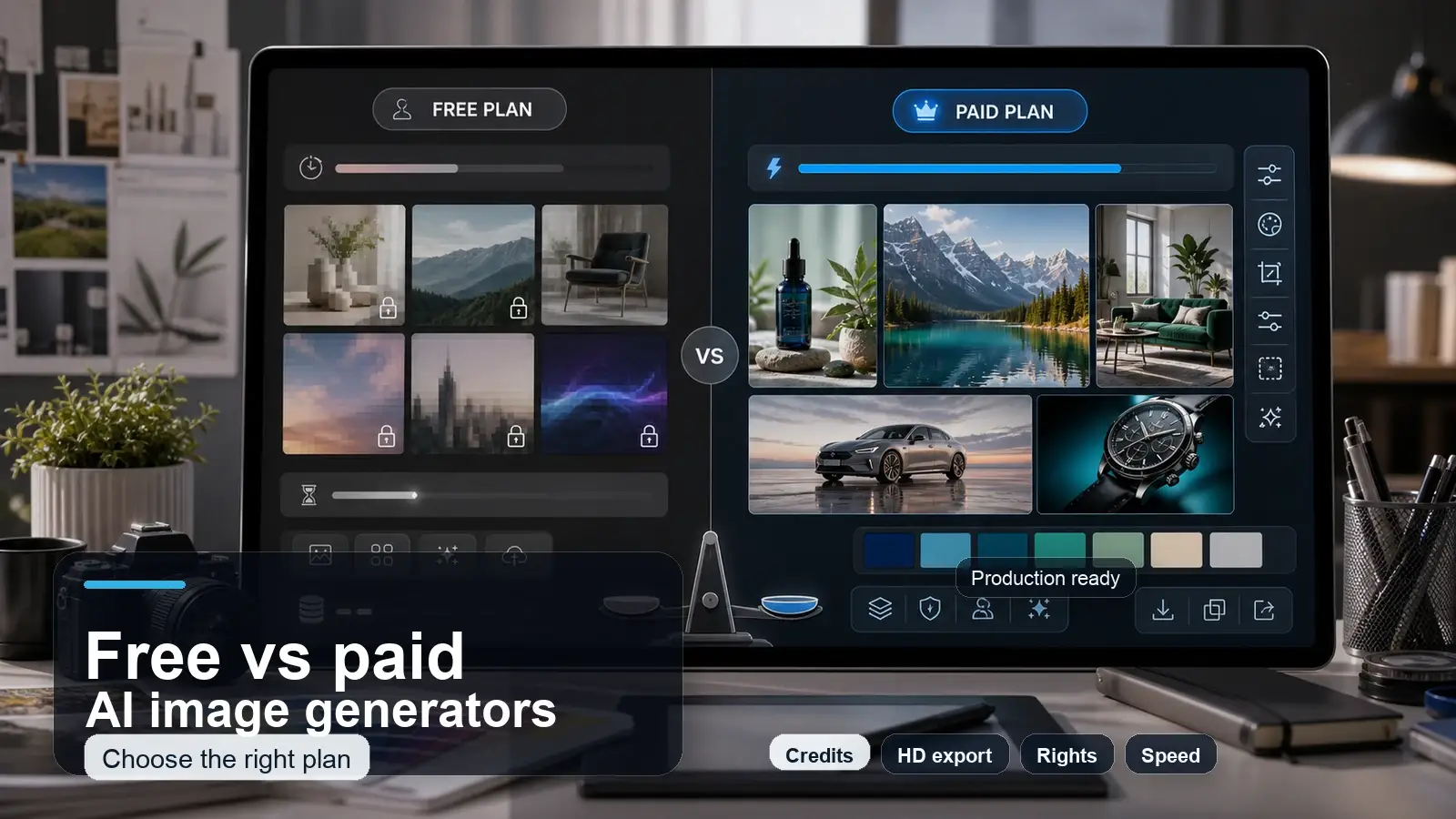
Free AI image generators are best for quick experiments, social posts, moodboards, and low risk creative ideas. Paid AI image generators are usually better when you need higher resolution, consistent style, commercial rights, faster generation, advanced editing, and fewer usage limits. This guide compares both options across quality, cost, control, licensing, and practical use cases so you can decide when free is enough and when paying is actually worth it.
Introduction
AI image generators often look free at first, but credits, watermarks, resolution limits, commercial rights, queue speed, and model quality can quietly change the actual cost of using them.
A free AI image generator is great when you want to test an idea quickly, but it is not always free once you need high-resolution exports, commercial usage, consistent style, or multiple usable images from a single session. A paid AI image generator can save time and improve quality, but only if you actually need the extra control it offers.
This guide breaks down the practical difference between free and paid AI image generator pricing models, so you can choose the right option, whether you are weighing a commercial AI image generator for client work or just trying to find the best AI image generator for a one-off project, before wasting credits or money on the wrong plan.
What is the difference between free and paid AI image generators?
Before comparing features side by side, it helps to define what "free" and "paid" actually mean in this category, because the terms cover a wide range of setups.
A free AI image generator usually means one or more of the following: a limited number of free credits per day or month, access to an older or lighter version of the underlying model, lower priority in the generation queue, restrictions on export resolution, a visible watermark on the output, and limited or unclear commercial usage rights.
A paid AI image generator usually means more generation credits under a paid plan, access to newer and more capable models, advanced editing tools such as inpainting and outpainting, private generations that are not shown in a public feed, clearer commercial rights, higher resolution exports, and in many cases, priority processing and customer support.
Neither definition is universal. Some free tiers are genuinely generous for casual use. Some paid plans still restrict commercial use to certain subscription levels. The only reliable way to know what you are getting is to read the specific plan's terms rather than assume based on the word "free" or "paid" alone.
Quick comparison table: free vs paid AI image generators
Go through the comparison between free and paid AI image generators below:
Treat this table as a starting point, not a final answer. The real cost and quality difference depends heavily on your specific use case, which the rest of this guide covers in detail.
When a free AI image generator is enough
Free tools work well when the image is only for testing, personal use, or internal projects rather than public or client work. This includes blog post thumbnails that support a written article rather than sell a product, personal art projects, social media concepts you are still testing, moodboards used internally to align on a creative direction, and prompt experimentation before committing to a full production run.
Students and hobby creators are also well served by free tools in most cases. If you are learning how prompting works, testing different art styles, or building a portfolio for practice rather than for paid client work, the credit limits and lower priority queues of a free plan rarely get in the way.
The general rule is simple.
If the image will only be seen internally, used for a low stakes personal project, or replaced later with a refined version, a free AI image generator can carry that work without issue.
If you only want to test prompts, create quick visuals, or compare styles, a free AI image generator can be enough before you move into a paid production workflow like the one offered by Pixelbin's AI image generator, which is built for when you need to move from a draft concept into a finished, brand-ready asset.
When is a paid AI image generator worth it?
Paid tools tend to justify their cost in commercial and production contexts. Brand campaigns, paid advertising creative, client projects, ecommerce product imagery, hero images for a website, and any workflow that requires a consistent character or style across many images all benefit from what a paid plan typically offers.
The deciding factor is rarely the sticker price. It is whether the time saved and the rate of usable output are worth more to you than generating images at the lowest possible cost per attempt.
A marketer producing twenty ad variations a week loses more value to slow queues, inconsistent style, and low-resolution exports than they would spend on a mid-tier paid plan. A small business owner generating one product image a month may never reach that break-even point.
Pro tip: Paid AI image generator pricing is worth evaluating once your volume, your need for a commercial AI image generator, or your requirement for visual consistency across a set of images increases. This is usually the point where people start actively searching for the best AI image generator for their specific workflow rather than defaulting to whatever free tool they tried first.
As with any pricing discussion in this space, treat these as general guidelines rather than fixed numbers; plan structures shift often, and what is accurate as of mid 2026 may change by the time you are reading this.
The hidden costs of free AI image generators
"Free" is rarely free once you look closely at the practical limits built into most no-cost plans. Understanding these hidden costs helps you avoid wasted time and unusable output.
- Daily or monthly credit caps mean you can run out of generations in the middle of a project, forcing you to wait for a reset or switch tools mid-workflow.
- Watermarks on free exports make an image unusable for most commercial or professional purposes without an additional editing step.
- Low-resolution limits can make an image look fine on a phone screen but fall apart when printed or used at full size on a website banner.
- Slow queues become a real cost when you are working against a deadline, and every generation takes several minutes longer than a paid tier would.
Unclear license terms are one of the most overlooked hidden costs. Some free plans do not clearly state whether you can use the output commercially, whether the platform can use your generations in public galleries, or whether your prompts and images might be used to train future versions of the model. This last point matters more than many people realize.
A number of free AI image generator plans reserve the right to use your inputs and outputs for model training or to display them publicly, while a paid plan frequently offers a private generation setting or a training opt out as part of the subscription.
If you are working with sensitive client concepts, unreleased product designs, or anything under an NDA, this is worth checking before you upload a single prompt.
Limited edits, inconsistent outputs across attempts, and the extra cost of upscaling a low resolution image in a separate tool all add real time and sometimes real money to what looked like a free workflow at the start.
There is also a growing disclosure requirement to keep in mind, regardless of which tier you use. In the United States, the FTC treats undisclosed AI-generated content in advertising as a potentially deceptive practice under Section 5 of the FTC Act, and expects clear, visible disclosure when AI-generated images appear in commercial or sponsored content.
Similar disclosure rules are expanding at the state level and internationally. If you plan to use AI generated images in ads or sponsored posts, check the FTC's current guidance on AI before publishing, since this applies to free and paid tools equally, and since enforcement guidance in this area has been updated multiple times through 2026.
What you actually get by paying
A paid plan is not automatically better in every way, but it typically unlocks a specific set of capabilities that matter for production work. This includes:
- access to newer, more capable models
- HD or 4K export options
- private generations that are not shown in a public feed
- inpainting and outpainting tools for editing specific parts of an image
- image-to-image editing for refining an existing visual
- a wider range of aspect ratios
- tools for keeping a consistent style or character across multiple images, team or multi-seat access
- API access for developers who want to integrate generation into their own product
- direct customer support when something goes wrong
Paying for a plan gives you a commercial license to use the output under that platform's terms. It does not automatically give you copyright ownership over the image itself.
Under current United States copyright law, the Supreme Court declined to review the Thaler v. Perlmutter case in March 2026, which leaves in place the requirement that copyright protection depends on meaningful human authorship.
Content generated purely from a prompt, with no significant human creative input in the composition, editing, or arrangement, is generally not eligible for copyright registration in the US, regardless of whether you used a free tool or a paid plan.
If you plan to register copyright on a commercially important asset, document your creative contribution, including detailed prompts, manual edits, and curation decisions, and check the US Copyright Office's official guidance on AI and copyright for the most current position, since this is an evolving legal area with new rulings arriving through 2026.
This does not mean a paid plan is not worth it. It means the value of paying comes from resolution, consistency, editing tools, speed, and commercial rights for using the image, not from copyright ownership of the image itself.
Free vs paid output quality: what changes visually?
Quality differences between free and paid tiers are not always obvious from a quick glance at a thumbnail. The real differences tend to show up in the details that matter for professional use.
Faces and hands are often the first areas where quality gaps appear, especially in free or lower-tier models that struggle with proportion and natural detail. Product details, like fine textures, logos, or specific shapes, are frequently smoother or less accurate in free tiers.
Text rendering inside an image, such as a sign or a label, has historically been a weak point across most AI image generators, though newer paid-tier models handle it more reliably than older free-tier ones. Lighting, shadows, and how well the image follows a detailed prompt tend to improve with access to newer models, which are more often gated behind a paid plan.
Style consistency, meaning the ability to generate the same character or product across multiple images with a matching look, is one of the clearest paid tier advantages and one of the hardest things to get right with free tools.
The practical takeaway is to judge quality using full-size exports, not the small thumbnail previews shown in a tool's interface. A thumbnail can hide resolution and detail problems that only become obvious once you view or print the image at full size.
Cost comparison: credits, subscriptions, and pay per use
AI image generator pricing generally falls into three models. Free credits give you a limited number of generations at no cost, often refreshed daily or monthly. A subscription-based paid plan charges a recurring fee for a set number of credits or unlimited generations within fair use limits. Pay-per-use charges you for each generation or credit pack you buy, without a recurring commitment.
The most useful way to compare real cost across these models is a simple formula.
Cost per usable image = monthly cost divided by the number of images you actually keep and use.
This matters because failed generations, images you discard, and unused credits at the end of a billing cycle all change your real cost per usable image. A twenty dollar monthly plan that gives you two hundred credits sounds inexpensive until you realize you only end up using fifteen of the resulting images in finished work, because the rest were failed generations, off brief, or unusable at full resolution. At that point, your real cost per usable image is much higher than the plan's advertised price per credit suggests.
Pricing structures across this category change often, sometimes multiple times a year on a single platform. Before committing to any paid plan, calculate your expected cost per usable image based on your actual output rate, not the plan's advertised credit count, and verify the current price directly on the provider's pricing page rather than relying on older reviews or screenshots.
Workflow and platform fit
Quality and pricing are not the only factors that matter. How well a tool fits into your existing workflow can matter just as much, especially for teams.
If you already work in Canva, Figma, Photoshop, a content management system, or an ecommerce platform, check whether the AI image generator you are considering integrates directly with those tools.
A tool that requires you to generate an image, download it, then manually re-upload it into three other platforms adds friction that a well integrated paid plan can remove.
For teams producing images at volume, this integration factor is often a bigger practical difference than a small gap in output quality between two similarly priced tools.
Best choice by user type
Different users have different volume, consistency, and commercial needs. The table below breaks down a general recommendation by user type, though your specific situation may shift the answer.
Decision checklist: should you use free or paid?
Use this checklist to make a quick, confident decision without overthinking it.
Choose free if you are experimenting with an idea, need only a small number of images, do not require commercial rights, and do not need high resolution or strict visual consistency across images.
Choose paid if you need client facing or public facing assets, require clear commercial rights, need faster generation for tight deadlines, need brand or character consistency across a set of images, need high resolution exports for print or large format use, or are producing images on a daily or weekly basis as part of a regular workflow.
If you are not sure which category you fall into, start for free. You can always upgrade once your volume or commercial requirements make the paid plan's value obvious.
How to test an AI image generator before paying
The best way to evaluate a tool honestly is to run the same structured test across every option you are considering, rather than judging based on marketing screenshots or a single lucky generation.
Use the same five prompts across each tool you test.
- A realistic portrait prompt to check how well the tool handles faces and skin detail.
- A product photo prompt to check accuracy on shape, texture, and reflections.
- A social ad creative prompt to check how well the tool handles composition and layout for a specific format.
- A text heavy poster prompt to check how reliably the tool renders readable text inside the image.
- An illustration or specific art style prompt to check flexibility beyond photorealism.
Score each tool on several factors. Check prompt accuracy to see how closely the output matches your instructions. Evaluate realism where relevant and text accuracy if your prompt includes text. Test prompt control by seeing how easily you can refine or edit the results. Compare the export quality at full resolution and note the generation speed. Finally, measure the usable output rate, or how many generated images you would actually use instead of discarding due to poor quality or inaccurate results.
This method gives you a fair comparison instead of relying on a single first impression, which is one of the most common mistakes people make when choosing between tools. So, the right answer depends on your own test results against your own five prompts, not a generic ranking.
Common mistakes people make when choosing a tool
A few recurring mistakes lead people to pick the wrong tool or overpay for capability they do not need.
- Comparing tools based only on their first generated output, without testing a range of prompt types.
- Ignoring license terms and assuming commercial use is allowed by default.
- Missing resolution limits until after an image has already been used in a layout or printed.
- Forgetting that a watermark exists until it shows up in a client deliverable.
- Paying for an annual plan before testing whether the tool's output quality and workflow fit actually match your needs.
- Using a single tool for every type of image, when different tools may handle photorealism, illustration, or text rendering with different levels of skill.
- Ignoring data and privacy terms, including whether your prompts or images may be used for model training or shown publicly.
- Ignoring platform integration and lock in, which can make switching tools later more disruptive than expected.
Final verdict
Free is best for exploration and low-risk content. Paid is worth it when quality, speed, commercial rights, consistency, and professional workflow support actually matter for what you are producing.
The best choice is not universally free or universally paid. It depends on how often you generate images, what those images are used for, and whether commercial rights and visual consistency are requirements or nice-to-haves.
For most people, the most practical approach is a hybrid one. Start with a free AI image generator for ideation, concept testing, and low-stakes content. Move to a paid AI image generator only when you need the final, brand-ready, commercially licensed version of an asset. This gets you the low-cost benefit of free tools during the exploratory phase, without sacrificing quality or rights when the image actually goes live.
Pricing, free credit allowances, and commercial usage terms across AI image generators change frequently. Verify current plan details directly with the provider before making a purchasing decision, since the specifics in this guide reflect the general landscape as of mid 2026 and individual tools update their terms on their own schedule.
FAQs
Mostly yes for casual use, but with real limits. Free plans typically cap the number of free credits per day or month, restrict export resolution, add a watermark, or place you in a slower generation queue. The generation itself costs nothing, but reaching a usable final image at full quality may require more effort or an eventual upgrade to a paid plan.
It depends entirely on the specific tool's terms. Some free tiers explicitly restrict commercial rights, some allow commercial use with attribution, and some are silent on the issue, which is itself a risk. Always read the license terms of the specific plan before using a free generated image in any commercial context.
Often, but not universally. A paid plan typically includes access to newer models, higher resolution export, and better editing tools, which tend to produce more consistent and detailed results. However, quality also depends on the specific prompt and use case, so it is worth testing rather than assuming.
Free tools are usually sufficient for casual or personal social content. A paid plan becomes more valuable once you are posting frequently, need brand consistent visuals, or are creating content for a business account where a watermark or lower resolution would look unprofessional.
Paid tools are generally the better fit. Ecommerce product images typically need high resolution for zoom features, consistent lighting and style across a full catalog, and clear commercial rights, all of which a paid plan is more likely to support reliably.
Yes, and this is a practical approach for many users. Use a free tool to test prompts, explore styles, and validate a creative direction, then move to a paid plan once you need the final, high resolution, commercially licensed version of the image.
The most common limitation is the combination of credit caps and unclear or restricted commercial rights. Even when quality is acceptable, running out of free credits mid project or being unable to legally use the output commercially is often the real blocker.
Calculate your cost per usable image using your actual output rate, not the plan's advertised credit count, and compare that against the value of the time saved and the commercial rights gained. If you are producing images regularly for client or brand facing use, a paid plan is typically worth it. If your use case is occasional and low stakes, it may not be.