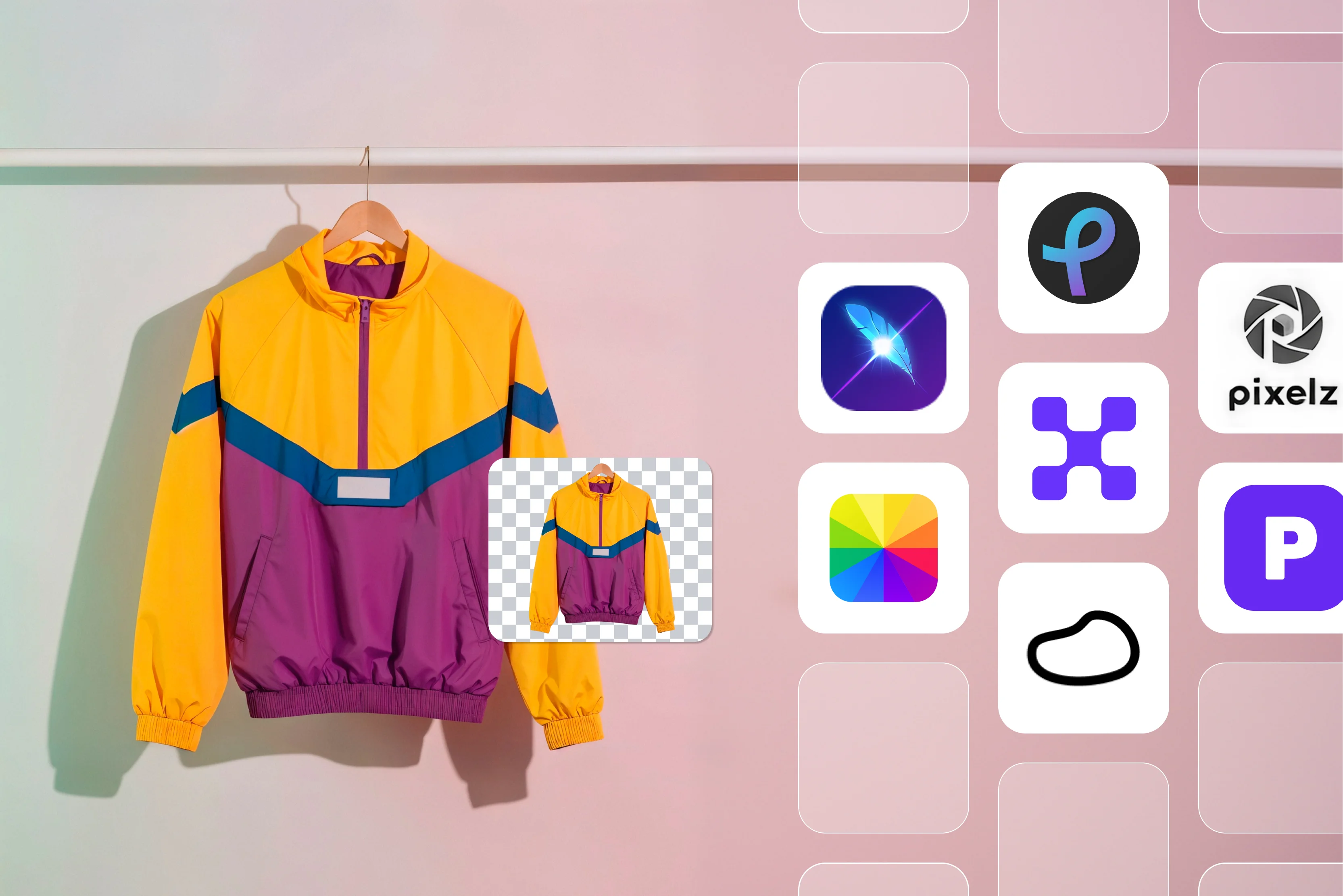


Product photos that look amateur can bring down your e-commerce sales overnight. I found out when my Shopify listings didn't sell because the pictures had messy backgrounds and bad lighting that made the stuff look cheap.
Buyers leave quickly if photos don't catch their eye, and fixing them by hand takes too much time. Editing them myself was a pain. I messed around with free apps to clean up busy backgrounds without messing up the edges, make all shots the same size, fix lighting that changed in each one, and do lots at once without going into messy situations.
Small stores like mine get stuck doing that junk work instead of things like ads or talking to customers. In this blog, I'll hand over my top 10 photo editing tools for e-commerce, like Pixelbin, Fotor, and more, breaking down the pros and cons, and best tips for your store.
Why does e-commerce need specialized photo editing tools?
Online stores count on good product photos to bring in sales. Phone apps or basic computer programs just can't keep up when you deal with tons of items. Customers want clear, bright pictures that show things like cloth feel or jewelry sparkle. Photos with dark spots or junk behind make your shop look cheap and not trustworthy.
Shoppers zoom right in, look at the sides, and pick fast between options. Big places like Amazon or Etsy make hard rules about white backgrounds, right sizes, and super clear focus. Normal edit tools can't handle that much work or go quickly enough. You really need special software built for taking lots of photos at one time.
I once spent weeks wrestling with Photoshop just for basic fixes, yet it proved overwhelming for my modest operation. Specialized tools powered by AI intuitively handle tasks like removing a couch from behind a lamp in mere seconds rather than long minutes. These solutions also cut costs by reducing returns caused by poor photo quality.
Here's what specialized editors provide over generic alternatives:
- Batch processing power lets you load 100 supplier images at once and retrieve shop-ready versions in under an hour instead of endless individual clicks.
- Auto lighting fixes manage issues from store lights or phone flashes, evenly matching colors across a full catalog without constant slider adjustments.
- File optimization resizes images for mobile thumbnails, compresses them for quick page loads, and applies floating shadows that appeal to shoppers.
- Brand templates secure consistent looks like white backgrounds, 2:3 ratios, and subtle glows, so raw uploads process perfectly every time.
Such tools integrate seamlessly with Shopify or WooCommerce to place files directly into listings.
Top criteria for choosing photo editing editors
- Ease of use for non-designers: Look for drag-and-drop interfaces and simple steps that skip complicated menus or long tutorials so that anyone can jump in without design school.
- AI-powered tools: Prioritize smart features like one-click background removal, image upscaling for sharper zooms, and automatic color correction to fix lighting issues fast.
- Scalability for bulk work: Choose software that handles batch editing for 100+ products at once, saving hours when uploading new inventory or refreshing listings.
- Integrations with platforms: Seek direct connections to Shopify, Etsy, or Amazon uploads, so edited photos flow straight into your store without extra copying around.
- Pricing models: Go for flexible options like freemium starters, monthly subscriptions, or pay-per-image plans that match small budgets or growing shops.
- Mobile app and cloud support: Pick tools with phone apps for edits on the go, plus cloud storage to access files anywhere and never lose work mid-session.
Best Photo Editing Software for E-commerce
Product photos make or break e-commerce sales. Bad backgrounds, uneven light, or wrong sizes chase buyers away from your Shopify or Amazon listings. I struggled with this until I found these smart editors who fixed my shots fast. Find the glance table below to get more information and more details about each tool.
1. Pixelbin AI ecommerce product photo editor

Tired of ecommerce product photos that look bad and hurt your sales? Pixelbin free AI photo editor fixes them super fast in just seconds. You upload a picture in JPEG, PNG, or WEBP up to 10MB, then tell it simple things like "Make background clean" or "Make it sharp."
The AI takes care of pulling out backgrounds, fixing lights, making things clear, and even making small images bigger than the original without getting blurry. You don't need to know Photoshop because it works right in your web browser on Chrome, Safari, or your phone.
You get HD downloads with no watermarks, ready to use on Shopify, Amazon, or Etsy. I like how it keeps all your pictures in one spot so you can find them easily, lets you change them by just updating a web link, and stays safe on their private computers.
Turn phone clicked product photos into pro studio shots to save money on real photoshoots, add nice scenes around products, make different colors from one photo, or clean up fuzzy ones from suppliers. It works great for social media posts, big banners, and more. Start free with 3 credits for one edit and download each, then pay only beyond that with their premium plans.
Why use Pixelbin AI's e-commerce product photo editor?
- Handles multiple formats like a champ: Toss in JPEG, JPG, WEBP, or PNG files without a second thought. No conversions or compatibility headaches, just straight uploads that play nice across the board.
- Mobile-friendly for edits anywhere: Whip out your phone or tablet on the go. Edit and download sharp images right there, no desk required, perfect when you're snapping stock at the warehouse or market.
- Smart asset management in one spot: Keep every product photo organized centrally. Find what you need fast, ditch the folder chaos, and grab assets anytime without digging through emails or drives.
- URL-based transformations for instant wins: Tweak, optimize, or punch up images live by messing with URL parameters. Change a background or sharpen on the fly, see results pop without re-uploading everything.
- Total privacy you can trust: Your images stay locked on secure servers. Nobody peeks, shares, or reuses them without your okay, so sensitive stock shots remain yours alone.
- Clean watermark-free downloads: Pull pro visuals straight to your site or listings with zero logos or marks gunking them up. Ready-to-sell perfection every time, no extra cleanup steps.
2. Phot Ecommerce Product Image Editor
Weak product photos chase buyers away from your store quickly. Phot.ai's ecommerce product image editor fixes them up pro-style with no hassle at all. You upload a pic, and AI makes it sharper, changes backgrounds, adds text,t or filters that go with your brand. It sets things right automatically for Amazon, Shopify, Flipkart, or eBay so they meet the rules easily.
No skills needed, just upload, edit, and download high-res files ready for shops. Private storage keeps your pics safe from others. This tool handles problems like wrong sizes or dull colors with a built-in extender that fills backgrounds smoothly. Templates give fast pro shots or bulk edits for lots of work. Sellers say it helps sales grow and saves time on listings. Free start makes it simple for beginners and professional users, as both like clean results for e-commerce sites.
Pros
- A simple upload and edit process helps beginners with AI auto-enhance and quick background swaps.
- Meets rules for platforms like Amazon and Shopify through one-click compliance fixes.
- Encrypted private storage keeps product images secure from unauthorized access.
- Bulk studio mode processes multiple images rapidly to save time on large sets.
- Ready templates create professional showcases without building from scratch.
- High-resolution downloads maintain quality for direct use in online listings.
Cons
- The free plan restricts users who require frequent or unlimited editing sessions.
- AI sometimes falters on complex scenes or images taken in poor lighting conditions.
- It requires a constant internet connection since no offline editing option exists.
- Offers less precise control for intricate details when compared to professional software.
- Basic plan includes watermarks or export limits that hinder full use.
- Advanced bulk tools remain locked until upgrading to a paid subscription.
3. Pebblely AI Product Photography
Plain product images don’t capture shoppers attention and hurt sales in your store. Pebblely turns any image into a perfect product shot that sells using smart AI. Upload a plain white background photo, pick from huge templates like forest scenes or water splashes, and generate marketing assets for social, ads, or listings. No complicated software, just simple clicks for bulk creation on Etsy, Instagram, or websites. Over 25 million images have been made by businesses already.
Scale up easily with an app for varied backgrounds or model shots on jewelry and more. Users rave about sales jumps from stunning visuals without photoshoots. Categories cover skincare, candles, furniture, and pets. Testimonials show engagement skyrocket over Canva. Just upload, choose a template, and download multiples. Real game-changer for small shops needing pro content faster.
Pros
- Transforms single plain shots into varied lifestyle scenes using over 100 templates quickly.
- The bulk generation feature supports scaling needs for stores that grow steadily.
- Eliminates the need for Photoshop skills since uploads lead to instant background changes.
- Handles categories like jewelry and skincare with realistic lights and natural shadows.
- Customer support responds promptly to address any user questions or issues.
- Reduces costs on photoshoots by producing professional content affordably.
Cons
- Performs best with uploads featuring clean white backgrounds initially.
- Template options can start to feel repetitive for brands seeking unique styles.
- High-volume or ad-free access demands switching to paid subscription plans.
- Provides limited flexibility beyond typical product photography applications.
- Operates online only without support for offline editing capabilities.
- AI-generated shadows occasionally appear unnatural on irregular object shapes.
4. LightX Product Photo Editor
E-commerce photos with clutter or bad light kill conversions. LightX's ecommerce product image editor cleans them up for free and easily. Upload your shot, AI removes backgrounds, fixes colors, and resizes for platforms like Shopify or Amazon. Drag-and-drop adds shadows, text, or effects without needing expert skills at all. Runs online with no downloads required and handles batches smoothly for bigger stores too. Sharp HD files come out fast, ready for listings.
Key parts stand out like smart edge fill that smooths gaps really nicely. Product templates give quick pro looks without much work. Mobile support lets you edit stuff right on the go, too. New folks like fixing supplier pics or switching colors with no bother at all. Free plan handles basics well enough. Paid side opens up unlimited jobs. Skip all that slow hand work and focus on the sales push instead. Solid pick for shop-ready pics every single day.
Pros
- AI suggests background choices directly from raw uploads in a matter of seconds.
- Magic Brush and Erase tools refine product details smoothly for catalog preparation.
- An extensive library offers backgrounds from nature scenes to modern podium setups.
- Custom sizing fits platforms like WooCommerce without forcing unwanted crops.
- Stickers, text overlays, and filters enable easy addition of brand elements.
- Free web-based access allows immediate use without software installations.
Cons
- A wide range of background choices sometimes overwhelms users new to the tool.
- An AI edge extender does not always handle irregular shapes flawlessly.
- Batch processing and advanced AI require a premium subscription upgrade.
- Web-only design slows performance during unstable internet connections.
- Lacks widespread recognition and detailed tutorials compared to established names.
- Free tier imposes restrictions on export resolution and file sizes.
5. Pixelz Product Images
Supplier photos that are too fuzzy or inconsistent drag down your e-commerce game. Pixelz edits them to pro standards fast for Amazon, Zalando, or your site. Upload raw images, human-AI combo removes backgrounds, fixes light, retouches details like scratches. Scale for thousands of SKUs with API links to Shopify or BigCommerce. Get compliant files that boost click-through and cut returns.
They handle color accuracy, grouping for catalogs, and fast turnaround under 24 hours. Trusted by big brands for consistent quality. Pricing per image fits volume sellers. Portal tracks jobs easily. No in-house team needed, focus on core business. Real results show higher sales from polished visuals. Upload batch, approve previews, download ready. It's a top choice for serious stores wanting reliable edits without hassle.
Pros
- Combines human expertise with AI for accurate retouching on product detail pages.
- Scales effortlessly to handle thousands of SKUs through API integration with Shopify.
- The platform provides clear job tracking, comments, and performance insights.
- Extends capabilities to video editing, campaigns, and AI model generation.
- Delivers consistent high-quality, trusted by major brands in the industry.
- Offers fast turnaround times under 24 hours for time-sensitive projects.
Cons
- Per-image pricing model accumulates costs quickly for smaller-scale sellers.
- A service-oriented approach introduces wait times, unlike instant DIY tools.
- Lacks a free trial tier targeted primarily at high-volume professional clients.
- API integration demands a certain level of technical knowledge to set up.
- Focuses mainly on post-production rather than original image creation.
- Proves expensive for experimentation or shops with low editing volumes.
6. Pixlr Free AI Photo Editor & Image Generator
E-commerce product pics usually need some quick work to catch eyes and help sales along. Pixlr's free AI photo editor gets it done in your web browser, no need to download a thing or deal with complications. Drop in your images for fast AI moves like chopping out backgrounds, wiping away stray objects, switching faces around, or patching in whole new scenes without breaking a sweat.
Got blurry pics from suppliers? It's upscale and sharp tricks fix them up nicely for Shopify or Amazon spots. Runs fine on your phone or laptop, takes on batches too when you've got a pile to handle. People really get into the no-fuss filters, fun effects, and templates that jazz up product shots, minus any Photoshop headaches.
Cook up AI images just from typing ideas, push your canvas out wider, or scrub noise for that smooth look. Free side handles daily testing, while Premium kills ads and includes an extra tier. Beyond listings, it shines for social posts or shop banners. Try it out for nothing and see your pictures jump from so-so to eye-catchers.
Pros
- Browser-based free editor includes AI for background removal and object erasure.
- Generative fill, canvas expansion, and upscaling enable creative product adjustments.
- Supports batch editing alongside filters and effects similar to lightweight Photoshop.
- Compatible with mobile devices and desktops without installation requirements.
- Text-to-image AI generates fresh product visuals from simple descriptions.
- Balances beginner accessibility with professional-grade tools effectively.
Cons
- Advertisements in the free version occasionally disrupt the editing workflow.
- Full AI features and ad removal necessitate a premium subscription cost.
- Advanced layer management presents a learning curve for some users.
- Processes large batches more slowly than tools built specifically for e-commerce.
- Free exports face limitations on maximum resolution and file options.
7. Fotor Product Image Generator
Product photos that look dull often cause lost sales in your online store. Fotor's free AI product image generator wakes them up quickly with simple smart tools that anyone can handle. You upload ecommerce images to strip away backgrounds easily, create fresh new scenes around products, or place virtual models wearing clothes for that extra fashion appeal.
A single click sharpens up blurry areas and brings pro-level clarity perfect for listings on eBay or Flipkart. Add custom text overlays or adjust sizes to fit any platform without trouble. No prior design experience required at all. This handy tool turns plain text descriptions into custom product visuals just like you imagine.
Swap out elements around your items effortlessly or even transform still photos into short video clips for ads. The mobile app lets you make changes wherever you happen to be during the day. Downloads come out crisp in HD formats like JPG or PNG with zero watermarks to worry about. Bulk processing rescues entire product catalogs in no time. It works great for clothing collections, marketing campaigns, or social media posts.
Pros
- Free AI tools generate backgrounds and virtual model outfits ideal for fashion.
- One-click enhancement removes blur and applies varied art styles creatively.
- Converts text prompts into product images or videos from static photographs.
- The mobile app supports editing sessions conducted on the go conveniently.
- Bulk enhancement handles entire catalogs without adding watermarks.
- Provides stickers and AI agents for fully custom design outputs.
Cons
- Generated AI backgrounds can appear generic or poorly matched at times.
- Free access limits exports and blocks certain advanced AI functionalities.
- Depends entirely on internet connectivity without offline editing support.
- Struggles with precision on small details such as jewelry engravings.
- Mobile app experiences occasional glitches on older smartphone models.
8. Claid AI Product Photography
Every day, product shots leave online buyers yawning and scrolling past. Claid spins out real-looking AI photos full of proper lights, shadows, and tiny bits that matter. Hand in your uploads for snap photoshoot builds, models in clothes that fit naturally, or video bits from one still image.
Clears backgrounds, pumps up size, and sorts lights all in the same place. API chews through huge SKU batches smoothly for Shopify or BigCommerce shops. Companies lean on it hard to buff catalogs to shine. Trims editing bills way down, kicks seller jobs into gear faster all around.
Pumps visuals tuned to your brand that grab hold better. Free entry with setups for serious users. Nail faces, text layers, art shifts, no problem. Right fit for promo stuff, ads, or sticking to rules. Holds real fabric feel and tags true every go. Grow trust with customers and shift more stock using shots pulled fresh from a real studio setup.
Pros
- Creates realistic AI photoshoots featuring natural lighting and shadows in high resolution.
- Includes upscaling, background removal, and video clip generation seamlessly.
- API integration manages large SKU batches efficiently for platforms like Shopify.
- Produces brand-aligned visuals that enhance listing appeal naturally.
- Offers free starting options alongside professional workflows for teams.
- Suits marketing materials, advertisements, and platform compliance requirements well.
Cons
- Requires paid plans for substantial volume or highly customized outputs.
- AI model diversity falls short for brands needing broad representation.
- Emphasizes web interface with limited dedicated mobile application features.
- Optimal results demand practice with specific text prompts for guidance.
- Processes complex scene generations more slowly than simpler edits.
- Provides reduced manual control relative to traditional editing software.
9. Photoroom AI Photo Studio
Bad product pictures break trust and stop sales before they even start. Photoroom AI photo studio turns them into sharp listing images in seconds with top-notch background removal that handles clear items like glass perfectly.
You get new scenes, studio setups, model poses, or even video clips, all from a single photo upload. It processes thousands in batches easily, while the API works smoothly to grow your Shopify store. Brand kits lock in colors and logos so every team member stays consistent. Apps run fine on phones or computers wherever you happen to be.
Buyers go for those crisp white backgrounds and natural finishes that take zero skills to create. It fits social media posts, ads, CRM uploads, or print work without trouble. Large stores pick up enterprise tools for big needs. Build branded content that sells strongly without any extra design staff costs. Free credits kick off light jobs while paid plans manage heavy use well. Rough uploads become real money-makers without all the tough manual effort.
Pros
- Excels at background removal even for items with transparent or complex edges.
- Generates scenes, studio setups, model poses, or videos from single photographs.
- Batch processing and API support scale effectively for Shopify operations.
- Brand kits ensure color and logo consistency throughout team collaborations.
- Delivers clean white backgrounds with a natural, non-AI appearance.
- Apps are available for both mobile and desktop environments.
Cons
- Free tier imposes caps that hinder intensive daily editing routines.
- Enterprise-level pricing proves steep for individual or solo operators.
- Offers fewer creative effects compared to comprehensive design platforms.
- Performance depends heavily on the quality of the input image lighting.
- API utilization requires initial code setup and configuration.
10. BeFunky Online Photo Editor
E-commerce photos look dull and miss sales without easy fixes. BeFunky photo editor gives free online editing that's simple for anyone to use. You upload pics to crop them, change sizes, fix bright spots, or add filters with just clicks. AI cuts out backgrounds clean, makes edges bigger in a smart way, sharpens blurry ones, or boosts flat shots for nice looks.
Drag and drop to fix colors, put text with lots of fonts, good for Amazon or Etsy product pages. Runs on phone, tablet, or computer, no setup needed. It smooths skin on people's pics naturally and adds fun effects like old film or drawings in oil paint style. Change many photos at once if you pay extra for big catalogs, make collages or designs with text built in.
People like making fast social pics from bad supplier shots without learning hard stuff like Photoshop. Free part does main jobs, paid cuts ads, and adds cool artsy tools. Good for small stores to fix listings, add borders, or make custom cards. Turns normal pics into ones that catch eyes and sell better, cheaply.
Pros
- Free online tools cover cropping, resizing, and filter applications simply.
- AI enables background removal and batch processing for catalog management.
- Drag-and-drop interface adds text and frames suitable for listing enhancement.
- Beginner-oriented templates include effects like HDR for visual appeal.
- Operates across any device without requiring software installation.
- Supports collages and graphics created from supplier-provided images.
Cons
- Advertisements in the free version clutter and interrupt the user interface.
- Unlimited batch capabilities are locked behind premium subscription access.
- AI features remain basic compared to advanced generative alternatives.
- Export speeds lag noticeably on the free plan tier.
- Lacks specialized templates tailored specifically for e-commerce use.
- Interface design carries a somewhat dated aesthetic overall.
How Photoshop works as photo editing software for e-commerce
Photoshop stands out for e-commerce by offering full control over product images. It lets you remove messy backgrounds and adjust lights and colors, so listings appear professional on Shopify or Amazon.
Unlike fast AI tools, Photoshop allows manual tweaks on every detail, handles batches of hundreds of shots, and ensures platform rules like white backgrounds or specific sizes. Sellers transform phone snaps or supplier pics into crisp, uniform visuals that lift clicks and lower returns.
Steps to edit e-commerce photos in Photoshop
Step 1: Open and prepare your image: Start Photoshop, drag in your product photo, duplicate the layer with Cmd+J on Mac or Ctrl+J on Windows to protect the original.
Step 2: Cut out the background: Use the Pen Tool or Quick Selection to outline the product neatly. Right-click path, select all, refine with Select and Mask for clean edges on hair or fuzz. Place white layer underneath via Layer, New Fill Layer, Solid Color set to #FFFFFF.
Step 3: Fix lighting and shadows: Dodge Tool brightens highlights, and the Burn Tool darkens shadows for an even look. The Clone Stamp or Healing Brush copies clean spots over dust, scratches, and glare for perfect model skin or metal shine.
Step 4: Color correct for match: Image, Adjustments, Curves, or Levels balances light. The Hue/Saturation tool aligns colors so all shirts show the same blue across your catalog.
Step 5: Resize and sharpen: Image, Image Size sets platform needs, like 2000x2000px for Amazon. Filter, Sharpen, and Unsharp Mask add crispness. Layer Style, Drop Shadow creates a floating pro effect.
Step 6: Batch process and save: Record Action in Window, Actions for repeats. File, Automate, and Batch run on image folders. Export as JPEG or PNG through File, Export, Save for Web, optimized to below 1MB for quick loads.
Final thoughts
Choosing a photo editing tool comes down to how big your store is and what you need most from it. New sellers often pick simple free options like BeFunky or Pixlr because they handle basic crops and fixes without much learning time involved.
Shops that keep growing turn to strong AI tools such as Photoroom or Claid.ai since those batch processes thousands of images and deliver professional results ready for upload to Shopify. Poor product photos hand your sales straight over to competitors who show better visuals.
Begin with easy drag-and-drop editors if you just start, then move up to powerful API options as your orders pick up speed. I love how Pixelbin AI's ecommerce product photo editor stands out with prompt-based tweaks that clean up backgrounds and add sharpness in just seconds. I use its mobile editing, heavy asset storage, and clean HD downloads with no watermarks, making it ideal for everyone from single sellers to full teams. Give its free credits a try right now and lift your store's look.
FAQs
Pixelbin, Pixlr, or the above-mentioned tools work great for basic crops and background removal on product shots. They handle Shopify sizes without watermarks, perfect for small stores starting out.
AI cuts hours of manual work by auto-removing backgrounds and fixing lights on batches fast. Sellers focus on listings instead of endless clicks.
Batch processing, one-click background removal, resizing for platforms, and AI color fixes ensure clean, uniform shots that meet Amazon or Etsy rules.
Yes, Shopify's built-in editor crops, rotates, and adjusts basic brightness. For pro backgrounds or batches, add tools like Pixelbin.io via apps.
Upload JPEG/PNG/WEBP, type any prompt like "Clean background brighten," preview AI results, and download HD, watermark-free files ready for store listings fast.
Prompt edits, URL tweaks, asset organization, mobile support, and deliver pro shots instantly. Free credits and privacy make it top for busy sellers.









