
Summary
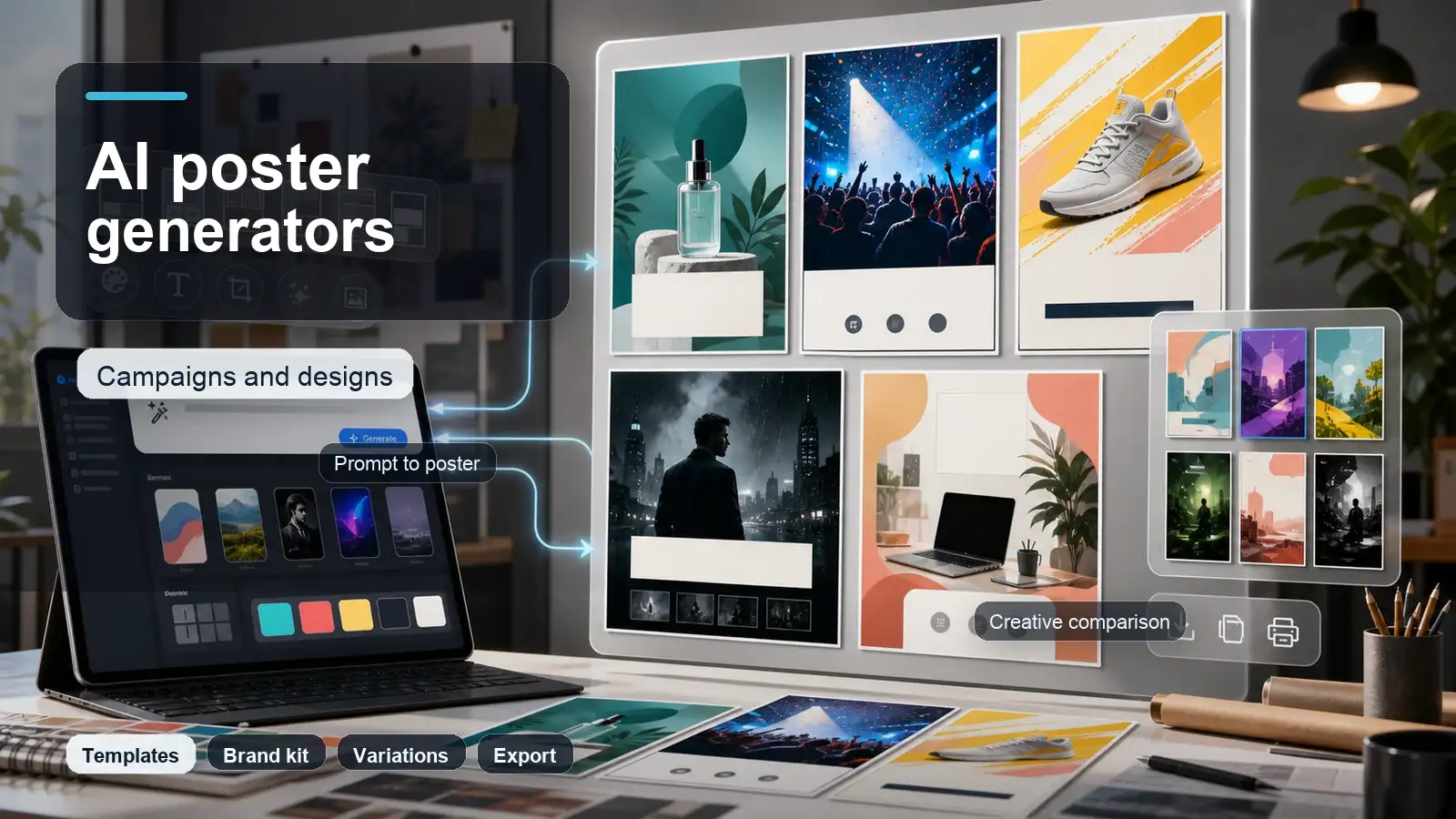
The best AI poster generator depends on what you need to make. For campaign visuals, product launches, social ads, and concept posters, Pixelbin is useful when you want to generate bold poster-style images from prompts, create variations, and refine visuals with AI. For template-heavy posters with exact typography, tools like Canva, Adobe Express, Picsart, and PosterMyWall are strong choices. For cinematic, text-heavy, or highly stylized poster art, tools like Ideogram, Kittl, Fotor, Freepik, and Microsoft Designer are also worth comparing. The best workflow is usually to generate the poster concept first, refine the message and layout, then check text, brand colors, sizing, and export quality before publishing.
Introduction
Posters still do a lot of work for campaigns. A good poster can announce an event, sell a product, explain a promotion, support a movie launch, promote a webinar, or turn a social ad into something people actually notice. The hard part is making one that looks intentional instead of rushed.
AI poster generators make that process faster. You can start with a prompt, generate visual ideas, test different styles, and create campaign directions before spending hours on layout. Some tools create full editable posters with text and templates. Others are better at generating the main visual, background, mood, or product concept that can become the base of a poster.
This guide compares the best AI poster generators for campaigns and designs, explains what each tool is best for, shares prompt examples, and shows how to use Pixelbin when you want to create poster visuals from prompts and refine them for campaign use.
What is an AI poster generator?
An AI poster generator is a tool that helps create poster designs from text prompts, templates, images, or brand inputs. Depending on the tool, it may generate the full poster layout with headline and typography, or it may create the main poster artwork that you can later edit in a design tool.
The best AI poster generators understand more than the subject. They help with visual style, composition, color, mood, background, layout, and sometimes text hierarchy. For example, a prompt like 'minimal tech conference poster with a bold headline, blue gradient background, abstract circuit pattern, and clean white typography' gives the tool a clearer design direction than simply writing 'make a tech poster'.
What makes a good AI poster generator?
- Intelligent Prompt-to-Design Translation: Interprets complex campaign ideas and instantly generates well-structured, visually compelling direction rather than abstract or mismatched imagery.
- Precision Typography & Text Editing: Renders sharp, readable text with zero spelling errors and allows full control over fonts, kerning, alignment, and editable copy layers.
- Professional Structural Hierarchy: Automatically balances spacing, focal points, grids, and composition so key details like headlines, dates, and calls-to-action stand out naturally.
- Versatile Style Library: Seamlessly adapts across diverse aesthetics, including modern, cinematic, retro, minimal, e-commerce, event flyer, and social media ad formats.
- Native Brand Kit Integration: Incorporates official brand colors, custom typography, uploaded logos, and high-res product photos to maintain strict brand consistency.
- Granular Editing & Canvas Flexibility: Offers layered customization, allowing users to swap backgrounds, regenerate selective elements, adjust aspect ratios, and fine-tune layers post-generation.
- Multi-Channel Export Options: Delivers high-resolution downloads optimized for both digital use (ads, social, web) and physical print (CMYK, high-DPI PDF/vector formats).
- Commercial Rights Transparency: Clear licensing terms regarding asset ownership, copyright safety, and commercial usage rights, free from hidden paywalls on high-res exports.
Top 15 best AI poster generators in 2026
Use this list as a practical comparison, not a one-size-fits-all ranking. Pixelbin is first because it fits teams that want to generate campaign visuals and poster concepts from prompts, then refine images with AI. If you need a template-first layout tool, Canva or Adobe Express may be better for the final typography stage.
1. Pixelbin

Best for AI poster visuals, campaign concepts, and prompt-based image generation.
- Why it stands out: Operates as a specialized AI poster generator and automated asset engine, converting text prompts and product photos into high-impact promotional graphics, ad creatives, and campaign layouts.
- Deep Ecosystem Integration: Functions seamlessly as a cloud-based AI poster maker, integrating modular API connections, dynamic aspect ratio adjustments, localized region prompting, and automated image upscaling for digital or print distribution.
- Target Audience: Built for e-commerce merchants, performance marketers, and agencies seeking a reliable AI graphic design tool to generate conversion-focused promotional posters and digital advertising assets at scale.
- Efficiency Gains: Serves as an efficient promotional poster generator that drastically cuts design turnaround by rendering full layout concepts from raw prompts, auto-reformatting sizes, and eliminating manual background blending.
- Scope Limitations: Focused strictly on visual generation, this custom AI poster creator lacks advanced desktop vector editing tools, complex multi-page typography typesetting, and CMYK prepress soft-proofing.
2. Canva

Best for easy full poster layouts, templates, and campaign-ready designs.
- Why it stands out: Combines a massive design ecosystem with its proprietary Magic Media suite, positioning itself as an intuitive AI poster generator that turns simple prompts or brand kits into polished visual layouts.
- Deep Ecosystem Integration: Functions as a complete cloud-based AI poster maker, seamlessly linking Magic Design prompt generation with customizable brand kits, rich typography controls, stock media libraries, and real-time team collaboration tools.
- Target Audience: Ideal for small business owners, social media managers, event organizers, and marketing teams looking for an all-in-one AI graphic design tool to quickly build digital or print assets without specialized software.
- Efficiency Gains: Operates as a fast promotional poster generator by instantly outputting complete poster variations, providing one-click layout reformatting across multi-channel campaign sizes, and streamlining asset export.
- Scope Limitations: While versatile as a custom AI poster creator, its automated design suggestions can sometimes feel structured or template-bound compared to node-based visual generators or advanced raster-editing software.
3. Adobe Express

Best for brand-safe poster layouts and Adobe ecosystem users.
- Why it stands out: Powered by Adobe Firefly, this advanced AI poster generator transforms text prompts and style references into commercially safe, high-resolution poster layouts and promotional artwork.
- Deep Ecosystem Integration: Functions as a cloud-connected AI poster maker, offering direct sync with Adobe Creative Cloud assets, Linked Assets support, Adobe Stock integration, and precise typography adjustment tools.
- Target Audience: Built for creative agencies, brand managers, and corporate marketing teams needing an authorized AI graphic design tool that guarantees commercial safety while maintaining brand consistency.
- Efficiency Gains: Serves as a high-speed promotional poster generator that eliminates tedious asset creation through instant generative fill, automated prompt-based layout variations, and rapid multi-channel resize presets.
- Scope Limitations: While highly capable as a custom AI poster creator, it relies heavily on cloud processing and lacks the complex node-based compositing or granular raw layer adjustments found in flagship Photoshop/Illustrator workflows.
4. Picsart

Best for free AI poster generation and social-first campaign designs.
- Why it stands out: Combines generative AI models with extensive photo editing layers, serving as a flexible AI poster generator that turns text prompts into eye-catching marketing collateral and social media posters.
- Deep Ecosystem Integration: Operates across mobile and web interfaces as an all-in-one AI poster maker, integrating background removal, generative background replacement, sticker libraries, and creative text effect filters.
- Target Audience: Geared toward content creators, small business owners, and digital influencers who need an accessible AI graphic design tool to quickly produce visually dynamic promotional material on the go.
- Efficiency Gains: Functions as an agile promotional poster generator that speeds up content creation with quick prompt-to-image synthesis, automated object extraction, and instant social media aspect-ratio presets.
- Scope Limitations: While useful as a custom AI poster creator, its advanced generative tools are gated behind subscription tiers, and it lacks enterprise-grade brand management or CMYK print-ready export options.
5. Fotor

Best for quick AI poster creation, effects, and beginner-friendly design.
- Why it stands out: Combines text-to-image AI models with pre-structured graphic templates, functioning as an accessible AI poster generator to convert raw prompts and concepts into eye-catching promotional artwork.
- Deep Ecosystem Integration: Operates as a cloud-based AI poster maker, seamlessly bridging prompt-driven image generation with online photo editing tools, automated background removal, text overlays, and AI image upscaling.
- Target Audience: Geared toward freelancers, small business owners, event coordinators, and social media marketers seeking an intuitive AI graphic design tool to create quick promotional visuals without a steep learning curve.
- Efficiency Gains: Serves as a time-saving promotional poster generator that streamlines asset creation through fast prompt processing, instant layout variations, and rapid bulk format adjustments.
- Scope Limitations: While functional as a custom AI poster creator, its vector editing capabilities are limited, and advanced typography controls, precise layer masking, and professional print proofing are constrained compared to dedicated design suites.
6. Microsoft Designer

Best for quick AI design drafts and Microsoft ecosystem users.
- Why it stands out: Leverages OpenAI’s DALL-E generative technology directly within the Microsoft 365 ecosystem, operating as an intelligent AI poster generator that turns natural language descriptions into complete, styled poster concepts.
- Deep Ecosystem Integration: Functions as a cloud-native AI poster maker, integrating smoothly with Microsoft Edge, PowerPoint, Microsoft 365 apps, brand kit controls, and AI-assisted text generation via Copilot.
- Target Audience: Built for office professionals, educators, small business owners, and non-designers needing a straightforward AI graphic design tool to produce polished event flyers and promotional graphics quickly.
- Efficiency Gains: Acts as an efficient promotional poster generator by instantly drafting balanced visual compositions, suggesting context-aware text captions, and providing one-click layout variations to accelerate design tasks.
- Scope Limitations: Though accessible as a custom AI poster creator, it offers limited manual layer manipulation, lacks vector shape editing tools, and does not support high-resolution CMYK print production formats.
7. PosterMyWall

Best for marketing posters, event flyers, and small business campaigns.
- Why it stands out: Blends an extensive library of customizable marketing templates with integrated generative AI, functioning as a practical AI poster generator to create eye-catching digital signage and promotional flyers.
- Deep Ecosystem Integration: Operates as a cloud-based AI poster maker, combining text-to-image synthesis with automated schedule publishing, video/animation clip generation, custom font uploads, and team collaboration features.
- Target Audience: Tailored for small business owners, restaurateurs, event venues, and community organizations looking for an all-in-one AI graphic design tool to manage digital and print campaigns with minimal overhead.
- Efficiency Gains: Serves as a streamlined promotional poster generator that cuts production time through instant AI image generation within existing layouts, one-click smart resizing for multi-platform distribution, and direct social posting.
- Scope Limitations: While versatile as a custom AI poster creator, its visual AI generation tools are heavily dependent on pre-fixed template boundaries, and it lacks advanced raster layer editing, precision masking, or native vector creation capabilities.
8. Visme

Best for business posters, infographics, and presentation-style campaigns.
- Why it stands out: Combines AI layout generation with interactive data visualization capabilities, acting as a structured AI poster generator to convert complex topics, reports, or prompts into professional posters.
- Deep Ecosystem Integration: Functions as a robust cloud-based AI poster maker, integrating seamlessly with corporate Brand Kits, interactive chart builders, stock media libraries, team asset management, and analytics tracking.
- Target Audience: Built for corporate communicators, marketers, educators, and non-profits needing a highly structured AI graphic design tool to produce informative, data-driven promotional and educational posters.
- Efficiency Gains: Operates as a productive promotional poster generator that accelerates design workflows through prompt-to-layout drafting, automated brand color application, and rapid resizing across campaign assets.
- Scope Limitations: While powerful as a custom AI poster creator, its AI image generation relies heavily on template grids, offering less freeform raster manipulation or artistic prompt-based photo manipulation than specialized art generators.
9. Kittl

Best for typography-heavy and vintage-style poster designs.
- Why it stands out: Built around advanced layout engines and AI prompt synthesis, Kittl operates as a specialized AI poster generator tailored for high-impact typography, merchandise art, and vintage-style poster designs.
- Deep Ecosystem Integration: Functions as a web-based AI poster maker, integrating non-destructive vector shape tools, real-time text warping, custom font libraries, AI image generation, and texture overlay controls.
- Target Audience: Geared toward professional graphic designers, merchandise creators, brand strategists, and illustrators seeking an advanced AI graphic design tool for complex, print-ready creative projects.
- Efficiency Gains: Serves as a high-speed promotional poster generator by transforming prompt concepts directly into editable vector elements, allowing instant style shifts, and removing hours of manual lettering and texture work.
- Scope Limitations: While exceptional as a custom AI poster creator for standalone artistic layouts, it lacks extensive multi-page document pagination, automated social media post scheduling, or deep corporate data-visualization capabilities.
10. Ideogram

Best for AI posters that need more reliable text rendering.
- Why it stands out: Renowned for its industry-leading text-rendering accuracy, Ideogram operates as a highly precise AI poster generator capable of generating sharp, legible typography directly within complex artistic layouts.
- Deep Ecosystem Integration: Functions as a web-based AI poster maker, offering style presets (such as Poster, Typography, Design, and 3D), magic prompt enhancements, custom aspect ratio controls, and high-resolution upscaling tools.
- Target Audience: Built for graphic designers, digital artists, marketers, and content creators needing a dependable AI graphic design tool that excels at rendering accurate text overlays, logos, and stylized poster art from pure prompts.
- Efficiency Gains: Serves as a powerful promotional poster generator that drastically reduces design time by generating fully composited poster art with integrated, error-free text in a single generation step.
- Scope Limitations: As a specialized generative image model rather than a traditional layout suite, this custom AI poster creator lacks native vector line editing tools, separate text-layer manipulation post-generation, and CMYK print soft-proofing.
11. Freepik

Best for stock-style poster assets, AI images, vectors, and design resources.
- Why it stands out: Integrates real-time generative AI models with a vast stock library, functioning as an expansive AI poster generator to synthesize custom visual assets, textures, and poster layouts directly from prompts.
- Deep Ecosystem Integration: Operates as an end-to-end web studio and AI poster maker, combining real-time canvas generation (Freepik Pikaso), background removal, upscaling, vector icon libraries, and inline text editing features.
- Target Audience: Geared toward digital marketers, freelance designers, content creators, and agencies seeking a versatile AI graphic design tool to produce creative campaign assets and visual posters at scale.
- Efficiency Gains: Serves as an efficient promotional poster generator that accelerates design workflows by allowing instant image generation, seamless asset swapping, and rapid background synthesis within active poster projects.
- Scope Limitations: While highly capable as a custom AI poster creator, its layout editing capabilities rely heavily on raster asset workflows, offering less advanced vector path manipulation, detailed font typography warping, or print prepress proofing compared to specialized vector desktop suites.
12. Design.com

Best for simple business poster generation and brand collateral.
- Why it stands out: Utilizes smart prompt refinement to quickly transform business names and project descriptions into branded layouts, functioning as an intuitive AI poster generator tailored for commercial branding.
- Deep Ecosystem Integration: Operates as an all-in-one web platform and AI poster maker, integrating AI logo creation, full brand kit sync, digital asset publishing, vector shape libraries, and built-in physical print-on-demand fulfillment.
- Target Audience: Ideal for small business owners, entrepreneurs, marketers, and startups looking for an accessible AI graphic design tool to launch cohesive print and digital marketing campaigns without dedicated design expertise.
- Efficiency Gains: Functions as a streamlined promotional poster generator that speeds up workflow through instant prompt-to-layout drafting, automatic brand color matching, and one-click asset duplication across social formats.
- Scope Limitations: While efficient as a custom AI poster creator for quick brand collateral, its editor provides simpler drag-and-drop mechanics with fewer advanced raster photo-manipulation tools, complex brush engines, or manual typography warping features.
13. ChatGPT image tools

Best for poster ideas, prompt writing, and custom poster concepts.
- Why it stands out: Powered by DALL-E 3 and GPT-4o vision capabilities, ChatGPT operates as a highly intuitive AI poster generator that interprets nuanced natural language instructions to render detailed poster artwork and composited typography.
- Deep Ecosystem Integration: Functions as a conversational AI poster maker, combining iterative chat prompting with inline image editing tools, canvas selection tools for targeted area repainting, and seamless custom GPT workspace integrations.
- Target Audience: Geared toward creative directors, copywriters, marketers, and casual creators looking for an interactive, dialogue-based AI graphic design tool to brainstorm, conceptualize, and generate visual poster assets on the fly.
- Efficiency Gains: Serves as a rapid promotional poster generator that eliminates manual layout drafting by generating fully realized visual concepts, custom headline styles, and illustrative elements from simple conversational prompts.
- Scope Limitations: While highly capable as a custom AI poster creator for raw conceptual generation, it lacks traditional graphic editor capabilities such as multi-layer raster management, native vector path controls, precise CMYK print prepress exports, and exact typography font weight adjustments.
14. Midjourney

Best for cinematic, artistic, and high-impact poster concepts.
- Why it stands out: Specializes in generating hyper-realistic, artistically complex outputs from text prompts, functioning as a premier AI poster generator for creating foundational campaign artwork and striking conceptual visuals.
- Deep Ecosystem Integration: Operates primarily via Discord and a dedicated web platform as a generative AI poster maker, offering advanced parameter tuning, precise style referencing, outpainting (zoom/pan), and localized region variation.
- Target Audience: Built for professional illustrators, art directors, digital marketers, and concept artists requiring a high-end AI graphic design tool to produce bespoke, visually commanding assets for large-scale campaigns.
- Efficiency Gains: Serves as a foundational promotional poster generator that bypasses traditional photography and complex illustration timelines by instantly rendering high-resolution, production-quality visual concepts.
- Scope Limitations: While unmatched in raw aesthetic quality as a custom AI poster creator, it lacks native typographic layout features, multi-layer asset management, vector exports, and CMYK print proofing, necessitating external design software for final poster assembly.
15. Appy Pie Design

Best for simple AI poster and template workflows for non-designers.
- Why it stands out: AI-Driven Business Layout Engine: Leverages no-code prompt generation to convert text descriptions into structured promotional layouts, operating as a user-friendly AI poster generator tailored for quick commercial marketing.
- Deep Ecosystem Integration: Functions as a cloud-based AI poster maker, integrating seamlessly with Appy Pie’s broader suite of app-building and workflow tools, while providing background removal, image generation, and multi-format export capabilities.
- Target Audience: Geared toward small business owners, non-designers, local marketers, and event organizers seeking a straightforward AI graphic design tool to produce digital signage and marketing collateral without a steep learning curve.
- Efficiency Gains: Serves as a time-saving promotional poster generator that accelerates design workflows through automated template matching, instant social media aspect-ratio scaling, and smart text placement.
- Scope Limitations: While practical as a custom AI poster creator for basic promo materials, it lacks advanced photo-manipulation brush engines, intricate vector path controls, custom typography warping, and CMYK color space management for high-end print production.
How to create better posters with AI
AI poster creation tools yield optimal outputs when prompted with the structural rigor of a creative agency brief rather than a basic text descriptor. To maximize visual impact, brand alignment, and conversion rates, systematically incorporate the following core components into your generation workflow:
- Establish the Campaign Objective: Clearly define the core goal—whether driving event ticket sales, announcing a product launch, promoting a seasonal discount, hosting a webinar, or raising brand awareness.
- Segment the Target Audience: Tailor the visual language directly to your demographic, whether targeting B2B executives, university students, e-commerce shoppers, tech founders, or local community members.
- Specify the Output Format: Dictate exact spatial aspect ratios early such as vertical print posters (4:5 or 2:3), square social feed posts (1:1), vertical mobile stories (9:16), or landscape ad banners (16:9).
- Direct the Aesthetic Style: Define concrete art directions like editorial minimal, cinematic photorealism, retro 80s synthwave, bold typographic layout, luxury dark-mode, or urban wheatpaste street art.
- Map Spatial Text Hierarchy: Reserve low-contrast negative space within the image composition to accommodate overlay elements including primary headlines, event dates, locations, offers, CTAs, and brand mark placements.
- Enforce Strict Brand Rules: Detail mandatory color palettes (HEX codes), typography styles, placement guides for real product imagery, and explicit negative prompts for off-brand elements.
- Execute Quality Assurance: Treat AI renders as foundational visual assets—always conduct a manual human review to verify typographic alignment, correct export dimensions, color profiles, and commercial usage rights.
AI poster prompt formula
Prompt formula: Poster type + campaign goal + main subject + visual style + colors + text hierarchy + format + brand constraints.
Example: 'Create a vertical product launch poster for a premium smartwatch. Use a futuristic black and electric blue style, dramatic rim lighting, large headline space at the top, product hero shot in the center, short CTA at the bottom, clean tech typography, 4:5 social ad format.'
Prompt examples for campaign posters
- Create a bold social campaign poster for a summer sale. Use bright yellow and deep blue colors, large readable headline, product collage, clean CTA button area, and modern ecommerce style.
- Design a cinematic movie poster for a sci-fi thriller called 'Signal Lost'. Show a lonely astronaut standing near a glowing radio tower, dark blue night sky, dramatic lighting, title at the bottom, realistic film poster style.
- Create a minimal webinar poster for a B2B AI event. Use white space, soft gradients, abstract neural network lines, clear headline area, speaker photo placeholder, date and registration CTA.
- Generate a retro concert poster for an indie rock night. Use grainy print texture, bold vintage typography, red and cream palette, guitar silhouette, and space for venue details.
- Make a luxury skincare product campaign poster with a glass bottle on a marble surface, soft beige background, botanical accents, premium editorial lighting, headline space at top, and clean logo area.
- Create an awareness poster about clean oceans. Use a striking wave image, blue and white palette, emotional headline, simple icon area, and strong CTA at the bottom.
How to use Pixelbin for AI poster visuals
Pixelbin is useful when you want to generate the visual base of a poster from a prompt and then refine it. This works especially well for campaign concepts, product launch visuals, ecommerce posters, event backgrounds, movie-poster style images, and social campaign art.
Start with the AI image generator when you need a fresh poster visual from a text prompt. Use Design Studio when you want a broader canvas for generating and exploring image or video ideas. If you already have a poster image or campaign visual and want to change the background, add objects, or refine details with a prompt, use the AI image editor.
A simple Pixelbin workflow can look like this:
- Write a clear poster prompt with campaign goal, subject, mood, colors, and format.
- Generate a few visual directions in the AI image generator.
- Pick the strongest version and refine the prompt for composition, lighting, product placement, and background.
- Use AI image editing if the poster base needs a background change, object removal, or detail correction.
- Add final headline, date, CTA, logo, and brand typography in your layout workflow.
- Export the poster in the correct size for social, print, ad creative, or campaign landing page.
What to check before publishing an AI poster
By establishing this mandatory prepublishing protocol, marketing teams effectively protect corporate reputation, avoid copyright disputes, and maximize audience conversion. Rigorous review workflows eliminate costly postrelease edits, ensuring that every AI generated promotional poster performs seamlessly across diverse digital platforms and physical print environments. Prioritizing quality control transforms rapid artificial intelligence visual generation into reliable, high converting commercial design assets for ongoing enterprise media campaigns.
Core content and brand integrity
- Text Accuracy: AI generators often misspell words or distort letterforms. Proofread every headline, date, offer, and call to action button to guarantee total typographic precision.
- Brand Consistency: Audit primary brand colors, precise logo placements, typography guidelines, and campaign tone. Every design must align perfectly with established brand identity rules.
- Product Accuracy: Verify that real commercial products preserve authentic shapes, correct labels, precise packaging, and advertised features without unapproved AI modifications or structural warping.
Legal compliance and technical quality
- Image Rights: Inspect generated visual bases to avoid unauthorized celebrity likenesses, trademarked logos, or copyrighted characters that could trigger intellectual property infringement claims.
- Export Sizing: Render and export optimized aspect ratios and image resolutions specifically tailored for physical print displays, Instagram feeds, vertical stories, ad networks, email graphics, and banners.
- Readability and Accessibility: Ensure strong color contrast and avoid placing vital copy over busy background elements. Designs must stay legible on small mobile screens and from physical distances.
Critical mistakes to eliminate in AI poster workflows
- Vague Prompting: Avoid generic prompts like 'make a nice poster'. Define specific subjects, art styles, color schemes, compositions, lighting preferences, and target aspect ratios.
- Unvetted Typography: Never publish raw AI-generated copy. Generative models frequently distort text, misspell headlines, and mangle critical campaign calls to action.
- Zero Negative Space: Do not generate cluttered visuals that omit designated layout regions. Reserve clean, low-contrast negative space for overlaying headlines, dates, and logos.
- Uniform Sizing: Avoid publishing a single image format everywhere. Always export dedicated aspect ratios specifically optimized for print, vertical stories, and feed ad placements.
- Intellectual Property Violations: Refrain from generating trademarked logos, copyrighted characters, or protected celebrity likenesses without explicit commercial licensing rights.
- Distorted Product Representations: Do not allow generative algorithms to alter authentic product packaging, functional features, shapes, or labels during launch campaigns.
- Prioritizing Free Tools Over Quality: Avoid choosing software solely for zero-cost access. High-stakes commercial campaigns require advanced vector export, brand asset control, and precise typography tools.
Final thoughts
AI poster generators are best when they help you move from a campaign idea to a visual direction quickly. The strongest posters still need human decisions: what the message is, who the audience is, what should stand out first, and how the final design should look on the channel where it will be used.
If you need poster artwork, campaign concepts, product visuals, or social poster variations, Pixelbin is a strong place to start with prompt-based generation and AI editing. If you need final typography-heavy layouts, pair that visual with a design tool that gives you full control over text, spacing, logo placement, and export size.
FAQs
The best AI poster generator depends on the workflow. Pixelbin is strong for prompt-generated poster visuals and campaign concepts, while Canva, Adobe Express, Picsart, and PosterMyWall are strong for editable poster layouts and templates.
Yes. Many AI poster generators offer free poster creation or free trials. Check export limits, watermark rules, commercial-use terms, and whether premium templates or high-resolution downloads require a paid plan.
Template-based tools like Canva, Adobe Express, Picsart, and PosterMyWall are usually easiest for beginners. Prompt-first tools are better when you want unique poster artwork or campaign visuals.
Yes. AI tools can generate movie poster concepts with cinematic composition, characters, mood, lighting, and title space. Always check text accuracy and avoid copying existing films, actors, or copyrighted franchises.
Include the poster type, campaign goal, audience, subject, visual style, colors, headline space, format, and brand constraints. The more specific the creative brief, the better the output.
It depends on the tool, plan, input assets, and usage terms. Avoid copyrighted characters, celebrity likenesses, trademarks, and unlicensed brand assets unless you have permission.
Some tools are better at text than others, but AI-generated text can still be wrong. For important campaigns, add or edit final text manually and proofread every word.
Use the size required by the channel: vertical print poster, square social post, 4:5 ad creative, 9:16 story, landscape banner, or custom event format. Export separate versions when needed.