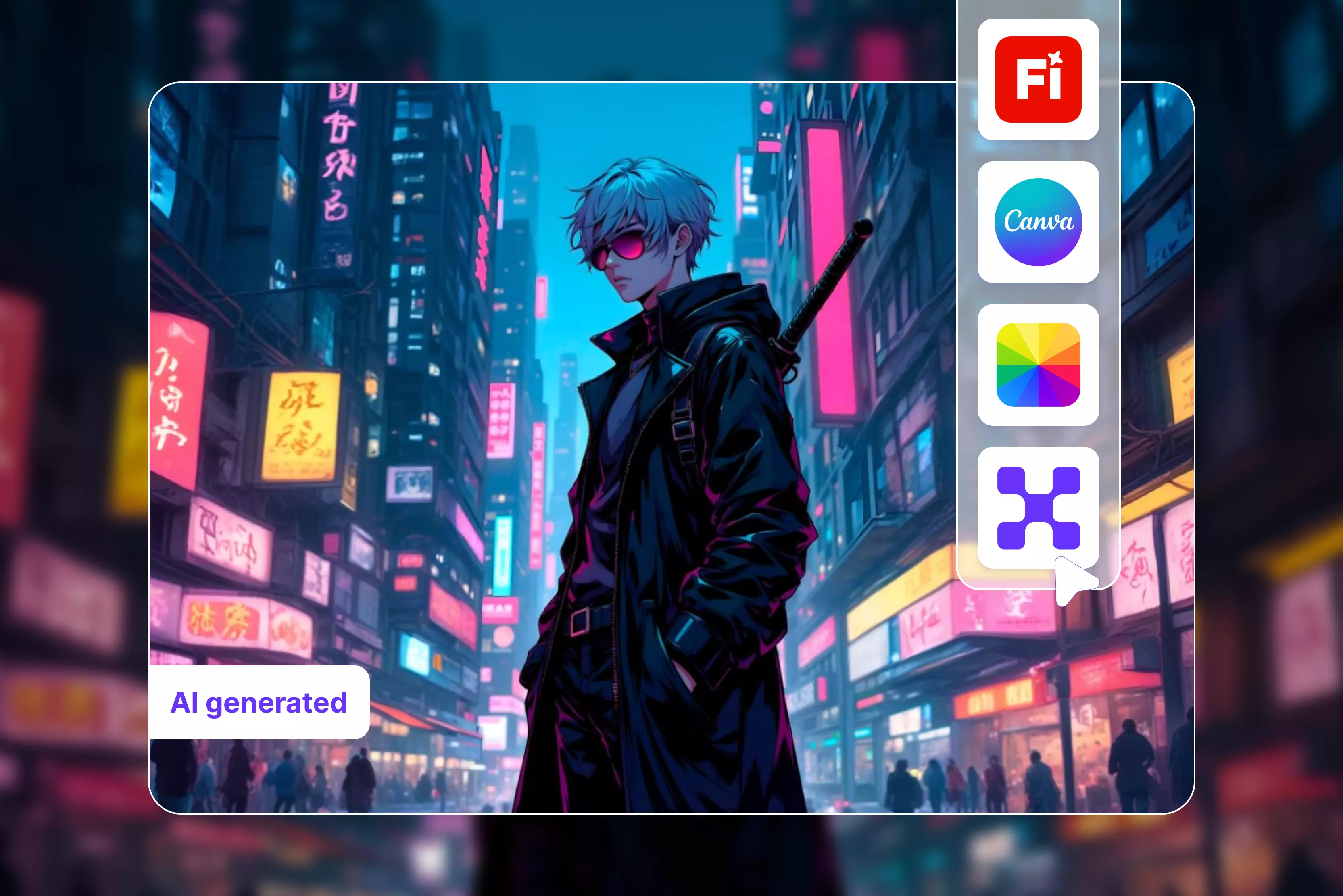


Drawing anime characters is challenging and I often need anime-style images for my projects. The market is experiencing a high demand for anime characters. I started wondering if there was an easy tool that could save time and simplify my work.
After looking at other AI anime tools I discovered that these generators use sophisticated AI to quickly transform basic text or photos into smooth anime-style artwork. An AI anime generator gives you a range of options to turn your photo into a unique anime character style with famous anime aesthetics.
AI anime generators have completely changed the way anime art is created, making it easier than ever for anyone to bring their ideas to life. You no longer need advanced drawing skills, expensive software, or years of practice to create anime characters or scenes.
My all-time favorite is Pixelbin AI, an easy-to-use anime generator: you only write the text prompt you need and click the generate button. Within a few seconds, you will receive the result.
Whether you are an anime fan like me, a content creator, a designer, or just someone curious about AI art, these tools simplify the entire creative process. You can customize styles, colors, characters and moods with just a few clicks.
In this blog, I share what I learned from my research about AI anime generators including their benefits, key features, how to write text prompts for these generators, how to use them and a list of the top 10 AI anime generator tools for 2026.
What are AI Anime generators?
AI anime generators are artificial intelligence-powered tools that create edits or transform images and videos into Japanese animation styles like Ghibli, Chibi and more. Using deep learning models such as GANs or diffusion models they create enhance or convert text prompts and photos into high-quality anime art without requiring any drawing skills.
These generators are a game changer for creators they help you quickly prototype characters for stories, games, or social profiles without required of any artistic skills. Instead of spending hours sketching you can generate dozens of ideas in minutes making it easier than ever to find the perfect look for your project.
Why use an AI anime generator?
With an AI-powered anime generator, you can bring out your imagination and make characters come to life.
- Experimentation: You can explore multiple styles, colors, and character designs for unique and entertaining artwork.
- Time-saving: Quickly make awesome anime art without spending hours refining your drawing talents.
- Accessibility: This tool caters to artists of all ability levels from beginners to experts.
- Community: Many platforms allow you to join a growing community of AI art enthusiasts and share your creations with others.
- Inspiration: Explore other users' artwork to gain new ideas and artistic styles.
- Versatility: Ideal for creating social media content marketing materials and character-driven stories effectively.
Key features for AI anime generators
Not all AI anime generators are created equal, so it helps to know what to look for. When selecting one, also consider its key features and your specific project requirements. A great generator provides you with a solid set of features that give you creative control.
Here are a few features that have been considered:
- User-friendly: No technical skills are required to use an anime generator. The AI anime generator is designed to let anyone bring their imagination to life with ease.
- Multiple anime styles: Do you prefer a classic style or an advanced one? Some generators offer artistic filters, giving you more flexibility in your designs. Generate art in character, fantasy, scene, manga style, etc.
- Customization options: The best tools provide you with plenty of freedom to tweak results. Look for platforms that allows you refine details like facial expressions, clothing, and many more to get the proper character just right.
- Lightning-fast generation: You can create your anime artworks in seconds, not hours or days, and turn your idea into beautiful artwork
- Character consistency: It’s fantastic to create a character once, but what if you need to present them in multiple ways? To improve character consistency across multiple images, some platforms use avatar frameworks, reference-image systems, or AI-powered editing tools.
What makes a great AI Anime art tool
The best AI anime generator balances ease of use with powerful features, and the tools offer a range of styling options and high-quality results. The best tools act like creative partners, helping you explore ideas and improve your artwork without technical complexity.
Look for platforms that are flexible and fit your needs, whether you want quick ideas or are building the same character for a bigger project. Tools like Pixelbin are useful for both beginners and advanced users, offering different features.
How to write prompts that get great results
Let's examine what makes prompts effective. There are many factors to consider when writing a strong prompt that produces high-quality AI anime art lear and specific instructions help the AI create what you imagine. AI thrives on clarity; you should keep your prompts more specific.
Getting amazing results from an AI anime generator is a skill you can master with a little practice. It’s less about the hidden code and more about learning how to express your creative vision successfully.
The idea is to have a detailed understanding of the tool's capabilities and be ready to develop your creation. By focusing on those you can advance from generating random characters to actively building avatars that match your particular needs. Let's check next how to write effective prompts that deliver great results.
1. Detailed character descriptions
Adding detailed descriptions is the most important step in creating high-quality AI anime art. When describing an anime girl, think about details like her hairstyle. Describe what she is wearing.
What is her expression? Provide a suggestion in an easy-to-understand format. A suggestion like “An anime girl with short, messy pink hair, wearing a pink frock with a red flower in a garden” will offer you a far more distinct figure.
You can also describe the mood, lighting, and background. Some tools allow comprehensive settings around your character. The more vivid picture you create with your words, the better the AI can interpret your vision and bring it to life.
2. Setting expectations
AI anime generators are extremely strong it’s important that you understand they aren't able to read minds. Work by drawing on vast datasets of previous photos which means their creations are generally a blend of styles and traits they’ve already seen.
This is just how AI anime generators operate: they are experts at remixing rather than starting from scratch. Because of this, your first try might not be perfect, and that’s completely normal. Think of the AI as a creative partner.
From a starting point, you might need to provide a few more prompts to get exactly what you want. Understand this helps you set achievable goals and use the tool as a starting point for your creativity rather than a one-and-done magic button.
How to use this AI anime generator
With the AI-powered generator tools, you can easily create beautiful anime art without the need for art skills. Let's review some points to consider.
- Select the character: Select the proper character or idea you want to create.
- Set your styles: Select color, style, and other options you like
- Generate: Click on the generate button and let AI do the magic
- Make changes: Adjust or improve the artwork if needed
- Save and share: Download your anime art and share it with others where necessary.
Best AI anime generator in 2026
1. Pixelbin

Create unique characters and scenes with the favorite anime-generating tool Pixelbin without the need for manual editing. You can explore popular anime aesthetics, like soft pastel, cyberpunk, Ghibli style, or realistic anime.
The tool is very easy to use; you can instantly generate accurate anime artwork just by typing a prompt, and you can receive a result. You can access Pixelbin directly from your browser with no software download or plugin installation required.
You can use these tools free for the first three times every month and upgrade anytime for more credits and perks. I tested the tool using text prompt like “A glamorous Barbie inspired anime doll with long silky blonde hair, a shiny plastic doll texture, a perfectly symmetrical face, bright blue eyes, soft pink makeup and a stylish modern Barbie outfit all set against a pastel background with soft cinematic lighting ultra-detailed features and vibrant colors.”
In my test I received a high-quality image with vibrant colors, sharp details and a professional anime look without a visible watermark. The tool is incredibly easy to use even for a beginners and creates results fastly without compromising creativity or accuracy.
After using Pixelbin I discovered that it is a strong, dependable entertaining anime generator that produces amazing outcomes. I definitely recommend Pixelbin to anyone trying to bring their anime ideas to life easily.
Pros
- Easy to use
- Fast processing
- No manual editing required
- Endless possibilities
- No watermark
- No signup required
- Cost-effective
- Free trail for everyone
2. Fotor
Fotor AI anime generator lets you easily create stunning AI anime art by writing text prompts and using photos. Fotor is an online tool that combines multiple advanced AI models and generates modes. It is incredibly simple to use: upload an image or enter a prompt to generate high-quality anime-style images.
I tested with the same written text prompt as “A glamorous Barbie-inspired anime doll with long silky blonde hair, shiny plastic doll texture, a perfect symmetrical face, bright blue eyes, soft pink makeup, wearing a stylish modern Barbie outfit, pastel background, soft cinematic lighting, ultra-detailed, and vibrant colors.”
The result I received was poorly detailed, imperfect, etc. The image quality is not perfect it appears blurry and lacks proper shading, background, and other details.
While Fotor does not always add watermarks, performance can be slow, and results may not meet the expectations of users seeking professional level highly detailed anime artwork. With Fotor you can create beautiful AI anime backgrounds turn hand-drawn sketches into anime images and more to meet your requirements.
Pros
- Ease of use
- No professional skill required
- No watermark
- Multiple style options
- No signup needed
3. Canva
Build your own character and scenes with the AI anime generator on Canva online. The tool is very easy to use. Only spell out your ideas in a descriptive text prompt, and select your favorite AI art generator, Canva Magic media text-to-image, or create an image powered by Dream Lab.
I tested the tool using text prompts such as "Anime standing girl with long pink-red hair among cherry blossoms," clicked on the "Generate AI art anime" button, and waited for a few seconds.
After that, I received four unique images. It does not deliver the reliable results that I was expecting. The biggest issue was the time required to generate multiple images from the same prompt. The artwork lacked anime-style detailing, characterized by blurry textures, line art, and facial features.
The characters appear unfinished; if you seek a professional result without editing, consider using Pixelbin. You can share and export designs as JPGs, PNGs, PDFs, and PPTXs. With Magic Media and a free Canva subscription, you get a limited number of uses.
Pros
- Ease of use
- No professional skill needed
- Magic edit
- Easy sharing and exporting tools
- Various art styles are available
- No watermark
4. Imagine art
Create your anime artwork from text prompts in a few seconds by using Imagine Art. The tool is simple to use: describe your character or scene, select an anime style and generate images online with AI.
The tool is simple: write a short description of a character pose or scene, and the AI generates an image that matches your style and vision. Art style ranges from adorable Chibi characters to soft, Ghibli-inspired scenes.
Anyone can create anime art using simple descriptions; no prior illustration or design experience is required. However, if you are not satisfied with the result, you can update text prompts and regenerate variations until your anime image matches your vision.
Tested with the text prompt “Anime standing girl with long pink-red hair among cherry blossoms.” Clicked the generate button and received a result, but was not satisfied because the second image looked like a horror image; all four were very different, with no watermark.
The tool offers another feature for editing images with anime effects, upscaling, and variations. All 4 images feature different dresses, and the hairstyles are also different and time-consuming. For an AI Anime generator, the tool is unsuitable for users seeking high-quality, professional results with less time and fewer edits.
Pros
- Very easy of use
- Style control
- No drawing skill needed
- Cost-effective
- Multiple styles
- Easy refinements
5. Adobe Firefly
Whether it's big eyes, a cloud of sparkles, or a mischievous cat's smile, you can add any anime details you want using Adobe Firefly Anime art generators. The tool is a very easy-to-use text-to-image module.
Select an available illustration or anime-inspired style, enter your character description, and generate the image. The result appears within a few seconds; you can download it as a JPEG.
Tested with the text prompt like “A cute cat with its daily needs: fresh food, clean water, a cozy bed, toys for play, a clean litter box, soft lighting, simple illustration,” clicked on the generate button, waited for more than a few seconds and looked at the result, which really disappointed me because they were all very different.
In my experience, even detailed prompts did not consistently produce accurate characters or hairstyles. Some requests, like those for daily needs such as fresh food, clean water, and a cozy bed, yield results quickly, while others do not.
The tool is poorly optimized for anime generation making it a weak choice for users looking for high-quality AI-generated anime visuals. The result is that multiple attempts are required to obtain a usable image which is time-consuming.
Pros
- Ease of use
- Multiple style support
- No signup needed
- No technical knowledge
- No watermark
6. OpenArt
Create your anime dreams with AI anime generators easily design classic or modern anime characters with unique styles and features. Although there are usage restrictions a free plan that gives you access to great art tools makes creation more accessible and you can start by using a free trial.
OpenArt tool allows anyone to create anime characters, scenes and illustrations using simple text prompts or reference images even without drawing skills and also supports both classic and modern anime styles making it suitable for a wide range of creative needs.
However, you can modify elements like character appearance, colors, backdrops, and creative atmosphere. I tested one text prompt, which was “A glamorous Barbie-inspired anime doll with long silky blonde hair, shiny plastic doll texture, a perfect symmetrical face, bright blue eyes, soft pink makeup, wearing a stylish modern Barbie outfit, pastel background, soft cinematic lighting, ultra-detailed and vibrant colors,” in a vibrant family setting.
You can select from various styles and include multiple images. The result was perfect: clear and watermark-free and you can publish, download, and share it as needed. Edit your result if you are not satisfied. One drawback of the tool is that it is time-consuming, and if you need advanced features, you must purchase a Pro plan.
Pros
- Ease of use
- Prompt-based image generation
- Customizable art styles
- No watermark
- No login required
- No technical skill required
- Number of images displayed
7. Leonardo.AI
Leonardo.AI is a famous AI art platform that offers a tool for creating anime style artwork. It provides useful features such as custom models, prompt control and image-to-image generation. These free tools are designed for speed and ease of use allowing you to generate smooth artwork in seconds.
All you have to do is provide a text description of the character or scene you have in mind, click a button and watch your idea take shape. When you test the tool with the text prompt, “Cute anime girl wearing a pink frock, big expressive eyes, soft pastel colors, clean and simple background,” you can select the ratio or auto according to your requirement.
The first thing I noticed was that generating a satisfactory result took longer than expected. I was not satisfied because the image lacked strong color harmony and visual clarity. The generated output looked completely different each time I tested faces, outfits, or expressions, making consistency difficult.
Pros
- Ease of use
- Support multiple styles
- Aspect ratio
- No watermark
- Support multiple models
8. MimicPC
MimicPC's anime image generator is powered by Flux 1.1 and turns your text prompts into smooth anime characters, scenes, and illustrations. Deep understanding of anime styles: it delivers detailed, vibrant artwork from artists and creators; no artistic skills are required. With your text prompt, you have to adjust design, backgrounds, lighting, and poses via intuitive text prompts.
I tested with the text prompt, "Cute anime girl wearing a pink frock, big expressive eyes, soft pastel colors, a clean and simple background," had advanced settings like image size, output format, seed, perform upscaling, etc., and I clicked on the generate button. This tool may not be the best choice for individuals who require fast, high-quality anime artwork.
Pros
- Ease of use
- No advanced skills
- Multiple style support
- Multiple aspect ratios
9. Nightcafe
Nightcafe is the AI art generator designed for creativity that uses advanced AI models to help users create anime style artwork. Nightcafe offers additional AI art generators, including Flux, Stable Diffusion, DALL-E, and Ideogram.
At Nightcafe, creating AI-generated art is as simple as typing your prompt and clicking the “Create” button. You can generate AI anime art on your laptop, tablet, or mobile device by logging into your NightCafe account.
I tested with my text prompt, “A glamorous Barbie-inspired anime doll with long, silky blonde hair, shiny plastic doll texture, a perfectly symmetrical face, bright pink eyes, soft pink makeup, wearing a stylish modern Barbie outfit, pastel background, soft cinematic lighting, ultra-detailed, and vibrant colors.”
The result was a little bit imperfect, as the picked makeup was not seen, but again, edited with pink eyes, that result was perfect with no watermark, as you can also again edit that text if you are not satisfied with the result.
Pros
- Free to use
- AI image generation
- A large number of templates are available
- No sign-up needed
- No technical skill needed
- Multiple style options
- Selecta number of images
- No watermark
10. AnimeGenius
AnimeGenius is an AI anime generator that allows users to create anime-style images by writing simple text prompts. AnimeGenius offers multiple ways to generate AI anime art. Create an AI character from scratch using text, upload an image to transform into anime, or even upload a drawing or image to this tool.
It offers a comprehensive platform for anime enthusiasts to create, customize, share, and explore AI-generated anime art. I tested the text “Best quality, expressive eyes, perfect face, Watercolor illustration of a dreamy girl in a sundress walking in a field, wildflowers at sunset with sparkling pink eyes, gentle smile,” and clicked the generate button.
The first thing I noticed was that image generation felt time-consuming. The generated image did not include a visible watermark. The results were less clear than with other tools, such as Pixelbin. The tool provides other advantages like lots of models, styles, and output settings to be done according to your requirements
Pros
- Ease of use
- No watermark
- Advanced algorithms for every
- Create anime from text, photos, or drawings
- Multiple models selection
- Aspect ratio
How to select the right AI Anime generator for you
With so many AI anime generators out there, finding the perfect one can feel like a big task. The best AI anime generator tool for you really depends upon the requirement. Are you just experimenting for fun, or are you developing a character for a bigger project?
Do you require a wide range of styles, models, many more Reviewing your needs will help you narrow down options and identify generators that fit your workflow. To select the right AI anime generator, focus on 3 things first, what you want to create, how much you want to spend; and third, how reliable the platform is.
Some tools are for quick simple creations while others let you customize every small detail. For example, Pixelbin allows you use your own word prompt and the AI handles the rest. You can choose a generator that meets your demands and facilitates a smooth and enjoyable creative process by process by considering these factors.
FAQs
You do not need design skills to generate AI anime art with Pixelbin. The intuitive interface makes it easy to create high-quality anime-style visuals from original characters, great for both beginners and seasoned creators.
Yes, Pixelbin AI anime generator lets you create anime style visuals styles using only a text prompt. Just write a description and Pixelbin will create a matching image in seconds with no design skills needed.
Pixelbin is the best AI anime generator, which provides results in a few seconds. All you need to do is enter the text prompt and click the generate button.
It depends on the specific generator's terms and conditions. Some may allow commercial use, while others might restrict it. Always check the first tool's terms of service before using an image commercially.
AI anime generators have a wide range of applications, including creating avatars, social media content, artwork, wallpapers, and character designs.
AI anime generator form text is a powerful tool that uses AI to create smooth anime-style images and animations based on your text prompts or reference images.