
Summary
Pixelbin is a strong fit when you want to create a meme quickly from an idea, caption, or image because its AI meme generator is built around fast online meme creation. Canva, Adobe Express, Kapwing, and Picsart are better for template-heavy social design, while Imgflip works well for classic meme formats and Supermeme.ai or Predis.ai can help with caption ideas.
This guide compares 12 tools, explains which one to use by workflow, shares prompt examples, and shows a simple Pixelbin workflow for making social memes safely.
Introduction
Memes work because they say something quickly. A good meme can turn a customer pain point, product moment, industry joke, or trending reaction into a social post people understand in seconds. That is why creators, social media managers, founders, and marketers use memes for engagement, launches, replies, community posts, and brand personality.
But meme content is easy to get wrong. A meme can feel forced if the reference is outdated, too generic if the caption is weak, or risky if the joke punches in the wrong direction. AI meme generators help by speeding up idea generation, caption writing, template selection, and visual creation, but the final judgement still needs a human who understands the audience.
This guide compares the best AI meme generators for social content, explains when to use each one, gives prompt examples, and shows a practical Pixelbin workflow for creating simple memes without making the article feel like a product ad.
What is an AI meme generator?
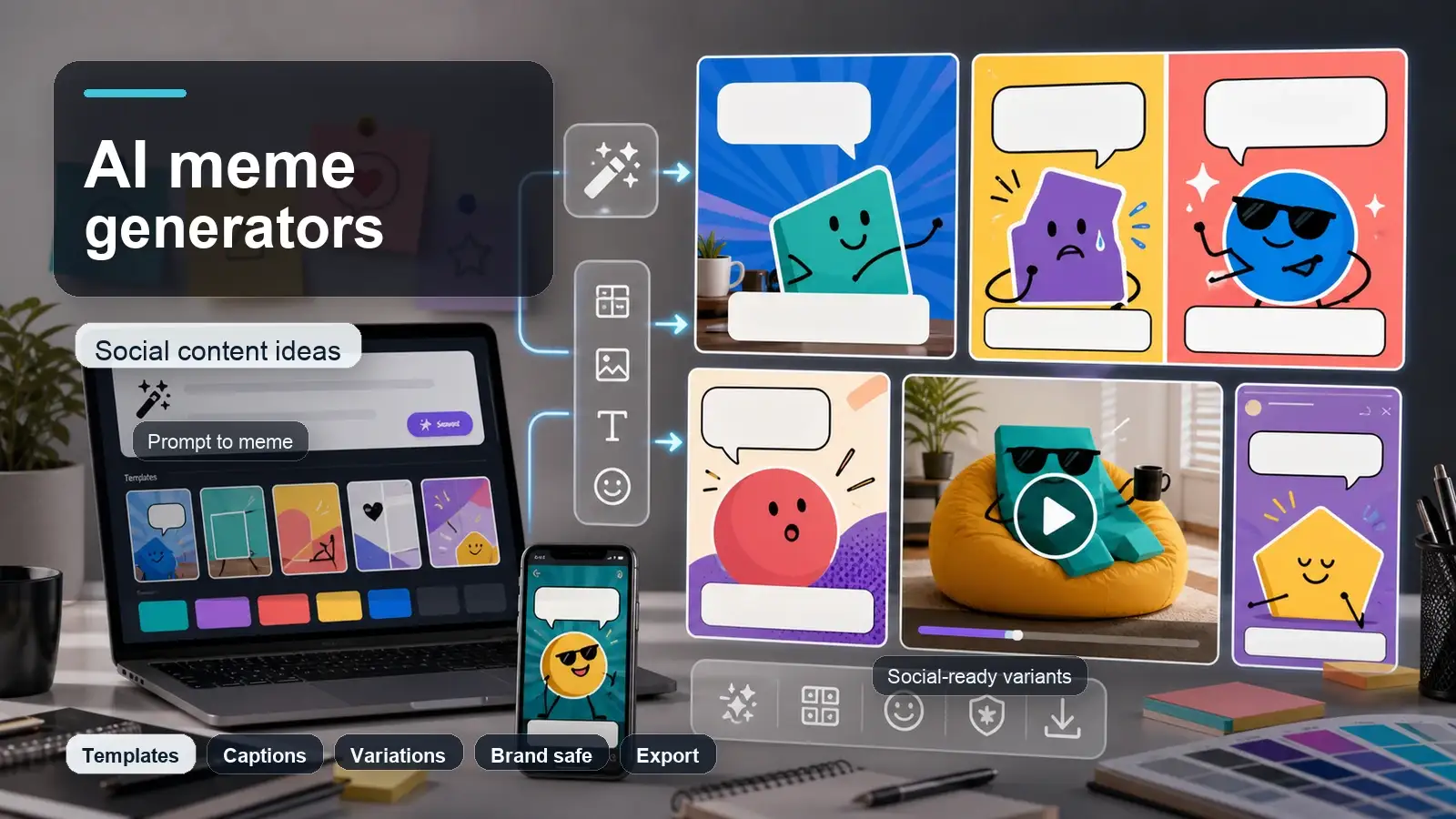
An AI meme generator is a smart software tool that uses artificial intelligence to turn text ideas, phrases, or uploaded images into shareable viral memes.
Instead of spending time manually opening photo editors, searching for classic templates, and positioning text boxes, these tools handle the heavy lifting for you. AI meme makers usually fall into three main categories:
- Prompt-to-meme generators: You type a simple sentence or relatable scenario (e.g., "When the Wi-Fi drops mid-call"), and the AI automatically picks a fitting background image, writes punchy top/bottom text, and formats the meme.
- Smart template search & match: You type your joke, and the AI matches your text to iconic, trending viral templates (like the Distracted Boyfriend or Expanding Brain).
- AI-assisted editors: You upload your own photo or brand image, and the AI helps remove backgrounds, clean up visual noise, or auto-generate witty caption suggestions.
Whether you are posting on Instagram Stories, running a casual X/Twitter campaign, engaging a Discord community, or adding relatable humor to a B2B LinkedIn post, an AI meme generator helps you capitalize on viral moments in seconds.
What makes a good AI meme generator?
To pick the right tool for your personal account or social media team, look for these essential features:
- Format & humor intelligence: The AI should understand comedic context and match your text to the correct emotional register of a meme template.
- Short & readable captions: Text needs to be punchy, auto-formatted, and easy to read on mobile screens.
- Template variety & custom uploads: Access to classic trending templates as well as the ability to upload your own product photos or team images.
- Multi-format social exports: Easy options to export as square images, vertical story sizes, video memes, or GIFs.
- Brand safety & editing controls: A simple layout editor that lets humans quickly edit, tweak, or proofread punchlines before publishing.
- Clear licensing & watermarks: Clear rules on whether free downloads include watermarks and whether the generated memes can be used commercially.
Key benefits for social media teams & creators
- Speed & agility: Respond to breaking viral trends and news within minutes instead of hours.
- No design skills needed: Eliminates the need for complex layout tools or manual text positioning.
- A/B testing options: Instantly generate multiple variations of a joke to see which layout or punchline lands best with your audience.
- Multi-platform reach: Seamlessly re-format memes for Instagram, TikTok, LinkedIn, or community Slack channels.
How AI meme generator apps work (general steps)
Creating a meme using an AI tool takes less than a minute. Here is the typical workflow:
- Step 1: Enter a prompt or situation: Type a brief description of a feeling, work frustration, or joke. You don't need to know the name of a meme format.
- Step 2: Let the AI generate options: The tool analyzes your text, matches it with 2–3 suitable image templates, and places formatted text automatically.
- Step 3: Refine and download: Adjust the wording if needed, tweak font placement, pick your social platform aspect ratio, and export watermark-free.
Top 12 best AI meme generators for social content in 2026
Use this list as a practical comparison. Pixelbin is placed first because this blog supports Pixelbin's AI Meme Generator page and because it fits the core intent: create a meme quickly from a prompt or image, then use it for social content. The other tools are included for honest comparison so the post can compete with listicles that only name tools without explaining use cases.
1. Pixelbin

Best for: quick AI meme creation, social posts, and simple prompt-to-meme workflows.
- Why it stands out: Combines prompt-driven text-to-image synthesis with image editing modules, functioning as an agile AI meme generator to produce viral reaction graphics, localized humor assets, and custom social content.
- Deep ecosystem integration: Operates as a cloud-based AI meme generator for free, integrating seamlessly with Pixelbin's specialized image ecosystem, including real-time background removal, upscaling, multi-format cropping, and a dedicated AI image editor.
- Target audience: Built for digital marketers, social media managers, regional content creators, and community leads seeking a versatile meme generator from text to produce shareable visual memes for local campaigns and online channels.
- Efficiency gains: Serves as a high-speed custom meme creator that accelerates trend-jacking workflows by turning quick prompts or uploaded screenshots into high-resolution, watermark-free visual assets in seconds.
- Scope limitations: While exceptional as an online meme generator for static visuals and background manipulations, it lacks native multi-track audio syncing, direct social scheduling integrations, and complex multi-layer video timeline editing.
2. Canva

Best for: template-based meme design and social media teams that need brand assets.
- Why it stands out: Canva is useful when you want meme templates, drag-and-drop text, uploads, design elements, brand kits, and platform-specific resizing.
- Deep ecosystem integration: Functions as a collaborative AI meme template maker, offering built-in AI image generation, background removal, magic resize tools, animation presets, and direct multi-channel social media publishing options.
- Target audience: Ideal for social media coordinators, small business owners, brand managers, and digital agencies needing an intuitive meme generator from text to maintain a consistent online presence across channels.
- Efficiency gains: Operates as a versatile custom meme creator that slashes creation times through one-click aspect ratio adjustments for Instagram Stories, X/Twitter feeds, LinkedIn posts, and vertical video overlays.
- Scope limitations: While powerful as an everyday online meme generator, its advanced AI features and watermark-free premium asset downloads require paid subscription tiers, and raw text-prompt image accuracy can vary compared to dedicated generative engines.
3. Imgflip

Best for: classic meme templates and fast internet-style memes.
- Why it stands out: Imgflip has a massive template culture, an AI meme page, quick captioning, custom uploads, stickers, text styling, and GIF support.
- Deep ecosystem integration: Works as a browser-based AI meme generator free no sign up, featuring automated text-box alignment, font styling controls, draw-over overlays, animated GIF generation, and custom image uploads.
- Target audience: Built for Redditors, community managers, casual social users, and internet culture enthusiasts looking for a straightforward meme generator from text to quickly participate in online trends.
- Efficiency gains: Serves as a light-speed custom meme creator that minimizes friction by allowing users to generate, caption, and export classic top-and-bottom text memes in under thirty seconds.
- Scope limitations: While highly effective as an online meme generator for classic formats, free exports include a signature watermark, and the visual interface lacks modern AI background removal or complex vector design capabilities.
4. Kapwing

Best for: image, GIF, and video memes for social platforms.
- Why it stands out: Kapwing is strong when the meme needs editing, captions, templates, video support, resizing, background removal, and export options in one browser workflow.
- Deep ecosystem integration: Operates as a cloud-based AI meme generator from image or gif or video, providing an interactive timeline editor with instant background removal, smart resizing for multi-platform feeds, stock media integrations, and collaborative team workspaces.
- Target audience: Tailored for video creators, TikTok and Instagram Reels managers, agency teams, and content marketers seeking an advanced meme generator from text to convert ideas into viral video clips.
- Efficiency gains: Functions as a high-speed custom meme creator that dramatically speeds up video editing by automating caption alignment, aspect ratio conversion, and sound-to-visual timing for trending formats.
- Scope limitations: While robust as an online meme generator for video and GIF formats, free account exports carry watermarks and file export length restrictions, requiring a paid subscription for full studio features.
5. Supermeme.ai

Best for: text-to-meme generation and marketing meme ideas.
- Why it stands out: Supermeme.ai focuses specifically on AI meme generation from text or topics, with template support and multilingual use cases.
- Deep ecosystem integration: Operates as a focused AI meme generator, providing smart search across thousands of organized reaction templates, auto-caption generation in 110+ languages, and direct API integrations for automated content workflows.
- Target audience: Designed for B2B marketers, SaaS founders, growth hackers, and global brand managers seeking an efficient meme generator from text to boost engagement across LinkedIn, X/Twitter, and corporate newsletters.
- Efficiency gains: Functions as an automated custom meme creator that eliminates joke-block by generating dozens of unique, contextually accurate meme options from a single topic or input sentence in seconds.
- Scope limitations: While highly specialized as an online meme generator for text-to-meme conversion, it offers limited manual graphic editing, lacks multi-layer video timeline tools, and focuses primarily on static image formats.
6. Adobe Express

Best for: clean meme templates, brand-safe design, and quick social exports.
- Why it stands out: Adobe Express gives users meme templates, design assets, fonts, image uploads, animation options, and export formats like PNG, GIF, and MP4.
- Deep ecosystem integration: Operates as a seamless AI meme generator, linking directly with Adobe Creative Cloud assets, firefly-powered image generation, auto-resize capabilities, background removal tools, and brand kit synchronization.
- Target audience: Built for professional designers, social media coordinators, brand managers, and digital marketers seeking an intuitive meme generator from text to create on-brand, high-quality memes.
- Efficiency gains: Serves as a versatile custom meme creator that streamlines production through one-click background removal, quick typography formatting, and instant resizing for multi-platform distribution.
- Scope limitations: While exceptional as an online meme generator for static and animated graphics, advanced design features and full premium asset libraries require a paid Adobe subscription plan.
7. Picsart

Best for: creator-friendly meme making and visual effects.
- Why it stands out: Picsart offers a free online meme generator with templates, image editing, effects, fonts, and social-style creative tools.
- Deep ecosystem integration: Functions as a mobile and web-based AI meme maker, featuring generative fill, object removal, custom stickers, text styling, and automated cutout tools.
- Target audience: Geared toward Gen Z creators, mobile-first influencers, and digital marketers seeking an expressive meme generator from text to build surreal or trend-focused visual posts.
- Efficiency gains: Delivers rapid workflow execution as a custom meme creator, allowing users to apply instant aesthetic filters, overlay trending stickers, and adapt aspect ratios for story and feed placements.
- Scope limitations: While robust as an online meme generator for stylized graphics, access to premium sticker packs, high-res exports, and advanced AI controls requires a subscription.
8. Predis.ai

Best for: AI meme ideas connected to social media marketing.
- Why it stands out: Predis.ai's meme generator is useful for turning a text input into meme concepts, especially when the goal is social engagement.
- Deep ecosystem integration: Functions as an automated AI meme creator, offering built-in social media scheduling, competitor analysis tools, voiceover generation, and auto-resizing across social channels.
- Target audience: Built for e-commerce brands, digital marketing agencies, and startup founders seeking an intuitive meme generator from text to maintain a consistent posting schedule without manual design work.
- Efficiency gains: Operates as a time-saving custom meme creator that generates ready-to-publish memes alongside suggested post captions and relevant hashtags from a single text prompt.
- Scope limitations: While powerful as an online meme generator for scheduled brand content, manual pixel-level image controls and custom canvas editing are more limited compared to traditional photo editors.
9. Simplified

Best for: text-to-meme drafts and all-in-one marketing content workflows.
- Why it stands out: Simplified positions its AI meme generator around turning text into memes quickly, while the broader platform supports design and content creation.
- Deep ecosystem integration: Functions as a unified AI meme generator app, offering background removal, brand kit storage, team collaboration features, and direct social media publishing channels.
- Target audience: Built for marketing teams, solo entrepreneurs, and content managers looking for a streamlined meme generator from text to scale campaign content across multiple channels.
- Efficiency gains: Serves as a practical custom meme creator that speeds up production by instantly converting long-form text or blog ideas into visual graphics formatted for feeds and stories.
- Scope limitations: While useful as an online meme generator for general marketing workflows, its meme-specific template library is less specialized than dedicated viral culture platforms.
10. VEED

Best for: AI image memes and video meme workflows.
- Why it stands out: VEED has AI meme generation and a broader video meme maker, so it is useful when social content needs movement, captions, aspect ratios, or reels-style editing.
- Deep ecosystem integration: Functions as a browser-based AI meme maker, offering automated text-to-speech, background noise removal, video background replacement, and eye-contact correction features.
- Target audience: Built for video creators, TikTok and Reels strategists, and podcasters looking for an agile meme generator from text to convert raw video clips or text prompts into viral video memes.
- Efficiency gains: Delivers rapid turnaround as a custom meme creator by automating hardcoded captions, subtitle translation, and instant aspect-ratio formatting for Shorts, Reels, and TikTok.
- Scope limitations: While highly capable as a video online meme generator, the free tier applies a watermark, limits video export resolution, and restricts the duration of exported clips.
11. Fotor

Best for: quick AI meme generation with image editing support.
- Why it stands out: Fotor has an AI meme generator and broader editing features, which helps users generate a meme idea and polish the image in the same environment.
- Deep ecosystem integration: Operates as a cloud-based AI meme maker, offering portrait retouching, AI face swapping, background eraser tools, and batch image processing capabilities.
- Target audience: Geared toward digital content creators, bloggers, and casual social media users looking for an easy-to-use meme generator from text to craft visually polished images.
- Efficiency gains: Functions as an efficient custom meme creator that allows instant application of artistic style filters, text overlays, and automated sizing adjustments for diverse platform requirements.
- Scope limitations: While effective as an online meme generator for static graphics and AI image generation, advanced features and watermark-free high-resolution exports require credit-based purchases or a pro plan.
12. iLoveIMG

Best for: simple template memes and quick image captions.
- Why it stands out: iLoveIMG is not a full AI meme platform, but it is useful when the user already has a meme image and only needs to add top and bottom text fast.
- Deep ecosystem integration: Functions as a convenient AI meme generator for free, linking seamlessly with cloud storage (Google Drive, Dropbox) and a suite of file management tools for compressing, resizing, and converting images.
- Target audience: Built for students, casual social media users, and web managers needing a simple meme generator from text without complex interfaces or heavy learning curves.
- Efficiency gains: Serves as a frictionless custom meme creator that enables rapid text placement over classic base templates or custom uploads with zero account setup required.
- Scope limitations: While reliable as an online meme generator for quick static posts, it lacks advanced generative text-to-image synthesis, automated video editing, and complex layer controls.
How to use Pixelbin to create a meme for social content?
- Launch the tool: Open the Pixelbin AI Meme Generator to start a new design session.
- Define your prompt clearly: Describe the meme idea in one clear sentence. Include the target audience, the situation, the core emotion, and the specific joke angle.
- Provide or select visuals: Upload a custom reference image or use a generated visual if the meme requires an original scene rather than a classic template.
- Craft the main caption: Add the primary text using short, mobile-friendly phrasing. Ensure the punchline remains legible on small mobile screens without requiring users to zoom in.
- Iterate on variations: Generate two or three variations featuring different tone options—such as witty, sarcastic, wholesome, or creator-style to see which framing hits the mark best.
- Perform quality & safety checks: Review the draft to verify spelling, proper context, brand safety, and whether the cultural or news reference is still current and relevant.
- Export & format: Download the finalized graphic in your target format and adapt the aspect ratio for the specific social platform where it will be posted.
Pixelbin workflow add-ons for better meme visuals
- Custom base scene generation: If your meme concept requires a unique or surreal scenario that doesn't exist in traditional template libraries, create the base scene using an AI Image Generator first, then import that visual into the meme editor to add your caption.
- Targeted photo adjustments: If an image is close to what you need but requires minor tweaks, run it through an AI Photo Editor to fine-tune lighting, adjust composition, or modify background elements before overlaying the meme text.
- Subject isolation & cutouts: To place a specific person, product, or character reaction into a fresh background, use an automated Background Remover to create a clean cutout before placing it into the meme layout.
Gemini prompt examples for social content memes
1. Workplace & corporate humor prompt
Act as a social media manager for a modern startup. Generate 3 meme concepts about the daily struggle of video meetings and muted microphones. For each concept, give a visual scene description, top text (setup under 8 words), and bottom text (punchline under 8 words).
2. Ecommerce & shopping relatability prompt
I run an online clothing store. Give me 3 funny meme ideas targeting online shoppers who abandon their carts or wait for discount codes. Include the visual idea and text overlay for each, keeping the tone light and humorous for Instagram.
3. Developer & tech community meme prompt
Write 3 meme setups about developers trying to fix a minor bug and breaking the entire application instead. Provide a clear image description suitable for an AI image generator and the exact caption text to place over the image.
4. Creator & freelancer life prompt
Brainstorm 3 meme concepts focused on the experience of waiting for client approval on a project. Include visual descriptions, setup text, punchline text, and target platforms where this humor will perform best.
5. Multi-tone meme adaptation prompt
Take the scenario: Trying to focus on work while your pet demands attention. Write 4 different caption options for this single visual idea using 4 distinct tones: Sarcastic for X/Twitter, Wholesome for Instagram, Professional for LinkedIn, and Self-deprecating for TikTok.
6. AI & tech trend meme prompt
Act as a digital marketer. Generate 3 creative meme concepts highlighting the difference between how people think AI works versus how people actually use AI in daily life. Keep text short and mobile-friendly.
7. Expectation vs. reality (two-panel) prompt
Create a two-panel comparison meme concept on the topic of starting a new workout routine on Monday. Outline the visual description and text overlay for Panel 1 (Expectation) and Panel 2 (Reality), along with a short post caption and hashtags.
8. Seasonal & holiday marketing meme prompt
I need 3 holiday-themed meme concepts tailored for a SaaS software product. Connect seasonal holiday stress with software glitches or deadline rushes. Provide the visual scene concept and caption overlays for each.
9. Custom image generation scene prompt
I am generating a unique meme background using an AI image tool. My joke is about a student realizing an exam is today, not next week. Write 3 detailed image prompts describing the character's facial expression, dramatic lighting, and setting, without including any text in the image itself.
10. Trending format adaptation prompt
Adapt a classic reaction meme layout (like someone looking overwhelmed by options) for a food and recipe brand. Provide 3 specific variations that highlight the struggle of deciding what to make for dinner every single night.
How to make AI memes feel more human?
Making AI memes feel human comes down to genuine relatability rather than technical novelty. Great memes capture shared human truths, so always ground your concept in a real audience pain point, familiar work moment, or everyday habit. If your joke centers on generic tropes like "when the AI does the thing," it will fall flat unless your audience is strictly AI-native.
- Simplicity is key to landing punchy humor:
- Focus the concept: Stick to one clear idea per meme. If a caption requires extra explanation, the graphic is overloaded.
- Master the timing: Structure your text with the first line as the setup and the second as the turn or punchline.
- Prioritize natural flow: Read the text out loud before publishing. If the rhythm feels slow or clunky, trim the words down.
- Iterate and select: Generate multiple variations, but always publish the one that feels most natural and spontaneous over the one that just sounds clever.
Brand safety checklist before publishing an AI meme
- Does the joke punch at the situation, not at a protected group or private person?
- Could the meme be misunderstood without context?
- Does it avoid tragedy, health scares, politics, harassment, and sensitive identity topics unless the brand has a clear reason and authority to discuss them?
- Are the image, template, likeness, and music rights suitable for the intended use?
- Is the text readable on mobile?
- Does the meme still make sense if shared outside the original audience?
- Is the tone consistent with the brand voice and platform?
- Has someone other than the creator reviewed it before a brand account posts it?
Common mistakes to avoid
- Overcomplicating the joke: Packing too many ideas or lines into one graphic instantly kills the humor. If a meme needs an explanation, it’s too complicated.
- Relying on generic AI tropes: Cliché captions like "when the AI does the thing" feel lazy. Ground your jokes in real human experiences, work moments, or product frustrations instead.
- Overcrowding with text: Wall-of-text captions destroy mobile legibility. Keep setup and punchline text short, sharp, and easy to read without zooming.
- Ignoring the natural rhythm: Writing clunky, unnatural dialogue ruins the punchline timing. Always read your text out loud if it stumbles, shorten it.
- Using mismatched visuals: Forcing a joke onto a random image creates confusion. Ensure the character's emotion and scene directly support the punchline.
- Publishing the first draft: Settling on your first output often leaves better humor on the table. Generate 3 to 4 tone variations and pick the one that feels most spontaneous.
- Forgetting brand and context checks: Posting outdated trends or culturally insensitive references damages credibility. Double-check your context before sharing.
Final recommendation
AI meme generators are best when they help you move from idea to variation quickly. Use Pixelbin when you want a simple AI-first meme workflow, use Canva or Adobe Express when you need more template and brand control, use Kapwing or VEED for video memes, and use Imgflip when a classic template is the point. For social content, the strongest meme is still the one that feels timely, specific, and easy to understand.
FAQs
For quick prompt-based meme creation, Pixelbin, Supermeme.ai, Predis.ai, and Fotor are strong options. For template-based social design, Canva, Adobe Express, Kapwing, and Picsart are better. The best choice depends on whether you need AI ideation, template control, video memes, or brand-ready exports.
Yes. Many tools offer free meme creation or free trials, but some limit exports, add watermarks, reduce resolution, or reserve advanced features for paid plans. Always check the export and usage terms before using a meme for brand marketing.
Start with a relatable audience insight, generate two or three caption ideas, choose a readable square or vertical layout, keep the text short, check the joke for context, and export in the right size for the platform.
Yes, but brands should review context, rights, tone, and sensitivity before publishing. AI can help create ideas faster, but humans should decide whether the meme is appropriate for the audience.
It depends on the tool, source image, template, likeness, and license. Avoid using copyrighted characters, celebrity likenesses, private people, or brand logos unless you have permission or a clearly valid use case.
A shareable meme is easy to understand, emotionally familiar, short enough to read on mobile, timely for the platform, and specific enough that the audience feels seen.