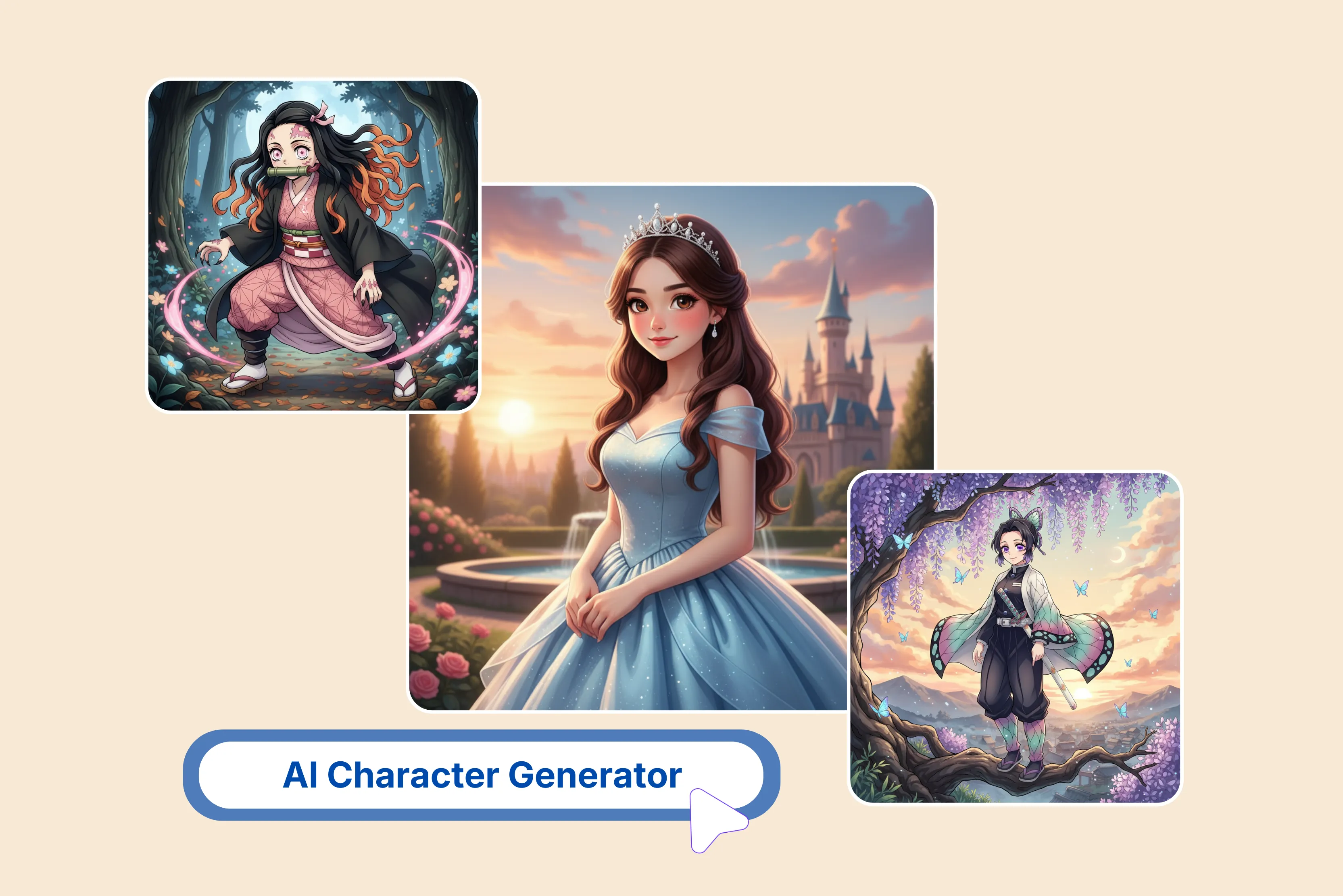


Creating AI characters is useful for storytelling, education, training, and personal projects. Traditional character design methods can be time-consuming and require significant effort.
So I did some more research and found an easy way to create the best AI character. According to me, the best one I found is Pixelbin. There are many tools available, but not all tools are designed to solve this problem.
Some focus on single images, and some on multiple, depending on your requirement. My all-time favorite is Pixelbin, which offers image processing and AI-based features. All you need to do is enter a text prompt, then press the "generate" button.
After a few seconds, you will see results. In this blog, I will explain what an AI character generator is and what AI tools are available to help creators maintain character consistency for storytelling. Each tool approaches the problem differently in terms of format, workflow, and output.
What is an AI character generator?
An AI character generator uses machine learning, specifically generative models like GANs or diffusion models, to generate unique 2D or 3D characters, avatars, or digital personas from text prompts or reference images.
Without the need for traditional drawing abilities, it allows users to easily create characters in a variety of styles, including realistic, 3D, and animated, for use in games, tales, and marketing.
This combination of art, design, sign, and machine learning allows anyone to create distinctive characters for storytelling, marketing, or personal projects.
List the best AI character generators
1. Pixelbin

Turn your text prompt into AI characters using Pixelbin's web-based, free online AI character generators. No manual editing—simply describe the text prompt to describe your character, be specific about the pose, style, clothing, and expression you want, and the Pixelbin AI character generator will create it without any manual intervention.
The process of using the Pixelbin generator is very easy; just enter your idea description into the AI. Use simple words and sentences for the best results. Click on the generate button and wait while the AI converts your prompt into anime-style art, without any further steps.
Once the output is created, you can download it. I tested the text prompt, “A brave young girl warrior with silver hair and blue eyes." She wears light armor and carries a glowing sword, standing in a misty forest surrounded by tall trees," and clicks the generate button.
Within 10 seconds, I received the result, which was perfect and had no watermark. The result is clear and easy to download. I can say this Pixelbin is good in quality, so why wait?
Features
- No manual editing
- No image upload
- Ease of use
- User-friendly
- No signup needed
- Browser-based platform
- Multiple style support
2. Canva
It's excellent when you want simple character generation plus built-in layout tools; you can move straight from image creation to posters, social posts, or pitch decks in one place.
Create a unique character to raise your visibility either as a creative or as a brand. You can build up with Canva’s AI character generator tools and Magic media and create an image powered by Dream Lab.
You can select from various style options, like watercolor, filmic, neon, and colored pencil, to create characters that match your artistic preferences and vision. The process is very simple in Magic Media: enter text prompts, select the style and layout, and click on the generate button. I tested with text prompts like “A charming cartoon girl with big, round eyes and a bright smile, wearing a colorful dress, standing in a sunny park.”
Wait for a few seconds; I received four images, all of which look very similar regardless of how much I change the prompt. No watermark or sign-up is required to generate AI characters, and the process was both frustrating and time-consuming.
Features
- Ease of use
- Text to character
- Multiple art styles
- No watermark
- No signup needed
- No technical knowledge required
3. Fotor
You can create characters online in any style in just a few seconds using our free AI character generator, which works with both text and photos. The simple thing is to type a text description about your character's appearance, personality, etc.
All you need to do is provide a text prompt of your appearance, outfits, traits, personality, skills, story, background, etc. I tested one text from “A brave young girl warrior with silver hair and blue eyes."
She wears light armor and carries a glowing sword, standing in a misty forest surrounded by tall trees.” Select aspect ratio, style, and text to image, and click on the generate button.
Fotor's AI character generator did not meet my expectations. The image did not closely follow my prompt, and the details were inaccurate. I was disappointed with the result.
Features
- Ease of use
- Multiple style options
- Aspect ratio
- No login required
- No watermark
4. Media.io
Pixpic AI, available through Media.io, offers AI-based character transformation tools. Generate incredible characters from your photos with multiple styles with a simple click.
After uploading your photo, you can transform it into multiple character styles, such as anime, fantasy, cartoon, and artistic. You don't need to enter any text prompts to create AI photos that perfectly bring out your personality. The AI character works with PNG, JPG, TIFF, and other formats.
After submitting your photo successfully, wait a few minutes for the AI to scan it and generate your new picture. I tested with one of my old pictures, selected the style, and clicked on the generate button. The image is watermark-free, but the result is unexpected and took too long.
Features
- Ease of use
- Multiple art styles
- No watermark
- No signup needed
- Support multiple formats
- No technical knowledge required
5. MyEdit
MyEdit is in 5th position in my list. MyEdit offers text-to-image, delivering a wide range of styles with exceptional quality. You can create characters easily that fit your stream’s theme, surprise your audience with new looks, or enhance engagement with a digital persona that evolves with you.
It provides a working version that includes both an online and an app version. It includes multiple customizable options. It can be a good option if you want more polished-looking outputs.
Generating an AI character is very easy; input a text prompt describing your character, including appearance, any defining traits, etc. Now select from various artistic styles, and the AI character generator will automatically transform your text into your AI generator character.
Wait for a few seconds; you will receive the result and download or save it. I tested with the text prompt "A brave young girl warrior with silver hair and blue eyes." She wears light armor and carries a glowing sword, standing in a misty forest surrounded by tall trees.
Select the model, aspect ratio 1:1, style, and portrait, and click on the generate button. The result I received was not as perfect as I needed, so, according to me, you should avoid wasting your time.
Features
- Ease of use
- No technical knowledge needed
- Various aspect ratios
- Multiple style formats
- Number of images
- No watermark
6. LeonardoAI
LeonardoAI offers a character reference feature that helps you to create an anchor appearance using reference images. You can create a character for TV, fashion, marketing, storytelling, and more, but getting the proper output is also important.
You can create images across all industries to capture a range of styles, poses, locations, and more. Automatic prompt enhancement is another feature worth highlighting. I tested one text prompt: "A brave young girl warrior with silver-red hair and blue eyes."
She wears a light black frock, holds a sword, and stands near sunlight, storybook-style, soft and magical.” I selected a 2:3 ratio and dynamic option, then clicked the generate button. Wait for a few seconds.
The generated image was very different from what I described; important details are still missing, and some are completely wrong. Not follow the text prompt correctly to generate an AI character. Overall, I was disappointed with the results.
Features
- Ease of use
- Character consistency across multiple images
- Automatic prompt enhancement
- Multiple style options
- No technical knowledge needed
- Multiple aspect ratios
7. ImagineArt
Get stunning AI character art very easily, where no artistic skills are required. ImagineArt is a very easy-to-use AI character generator that can produce a variety of creative character designs with simple text prompts.
It can generate characters with various body types, facial features, clothing, and accessories. The tools generate various characters in a wide range of artistic styles, from realistic to anime, cartoon, or fantasy.
Generating an AI character is very easy. Describe your imagination in the prompt box, and select the model, style, aspect ratio, and number of images that you want to select. Once the settings are all in one place, click on the generate button and wait for a few seconds to get the result.
You can download the result as a PNG file. I tested with my imagination text prompt, like “A brave young boy with silver hair and blue eyes, wearing paint and a t-shirt, holding a sizer in hand and a long, forest-type tree.”
I selected the aspect ratio, style, and number of images, and clicked on the generate button. Waited for a few seconds, received the result, which did not match the prompt at all, the quality was poor, and there was no watermark.
Features
- Ease of use
- No technical knowledge needed
- No signup needed
- No watermark
- Various types of image sizes
- Multiple style options
- Multiple aspect ratios
8. Perchance
Generate a character description and an image of the character, optionally including a user outline prompt. Everything is very simple as magic: write the text prompt you want to generate, select a style and shape, and click the generate button.
You don't need to install any software or register for an account; simply use the internet to load the tool. I tested with the simple text prompt. She is a brave young girl warrior, adorned with silver hair and bright blue eyes.
She wears a pink floral dress and holds a glowing sword. She stands in a misty forest, tall trees surrounding her, and selects image type 6 and waits for a few seconds. She received six results, each unique and without a watermark.
The result is that some are dark pink, light-colored, and much more. Some images showed a glowing sword, and 2-3 were not seen. No perfect result. The scripting system is adaptable, offering a high degree of control over the final output, making it useful to both casual and professional creators.
Features
- Ease of use
- Multiple style options
- No watermark
- No signup needed
- No technical knowledge needed
How to select the right AI character generator
1. Clarify your goal
Not every AI character creator serves the same purpose. Begin by deciding exactly what you’re looking for.
2. Ease of use
You can save time with an intuitive interface. Simple prompts or sliders for previewing before final outcomes and refining tools are not necessary for an AI character creator to be easy to use. Choose an AI tool with integrated templates or simple steps to follow if you're new to using them.
3. Customization choices
You should be able to control appearance with a solid AI character generator. Examine face characteristics, outfits, and accessories. Your character will be more distinctive the more customization options you have.
4. Check the quality of the output
Check all resolution exports of HD or 4K images, file types (PNG, GIF, or 3D model formats), and stability; produce reliable results every time.
5. Examine prices and licensing.
Don’t choose the first generator you come across. Try free trials to compare outcomes; look for user reviews on Reddit, YouTube, or product forums; and test at least two or three platforms to see which one best suits your workflow and style.
6. Additional features and AI integration
Some advanced character generators go beyond static images. If you’re building a project, an all-in-one tool can streamline your workflow. Advanced features may include voice integration, background generation, and AI that replaces unwanted objects in images and videos with ideal ones, bringing characters to life with movement.
How to make an AI character
There are many tools available for creating AI characters, but my all-time favorite is Pixelbin. Here are a few common steps that are used for creating. Let’s check
Step 1: Visit Pixelbin -> AI tools, go to search for an AI character generator.
Step 2: Write a simple text prompt to describe your character. Be specific about pose style. clothing, expression, etc.
Step 3: Click “Generate” to let pixelbin’s AI analyze your prompt and create a high-quality image of your character.
Step 4: Preview the generated image of your character and download the image.
Use Case forthe best AI character generator
Brand Marketing and design
Many companies use animations and characters in place of actual people. Animated characters are more easily adjustable, less expensive, and can be adapted to new markets more readily.
Education and training
Characters in educational content are often used as trainers, teachers, and creators of educational courses who use AI character generator tools to create avatars that visually explain the ideas. The characters used make learning more engaging.
Game design
Game developers use AI character designs for story development and concept art. Characters can be designed and tested so developers can refine them before they go to production. This procedure helps to speed up the creative process and reduce costs.
Content creation and social media
Creators use AI avatars to create content and maintain their online personas. AI avatars can be used in social media posts and videos, and even hold conversations. An AI avatar generator makes it easier for creators to produce content at scale.
FAQs
There are many AI character generator tools available, but, in my opinion, Pixelbin is the best.
Bring your dream characters to life. Type in the details of their appearance, personalities, and skills, and watch them turn into compelling images with the Pixelbin range of online AI character generators.
Look for tools that offer an easy-to-use interface, text-to-image generation, support for reference photos, customizable styles, and consistent character styling across outputs. Speed, output quality, and more are also important factors.
Not at all; most AI art tools are designed to be user-friendly, allowing anyone to generate images with text prompts. Understanding of artistic concepts can help with prompting; it’s not a prerequisite.
Many AI tools offer free trials or limited free trials. However, for full access to features such as advanced character consistency tools and higher generation limits, a subscription is often required.
No, at the moment, NSFW content is totally off limits, and character technology states that pornography will never be allowed.










