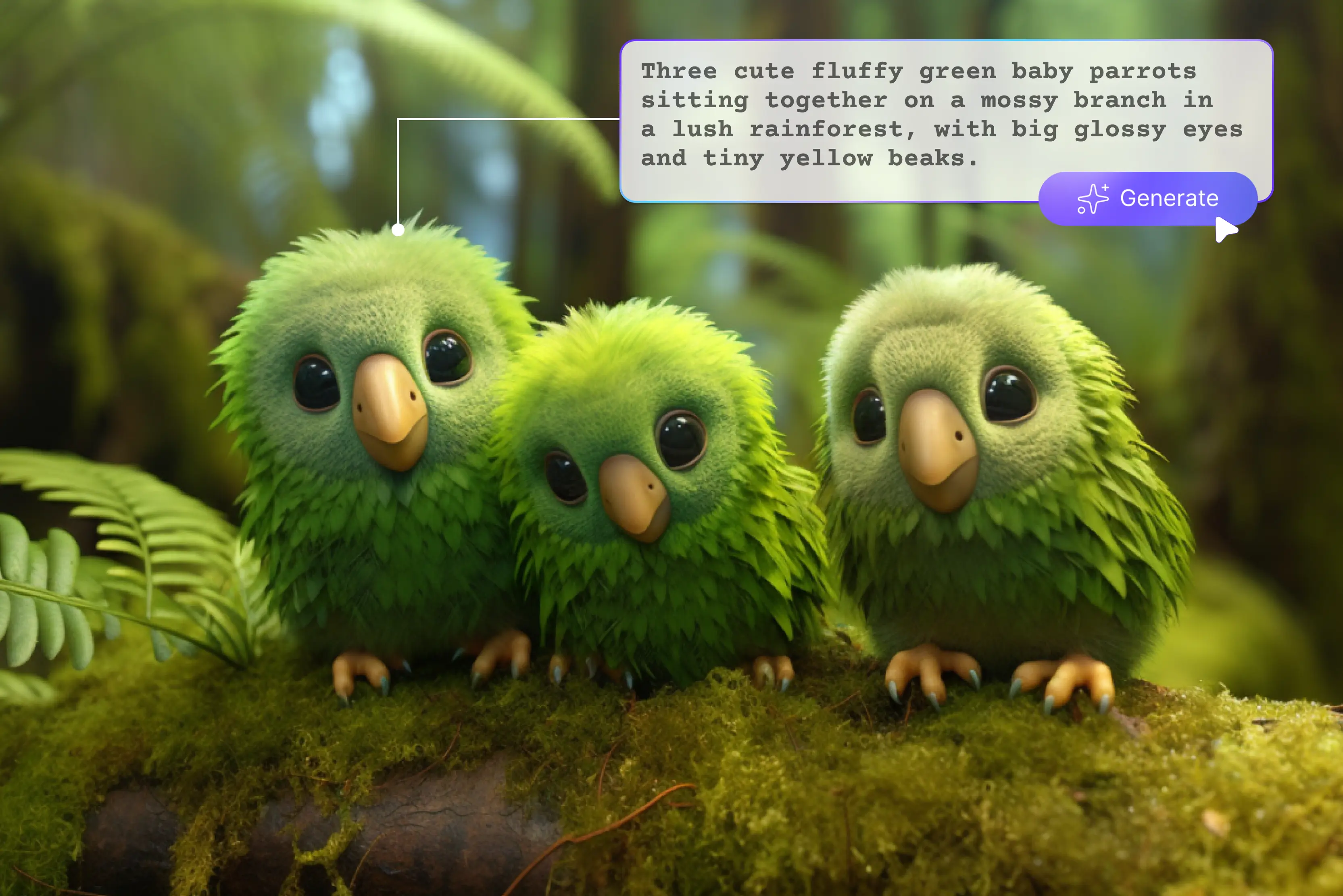


From being a computer user's experimental playground, the artificial intelligence image production has evolved into one of the most powerful creative tools available to anybody with an internet connection. Typing the correct text into a prompt box can now perform tasks that previously required expensive design software, years of expertise, or a professional art team.
So you’ve decided to us AI for creating art, but aren’t sure where to begin with prompts—don’t worry, I’ve got you covered. It can be difficult to think of the ideal prompt that will encourage your creativity. But you can quickly create original AI art prompts with a few tools.
I’ve conducted extensive research and discovered the best AI art prompt generator tools that simplify the process—just type your prompt, and the tool will generate an image. Creating AI art needs very little expertise. Simply write your desired content, then relax and allow the tools to create AI art.
But it’s a good idea to be a little strategic for the best outcomes. This entails knowing how to create an AI art prompt that best represents your ideas. My favorite AI art tool is Pixelbin, which is user-friendly and allows simple text input to generate or manage images using AI features.
It requires no technical skills, isn’t time-consuming, and offers many additional features. In this guide, I’ll first explain what AI art prompts are, the core elements that make up a good prompt, how they work, and how to write effective prompts with detailed descriptions. I’ll also explore thseven 7 best AI art prompt tools, providing information on each, so you can start creating exactly what you envision.
What is an AI Art prompt? Core element of a prompt
An AI art prompt is a detailed text instruction given to an AI image generator. It functions as a command or description that instructs the AI on the type of image to produce, outlining components like subject, styles, colors, mood, and compositions to direct the AI’s output. Imagine explaining your idea to a really talented, quick-thinking artist who requires precise instructions to turn it into original digital art.
How long should an AI art prompt be?
There are no hard limits on how long an AI art prompt should be. Examples like Pixelbin work with 2500-character text prompts, so other tools have their own limitations. Regardless of the tool, AI image generators can become confused or produce inaccurate results if the prompt is overloaded with too much unstructured information.
You add more elements to your prompt; I recommend separating them with commas. This will make it easier for the AI model to understand your prompt. Additionally, it will help to recall what you requested.
Working on an AI Art prompt
AI art generators are AI tools that use algorithms to create images that resemble drawings, paintings, photographs, or other forms of visual art. You can enter a text prompt, and the AI will generate an image that closely aligns with your description.
Sometimes,s the results feel like magic. The key set of AI art is the dataset used to train the algorithms. They use computers, machine learning, and powerful graphics cards on a whole lot of data to do their thing.
AI art generators attempt to create an image that matches a text prompt. All they need to do is attempt to understand what you’re asking, since your prompt can be anything. The AI algorithms are trained on hundreds of thousands, millions,s or even billions of image-text pairs in order to do this.
Depending on the size of their training database, various art generators have varying degrees of comprehension and complicated text. A comma should separate the text. Additionally, some models are trained exclusively with licensed content or for specified purposes, which limits the types of output they can produce.
How to write an AI art prompt
There are lots of unique AI art prompts, and from what I’ve seen, a lot of unique AI image art prompts, but all of them share a set of common characteristics.
AI image generators work best with clear, structured prompts. Below are general guidelines for writing effective AI art prompts, including tips on structure, starting phrases, and key elements. Let’s start with the subject.
1.1 Subject: Who and What
To generate images, begin your prompt with the correct formula of words. Start with the subject of your art, then move to any details you want to be included. The prompt is the main subject, typically a noun.
This could be a person, animal, object, or an entire environment. For example, you can use nouns like "Dog," "Cat," and "Planet" as the subject of your prompt for more accurate results. The more details you provide, the better your chances of getting more interesting results.
1.2 Description: What They Are Doing, Where, and How
Now it's time for the description, which means adding more depth and complexity to your prompt by enhancing it with adjectives. Add more information that responds to.
The background is important, so don’t leave the background out of your description. A clear, more complete, and more realistic image was produced as a result of the more detailed prompt. There are some questions to include details in the answer.
- What is happening?
- What is the subject doing?
- How is the subject doing this?
- What’s happening around the subject?
1.3 Aesthetic and Style: How It Looks
Now it's time to fill your prompt with terms that determine the general look and feel.
Medium: Photo, oil painting, 3D rendering, and many more
Influences on artists: Add well-known names to combine their styles. In this example, using “Close up” and “Medium shot” to specify angle and distance, the generator can be combined with additional elements to create a much more complicated image.
2. Keep It Natural and Descriptive
Write an AI prompt that defines the subject, setting, and style of the artwork you want. Give details on everything from clothing to color schemes to lighting.
Since the beginning of your prompt often carries more weight, it's smart to place the most important detail first. Now, the second point is to compose your prompts using simple, everyday language. Consider your description of the image to a person who is unable to see it.
3. Experiment With Length and Structure
AI prompts have some length and structure limits. Some AIs work well with longer prompts; others perform better with concise descriptions.
You’re writing something with AI, and you want to guide it a bit so the result feels clear and natural. However, for this,, you have to check different-length texts and structures to find what works best for each platform.
- Short prompt: 10-20 words
- Medium prompt: 30-50 words
- Long prompt: 50+ words
3.1 Experiment With Advanced Prompt Elements
Experimenting with advanced prompt elements enhances AI output by adding clarity, context, and structure to enable accurate, creative, and detailed responses. Include various key elements, like the subject, environment, lighting, color, mood, and composition. The AI can better interpret your vision if you are more detailed.
- Subject: A sleek black panther with shiny, dark fur and yellow eyes
- Environment: It moves silently through a dense forest filled with towering trees and thick green vegetation.
- Lighting: Sunlight filters gently through the high canopy, casting soft shadows and patches of light on the forest floor.
- Composition: The Panther is positioned in the lower left corner of the image, its body low and eyes focused towards the right.
4. Focus on What You Want, Not What You Don't
Focus on explaining what you desire in the picture or image rather than listing what you don’t. Positive works better for the majority of AI models. Some models,s such asstable diffusion, permit a negative prompt to specifically omit specific components. Make strategic and limited use of these.
5. Use Reference Images and Style Modifiers
Many AI image generators allow you to upload reference images or use the style modifiers to guide the output.
Example: le Create an image in the style “Artist name” or similar to “Link to reference image.”
Popular style modifiers: “Oil painting,” “Watercolor,” “Digital art,” “Anime style,” “Photorealistic,” and “Impressionist.”
Tips and tricks for better results.
- Iterate often: Change the adjectives, experiment with different styles, and reword your writing.
- Combine themes: Combine concepts like “Steampunk” and “Ancient Rome” to produce original concepts.
- Reference real artists: Bringing up a well-known artistic movement can quickly establish the tone.
- Keep a prompt journal: For the upcoming project, save your best prompts.
Popular AI art prompt tools in 2026
1. Pixelbin

Pixelbin offers an easy, fast way to generate images from simple text prompts, combining creativity with automation. With Pixelbin, your generated images are completely free of watermarks, ensuring consistently clean and high-quality results.
With an intuitive interface and no need for advanced design skills, Pixelbin AI generation tools help users produce creative, high-quality images used for variouspurposes such as e-commerce assets and marketing visuals.
I recently used an AI image generator to create “A sleek black panther with shiny, dark fur and yellow eyes. It moves silently through a dense forest filled with towering trees and thick green vegetation. Sunlight filters gently through the high canopy, casting soft shadows and patches of light on the forest floor.
The panther is standing on the left side.” As I enterr the text and click on the generate button, it starts generating. I was impressed with how accurate the result turned out to be, visually smooth,h and you can edit the image with AI if needed. The AI understood my prompt well, capturing the color, palette, and intricate details exactly as I imagined.
Compared to other tools like Leonardo. AI, Canva, and Ideogram, Pixelbin stands out by combining image generation with powerful optimization and delivery tools, offering a streamlined end-to-end visual solution. Pixelbin is perfect for both beginners and experienced designers who want fast results without compromising on quality. Definitely a go-to for generating unique visuals in seconds.
Key features
- Easy for beginners
- High resolution
- Prompt-based image generation
- No watermark
- Composition and aspect ratio options
2. Leonardo.Ai
Leonardo.Ai is a powerful AI-driven art generation tool designed for creators, game developers, and digital artists. Turn text into images, transform images into new styles, or refine visuals with pro-level precision. It allows you to create high-quality images, characters, textures, and concept art using detailed prompts.
Leonardo.Ai now has its own model called Phoenix. It offers a comprehensive creative suite with features like text-to-image generators, photo editing, and 3D texture creation. Based on many positive reviews, I was eager to try Leona AI.
AI—but the experience left me disappointed. I tried using one text, and it provided various styles, image dimensions, numbers of images, and much more, all tailored to my requirements.
You can also select aspect ratio options, like landscape, portrait, square,, and more to match your project's needs. When you receive the results, you can share and download them as the platform does not produce any watermarks.
However, the image generation process can be time-consuming, particularly when requesting multiple variations at once. Given the delay,y it can be hard to justify the wait, especially when faster, more consistent alternatives are available for faster and more reliable AI image generation, exploring alternatives like Pixelbin.
Key features
- Easy for beginners
- High resolution
- Prompt-based image generation
- No watermark
- Multiple art styles
- Composition and aspect ratio options
3. HyproArt
Hypotenuse AI has created a free AI image generator called HyproArt. You can create original images and compose your own prompt from scratch using HyproArt. With HyproArt, your imagination becomes reality; just type in a detailed prompt and watch as advanced AI technology instantly creates amazing images that match your words.
It even provides more than 30+ different styles, like anime, steampunk, and many more. You can download your generated image,s but note that the free versions may include a watermark and may have usage restrictions.
Tested text A majestic lion standing in a lush green garden surrounded by other animals like an elephant, giraffe, and zebra, all positioned to the left side. The scene is bright with warm sunlight and rich greenery.
One disadvantage of this is that it leaves a watermark, and I had written that the animals were on the left side, but the zebra and giraffe were shown on the right side, with only the elephant's left side. Hypotenuse's AI text-to-image features let you create creative visual styles, sizes, and aspect ratios to match your creative needs.
Key features
- Ease of use
- High resolution
- User-friendly interface
- Prompt-based image generation
- Multiple art styles
4. Stable Diffusion
Stable Diffusion is a powerful AI model that generates high-quality images from text prompts, and it is widely used for both realistic and artistic image creation. Stable Diffusion is an AI tool that turns text into realistic images.
It gives people the freedom to create wonderful art in just a few seconds using simple descriptions. Most Stable Diffusion platforms limit prompts to around 500 characters, though this varies depending on the interface used.
I tried one “A classroom with a female teacher standing near a blackboard, helping a group of diverse students learn math. Some students are writing math problems; others are listening carefully. 2–3 friendly dogs are standing in the classroom.”
With various additional features like models, aspect ratio, remove watermark, styl, etc., and many more. I selected the base model, adjusted image settings, and used the watermark toggle (available in some platforms).
It shows in percentage, slowly starting with 1% to 100%, and provides the output quantity as 2. I received two images: one showed only one dog, and another showed two dogs with their faces on the side, looking at the teacher. No perfect result and time-consuming.
Key features
- Ease of use
- Various styles
- Text-to-image generation
- Prompt-based image generation
5. Ideogram
Ideogram is an AI tool that turns your written ideas into beautiful images. Just type what you want to see, and it creates the image for you. You can write text that turns written words into high-quality visuals like logos, posters, social media graphics, and concept art.
Tested one text like A sleek black panther with shiny, dark fur and yellow eyes. It moves silently through a dense forest filled with towering trees and thick green vegetation. Sunlight filters gently through the high canopy,y casting soft shadows and patches of light on the forest floor.
Provide various ratios like portrait and landscape according to your choice, including various styles, characters, colors, and many more. WhenIi click on the generate button, it shows that it is waiting in a slow queue.
It provided me with what was perfect, as in the color combination, the yellow eyes of the panther, and the green vegetation. The only thing iIdislike is that it's time-consuming. After getting the result, it allows background removal, upscaling, uncropping, expanding, and downloading.
Key features
- Ease of use
- Multiple art styles
- No watermark
- Multiple outputs per prompt
- No design skills needed
6. Adobe Firefly
Adobe Firefly is an AI tool that combines text-to-image generation with professional design features. As part of Adobe’s creative tools, it’s built for accuracy and control,l not just for fun experiments.
Designers can use it to expand images, change colors, or replace parts of a picture while keeping everything looking natural. It also does a great job keeping shadows, blur effects, and lighting consistent, making the final image look very perfect. It provides various aspect ratio selections according to your requirements.
A black panther with shiny dark fur and bright yellow eyes stands on the left side. It moves quietly through a thick forest with tall trees and lots of green plants. Soft sunlight shines through the trees, creating shadows and light spots on the ground. However, the platform does not provide a wide range of style options—only aspect ratio selection and reference image uploads are supported.
Key features
- Ease of use
- Text to image prompting
- Smooth integration
- Provide aspect ratio
7. Canva
Encapsulate your idea into a simple text prompt and see the result: beautifully unique artwork you can use on your various projects and professional designs. Canva's two main AI engines,s Magic Media and Dream Lab, let you create smooth visuals from text prompts.
Magic Media transforms your ideas into lifelike or artistic images in styles like watercolor, neon, and 3D. You select various style presets that you can easily apply to your AI art from watercolor, filmic, neon, color, pencil, and Retrowave.
CanvProro offers sophisticated features like Magic Edit for adding text to elements, Magic Eraser for fast cleanup and background removal, and Translate for instantly translating your designs into more than 100 languages. I tried Canva’s AI tools, and honestly,y they didn’t meet my expectations.
The prompt system feels very limited; there’s not much room for detailed description,n and the results often look generic or unrelated to my input. Compared to other tools like Pixelbin, the image quality is lower; i t’s fine for quick, simple visuals, but not ideal for anyone looking for more creative control or realism.
Key features
- Ease of use
- Various styles available
- Custom size
- Seamless integration
- No technical skills needed
FAQs
There are various strategies for writing better prompts. That is, set clear goals and objectives, provide context and background information, use the few-shot prompting tactic, and be specific.
The four main areas to consider while writing a prompt are persona, task, context, and format. Persona defines the role that you want the AI to adopt, the task specifies the action you need it to take, context provides necessary background information, and format directs how the output should be structured.
Give it a personality, assign it a task, give an explanation, and give some guidance on how to respond.
Many AI generators place more emphasis on the words that appear earlier in your prompt. Placing the most important elements first can help ensure they are prioritized in the final output.
Yes, you can combine multiple styles to create hybrid results. For example, a town skylight at night, a blend of Art Deco and cyberpunk styles, will mix elements from both aesthetics.
To create good AI art, craft a clear and descriptive prompt that specifies subject, style, and key details while allowing some creative freedom for the AI to generate unique and compelling results.










