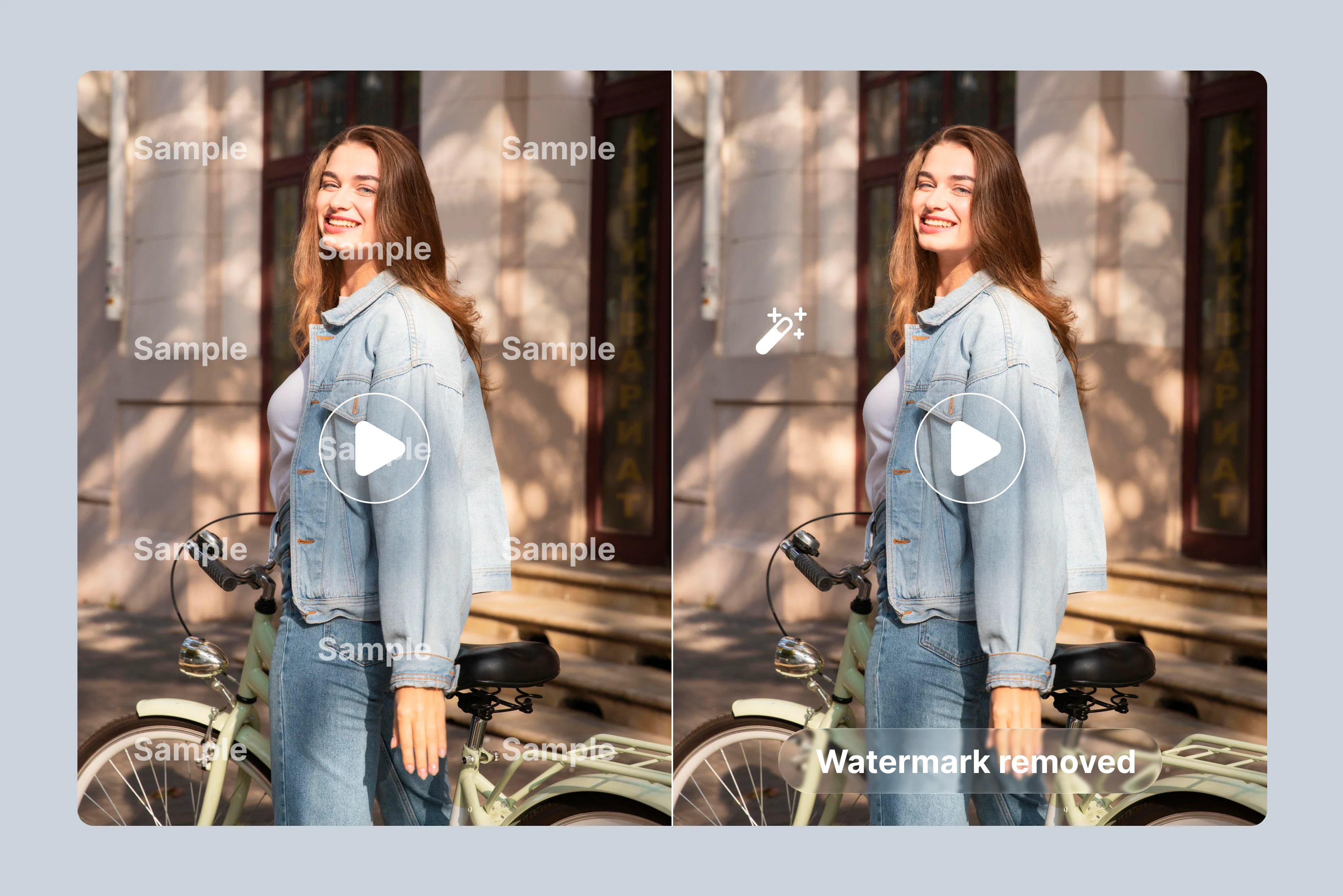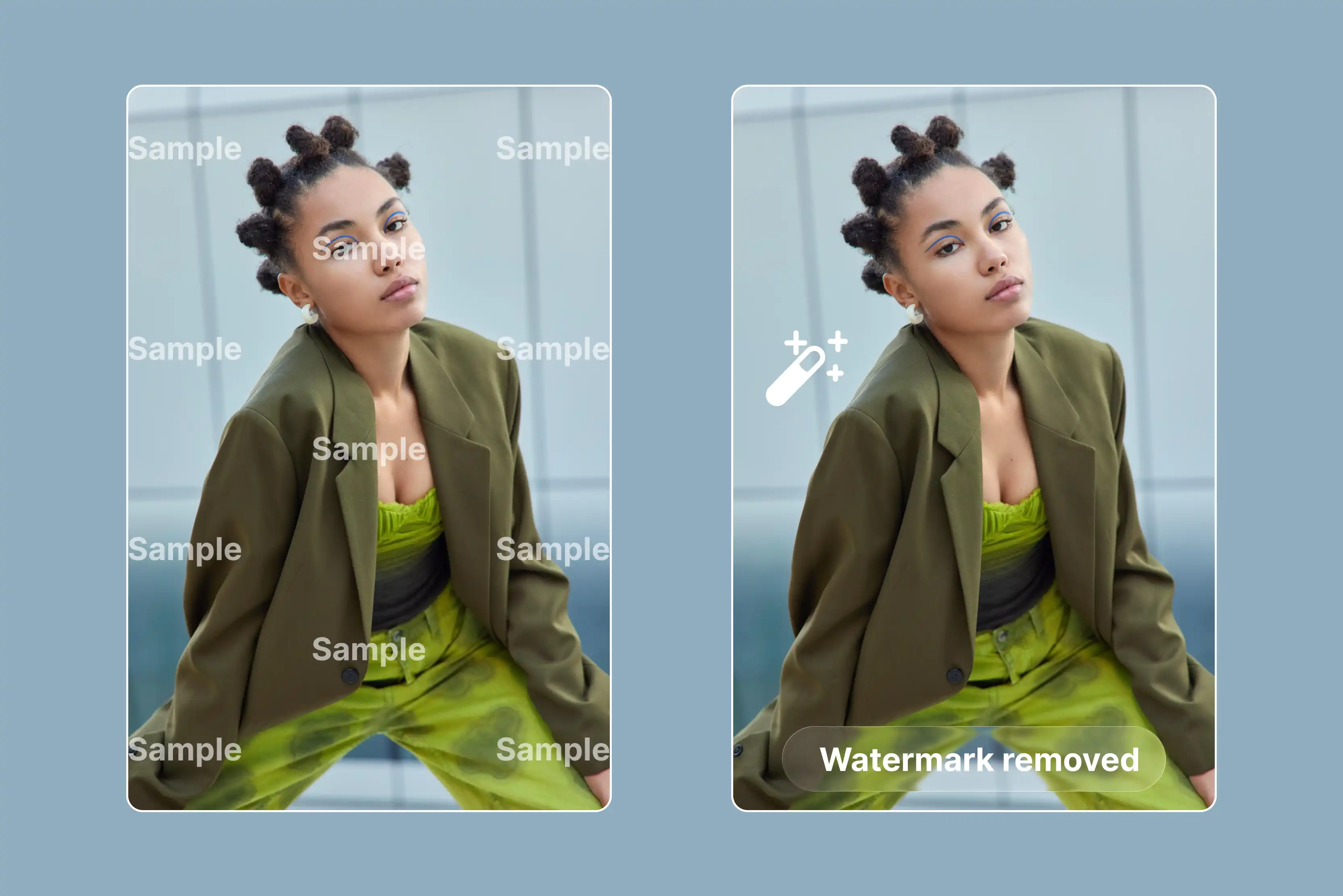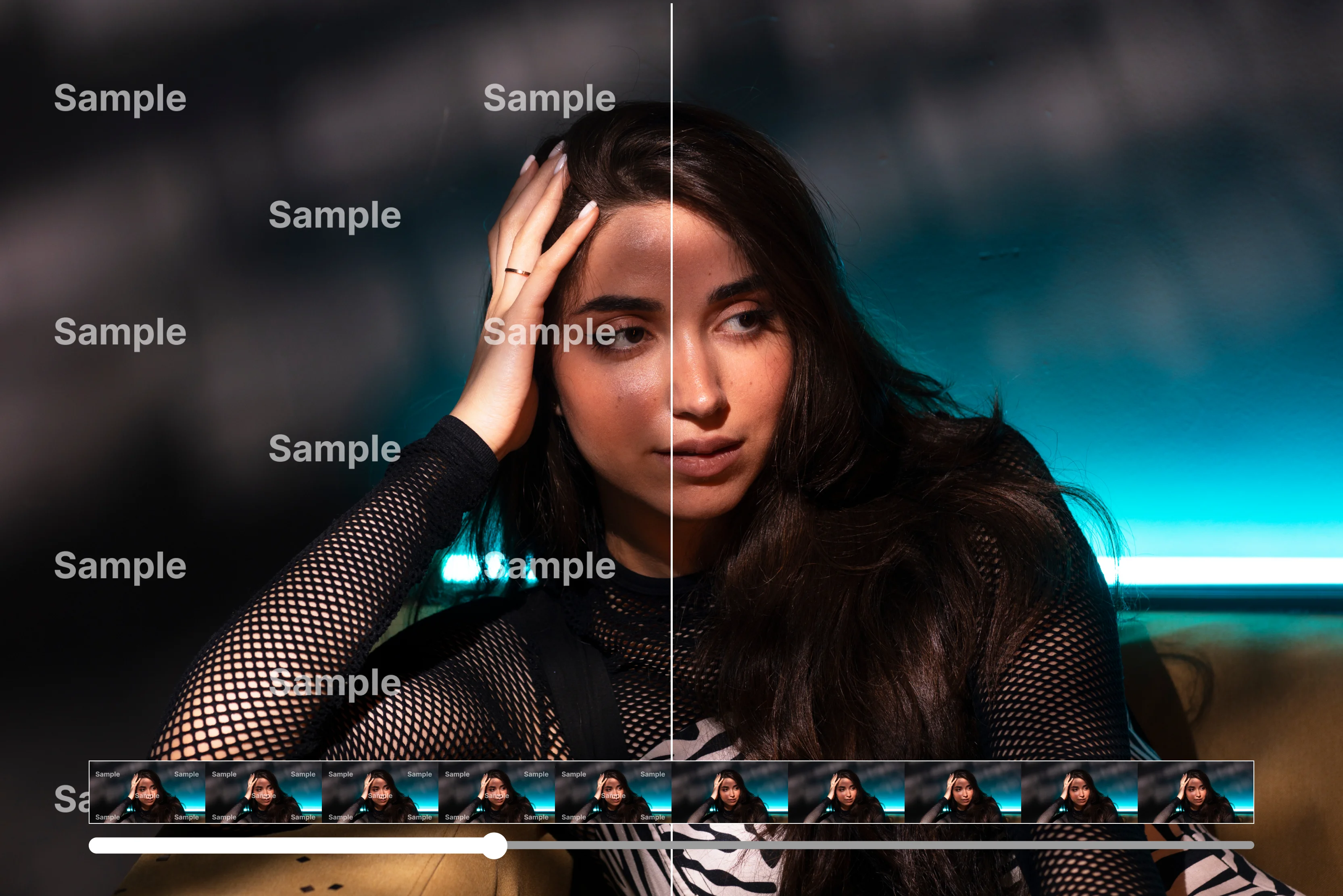


Ever dreamed of grabbing a video clip for your social media post or e-commerce ad, only to realize it's stamped with a watermark that makes it not your creation? We've all been there, downloading free stock video or exporting from trial tools, excited to edit, but that logo or text overlay ruins everything.
It blocks clean repurposing for Instagram Reels, TikTok, or YouTube, forcing us to either crop awkwardly or start over. But AI flips the script by giving all quick fixes and no editing pro skills needed. AI tools let us upload clips and zap those marks in seconds, filling the space naturally without blur or quality dips.
It's a game-changer for creators who repurpose content daily, turning messy exports into polished videos ready for all. In this complete guide, we'll cover the 10 best watermark removers for your video, which will include Pixelbin and more, to guide you on how to remove a watermark from a video. Dive in to know smart ways to share our spotless videos online.
What are video watermarks?
A video watermark is a faded logo, text, or small graphic placed right on top of video footage to show who the creator or the owner is. These marks usually look see-through, so they don't block the whole picture, but they're still clear enough for anyone to notice.
You see them all the time on free clips from stock sites, exports from apps like iStock watermark or Shutterstock watermark. Brands and creators add watermarks to protect their work from people who might grab and reuse it without asking.
There are two main kinds: static ones that stay fixed in one spot, like a corner logo, and dynamic ones that move around or change to track who views the video. When we pull footage for Reels, ads, or personal edits, these watermarks get in the way and make everything look unprofessional.
That's where tools like Pixelbin video watermark remover and other best AI video watermark removers come in handy for quick fixes on things we own. They help us clean clips fast without messing up quality, so our content shines for Instagram or online shops.
Types of video watermarks
Video watermarks serve to protect content ownership and appear in several distinct forms. Below are the primary types commonly encountered during video editing processes.
- Static watermarks: These remain fixed in a single position throughout the video, such as a logo placed in the corner. They are widely used on stock footage and trial software exports to prevent simple cropping.
- Dynamic watermarks: These shift positions, fade in and out, or display unique viewer codes to enable theft tracking. Platforms like Vimeo employ them for enhanced security on valuable content.
- Text watermarks: Composed of overlaid words like "Sample" or channel names, often semi-transparent across the frame. They appear frequently on social media downloads, such as TikTok videos.
- Logo watermarks: Custom graphical icons integrated into frame edges, promoting the source application while marking ownership. Tools like Pixelbin apply these seamlessly.
- Invisible watermarks: Embedded digital signatures undetectable by the human eye but verifiable through specialized software. Primarily utilized in professional and legal contexts.
Manual methods to remove a watermark from a video
Removing a watermark from a video isn’t always clean or easy. Depending on where it sits, how big it is, or whether it moves, your options change. Below are ways people do it for videos they own or have permission to edit.
1. Crop it out
If the watermark sits at the edge or corner, you can trim that part away. Most editors let you adjust the frame until the watermark disappears offscreen.
When this works:
- The watermark is small, near the border
- You’re okay with losing a bit of the original frame
Drawbacks:
- Changing the video’s composition
- Cutting off part of the subject or an important detail
2. Cover or Mask It
Instead of removing, you cover it. Use a small blur, a colored box, or your own graphic right over the watermark.
When this works:
- Cropping would ruin the layout
- You need a quick fix
Drawbacks:
- Covering badly can draw attention
- If the watermark is big or over a busy background, it shows through
3. Frame-by-Frame Cleanup
This is more painstaking. You have to export each frame, remove the watermark manually, then turn all frames back into a video.
When this works:
- Short videos
- Watermarks that don’t move
Drawbacks:
- Very time-consuming
- Demands some editing skills
- Not realistic for long or complex videos
4. Use Smart Removal (Automatic Tool)
Some software can detect a watermark area and try to fill in what’s behind it using algorithms. It guesses what should be there and patches it.
When this works:
- Static watermarks
- Quick edits
Drawbacks:
- The patch might look blurry or strange
- Moving watermarks may create flicker or glitches
5. Replace with your own mark
If you can’t cleanly remove the old watermark from the video, you place one of your own over it. You have to cover what’s there by branding it yourself.
When this works:
- You’re reusing your own content
- The watermark is small or in the corner
Limitations:
- You’re not truly removing its just hiding
- If the original watermark moves, you’ll see it
How to remove a watermark from a video using AI tools
Discover how to remove a watermark from a video using AI tools like Picsman, AniEraser, MagicEraser, and Pixelbin. These platforms deliver crisp HD results with one-click removal, batch processing, and more as follows.
1. Pixelbin

Watermarks often ruin the videos we create or grab for our projects. They show up as logos, text, or stamps on free stock clips and trial app exports, blocking us from making clean Reels, ads, or YouTube content that looks sharp and professional. Pixelbin video watermark remover makes it simple for everyone.
You just have to upload MP4, MOV, or WebM files to our tool, and the AI finds those marks and then wipes them away without any blur or quality loss. No signup needed for previews, so creators get fast results for social posts or e-commerce right away.
Must known features
- Crisp, professional results: Get spotless videos that keep sharp motion, vibrant true colors, and complete frame quality intact without any loss for professional use every time.
- Lightning-fast AI processing: Remove watermarks from full-length videos in mere seconds using powerful AI, skipping all manual scrubbing or tedious timeline adjustments completely.
- Designed for creators & teams: Perfect solution for individual creators or production teams managing high-volume video workflows smoothly and effortlessly without complications.
- Seamless API integration: Easily integrate Pixelbin's AI capabilities into your existing tools and platforms using simple APIs for fully automated video cleanup processes.
- Complete all-in-one platform: Manage the entire process from watermark detection through erasure to final export all within one unified, user-friendly dashboard interface.
- Advanced smart erasure: Handles complex watermarks like static logos or animated text using precise frame-by-frame AI processing for perfectly smooth, flawless results.
2. WatermarkRemover
Tired of watermarks blocking your video's potential? WatermarkRemover makes removal effortless. Just upload your MP4, MOV, WebM, AVI, MPG, MPEG, or MKV file, and it automatically detects logos, text, or stamps.
Then it erases them while keeping every frame crisp and natural. No software downloads or logins needed for instant previews. It processes in seconds right in your browser. This tool shines for creators repurposing stock footage or social clips for Reels and ads.
Advanced inpainting fills gaps seamlessly, so videos look pro without blur. Whether static corner logos or tiled overlays, it handles all types of watermarks. Try it free today and download clean HD results ready for YouTube or Instagram. Creators trust its speed and quality for heavy and faster workflows.
Must known features
- Free to use: Download crisp, high-quality videos after removal at no cost, enjoying pro results anywhere without hidden fees or charges.
- User-friendly: Drag and drop files into the simple editor supporting multiple formats, start removing watermarks instantly with zero learning curve right from upload.
- Preserve video quality: Erase watermarks blocking key scenes to keep smooth storytelling intact, letting audiences focus purely on content without distracting marks or overlays.
- Perfect for social media: Create pro-looking videos for YouTube, Instagram, or TikTok without paid software, boosting your online presence with clean, share-ready clips.
- Privacy value: The tool keeps your videos private at every step, ensuring safe handling and removal without any data risks or exposure concerns.
- Enhanced quality: Advanced AI delivers precise watermark removal via API, producing high-quality videos with sharp details and no artifacts left behind.
3. Media.io
Watermarks ruining your footage? Media.io video watermark remover delivers clean videos in moments. Upload MP4, MOV, M4V, and 3GP files, brush over logos and text, and it removes them with precision. It preserves HD quality across all devices.
It excels for TikTok, YouTube, and Instagram creators who need quick fixes for trial exports or downloads. Smart AI avoids blur by reconstructing backgrounds naturally. It supports batch processing, too. Add effects, trim clips, or export directly with no installs required. Thousands get professional results fast. Free tier available, perfect for polishing reels and shorts daily.
Must known features
- Remove watermarks without quality loss: AI erases logos, text, or stamps precisely while keeping videos sharp, clear, and HD with all details fully preserved.
- Works for TikTok, YouTube, and Instagram: Clean TikTok marks, tutorial logos, or timestamps perfectly for pro Reels, Shorts, and content across all platforms.
- Cross-platform online tool: Access on Android, iPhone, iPad, Windows, Mac, or Linux with no software installs needed for easy use anywhere.
- Batch processing capability: Upload and clean multiple videos at once quickly, saving time for creators handling bulk social media or ad projects efficiently.
- AI smart detection: Automatically finds and removes watermark areas fast, so you just upload and let it handle everything effortlessly.
- Powerful video editor: Doubles as an online editor with trimming, auto subtitles, AI effects, stickers, background music, and extra features.
4. Vmake
Thinking about how to remove a video watermark professionally in minutes? Vmake video watermark remover handles clips like Seedance 2.0, Kling 3.0, and Sora 2. It detects and removes video watermarks with no sign-up needed.
Drag in up to 30 MP4s at once, and it auto-detects moving logos, subtitles, or stamps. It erases them frame-by-frame for flawless HD output. It focuses on creators batch-cleaning social media clips or ads.
Preview the first seconds free, then download full results with natural inpainting that keeps subjects sharp. It handles dynamic overlays, saving hours vs manual edits. It is web-based for phone or desktop ease. This tool empowers marketers and educators with professional-grade videos ready to share anywhere.
Must known features
- Stable removal for motion: Tracks moving watermarks frame-by-frame for consistent erasure, avoiding flicker, ghost outlines, or shifting patches that ruin smooth playback.
- Natural reconstruction: Separates subjects from backgrounds cleanly, rebuilds areas with matching texture and lighting, so repairs blend seamlessly without harming key details.
- Handles complex scenes: Excels on busy footage with hair, reflections, shake, or fast action, delivering a good level of accuracy while maintaining stable motion flow.
- Fast and batch-ready: Speeds one-off fixes or high-volume workflows, processing multiple clips quickly to keep turnarounds short for busy creators.
- Manual precision control: Define erase zones for watermarks and protect areas like faces or text, refining edges perfectly for tricky overlaps or fine details.
- Free preview workflow: Simple upload-preview-download flow lets you check edges, blending, and stability fast with zero learning curve before finalizing.
5. Fotor
Annoying watermarks on your clips? Fotor removes watermarks from video, wipes them out simply and effectively. Select your video, brush the mark, and it erases logos or text instantly. It delivers smooth, high-resolution results without quality loss. It suits everyday creators editing for Instagram or e-commerce.
It supports MP4 and MOV, with an easy preview before download. The brush tool plus AI fill makes complex removals a breeze with no skills needed. Free online access means quick polishing anywhere. Elevate your content game with this reliable, user-friendly remover today.
Must known features
- Clean results without heavy editing: Highlight watermark areas and AI removes them across frames consistently, skipping complex timeline work or skills for easy online use.
- Maintain video quality: Reconstructs backgrounds naturally after removal, keeping videos sharp, especially on simple scenes and static overlays for reliable results.
- Repurpose without platform logos: Erase TikTok marks or corner logos from exports to reuse clips across channels cleanly without branding distractions.
- AI smart detection: Spots and erases watermarks frame-by-frame from videos and photos using precise AI processing for accurate, efficient cleanup.
- Fast watermark removal: Quickly handles online removal without software installs or editing know-how, perfect for beginners and short social clips.
- High-quality output: Delivers HD videos with minimal loss, maintaining visual consistency and sharpness post-removal for pro-looking content.
6. VEED
Watermarks holding back your videos? VEED video watermark remover cleans them fast with AI magic. Upload, auto-detect, remove, and export pristine footage in seconds for any platform. It targets social creators needing seamless edits for Shorts or Reels.
It handles text, logos, and objects while keeping motion fluid. Built-in editor adds trim, text, or effects post-removal. No need to download any app or software, it works on all browsers. The intuitive design saves time for busy teams producing viral content daily.
Must known features
- Easy watermark removal: Crop videos to hide watermarks or cover them with stickers, shapes, text, GIFs, drawings, and music visualizers for quick fixes.
- Repurpose social content: Remove IG Reels or TikTok watermarks to reuse videos across platforms, optimizing for different social media formats effortlessly.
- Video overlay options: Place video-in-video or images directly over watermark areas for seamless covering without complex editing steps.
- Complete editing suite: Edit, trim, add subtitles, transitions, animations, and stock media all in one online tool with fast rendering times.
- No software needed: Fully web-based editor works instantly on any device, focusing creativity without downloads or loading delays.
- Beginner-friendly tools: Intuitive interface lets anyone remove marks and create professional videos without advanced skills.
7. Unwatermark
Tired of stamped videos? Remove AI video watermarks at Unwatermark to free your clips effortlessly. Upload MP4s and watch it zap watermarks, logos, or text with sharp reconstruction without any blur. It serves creators repurposing free downloads for ads or posts.
Instant previews and one-click downloads make it ideal for quick turnarounds. It processes static or animated marks flawlessly. Free core features unlock pro videos for TikTok or shops. Experience hassle-free editing with this powerful, browser-based solution.
Must known features
- Remove AI video generator watermarks: One-click removal restores AI-generated videos to perfect clarity, letting creative content shine watermark-free on all social platforms.
- Clear watermarks from multiple platforms: Effortlessly erase distracting logos from popular social videos for a cleaner, more engaging viewing experience across channels.
- Erase logos, captions, and extras: Use brushes and selection tools to remove watermarks, logos, captions, or any unwanted elements exactly as you envision.
- High-quality output preserved: AI processes videos precisely to eliminate watermarks while keeping original resolution and details intact for crisp downloads.
- Supports various formats and devices: Handles MP4, M4V, MOV, and more through online access or a mobile app for seamless use on any device.
- Free with no signup required: Try video watermark removal instantly online without login, preview results anytime to confirm perfect AI cleanup.
8. Picsman
Video watermarks cramping your style? Picsman erases them cleanly in three easy steps. Upload, select, download, and get perfect results every time. Just upload your video file and select the watermark area. The tool processes it quickly and lets you download clean results every time without any hassle.
It helps out content makers with fast and accurate removal for social media and marketing clips. The AI supports batch jobs for multiple videos and handles various formats like MP4 or MOV. It fills empty spaces naturally, so your footage looks smooth and professional. No apps or accounts needed to get started right away. This tool shines for pros managing high-volume edits daily. Publication-ready videos come out fast and clean.
Must known features
- Easy one-click removal: Upload videos and erase watermarks, logos, or subtitles automatically with no editing skills or complex steps required for fast results.
- No quality loss: Advanced algorithms keep HD or 4K sharpness intact during removal, avoiding blur or crops for professional-looking output every time.
- Batch processing: Handle multiple videos at once for content creators, marketers, or businesses, speeding up large libraries efficiently.
- Versatile text and logo erase: Functions as a logo remover and subtitle cleaner, turning cluttered clips into polished visuals ready for any use.
- User-friendly online tool: Simple upload-and-process workflow designed for quick cleanups on personal, business, or social media projects.
- Free video watermark remover: Access online removal without costs, delivering clean videos perfect for sharing or professional presentations.
9. AniEraser
Logos and stamps showing up on your videos? AniEraser at anieraser.media.io/app tackles them head-on with cutting-edge AI technology. You can brush over watermarks or let it auto-detect and remove them from any clip. It exports blur-free HD perfection, ready for sharing in just a few clicks.
The tool is made for creators and marketers who blend video editing with image work. It handles moving elements smoothly across frames and offers extras like object erase for even cleaner results. Online access works simply across phones, tablets, and desktops to speed up your workflow. Free trials let you test its full power firsthand without commitment. It's ideal for polished Reels, tutorials, or promo videos. Creators elevate their visuals effortlessly every day.
Must known features
- AI-powered object removal: Erases watermarks, text, emojis, or objects from photos and videos with precision using advanced AI technology.
- Cross-platform availability: Works on desktop (Windows/Mac), mobile (iOS/Android), and web for editing media anytime, anywhere, conveniently.
- One-stroke quality preservation: Remove elements in one stroke while keeping high-quality details, sharpness, and natural appearance intact.
- Smart image enhancement: Includes relighting, restoration, black-and-white colorization, and cleanup for polished photo and video results.
- High-quality video cleanup: Continuous AI updates deliver smooth object removal from videos, ideal for creators and e-commerce images.
- Intuitive upload and select: Upload media, select unwanted parts, and AI handles detection and editing for fast, effortless results.
10. Magic Eraser
Watermarks spoiling your raw footage editing? MagicEraser works wonders instantly with smart AI. Upload your videos, and it detects marks like logos or text automatically. The tool vanishes them completely while leaving pristine quality behind for professional use.
It supports seamless content creation across all major platforms without complications. The effortless interface includes preview options to ensure spot-on results before final download. It processes text overlays, logos, and complex elements without leaving artifacts. Free access online makes pro-level editing reachable for beginners and experts alike. Videos turn out ready for social shares, business clips, or ads. Unlock your footage's full potential today with this reliable solution.
Must known features
- Fast one-click AI removal: Upload videos and erase watermarks, logos, or text instantly with no signup, software, or complexity needed.
- Clean high-quality output: Produces natural results without blur or distortion, even on moving overlays, subtitles, or timestamps for pro clips.
- Free online tool: Remove watermarks from videos completely free with no limits, paywalls, or hidden fees, just upload and clean.
- Smart AI detection: Automatically identifies watermarks, logos, timestamps, or objects with pixel-level restoration for accurate erasure.
- Wide format support: Compatible with MP4, MOV, M4V, AVI, and major formats for versatile video cleanup across all devices.
- Simple 4-step workflow: Upload, select area, AI removes, preview, and download instantly for quick, hassle-free, watermark-free videos.
Conclusion
Choosing the right video watermark remover can transform your content workflow, ensuring clean, professional results without quality loss. AI tools like Picsman, AniEraser, MagicEraser, and more offer powerful AI-driven features such as one-click removal, batch processing, and support for dynamic watermarks, making them ideal for creators and marketers.
If you want our top recommendation, we will suggest Pixelbin Video Watermark Remover for its seamless API batch handling, without any signup, and precise frame-by-frame erasure that preserves motion and sharpness effortlessly.
FAQs
Use AI tools like Pixelbin that analyze each frame and fill the space naturally with matching backgrounds, keeping HD sharpness, colors, and motion intact without blur or artifacts.
Pixelbin, WatermarkRemover.io, and Media.io offer free trials or previews to erase watermarks online fast, delivering clean HD results without signing up for quick social media or ad cleanups.
Yes, advanced AI like Pixelbin tracks moving logos or text frame-by-frame, erasing them smoothly while reconstructing motion naturally to avoid flicker or gaps in fast-action footage.
Absolutely legal for your own content, like trial exports or personal clips, but avoid third-party videos without permission to respect copyrights and platform terms of service.
Yes, Pixelbin offers instant no-signup previews plus 1 free monthly credit, perfect for testing short clips before upgrading to full videos.
Upload multiple MP4, MOV, and WebM to the dashboard, AI processes them in parallel with secure storage, delivering consistent HD results fast for high-volume social or e-commerce workflows.