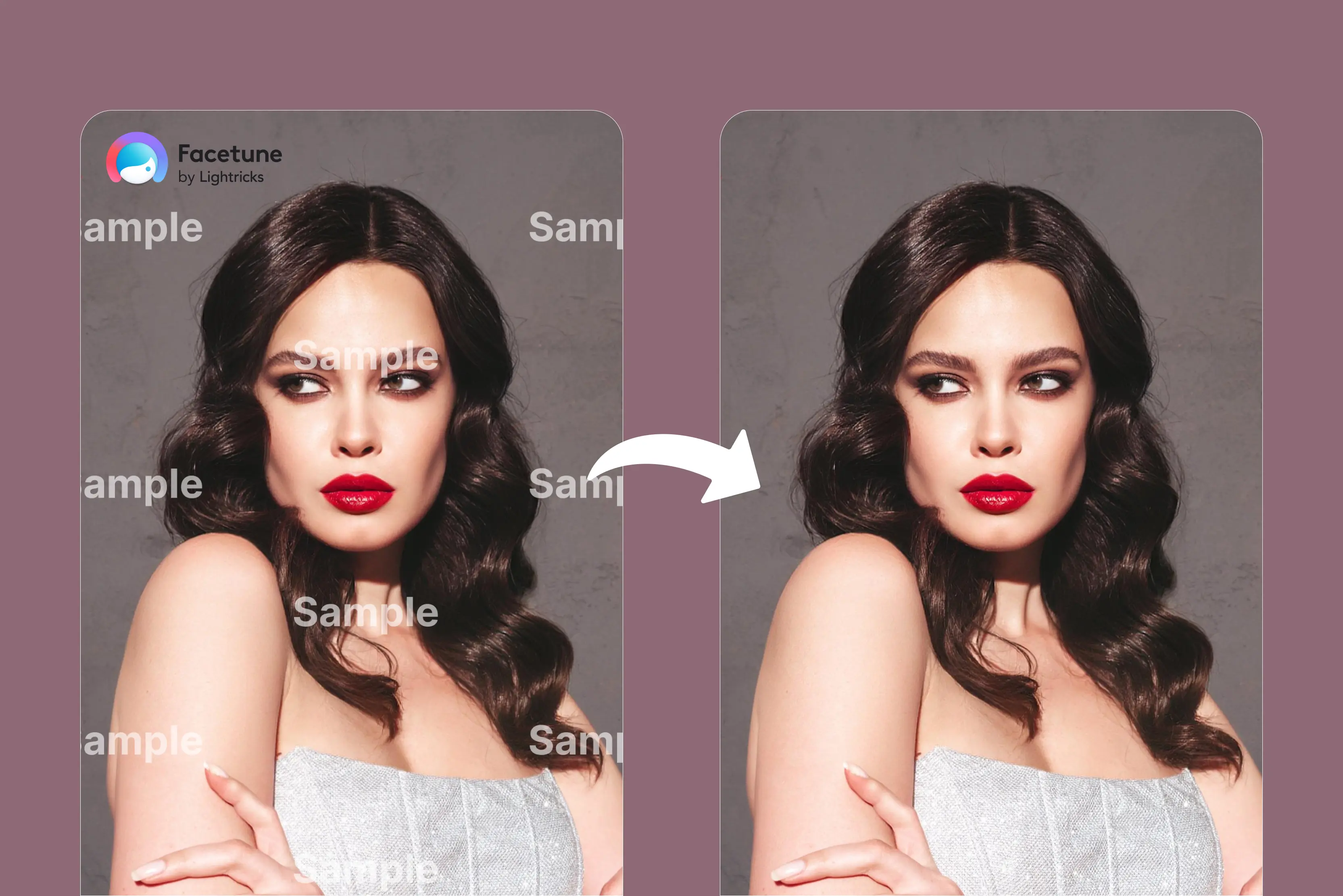


Watermarks can get in the way, whether you’re preparing product photos, managing user uploads, or creating clean visuals for your projects. However, instead of removing watermarks manually, they are now turning to AI-powered watermark removal APIs to automate the process.
There are a lot of options available; which one should you choose? If you’re tired of wasting hours trying to remove watermarks from videos, you’re in luck. Here's a list of 12 of the best AI video watermark remover tools to help you save time and reduce frustration.
Say goodbye to distracting watermarks and hello to clean, polished videos in just a few clicks. Among the 12 tools listed below, I find Pixelbin and WatermarkRemover.io to be the most effective tools for removing video watermarks.
The tools work best with a simple upload—you just drag your video in, click once, and see the result instantly. No manual work, no sign-up, and many more—with a few seconds, but actual speed depends on video length/size, you get results without losing any quality.
Whether you’re editing for social media, content marketing, or personal use, a smart AI watermark remover can help you clean up your mark in seconds. Let’s dive into the top picks and walk through how to use each tool with a simple step-by-step guide.
What is a video watermark remover?
A video watermark remover is a tool that uses algorithms to remove watermarks, logos, and other overlays from videos. Advanced remover uses artificial intelligence to reconstruct the video frame quickly, preserving visual quality and minimizing blur.
The AI tools analyze the surrounding pixels and either fill in the area with matching colors and textures or crop the video to remove the watermark.
Creators can use these tools to remove watermarks from recordings they have legally owned or have authorization to alter, enabling them to repurpose and share content on multiple platforms without apparent branding or logo.
What are the benefits of removing a watermark from a video using AI?
Your video part may appear more polished and professional if the watermark is removed. Often visible watermarks divert the viewer and take attention away from the main subject.
So, without it, the audience can focus entirely on your message or story. So clean visuals are especially important for branding and marketing purposes. Using AI to remove watermarks from video offers benefits like
- Speed and efficiency: AI tools can remove watermarks much faster than manual editing, saving significant time and effort.
- Ease of use: Various tools are easy to use and simple, requiring no prior editing experience. However, you only need to upload the video and let AI handle the whole process.
- High-quality results: Although results may differ based on the complexity of the picture and watermark, AI can restore the backdrop and preserve clarity with remarkable precision.
- Professional appearance: Removing watermarks from videos can give your content a cleaner and more professional appearance. This is especially crucial if you’re making videos for commercial business use, since a presentation that is clear and clean can project trustworthiness and professionalism.
- Versatility: AI can handle various types of watermarks like static logos, animated text, and complex patterns, often with greater precision than traditional methods like clone stamping.
- Expand usage options: When you have the legal rights to the content, removing watermarks can give you more flexibility to distribute, repurpose, and present your videos across various platforms without visual obstructions.
- Save time: AI tools analyze videos and quickly identify the watermark area using machine learning algorithms. However, instead of spending hours manually editing, you get a clean video within minutes.
Table at a Glance
How to select the best online watermark remover tool
Now you know about some of the best watermark remover tools. They all have various features for editing video and images. Here are some of the things necessary to consider when selecting the best watermark remover for your needs.
1. Features
While removing the background, image clarity and accuracy are essential to maintain the overall quality of the content. The tool is effective and accurately removes the watermark without changing the quality of the media. Check whether the tool supports bulk processing for greater efficiency, especially when working with multiple files.
2. Ease of use
Different tools offer a one-click or drag-and-drop interface powered by A, which is great because it allows for quick and simple edits. Others might require some more steps to follow for a better result.
3. Trial periods
The trial period of the tool will permit you to experiment with features and see if that is what you need for watermark removal.
4. Price
Some tools have watermark removal and online video editing for free, up to a free trial. On the other hand, some tools offer free and premium features depending on the plan you pick. You can get a good deal for the price you’re paying; always compare plans before selecting.
5. Batch Processing
Check that the selected online tool offers batch process functionality. This allows you to remove watermarks from multiple videos or images simultaneously. Hence, this will save you valuable time and resources. Meanwhile, your watermark removal process has become efficient and quick.
Best 12 AI tools to remove watermarks from videos in 2026
Video watermark removers can help you remove watermarks from videos. These tools can help you clean up your content, making it more professional and ready for repurposing. To remove watermarks, you need a reliable tool that is easy to use and comes at an affordable price.
In this guide, I’ve covered 12 of the best online AI-powered tools that can remove watermarks from videos with speed and precision. These tools give you greater control over your own visual content, helping you remove unwanted watermarks when you have the rights to edit the video.
1. Pixelbin

Pixelbin stood out first among the watermark removal tools on this list due to the quality of its output and user-friendly interface. Pixelbin delivers clean and high-quality results, preserving textures and colors with no blur. Compared to other tools, it maintains visual clarity remarkably well.
Pixelbin is really good and walks you through getting started with the web app and shows you how to control all its various features, from selecting model versions. However, once you understand the different options, the results you can get are genuinely amazing.
As simple as uploading your video, with no manual touch-up, you will get the result in seconds for the video watermark remover. It supports various formats and automatically detects and removes watermarks, logos, text, stamps, or any other marks. From detection to final export, manage your entire watermark removal process in one unified platform.
How to remove watermarks from videos using Pixelbin?
Step 1: Visit Pixelbin → AI Tools → See all tools -> Remove logos and watermarks from videos using AI
Step 2: Click on the “Upload Video” button to upload your watermark video that contains the watermark. Or paste the URL.
Step 3: Wait for a few seconds till the AI processes, automatically detects, and removes watermarks, logos, text, stamps, or any other marks while preserving your video quality.
Step 4: Download the result
2. WatermarkRemover.io
WatermarkRemover.io is a seriously strong choice; it’s especially good at removing watermarks from videos. In my experience, WatermarkRemover.io was extremely easy to use. I uploaded a video, and within seconds, the watermark was removed with minimal effect on quality.
WatermarkRemove.io can produce amazing outcomes. I discovered that WatermarkRemover.io offers robust performance, fast processing, and easy-to-use features. The tool has gained a large user base and is widely trusted for quick and secure watermark removal, particularly for videos and images.
I tested the Animal Forest text watermark on one of my videos, and I was amazed at how smooth the outcome appeared with just a few finger clicks. The videos can be reused across various platforms like social media, presentations, and advertisements.
How to remove watermarks from videos using WatermarkRemover.io
Step 1: Visit WatermarkRemover.io -> Video Watermark Remover.
Step 2: Click on the “Upload video” button or drag and drop your file. Upload your watermark video, which you want to remove.
Step 3: Click on the 5-second preview and wait for a few seconds until it analyzes your video to see the result. You will see that the watermark will be removed
Step 4: Click on “Download 5 sec review” to download the result.
3. DeWatermark
DeWatermark uses AI-based watermark detection and inpainting techniques to identify and replace watermark areas, aiming to deliver clean results.
When I tested an MP4 video, the upload was quick, but the final output showed slight shadowing where the watermark was, and the result was not as clean as Pixelbin. You’ll need to sign up for a free account to access the tool. It’s worth comparing side-by-side with other platforms to see which one fits your needs.
It supports common video formats like MP4 and MOV, and all processed videos are exported in MP4 format. Not taking too much time to get results, and batch removing watermarks from videos is also not at the same time; only one video can be processed.
How to remove watermarks from videos using Dewatermark
Step 1: Visit Dewatermark.ai -> Product -> Video watermark remover
Step 2: Click on “Upload video” and select the video that you want to remove the watermark from. Wait for a few seconds till your video is uploaded.
Step 3: Click on the 5-second preview and wait for a few seconds until it analyzes your video to see the result. You will see that the watermark will be removed.
Step 4: Download the result.
4. Apowersoft
Apowersoft removes watermarks from videos with any level of skill—only upload the video, select the watermark with the brush over it, and look at the result.
One drawback of this tool, as compared with Pixelbin and watermarkRemover.io, is that it does not detect the watermark; manually, with the brush and eraser tool, we have highlighted it. Not satisfied with results: poor results with complex watermarks, imperfect removal, and blurriness.
It supports various formats like MP4, MKV, FLV, MOV, WMV, WebM, 3GP, AVI, ASF, M4V, MPEG, mpg, and ts. The videos uploaded will be deleted from the server permanently. Your file will be absolutely safe and secure. The tool struggles to remove it cleanly.
How to remove watermarks from Videos using Apowersoft
Step 1: Visit Apowersoft -> Product and solution -> watermark remover
Step 2: Select “Remove watermark from video” and click on the plus sign icon to select the video.
Step 3: Once the video is loaded, click the selection tool and draw a red box over the watermark you want to remove
Step 4: Click on the convert button to process the video.
Step 5: The watermark-free video will be saved to your computer.
5. Kapwing
5th on the list is the Kapwing watermark remover. Kapwing allows you to remove unwanted logos, stickers, captions, and watermarks using smart inpainting technology. Kapwing uses AI-powered inpainting to fill removed areas intelligently.
Whether you’re a content creator, marketer, or small business owner, removing watermarks has never been easier. You can clean up videos directly from your tablet or computer using Kapwing’s online editor.
How to remove watermarks from Videos using Kapwing
Step 1: Visit Kapwing -> AI -> remove -> Watermark -> Video
Step 2: Signing in is necessary in the tool. Click on the Remove watermark button and click on the Attach media button. Click to upload or drag and drop a file here. Select the video that you want to remove the watermark from.
Step 3: Write a command that you want to remove the watermark from the video and press Enter. Wait for a few seconds and download the result.
6. HitPaw
HitPaw offers an online watermark remover that supports several video formats, though some features require a paid plan. Remove watermarks and text from videos with various formats like MP4, MOV, AVI, and more video formats.
Tested one of my videos with this tool, which needs manual selection of the watermark area using a rectangle tool. This can be time-consuming and less accurate, especially for videos with multiple watermarks.
It has no automatic detection feature like the other tools, Pixelbin and WatermarkRemover.io, so you have to carefully adjust the selection for each one or watermark position, which can be frustrating for longer videos or batch editing. Moreover, getting results is also a time-consuming process, and the results are also not clean and clear. I’d suggest experimenting with HitPaw.
How to remove watermarks from Videos using HitPaw
Step 1: Visit HitPaw -> Video AI -> Video watermark remover
Step 3: Click the add watermark area, where you have to select the watermark, click on the preview button, and wait for a few seconds.
Step 4: Download the result.
7. AniEraser
Powered by AI, AniEraser can remove unwanted watermarks and objects from videos for desirable results. It is also a cross-platform tool available on desktop (Win & macOS), mobile (iOS & Android), and web.
Can handle a range of formats and sizes for both videos and images. It is a simple, intuitive interface that requires no technical expertise. While AniEraser streamlines the editing process, users must manually select the watermark area for removal.
However, one advantage is that you can try it online and download the result for free; you can use 20 credits, but handling larger files requires a premium subscription. The processing speed may depend on your file size and internet connection. The tool may not trace it effectively, which can leave parts of the watermark behind.
How to remove watermarks from Videos using AniEraser
Step 1: Visit AniEraser -> Product -> Video Assistant -> Watermark remover
Step 2: Click on “Remove watermark now” and again click on “Click on upload” or drag files here. Upload your video that contains the watermark. Wait for a few seconds until it uploads the video.
Step 3: Select the brush size and mark over the watermark that you would like to remove
Step 4: Click on the Generate button and wait for a few seconds
Step 5: Download the result.
8. BeeCut
Another tool in my list that can help you delete watermarks from videos is BeeCut. With its simple interface, users can remove the watermark from the video even without having any expertise in this field.
BeeCut’s desktop version offers a full suite of editing tools, including trimming, merging clips, adding text, inserting video, and applying effects like filters, transitions, overlays, and elements. The online watermark remover, however, is more limited and focuses mainly on basic watermark removal.
Tested one of my favorite videos, and with the manual brush over the watermark, clicked on the Erase button to delete the watermark from the video. One drawback I noticed is that BeeCut does not provide a preview of the result—you have to download the file to see the final output.
Like the other tools above, which I had explained, WatermarkRemover first shows the results and then downloads them. If you are looking for higher quality results, I recommend trying Pixelbin or WatermarkRemover.io, which performed better in my tests.
How to remove watermarks from Videos using BeeCut
Step 1: Visit BeeCut online watermark remover.
Step 2: Click on “Remove watermark from video” to upload your video that has a watermark.
Step 3: After uploading your video, select the watermark that you want to remove and click on the Erase button.
Step 4: Wait for a few seconds, and it will directly show that the message has completed downloading files. Click on that button to download and see the result.
9. Fotor
Fotor is a versatile AI tool primarily known for image editing and design. It has recently introduced features for simple video edits, including watermark removal.
Fotor can help remove simple watermarks like logos, text, or timestamps, although results may vary depending on background complexity. No need for any technical knowledge; just try out and clean up videos without any hassle. Here’s one video tested.
Fotor allows you to remove watermarks from your video with a few finger clicks; the process begins, and not much time is consumed for uploading and generating the result.
The thing is that the result you get is not clear, resulting in too many blurred effects and leaving a watermark. Here, you have to manually brush over the watermark, which you have to remove.
How to remove watermarks from Videos using Fotor
Step 1: Visit Fotor -> AI Editor -> AI remover -> Video -> Video watermark remover.
Step 2: Click on “Remove video watermark now” and select the video that you want to remove the watermark from.
Step 3: Select the "Remove watermark" option and the brush size, and mark over the video that you want to remove
Step 4: Preview the result and download it.
10. Media.io
You can remove a watermark from a video using the Media.io watermark remover by uploading the video using the AI tool to automatically or manually mark the watermark and then downloading the final video.
Tested one video where automated AI removal can leave artifacts or distortions, especially on complex backgrounds or with large dynamic watermarks.
Good for simple case results, but it might not be perfect for a professional finish. It is not completely free; there is a limited free plan and various paid subscriptions. A paid subscription is necessary to remove watermarks and access premium tools.
Media.io is a browser-based watermark remover accessible on Android, iPhone, iPad, Windows, Linux, and Mac. It supports all-around video formats like MKV, MOV, WMV, 3GP, FLV, AVI, MPG, M4V, MPEG, and more.
How to remove watermarks from Videos using Media.io
Step 1: Visit Media.io -> Products -> Watermark Remover
Step 2: Click on “Remove watermark now” and again click on “Click on upload” or drag files here. Upload your video that contains the watermark. Wait for a few seconds till it uploads the video.
Step 3: Select the brush size and mark over the watermark that you would like to remove
Step 4: Click on the Generate button and wait for a few seconds
Step 5: You will see the result and download it.
11. EzRemove
EzRemove is an online video watermark remover designed to help you clean up content quickly. It aims to deliver clear results, though some blurring may occur depending on the watermark type.
Remove watermarks instantly with our free online solution. Simply upload your watermark video, and within a few seconds, you can download a watermark-free video. I tested one video. One thing I liked much about the tool is that there is no download and no skill needed—just upload your video and let the tool deliver the result.
The tool is best used for students and general users, whereas Pixelbin is used for businesses, developers, and high-volume users. The tool also does not support batch processing, so you have to use one video at a time.
How to remove watermarks from Videos using EzRemove
Step 1: Visit EzRemove -> AI Remover -> Video watermark remover
Step 2: Click on “Upload video” or drop a video here. Select the video from your computer that you want to remove the watermark from.
Step 3: Select the tool, such as a brush, rectangle, eraser, or size, and highlight the watermark area you want to clean.
Step 4: Click on the “Remove watermark” button and wait for a few seconds.
Step 5: Review the result and download it.
12. Vmake
Last but not least, Vmake is an AI-powered tool that removes logos, text, or branding assets from videos. It supports multiple formats, like MP4, MOV, M4V, 3GP, AVI, and many more, according to your choices. I tested the tool on my 20-second video with the watermark removed.
The entire process from upload to download took less than 50 seconds. The watermark was removed with some artifacts on the video’s relatively simple background. The result was not satisfactory, but a very slight difference in texture was visible where the logo used to be.
Vmake Pro Plan supports batch processing for handling multiple videos at once. Vmake offers a free plan that gives new users five free credits to test most features. The performance also depends on your internet speed. The following are the steps to remove a watermark from a video using Vmake.
How to remove watermarks from Videos using Vmake
Step 1: Visit Vmake -> Features ->AI video Editing -> Video watermark remover
Step 2: Click on the "drop to upload or paste the file" button to upload the video you want to remove (up to 3 files at a time).
Step 3: Wait for a few seconds for the video to upload; thereafter, choose from three options: Smart Remove, Watermark Remove, and Remove subtitle. Select Watermark Remove from that.
Step 4: Click on the generate button and wait for a few seconds.
Step 5: You will see the result and download according to your requirement.
FAQs
The best AI video watermark remover depends upon your specific needs, but strong options include Pixelbin, WatermarkRemover.io, and many more. Pixelbin is the best choice, combining a powerful, user-friendly, browser-based tool that works on many file types.
To remove a watermark from a Pixelbin video, use Pixelbin's online AI video watermark remover by uploading the video; then, the rest of the work will be done by the AI. It will automatically delete the watermark from the video, and before downloading the result, you can also preview it.
Video watermark removal supports a variety of file types, with common ones including MP4, MOV, AVI, and WebM. Other tools are compatible with various standard formats like MKV, WMV, 3GP, FLV, and M4V, allowing you to remove watermarks from a wide range of videos.
The time it takes to remove a watermark from a video using WatermarkRemover.io is typically fast, often under 40 seconds, because the tool uses AI to process the video automatically. The exact time taken also depends on the video length and complexity, as well as the speed of the internet.
Several free AI tools can remove video watermarks, including online platforms like Pixelbin.io, WatermarkRemover.io, and more. These tools use AI to automatically detect and erase watermarks, but some offer more advanced manual controls for complex edits.
Yes, Pixelbin has a free plan that includes three free credits per month, 15 GB of storage, and limited use of certain AI tools like background removal and image sharpening. Users can also get additional one-time free credits to try out more features, but for extensive use, you will need to purchase credits or upgrade to a paid plan.