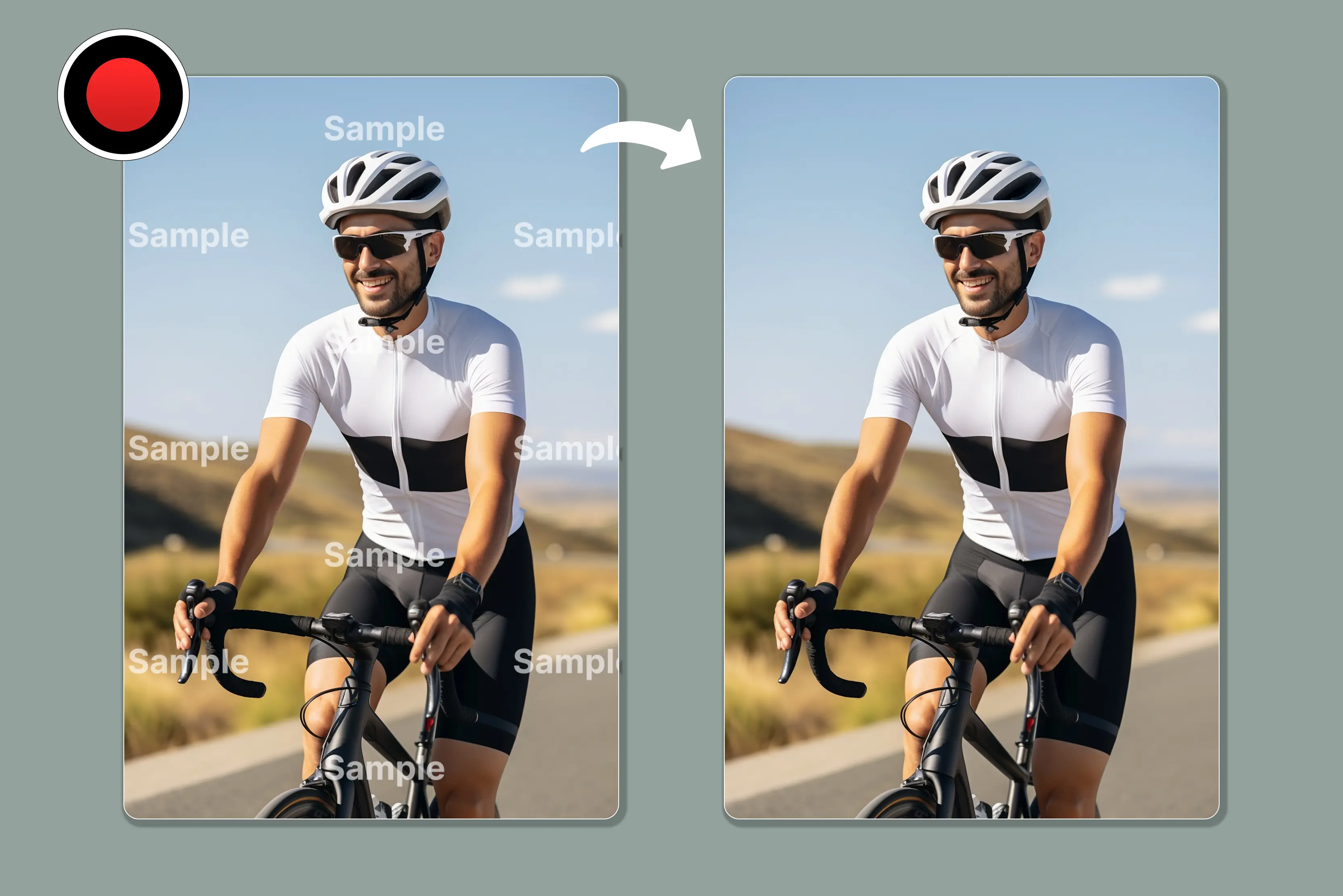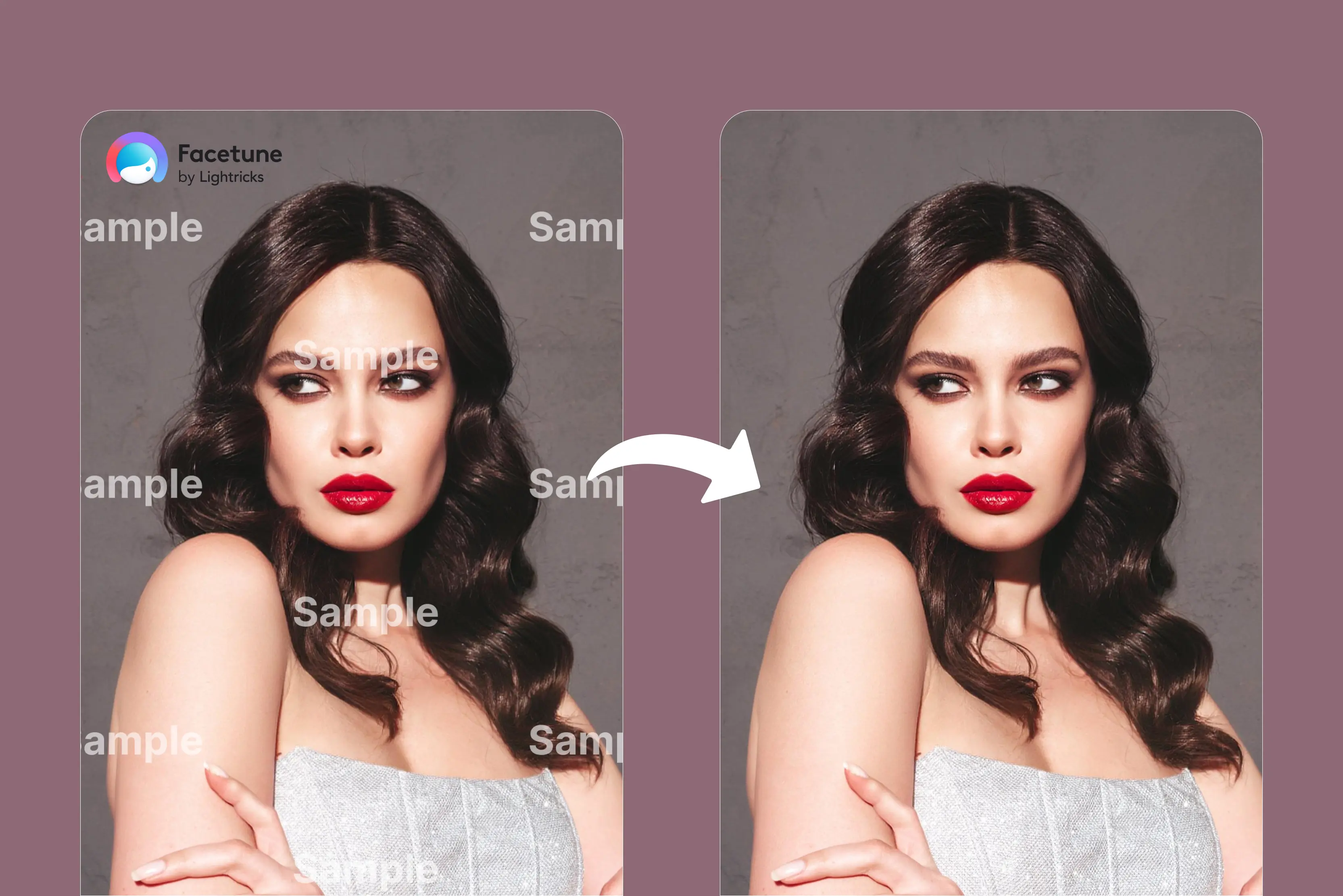


Getting frustrated with dealing with watermarks on your images, but finding that using Photoshop for watermark removal is time-consuming. A few days ago, I tried my hand at photo editing using the FaceTune app.
The result I received was very nice, but the app left me with the logo of FaceTune, so again, a problem arose with me. FaceTune is a popular photo editing app that permits you to retouch and enhance your images.
The tools offer the ability to remove unwanted objects from your images, but leave a watermark of the company. For this FaceTune watermark, you need a tool to remove it.
There are lots of tools that I tried for removing the Factune watermark, but my favourite and easiest ones are Pixelbin and WatermarkRemover.io. Both tools have many more features to explore. Keep reading to discover the seven best free FaceTune watermark removers and learn how to remove FaceTune watermarks from your images.
What is the meaning of remove the FaceTune watermark?
Removing the FaceTune watermark means removing the semi-transparent logo or text that some versions of the FaceTune app add to edited photos and videos. FaceTune may add a visible watermark on the image itself, and may also include the app's name in the image filename though the latter is not considered a true watermark.
To remove the visible watermark you would need to use an external editing tool or upgrade to FaceTune’s premium version, which removes it automatically. The filename can be changed manually but this doesn’t affect the watermark on the image.
Benefits of removing the FaceTune watermark
The main benefit of removing the FaceTune watermark is to create a more professional looking final image without the distracting logo. This is usually accomplished by upgrading to FaceTune's premium edition, which automatically eliminates the watermark, or by using third-party software.
Using an external watermark remover allows the image to be used without visible branding which can be helpful for professional or commercial purposes. However, depending on usage attribution rules can still be applicable. In addition to many other uses, this might be helpful for posting images as a portfolio on social media.
- More professional and clean look: A clean, polished appearance is achieved by erasing the watermarks, which can be visible and removed from the image.
- No branding: It removes the visible branding of the app, which can be important for those who want to use the edited content for business or personal projects without any association with it.
- Great flexibility: With the watermark removed, you can resize, crop, or further edit the image without the logo being an obstacle.
- Personal use: It allows you to use your edited photos for personal projects or share them without the watermark, as it can be distracting to viewers.
List of various AI tools that help to remove the FaceTune watermark from an image
1. Pixelbin

Pixelbin is one of my favourite tools and always first on my list for removing the FaceTune watermark from images. It supports multiple formats like JPG, JPEG, PNG, HEIC, WEBP and PDF. Upload your FaceTune watermark photo remove the watermark in seconds and download a clear, ready-to-use image.
I tested an image with a FaceTune watermark and the tool offers both automatic and manual options for removal. I tried auto mode and received impressively clean and clear results. While some versions include manual tools for touch-up the auto mode delivers a clean finish without needing extra adjustment.
It’s an easy way to prepare visuals for social media, marketing or client work without spending time on complex editing tools. Another thing I liked is that there is no need to sign up or download anything. Everything runs online, which is super if you need a fast edit without the hassle.
Key features
- High quality
- Instant accurate edit
- Batch processing
- All-in-one editing platform
- Easy automatic process
Steps to remove the FaceTune watermark from your images using Pixelbin
Step 1: Visit Pixelbin → AI tools → AI watermark remover.
Step 2: Click on “Upload image” or paste a URL. Select the picture from which you want to remove the FaceTune watermark.
Step 3: You can easily remove the watermark using the tool given on the left side. The watermark remover includes two modes: Auto for automatic detection and manual for user-controlled removal.
Step 4: Click on the download button.
2. WatermarkRemover.io
There are a number of ways to remove the FaceTune watermark from an image. The best tool to use depends on whether your image is saved locally or online and how you plan to use the find result.
The second tool in my list is WatermarkRemover.io, developed by Pixelibin.io. This tool easily removes the FaceTune watermark from an image in a single second, supporting various formats. The watermark remover removes overlays, text, or logos from digital photos using AI.
I tested it on a FaceTune watermark over flower backgrounds and a rabbit image and the tool delivered clean results. It didn’t leave any blurry areas on simple backgrounds, and for complex images, the results were still quite good.
However, the tool also allows manual editing, background removal, text removal on/off, a logo on/off button and many more options. It’s definitely worth trying if you need watermark-free images for personal use.
Key features
- Easy to use
- No signup needed
- Supports multiple image formats
- Beginner-friendly interface
- Bulk image watermark removal
- Live preview
Steps to remove FaceTune watermark from your images using WatermarkRemover.io
Step 1: Visit watermarkRemover.io
Step 2: Click on “Upload image,” or drop an image, or paste a URL. Select the image from which you want to remove the FaceTune watermark.
Step 3: AI will automatically start the removal process after uploading the image; no need to adjust manually, the tool does everything for you.
Step 4: Download the result.
3. Fotor
Fotor is another web-based tool that can remove the FaceTune watermark from your images. You can remove watermarks from images like JPG, JPEG, and PNG. With just a few clicks, you can have a collection of clean, watermark-free images ready for any use, a deal solution for businesses, photographers, and content creators who need to process images with high quality.
I tested an image that contained a FaceTune watermark. Uploading images to Fotor took slightly longer compared to tools like Pixelbin. Fotor offers multiple erasing options like removing objects, watermarks and people with two modes available: standard and advanced.
Standard is used to remove text watermarks and Advanced is suitable for removing watermarks, logos and more. I selected the brush tool with a size of 30 applied it to the FaceTune watermark using the standard mode and clicked the Apply button. After a short processing time, I received the final result.
Key features
- Ease of use
- Diverse format support
- AI-powered watermark removal
- Manual brush tool
- Batch processing
Steps to remove FaceTune watermark from your images using Fotor
Step 1: Visit Fotor-> AI photo -> view all you will find in the quick start watermark remover
Step 2: Click on “Upload image” or drag or upload your own images. Select the image that you want to remove the FaceTune watermark from.
Step 3: On the left side, you will have two options: either use auto or brush. Auto will automatically remove the watermark. In the brush manual, select the brush size and brush over the image to remove the watermark.
Step 4: Download the result.
4. HitPaw
HitPaw watermark remover is a powerful editing tool that polishes your images with the help of AI-powered tools. The watermark remover can produce good results quickly for simple images, though quality may vary depending on the image.
I tested one of the images that has a FaceTune watermark; the tool allows you to remove it, but you have to mark the watermark with a brush manually; it will not automatically remove it, and it also leaves the company's watermark when receiving the result.
You can use watermark-free images for personal or professional purposes but ensure you have the legal rights to modify and use them commercially. The tool can help remove visible watermarks, including large ones though results depend on image complexity and may require careful manual editing.
Key features
- Easy to use
- Free trail
- No blur and the Manual brush tool
- No photo editing skill required
Steps to remove FaceTune watermark from your images using HitPaw
Step 1: Visit HitPaw -> Photo AI -> Image watermark remover
Step 2: Select the brush size and brush over the watermark that you want to remove.
Step 3: Preview the result and download it.
5. Media.io
FaceTune watermarks can be removed from videos and photos using a tool like Media.io watermark remover. It supports various formats, like JPG, PNG, JPEG, WEBP, and many others, according to your requirements. Media.io is a web-based watermark remover that works on any device with a browser, including Android, iPhone, iPad, Windows, Mac, and Linux.
After trying Pixelbin, the Media.io watermark remover disappointed me; compared to Pixelbin, I found Media.io slower to process and output blurrier. On more complex images, it provides unusable results. It works better for simple cases, while Pixelbin blended the edited areas more naturally.
Key features
- Ease of use
- Support various formats to upload images
- Cross-platform online tool
- Batch processing
- No prior experience needed
Steps to remove FaceTune watermark from your images using Media.io
Step 1: Visit Media.io -> Image -> watermark remover.
Step 2: Click on “Remove watermark now” again, click on "Upload or drag file,” and select the picture from which you want to remove the FaceTune watermark.
Step 3: Select the brush size and choose the area of the image that contains the watermark.
Step 4: Click on the “Generate” button and wait for a few seconds
Step 5: Download the result.
6. Aieesoft
Aieesoft watermark remover is a tool designed to remove watermarks, logos, text, or other unwanted objects from images. The tool supports various formats, like JPG, PNG, WEBP, etc., up to 10 MB. Unlike Photoshop, this program doesn’t require users to master technical skills to complete the removal task.
It also enables you to preview the result in real-time and continue removing the other elements based on the changed photo. As compared to other tools like WatermarkRemover, the Aieesoft requires you to manually highlight the watermark areas, whereas the WatermarkRemover.io tool removes them automatically.
tested the tool using an image of a rabbit in a flower garden, but the upload process took too much time in the free version. For fast results and working, the users have to go with a paid plan for full functionality or unlimited use.
Key features
- Ease of use
- Support popular image formats
- AI-based tools
- Batch processing
- User-friendly interface
Steps to remove the FaceTune watermark from your images using Aieesoft
Step 1: Visit Aiseesoft -> Free tools -> free watermark remover online.
Step 2: Click on the “Upload button” or drop your image file here. Select the image that you want to remove the FaceTune watermark from.
Step 3: Now the image will be open in the tool. Select one of the various options provided, like a Brush, Lasso, or polygon, to select the area of the watermark.
Step 4: Select the area with the brush where the watermark is given, and then click on the remove button.
Step 5: Download the result.
7. Dewatermark.ai
Dewatermark.ai is an AI-powered watermark remover that automatically detects and removes the factune watermark by quickly reconstructing the background. It supports various formats like JPG, PNG, WEBP, and AVIF with a max input resolution of 6000x6000 pixels. However, it only allows a daily limit of 3 images.
I tested one of my images that had a FaceTune watermark. The best part is that it doesn’t leave any blur in the quality of the image. I tested the garden area of the image; however, the tool still allows manual editing if you are not satisfied with the result. The images that you use are safe and secure, as they will be discarded automatically after 60 minutes.
Key features
- Ease of use
- Flexible editing with manual AI brush
- All device compatible
- Safe and secure
Steps to remove FaceTune watermark from your images using Dewatermark.ai
Step 1: Visit Dewatermark.ai -> Image watermark remover.
Step 2: Click on the “Upload image” button or drop an image or Ctrl+V to paste an image. Select the picture that you want to remove the FaceTune watermark from.
Step 3: Wait for a few seconds; the AI will automatically remove the watermark.
Step 4: Preview and download the image.
FAQs
Yes, the Vanish tool can help you remove watermarks from your images in a snap.
You’ll need a subscription to save photos or videos without a watermark.
There are various online tools available to remove FaceTune watermark for free; they are Pixelbin, WatermarkRemover.io, and many more.
There are various AI tools available for free online to use and remove watermarks; they are Pixelbin, WatermarRemover.io, Media.io, Fotor, and many more.
Your photos are processed securely and temporarily only to give the editing features you request. We don't use your personal photos without explicit consent, and all processing is done with strong encryption and securely.
FaceTune is a premium app, meaning some tools are free, and other exclusive features require the purchase of a paid plan. You can edit, experiment, and save three photos per week completely free. Weekly saves reset every week, and your saved images will have a small watermark.