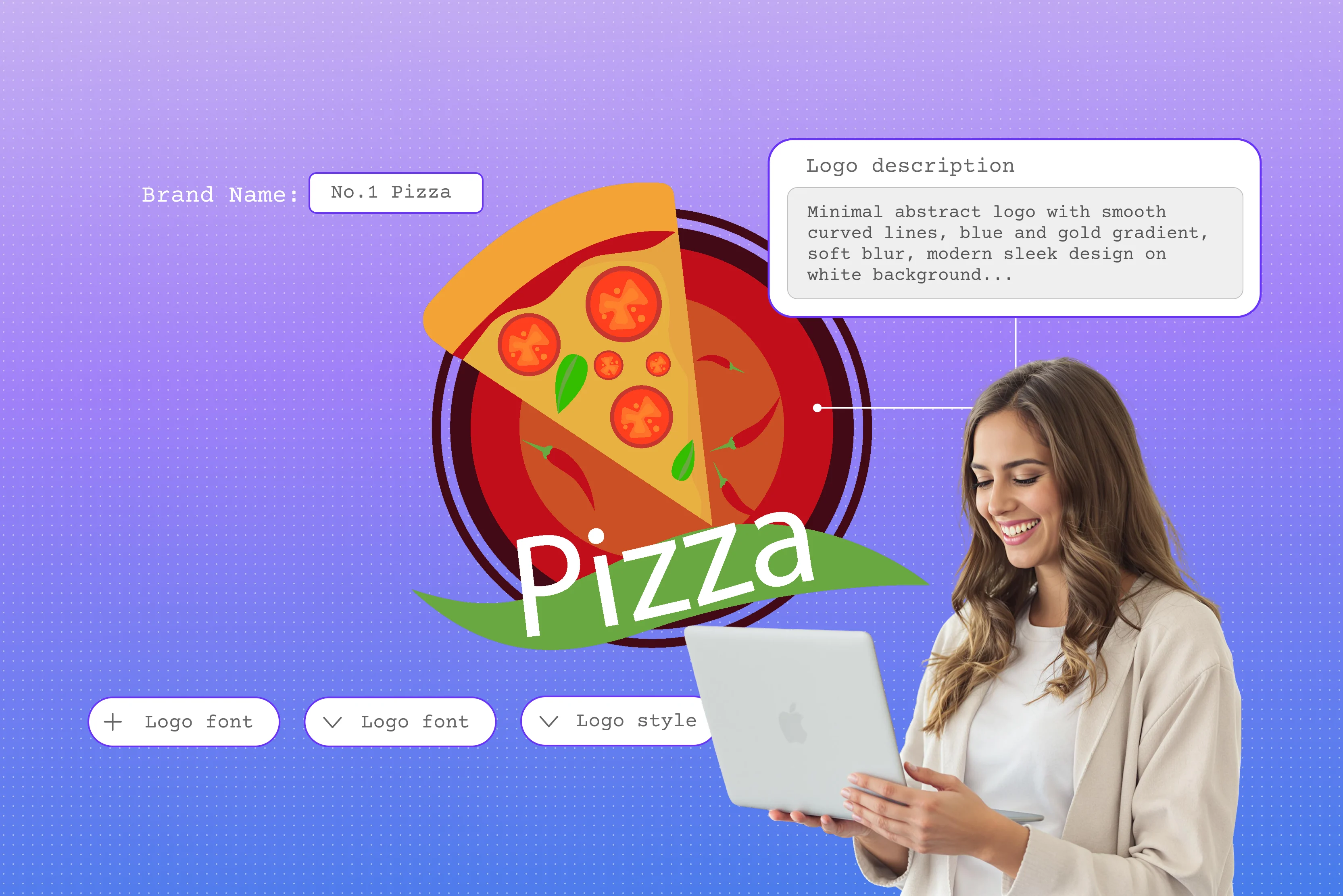


I remember when I first needed a logo for my small business. Designer quotes were way out of my budget. You have probably been there too. Then, I waited weeks for tweaks that still did not feel perfect. I am here to tell you there is a better way now with AI tools, other than complicated software.
They make logo design simple and fast for both beginners and professionals. You do not need any design experience or fancy software anymore. I have tried several of these AI platforms myself. You just type the idea of what your brand is about. Maybe a coffee shop vibe or a tech startup edge.
Choose a few colors. It spits out pro options instantly. I love how they handle icons and fonts. They even make sure everything scales right for websites or print. No more headaches for you. In this blog, you will delve into how to design a logo with AI tools like Pixelbin, Picsart, and other tools you can try, bonus tips for using complicated software, and more to get your brand logo looking sharp and quick without spending a penny.
What is an AI logo design?
I stumbled upon it when I was scrambling to get a professional-looking logo for my business. You know the drill: you want a logo that attracts customers, but the starting point is a mystery. AI tools simplify the process, transforming your basic concepts into usable designs.
I figured it would be a hassle, but it's really just like talking to a clever assistant who understands your vision. No need to draw anything yourself or deal with confusing software. You tell it about your business, and it hands back options that fit. Here is what makes an AI logo design stand out in everyday terms.
Automated generation means you type your business name and a short note, then it creates a bunch of logos right away. Prompt-based creation lets you describe things casually, like a cozy bakery with warm colors, and it builds from there. Best of all, no skills needed since it takes care of shapes, fonts, and fits all on its own.
How does AI generate logos?
AI logo generators use machine learning trained on thousands of real logos and design patterns performed by smart AI techniques. You type a description of your brand, like mentioning the style or colors you want. It reads those words and pulls together icons, fonts, and layouts that match.
Say you ask for ‘a modern gym logo in bold red color, having dumbbells.’ It grabs strong shapes, sharp letters, and those exact red shades to make several versions fast. Pick what suits your brand the best. In the end, you get a clean logo that looks good on websites, business cards, or anywhere else.
Benefits of an AI logo designer over a traditional designer
Here are the primary advantages of AI logo design compared to traditional methods:
- Significant cost savings, eliminating designer fees while offering free or affordable access to professional results.
- Immediate generation of designs, removing lengthy approval cycles, and enabling rapid iteration.
- Access to diverse creative options, far exceeding the limitations of a single designer's perspective.
- User-friendly interface requiring minimal expertise, with automated handling of technical design elements.
- Round-the-clock availability, allowing creation and refinement at your convenience without external dependencies.
- Incorporation of global design trends and patterns, delivering innovative concepts beyond individual imagination.
How to create a logo with AI tools? (8 tools tested)
Create stunning logos instantly with AI tools without any design skills required. Explore top generators for free, customizable results perfect for your brand. Know the best ones below;
1. Pixelbin AI logo maker

Ever feel like getting a logo should not take forever or cost a fortune when you just want something decent for your business? I sure did when I kicked off my small side business, and that is when Pixelbin AI logo maker grabbed my attention right away because it cuts out all the usual signup mess and credit card nonsense you deal with elsewhere.
It works so simply for people without design experience, letting you enter your business name with a few words about style or colors, like a cozy cafe in warm browns, then click generate to see clean, fresh logos appear fast that you can download free, as it provides 1 trial credit with no watermarks, and it runs well on phones or computers in all browsers without any requirement to install any app or create any account.
Must known features
- Supports AI-driven logo creation so you generate unique designs from text prompts instead of hiring a designer.
- Enables bulk logo variations so you produce multiple versions at once instead of creating each one individually.
- Integrates smart resizing so logos adapt automatically to social media dimensions instead of manual cropping.
- Includes customizable adjustments so you apply consistent colors and fonts across all assets instead of manual matching.
- Provides one-click background removal so logos look clean on any surface instead of tedious editing.
- Delivers high-resolution exports so you get print-ready files without upscaling or quality loss.
2. Imagine.art free AI logo generator
Tired of wasting time and money on logos when you just need a good tool for your business? I felt the same way when I started my own project. This AI logo generator stood out because it turns simple text prompts into nice logos without any tough steps.
It works easily for people with no design skills. You have to talk about your brand idea like a tech startup in blue colors. After you are done, just download high-resolution files with transparent backgrounds. Use immediately for business cards, websites, social media, or anything else.
Must known features
- Creates logos from text prompts so you skip hiring designers entirely.
- Lets you swap colors with one click instead of tedious manual work.
- Shows animation previews so logos demonstrate motion instantly.
- Places logos on mockups so you visualize real-world use right away.
- Gives unlimited free generations, so iteration never hits a wall.
- Shares logos directly to social platforms instead of extra export steps.
3. Picsart logo maker
Sick of logo problems when you just need something good for your brand? I felt that frustration too when starting my work. The Picsart AI logo maker caught my eye right away. It combines smart AI with a few templates, icons, and stickers to deliver results fast. The process stays dead simple for regular folks like us.
You type in your brand name or can add a prompt, choose colors, styles, or upload reference images, or use the given ones. Within seconds, it spits out high-quality logos where your name sits perfectly integrated. Edit with drag-and-drop ease, add AI object removal or effects in-browser, then download for any use from phones or desktops. No design skills needed, I tried color combos and examples like how I want mine to come out, and every logo felt just right.
Must known features
- Transforms photos into logos so you build from images, not blanks.
- Blends elements into collage logos instead of rigid single icons.
- Test logos in AR mode so you can preview in real environments.
- Turns logos into sticker packs so they become shareable assets.
- Generates batch color variations so multiples appear at once.
- Shares community templates so you can access user creations freely.
4. Photoroom AI logo maker
Are you done with logo tools that take skills or time when you want good results fast? I was too busy with my side business. Photoroom AI logo generator caught my eye. It spits out clean, background-free designs perfect for products and e-commerce.
It works easily for everyone. Type your brand idea like "online shop in light colors." Pick size and style, minimalist or 3D. Get four logo options instantly with toggleable transparency. Download high-quality PNGs for sites or packaging straight from their web app. I tested on product pics. Logos always came out sharp and professional-looking.
Must known features
- Integrates faces smoothly into portrait logos instead of awkward designs.
- Generates product mockups so logos appear on packaging automatically.
- Adds relight effects so logos glow realistically on surfaces.
- Processes multiple logo versions in batch mode seamlessly.
- Connects via API so logos embed directly into your apps.
- Swaps video backgrounds instantly with your logo overlaid.
5. LogoAI Logo Maker
Are you irritated with costly logo-making software and long waits when you need brand identity fast? I felt that pain while launching mine, but LogoAI logo maker hooked me instantly. It crafts unique designs from just your business name and industry, with no complicated steps involved.
Enter your company name, pick an industry, and style preferences. AI generates professional-level logos in seconds across all formats. Customize fonts, colors, layouts endlessly, then download them to use over business cards and social graphics. Works right in any browser on any device.
Must known features
- Matches logos perfectly to your domain name and style.
- Checks trademarks upfront so you avoid legal headaches.
- Preload business card templates with your finished logo.
- Builds email signatures featuring your logo automatically.
- Integrates logos into presentation slides ready to present.
- Delivers priority support for any custom logo adjustments.
6. Design.com AI Logo Generator
Over logo templates that feel old when you want new ideas for your business? I thought so when starting. Design.com's AI logo generator changed everything by pulling from millions of unique designs tailored to your business name and style brief right away.
Type your company name and industry, like "coffee shop modern vibe." AI delivers polished logos instantly. Adjust fonts, colors, layouts, or shapes with a single click. Download PNG and JPG to PDF files, plus business cards and social covers. The tool runs smoothly in any browser on phones to desktops. I tested niche concepts, and every logo felt custom-fit and launch-ready.
Must known features
- Analyzes competitors so your logo stands out distinctly.
- Unlocks unlimited access through subscriptions, not per-use costs.
- Guides beginners through wizard flows step by step.
- Orders printed merchandise directly with your logo.
- Tracks logo popularity trends with built-in analytics.
- Equips agencies with white-label customization options.
7. Canva AI Logo maker
Tired of pricey designers churning out generic logos that just don't fit? I ran into that frustration launching my side hustle. Canva's logo maker grabbed me fast with over 1 million pro templates for tech startups, bakeries, fashion, and everything else, ready to customize instantly.
It's one of the best logo generators for non-designers, as you will get different templates, swap colors, and add icons/stickers. Magic Studio auto-resizes, removes backgrounds, and applies filters in-browser. Canva ensures consistency for social media, sites, and prints. Download PNG, JPG, JPEG, or PDF from any device.
Must known features
- Enhances logos automatically with Magic Studio AI.
- Store all brand assets organized in Brand Hub for instant access.
- Integrate logos into the video editor for instant animated intros and overlays.
- Connects to print-on-demand services for logo merch.
- Share team folders with a complete logo version history for collaboration.
- Resize logos instantly to any format with the Magic Resize tool.
8. Renderforest Logo Maker
Tired of spending big on designers for logos that never quite hit right? I dealt with that same frustration while kicking off my side project. The Renderforest logo maker caught my attention right away because it blends smart AI generation with hundreds of customizable templates for gaming, business, and bands, covering diverse styles from clean 2D designs and vibrant 3D renders to artistic watercolor effects and modern gradients, all in one organized collection.
It stays super simple even without design experience. Type your brand name or idea, then pick from AI presets like playful doodles, retro pixel art, or sharp geometric patterns. Adjust colors, fonts, and layouts with live previews that update instantly, add smooth animations, and then download the output for any use.
Must known features
- Access 20+ AI styles like doodle, pixel art, and geometric for unique looks.
- Animate logos smoothly for professional video intros and outros.
- Tweak colors, fonts, and layouts with real-time previews that update instantly.
- Get business cards and social banners included with every logo package.
- Create everything directly in the browser, no downloads or software needed.
- Applies custom domain watermarking, ideal for agencies.
How to design a logo using Pixelbin AI logo maker? (Steps by step guide)
The Pixelbin logo generator ranks as my top pick because of its super-easy procedure. It's a one-click AI process that delivers quick and professional logos every time. Know the steps below to generate yours:
Step 1: Open & enter your logo idea
Open the Pixelbin AI logo maker and describe the idea of the logo you want to create by adding it to the prompt box. Include your business name, brand colors, and industry for personalized results.
Step 2: Generate your logo
After adding a prompt, click on "Generate" and wait while Pixelbin creates a logo for your brand in seconds using AI magic.
Step 3: Preview and customize
Review the generated logos, tweak colors or styles if needed, and select your favorites before finalizing.
Step 4: Optimize for use
Apply smart resizing or background removal to make your logo perfect for websites, social media, or print.
Step 5: Download your logo
Once ready, preview and download it in high-resolution PNG, JPEG, JPG, and other formats, which are completely free of watermarks.
How to create a logo with Canva? (Most searched query)
Canva tops web searches for beginner logo tools with endless templates and drag-and-drop ease. Thousands of gaming and business logo designs get AI polish via Magic Studio fast. Start creating without design skills today.
Step 1: Click Create a design, select Logo or a custom size like 1080x1080 pixels for versatility across digital uses.
Step 2: Search templates by keyword like gaming or retro, then pick one that matches your brand vibe perfectly.
Step 3: Add or edit text using the Heading tool, adjust fonts, size, and spacing for independent control over elements.
Step 4: Insert elements from Lines & Shapes or search icons, drag to position, and group with Shift for easy handling.
Step 5: Customize colors via picker or brand kit, refine shapes, and preview on mockups for real-world application testing.
Step 6: Download as high-res PNG, SVG, or PDF with a transparent background option available in Pro for flexible branding.
How to create a logo with Adobe Illustrator?
Illustrator designs lead web searches for professional vector logos with precise tools and AI text-to-vector beta. Scales perfectly for print or web, integrates After Effects for animations. Build scalable designs like experts do.
Step 1: Open Illustrator and create a new document at 1000x1000 px, 300 DPI. Plenty of room keeps print quality sharp, always.
Step 2: Go to File, then New, then Print preset like Letter (vertical, CMYK color, 300 ppi). Blue Create button opens a clean workspace ready.
Step 3: Window, then Workspace, then Essentials Classic. Shows toolbar left and layers on the right for simple access to all tools.
Step 4: Use the Pen Tool to trace a sketch or draw shapes. Combine with Shape Builder for unique, clean logo forms.
Step 5: Pick the Ellipse Tool (hold the Rectangle for menu), Shift-drag a circle (7x7 in shown). Hold Shift keeps it perfectly round.
Step 6: Selection Tool (V key), fill stroke panels at top. Pick hues and add gradients for depth without complexity.
Step 7: Pick the Type Tool (T) for fonts that fit the brand tone. Adjust kerning in the Character panel for even spacing pro.
Step 8: Select shapes and use the Color Picker panel. Test 2-3 colors that match your brand personality well.
Step 9: Group it (Ctrl+G), add to Files, then Export in the following formats.
- SVG files for digital use and infinite scaling, these vector files look perfect at any size.
- PDF or EPS files for print; these formats preserve vector quality and handle color modes well.
- PNG logos with a transparent background for social media, presentations, and when you need to place your logo over backgrounds and other images, the most versatile file type.
- JPEG files are versatile and suitable for situations where you need a small file size.
Final thoughts
Thus, you now know easy ways to make logos with AI for any kind of business without any complicated steps. Throughout the guide, I talked about tools like Pixelbin, Renderforest, Canva, and others that take your ideas and make real designs for your website or cards. Pick the one that fits you best, whether you want fast results or something fancier for your brand, as well as save you time and money so you do not need to hire a designer.
Also, if you are in a hurry to launch your logo, I will suggest using the Pixelbin AI logo maker first because it works great with no sign-up trouble and is best for quick, instant results. Type your business name and some ideas about colors or style. Download your free logo file in minutes.
FAQs
Yes, most AI tools let you use logos for business after you pay for downloads. Always check their terms to make sure you own the rights fully.
They can be if your prompts make unique designs. Still run a trademark search to avoid problems with existing brands or similar logos.
Pick Pixelbin AI logo maker or the Canva AI logo generator because these two work best for new users. Free to start, super easy interface, and lots of templates help you learn quickly.
Use detailed prompts with specific styles, colors, and moods like "retro gym logo having biceps image in neon green." Tweak and regenerate a few times for the logo that suits your brand type.
Pixelbin's logo maker requires no signup needed, free HD downloads without watermarks, works in any browser, creates copyright-free logos, generates instantly from text prompts, plus easy edits for colors and fonts.
You start by typing your business name and style description into Pixelbin's logo maker prompt box. Click generate to see logo options. Preview them all, make edits if you want, then download high-res files free with no watermarks.









