


Turn your ideas into a logo instantly
Generate free logo online with AI
Design professional-quality nature, fantasy, and professional logos online in seconds using a text prompt with Pixelbin.
/pixelbin_blogs/PB_2.0/Apps_New_design_graphics/Logo_maker/PixelBin-AI-Image-Generator-1774788432793.webp)


How to create a logo with Pixelbin’s free logo maker AI?
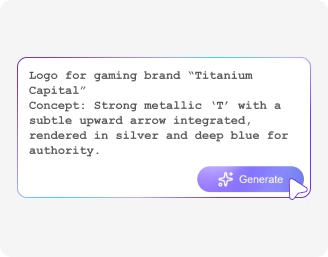
Add your prompt
Describe logo with business name, colors, try AI models, and aspect ratios.
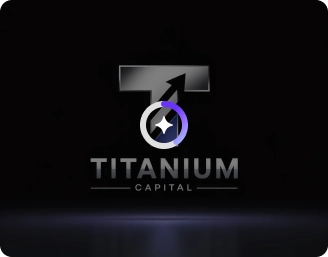
Generate your logo
Click "Generate" after the prompt; Pixelbin creates brand logos instantly.
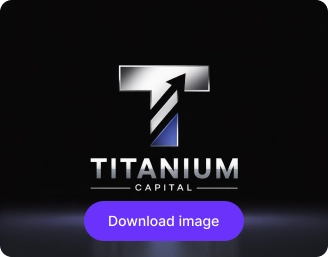
Download your logo
Preview the created logo, download a high-resolution version free of watermarks.
Why use Pixelbin’s AI logo maker online?

Text-to-logo generation
Enter business name and slogan; AI creates matching typography and icons automatically.
.png)
Copyright-free usage
Use generated logos for personal and commercial purposes without copyright issues.

Color harmony suggestions
AI recommends complementary color schemes based on brand personality.
.png)
Free HD downloads
Download your logos in HD quality for free, without any watermarks.

Browser-based platform
Use Pixelbin directly from your web browser without installing an app.

Beginner-friendly
Design unique logos easily, no design or technical experience needed.
Create the perfect logo for your brand in seconds
Turn your ideas into professional designs with Pixelbin’s free AI logo generator with a prompt.
Instant logo generation
Skip lengthy setup steps. Generate a high-resolution, professional-looking logo with just a single click using Pixelbin.
No design skills required
Create unique, high-quality logos instantly with Pixelbin’s free AI logo maker. No design or editing experience required. Just type your idea and get a ready-to-use logo in seconds.
Free trials
Generate high-quality logos for free up to 1 use a month with Pixelin. Upgrade anytime for more credits & API access.
No signup required
Start making logos on Pixelbin’s AI logo maker website instantly. No need for signing up or entering payment details.
/pixelbin_blogs/PB_2.0/Apps_New_design_graphics/Logo_maker/Instant_logo_generation.webp)
AI tools by Pixelbin
/pixelbin_blogs/PB_2.0/Apps_Graphics/Logo_Enhancer/Graphics/Thumbnail_(11).png)
/pixelbin_blogs/PB_2.0/Apps_Graphics/video_generator/Graphics/Thumbnail.png)
/pixelbin_blogs/PB_2.0/Apps_Graphics/signature_background_Remove/Graphics/Thumbnail.png)
/pixelbin_blogs/PB_2.0/Related_apps_tumbnail/erasebg-transformed_-_2026-04-01T130755.340.webp)
AI logo generator free without watermark
Benefits of using AI logo generator free download tools
Pixelbin’s free AI logo maker lets you create unique, high-quality results without any prior design experience. Here are some of its benefits:
- AI-powered suggestions: Get smart design ideas personalized to your brand in seconds.
- Consistent branding: Keep your brand identity cohesive across every platform with ease.
- No watermarks: Retouch images and download them in HD quality without any distracting watermarks.
- Fast and simple logo creation: Create professional logos in seconds with no design experience required.
- Cost-effective: Skip design costs and get high-quality logos in seconds.
Use cases of best free AI logo maker online tools
Pixelbin helps businesses, startups, freelancers, and personal projects create logos instantly and easily. Listed below are some of its use cases.
1. Branding for startups
Build a professional logo with Pixelbin to define your new business identity.
2. Social media marketing
Create logos for social media, websites, or promotional material.
3. eCommerce stores
Design striking logos for your online store and branding of your product.
4. Rebranding for existing businesses
Rebrand your company’s logo without hassle with Pixelbin’s free online AI logo maker.
Tips to get the best results from AI logo maker free online tools
Here are some top tips to help you make the most of Pixelbin’s logo maker:
- To get more suitable logos that represent your brand, spend some time making a detailed description of your brand, style, and favorite components.
- Experiment with different compositions, colors, and fonts so that you can review multiple logo design options.
- Make sure to download all your logos in high resolution to use across both digital and print mediums.
- Focus on clean, impactful designs rather than overly complex logos for better brand recognition.
FAQs
We’ve answered some of the most commonly asked questions about our best AI logo generator. If you still can’t find what you’re looking for, you can reach out to us at support@pixelbin.io or check out our documentation for more information.


Edit images in seconds, not hours
Get pixel-perfect results just with your words
Start editing with AI