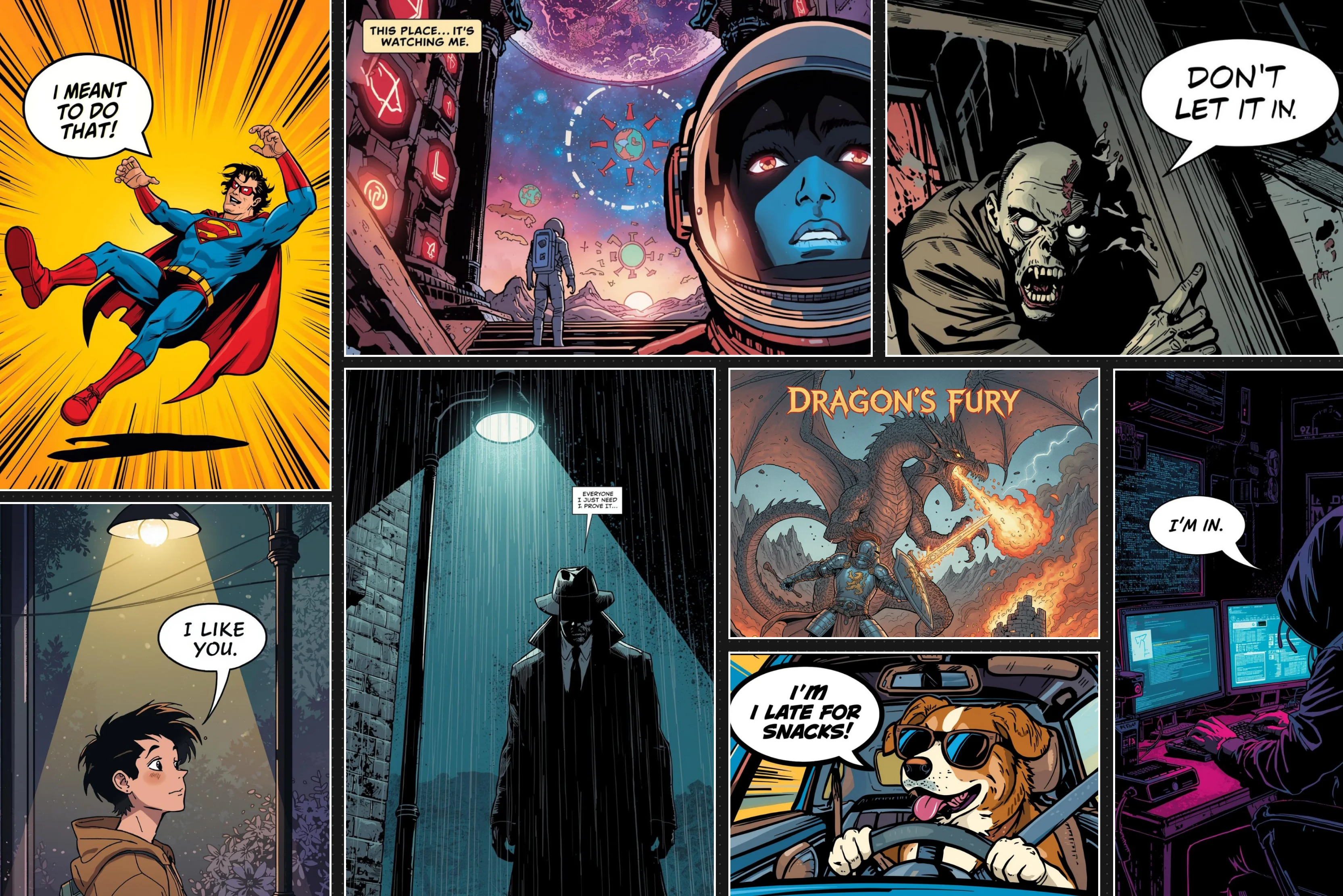


Ever had a great comic book idea stuck in your head, but no clue how to make it happen? You have an amazing story, maybe a superhero battling aliens or a detective solving crimes. But when it comes to sketching characters or panels, you doubt your skills, and professional artists spend years mastering pencils and inking.
An AI comic tool generator changes that game for you and me completely. Now you turn words into visuals without picking up a pen manually. Tools like Pixelbin, Dashtoon, and others handle scripting your plot, consistent characters, dynamic panels, speech bubbles, and layouts.
In this guide, we will walk you through everything to create a comic with AI, right from the AI comic generator from text to the most searched questions on the web. Delve into the guide to have your comic ready in no time.
What does it mean to create a comic with AI?
Creating a comic with AI means you just have to describe your story in words and let smart AI techniques turn it into comic strips filled with pictures and colors. You type something simple like "A brave knight fights a dragon in a dark castle with a sword on a horse the setting will be at night and a lightning storm."
The AI then makes comic panels with that knight, the dragon, the castle background, and even speech bubbles without needing any drawing skills. Your idea goes from brain to finished page in minutes instead of days. These tools know comics better than regular picture makers. They set up panels, right, action in big frames and talking in smaller ones. Characters look the same every time. You get backgrounds, colors, and layouts that feel like real comics.
What to look for in an AI comic generator in 2026?
Here’s what matters most when picking an AI comic generator:
- Storytelling tools, not just an image maker: Get platforms that turn your script into panels, not basic picture makers. Look for auto layouts, speech bubbles, and smooth story flow from words to comic pages.
- Character consistency: Your hero must look the same in every panel. Choose tools with character reference images, training options, or locked designs so faces and outfits stay steady.
- Export quality: Web comics need clean PNG/JPEG. Print work demands high-resolution PDF or PSD files. Check both options so you can share online or hold a physical copy.
- Pricing that fits: Subscriptions give steady credits for regular use. One-time credit packs work for quick projects. Always try free tiers first to test speed and quality.
- Privacy and commercial rights: Can you sell your comic? Pick tools with clear ownership rules. Some, like Adobe Firefly, use licensed training data, safe for business use.
How to write an appropriate prompt for an AI comic generator?
- Define characters & setting: Provide details about the comic protagonist, environment, and time period.
- Use descriptive language: The more specific you are, the better the AI can visualize your comic scene.
- Include emotions & tone: Mention if the comic scene is dramatic, humorous, suspenseful, or lighthearted.
- Specify visual elements: Describe colors, art styles, and comic panel layouts for a consistent aesthetic.
- Experiment & refine: Test different prompts to see which generates the best results for your comic.
- Mention action & dialogue: If needed, guide the AI on comic character interactions and key plot points.
- Adjust for consistency: Ensure recurring comic characters and settings match throughout the comic.
10 best AI comic generators of 2026
Here are the top picks for the tools to create comics in minutes. I tested them for their storytelling features, ease of use, and overall quality.
1. Pixelbin AI comic generator

Have you ever dreamed of comic panels but hate picking up a pencil? Pixelbin AI Comic Generator is one of the top-rated AI comic generators from text that makes it real for you in no time flat. You just type a simple description of your story, characters, or scene up to 2500 characters long.
Within seconds, it spits out colorful comic strips or panels in anime to retro styles, ready as PNG, JPG, or WEBP downloads using your 1 free trial credit. You can describe your hero's exact hair, clothes, and features down to the details.
The AI locks that look perfectly across every single frame. Works on any browser for newsletters, social posts, or just messing around. No creating accounts, no watermarks, just pure comic creation when inspiration hits you.
Must known features
- Supports 1-4 panel comic strip generation, so you create complete layouts from single prompts instead of individual images.
- Locks character designs across panels, so your hero looks identical in every frame instead of changing randomly.
- Converts static comics to animated videos so you can make social reels from panels instead of separate editing.
- Enables URL prompt editing so comics update live without regenerating entire strips from scratch.
- Provides complete privacy protection so your comic ideas never train AI models instead of getting shared publicly.
- Delivers instant no-signup access so you start creating comics immediately, instead of account setup delays.
2. Dashtoon AI Comic Generator
Tired of endless hours spent on comic sketching every day? Dashtoon's AI Comic Generator builds full stories quickly and smoothly just for you. Simply pick from 1000+ characters or upload your own rough sketches to start.
AI turns them into complete panels with consistent looks in cyberpunk, fantasy, or romance styles right away. Speech bubbles and layouts that come together perfectly can be generated, but often need manual adjustment. Storyboard-to-comic mode changes rough frames into polished pages faster.
Massive character library covers 100+ ethnicities for perfect diversity every time. Upload frames, refine details with inpainting tools, and publish directly to their reader app. Great for webtoons that you plan to monetize easily. Just focus on your main plot while Dashtoon manages all.
Must known features
- Supports script-to-comic conversion, so you input written stories and get visual panels instead of manual drawing.
- Provides a pre-designed character library so you can select from 1000+ diverse characters instead of creating them from scratch.
- Enables automated panel layouts so comics arrange themselves perfectly instead of tedious positioning.
- Offers Story Mode so narratives convert to comics effortlessly instead of step-by-step scripting.
- Includes Screenplay Mode so scripts break into panel-by-panel visuals instead of rough storyboards.
- Delivers Canvas Editor with upscalers so you can refine comics professionally instead of basic previews.
3. Adobe Firefly AI Comic Generator
Need professional-level comic strips without doing any sketching yourself? Adobe Firefly turns your text ideas into panels quickly and reliably every single time. Type scenes like "Noir detective chases thief through dark alleys" and pick your ink style to begin.
Firefly arranges 100+ panels into full graphic novels smoothly. Trained only on licensed Adobe Stock images, so everything stays commercially safe for sales. Add dialogue naturally, export high-resolution PNG files or videos easily, and edit inside Photoshop when needed. One of the perfect choices for print books or client projects where quality matters most. You provide prompts while AI builds consistent characters and layouts without fail.
Must known features
- Generates text prompts for comic panels so short descriptions create visuals instantly instead of sketching.
- Organizes Firefly Boards so you arrange 100+ panels into strips instead of disorganized images.
- Exports one-click JPEG/PNG/MP4 files so comics are download-ready instead of manual saving.
- Ensures commercial safety so licensed training data allows sales instead of legal worries.
- Combines Photoshop editing, so you refine layers and effects instead of basic tools.
- Produces 2000x2000 pixel resolution, so comics print crisp instead of pixelated outputs.
4. Canva AI Comic Generator
Are drawing skills blocking your comic dreams from coming true? Canva's Magic Media turns your text straight into panels and drops them into 1000+ ready templates fast. Dream Lab spits out 10-panel versions from one single prompt whenever you want fresh ideas.
You can drag panels wherever needed, slap on speech bubbles with text, and wrap up your strip without any hassle at all. Free plan gives clean PDF, JPG, or PNG exports while Canva Pro opens 4K Magic Edit for professional-level tweaks.
Huge template library handles everything from kids' books to epic superhero sagas perfectly. Share online or print with zero headaches. You will love it for quick social comics or cleaning up art from other AI tools you might use.
Must known features
- Includes Magic Studio, so you generate comic captions automatically instead of writing them manually.
- Offers Beat Studio so you can build panel sequences with timing control instead of random layouts.
- Delivers Background Remover so comic elements isolate cleanly instead of messy edges.
- Features AI Colorizer so black/white panels gain vibrant tones instead of staying flat.
- Provides Quick Share Links so comics can be distributed instantly instead of file uploads.
- Enables team collaboration so multiple creators can edit comics live instead of passing files.
5. Imagine.art AI Comic Generator
Some blank comic layouts are killing your stories before they even start? Imagine.art AI comic generator for free brings everything alive with high-resolution panels and even comic videos whenever you need them.
You can sketch rough panel grids using ControlNet, and the AI fills every detail perfectly without missing a beat. Styles go from manga grit to 80s newsprint vibes, matching whatever mood your story demands.
The flux model spits out crisp, print-ready lines instantly, while the video generator turns flat panels into smooth animated shorts. Recreate with endless seeds for fresh variations every time. You will like the simple flow that gets you pro comics done fast without fighting the blank pages.
Must known features
- Generates layouts that are rough sketches, becoming detailed panels instead of empty frames.
- It combines the Flux model rendering so crisp ink lines appear perfect instead of blurry edges.
- Creates comic video sequences so static art gains motion instead of remaining still.
- Supports seed variation control so identical prompts yield different compositions instead of repeats.
- Delivers high-resolution print outputs so comics scale large without pixelation instead of low quality.
- Enables style reference upload so your artwork influences AI instead of generic results.
6. ComicsMaker.ai
Are great stories just sitting there unfinished because drawing takes forever? ComicsMaker.ai grabs your full script and pumps out complete pages quickly. Auto panel breakdown reads your dialogue rhythm and sets perfect pacing for every single scene you write.
Their script analyzer even suggests exact panel counts and smart transitions, so nothing ever feels forced or comes out weirdly written or drawn. The best thing is how 50+ ink styles keep faces looking identical across 20+ pages without any glitches.
The tool can export print-ready PDFs whenever you finish editing. Free trial walks you through the whole workflow upfront, so you know how it delivers. One of the best picks for beginners or busy pros who need lightning speed above everything else.
Must known features
- Creates reusable character designs so you build characters from prompts and keep them identical across all panels instead of constantly redesigning.
- Trains custom LoRA models so uploaded reference images capture your character's exact look instead of generic AI faces.
- Generates rich scene panels so setting descriptions match your story world perfectly, instead of mismatched backgrounds.
- Enables text-based scene editing so you refine lighting and composition with prompts instead of complex software.
- Designs custom page layouts so you control panel sizes and spacing precisely instead of automatic grids.
- Produces one-shot comics, so single prompts create complete short stories instead of multi-step processes.
7. Fotor AI Comic Generator
Your comic dreams are dying on blank paper because drawing feels impossible? Fotor AI comic generator is an online tool and is free with zero sign-up and payment hassles. Face lock grabs your exact features and keeps them perfect.
Upload selfies or pet pics, pick manga or superhero vibes confidently, and watch one-click photo-to-comic lock in expressions and lighting just right every time. The best thing is their multi-panel grids that drop smart bubble placement automatically, so nothing blocks key moments. American, Japanese, and 3D styles stay ready whenever you want variety. Download high-quality files instantly for sharing anywhere with anyone.
Must known features
- Offers Nano Banana model access so that rapid conversational editing happens through simple text prompts instead of complex interfaces.
- Provides Seedream 4.0 rendering, so lifelike realism and style adaptability match diverse comic needs instead of generic outputs.
- Organizes the Projects dashboard so comic panels and assets stay neatly tracked instead of scattered files.
- Integrates reference image uploads so existing artwork guides AI generation instead of starting from scratch.
- Converts sketches to polished images so hand-drawn concepts become digital comics instead of staying rough.
- Generates custom manga layouts so single reference images create multi-panel stories instead of static art.
8. LlamaGen AI Comic Generator
Are your simple story descriptions just sitting there because comic drawing looks tiring? LlamaGen comic maker turns them into beautiful panels completely free whenever you want to start. Genre optimizer picks perfect ink weights and color palettes automatically for whatever story type you have in mind.
Batch generation spits out 10-page spreads all at once, so you finish projects way faster than normal. You will love grabbing those HD files after download, which work perfectly for personal fun or professional work without any headaches at all. Fast generation keeps your daily work moving quickly every single time. No drawing blocks hold back your best ideas from coming alive exactly how you pictured them in your head.
Must known features
- Transforms ideas into comics so any script becomes visual panels perfectly matching your vision instead of manual illustration.
- Generates 64 high-quality storyboards so cinematic planning happens in one session instead of slow sketching.
- Renders 4K Ultra-HD images so comics gain immersive clarity and detail instead of low-resolution blur.
- Maintains character consistency so IP comic actors stay recognizable across series instead of random redesigns.
- Creates multimodal stories so one click generates comics, novels, or movies instead of single formats.
- Supports 50 languages, so global comics can be generated in English, Spanish, German, or Chinese instead of English-only.
9. Picsart Comic Book Generator
Are basic comic book ideas staying stuck in your head because making them feels too hard? Picsart's AI Comic Book Generator changes that completely by generating main panels smoothly right from your simple prompts to kick things off fast.
The AI Replace feature lets you swap characters or outfits mid-generation without any awkward seams or mismatches showing up at all. You pull effects from their massive templates library whenever you need them, and their sticker maker turns finished panels into social media assets instantly for easy sharing.
It's one of the perfect tools for influencers dropping comics online or print shops serving clients every day. You edit every single detail like real designers, even when you've got zero experience behind you.
Must known features
- Generates multi-page stories so structured chapters emerge from single photos instead of single panels.
- Lets you select genres so Superhero, Fantasy, or Romance shapes narrative direction instead of generic plots.
- Writes AI dialogue automatically so speech bubbles match characters perfectly instead of manual scripting.
- Creates cinematic panel layouts so dynamic action and emotion fill every scene instead of static grids.
- Produces shareable comic links so one URL distributes full stories instead of file-sharing hassles.
- Exports image or PDF formats, so finished comics are download-ready for any use instead of limited options.
10. Media.io AI Comic Generator
Are photos or text ideas going to waste because turning them into comics feels impossible? Media.io's free AI tool changes that completely by delivering manga or superhero panels instantly every single time you need. Smart crop auto-frames perfectly inside any panel grid without missing details.
Style mixer blends three comic influences at the same time for unique looks that stand out. The best part is that no watermarks ever show up on downloads you grab right away. Grid layouts scale from 2 to 12 panels exactly to fit what your project needs most.
Characters match perfectly across every layout without weird changes creeping in anywhere. You will love how simple input always builds complete professional comics fast and reliably, so you never waste time finding how the tool works.
Must known features
- Transforms text prompts into comic panels so story descriptions become visual strips instead of written notes.
- Renders Nano Banana Pro outputs so high-quality panels emerge consistently instead of low-resolution tests.
- Adds smart speech bubbles so dialogue appears naturally instead of manual placement.
- Supports photo-to-comic conversion so selfies generate character panels instead of generic figures.
- Enables prompt regeneration so you can refine comics with new text instead of starting over.
- Delivers free, no-signup access so instant comic creation happens without account barriers.
How to create comics on Canva? (Most searched query)
Canva leads searches for beginner comic creation with 1000+ templates and drag-and-drop simplicity. Thousands of classroom strips and webtoons get instant polish via Magic Media AI. Start your comic strip without drawing skills today. Know the steps below:
Step 1: Search for comic strip templates - Go to Canva.com, type "comic strip" in the search bar. Pick a free template or start blank.
Step 2: Upload your sketches or images - Drag your own drawings, characters, or AI-generated art into the panels. Resize and position them where you want.
Step 3: Customize panels with grids - Use Canva's grid and frames tool to arrange panels. Hold Shift while dragging corners to keep perfect ratios.
Step 4: Add characters and expressions - Copy illustrations from the template, paste into panels, and layer expressions on top. Drag to fit naturally.
Step 5: Insert speech bubbles and text - Add text boxes from the menu or copy from templates. Change fonts, drag to position over panels.
Step 6: Export and share - Download as PNG, PDF, or share a direct link. Use for social, print, or classroom projects.
How to create comics on ChatGPT? (Bonus tip)
ChatGPT dominates comic workflows for story generation and DALL-E image creation, powering endless strips without drawing skills. Thousands of creators build panels, characters, and dialogues daily. Start your comic adventure free today.
Step 1: Define genre and audience - Tell ChatGPT your comic type (comedy, sci-fi), tone, and target readers (kids, adults) for tailored ideas.
Step 2: Create characters - Prompt detailed profiles like "clumsy designer, sarcastic programmer" so consistent traits appear in all panels.
Step 3: Develop storyline - Ask for a 4-panel outline to get scene breakdowns.
Step 4: Write dialogues - Request humorous lines per panel, keeping them short and punchy for speech bubbles.
Step 5: Choose style and generate images - Specify "chibi cartoon" or "webtoon," then prompt full panels with dialogue for DALL-E visuals.
Step 6: Refine and assemble - Regenerate weak panels, use Canva for bubbles/layout if needed, then export your strip.
Final thoughts
Thus, you now know easy ways to make comics with AI for any kind of story without any complicated steps. We talked about tools like Pixelbin, Comicsmaker, Canva, and others that take your ideas and make real comic strips for your website or social posts.
Pick the one that fits you best, whether you want fast results or something fancier for your brand, as well as save you time and money, so you do not need to hire an artist. Also, if you are in a hurry to launch your comic, we will suggest using Pixelbin AI comic maker first because it works great with no sign-up trouble and is best for quick, instant results. Type your comic name and some ideas about colors or style. Download your free comic file in minutes.
FAQs
Yes, AI tools like Pixelbin, Canva, and Renderforest let you craft comics purely from text prompts. Describe scenes, characters, and styles they handle artwork and layouts instantly, no sketching needed.
Webcomics is a proper business to do online, and people often make money by selling merchandise based on their comics and characters or by selling print versions of their webcomics.
AI excels at both Pixelbin and ChatGPT in creating full multipanel pages from one prompt. Specify layout like "4-panel strip" for seamless comic books or webtoons.
Enter your story idea, pick a vertical webtoon style, and add character details. Pixelbin generates tall panels with dialogues; tweak colors, download for Instagram or web posting.
Describe traits once Pixelbin locks in faces, outfits, and poses across panels. Edit prompts to maintain expressions and build perfectly.
Absolutely, Pixelbin runs instantly in-browser, no login or account is needed. Type prompts, generate comics, and download files for free on the spot every time.









