
We’ve all been there: you finally land that dream interview or decide to update your LinkedIn profile, but your best current photo is a casual selfie from the weekend. Scrambling to book a studio photographer is expensive and time-consuming, and let’s be honest, finding time for a professional headshot often feels like another full-time job. Fortunately, you don’t need an expensive camera or advanced Photoshop skills to bridge the gap.
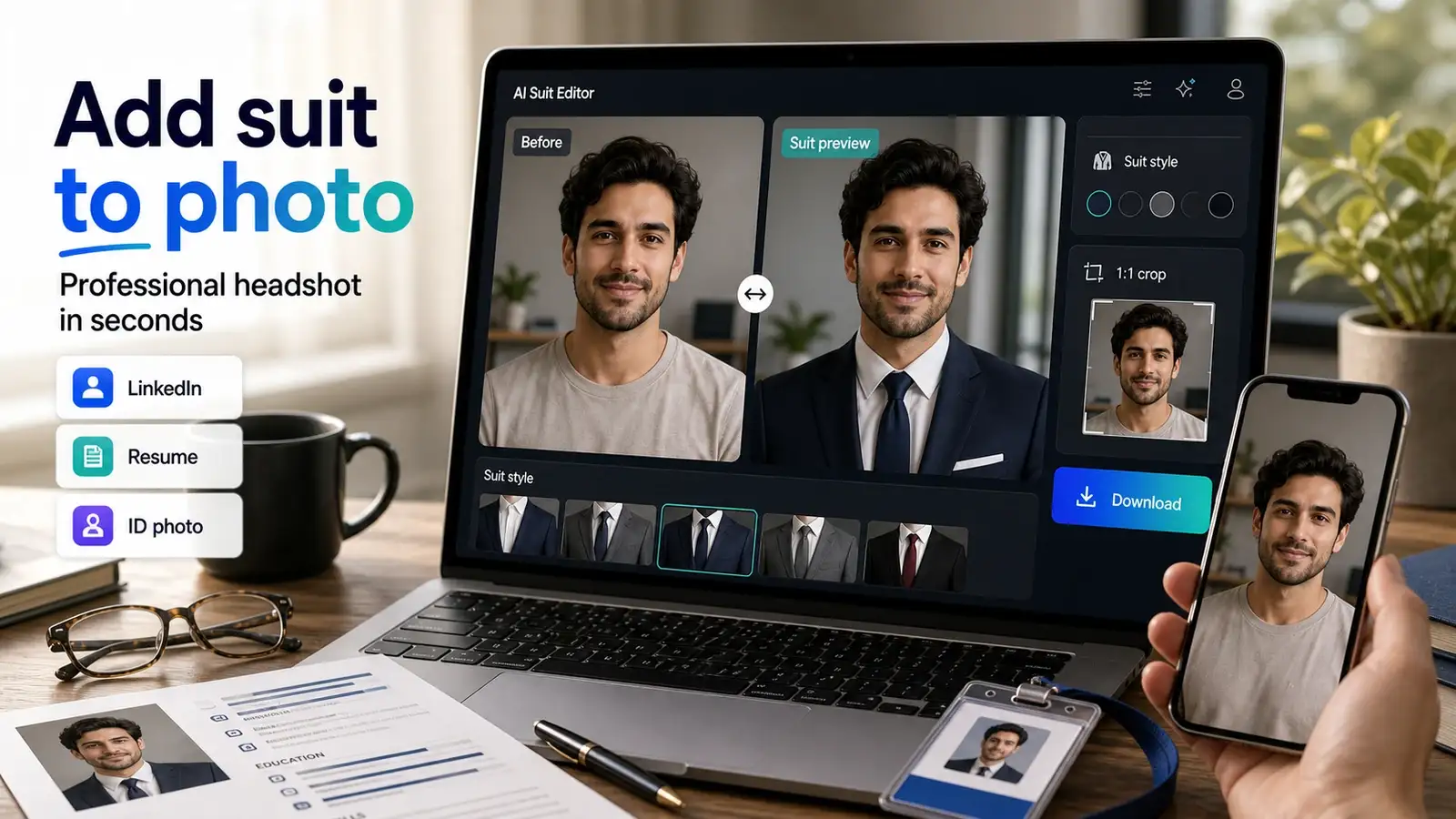
Today, the easiest way to elevate your professional image is to add suit to photo elements using an AI-powered editor. These smart tools handle the heavy lifting for you, digitally swapping your casual clothes for a sharp, tailored business outfit in just a few seconds.
Whether you are prepping for a corporate role, a university application, or just want a cleaner look for your social media, this approach gives you a realistic, high-quality result without the hassle.
What is an AI suit photo editor?
A formal attire editor is an AI-powered software tool that replaces casual clothing in a photograph with professional business attire. Unlike older editing apps that merely paste a flat, cartoonish graphic over your body, a modern AI suit photo editor reads the original image’s anatomy. It automatically detects your posture, body shape, and neck positioning to blend the shoulders and neckline flawlessly.
When you use an advanced tool to add suit to photo files, the underlying AI adjusts the lighting, shadows, and textures of the new garments to match your environment, allowing you to change clothes in photo files without sacrificing realism.
When should you use an AI tool to add suit to photo?
There are several highly practical scenarios where an online formal picture editor saves you significant time, effort, and money:
LinkedIn and professional profiles
First impressions matter on networking platforms. If you are a candidate who wants a polished profile photo quickly, using a formal photo maker to add a structured suit or blazer can make your profile look instantly more intentional. For the best outcome, choose a clean, front-facing head-and-shoulders photo as your base.
Resumes and job applications
Many international job portals and corporate markets still welcome or require applicant photographs. You can use a suit photo editor online free utility to present your best self to recruiters. It is wise to add suit to photo layouts only when it is appropriate for the role or geographical region, ensuring the final result remains highly realistic and not over-edited.
ID photos, university forms, and work badges
Internal corporate directories, student management systems, and access badges often mandate a formal-looking photo. An online id picture editor with formal attire lets you convert a standard phone portrait into a compliant corporate asset.
Note: Unless a tool specifically states it supports exact biometric background and dimension standards, do not claim government compliance for official passports. Always check your local official guidelines before submission.
Team directories and company websites
For human resource departments, startups, and distributed teams, maintaining visual consistency across a remote workforce is a challenge. An online editor allows a central team to keep employee profiles uniform by applying a consistent suit style and background across all staff directories, reinforcing a cohesive brand identity.
Remote meetings and speaker bios
If you are regularly submitted as a panelist, webinar host, or conference speaker, you need a high-quality avatar for digital flyers, Zoom, and Google Meet. Swapping out a casual tee for a sharp blazer ensures you command authority before you even unmute your microphone.
Choosing the right suit style for your photo
Matching your virtual wardrobe to your career track ensures your digital portrait looks authentic and professional.
Best suit styles for men
- Business Suit: Ideal for corporate roles, traditional industries, resumes, and executive LinkedIn accounts.
- Black Suit: Provides a sharp, high-contrast look suitable for official profiles and formal events.
- Slim Fit & Three-Piece Suits: Gives a tailored, modern appearance for high-end corporate or leadership consulting roles.
- Casual Blazer: Perfect for startups, tech roles, creative fields, and casual personal branding where a tie feels over-dressed.
Best formal styles for women
- Pant Suit & Business Suit: The gold standard for interviews, executive LinkedIn headshots, and corporate profiles.
- Skirt Suit: Suited for traditional corporate environments, legal practices, or formal applications where classic business attire is preferred.
- Power Suit & Designer Blazer: Features sharper lines and confident lapels—excellent for leadership, founders, and personal branding speaker bios.
Why is the AI suit editor better than the traditional method?
How to add suit to photo online - Pixelbin's AI suit photo editor
If you are looking for a reliable, no-nonsense platform to revamp your professional profiles, Pixelbin’s dedicated add suit to photo tool is an exceptional place to start. It is designed to take the friction entirely out of corporate imagery. Instead of wrestling with complex editing suites or settling for flat, unconvincing clothing stickers, this web-based application relies on finely tuned AI models to naturally drop high-quality formal wear directly onto your silhouette.
The processing happens entirely in your browser within seconds, making it incredibly easy to pull off an instant wardrobe upgrade whenever a surprise career opportunity knocks. It bridges the gap between casual convenience and executive-level professionalism seamlessly.
Key features
- Intelligent Anatomy Matching: The AI automatically scans your posture, shoulder alignment, and neck position to map out a seamless, perfectly fitted wardrobe transition.
- Diverse Fashion Presets: Offers a comprehensive catalog of tailored suits, modern blazers, corporate jackets, and formal wear options configured specifically for both men and women.
- Custom Prompt Flexibility: Features an intuitive "Custom" styling option where you can type out precise text descriptions to generate unique clothing combinations and specific fabric color schemes.
- Advanced AI Processing Models: Built around robust cloud architectures (including high-performing models like Nano Banana) that ensure fast generation times and high-resolution textures.
- Profile-Ready Aspect Ratios: Provides built-in cropping presets such as a dedicated 1:1 option, so you can export your polished portrait in optimal dimensions for instant LinkedIn uploads.
- Side-by-Side Live Preview: Features an interactive before-and-after comparison window so you can closely examine face-to-neck blending, skin textures, and lighting integration before downloading.
Steps to know
1. Upload your image:
Open the online tool and click the Upload Image button, or drag and drop your file directly into the designated upload area to start processing.
2. Select your target gender category:
Choose the gender tab that matches the garment cut you want. Use Male or Female for instant style cards, or Custom if you want to describe an alternative look.
3. Pick a preset suit style:
Browse through the visual style cards (such as Business Suit, Tuxedo, or Professional Blazer) and click on the preset that fits your destination profile.
4. Choose the AI model version:
Pick your preferred underlying model variant from the dropdown menu (such as Model v1 or Nano Banana) to balance details, textures, and blending styles.
5. Configure the output aspect ratio:
Select the framing dimensions for your final image. Choose the 1:1 square ratio option if you are planning to update a standard corporate profile picture.
6. Generate and download your portrait:
Click the Add Suit button. Inspect the generated image using the side-by-side preview window to check the collar fit, then hit Download to save your new professional photo.
What kind of photo works best? (editor’s tip)
The final quality of your AI-generated portrait depends heavily on the quality of your input photo. Use this structural checklist to select the perfect source file:
How to make the edited photo look natural?
To prevent your AI-generated suit portrait from looking artificial, follow these core principles:
- Match Formality to Pose: If you are smiling casually or tilting your head playfully, pair it with a casual blazer rather than an ultra-stiff, three-piece tuxedo.
- Stick to Corporate Colors: Navy blue, charcoal gray, dark black, and clean white shirts blend smoothly into digital background environments. Avoid overly glossy or reflective fabrics.
- Prioritize Proportions: Ensure the scale of the collar aligns with the size of your neck. If the shoulders look too wide or the hair strands blend oddly into the lapel, utilize the platform to regenerate the image with a different model setting.
Is it safe to upload a photo to an AI formal attire editor?
Data security is a major consideration when managing personal portraits online. Reputable platforms prioritize user privacy by enforcing strict digital guardrails. For instance, Pixelbin ensures that all user uploads are fully encrypted during transit and processed through secure cloud environments. Uploaded images are kept private, are never visible to other users, and are not utilized for public AI model training without explicit consent. Before uploading personal photos to any new web platform, always check the brand's verified privacy policy to review their specific data retention windows.
FAQs
The most efficient method is using a cloud-based formal attire editor online free tool like Pixelbin. You simply upload a clear portrait, pick your preferred corporate outfit style, and allow the trained AI to align and blend the clothing automatically.
Yes. Many online AI platforms offer complimentary free trials. Pixelbin allows users to test the system and generate a set number of professional photos for free every month without requiring upfront subscriptions.
Absolutely. Modern AI engines include dedicated styles that automatically add suit and tie to photo online free configurations, realistically positioning the tie knot beneath your chin based on your neck line.
Yes. Modern platforms have distinct categories for both men and women, featuring diverse professional styles including tailored pant suits, structured blazers, power jackets, and traditional business blouses.
Yes, this is one of the most popular use cases. When you add suit to photo structures, it converts casual everyday photos into clean, business-ready headshots that build instant professional trust with recruiters and network connections.
It is ideal for corporate IDs, university portal badges, and internal communication profiles. However, for official government passports, always verify if your country’s department accepts digitally altered or AI-enhanced clothing before submission.
Pixelbin's comprehensive suite lets you swap out clothing and adjust or remove backgrounds in a cohesive web workflow, eliminating the need to bounce between separate image editing apps.
If you provide a high-resolution, front-facing source photo with neutral lighting, advanced AI tools generate highly realistic fabric textures and shadows that look virtually identical to a real camera capture.
Upload a sharp, front-facing portrait where your face and shoulders are completely unobstructed. Avoid hats, large sunglasses, thick hoodies, or heavy scarves that obscure the collar area.
Yes. You can select from a wide array of visual style cards built directly into the UI, or utilize the custom text prompt feature to describe an exact combination of colors and garment cuts.