


Support png/jpg/jpeg/webp, up to 10MB
/pixelbin_blogs/PB_2.0/Apps_New_design_graphics/Add_Suit_on_Photo/Sample_Images/Sample_image_1)
/pixelbin_blogs/PB_2.0/Apps_New_design_graphics/Add_Suit_on_Photo/Sample_Images/Sample_image_2)
/pixelbin_blogs/PB_2.0/Apps_New_design_graphics/Add_Suit_on_Photo/Sample_Images/Sample_image_3)
/pixelbin_blogs/PB_2.0/Apps_New_design_graphics/Add_Suit_on_Photo/Sample_Images/Sample_Image_4)
/pixelbin_blogs/PB_2.0/Apps_New_design_graphics/Add_Suit_on_Photo/Types_of_Suit/Business_Suit-transformed.webp)
/pixelbin_blogs/PB_2.0/Apps_New_design_graphics/Add_Suit_on_Photo/Types_of_Suit/Black_Suit-transformed.webp)
/pixelbin_blogs/PB_2.0/Apps_New_design_graphics/Add_Suit_on_Photo/Types_of_Suit/Slim_Fit_Men-transformed.webp)
/pixelbin_blogs/PB_2.0/Apps_New_design_graphics/Add_Suit_on_Photo/Types_of_Suit/Tuxedo-transformed.webp)
/pixelbin_blogs/PB_2.0/Apps_New_design_graphics/Add_Suit_on_Photo/Types_of_Suit/Three_Piece-transformed.webp)
/pixelbin_blogs/PB_2.0/Apps_New_design_graphics/Add_Suit_on_Photo/Types_of_Suit/Casual_Blazer-transformed.webp)
Add stylish suits to your photos
Add suit to photo online with AI
Turn a casual photo into a polished formal portrait for resumes, LinkedIn, IDs, or job applications using AI.
/pixelbin_blogs/PB_2.0/Apps_New_design_graphics/Add_Suit_on_Photo/Banner_Images/Casual_Blazer_After__-transformed.webp)
/pixelbin_blogs/PB_2.0/Apps_New_design_graphics/Add_Suit_on_Photo/Banner_Images/Casual_Blazer_before_-transformed.webp)


How to add suit to photo with Pixelbin?
.webp)
Upload your photo
Click the “Upload image” button. Supports formats like JPG, JPEG, WEBP, and PNG formats up to 10MB.
Choose suit style
After uploading, select a suit style, color, model, background, and aspect ratio or use a custom prompt.
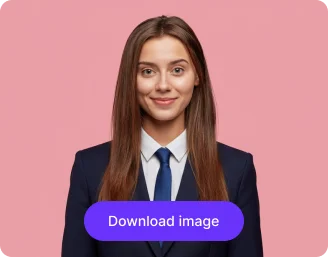
Generate and download
Click the “Add suit" button and then preview or download the result.
Why use Pixelbin's AI suit photo editor?

Model selection options
Choose from multiple AI models, such as Nano Banana Pro, Nano Banana 2, GPT-2, etc., to add suit to your photo.

Formal wear choices
Add business suits, blazers, or tuxedos to turn photos into polished professional photos for LinkedIn, resumes, or job applications.

Output aspect ratio options
Select the output aspect ratio, so your AI suit photo fits perfectly for LinkedIn, resumes, profile pictures, and social media posts.

Diverse suit styles
Preview multiple suit styles and pick the one that best matches your professional image.

Customize suits
Type your ideal suit style in a text prompt and let the AI generate a personalized formal outfit for your image.

Side-by-side view
Compare your original image with the AI suit-enhanced photo side by side, to review the transformation before downloading.
Get professional headshots without a photoshoot
With Pixelbin, you can instantly dress your photo in a realistic formal outfit, without any Photoshop edits or software installs.
Instant transformation
Turn a casual photo into a professional portrait within seconds. The editor automatically handles adjustments like cropping, lighting, and background.
Natural & realistic results
Each edit ensures the suit looks naturally integrated with accurate lighting and shadows.
No technical skills needed
Add a suit to your photo effortlessly without Photoshop or editing experience needed, just upload and generate.
Free trials for everyone
Create up to three professional photos for free each month and upgrade anytime for more credits or API access.
/pixelbin_blogs/PB_2.0/Apps_New_design_graphics/Add_Suit_on_Photo/Blog_images/Instant_Transformation.webp)
AI tools by Pixelbin
/pixelbin_blogs/PB_2.0/Related_apps_tumbnail/Thumbnail_(1)_(1)-transformed_(1).webp)
/pixelbin_blogs/PB_2.0/Related_apps_tumbnail/thumbnail_(3).webp)
/pixelbin_blogs/PB_2.0/Related_apps_tumbnail/Thumbnail_(19)-transformed.webp)
/pixelbin_blogs/PB_2.0/Related_apps_tumbnail/Thumbnail_9-transformed.webp)
Key highlights of Pixelbin’s AI tool to add suit to photo
Benefits of using our add suit to photo free app
Using Pixelbin, you can create a professional image without a costly photoshoot. Here are some of its benefits:
- Save time & money: Skip the cost and hassle of a professional photoshoot and manual editing.
- Instant results: Just add your photo to suit up instantly, without any need for writing prompts.
- No editing skills needed: You don't need Photoshop. Our AI editor does all the editing for you.
- Cross-device support: Pixelbin works on any device, including smartphones, laptops, desktops, and tablets.
- No watermarks: Download processed images in full quality without watermarks or promotional branding.
- Safe and secure: Edit your personal photos without worrying about your data being misused.
Use cases of our online tool to add suit to photo
With Pixelbin, you can create a professional-looking photo in just a single click for different purposes. Here are some of the best use cases of this tool:
1. LinkedIn & professional profiles
Instantly create a headshot for LinkedIn, company websites, or conference speaker bios. Turn a casual selfie into a business-ready image that is professional and builds trust.
2. Resumes & job applications
Make a strong first impression on recruiters by attaching a formal photo of yourself in a suit. Use Pixelbin to add a professional suit to a photo online for your resume or job application portals.
3. Formal ID photos
Quickly update photos for company IDs, access badges, or university portals where formal attire is preferred. Add a suit to a photo to get a compliant image using Pixelbin, without needing to visit a studio.
4. Team & corporate websites
Add a suit to everyone’s photos to ensure a consistent and professional look for all employees on the company's "About Us" page. This tool lets remote team members create uniform headshots from casual photos.
5. Virtual meetings & webinars
Create a professional profile picture for your virtual meeting accounts, like Zoom, Microsoft Teams, or Google Meet. Look professional and ready for business, even if you're working from home.
6. Social media updates
Elevate your personal identity on platforms like X (Twitter), Facebook, or even dating apps. A photo in a suit can project confidence and maturity, helping you make the right impression.
How to get the best results from add suit to photo online apps?
Here are some of the best tips to get the most natural-looking results when using our AI editor to add a suit to your photo:
- Use a clear, high-quality, front-facing photo.
- Avoid images with busy backgrounds or cropped shoulders.
- Choose a photo where you are looking directly at the camera.
- Use a photo without hats, scarves, or high collars for the best fit.
FAQs
Here are some of the most common questions about our AI Suit Editor Tool. If you can’t find the information you need, contact us at support@pixelbin.io or refer to our documentation for more details.


Edit images in seconds, not hours
Get pixel-perfect results just with your words
Start editing with AI