
Choosing between Google's Gemini image generator (powered by Imagen 3) and OpenAI's ChatGPT image generator (powered by DALL-E 3) comes down to understanding two fundamentally different design philosophies.
While both platforms transform text prompts into high-resolution visuals, they excel in vastly different areas: Gemini dominates photorealism, lightning-fast iteration, and Google ecosystem integration. ChatGPT leads in complex prompt comprehension, text rendering, and precise conversational editing.
This guide breaks down every core metric, feature set, pricing plan, and real-world scenario to help you pick the right tool for your creative workflow.
Quick summary
- Choose ChatGPT if you want a natural chat-first workflow, image editing from conversation, transparent-background support, and a tool most creators already know.
- Choose Gemini if you want strong Google ecosystem integration, image grounding, multiple reference images, fast iteration, and Nano Banana models built around image generation and editing.
- For best results, test both with your own prompts. The winner can change depending on whether you need realism, text in images, brand consistency, product mockups, or fast draft outputs.
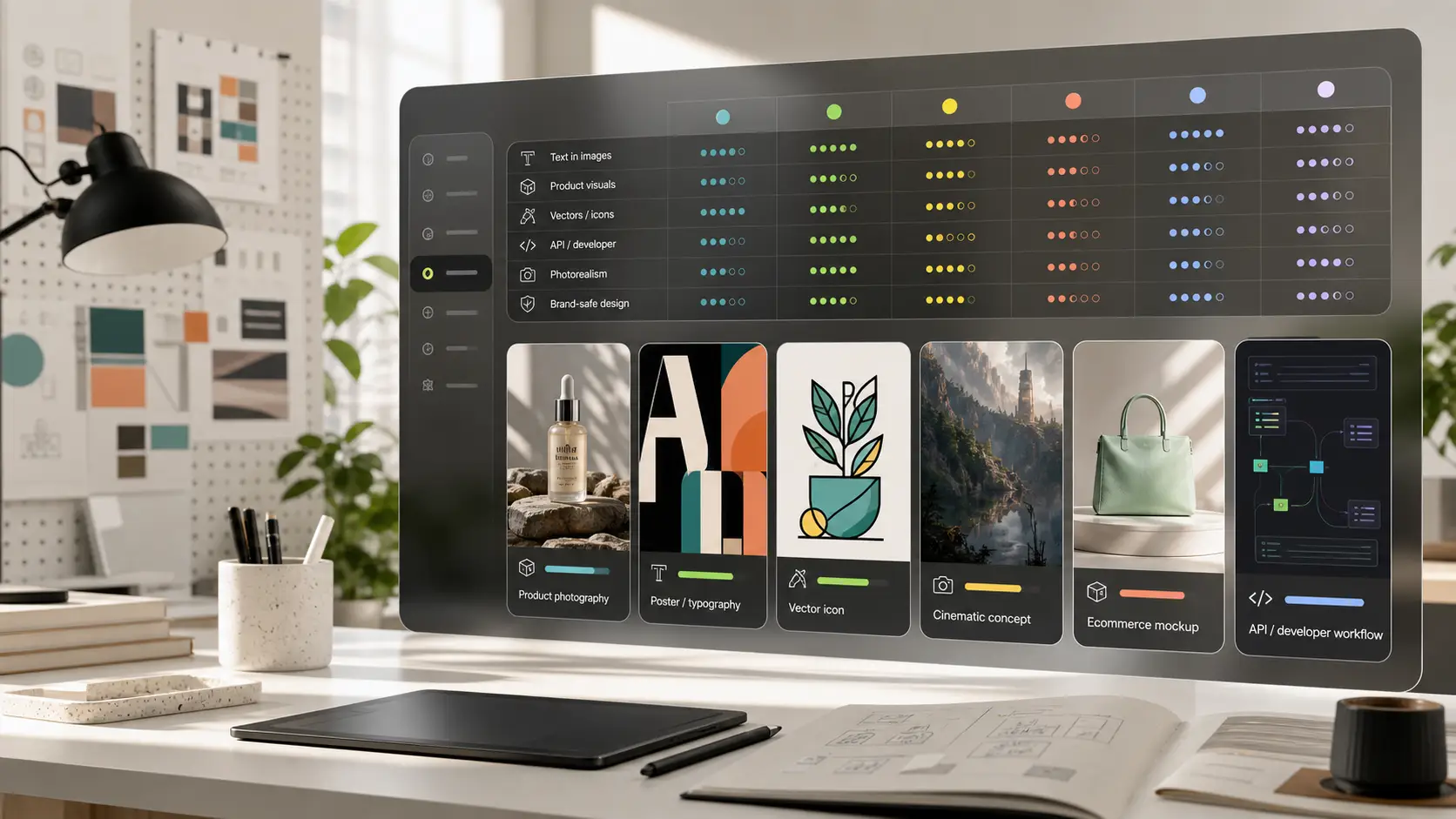
Comparison table
What changed in 2026?
In 2026, Gemini and ChatGPT evolved from conversational chatbots into autonomous agentic platforms, shifting focus from pure language generation to deep system integration.
Google Gemini doubled down on ambient context and RAW speed:
- Workspace intelligence: Seamlessly cross-references Gmail, Docs, Photos, and Drive to solve personal queries instantly.
- Massive context & video: Expanded native multimodal windows, processing full-length video files and massive codebases without performance degradation.
- App ecosystem: Integrated third-party execution tools (Zocdoc, OpenTable) directly into chat threads.
OpenAI ChatGPT focused on desktop agent capabilities and automation:
- Computer history: Selectively reads background application activity across macOS and Windows to summarize multi-app workflows without copy-pasting.
- Triggered tasks: Executes autonomous background workflows via webhooks, responding to incoming Slack, email, or GitHub notifications.
- Connected ecosystem: Introduced "Sign in with ChatGPT" across tools like Notion, Airtable, and GitLab to serve as a central developer hub.
Model names explained without confusion
A major weakness in existing comparison content is naming confusion. Readers see Gemini, Nano Banana, ChatGPT Images, DALL-E, GPT Image, and GPT Image 2 in different articles and assume they are all separate consumer tools. The blog should make this simple.
- Gemini is the user-facing Google AI assistant and developer platform family.
- Nano Banana is Google's native Gemini image generation and editing capability, with model options surfaced in the Gemini API docs.
- ChatGPT Images is the image generation and editing experience inside ChatGPT.
- GPT Image 2 is an OpenAI image model available through the API, with developer controls for size, quality, format, compression, background, and image inputs.
- DALL-E is not the best framing for this comparison anymore. OpenAI's Help Center says the DALL-E GPT in ChatGPT has been retired, so the article should use current ChatGPT Images wording.
Core capabilities & technical architecture
1. Photorealism and rendering quality
- Gemini (Imagen 3): Google designed Imagen 3 to eliminate common generative flaws like unnatural skin sheen, warped fingers, and dynamic lighting errors. It renders natural skin textures with pores, sub-surface scattering, fine hair details, and photographic depth of field. If your primary workflow involves product photography, architectural concepts, or lifelike human portraits, Gemini delivers superior natural lighting.
- ChatGPT (DALL-E 3): DALL-E 3 tends toward a hyper-vibrant, slightly "digital" or illustrative finish. While it produces clean visual assets, portraits can sometimes look airbrushed or 3D-rendered unless explicitly directed with technical camera parameters (e.g., "shot on 35mm f/1.8 film").
2. Prompt following and natural language processing
- ChatGPT: Integrates GPT models to act as a translation buffer. When you feed it a simple prompt like "a cozy cabin in winter," ChatGPT automatically expands the prompt behind the scenes into a multi-sentence descriptive narrative. This expansion guarantees rich output without requiring complex prompt engineering from the user.
- Gemini: Interprets inputs directly through Google's multimodal understanding. It adheres closely to literal phrasing without overly expanding your intent. For advanced creators who want strict manual control over composition without an AI reinterpreting their input, Gemini offers more predictable execution.
3. Typography and in-image text
- ChatGPT: Renders short phrases, signage, brand names, and book titles within generated imagery with impressive clarity. It rarely scrambles letters or invents gibberish characters on short text strings.
- Gemini: Imagen 3 represents a massive leap forward for Google in text generation, handling crisp short phrases and simple logo designs well. However, on complex multiline layouts, ChatGPT still maintains a lower character error rate.
4. Interactive editing and inpainting
- ChatGPT: Features a native selection tool (inpainting brush) inside the chat interface. Highlight a specific object like a mug on a table and prompt: "Replace this mug with a steaming red thermos." The engine alters only that masked region while preserving the rest of the canvas composition.
- Gemini: Relies heavily on conversational multi-turn editing. You ask for changes via chat (e.g., "Change the sky to sunset"), and the system regenerates the visual while maintaining theme continuity.
Prompt formula that works for both
A good comparison article should teach readers how to test both tools, not just tell them which one to use. Recommend a prompt structure that is easy to reuse:
This prompt structure is useful for both Gemini and ChatGPT because it reduces vague requests. It also creates a fairer comparison: if one tool fails after a structured prompt, the weakness is easier to explain.
Image editing from prompts
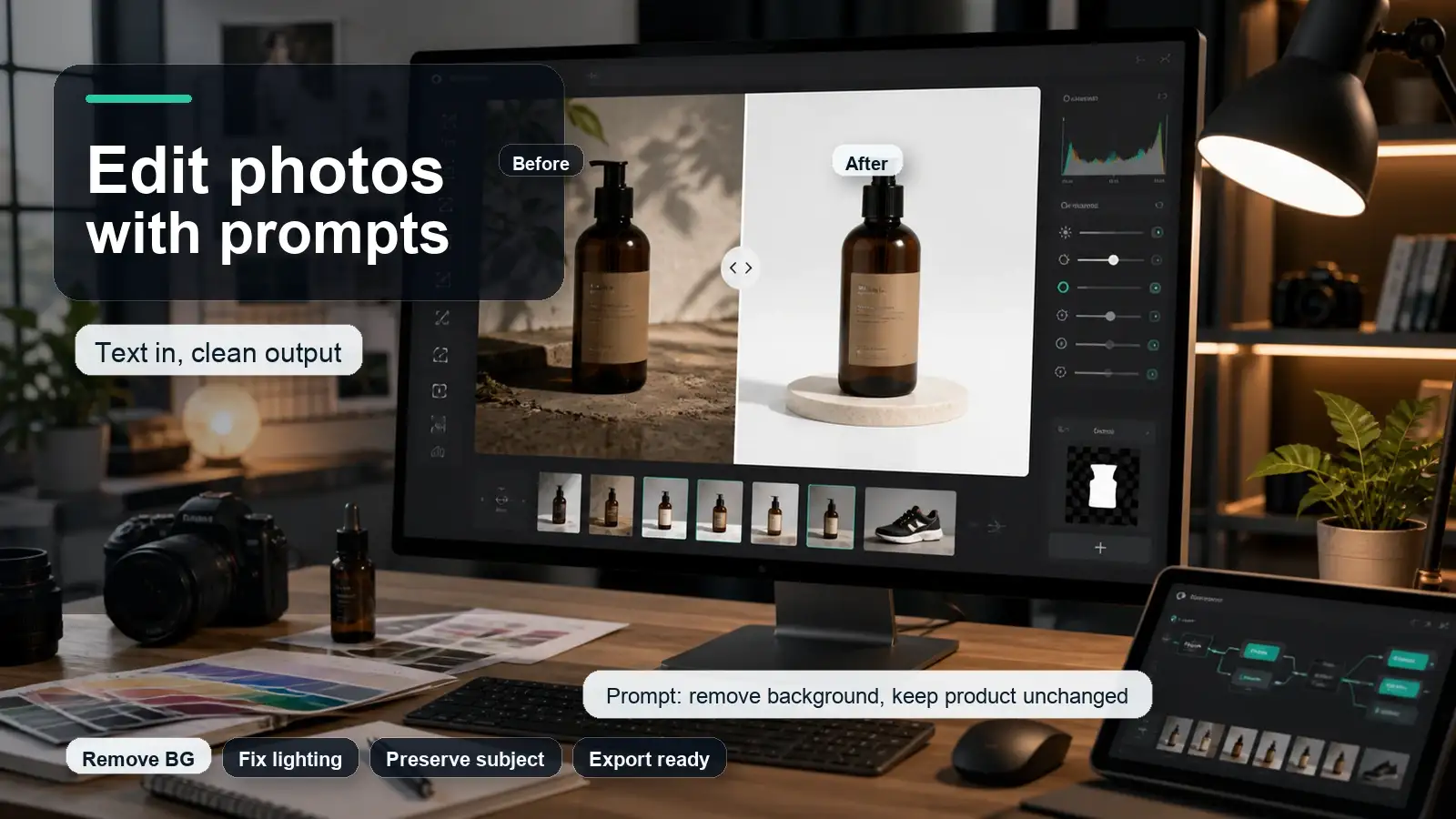
When it comes to editing images directly from conversational text prompts, ChatGPT (DALL-E 3) and Google Gemini (Imagen 3) take two fundamentally different approaches to execution, control, and workflow integration.
Key differences in prompt-based image editing
1. Inpainting & precision selection
- ChatGPT: Features a dedicated, visual Inpainting Brush tool. You can brush over a specific area of an existing image (e.g., highlighting a shirt) and type a prompt like "change this to a leather jacket." The AI restricts changes exclusively to the brushed area while keeping the rest of the canvas completely intact.
- Gemini: Relies primarily on conversational, full-scene prompt adjustments. You ask Gemini to modify elements through natural language (e.g., "Change the background to a sunset" or "Add glasses to the person"), and the model re-renders the scene based on overall context and spatial understanding.
2. Fine-tuning & multi-turn iteration
- ChatGPT: Excels at maintaining strict subject consistency across edits. Because it translates your instructions through GPT's prompt expansion before passing them to DALL-E, it tracks multi-turn changes systematically (e.g., sequentially adding objects or tweaking lighting step-by-step).
- Gemini: Re-evaluates multimodal inputs rapidly using DeepMind's Imagen 3. It generates photographic-quality adjustments and lighting recalibrations faster than ChatGPT, though dramatic text edits can occasionally introduce slight shifts to the surrounding layout.
Free access, plans, and API cost
Here is a concise breakdown of free access, plans, and API pricing for both platforms:
Google Gemini
- Free tier: Access to Gemini 3 Flash and 3.5 Flash with multimodal uploads, web search, and basic Workspace extensions.
- Consumer subscriptions:
- Google AI plus ($7.99/mo): Budget tier offering higher Flash usage and entry-level Pro access.
- Google AI pro ($19.99/mo): Full access to flagship models (Gemini 3.1 Pro), 1M token context, and Deep Research.
- Google AI ultra ($99.99/mo): High-compute tier for heavy agentic tasks and 20TB storage.
- API costs (per 1m tokens):
- Flash-lite: $0.25 input / $1.50 output.
- Flash: $0.50-$0.75 input / $3.00-$3.75 output.
- 3.1 pro: $2.00 input / $12.00 output.
OpenAI ChatGPT
- Free tier: Access to GPT-5.6 / GPT-4o with rate limits, canvas, web search, and custom GPTs.
- Consumer subscriptions:
- ChatGPT go: Mid-tier option ($3.99/mo or Rs. 399/mo).
- ChatGPT Plus ($20/mo or Rs. 1,999/mo): Unlocks higher limits, advanced voice, canvas, and DALL-E 3 image generation.
- ChatGPT Pro ($200/mo or Rs. 19,900/mo): Unrestricted access to extended reasoning models and priority agent compute.
- API costs (per 1m tokens):
- Mini / lightweight models: $0.20-$1.00 input / $1.20-$6.00 output.
- Standard (GPT-5 / terra): $1.25-$2.50 input / $10.00-$12.00 output.
- Flagship (sol / reasoning): $5.00 input / $30.00 output.
Data privacy & retention
- Consumer data logging: By default, personal free and paid accounts on both platforms log chat histories to train future AI models. Google keeps a subset of Gemini conversations for human reviewer evaluation, which can be retained for up to three years.
- Enterprise protections: Business, Team, and Enterprise accounts on both ChatGPT and Gemini automatically enforce Zero Data Retention policies. User prompts and outputs are completely isolated and excluded from AI model training.
- Manual opt-outs: Individual users can manually disable model training in account settings via "Data Controls" in ChatGPT or by switching off "Gemini Apps Activity" in Google settings.
Ownership & usage rights
- Commercial rights: Both OpenAI and Google grant users full commercial ownership rights to the generated text, code, and images created through their tools.
- Public domain status: Under current U.S. and international copyright frameworks, purely AI-generated assets cannot be registered for traditional copyright unless significant, demonstrable human creative effort is added.
- Legal exposure: Unencrypted prompts entered into personal consumer tiers carry no legal client-attorney confidentiality and can be legally requested through court subpoenas.
Safety filters & digital provenance
- Content moderation: Built-in safeguards actively block prompts attempting to generate non-consensual explicit material, hate speech, self-harm instructions, or cyberattack code.
- Watermarking & tracking: To prevent misinformation and verify authenticity, Google embeds imperceptible pixel-level SynthID watermarks into Gemini images, while OpenAI embeds open-standard C2PA metadata into DALL-E files.
Which is better by use case?
Why professionals choose Pixelbin as an alternative to Gemini and ChatGPT image generators?
Here is why creators, marketers, and e-commerce professionals choose Pixelbin over general text-to-image generators like Gemini and ChatGPT:
- Automated batch processing: Pixelbin processes up to 50 images simultaneously in a single queue, applying transformations like background removal or resizes across entire catalogs instead of editing visuals one by one.
- Exact subject & geometry preservation: Unlike general AI tools that re-imagine and distort product details, Pixelbin isolates the real subject and maintains original logo, shape, and lighting integrity.
- High-resolution upscaling: Offers targeted 2x, 4x, and 8x upscaling using models like High Definition to sharpen blurry files for print and web formats.
- Commercial utility toolkit: Features dedicated single-click background removal, native transparent PNG exports, and specialized watermark removal tools built specifically for commercial workflows.
- Reusable workflow presets: Allows users to save editing steps as named presets to maintain visual consistency across seasons and listing channels.
FAQs
Gemini can be better for Google-grounded visuals, reference-image workflows, and some high-resolution or multimodal image tasks. ChatGPT can be better for everyday creators who want a chat-first creative partner, prompt refinement, and simple image editing in one familiar place.
No. OpenAI's help page says the official DALL-E GPT in ChatGPT has been retired and users should use ChatGPT Images for creating or editing images.
Both can edit images from prompts. ChatGPT is easier for conversational editing and selection-based changes. Gemini is strong for text-and-image workflows, multi-turn edits, and reference-heavy image generation.
Gemini docs emphasize advanced text rendering for diagrams, menus, infographics, and marketing assets. OpenAI docs say text rendering is much improved but can still struggle with exact placement and clarity. Important text should always be checked manually.
Gemini is often a strong option when product visuals need references, scene consistency, or grounded context. ChatGPT is strong when the product idea needs creative direction, ad angles, or fast prompt iteration.
ChatGPT help explicitly says ChatGPT Images can make the background transparent. Gemini and other image tools may support background or format controls depending on the specific model and product surface, so verify the exact workflow before publishing.
Most beginners should start with ChatGPT because the conversation makes prompt writing easier. If they already use Google tools or need reference-heavy image generation, Gemini is also worth testing.
Yes, if the job is mainly image production rather than general chat. Dedicated tools can be easier for repeatable image generation, editing, upscaling, downloads, and campaign asset workflows.