
Summary
A Gemini AI photo prompt is a detailed instruction that tells Gemini how to edit or generate a photo style, background, outfit, mood, lighting, or scene. The best prompts keep the person's identity natural, describe the final look clearly, and include exact style details such as lens, lighting, background, outfit, color, and mood. Below are copy-paste prompt formulas and examples for portraits, girls, boys, couples, retro edits, formal photos, festival edits, and cinematic social posts.
Introduction
You see a photo style online and immediately think, 'I want this look, but with my own photo.' Maybe it is a cinematic portrait, a retro couple edit, a clean blue-background formal photo, a soft saree portrait, a Halloween-style image, or a dreamy travel scene. The problem is that a vague prompt rarely gives the same feeling back.
A strong Gemini AI photo prompt is not magic wording. It is clear visual direction. It tells the model what to change, what to keep, how the final image should look, and what mistakes to avoid. That matters most when you want your own face, skin tone, pose, outfit, or relationship to stay natural.
This guide gives you ready-to-use Gemini AI photo prompts, but it also shows how to edit them for your own image. Use the examples as a starting point, then customize the subject, clothing, background, lighting, camera angle, and mood so the final image feels personal instead of copied.
What is a Gemini AI photo prompt?
A Gemini AI photo prompt is a structured natural language instruction given to Google’s Gemini AI model to generate, edit, or transform images. Powered by Google’s multimodal architecture and native integration with advanced text-to-image engines like Imagen 3, a Gemini photo prompt translates descriptive text into visually accurate, high-resolution imagery. Unlike rigid, keyword-stuffed commands used in older generators, Gemini prompts leverage conversational understanding, allowing you to describe lighting, camera angles, subject textures, and compositions in plain English.
How does Gemini process visual prompts?
Gemini operates as a natively multimodal AI, meaning it processes text, spatial relationships, and visual concepts within a single unified model. When you input a prompt, Gemini breaks down the semantic relationships between your chosen subject, environment, and technical specifications. It then translates these concepts into concrete visual parameters, outputting photorealistic portraits, cinematic environments, or commercial product shots.
Anatomy of a high-performing Gemini photo prompt
To produce precise visual outputs, an optimized Gemini photo prompt usually contains four core structural components:
- Core subject & action: Identifies the primary focal point (e.g., a professional founder sitting at a mahogany desk).
- Environment & context: Establishes spatial depth and background details (e.g., a high-rise office with a rain-streaked window).
- Lighting & color palette: Sets the mood and illumination sources (e.g., diffused morning daylight, cool slate blue and bronze tones).
- Camera & technical specs: Guides perspective and texture rendering (e.g., shot on an 85mm lens, f/2.0 aperture, natural skin texture).
Why are Gemini AI photo prompts trending?
Gemini AI photo prompts are trending globally as creators shift away from over-filtered graphics toward authentic, story-driven visuals. Powered by Google’s Imagen 3 engine, Gemini delivers exceptional prompt fidelity, spatial accuracy, and photorealistic textures, rendering true-to-life skin pores, accurate lighting, and flawless typography.
Three key drivers fuel this trend:
- Conversational image editing: Unlike rigid systems requiring technical jargon, Gemini understands natural language. Users can upload selfies or raw photography and simply converse with the AI to refine lighting, fix backgrounds, or apply stylized effects without changing their core facial features.
- Character & aesthetic consistency: A major breakthrough for creators is maintaining subject identity across multiple prompt variations. This enables seamless social media branding, profile updates, and narrative storytelling without random AI distortions.
- Viral copy-paste accessibility: Trending prompt templates let non-designers bypass complex editing tools. Users simply copy a structured prompt, tweak a few variables, and immediately generate viral-ready portraits, cinematic vintage shots, or commercial product visuals tailored for platforms like Instagram, TikTok, and Pinterest.
How to write a Gemini AI photo prompt that works?
Use this prompt structure when you want predictable photo edits:
Prompt formula: Reference image + preserve instruction + edit request + visual details + quality instruction + negative instruction.
Copy this base prompt and replace the bracketed parts:
Master prompt: Use the uploaded photo as reference. Keep the person's face, identity, age, skin tone, and natural features unchanged. Transform it into [style or scene] with [background], [outfit], [lighting], [camera angle], and [mood]. Make it realistic and high-resolution. Avoid face changes, extra fingers, distorted eyes, fake text, plastic skin, or cartoon details.
Break the prompt into these parts:
- Reference image: tell Gemini to use the uploaded image as the main reference.
- Preserve instruction: clearly say what should not change, especially face identity and natural features.
- Edit request: describe the exact transformation, such as a formal headshot, a retro couple photo, or a cinematic street portrait.
- Visual details: include background, outfit, lighting, lens look, color palette, pose, and mood.
- Quality instruction: ask for realistic lighting, natural skin texture, clean edges, and high-resolution output.
- Negative instruction: mention what to avoid, such as face distortion, extra fingers, fake text, over-smooth skin, or cartoon effects.
Best Gemini AI photo prompts to copy and paste
Use these prompts with your own image or reference image. Replace details such as outfit, background, place, mood, color, and camera angle wherever needed.
Here are 30 trending Gemini AI photo prompts, optimized for Imagen 3’s high fidelity, spatial accuracy, and photorealistic detail. You can copy, paste, and customize any of the bracketed [variables].
Cinematic portraits & high-fashion aesthetics
1. The "old money" film portrait
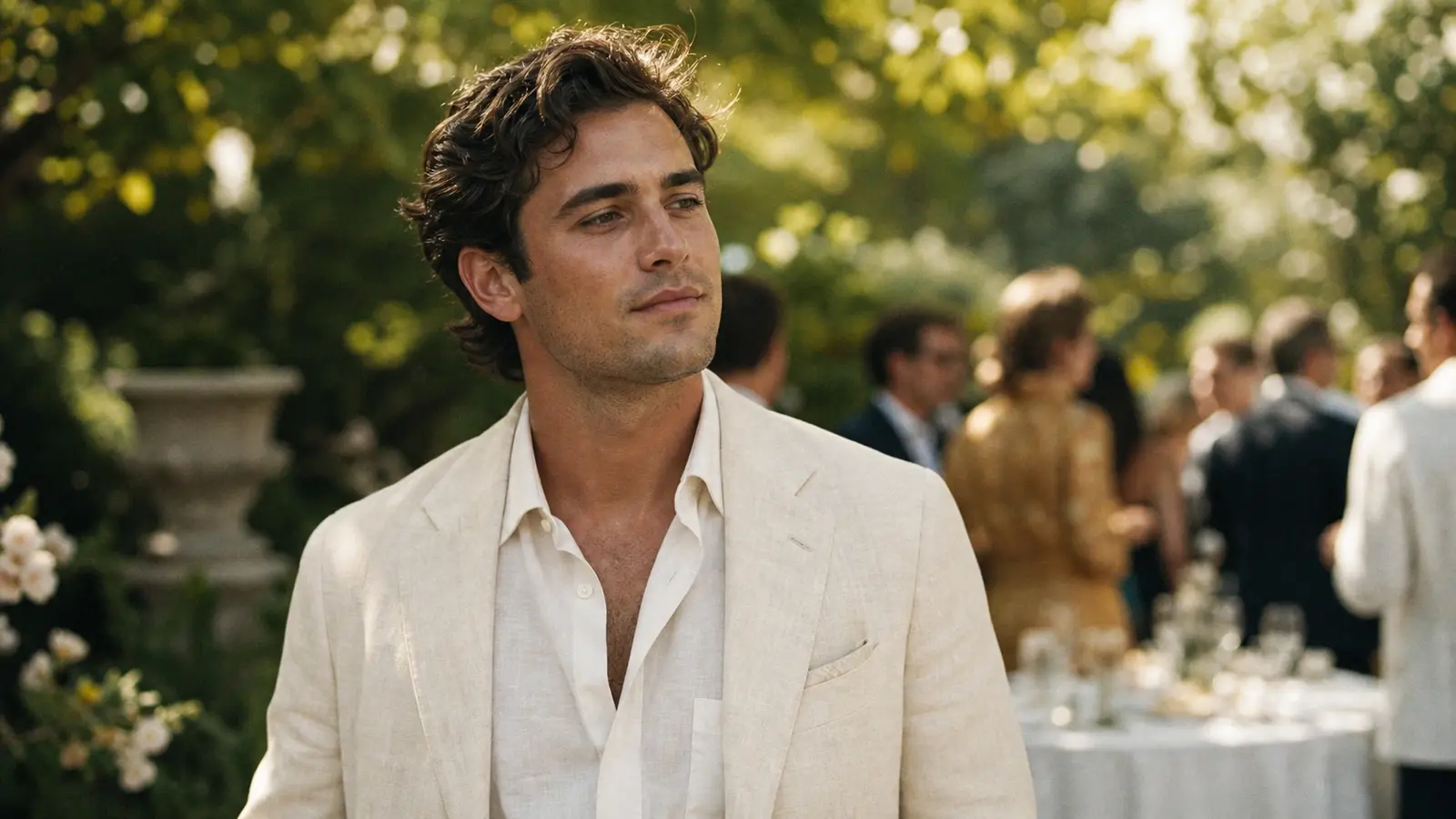
A candid, grainy 35mm film photograph of a distinguished [man / woman / person] in their [late 20s / 40s] at an outdoor garden party. They are wearing an ivory [linen suit / cable-knit sweater]. Soft, dappled sunlight filters through overhead trees. The atmosphere is relaxed and opulent. Shot on a vintage camera with authentic film grain and natural skin texture. 16:9 aspect ratio.
2. Cyberpunk techwear editorial
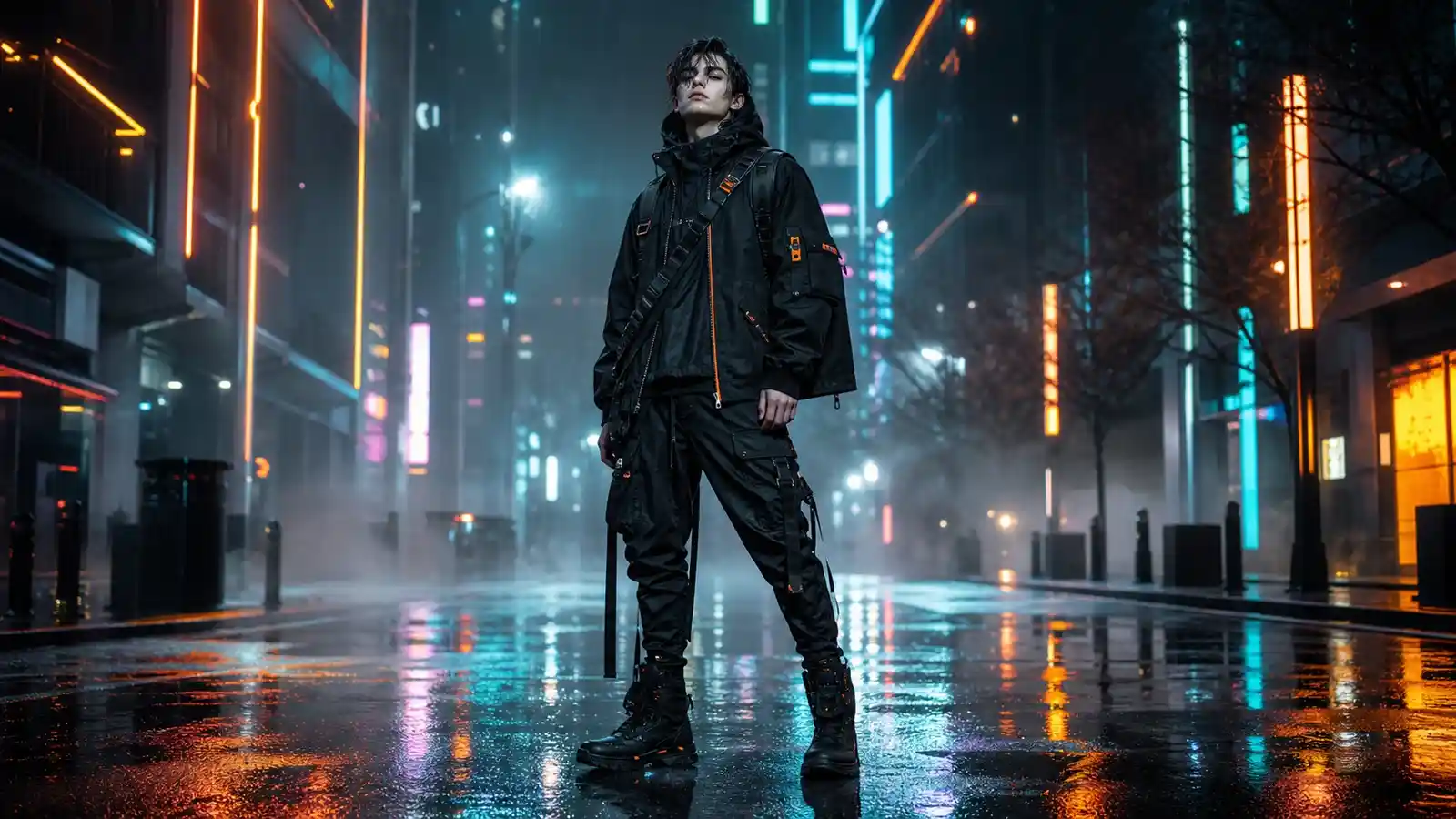
Full-body shot of a model in advanced techwear fashion, standing on a rainy neo-Seoul street at night. The clothing is a complex mix of matte black waterproof fabrics, glowing neon orange zippers, and utility buckles. Dramatic [teal and magenta] neon signs reflect off the wet pavement. Intense, moody atmosphere, sharp focus, volumetric fog.
3. Minimalist architectural portrait
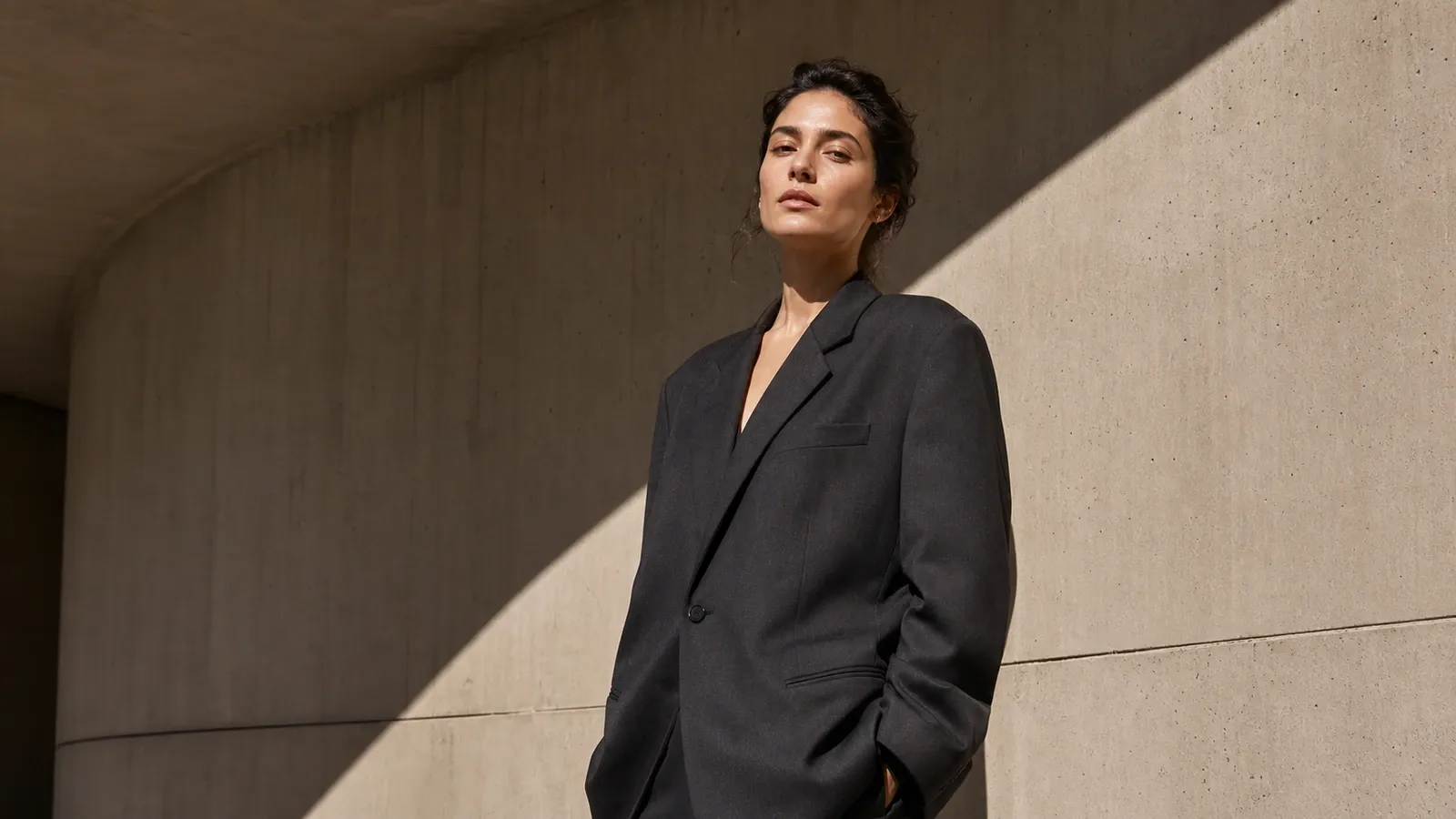
An architectural portrait of a person wearing an oversized, structured blazer standing against a smooth, curved concrete wall in [warm brutalist style]. One stark shadow cuts diagonally across the frame. Minimalist composition, clean lines, hard natural sunlight. Photorealistic texture, 8k resolution.
4. Ethereal fantasy goddess
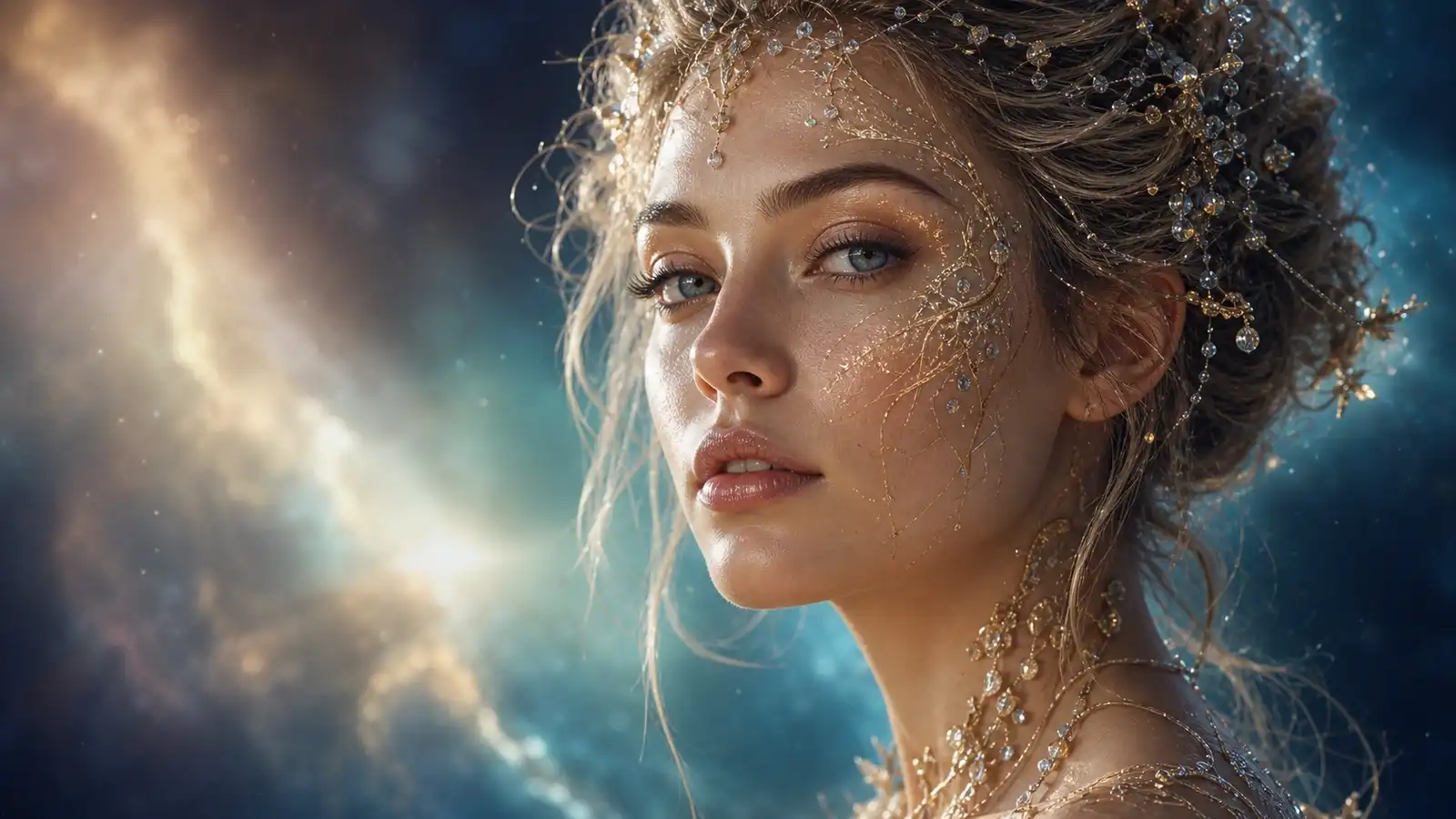
Close-up ethereal portrait of a [celestial goddess / nature entity]. Her skin is translucent and glows softly, interwoven with fine gold filigree and small crystals. Background is a blurred dreamscape of swirling luminous nebulae. The lighting is soft and mystical. Intricate facial details, 85mm lens.
5. 1970s golden hour editorial
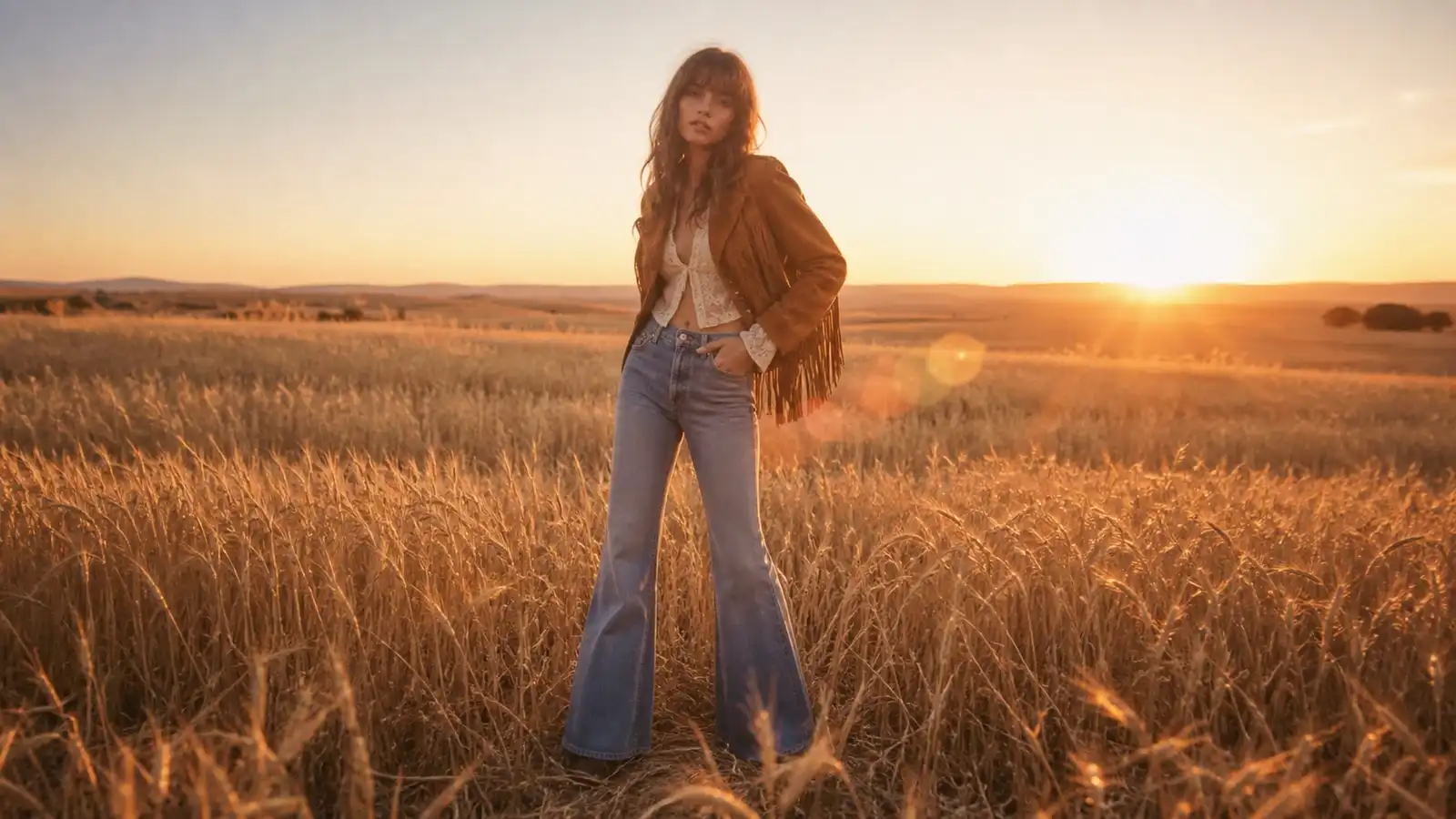
Nostalgic 1970s fashion editorial shot of a model with flared jeans and a [vintage suede jacket]. Positioned in an open golden wheat field during sunset. Warm amber color grading, subtle lens flare, analog film stock texture, low contrast shadows, dreamlike aesthetic.
6. Moody noir studio portrait
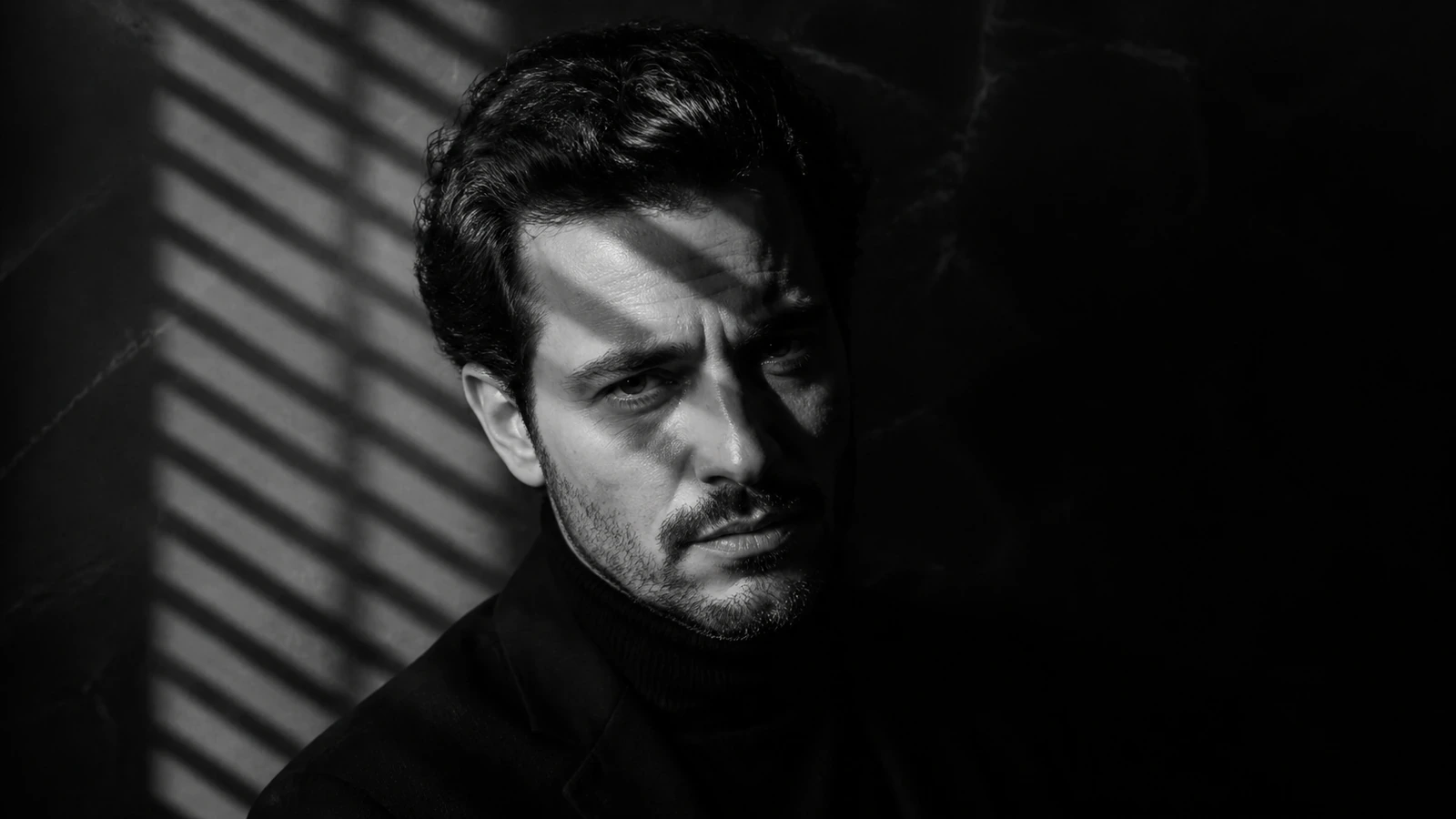
Black and white studio portrait of an expressive actor in high-contrast chiaroscuro lighting. Strong light cutting across the subject's face from a Venetian blind shutter, casting sharp linear shadows. Gritty texture, visible skin pores, dramatic emotional tone, captured on a 50mm f/1.4 lens.
Realism, lifestyle & personal branding
7. Authentic "no filter" selfie
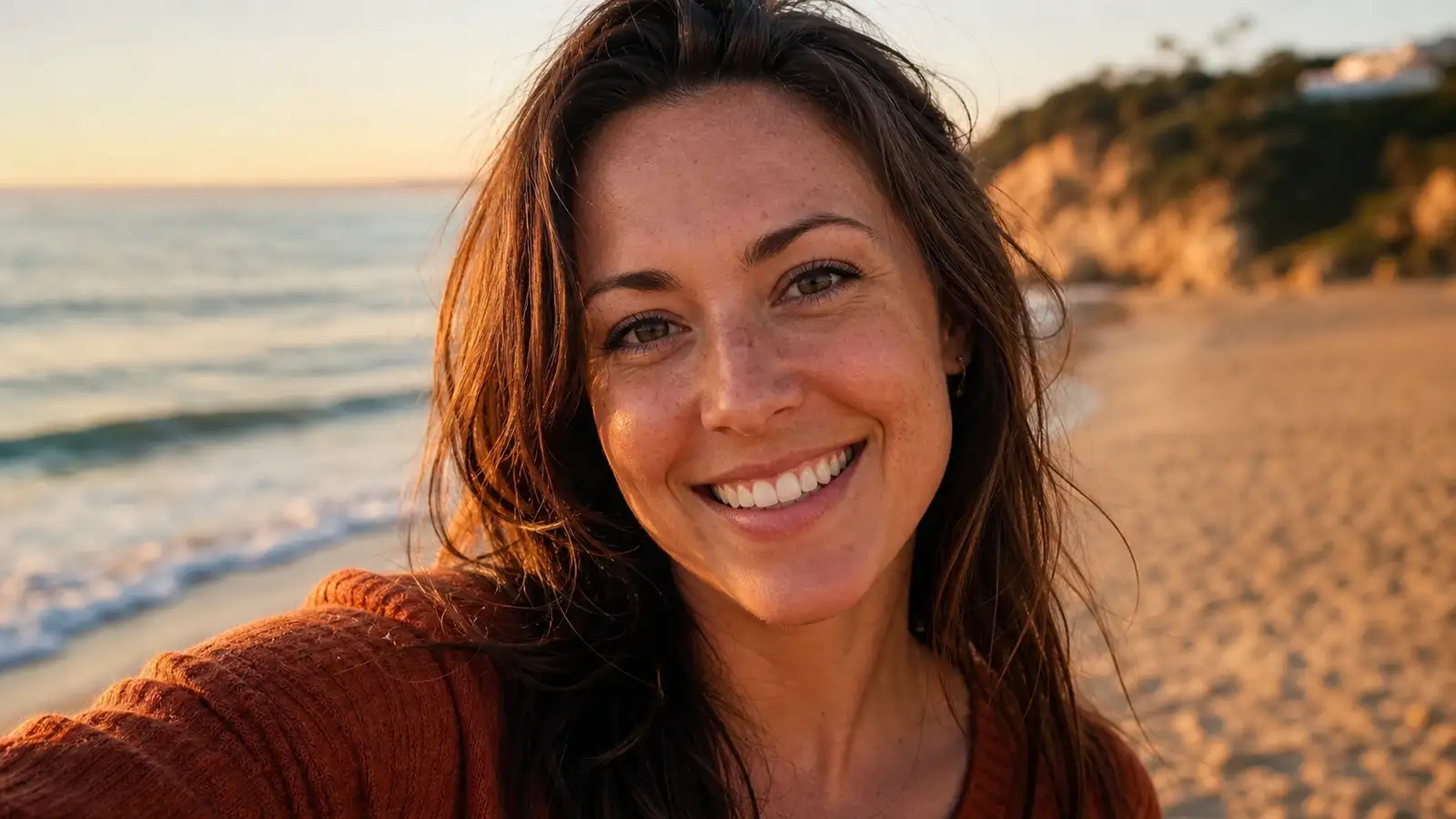
An authentic, casual selfie taken by a smiling [man / woman / person] in their early 30s during golden hour at the beach. Natural sunlight illuminates their face, showing realistic skin pores, light freckles, and stray hairs. The background is a soft, warm bokeh of the coastline and ocean. Shot on a smartphone, genuine look.
8. Modern corporate CEO headshot

Professional headshot of a confident startup CEO in a modern, glass-walled high-rise office. They are wearing a structured [charcoal blazer / navy dress]. Soft, flattering studio box lighting. A subtle view of the [New York City / London] skyline is visible but blurred in the background. Neutral, confident expression, sharp focus.
9. Candid street photography
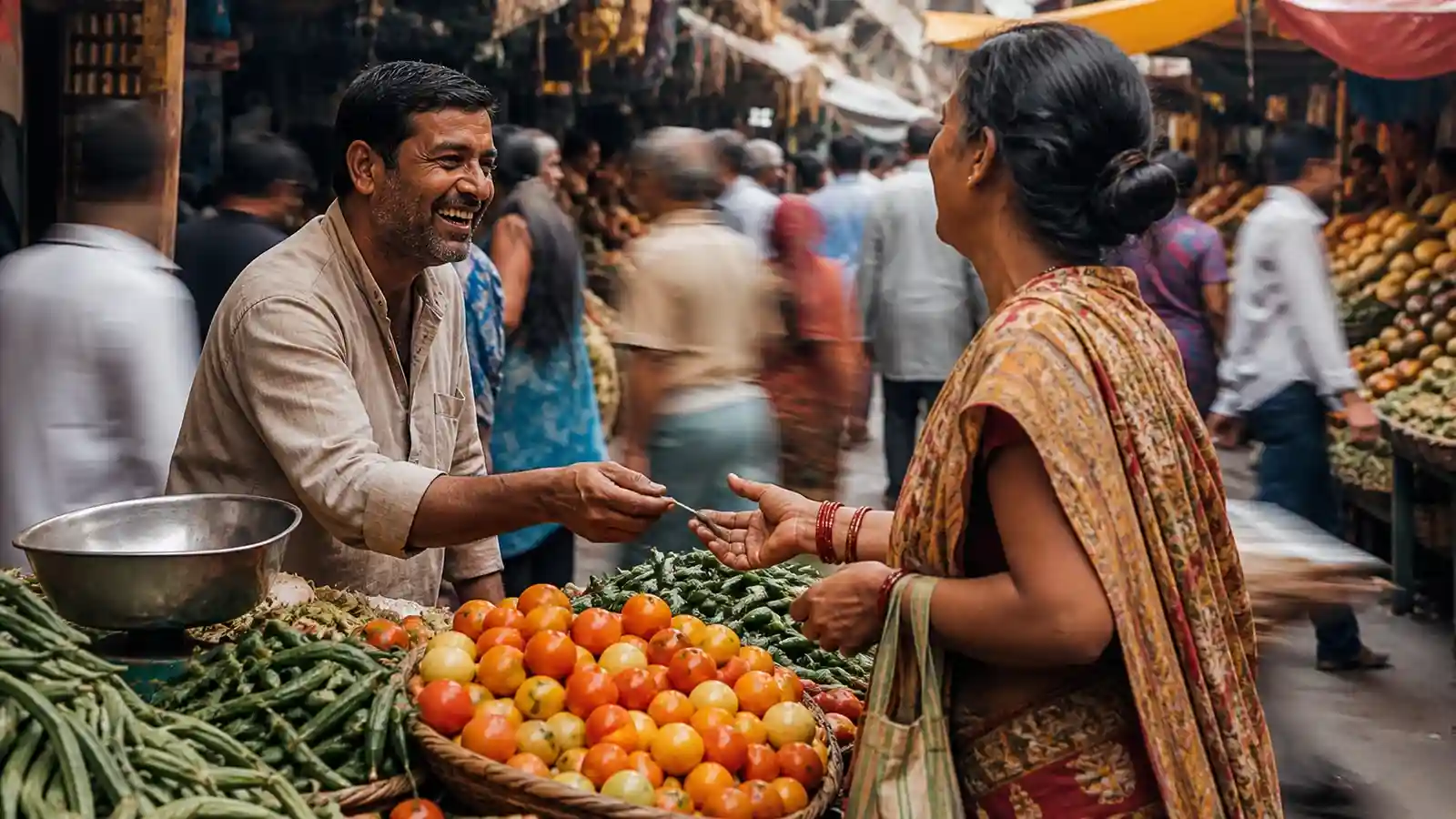
A candid, dynamic street photograph captured in [Tokyo / Marrakech / Paris]. The photo shows a local vendor laughing while interacting with a customer at a busy outdoor market. Motion blur on passing pedestrians creates a sense of movement. Raw, documentary film style, gritty texture, natural street lighting.
10. Hyper-realistic close-up (macro)
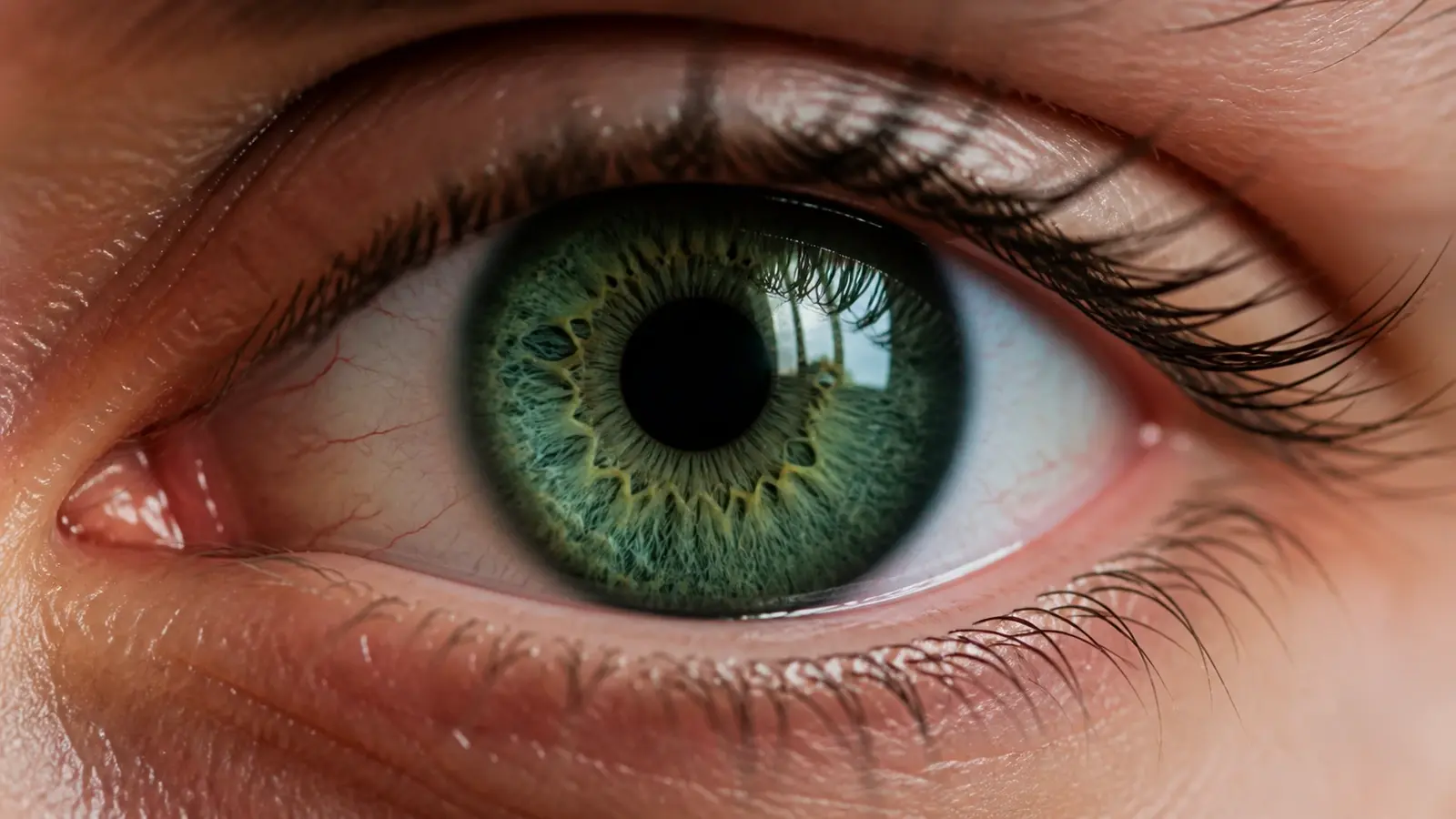
A hyper-realistic macro close-up of a human eye. The detail must be extreme, showing the intricate fibrous patterns of a [deep blue / emerald green] iris, individual eyelashes with tiny moisture droplets, and the reflection of a bright window on the cornea. Crisp detail, natural light.
11. Cozy coffee shop lifestyle
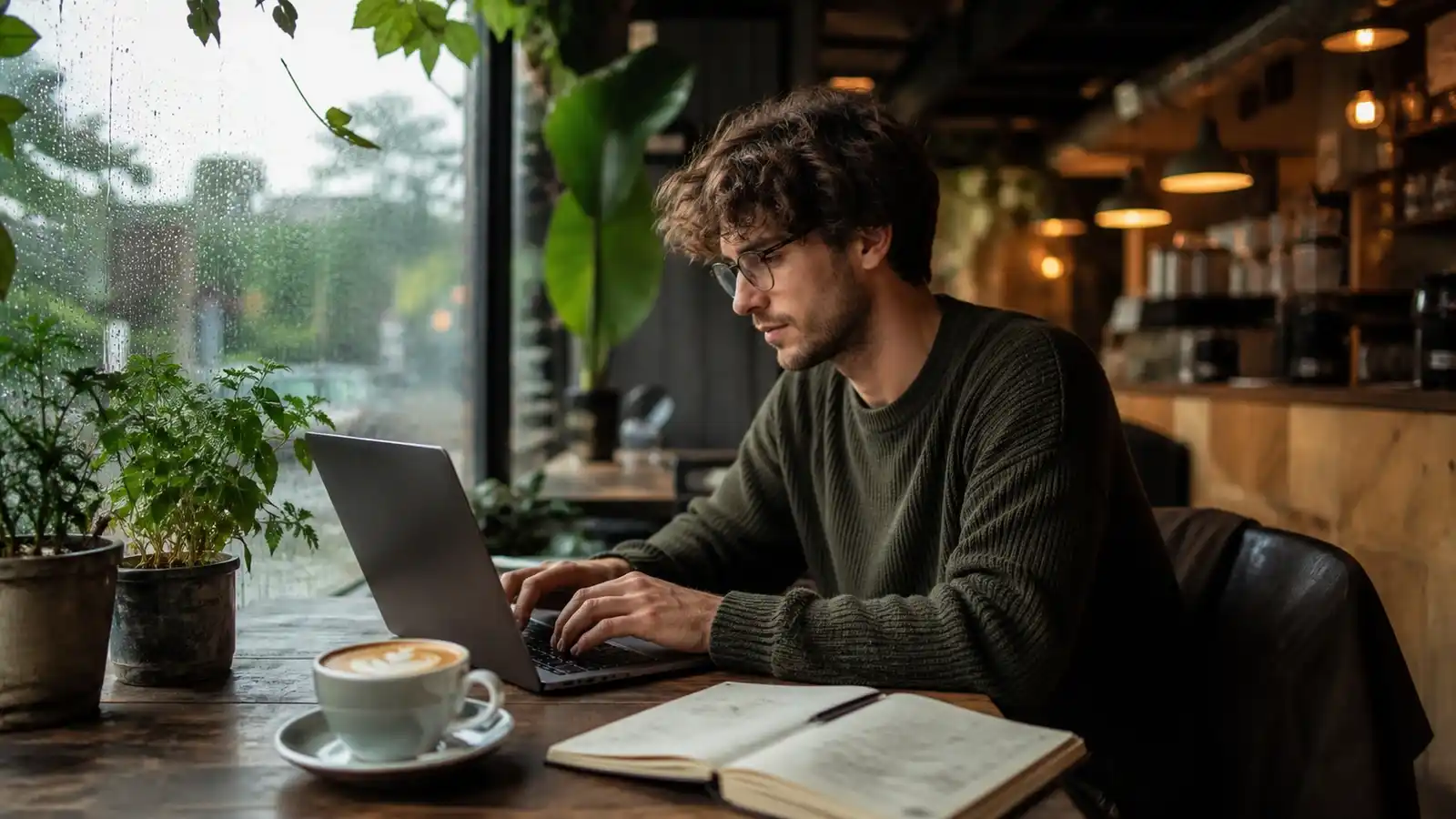
A candid lifestyle shot of a creative professional working on a laptop at a rustic wooden table inside a cozy, plant-filled coffee shop. Raindrops visible on the windowpane in the background. A steaming cup of latte with art sits next to the laptop. Warm interior ambient lighting, shallow depth of field.
12. Fitness & athletic action
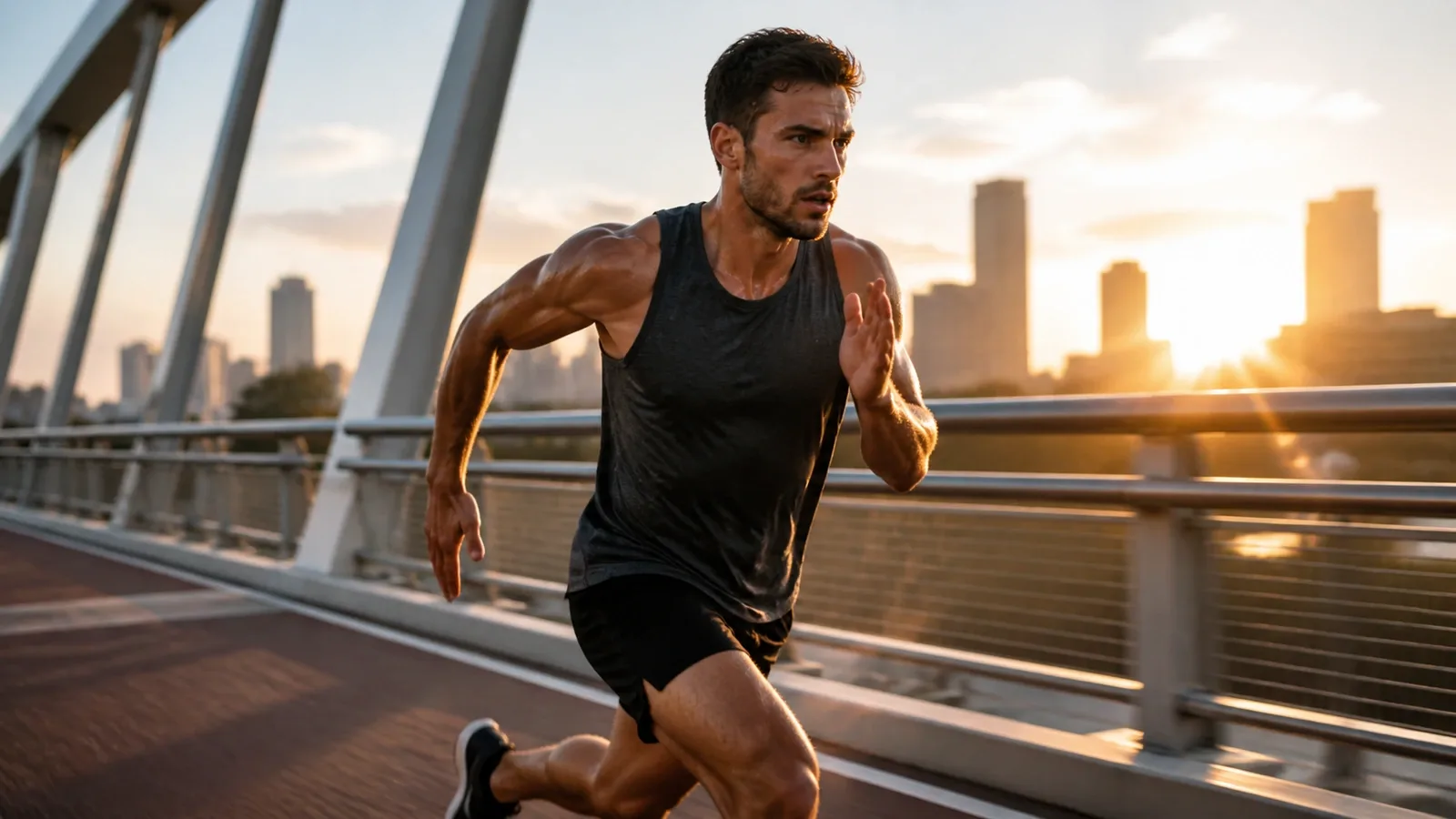
High-speed athletic photograph of a runner sprinting along an urban bridge at sunrise. Sweat glistening on skin, determined expression, sharp focus on the athlete with slight motion blur in the background. Crisp morning backlight, vivid contrast, commercial athletic brand aesthetic.
Landscapes, travel & environment
13. Moody Pacific Northwest landscape
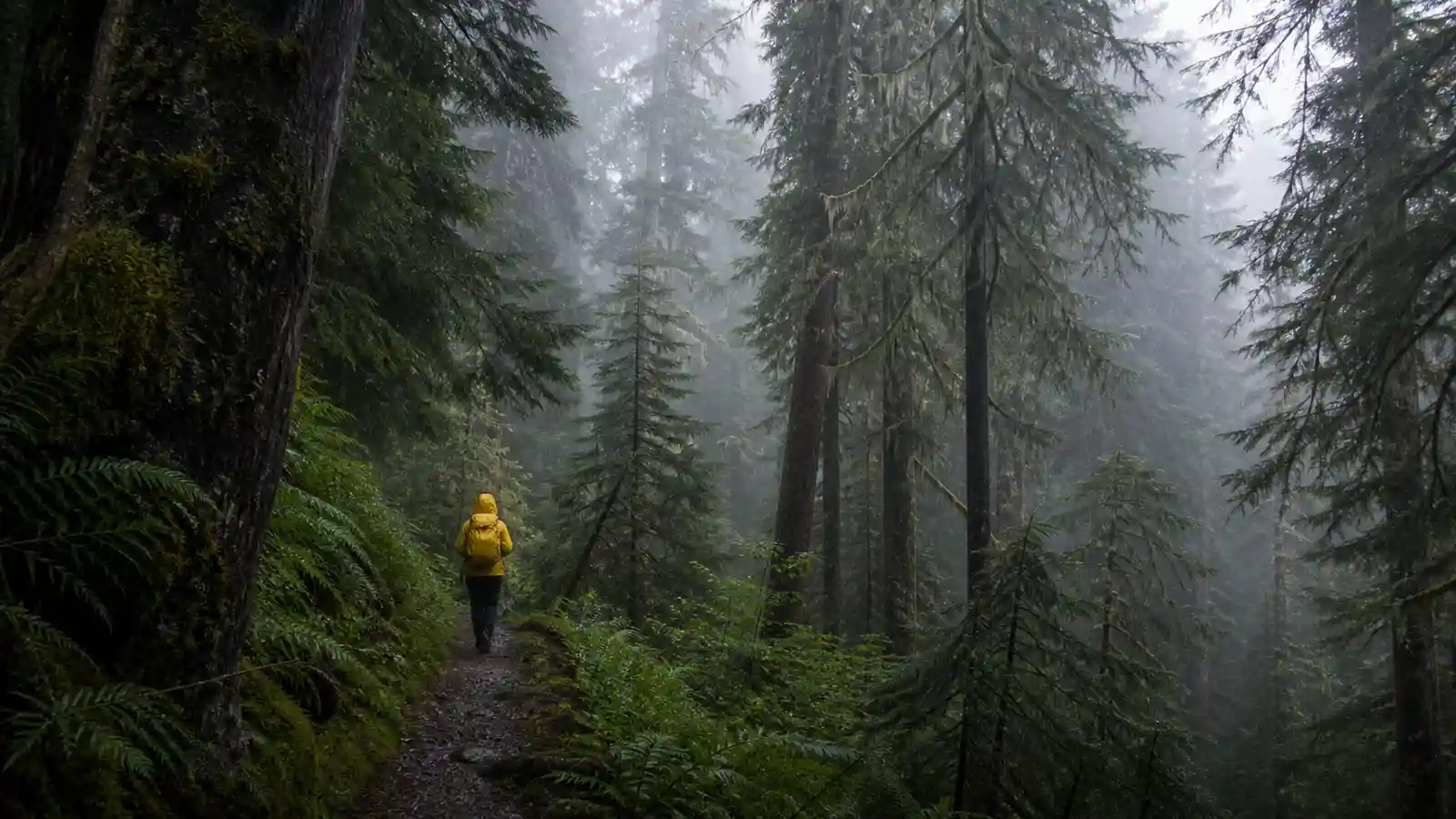
An atmospheric landscape of a dense, misty pine forest in the Pacific Northwest. A lone hiker in a bright [yellow / orange] rain jacket walks along a narrow trail. The mood is calm, solitary, and damp. Soft, diffuse overcast lighting, deep green and grey tones.
14. Aerial drone shot of coastal cliffs
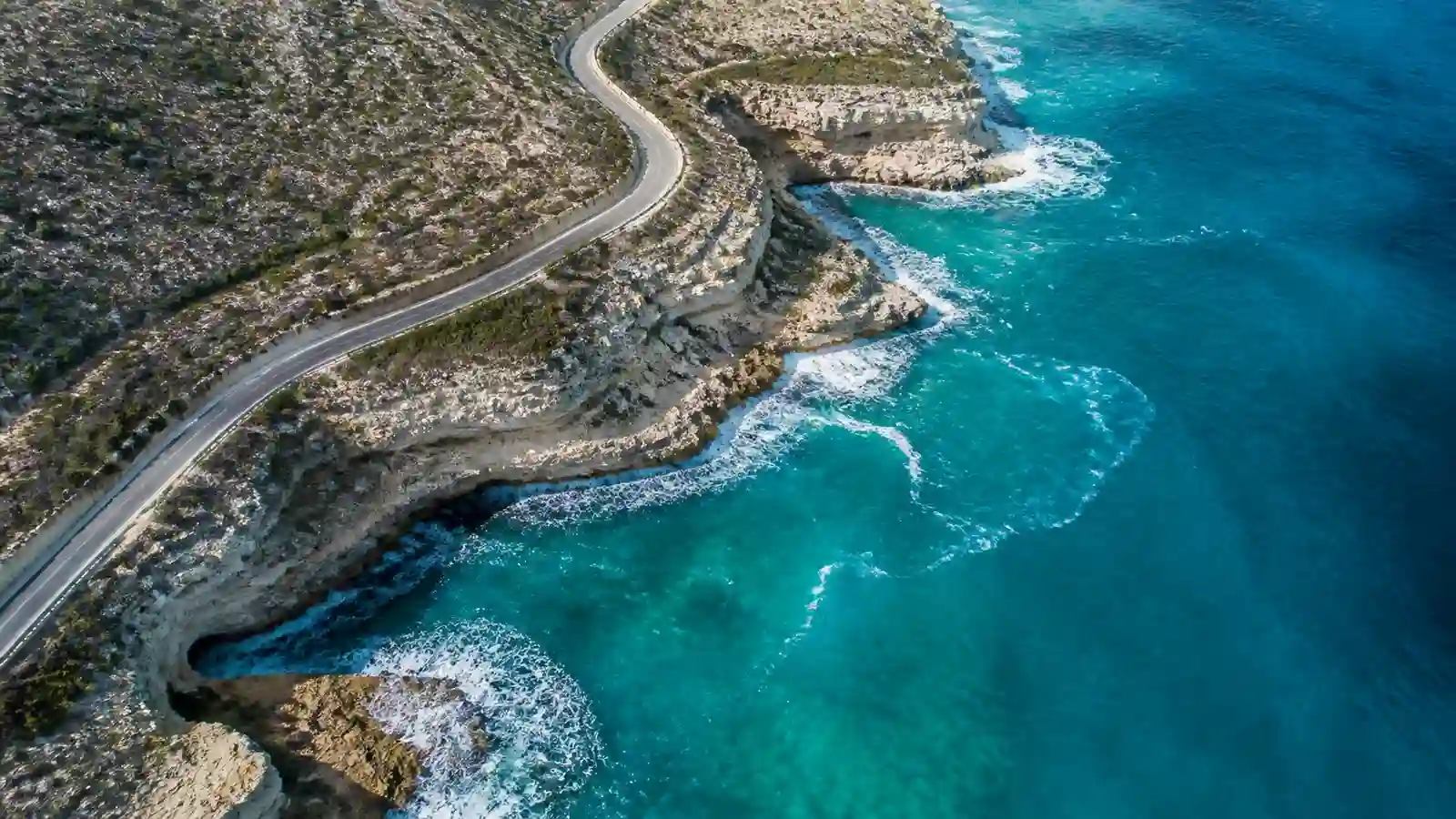
A high-resolution aerial drone photograph looking straight down at dramatic, rugged limestone cliffs meeting a vibrant turquoise ocean. White foam crashes at the base. One single winding road follows the cliff edge. Intense contrast, sharp textures, photorealistic water clarity.
15. The dream travel destination (cinematic)
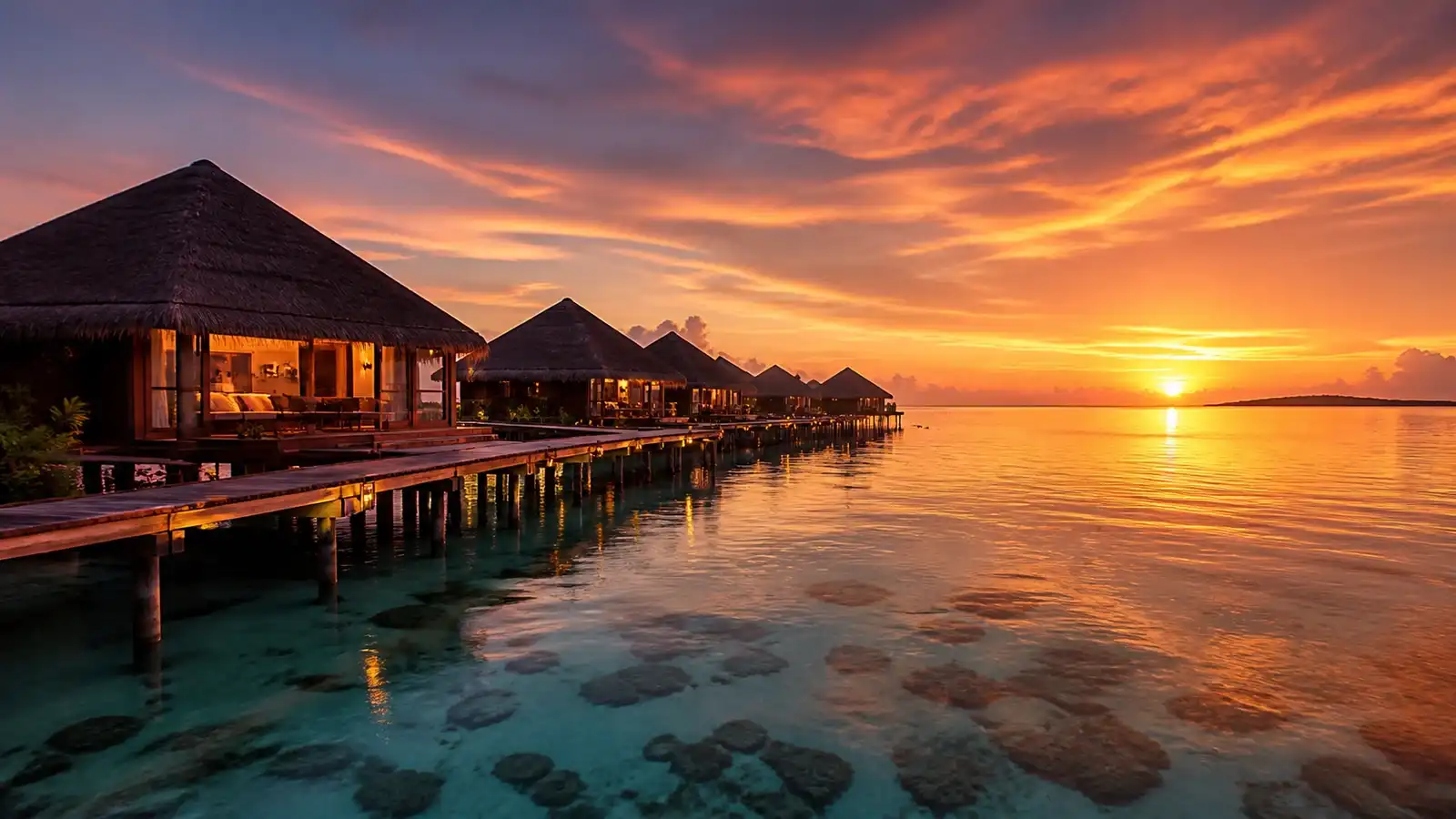
Wide-angle cinematic shot of a luxury overwater villa resort in [The Maldives / Bora Bora] during sunset. The sky is a gradient of fire orange, deep violet, and gold. The water is perfectly calm and reflective. Volumetric lighting, surreal beauty, 16:9 aspect ratio.
16. Solitary desert dunes
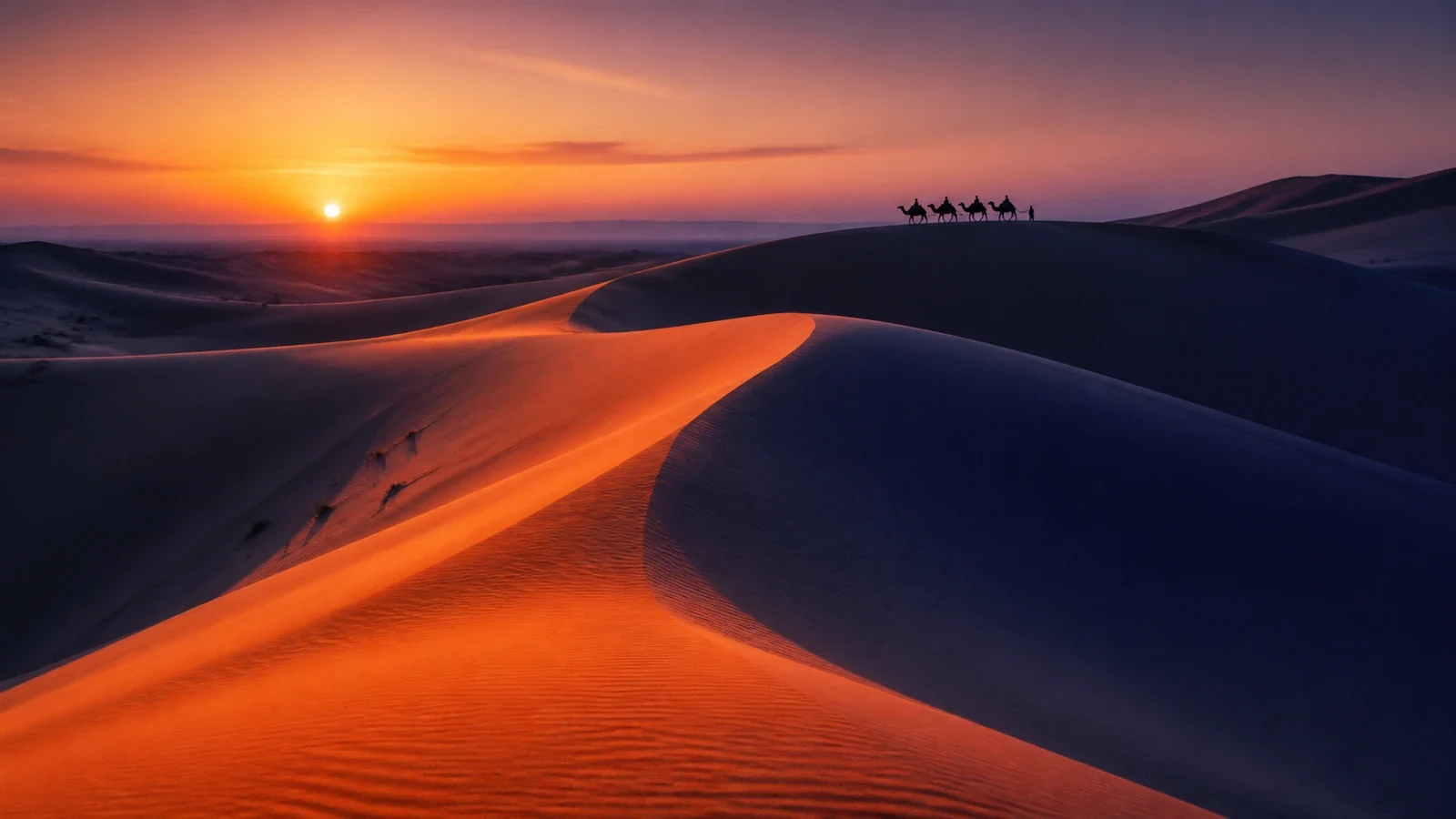
Full landscape shot of the vast Sahara desert dunes at twilight. The low sun creates long, sweeping deep blue shadows across the orange sand curves. One solitary camel caravan is silhouetted on a distant ridge. Minimalist composition, vast sense of scale.
17. Nordic winter cabin in Aurora Borealis
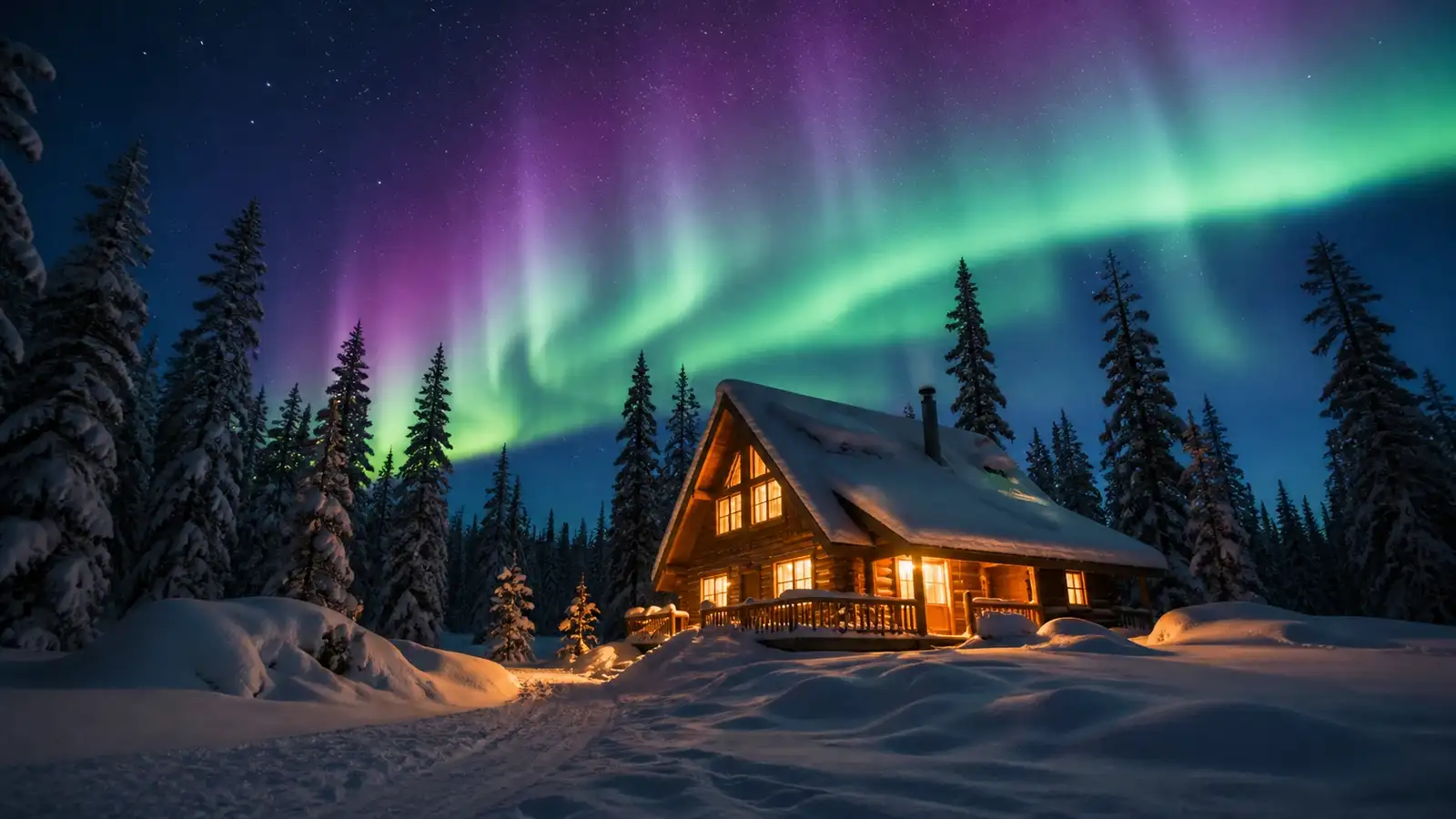
A night landscape photograph of a cozy wooden A-frame cabin surrounded by deep snow and tall pine trees. Bright green and violet Northern Lights (Aurora Borealis) dance across the starry night sky. Warm yellow light glows from the cabin windows, reflecting on the crisp white snow.
18. Mist-shrouded Japanese bamboo forest
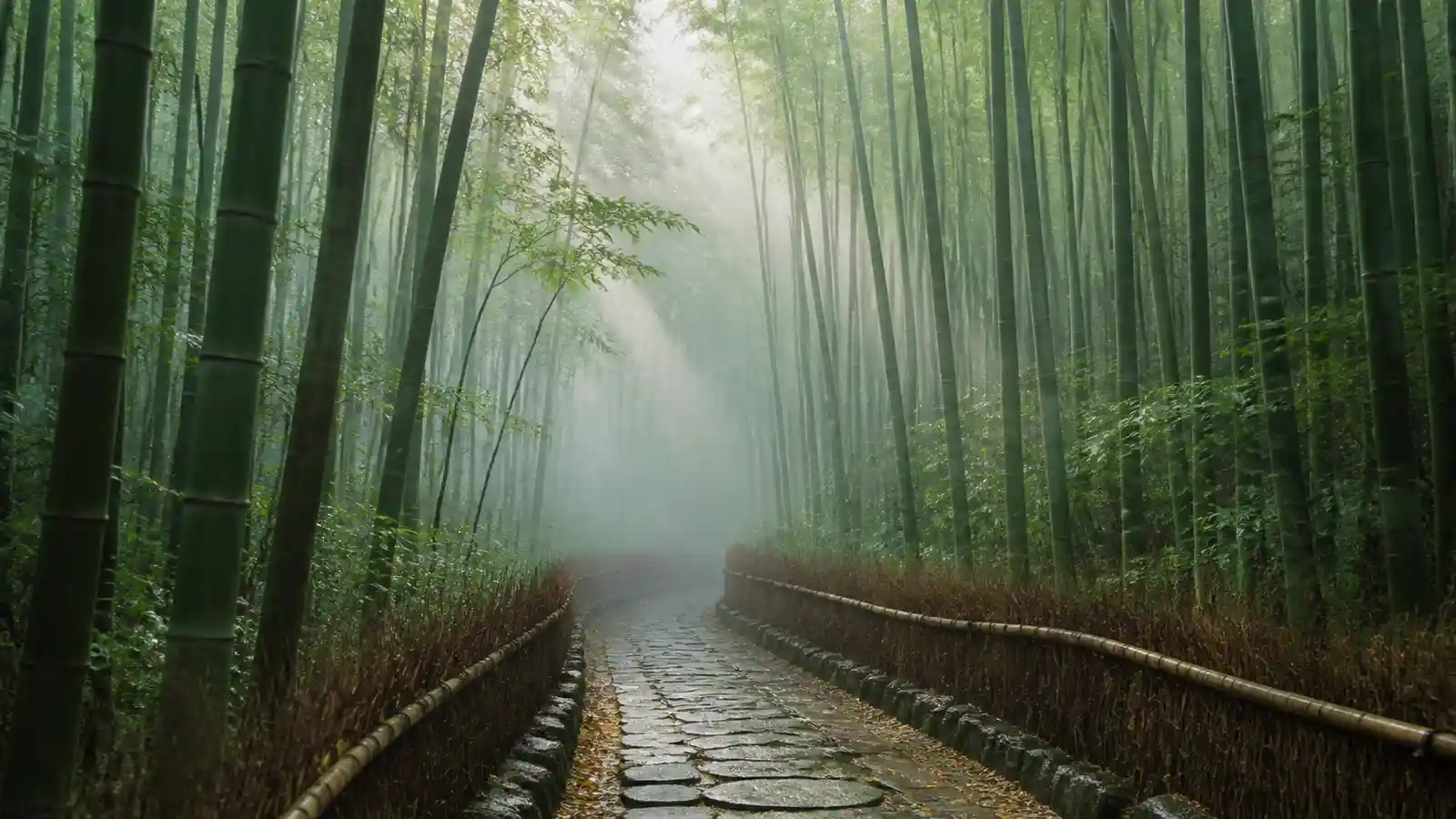
Eye-level shot looking down a narrow stone path cutting through a towering green bamboo grove in Kyoto. Early morning fog filters through the bamboo stalks, creating soft ray beams (god rays). Serene, quiet atmosphere, natural greens and earthy tones, 35mm lens.
Commercial, product & automotive
19. Minimalist luxury product placement
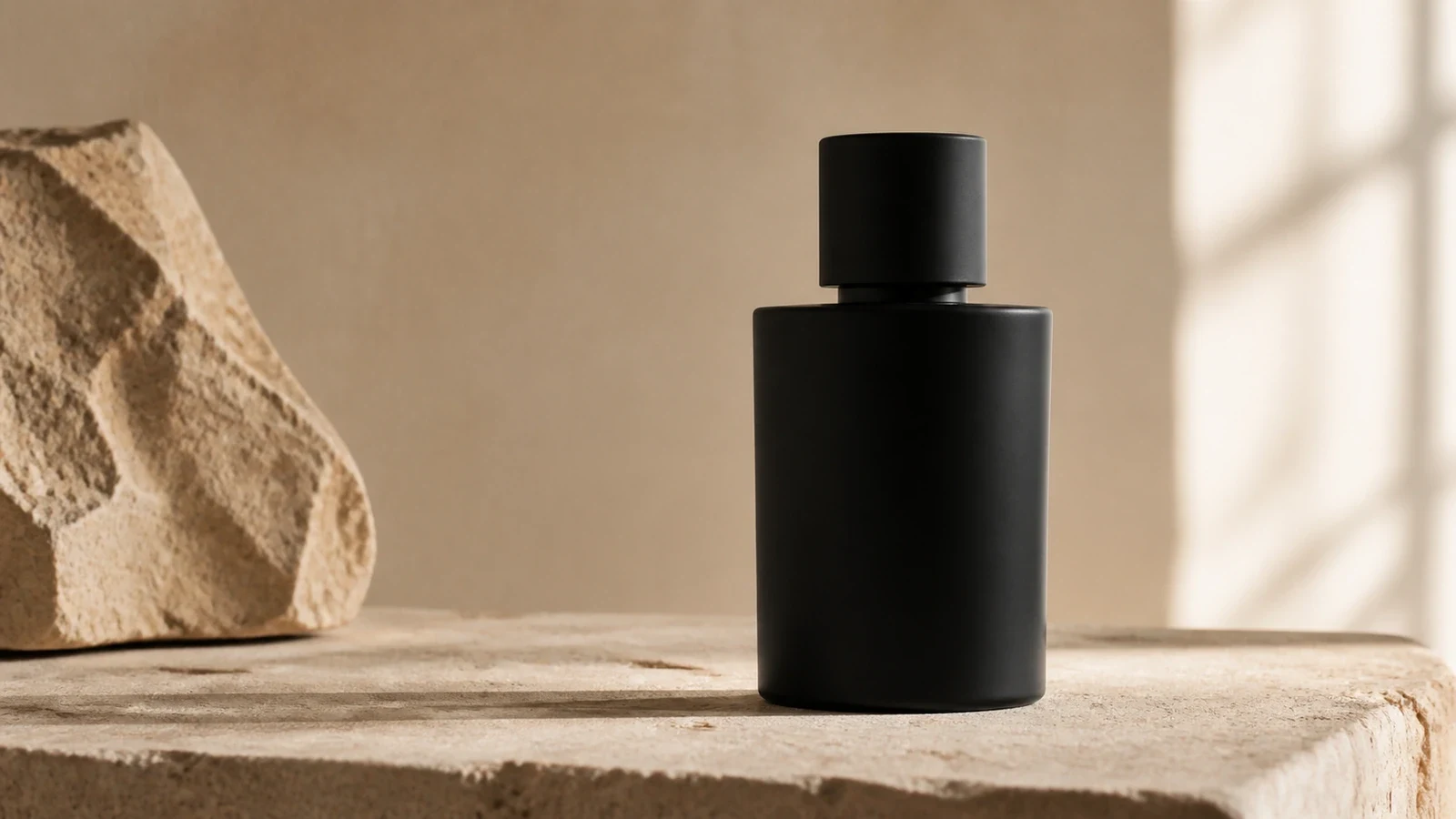
Studio product photograph of a [minimalist matte black watch / luxury parfum bottle]. It is resting on a raw, natural travertine stone slab against a warm, muted beige wall. Soft, directional window light from the right. Sharp focus on the product texture, sophisticated aesthetic.
20. Gastronomy food photography
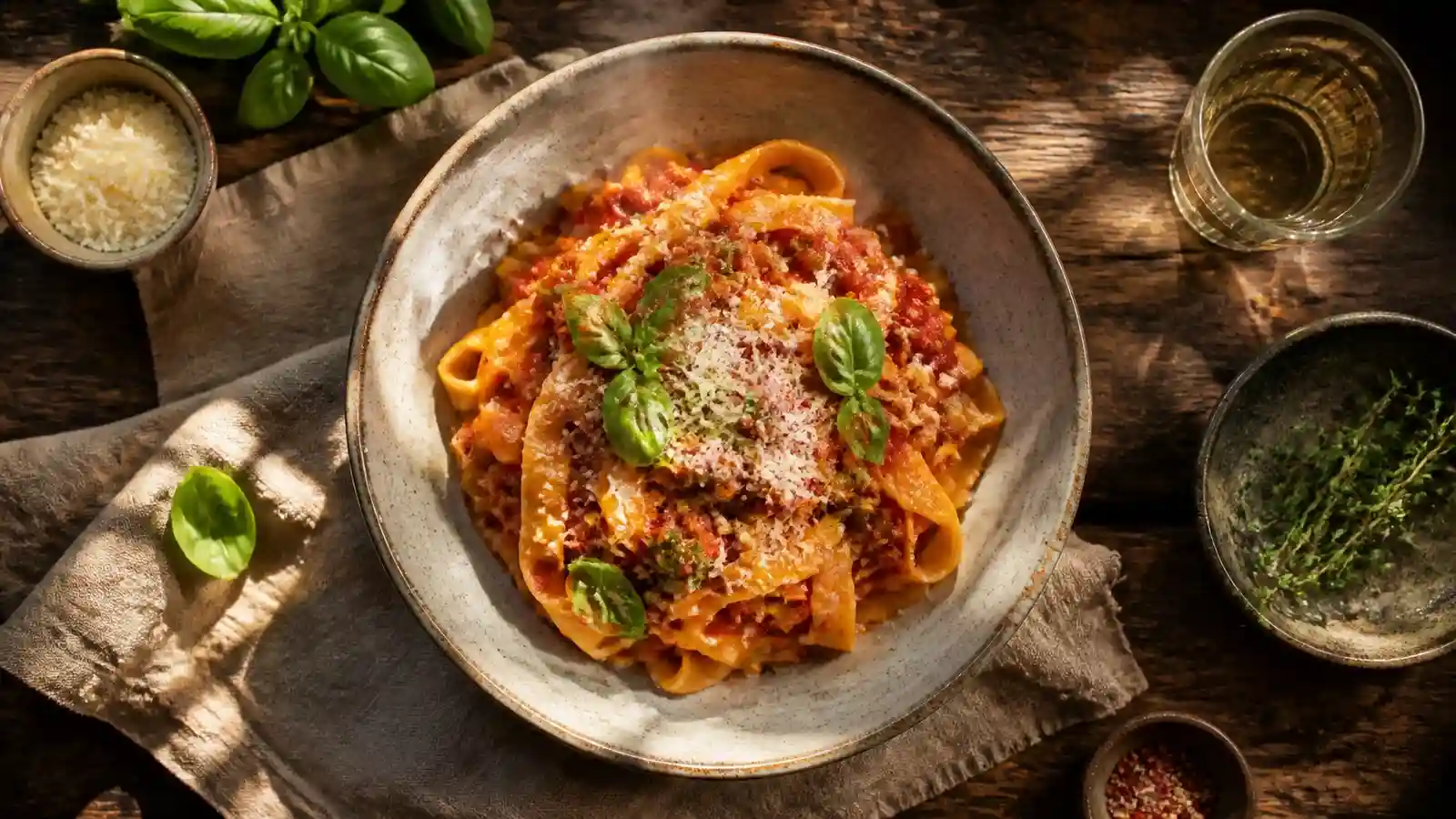
A top-down (flat lay) photo of a gourmet [taco trio / pasta dish] in a rustic ceramic bowl. The scene is set on a dark, weathered wooden table with linen napkins and a glass of wine. Dappled afternoon sunlight filters in. Fresh ingredients, steam rising subtly, vibrant colors, shallow depth of field.
21. Commercial tech concept (clean)
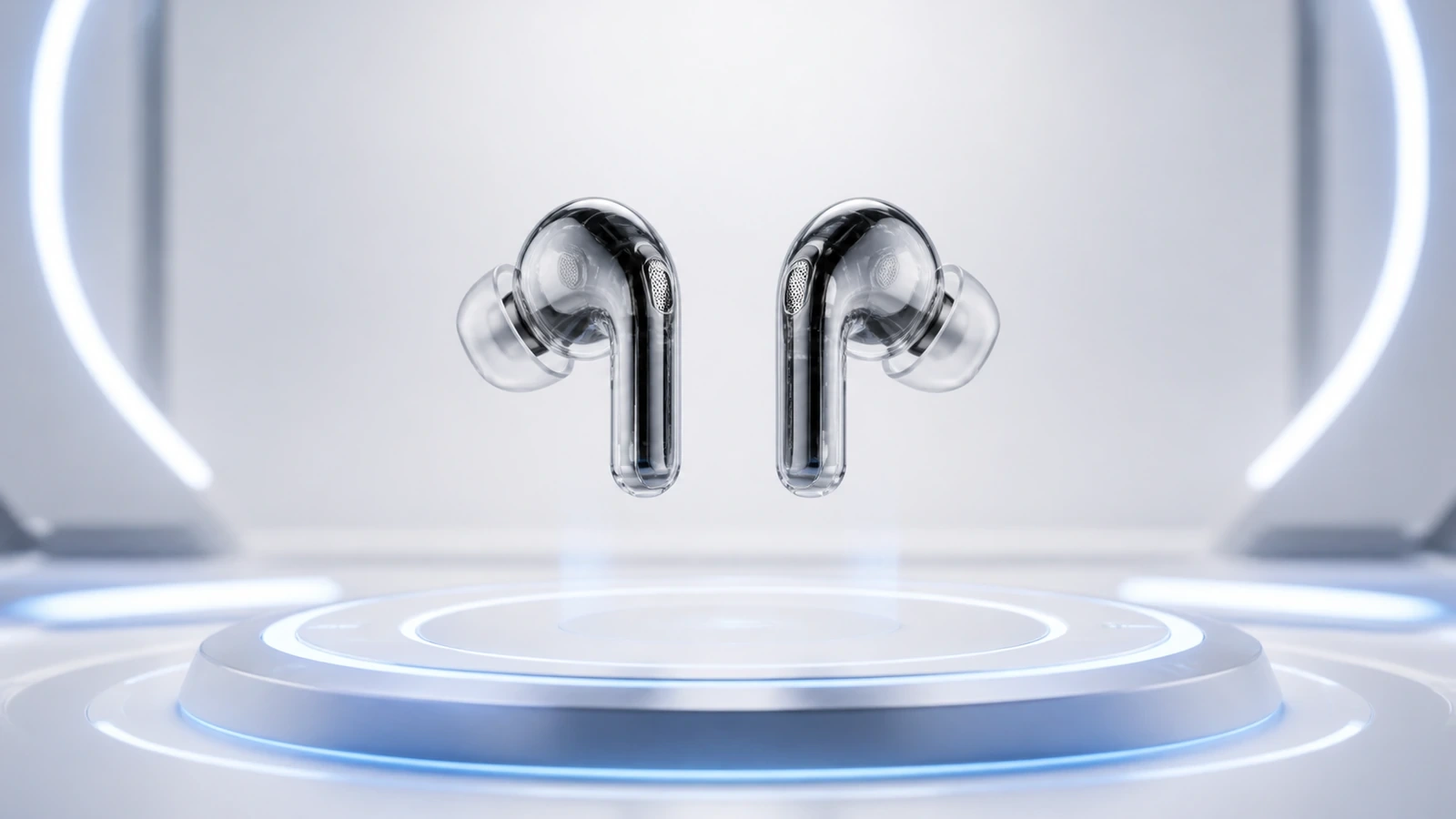
Commercial conceptual shot of futuristic transparent wireless earbuds floating above a glowing, inductive charging surface. The environment is sterile white and clean. Subtle, cool blue LED accents. High-tech, sleek, advertising style, sharp focus.
22. Creative beverage splash
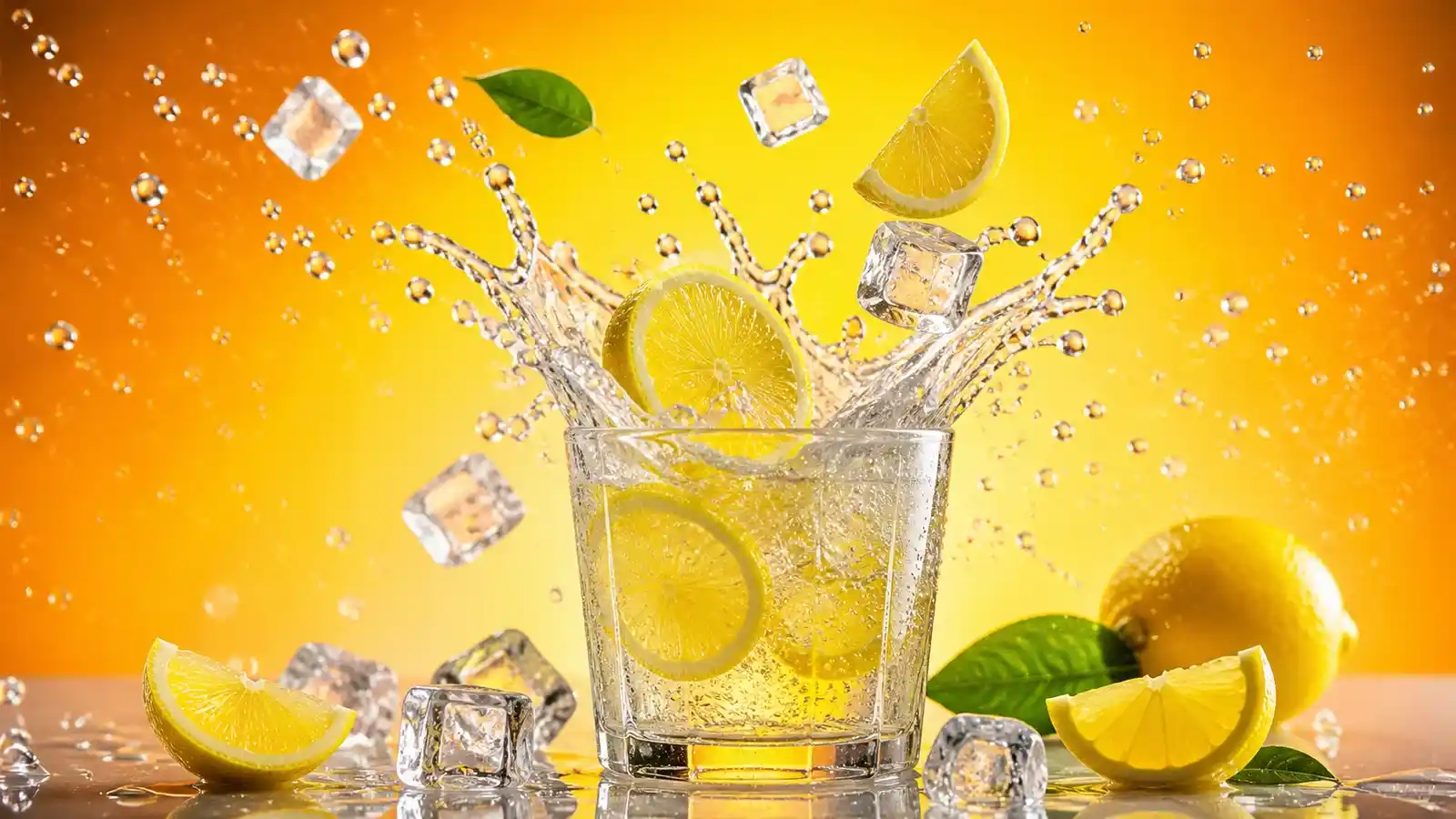
Dynamic, high-speed commercial shot of [iced coffee / citrus soda] bursting with energy. Ice cubes, lemon slices, and liquid droplets are suspended mid-air in a perfect, chaotic splash. Background is a vibrant gradient. Crisp focus, sparkling light interaction, inviting look.
23. High-end automotive studio shot
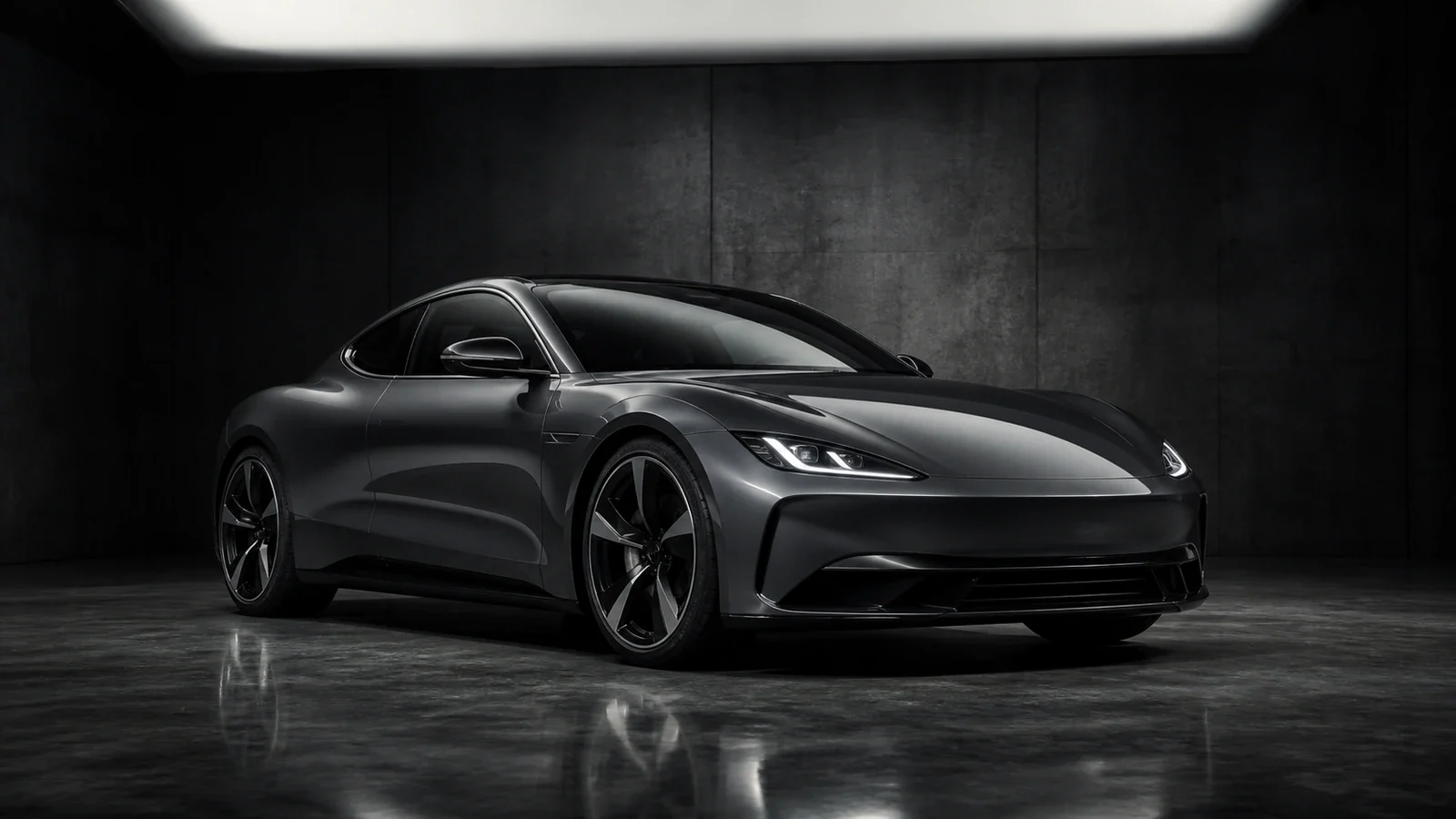
Commercial automotive photography of a modern electric sports car parked in a dark, moody concrete studio. Single overhead softbox light highlights the metallic curves and aerodynamic lines of the vehicle. Reflection on the polished floor, sharp 8k detail, luxury automobile advertisement aesthetic.
24. Skincare & botanical staging
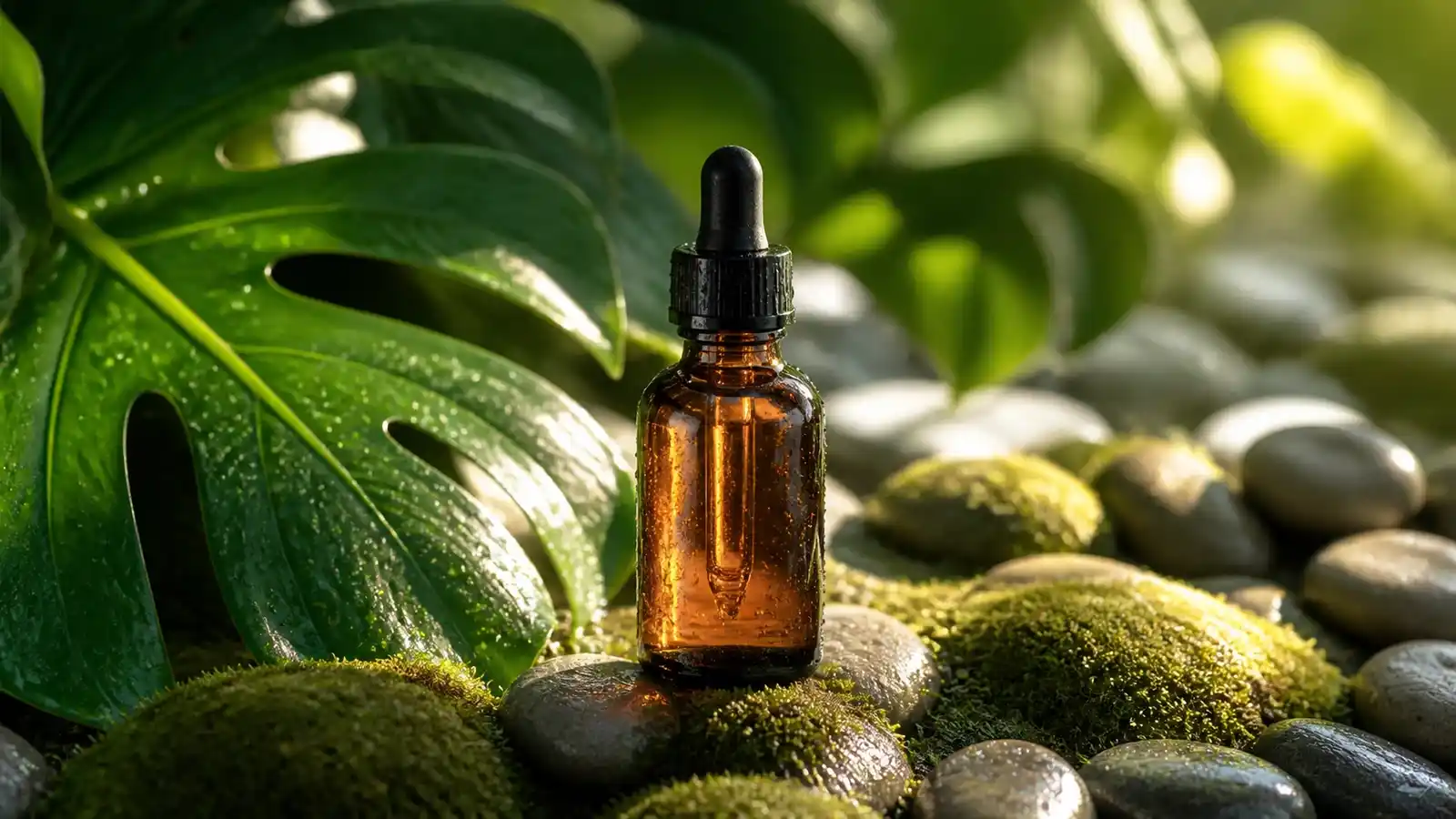
Organic skincare glass dropper bottle nestled among damp moss, river pebbles, and lush green monstera leaves. Morning dew droplets covering the surface. Soft morning sunlight breaking through leaves to create natural patterns. Pure, clean, eco-luxury aesthetic.
Artistic, surreal & specialized
25. "Impossible" biophilic architecture
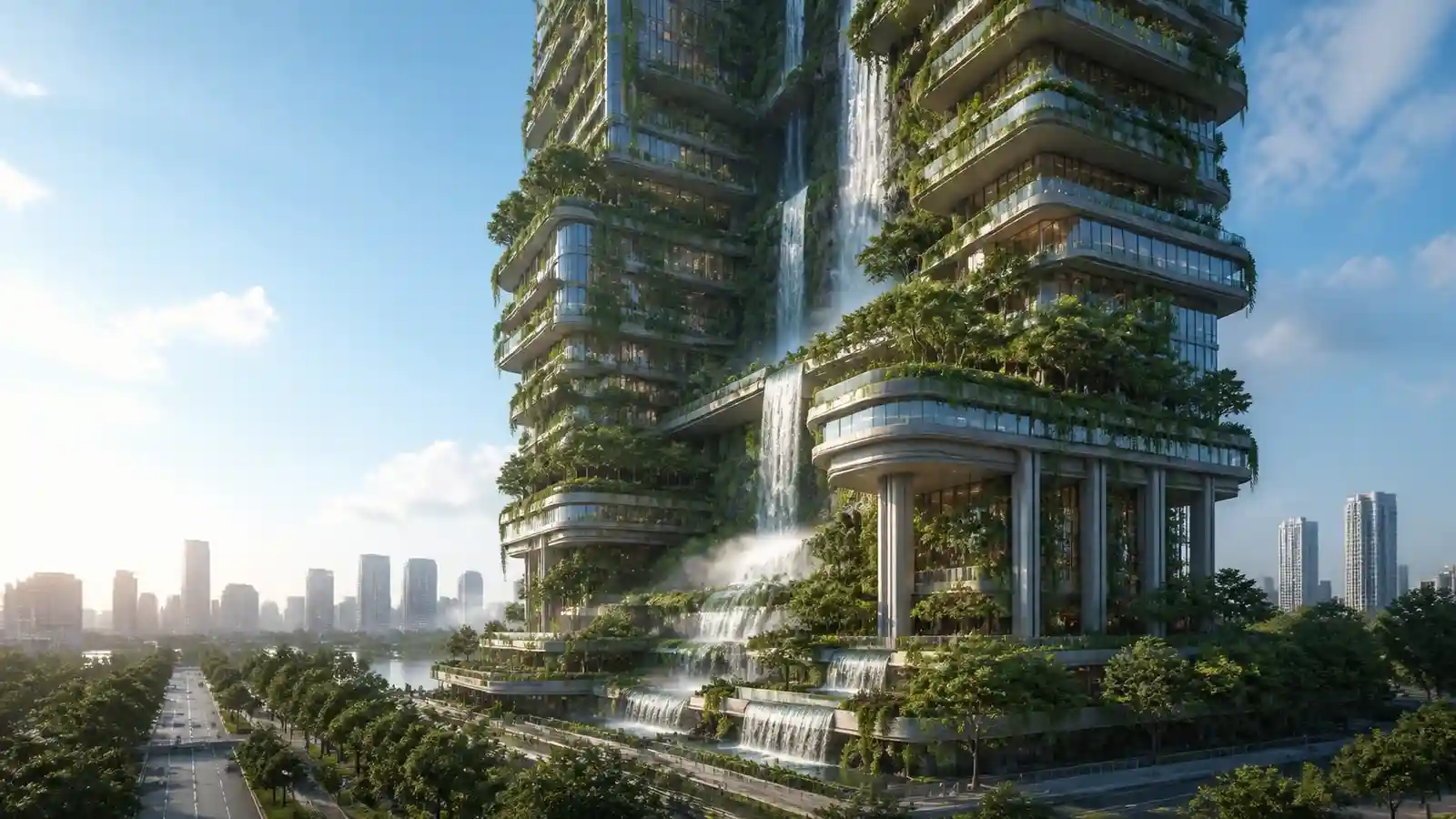
A photorealistic exterior view of a futuristic high-rise building that is entirely integrated with lush vertical gardens, cascading waterfalls, and mature trees growing from terraces. Sustainable, harmonious design. Morning light, cinematic perspective.
26. Double exposure portrait
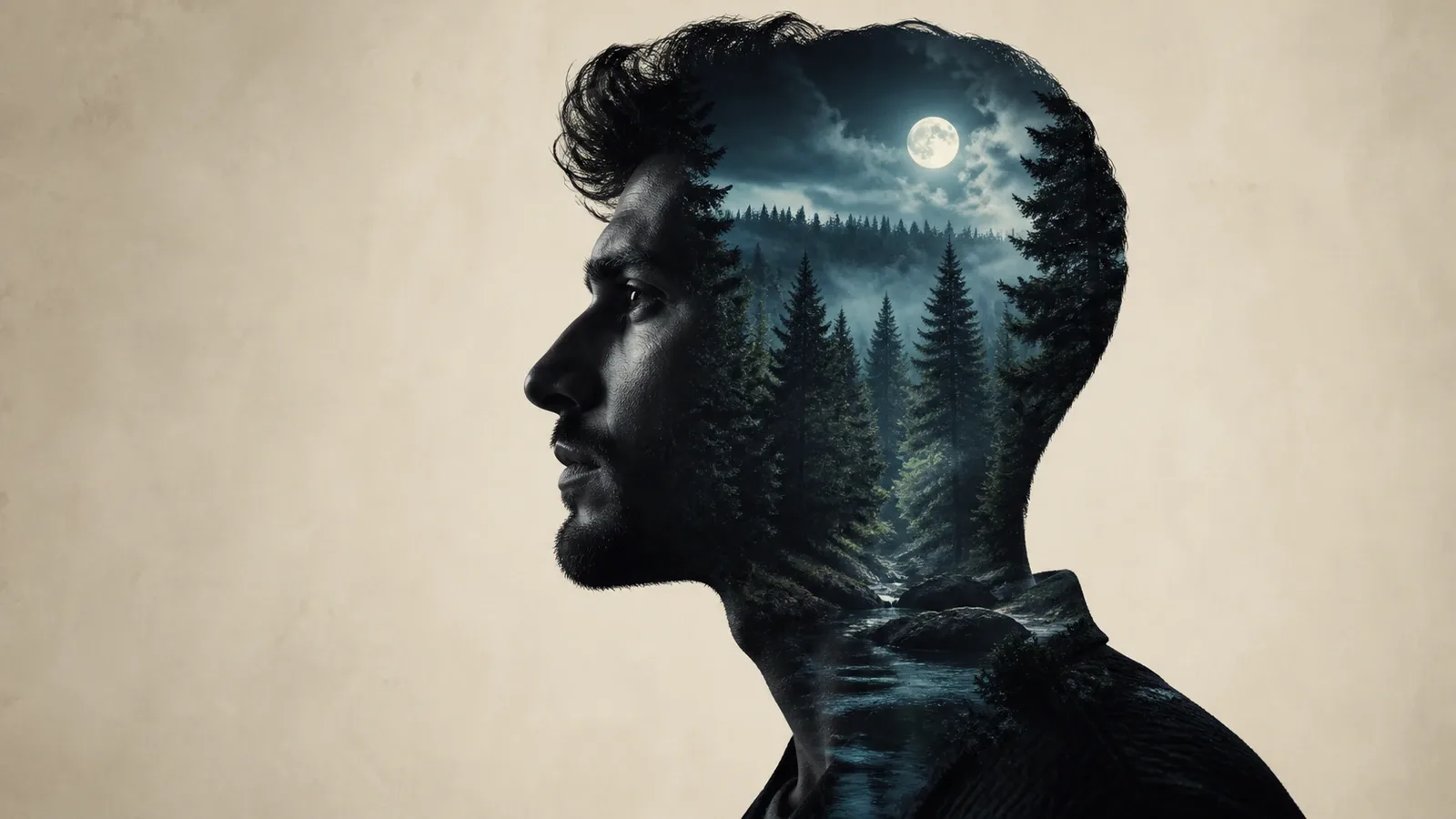
A fine art double exposure portrait. The silhouette of a thoughtful [man / woman] is filled with a dense, detailed forest landscape at night. The background is a soft, textured cream color. Moody, introspective, high contrast.
27. Abstract fluid dynamics
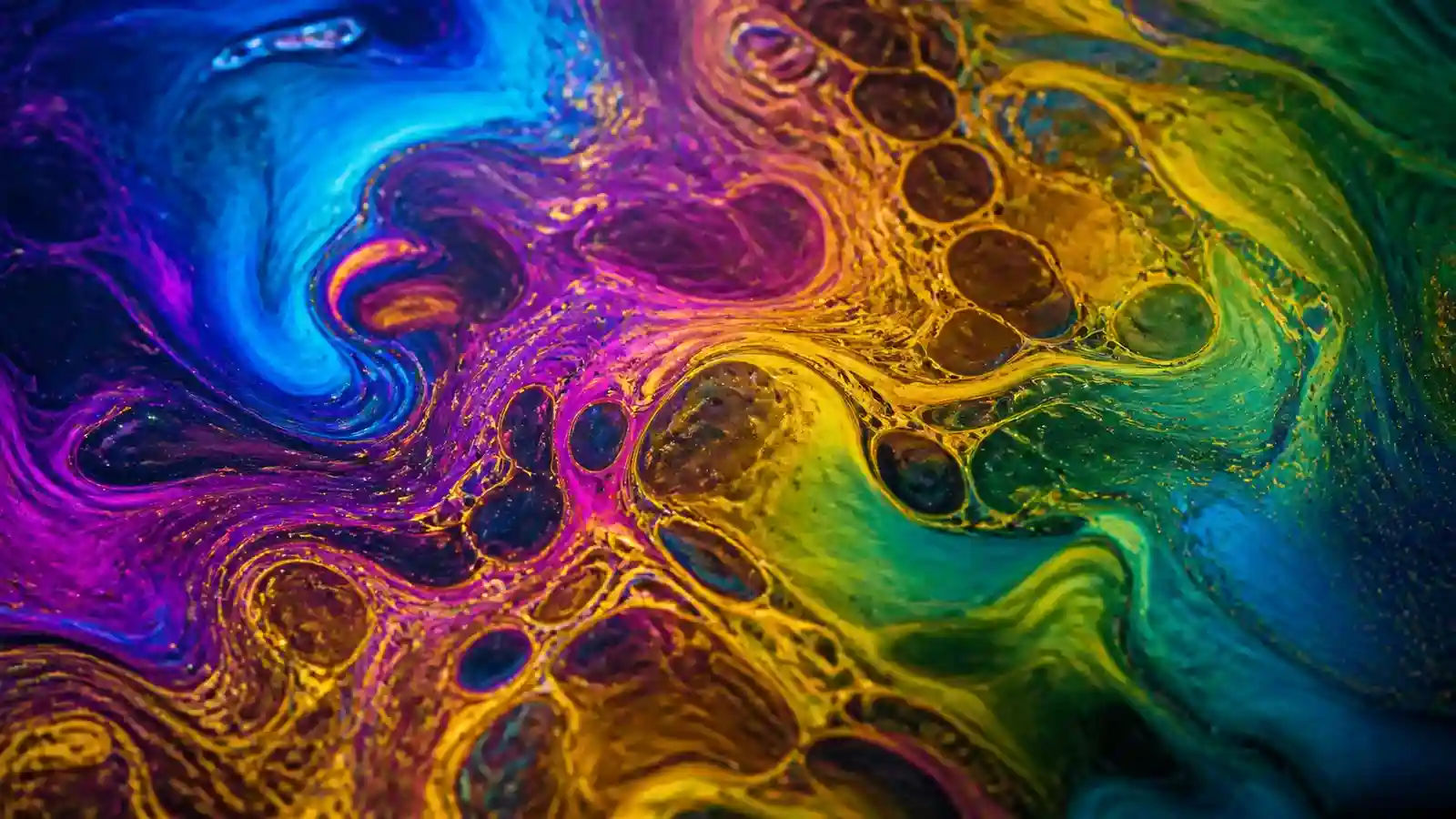
An abstract close-up image of iridescent oil swirling on water. Incredible colors: electric blue, magenta, gold, and green merging. Complex fractal patterns. The texture looks viscous and glossy. Soft, studio lighting to highlight reflections.
28. Retro-futuristic Vaporwave sunset
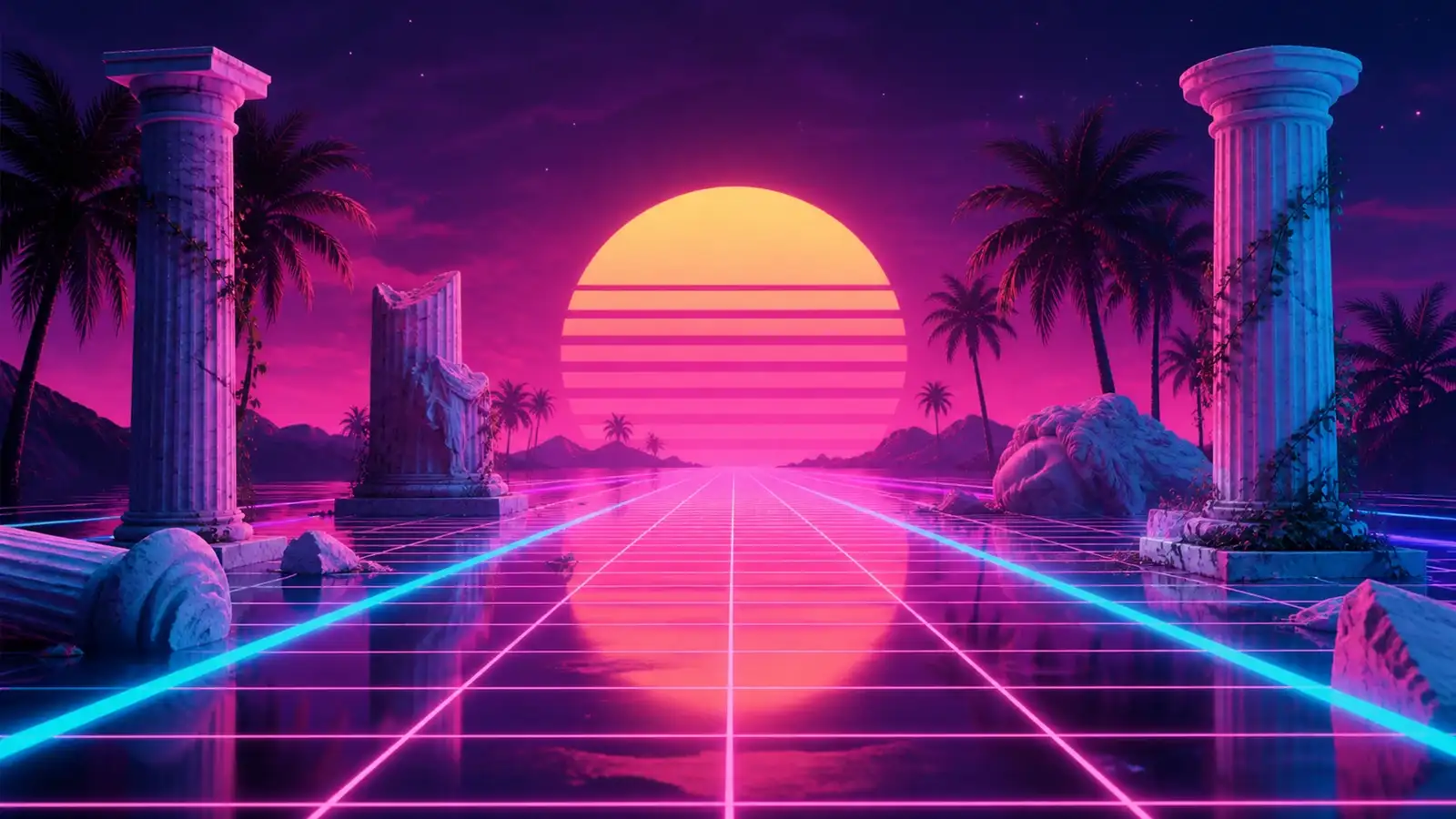
A surreal landscape in the Vaporwave aesthetic. Wireframe grid landscape receding into a stylized, neon purple and pink sunset. Giant, low-poly 3D sun on the horizon. Lonely palm trees, marble statues, distant lo-fi glitch effects. Retro-futurism, dreamy, nostalgic mood.
29. Vibrant neon rain reflections
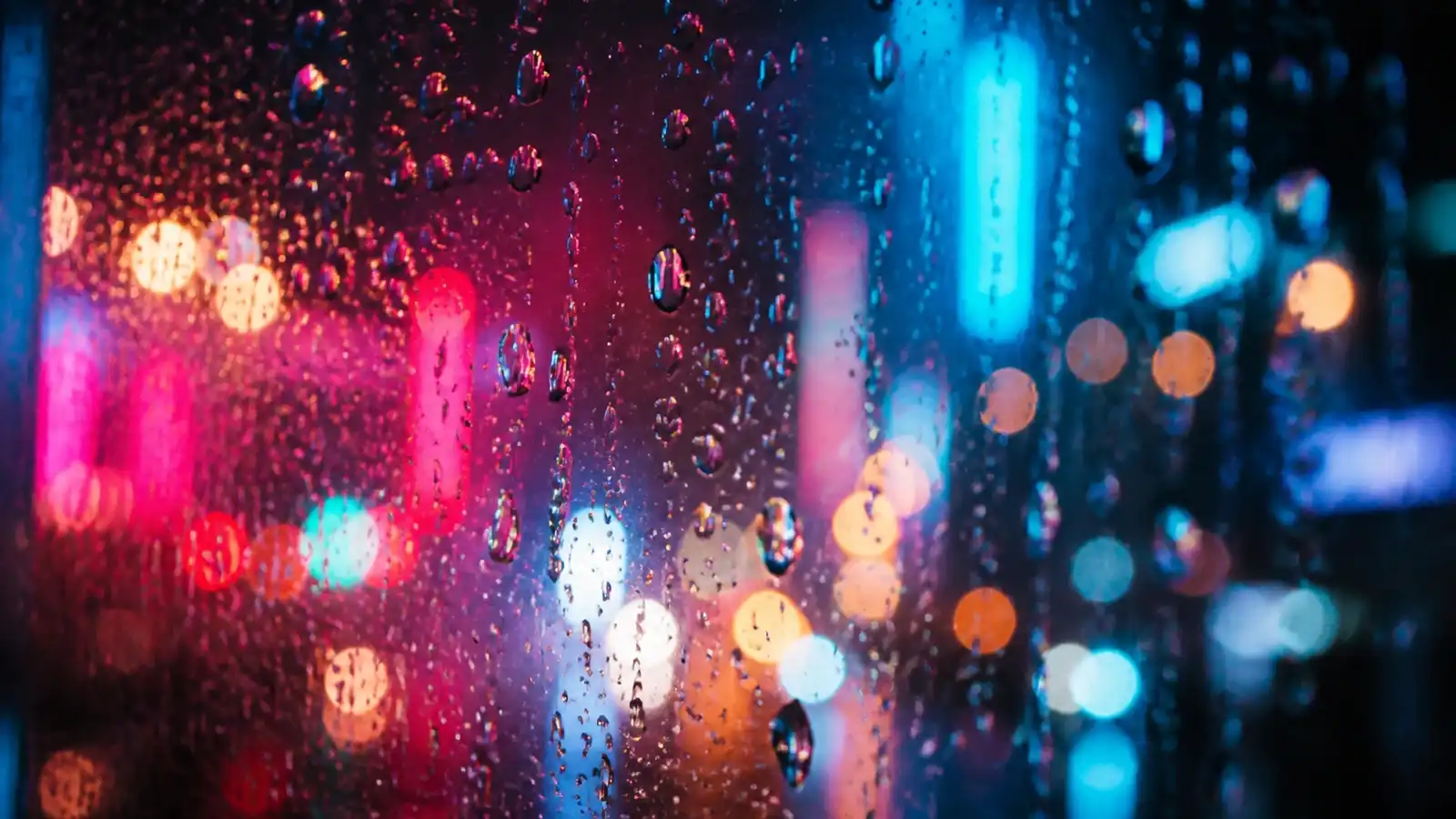
An ultra-detailed close-up shot of rain droplets clinging to a clear glass panel, with vibrant neon city lights blurred in the background creating smooth, colorful bokeh circles in shades of pink, turquoise, and deep blue. Cinematic texture, emotional mood.
30. Isometric 3D diorama
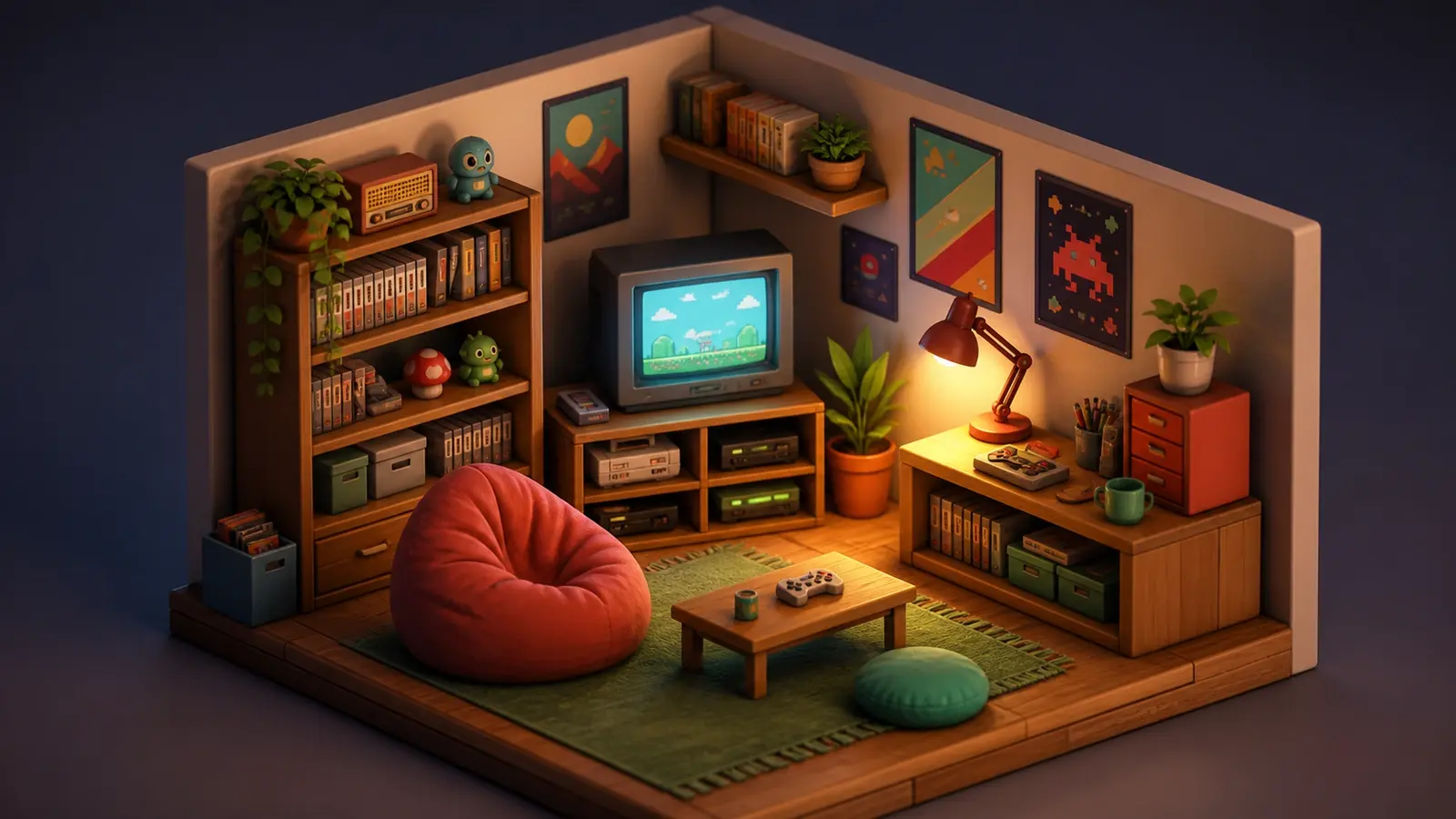
Miniature isometric 3D diorama of a cozy retro gaming room. Tiny details including a CRT television, glowing game console, cluttered bookshelf, beanbag, and warm desk lamp. Tilt-shift effect, vibrant soft lighting, clay-like smooth materials, clean rendering.
How to use a Gemini AI photo prompt on your own image using Pixelbin?
The easiest way to use these prompts is to start with your own clear photo, choose one prompt, and replace generic words with your real goal. If the prompt says 'urban background', decide whether you want a street, cafe, office, beach, library, studio, or festival setting.
- Upload your source image: Navigate to the Pixelbin AI Image Editor. Drag and drop your target photo (supported formats: JPG, PNG, WEBP, or HEIC) into the workspace canvas.
- Select the generative AI tool: Choose AI Image Editor or Background Remover from the tool sidebar, depending on whether you want global photo enhancements or localized object modifications.
- Input your Gemini prompt: Paste your crafted, structured Gemini AI prompt into the text prompt box. Specify exact variables including lighting, camera angle, texture, and aesthetic style for maximum accuracy.
- Process and generate: Click Generate. Pixelbin's underlying AI model interprets your prompt parameters while maintaining your subject's core facial identity and geometric proportions.
- Preview and export: Inspect the rendered output. Fine-tune image parameters if necessary, then click Download to save your high-definition visual without watermarks.
Prompt mistakes to avoid
- Do not use only vague words like beautiful, premium, viral, aesthetic, or realistic without explaining the visual details.
- Do not forget to say 'keep my face and identity unchanged' when editing your own photo.
- Do not ask for too many edits in one prompt if the image needs accuracy.
- Do not use a blurry or tiny input photo if you want a sharp final result.
- Do not copy prompts that require a celebrity face, brand logo, copyrighted character, or another person's private image without permission.
- Do not publish AI-edited personal, professional, or product photos without checking details such as hands, eyes, skin texture, text, logos, clothing edges, and background shadows.
- Do not assume every trend is safe for every audience. A playful prompt for personal social media may not be right for brand, school, corporate, or marketplace use.
How to improve the final output after prompting
A good prompt can get you close, but the final image may still need cleanup. Check the image at full size before posting it anywhere. Look at the eyes, teeth, fingers, hair edges, background, skin texture, and any text or logo in the image.
If you want to create a new reference image instead of editing an existing one, an AI image generator can help you test scene ideas, lighting styles, and background concepts before you apply a similar prompt to your own photo.
If the result looks good but soft or low-resolution, run the final image through an AI image upscaler before using it in a profile picture, poster, thumbnail, or social post.
And if the prompt result gives you a messy or distracting background, an AI background remover can help create a cleaner version without rewriting the entire prompt from scratch.
Final thoughts
The best Gemini AI photo prompt is not the longest one. It is the clearest one. Tell the model what photo to use, protect the identity, describe the scene, and add the details that make the result feel real: light, background, outfit, color, camera angle, mood, and texture.
Start with one of the prompts above, personalize it, and review the output carefully. If the result is close but not perfect, do not rewrite everything. Fix one detail at a time. That is how a copied prompt becomes your own creative workflow.
FAQs
The best Gemini AI photo prompt is one that uses your uploaded image as reference, says what should stay unchanged, describes the exact visual style, and adds quality limits. A strong prompt usually mentions identity, face, background, outfit, lighting, camera angle, mood, realism, and what to avoid.
Start with the uploaded photo, add a preserve instruction, describe the desired edit, include visual details, and end with quality and negative instructions. For example: 'Use my uploaded photo as reference, keep my face unchanged, create a cinematic portrait with warm sunset light, natural skin texture, shallow depth of field, and no distorted facial features.'
Upload or reference your photo, paste the prompt, replace generic details with your preferred style, generate the result, then refine the prompt if the face, hands, background, or lighting look wrong.
Use a clear preserve line: 'Keep my face, identity, age, skin tone, natural facial features, and expression unchanged.' Repeat this line in every prompt where identity matters.
Yes. The prompt can be customized for girls, boys, couples, families, formal photos, traditional outfits, casual portraits, or festival edits. Avoid stereotypes and focus on visual details such as outfit, background, lighting, and mood.
Gemini can support image generation and image editing in supported Google experiences and developer workflows, but availability and features can vary by product, region, account, and model version. Check the current Google Gemini or Google AI documentation before publishing exact feature claims.
This usually happens when the prompt is too vague, the uploaded image is low quality, or the model prioritizes the requested style over identity preservation. Add a stronger preserve line, use a clearer photo, and avoid asking for extreme changes.
Copy-paste prompts are a good start, but they are not always enough. You should customize the prompt for your face, outfit, background, lighting, culture, platform, and final use case.
Only edit photos you own, created yourself, or have permission to use. Be careful with private images, minors, copyrighted characters, celebrities, brand logos, and edits that could mislead people.