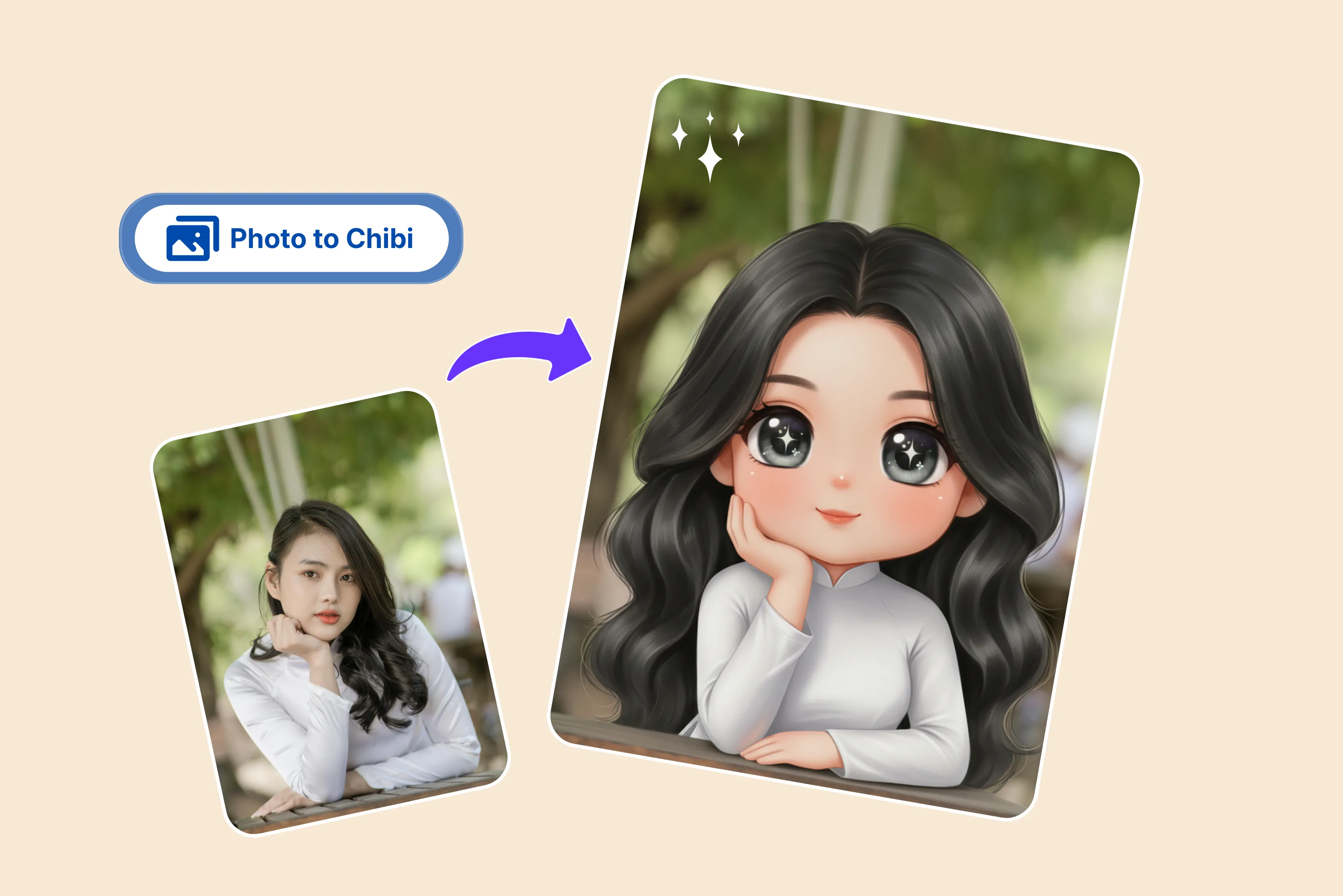


I often see various anime images that usually have large heads and eyes that deviate from the usual human, object, or animal proportions. Me, an anime enjoyer? So I wondered how chibi avatars work.
Same here, I'm curious about the simple and cost-free tools available for creating chibi avatars. No worries; I am writing this post to help both of us. The style is called Chibi; if you like this art style, you can explore an app to create Chibi avatars and craft a distinctive image featuring Chibi characters.
I searched and found various Chibi avatar maker apps, which help you create a Chibi avatar by uploading an image or writing a text prompt. My all-time favorite is Pixelbin, which is much easier than the others.
The Pixelbin tool is available in the Chibi avatar maker app, where you upload an image and click the generate button; after waiting a few seconds, you will receive the result. With other tools, you have to write a text prompt, select options, and then generate an image, which is time-consuming.
So it's excellent to begin with Pixelbin. These creations can serve as profile pictures on social media or even as characters in your comics, anime, and other creative projects.
In this blog, I explain the meaning of "Chibi avatar" and the top 11 widely used Chibi avatar maker apps, providing insight into their features and uses. You can choose the option that best fits your requirements and preferences.
What is a chibi avatar?
Chibi is a Japanese drawing style that depicts characters in a charming, tiny form. They usually have oversized heads, very small bodies, and simplified facial features, often with large expressive eyes.
The body is simple and small, making the character adorable and playful like a cartoon. The chibi avatar is often used in anime, games, stickers, and avatars to make characters look extra adorable and fun.
Chibi is also known as Super Deformation or SD. The Chibi avatar maker is a tool for creating Chibi-style cartoon avatars. Using these Chibi character apps typically doesn't require any technical knowledge or drawing skills.
Some tools like Pixelbin use AI to transform uploaded photos into Chibi-style avatars, while other apps offer manual customization options like hairstyles, outfits, and accessories. The Pixelbin is a very easy-to-use tool; you only have to upload an image.
Chibi avatar tools at a glance
Best chibi avatar maker app 2026
1. Pixelbin

Generate anime-style Chibi avatars from your photos within seconds using AI technology. The process of using a Chibi avatar is a breeze just paste the URL or click "upload image” to select your picture in any of these formats like JPG, JPEG, PNG, or WEBP.
Wait for Pixelbin AI to automatically process your image and recreate it in a Chibi anime style. Preview your result and download it. Skip writing long prompts and instructions, and automatically turn your photo into a charming Chibi avatar in seconds.
I tested one of the images, which I was thinking of using in a cartoon-style seminar for fun. I clicked on the upload image button, and the AI magic was in progress. After waiting a few seconds, I received an amazing, satisfactory result.
I had posted a picture of a female holding a cup while standing in a gallery and it looked great in cartoon format. With neatly classified customization options for haircuts, facial characteristics, clothing, accessories, and backdrops, the layout is well organized.
The avatars maintain vibrant color and clean outlines, which are essential for Chibi-style art. You can download the avatar and resize it for use on platforms like Instagram, TikTok, Discord, or gaming profiles and also use the tool directly from your browser without downloading software or installing mobile apps.
Features
- Ease of use
- Prompt-free conversion
- Multiple image formats
- Batch processing
- No drawing skills needed
- No credit card login
- No watermark
- No signup needed
2. Fotor
Create cute chibi art, characters, and avatars from text and transform images into chibi style. You can use this AI avatar generator to create custom chibi drawings of characters and avatars from text prompts.
You can also customize the Chibi avatar further by choosing different hairstyles, expressions, poses, outfits, and color options to achieve Chibi avatar perfection. Using cutting-edge artificial intelligence technology and deep learning algorithms, our Chibi maker will analyze your image automatically.
You can easily create Chibi avatars with Fotor. I tested it by writing a text prompt, “Generate a colorful chibi avatar with a fun hairstyle, a stylish outfit and a charming expression."
In my experience, the result did not fully match the level of detail and customization I was looking for. However, results may vary depending on prompt specificity, and the process of writing a simple text prompt is time-consuming.
Features
- Ease of use
- No signup needed
- Multiple image formats
- No watermark
3. Imagine.Art
Are you considering acquiring or discovering a simple, enjoyable method for crafting adorable Chibi avatars that you can utilize with ease? Imagine. You don't need any design skills or complicated software to create adorable chibi avatars.
The process is very simple: enter a prompt describing your Chibi avatar's style, colors, clothing, pose and personality. After selecting the Chibi avatar model and clicking "Generate," watch the AI transform your ideas into adorable Chibi avatars.
You can transform your AI-generated chibi art into real-world items like mugs, pins, and stickers. I tested by writing the prompt, “Generate a colorful chibi avatar with a fun hairstyle, stylish outfit, and charming expression in forest greens. "
Wait for a few seconds to receive four results, each displayed differently with various hair colors and written in forest green. However, the character's hairstyle and outfit are all green, which is not ideal. In my test, the generated images did not include a watermark, and I was able to access them without a mandatory login.
Features
- Ease of use
- No signup needed
- No technical knowledge needed
- No watermark
- Various image style formats
- Aspect ratio
4. Dreamina
Dreamina is an AI image generator that makes it simple to create unique chibi avatars by turning your ideas into visuals. Customization is mainly achieved through detailed prompts and generation settings rather than manual sliders for facial features or outfits.
Designing a chibi with Dreamina is a fun, simple, and easy process. The process is very simple: enter your creative prompt, then select the desired size, quality, and aspect ratio.
Dreamina offers preset aspect ratios tailored for various uses, like 1:1 square and more. After that, click on the button and wait for a few seconds to generate your chibi character.
In my testing, while the generation speed was quick, the result did not consistently meet expectations for detailed or highly stylized character creation.
Many features seem locked or restricted, which makes the experience frustrating. The result I received did not fully meet my expectations, and I would not recommend this app to anyone looking for a serious or creative avatar-making experience.
Features
- Ease of use
- No technical knowledge needed
- Multiple style support
- Cross-platform support
- Budget-friendly
5. InsMind
The tool lets you enter a prompt to guide the AI and generate a customized chibi avatar of your choice. You can also enable AI-optimized prompt descriptions to refine them for more relevant results.
You can select from various styles according to your requirements by clicking the advanced settings options. I used a text prompt to test. A chibi girl modeled by the well-known Mickey Mouse with brilliant red eyes and glossy black hair.
She is wearing a colorful outfit that is reminiscent of vintage cartoon characters, complete with large accessories and vibrant colors. Under a clear blue sky, the scene is set in a whimsical park with large mushrooms and vibrant flowers.
The general aesthetic creates a happy, cheerful vibe similar to colorful animation from the early 2000s. After a few seconds, I received the result with the watermark; only one girl was shown in two colors, which did not perfectly match the text prompt. insMind may not be the best option for users seeking fully controlled manual customization, as it relies primarily on prompt-based AI generation.
Features
- Ease of use
- No technical knowledge needed
- Multiple style options
- Aspect ratio
6. Vidnoz AI
Vidnoz AI offers text-based avatar generation tools that can create Chibi-style characters without uploading photos. The process of using Vidnoz AI is very simple: just describe the avatar you want as detailed as possible, and then this tool will handle the rest.
Powerful algorithms and AI recognition technology can instantly create four amazing avatars with varying styles for you. I tested with a text prompt like "A chibi character playing a sport with a ball and uniform." It only allows 200 characters, and you have to select a gender from the options.
After a few seconds, the tool generated four results, but none fully matched the details I had in mind. Based on my experience, it may not be the best option for users seeking precise or highly detailed chibi avatars. You can also regenerate avatars or download the most satisfying AI free to your device.
Features
- Ease of use
- No technical knowledge required
- No watermark
- Multiple style options
- Support various formats
7. VEED.io
Need a unique chibi avatar that shows your best personality? It supports various image creations; you can create adorable chibi avatars in a few seconds. The process is very simple: type a detailed prompt describing your chibi character. Include details such as clothing, styles, and specific elements.
Adjust the style and aspect ratio if you want to try again. Download your result. You can use this design quickly for gaming profiles, creative projects, and brand visualizations.
The app is perfect for creating avatars, social media content, and brand mascots. In my experience, generating and refining results takes longer compared to some other Chibi avatar tools. Like many AI platforms, VEED.io offers limited free access, with advanced features and high-quality downloads available through subscription plans.
Features
- Ease of use
- Multiple style options
- No technical knowledge needed
- Aspect ratio
8. Chibi Art
Create your own adorable fantasy chibi characters instantly from text or photos. Based on the advanced AI technology, you can generate a Chibi-style character from a photo or text. There are various styles, such as chibi, 3D, hyperreal, cyberpunk, and more.
Smart AI automatically crafts a chibi drawing, requiring no technical or drawing skills. The process is simple: first sign up, then select the chibi style that suits your taste, such as stickers or 3D renders.
Upload the photo that you like to transform into chibi art and provide a brief description to guide the AI. Click on the generate button and see the result. I tested one of the images where, after signing up, I selected image to image, where I had to upload an image that supports regular formats and the style of Chibi, and click on the generate button.
Wait for a few seconds until the process is 100% complete. Four small-sized images without a watermark were successfully received. Two images I had seen were blurred and not high-quality images.
Features
- Ease of use
- No technical skill needed
- One-click simplicity
- Multiple styles
9. Canva
Create a delightful Chibi avatar to represent you across any platform. Use the Canva design tool to create an avatar, or use one of the many AI avatar makers, like ProfilePhoto, available on Canva.
You can use a profile photo for gaming streams, hobby groups, or community pages. You can easily create a Chibi avatar in the Canva app. Start by searching for "Avatar." Browse our customizable avatar templates and filter your options by style, category, or theme.
You can start from a blank page. Click the apps on the sidebar and search for the Character Builder app. You can explore AI avatar generator apps within Canva, though free usage may be limited, and some advanced features require a Canva Pro subscription.
Features
- Ease of use
- No signup needed
- No technical knowledge needed
- Multiple style options
10. Media.io
Media.io offers an AI image generator that can create Chibi-style designs from text prompts, typically within seconds, depending on server load. The tool provides a variety of themes and art styles to accommodate a range of tastes, from modern and stylish to colorful and fun.
The process is very simple: write a text prompt and add your desired character details. Press the "Generate" button to allow the integrated AI to begin its work. The tool provides four options.
To further enhance the creation, adjust the pictures' “Style” and "Ratio." Once you are satisfied with the content, click the “Download" button to save the Chibi image to your device.
When I tested the text "A Chibi character playing a sport with a ball and uniform," the result was not satisfactory because the tool did not generate a proper character based on the prompt.
There are various other options like aspect ratio, number of images, and public visibility, etc. Based on my experience, the generation and refinement process felt slower compared to some other Chibi avatar tools, so it may not be ideal for users looking for highly accurate results quickly.
Features
- Ease of use
- Simple interface
- No sign-up required
- Multiple style options
- Aspect ratio
11. OpenArt
The OpenArt Chibi avatar allows you to design custom chibi characters through a prompt with the option to add up to four reference images. Access cutting-edge art tools at no cost, making creativity and innovation accessible for everyone.
OpenArt provides editing tools like inpainting and upscaling, which allow users to refine specific parts of an image, including facial details. Selecting the AI Chibi generator, adjusting its style, color, palette, and complexity, and then clicking the "generate" button is a simple process.
Here I tested with the text prompt like "EIf ranger in a mystical forest around sunlight." The result appeared less vibrant than expected with muted colors. While the composition was decent, it did not fully match the bright forest atmosphere described in the prompt.
Having various other options, such as edit, image-to-video, download, delete, etc. Should the result not meet your expectations, please feel free to edit it to suit your requirements.
Features
- Free to use
- Beginner-friendly
- Multiple style options
- Aspect ratio
- No technical knowledge needed
- No signup needed
How to use the chibi avatar maker app
By following a few easy steps, you can try the Chibi avatar creation program with ease.
- Select a chibi avatar generator: Select a suitable Chibi avatar.
- Adjust setting: Customize the generator parameters, such as style, color palette, and complexity.
- Generate characters: Based on your preferences, click the “Generate” button to generate a unique Chibi character.
- Refine results: By changing the parameters and regenerating, you may refine and iterate on your produced Chibi characters.
- Saved and shared: To utilize them for projects, social media, personal usage, and other purposes, download your favorite Chibi artworks and share them with your friends.
Which tools give benefits from the AI chibi maker
Based on my experience, using the AI chibi maker Pixelbin is beneficial and the best option for those looking for it. The following are the simple tips you can use to create the most attractive Chibi with easy guidelines.
- Upload a clear, high-quality picture of yourself with your face forward and well-lit.
- Avoid using photos that have heavy shadows, sunglasses, or objects covering your face, as this confuses the AI.
- The AI is better able to focus on your facial features when the background is simple and uncluttered.
FAQs
Best Pixelbin: Simply upload your image, and the AI will take care of the rest. You will receive the best result of a chibi avatar.
The Pixelbin free plan lets you create up to three Chibi avatars per month, completely free. If you require more, you can sign up to get 10 free credits, which you can also use for our range of other AI tools, like the face expression changer or the Ghibli-style image generator.
The Pixelbin app allows one at a time, but if you need to process 30 images, then you have to go with batch processing and a subscription to generate avatar images together.
Pixelbin serves as the ultimate solution for integrating your character into a world you've crafted. Simply upload an image to colorize your avatar, and the app will handle the rest.
The person who is using it should understand how this information is stored, used, and protected. Generative AI can occasionally produce inappropriate content, even with safe prompts. You don't need all the tools to compose a text prompt; simply upload the image, and the system will handle the rest.
Widely regarded as cute, the Chibi style lends itself to easy advertising both within the culture and in other countries.










