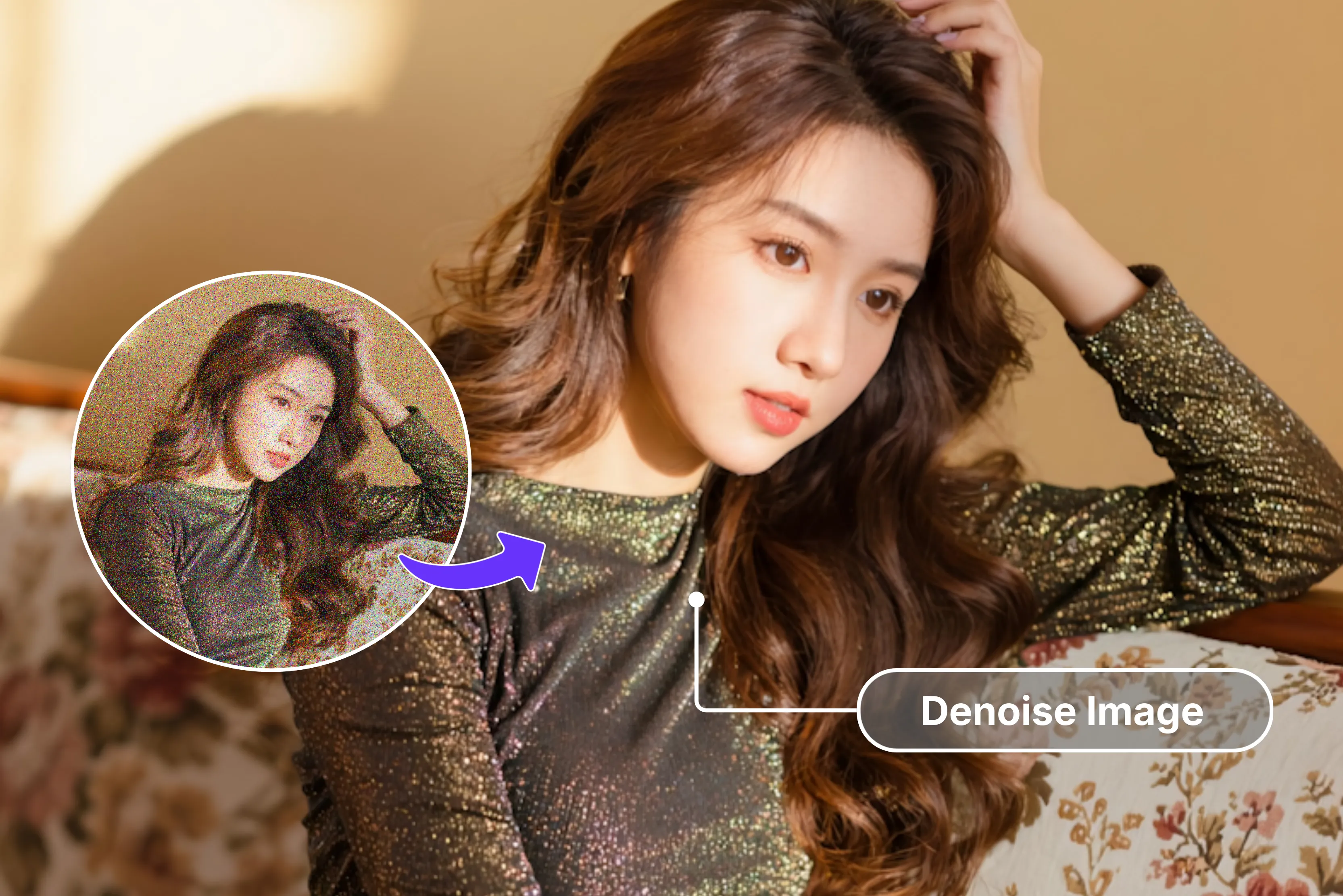


Ever struggled with grainy night photos that look like static? You're not alone. Gaussian noise from camera sensors, Poisson effects in low light, and speckle ruining ultrasound images destroy detail fast.
I've trashed countless astro shots with star trails lost to sensor noise, watched product photos tank e-commerce listings, or dealt with security footage useless after dark. Even my 200MP phone camera spits out mushy files that basic edits can't save.
Gaussian filters have been around since the old days, but deep learning changed everything. DnCNNs slice noise clean now. This guide will talk about the best AI image denoiser tools from wavelets to transformers and many more, so your shots finally land crystal clear.
What is image denoising?
Image denoising is a technique to clean up grainy, speckled noise from photos taken in low light, with old cameras, or during fast motion. Noise looks like random colored dots that blur details and make images look messy.
The process uses smart software or filters to remove spots and smooth those unwanted pixels while protecting important parts like faces, edges, textures, and colors so your picture stays sharp and natural-looking.
It's essential for photographers, designers, marketers, and anyone fixing old family snapshots to make them print-ready or social media perfect. Modern AI tools make it fast and automatic.
Where does noise come from?
It sneaks in everywhere:
- High ISO amplifies sensor noise, increasing visible grain and blotchiness.
- Dim light starves photons; chaos takes over.
- JPEG compression chunks up smooth gradients.
- Ultrasound gear fights speckle mush.
I've dumped moon shots clicked by my phone because noise drowned the craters. Product photos tank sales when close-ups blur. Even a high MP phone cams cough up garbage after sunset.
Various types of noise in the image
- Gaussian noise: Random brightness variations from sensor electronics create a TV static effect across the entire image, worst at high ISO settings.
- Poisson noise: Photon counting randomness in low light grain clusters, thicker in shadows, follows a square root pattern, kills astro shots.
- Salt-and-Pepper noise: Isolated white/black pixel spikes from dead pixels or cosmic rays, median filters remove easily, common in CCD sensors.
- Speckle noise: Granular multiplicative interference in coherent imaging (ultrasound, radar). Log transform needed before standard denoising.
- Luminance noise: Grayscale grain-like film texture is tolerable in shadows, but destroys fine detail in moon craters and dark skies.
- Chrominance noise: Colored speckles in saturated shadows, blue/purple blobs ruin skin tones, blue hour skies are the most visually offensive.
- Banding noise: Horizontal/vertical color stripes across gradients, 8-bit JPEG limits, sensor readout patterns, kill smooth skies.
- Fixed pattern noise: Hot pixels repeat the same positions every frame, dark frame subtraction maps, and eliminate sensor defects.
Why do clean shots actually matter?
- Boosts first impressions: Grainy pictures scream amateur work. Clean ones grab attention instantly and build viewer trust right away.
- Spotlights product details: Without noise, textures and colors pop vividly. This proves crucial for jewelry or clothing, where small features close sales.
- Builds brand trust: Consistent, crisp visuals signal professional quality. They help small shops compete effectively with major online retailers.
- Social media edge: Clean images earn twice the likes and shares. Noise kills engagement across Instagram and Pinterest feeds consistently.
- Print-ready perfection: Noise destroys enlargements badly. Clean shots scale perfectly to posters or books without ugly artifacts appearing.
- SEO boost for blog images: Google prioritizes sharp images in rankings. Clean shots drive more traffic straight to your blog or store pages.
- Versatile use cases: From wildlife fine details to product mockups, clarity enables easy edits like cropping or upscaling without issues.
What does an AI denoiser do, and how does it work?
AI denoisers rescue grainy photos that would've hit the trash. I've run night portraits through basic Lightroom sliders; faces turn waxy, hair goes plastic, and skies smear flat. AI tools like DnCNN or Restormer chew Gaussian static, chrominance blobs, and speckle mush and spit back keepers with fabric weaves, moon craters, and nebula filaments intact. They estimate the underlying clean signal rather than applying simple smoothing.
Deep learning makes this magic happen. These models train on millions of noisy/clean image pairs, learning noise "Fingerprints" across textures, lighting, and subjects. Feed it a grainy moon shot, and it predicts the underlying signal, not by guessing clean pixels directly, but through residual learning.
The network learns what noise looks like (random patterns, color speckles) and subtracts it surgically. Unlike Gaussian filters that smear entire neighborhoods, AI tools understand the assignment, like how hair strands stay crisp, fabric keeps its weave, and gradients stay smooth.
Here's the workflow of how AI tools work:
- Patch extraction grabs 64x64 pixel chunks across the image
- CNN layers analyze noise vs texture patterns at multiple scales
- Attention mechanisms scan similar patches globally for context
- Reconstruction blends denoised patches seamlessly
Best 10 AI image denoiser
Tired of grainy low-light shots ruining your vibe? The best AI image denoisers like Pixelbin, Pixelcut, and VanceAI zap noise instantly for crisp, pro results; no skills are needed. You can have a quick insight from the glance table.
1. Pixelbin

Ever struggled with those grainy, noisy photos from low-light shoots or old scans that just won't cooperate? Pixelbin AI Image Denoiser fixes that in one single click, like zapping the grainy effect, boosting sharpness, and clearing blur without any manual hassle. Everything will be done by AI. Just upload a file under 10MB or paste a URL, and watch the AI work its magic right in your browser.
No software downloads are needed; it runs smoothly on laptops, phones, or tablets, with side-by-side previews so you see the before-and-after glow-up. Free plan lets you denoise up to three images a month, with watermark-free downloads included. Revive your pics effortlessly today.
Why is Pixelbin AI Image Denoiser ranked on top?
- One-click magic: Fixes noisy, grainy images instantly, auto-boosts sharpness, and removes blur without any manual tweaks needed.
- Free tier: Denoise up to 3 images monthly, and download watermark-free at no cost.
- Browser anywhere: Works on laptops, phones, and tablets; no downloads or plugins required.
- Smart previews: Side-by-side original vs. denoised view to check changes before saving.
- Versatile AI power: Handles low-light photos, scans, and restores clarity effortlessly.
2. Upscale.media
Ever snapped a noisy photo in dim light or dug up an old scan full of grit that just looks awful? Upscale.media AI Image Denoiser is your quick fix as it scrubs out grain and blur fast, leaving shots crisp without you lifting a finger. Drag your pic right onto their page, choose to bump it up to 8x bigger if needed, and the tool does the heavy lifting in moments.
Check the handy side-by-side preview to make sure it pops just right before grabbing your clean, watermark-free download. Creators love it for saving low-light messes or rough pics on the fly without needing to install any apps, no subscriptions, just pro results that keep colors true and edges sharp.
Must-know features
- Single-click: Zaps noise from grainy shots instantly, auto-boosts, and sharpens without any manual tweaks needed.
- Easy interface: Just upload your image, and the rest is simple. The layout is clean and easy to follow, with clear, step-by-step instructions performed by AI.
- 8x upscale option: Denoises and enlarges together for bigger, better pics.
- Live preview check: Side-by-side original vs. cleaned view to confirm results.
- Private & clean: Files stay safe; watermark-free downloads every time without opting for a subscription.
- Quality focus: The image doesn’t lose its charm after being cleaned, and the tool carefully preserves all the important parts. Such as sharp edges, natural tones, and others
3. Nero AI
Tired of grainy shots from that late-night shot or faded family pics covered in full of noise? Nero AI’s Image Denoiser jumps in with clever tech features to strip away noise and haze quickly, reviving every detail. Upload straight to their online tool, no apps or pro skills required, and it tackles night shots, wildlife, or scans in a flash.
Spot the difference with an instant preview that nails textures and true colors before you save. Free browser access means anyone can polish photos from phone snaps to studio work without the Lightroom grind. Get those memories looking fresh now.
Must-know features
- One-click magic: Auto-denoises photos instantly, recovers details, and has no learning curve included.
- AI noise reduction: Zaps grain and JPEG artifacts for crisp, clear results.
- Lightning speed: Processes images in seconds, saving you time every time
- Online & Free start: Browser-based access, no installation for an easy start.
- Detail preservation: Keeps textures sharp, natural-looking, and not over-smoothed.
- Versatile use: Perfect for low-light, wildlife, or night shots or document scans.
- Preview control: Real-time before/after view to check perfection.
4. Pixa AI
Ever chased a killer product shot only to curse the grain from bad lighting? Pixa AI image denoiser swoops in, nuking noise and blur with one tap for e-comm gold. Drag your JPG or PNG under 10MB to their free online tool, and AI sharpens details while upscaling up to 4x, no Photoshop grind.
Shop owners rave about watermark-free HD downloads and quick previews that keep textures real. This best free AI image denoiser turns rough proofs into scroll-stoppers fast, right in your browser on any device. It's time to leave the hassle and level up your images today.
Must-know features
- One-click magic: Instantly zaps grain from product pics, auto-sharpening, no manual tweaks needed. Perfect for quick e-comm fixes on low-light snaps.
- Free HD downloads: Watermark-free outputs up to 4x upscale, ideal for store listings and social media visuals without extra costs.
- E-comm speed: Browser-based drag-drop interface handles files fast, no software install required for busy sellers.
- Smart previews: Side-by-side before/after views let you check crisp results before saving time and bandwidth.
- Detail keeper: AI preserves sharp edges and natural textures, avoiding the mushy, overprocessed look common in basic editors. Supports JPG/PNG formats seamlessly for everyday use.
5. Picsart
Tired of speckled selfies or party pics that look like they were shot through sand? Picsart is one of the top AI image denoisers, blasting away grain and JPEG junk in seconds via their slick web tool or app. Upload batches of up to 10 free daily, pick strength levels, and snag pro edits without signup.
Creators dig the live preview and seamless tie-in to their full suite for backgrounds or effects. As the best free AI image denoiser for mobile hustlers, it delivers natural clarity on phones or laptops, ideal for social feeds that pop. Fix your favorite picture now.
Must-know features
- One-click magic: Auto-clears noise and blur fast, boosts overall clarity, no editing skills required for beginners or pros alike.
- Batch free daily: Process 10+ images daily at no cost, with flexible app and web access for on-the-go creators.
- Preview power: Real-time before/after comparison helps nail the perfect vibe before final download every time.
- Creator suite: Integrates smoothly with full editing tools for backgrounds, effects, and social-ready polish in one workflow.
- Mobile magic: Works flawlessly anywhere on phones or laptops, preserving true colors and details across devices effortlessly.
Great for influencers handling high-volume content.
6. VanceAI
Got wildlife snaps or night hikes ruined by high-ISO grit that no filter fixes? VanceAI ranks as the best AI denoiser, using pro-grade AI to strip noise from RAW or JPEGs while guarding fine details like fur or foliage. Free trial lets you batch up to 3 online or download their app for 20-file runs.
Photos swear by its texture smarts and upscale combo, providing out-of-print-ready files minus artifacts. Browser or desktop ease makes this powerhouse a go-to for tough shots, see previews, and download clean. It's trusted by professionals for reliable results.
Must-know features
- One-click process: Crushes high-ISO and JPEG noise effectively, keeps textures sharp and natural, no complicated fuss involved.
- Batch pro: Handle 3 free images online or up to 20 offline via their dedicated app for power users.
- Wildlife photographs winner: Excels specifically at low-light and nature photography, with details like fur, leaves, and distant subjects.
- Live preview: Instant side-by-side comparison allows precise control before exporting your final high-quality file.
- Upscale Bonus: Seamlessly pairs denoising with enlargement options for larger print-ready outputs without quality loss.
7. Media.io
Do you also get irritated when vacation candids come out speckly from the phone camera in the dark? Media.io's best AI image denoiser cleans that mess quickly with drag-and-drop simplicity, handling JPG/PNG up to 10MB and 3 free credits daily. AI targets grain without flattening faces or skies, all browser-based.
Users love the HD preview and watermark-free grabs, plus links to their video denoiser for reels. Perfect beginner pick among best free AI image denoisers, no apps, just crisp results for prints or posts. Spark up those memories today, and this is ideal for casual photographers on a budget.
Must-know features
- One-click magic: Strips away grain and blur instantly for HD-ready results, no additional edits needed from users.
- Free daily: Offers 3 credits each day specifically for JPG and PNG files under the 10 MB limit conveniently.
- Preview check: Side-by-side view ensures you approve all changes accurately before downloading your file.
- Beginner easy: Simple drag-and-drop user interface with handy extension to video denoising tools included.
- Private & safe: Maintains natural skin tones and sky gradients perfectly, avoiding any over-smoothing issues.
8. Pixlr AI
Flipping through old scans or club pics full of digital snow, driving you nuts? Pixlr's best AI image denoiser auto-scrubs noise and amps sharpness free, unlimited in-browser, no login walls. Toss in any format, watch AI distinguish junk from jewels like edges or skin.
It's a creator fave for tying into their editor suite, with instant previews for perfection. This speedy best free AI image denoiser shines on desktops or tabs, churning pro looks minus bloat. Polish your archive images today.
Must-known features
- One-click magic: AI completely nukes noise while auto-enhancing sharpness levels, no extra tools are required at all.
- Unlimited free: Absolutely no limits on basic usage, delivering pure browser-based joy for everyone.
- Editor link: Flows effortlessly into the full Pixlr editor suite for advanced tweaks and customizations.
- Smart preview: Real-time original versus clean comparison makes perfection easy to achieve quickly.
- Versatile fix: Handles everything from old scans to low-light shots across multiple popular formats.
9. Fotor
Ever pull a gem from the family album just to spot grit killing the nostalgia? Fotor, hailed as the best free AI image denoiser, smooths that out fast across the web or app, batching multiples with zero cost. AI preserves faces and fabrics while ditching speckles from any source.
People who want batch processing cheer the upscale/repair bundle and live checks before download. Mobile-friendly and dead simple, it crafts shareable stunners for blogs or walls. This tool is ideal for family photo enthusiasts.
Must-know features
- Instant action: As the best free AI image denoiser, it smooths grit instantly with pro-level precision always.
- Batch-free: Supports multi-file processing freely through both web and dedicated app versions available.
- All-in-one platform: Combines upscale and repair functions for a complete photo rescue in a single workflow.
- Live preview: Side-by-side views confirm every detail reaches absolute perfection before saving.
10. InsMind
Shop pics turning grainy under store lights, tanking your sales? insMind's best AI image denoiser delivers one-click clarity for product pros, free trial scrubbing noise plus background swaps. Upload to their web tool, pair with the Upscale image tool, and get HD optimized for listings.
E-tailers buzz about the combo magic and previews ensuring pixel-perfect mocks. Tailored for online hustle, this best AI denoiser runs smoothly on any screen, no downloads needed.
Must-know features
- One-click denoise: Completely banishes grain for instantly shop-ready product shots every single time.
- Product combo: Free trial includes background change and upscale bundle tailored for sellers.
- E-comm products: Delivers HD outputs specifically tuned and optimized for online store listings.
- Preview smart: Allows quick checks of all changes right before the final save operation.
- Edge keeper: Retains true-to-life details perfectly, eliminating any artificial blur or softening.
Final thoughts
I've dug into the best 10 AI image denoisers out there, from Pixa’s quick e-comm punch to VanceAI’s handling of wildlife grit and Fotor's no-cost batch runs.
I love how they all crush grain in low-light messes or faded scans with simple taps, live previews, and clean downloads that beat slogging through Photoshop. Pick based on your gig, whether shop listings or family album rescues, and you're set for sharp results minus the headache.
That said, I keep circling back to Pixelbin AI image denoiser for my daily grind, it's a no-fuss browser vibe and spot-on detail grabs making it feel like the reliable pick that rarely misses. Your pics will thank you for trying it.
FAQs
AI image denoisers scan pixel patterns to spot noise, then use trained models to replace grain with sharp, natural details while keeping edges intact.
Image noise comes from high ISO settings, dim lighting, hot sensors, or compression that sprinkles random specks across your photos.
AI image denoisers outperform traditional ones by learning complex noise patterns, avoiding blur while delivering cleaner, more detailed results every time.
Yes, some free AI image denoisers process RAW files well, though premium tools often preserve more original data and details better.
Pixelbin's AI image denoiser offers a free plan with up to three monthly uses and watermark-free downloads for basic needs.
Pixelbin AI image denoiser supports JPG, JPEG, PNG, and WEBP formats, handling files up to 10MB right in your browser easily.









