
Summary
Stable Diffusion is an AI image generation model family that turns text prompts into images. It is known for open model weights, local workflows, custom models, LoRAs, ControlNet-style guidance, image-to-image editing, and strong community tooling. In 2026, the important model families include Stable Diffusion 1.5, Stable Diffusion 2.x, SDXL, SDXL Turbo, Stable Cascade, Stable Diffusion 3, and Stable Diffusion 3.5.
Introduction
Stable Diffusion can look confusing from the outside. One person talks about SDXL. Another talks about checkpoints, LoRAs, ControlNet, ComfyUI, Automatic1111, SD3.5 Large, or prompt generators. A beginner searches 'what is Stable Diffusion' and suddenly lands in a world that feels more like developer tooling than image creation.
The simple version is this: Stable Diffusion is a family of AI models that can create and edit images from prompts. The deeper version is more interesting: because many Stable Diffusion models are open or downloadable, creators can run them locally, fine-tune styles, use custom workflows, and control images in ways that closed image tools do not always allow.
This guide explains what Stable Diffusion is, how it works, which models matter, how prompt generators fit in, how to write better prompts, and when a simple browser-based AI image workflow may be enough.
What is Stable Diffusion?
Stable Diffusion is an open-source artificial intelligence model designed to generate high-quality images from written descriptions. Launched in 2022 by Stability AI alongside academic collaborators, it belongs to a family of text-to-image AI models that can create everything from photorealistic portraits to digital paintings in seconds.
Unlike proprietary image generators locked behind paid web portals, Stable Diffusion is open-weights. That means anyone can download it, run it locally on a personal computer equipped with a standard graphics card, or customize it for personal projects.
Short answer: Stable Diffusion is an AI model family for creating and editing images from prompts. It is popular because it offers strong creative control, open model access, and a large ecosystem of custom models and workflows.
How does it turn words into pixels?
To understand how Stable Diffusion works without getting lost in technical jargon, think of it like sculptor revealing a statue inside a block of marble:
- Starting with "noise": Instead of building an image pixel-by-pixel from a blank white canvas, the AI starts with a grid of random visual static (often called Gaussian noise).
- Guided denoising: The model reads your written prompt. Step by step, it gradually cleans up the random noise, predicting what shapes and colors should appear based on your description.
- Latent efficiency: Performing this process on full-sized photos takes massive processing power. Stable Diffusion works inside a compressed "latent space" (a smaller mathematical sandbox), making image creation fast enough to run on consumer hardware.
Core features every beginner should know
Stable Diffusion goes beyond basic text prompts. It offers several creative modes tailored to different visual tasks:
1. Text-to-image (txt2img)
The most common mode: you type a descriptive sentence-such as "a cozy cabin in a snowy forest during sunset, digital art"-and the model generates a brand-new image matching that description.
2. Image-to-image (img2img)
You upload a rough sketch or an existing photo along with a text prompt. The AI uses your visual input as a structural guide while applying new textures, lighting, or artistic styles.
3. Inpainting & outpainting
- Inpainting: Select a specific area of an existing photo (like a person's jacket or a background object) and prompt the AI to replace only that part.
- Outpainting: Extend the canvas edges of an existing photo to reveal what lies outside the original frame.
How Stable Diffusion works in simple terms
You do not need to understand the math to use Stable Diffusion, but the basic flow helps you write better prompts and choose the right settings.
- The prompt is encoded into a machine-readable text representation.
- The model starts with noise in a compressed latent space.
- A denoising model gradually shapes that noise toward the prompt.
- Settings such as steps, seed, sampler, guidance scale, and size influence the output.
- A decoder converts the final latent image into pixels.
- Optional tools such as ControlNet, LoRA, inpainting, or upscaling add more control.
This is why Stable Diffusion prompts are part art direction and part technical instruction. The model needs the subject, style, composition, and lighting, but the workflow also benefits from settings, negative prompts, and model choice.
Stable Diffusion models explained
1. The early foundations (SD 1.x series)
- Stable diffusion 1.4 (august 2022): The initial public open-source release developed by CompVis, Runway, and Stability AI. Trained natively at 512x512 resolution, it demonstrated that high-quality text-to-image generation could run on consumer GPUs.
- Stable diffusion 1.5 (october 2022): Released by RunwayML, SD 1.5 became the most widely adopted open-source image model in AI history. Because of its low VRAM usage and small model footprint (~2 GB), it became the foundation for tools like ControlNet, thousands of custom LoRAs, and fine-tuned community models.
2. Higher resolution & OpenCLIP (SD 2.x series)
- Stable diffusion 2.0 (november 2022): Shifted from OpenAI's CLIP encoder to OpenCLIP and increased native resolution to 768x768. It introduced stricter dataset filtering and built-in depth-to-image tools.
- Stable diffusion 2.1 (december 2022): Refined SD 2.0's architecture with cleaner aesthetic tuning and improved anatomy rendering. However, because prompting worked differently than SD 1.5, much of the community remained on SD 1.5 until SDXL arrived.
3. The 1024x1024 leap (SDXL series)
- SDXL 1.0 (july 2023): A major architecture upgrade featuring a 3.5 billion parameter base model paired with a secondary refiner model. Native 1024x1024 generation brought drastic improvements in photorealism, visual composition, and lighting.
- SDXL turbo & SDXL lightning (late 2023): Distilled speed-focused variants. SDXL Turbo uses adversarial diffusion distillation (ADD) to generate high-quality 1024px images in as few as 1 to 4 steps, enabling near real-time rendering.
- Community derivatives (pony, illustrious, dreamshaper xl): Fine-tuned spin-offs built on SDXL that gained massive popularity for specialized styling, anime/manga art, and complex character posing.
4. Transformer architecture & modern base models (SD3 & SD 3.5)
- Stable diffusion 3.0 (june 2024): Replaced the traditional U-Net backbone with a Multimodal Diffusion Transformer (MMDiT) and Rectified Flow. This shift dramatically improved legible text rendering (spelling words inside images) and complex prompt understanding.
- Stable diffusion 3.5 (october 2024): The current flagship family designed to fix early SD3 limitations and provide flexible options across hardware tiers:
- SD 3.5 large (8b parameters): Highest fidelity, superior prompt adherence, and photorealism at 1 MP+ resolutions.
- SD 3.5 large turbo: A 4-step distilled version of SD 3.5 Large built for rapid, high-quality generation.
- SD 3.5 medium (2.5b parameters): Optimized to run smoothly on consumer-grade hardware without requiring enterprise GPU setups.
Is Stable Diffusion free?
Stable Diffusion can be free to use in several ways, but the full answer depends on the model, tool, license, and scale. Some model weights are downloadable, and many community tools are open source. However, cloud tools, hosted generators, APIs, enterprise usage, and commercial licensing can involve costs or usage limits.
Stable Diffusion is known for open and downloadable model access, but users should always check the specific model license and platform terms before commercial use.
How to use Stable Diffusion
There are three common ways to use Stable Diffusion. The best choice depends on whether the reader wants simplicity, privacy, customization, or developer control.
If the reader simply wants to test an image idea from a prompt without installing a local Stable Diffusion setup, a browser-based AI image generator can be the easiest starting point before they move into more advanced local workflows.
What is a Stable Diffusion prompt generator?
A Stable Diffusion prompt generator is a helper that turns a rough idea into a complete prompt. A good prompt generator does not only add pretty adjectives. It structures the prompt into subject, medium, style, composition, lighting, details, negative prompt, aspect ratio, and settings.
Prompt generator goal: Turn 'make a cool product photo' into a usable prompt with subject, scene, style, lighting, composition, quality details, negative prompt, and output format.
Use this prompt generator instruction with any writing assistant:
Copy-paste instruction: Act as a Stable Diffusion prompt generator. Ask me for the subject, use case, style, aspect ratio, and mood. Then create: 1 positive prompt, 1 negative prompt, suggested aspect ratio, suggested steps range, CFG guidance range, and 3 variation ideas. Keep the prompt clear, specific, and realistic.
How it works?
Instead of requiring you to manually research and write complex, multi-layered descriptive sentences, a prompt generator takes a simple starting keyword-such as "a castle on a hill"-and instantly expands it into a comprehensive text instruction. It enriches your concept by automatically incorporating key visual parameters:
- Artistic styles & mediums: Adds specific genres such as digital art, photorealism, watercolor, oil painting, or cyberpunk aesthetics.
- Camera & lighting controls: Integrates photography terms like 85mm lens, volumetric lighting, shallow depth of field, or soft cinematic glow.
- Syntax & weighting: Formats terms using model-specific syntax, such as double parentheses ((keyword)) to increase weight or emphasis on critical elements.
- Negative prompts: Automatically generates a separate list of unwanted attributes-such as "blurry, extra limbs, low resolution"-instructing the AI on what to exclude.
Stable Diffusion prompt guide
Stable Diffusion prompts work best when they read like a compact art direction. Older SD 1.5 workflows often used keyword-heavy prompt strings. Newer SDXL and SD3.5 workflows usually respond better to clearer natural-language prompts with specific details.
Prompt formula: Subject + action + environment + medium + style + camera/composition + lighting + color mood + details + negative prompt + settings.
- Subject: the main thing in the image, such as a person, product, room, poster, or landscape.
- Action or state: what the subject is doing or how it is positioned.
- Environment: the background, location, surface, props, or scene.
- Medium and style: photorealistic, 3D render, editorial photography, anime, watercolor, vector, cinematic, concept art.
- Composition: close-up, centered, top-down, wide shot, over-the-shoulder, macro, hero image, portrait.
- Lighting: soft window light, golden hour, studio softbox, neon rim light, moody low-key, bright daylight.
- Color mood: warm, clean, pastel, high contrast, black-gold, teal-orange, neutral, earthy.
- Quality details: sharp focus, realistic texture, natural shadows, clean edges, high detail.
- Negative prompt: blurry, low quality, extra fingers, distorted hands, watermark, fake text, bad anatomy, clutter.
- Settings: aspect ratio, steps, sampler, guidance scale, seed, and model choice.
Top 10 prompt examples for Stable Diffusion
Here are 10 ready-to-use prompt examples across various popular styles. Each example includes a Positive Prompt (what to generate) and a Negative Prompt (what to avoid) optimized for models like SDXL or SD 1.5.
1. Photorealistic portrait
- Prompt: A raw studio portrait photo of a 30-year-old Scandinavian woman with subtle freckles, blue eyes, and natural messy hair, wearing a dark gray knitted sweater, soft dramatic side lighting, captured on 85mm lens, f/1.8, 8k resolution, highly detailed skin texture, realistic shadows.
- Negative prompt: Blurry, smooth skin, plastic look, oversaturated, extra limbs, bad anatomy, deformed eyes, heavy makeup, digital painting, CGI.
2. Cyberpunk / sci-fi cityscape
- Prompt: Futuristic cyberpunk street at night after rain, illuminated by neon pink and cyan holographic signs, wet asphalt with glowing reflections, flying vehicles between towering skyscrapers, crowds holding umbrellas, cinematic atmospheric fog, highly detailed concept art, Octane render, 8k.
- Negative prompt: Daylight, cartoon, low contrast, washed out colors, text, watermark, signature, blurry, flat lighting.
3. Dark fantasy character
- Prompt: An ancient elven knight in intricate silver armor adorned with blue glowing runes, holding a glowing sword, standing inside a ruined stone cathedral, dynamic moody lighting, volumetric dust particles, epic scale, dark fantasy aesthetic, art by Greg Rutkowski, ultra-detailed.
- Negative prompt: Modern clothing, cheerful, bright sunlight, anime, low resolution, deformed hands, extra fingers, plastic texture.
4. Cozy anime / Studio Ghibli style
- Prompt: A cozy sunlit coffee shop interior, warm wooden furniture, steam rising from a porcelain cup on a table, lush potted plants near large glass windows looking out at a gentle rain, anime illustration style, soft pastel color palette, detailed line art, Studio Ghibli inspired.
- Negative prompt: Realistic photograph, 3D render, dark, gritty, neon, oversaturated, distorted geometry, muddy colors.
5. Architectural / interior design
- Prompt: Modern Scandinavian living room interior design, minimalist layout, floor-to-ceiling windows with a forest view, light oak wood floors, beige linen sofa, warm ambient sunlight, architectural digest photography, clean lines, high-end interior visualization.
- Negative prompt: Cluttered, mess, dark, cartoon, low quality, oversaturated, distorted furniture, bad perspective.
6. Cute 3D Pixar / Disney style character
- Prompt: A adorable chubby red panda wearing a tiny explorer hat and a small leather backpack, standing in a vibrant jungle with giant colorful mushrooms, 3D animation style, Pixar inspired, soft subsurface scattering, fluffy fur, expressive big eyes, cinematic lighting.
- Negative prompt: Photorealistic, scary, dark, flat 2D, low polygon, rough textures, blurry, extra legs.
7. Surreal oil painting
- Prompt: A surreal oil painting of an astronaut sitting on a vintage armchair in the middle of a calm ocean, giant full moon in a starry night sky, visible thick impasto brushstrokes, rich vibrant color palette, surrealism, detailed canvas texture.
- Negative prompt: Photo, 3D render, smooth digital art, flat color, oversaturated, sharp modern edges, text.
8. Product photography
- Prompt: Commercial product shot of a luxury perfume bottle made of frosted dark glass with gold accents, resting on a wet black obsidian stone, subtle water splashes, sleek dramatic studio lighting, sharp focus, 4k product render.
- Negative prompt: Dust, scratches, cheap material, blurry, bad lighting, text label error, distorted bottle shape.
9. Epic nature landscape
- Prompt: A massive dramatic mountain range reflecting in a crystal-clear alpine lake during golden hour sunset, vibrant orange and purple sky, pine tree forest along the shore, mist over the water, ultra-wide angle photography, high dynamic range, breathtaking detail.
- Negative prompt: Foggy white sky, dull colors, low resolution, noise, artifacts, oversaturated, humans, buildings.
10. Vintage isometric graphic
- Prompt: Isometric 3D view of a cozy retro 1980s video arcade room, neon lights, pinball machines, pixel art posters on walls, miniature diorama design, clean vector-style render, vibrant retro color scheme, detailed low-poly model.
- Negative prompt: Flat 2D, real photo, messy, out of frame, perspective distortion, dark, blurry.
Pro tip for better results
- For SDXL models: You can keep prompts slightly more natural and conversational.
- For SD 1.5 models: Weighting helps! Use parentheses like (high skin texture:1.2) to boost key details, and keep a strong negative prompt to avoid deformed hands or blurry faces.
How to improve Stable Diffusion outputs
- If the image is generic, add stronger subject, setting, and composition details.
- If the style is wrong, remove competing styles and keep one clear visual direction.
- If the face or hands are wrong, add realistic anatomy negatives and generate variations.
- If the image ignores the prompt, simplify the prompt and raise guidance slightly.
- If the image looks overcooked, reduce guidance or remove too many quality keywords.
- If you need the same character or brand style repeatedly, explore LoRAs or controlled workflows.
- If you need exact layout, use ControlNet or edit the output after generation.
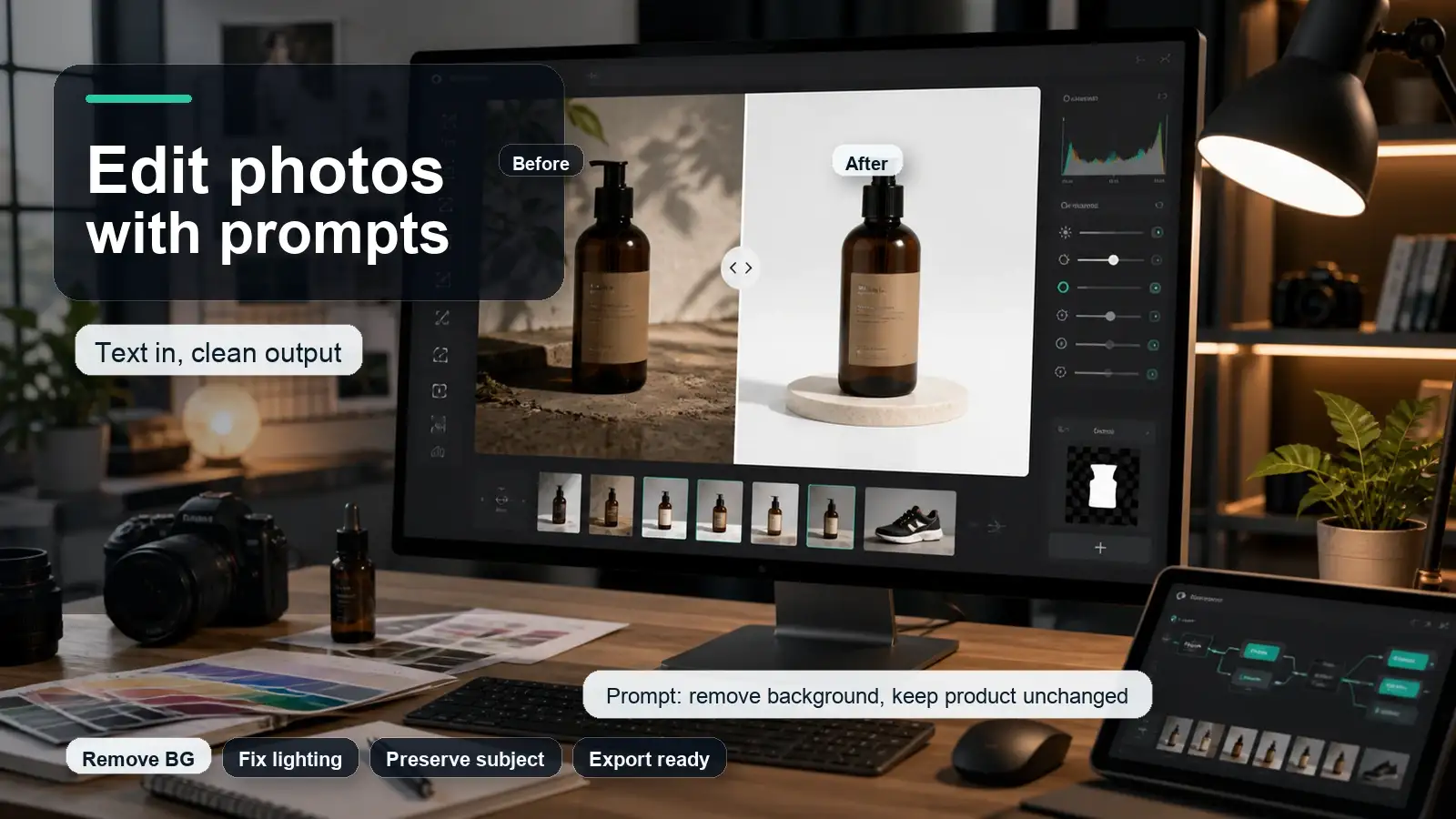
When the generated image is close but needs a small change, an AI image editor can help refine the background, object, lighting, or composition without restarting the full prompt.
If the image is visually strong but too soft for a poster, thumbnail, product listing, or blog hero, an AI image upscaler can help prepare it for publishing.
And when the subject is good but the background is not usable, an AI background remover can make the final asset cleaner for ecommerce, profile photos, ads, or social media designs.
Safety and rights checklist
- Check the license for the exact model and platform you use.
- Do not use private images, minors, or real people without permission.
- Avoid prompts that create misleading, defamatory, sexualized, or harmful depictions of real people.
- Be careful with copyrighted characters, brand logos, celebrity likenesses, and living artists.
- Review AI-generated product images for accuracy before using them in ecommerce.
- Do not rely on AI images for legal, medical, news, or evidence-style visuals without clear disclosure and review.
- Keep a human review step before publishing business-critical visuals.
Final thoughts
Stable Diffusion is powerful because it is not just one image generator. It is a flexible model ecosystem. Beginners can use it to create images from prompts, while advanced creators can build custom workflows with models, LoRAs, ControlNet, seeds, samplers, and local generation.
FAQs
Stable Diffusion is an AI model family that generates and edits images from text prompts. It is best known for open model access, local workflows, custom models, LoRAs, ControlNet guidance, and a large creator community.
Stable Diffusion works by encoding a prompt, starting with noise in a compressed latent space, denoising the image representation step by step, and decoding it into a final image.
Stable Diffusion models are different versions or variants of the image generation system. Important families include SD 1.5, SD 2.x, SDXL, SDXL Turbo, Stable Cascade, Stable Diffusion 3, and Stable Diffusion 3.5.
For high-quality current workflows, SD3.5 Large and SDXL are strong choices. SD3.5 Medium is useful for consumer-hardware balance, SD3.5 Large Turbo is useful for speed, and SDXL remains strong because of its ecosystem.
Stable Diffusion can be free to run in some local or open workflows, but hosted tools, APIs, enterprise use, and some licenses may involve fees or restrictions. Always check the exact model and platform terms.
A Stable Diffusion prompt generator is a helper that turns a rough idea into a full prompt, usually with subject, style, scene, composition, lighting, quality details, negative prompt, and settings.
Include subject, action, setting, medium, style, composition, lighting, color mood, quality details, negative prompt, aspect ratio, and model-specific settings.
Yes. Negative prompts help tell the model what to avoid, such as blur, low quality, extra fingers, distorted anatomy, fake text, watermark, clutter, or unwanted styles.
Yes, depending on the tool. Stable Diffusion workflows can support image-to-image, inpainting, outpainting, ControlNet-guided edits, upscaling, and style transfer.
For local use, a GPU helps a lot, and requirements depend on the model. SD3.5 Medium and optimized versions are designed to be more accessible, while larger models need more resources. Online tools avoid local hardware setup.