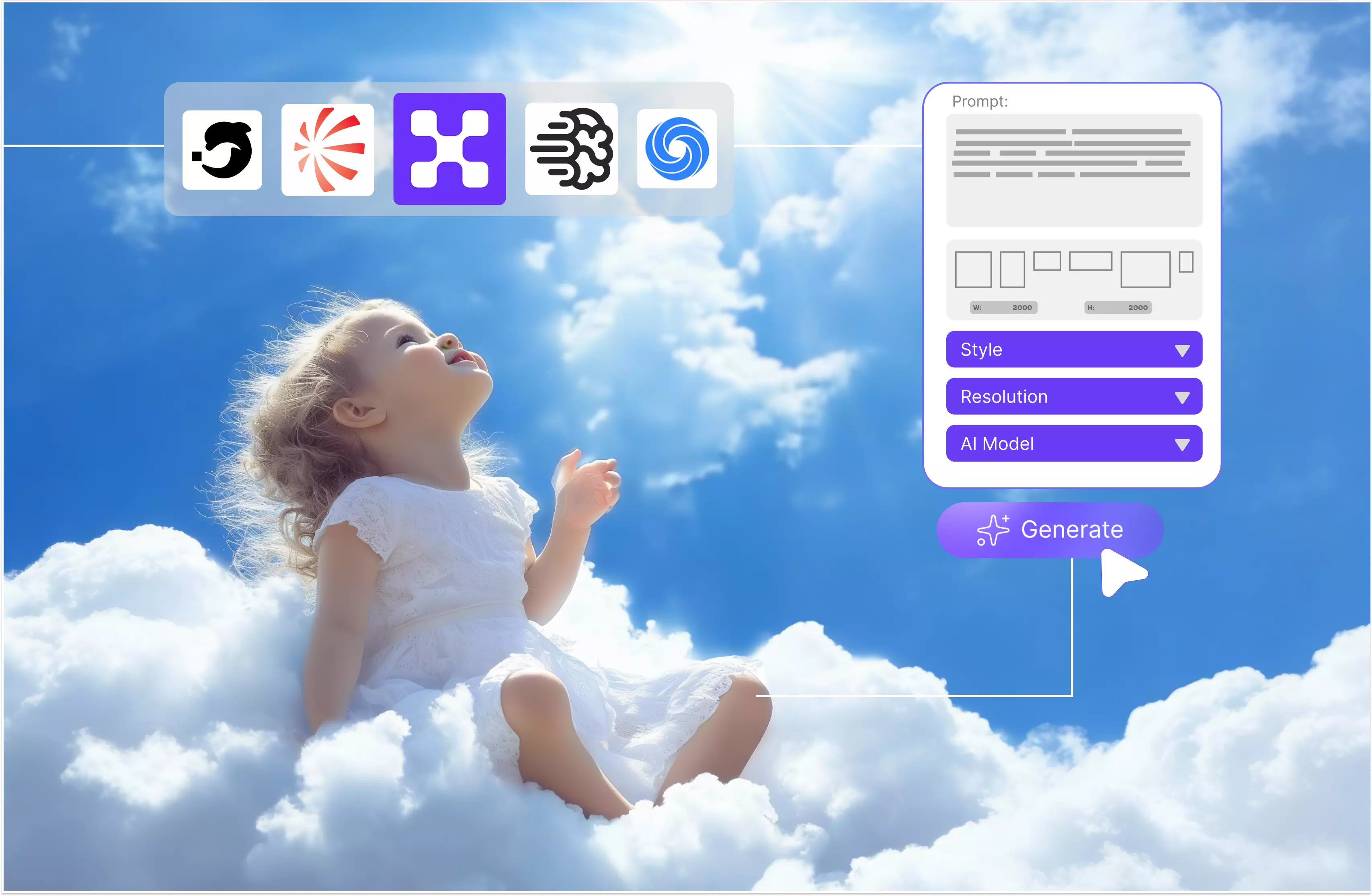


AI art generators are tools that let people create using artificial intelligence. The only requirement is to type a few words or a text prompt, click the generate button, and your image will be created based on that idea. Tools like this are commonly called AI art generators.
AI art generators can make anything from simple drawings to images that look like real photos. Many AI art generation tools are available online, and I’ve tested a few to compare their strengths and limitations.
That got me wondering what it would take to build my own AI art generator. I started researching the key components, and a few questions kept coming up. What does it really take?
An explanation of AI art generators, a step-by-step guide to creating your own AI art generator, and a list of the top 5 AI art generator tools. Making your own AI art generator involves either leveraging existing models through APIs easier (which is easier) or building and training one from scratch (which is more complex).
The skills depend on the apporach API based apps need Python/backend skills while training or hosting models requires stronger machine learning and knowledge. After exploring various tools and examining all their features, what is the difference between them? Note all these things.
In my blog, I will provide an explanation of AI art generators, a step-by-step guide on how to create your own AI art generator, a list of the top 5 tools for AI art generation along with their key features, and more.
AI art generators
An AI art generator is a tool that allows people to create images/pictures using artificial intelligence. AI-generated art is artwork created by advanced machine-learning algorithms. AI plays an important role in the art generation process.
Create visual output by processing user input, like a word prompt, an image, or an idea. This technique is now simple thanks to various AI tools, like art generators. It allows artists to experiment with various styles, techniques and themes using a wide range of inputs. You can create high-quality art quickly without technical skills.
Trained on large image datasets often paired with text these models learn statistical patterns like colors, composition and texture—that can resemble certain styles. Traditional artistic methods no longer constrain artists, enabling them to create new works that embody the style they desire to explore.
Know more about AI art generator tools
AI art generator tools are common among many users, but some people are still unaware of them. The tool helps you to create pictures without needing to draw by hand. If you’re an artist or just someone who enjoys trying new tech, these tools can be entertaining and useful. It’s helpful to have a clear idea or concept in mind before generating the image.
There are many advanced AI art generator models trained on tons of images, which means they’ve seen a lot and can guess how to build something new. There is no need for a powerful computer to use them.
You can use the AI art generator from anywhere on mobile. There are some tools that only run in a browser. There are some things that need to be taken into consideration while using AI art generator tools.
- Text-based prompts: You can type the text prompt that you want to see, like "a forest in dark sunlight with trees and in center one lion sitting.” You don’t need special technical skills; you can simply type your idea and let the tool do the work
- Style choices: Most of the tools let you choose a style. Should you opt for a style that resembles a painting? Or maybe something feel like a comic book? You can guide how the picture will look.
- Custom options: You can change various things, such as the image size or its level of detail. Some tools let you add effects or even remove the things you don’t like from the picture.
- Fast results: After entering your text prompt or idea, you don’t want to wait a long time. However, various tools provide results in a few seconds and even let you try again and again until you like what you see.
- Easy sharing: IF you are satisfied with the result, you can save that image or post it online. There are various tools that have built-in sharing, so you can send your images to friends or social media with one tap.
- Wide tool range: There is no single tool that provides this type of service. There are many free, some paid; each has its own style and features it's good to try a few.
How to make your own AI art generator (step-by-step guide)
As you have gotten an idea about AI art generators, now its time to know how to make your own AI art generators and what things are necessary for it. And the tools are used now everywhere; it's a good idea to know how to make your own AI art generator.
There are many users, designers, and artists who use them to create fantasy images, fun selfies, or even posters. There are many tools that focus highly on style and speed, as generating speed is also necessary for AI art generators.
Pre-development stage
Before starting or writing a single line of code, you should write down what the tool will do. Do you want to create a tool that is fast and fun or deep and detailed? You also need to check what’s already out there.
Study the most popular AI art generator tools. Check each user's feedback to understand their complaints and requirements. If you want to create your own AI art generator, it has to stand out. Single features like simple filters or fun styles can make a difference.
AI art generator tool
Once you know what you want to make, it's time to plan. Write out the features. Will your app support mobile? Does your app support both web and mobile platforms? Clear planning is good to avoid messy code and big mistakes later.
- Can they upload images?
- Will users type to make art?
- Will they need an account?
Please remember to sketch your app’s look. You don’t need a perfect design yet, but get a feel for how things will look.
Technical requirement
This is a serious part when you want to create your own AI art generator. You’ll need a few key things.
- Backend: You’ll require a strong backend to run the model. Art generation can be heavy on the system, so you’ll need cloud support or powerful local servers.
- Frontend: This is another aspect where you can observe the tool's functionality. It should be clean, simple and fun to use. If you’re offering a mobile AI art generator, make sure that it runs smoothly on various phones.
- AI model: You need a model trained to create art. There are many developers who start with open-source models. These models should be trained on thousands of images so you don’t have to start from scratch.
- Extra features: Want users to turn themselves into AI art? Then you’ll need tools that can handle photo uploads, facial detection, and style transfer.
- Storage and speed: Art files can be big. You’ll need a place to store them and tools to keep the app fast. Users won’t wait five minutes for an image.
Building the tool step by step
Real work begins. Start by connecting your AI model to your backend, then link that to your frontend. Test everything. Does the image text prompt match? Does it work on all devices? Add key features one by one
- Prompt input
- Style selection
- Image preview
- Download and share
Testing is important. Try various text prompts. Break it on purpose. Fix it. Then test again.
Launching and marketing the tool
You’re done building. Now it's time to show the world. Before launch, do a soft release. Few people try it first for free. There can be an online group consisting of friends, family, and others. Get feedback, then launch publicly.
Show off what tools can do, get people to use them, and start social media marketing. Invite people to try it and turn yourself into AI art. Give it a simple name that’s easy to remember; you can also research artists, tech bloggers, or YouTubers who talk about AI tools. There are many who like to use new things.
Top 5 tools for AI art generators
1. Pixelbin

Pixelbin offers free image editing powered by AI to every new user with a credit limit of 10 credits. The tool allows you to use it before making any financial investment. It’s simple to use; only enter your prompt in natural language and get your result in seconds.
Pixelbin AI art generator delivers high-resolution images, whether you’re on a free trial or paid plan. It support with advanced models (Nano/Banana/Pro). I tested an AI art generator where my text prompt was “A futuristic cityscape at sunset, with flying cars, neon lights, and tall glass skyscrapers, in the style of cyberpunk art,” with various options to select.
I selected references as natural (image 1, aspect ratio 1:1) and clicked on the generate button. Received the result in a few seconds with no watermark, a clean and clear result. It also provides various facility to select color options, aspect ratios, and control images like 1 or 2 more, according to your requirements. Pixelbin delivers quality results quickly removing making it efficient and user-friendly.
Key features:
- Ease of use
- No watermark
- No signup needed
- High-resolution images
- Support multiple formats
2. Leonardo AI
Our next tool is Leonardo AI is a relative newcomer but it makes waves in the AI world and was originally designed as a tool for game developers to create games but it is also used for other purposes. The tool has its own model called Phoenix.
It’s a fully featured, constantly improving art generator that even allows you to fine-tune your models or edit images as they are generated in real time on the canvas. Leonardo.Ai can be used to create AI-driven visuals for portfolios, social media, marketing, and personal project
It is very simple to use. Click the image generation option (e.g., “Generate”) and enter a text prompt. So enter the text you want to create: “Mary had a little lamb.” Select the style, ratio, and auto according to your requirement.
I selected the 1:1, creative, and automatic ratios from the list and clicked the generate button. Wait for a few, and you will see. The result leaves no watermark; you can download the image if you are satisfied or share it directly. You can edit the image again, create a video, upscale it to your requirements, and make any necessary changes.
Key features:
- Ease of use
- No watermark
- Support multiple formats
- Style customization
- High-quality output
- Daily free credit
3. Ideogram
Ideogram is a fast-growing AI art generator known for handling texte based prompts and design elements well. Professionals can use Ideogram to generate design-quality visuals with just a text prompt, but they must manually blend with real elements outside the platform.
Ideograms turn your creative vision into polished, professional visuals in seconds. Ideogram is a great for creating visuals like social media posts or banners though output accuracy may vary based on prompt complexity. I tested Ideogram, where a sign-up is necessary for a free or paid subscription.
I tested it using a text prompt such as “An Eiffel Tower and a girl standing in a red frock while holding a dog in her hand.” There are various features available, like count, aspect ratio, model auto, and many more.
So I selected count as 2 and aspect ratio as 1:1 and clicked on the generate button. Wait for a few seconds on the right side; the process is getting complete. The result I received was really not perfect; there was no Eiffel tower on the back, and the girl who was wearing the red frock was also not perfect.
Key features:
- Ease of use
- Support multiple formats
- No watermark
- No technical skill required
- Background removal
- Image upscale
- Batch generation
4. Recraft
Recraft is an AI art generator for professional graphic designers. Recraft is a comprehensive design platform offering advanced AI art generation with unique features for professionals focusing on vector and raster image creation, precise control, brand consistency, and AI editing tools like inpainting, outpainting, background remover, upscaler, etc.
The process is simple: enter the text prompt that you want, or another option is to drag and drop the ref. Choose the image you like, select the style and landscape, and click on the generate button.
I tested with a text prompt, “girl standing near the Eiffel tower with a cat and a dog standing near that girl,” where it has other functionality like model, ratio, count, image colors, etc. I have selected a ratio of 1:1, counted the image's two colors according to my requirements, and selected the enter button.
Wait for a few seconds while generating the image; that message will be displayed when I receive the result. The dog was displayed, but no cat. The result is by far the worst tool I’ve tested, making it an absolute waste of time. The rest of all is ok. After the result is generated, it provides an additional editing area, background removers, upscaling options, and more.
Key features:
- Easy to use
- Support multiple styles
- Various aspect ratios
- Color option
- Not understand the prompt well
- No technical knowledge required
- No watermark
5. DeepAI
DeepAI is a widely used platform that help users turn their imagination into AI generated visuals. With its smart rendering, diverse styles, and full user rights for all creations, the tool is suitable for producing both creative and commercial content directly from your browser.
The process is basic. Enter your text prompt, select the style and click the generate button. Download the result. I tested DeepAI with the text prompt “A photorealistic portrait of a young artist with paint on her hands and clothes, soft natural lighting, detailed skin texture, shallow depth of field.”
There are various styles available, so I selected “Fantasy world generator.” The result was perfect, but upon looking at the image, I can say that it appears AI-generated rather than natural. The tool offers a free trial, and free generations take quite a while, which is a little bit irritating.
Key features:
- Ease of use
- Multiple style support
- No sign-up needed
- Super resolution support
- Understand the text prompt well
FAQs
Anyone can build their own AI generator with the right tool. The process can also be easier when the tool doesn’t require coding experience. If you want an AI tool that works with your business data can be trained and will automate your workflow, they you’re in the right place.
Not necessarily. If you use existing AI models through APIs, you mainly need basic backend or integration skills. However, building and training your own model from scratch requires strong knowledge of machine learning, data handling, and cloud infrastructure.
Yes, you absolutely can create an AI version of yourself, ranging from simple AI images and voice clones to sophisticated talking video avatars, by using various online platforms that train models on your photos and recordings to mimic your likeness and voice for tasks like content creation or communication.
Where A.I merely assist an author in the creative process; its use does not change the copyrightability of the output. At the other extreme, if content is entirely generated by AI it cannot be protected by copyright.
It depends upon what you want. Pixelbin is an great choice and creative style. The tool is very simple and easy to use for beginners. Try a few and see which one feels right for you.
To turn an image into AI, you an upload the photo to a platform like Imagine AI art generator. Select to any style apply it to the photo and let the AI enhance and reinterpret the image. The process is very fast and automate.