


Text to image generator
Free AI Image Generator
Turn a text prompt into HD images, anime art, realistic portraits, product shots, and 3D renders in seconds. Start with free monthly credits; no app download required.
/pixelbin_blogs/PB_2.0/Apps_New_design_graphics/AI_image_generator/portrait_image.webp)


How to use Pixelbin's AI image generator?
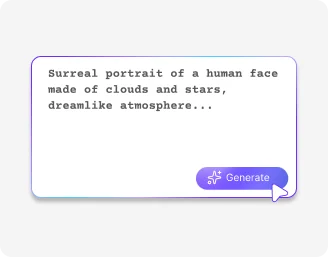
Describe Your Prompt
Specify your image with subject, lighting, camera angle, details, atmosphere, or choose a pre-built style tag.
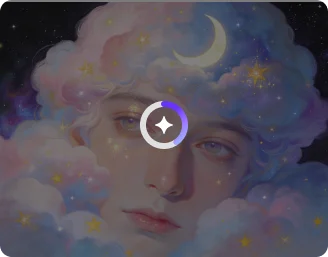
Choose Your Aspect & Model
Select your target output format 9:16 Vertical, 16:9 Widescreen, or 1:1 Square and pick a visual style (e.g., Cinematic and more).
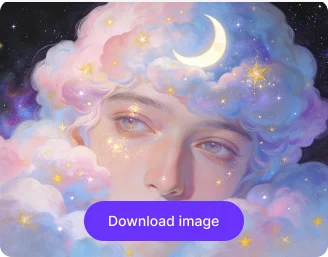
Generate, Fine-Tune & Download in 4K
Click Generate, preview your artwork, refine prompts, and export watermark-free images in full HD or 4K.
Why Pixelbin is the Ultimate Browser-Based AI Image Tool?
Custom Images from Simple Prompts
Describe the subject, colors, composition, lighting, and style to create a visual tailored to your exact requirements.

Different Aspect Ratios
Select a suitable ratio for social posts, blog graphics, advertisements, thumbnails, presentations, websites, and other marketing assets.

Range of AI models
Choose Nano Banana, Pro, or others for speed, quality, and style preferences.

Prompt Enhancer
Rephrases unclear descriptions to add greater specificity, helping produce more relevant and visually accurate images.

Refine Generated Images
Review the generated result, adjust the prompt or settings, and create new variations until the visual matches your creative direction

Guarantees privacy
Encrypts and processes images securely, never shares with anyone.
Generate realistic images from text instantly
Create what you imagine with a simple prompt and one click, without learning complex tools.
No artistic skills required
Describe your idea in simple words and get a ready-to-share image automatically – no design experience needed.
Fast processing speed
Generate images within seconds. Prompts are processed instantly with no manual editing required.
Free trial for everyone
Create and download images for free and upgrade anytime for more credits or API access.
Browser-based platform
Turn your ideas into images directly from your browser on any device. No downloads or installations required.
/pixelbin_blogs/PB_2.0/Pixelbin_App_Thumbnail/No_artistic_skills_required-transformed.webp)
AI tools by Pixelbin
/pixelbin_blogs/PB_2.0/Related_apps_tumbnail/Thumbnail_30-transformed.webp)
/pixelbin_blogs/PB_2.0/Related_apps_tumbnail/Thumbnail_(20)-transformed.webp)
/pixelbin_blogs/PB_2.0/Related_apps_tumbnail/thumbnail_(3).webp)
/pixelbin_blogs/PB_2.0/Related_apps_tumbnail/ai_video_generator_(2).webp)
Key highlights of Pixelbin’s AI image generator from a free online text-to-image tool
Benefits of using a free AI image generator online
- Copyright-free images: Generate copyright-free images from your prompt, without worrying about stock photo licenses.
- Time saving: Create HD visuals in seconds instead of hours of manual design work.
- Encourages creativity: Explore unlimited concepts, styles, and moods to refine your creative projects.
- Versatile use cases: Test different types of images for any purpose just by making small changes to your prompt.
- No watermarks: Download and share HD-quality images without any promotional watermarks.
- Accessible anywhere: Works on all devices & browsers without the need for downloading an app.
Use cases of the best text-to-image AI generators
1. AI-powered image generator for social media posts and blog graphics
Need a header image for a blog post or a custom visual for an Instagram post? Simply enter a prompt like "a minimalist abstract graphic for a finance blog, blue and gold color palette, clean layout" and get an image that perfectly matches your content's theme.
2. AI-generated illustrations for websites and apps
Add custom illustrations to your website or app instead of generic visuals. You can use prompts like "a flat illustration of a team collaborating, modern SaaS style, soft gradients" to maintain a consistent, professional look.
3. Visualize product ideas and prototypes
Use Pixelbin's image generation tool to visualize product concepts. For example, you could try something like "a futuristic sneaker in blue and silver, set against a clean white background with soft shadows" before investing time or money in a full design.
4. AI-generated characters for avatars and illustrations
Create AI-generated characters for branding, storytelling, or social media profiles. You might try something like "create a futuristic cyberpunk character with neon accents, a detailed face, and digital art style" to craft visually distinctive identities.
5. AI-generated ads for marketing campaigns
Stop using the same stock photos everyone else on the internet uses. Create endless variations for your ad campaigns with prompts like "a photorealistic image of a happy family eating pasta in a sunlit kitchen, with warm lighting and a lifestyle advertising style" and get a unique, engaging visual in seconds.
6. Presentations and slides
Make your presentation slides stand out with Pixelbin. Instead of using generic icons, you can generate custom visuals using prompts like "a 3D icon of a glowing light bulb with soft shadows on a minimalist background" to keep your audience engaged and convey your message.
7. Generating YouTube video thumbnails
Try Pixelbin to generate thumbnails that boost clicks and engagement. Experiment with prompts like "a high-contrast YouTube thumbnail with bold text, a surprised expression, vibrant colors, and dramatic lighting" to stand out in crowded feeds.
8. AI-generated backgrounds for images and designs
Use AI to create backgrounds instead of relying on generic stock photos. For example, "a cozy coffee shop interior, warm lighting, blurred background, aesthetic atmosphere" works perfectly for overlays, websites, or product displays.
How to specify prompts to get the best results from the free AI image generator tools?
Here are some suggestions to get the most accurate results from text-to-image generation tools:
- Be specific with your subject, the action it's doing, and its setting.
- Avoid writing vague prompts. For instance, when you write "create a nice image" or "a person in a room," it gives the AI very little to work with. Instead, try something clearer like "a young woman working on a laptop in a modern café, soft natural lighting" to get a more relevant result.
- Add keywords like "photorealistic," "watercolor," "3D render," "anime style," or "digital art."
- Mention the lighting or mood you want, such as "cinematic lighting," "golden hour," or "dark and moody."
- Also, avoid overloading your prompt with too many conflicting ideas. For instance, combining "minimalist," "highly detailed," "cartoon," and "photorealistic" in one prompt can confuse the AI.
- For realistic images, try including camera details like "close-up shot," "portrait," or "wide-angle landscape."
Image Models offered by Pixelbin’s AI image generator
1. Model – Nano Banana
- Best For: Quick content, social posts, idea testing, blog thumbnails, meme/creative experiments.
- When to Use: When you need fast results, have a simple idea, or are just experimenting with concepts without spending time refining prompts.
- Core Strength (Real Differentiator): Optimized for speed + prompt simplicity. Delivers clean visuals even from short or vague prompts.
- Speed: 5 Seconds.
- Output Quality: High-quality (HD+)
- How to Use: Enter a simple prompt → pick a style → generate → download instantly.
2. Model – Nano Banana Pro
- Best For: Professional design, branding, client work , product mockups , marketing campaign creatives.
- When to Use: When quality matters most, you need precise control, or you're creating client-ready or high-stakes visuals.
- Core Strength (Real Differentiator): Built for precision + control. Handles complex prompts, lighting, textures, and composition with high accuracy.
- Speed: 15 seconds to 1 min.
- Output Quality: Ultra-HD / 4K-level detail.
- How to Use: Write detailed prompt → tweak advanced settings → generate refined output → export.
Create images online for free with AI — no sign-up required
Pixelbin’s free AI image generator helps you turn simple text prompts into high-quality visuals instantly. Create realistic photos, fantasy art, anime characters, marketing creatives, illustrations, and more without needing design experience or expensive software.
Free AI image generator with no sign-up
Generate AI images online for free directly from your browser without downloading apps or creating an account. Simply enter your prompt, choose a style, and let the AI create your image in seconds.
Generate unlimited creative styles
Pixelbin supports multiple visual styles, including:
- Photorealistic images
- Fantasy artwork
- Anime illustrations
- 3D renders
- Digital paintings
- Cinematic scenes
- Minimalist graphics
AI-generated images in HD quality
Download high-resolution AI-generated images without watermarks. Pixelbin preserves image clarity and sharpness, making outputs suitable for social media, presentations, ads, websites, and print projects.
Fast AI image generation for creators and businesses
Whether you are a content creator, marketer, designer, blogger, or business owner, Pixelbin helps generate custom visuals quickly for campaigns, thumbnails, blog graphics, branding, and creative projects.
FAQs
Here’s a list of commonly asked questions about our AI Image Generator. If you still can't find what you're looking for, don't hesitate to reach out to us at support@pixelbin.io or read our documentation for more details.


Edit images in seconds, not hours
Get pixel-perfect results just with your words
Start editing with AI