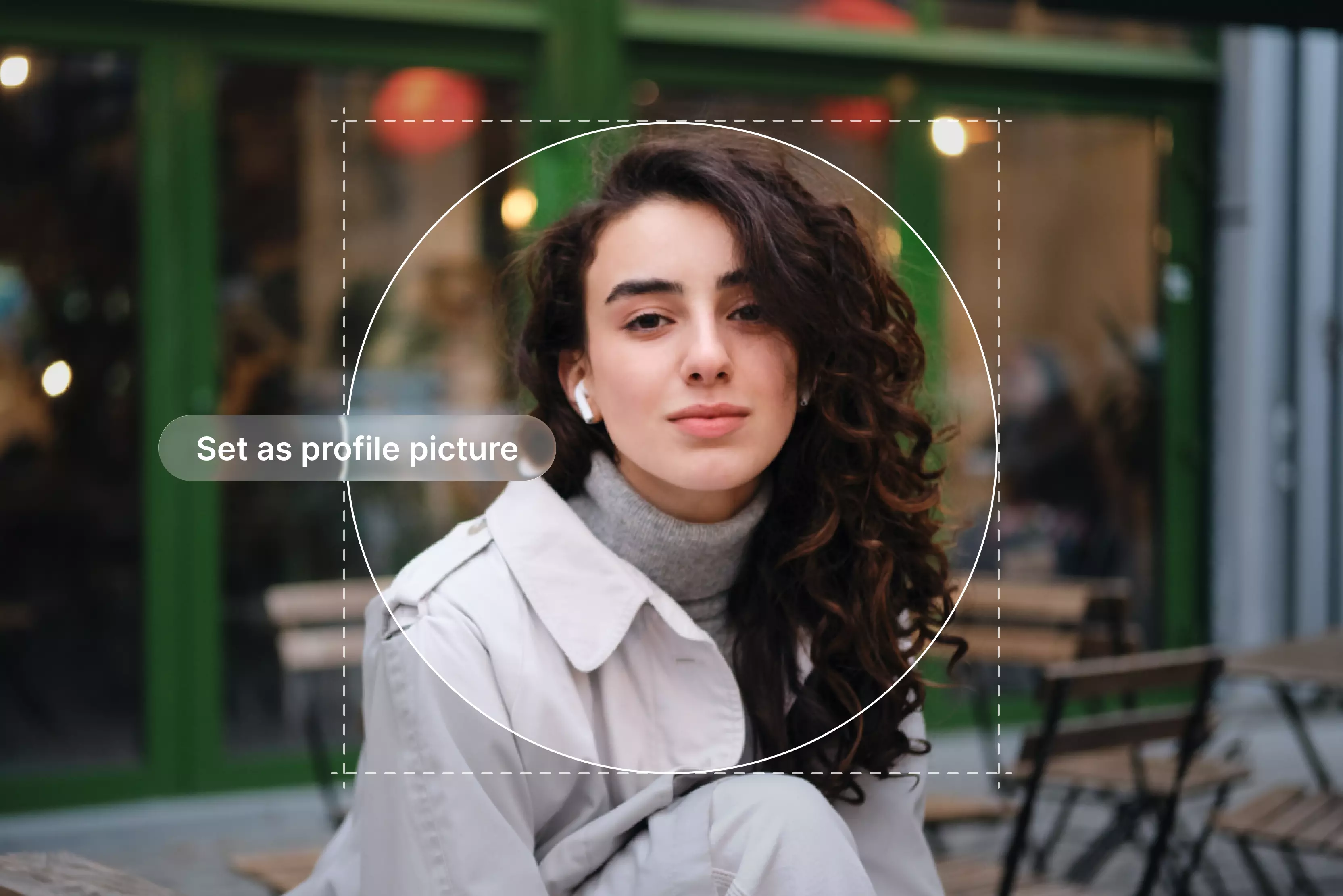


Your profile picture is a key element of any social media presence. A good profile picture is super important, but it isn’t always easy, especially if you’re a little shy in front of the camera or not good at photo editing.
Research shows that optimized pictures can significantly increase profile views and engagement. Every time you view someone’s profile, you instantly form an impression of that person.
You may subconsciously judge whether they seem likeable, trustworthy, or competent, and others are likely forming similar impressions of you. The shape of your profile picture (often displayed as a circle) isn’t what makes a good impression; factors like lighting, clarity, and expression matter much more.
You’ve seen thousands of social media pictures and see dozens every day. If you don’t have the budget, the good camera on your smartphone will also do the trick.
In this blog, I’ll explain what makes a great profile picture, share over 14 practical tips, discuss how to choose the best tools, and review my favorite option, the Pixelbin AI profile picture maker.
What is a profile picture?
A profile picture is the image that represents a social media account in all its interactions. Each social media site has its own unique way of displaying profile photographs as an avatar next to an account name.
Your digital first impression is a small picture that appears next to your name on posts, comments, and profiles. Before people even read your bio, your profile picture, whether it’s a selfie, a logo, or a creative avatar, helps shape their first impression of you.
15 tips to get good profile pictures
Your profile picture represents your personal brand in a small circular frame. While social media is designed to be fun and casual, freelancing offers enough reasons to include profile images in your personal branding. It is crucial to pay attention to small things like modifying lighting, background, and editing.
1. Something shot in nature
Photographs taken in nature have a wonderful quality, whether the subjects are posing on a mountain, playing at the beach, or enjoying the falling leaves. Perhaps it's the natural lighting or the tranquillity that accompanies being in nature.
Use the natural setting to enhance your presence, but make sure you remain the focus, not the background. A beneficial strategy is to take a half-body photo that leaves enough space to optically balance you and the environment.
2. Black and white
There is nothing more striking than a black-and-white photo, but how do you get it right? First, lower the saturation to zero, and then play with the shadow and contrast.
You don’t want the photo too dark, or it will lose its character. But if it's too light, it will look like you only removed the color. So, play with contrast, shadow, and exposure until the photo looks balanced and feels just right.
3. Use a high-resolution image
Select the ideal size of your profile picture, which is between the limited sizes. Avoid low-resolution images, as they may appear blurry. Make sure the file size meets the platform’s upload limits.
If your profile picture appears blurry when uploaded, you may want to use a different one. This may also happen if you try to take a picture of a picture, such as a photo on your ID badge, so it's best to take a fresh one instead.
4. Be the only person in your profile picture
Team photos can be great for showing collaboration, but they’re better suited to banners or posts. However, people might not recognize you if your profile picture is a group photo.
Use a solo shot for your profile picture so that people know exactly how you look. A random hand or a shoulder may appear in the frame, so cropping a group photo isn’t the ideal option. You should use this as your background photo, sometimes called your banner image, if you do wish to have a team photo on your profile.
5. Use contrasting colors
Channels of social media move fast. One of the best ways to stand out is by using color. Colors shine out when they contrast with their surroundings. When you think about it, the concept is simple and clear.
What color are most social media websites? What color is the complement of blue? Because many platforms use blue/white UI elements, warm tones in clothing or background can help you stand out. There are many colors commonly used in clothing.
6. Show your face
First, your face should be clearly seen. If your face is covered by sunglasses, a mask, heavy shadows, or hair, people may not recognize you. One particularly powerful form of imagery is the face.
According to research on the psychology of images, faces exploit an unconscious bias that opens a new window in our brains. You have interests, like pets and helicopters, but don't mention them in your profile picture.
7. Minimalist approach
One of the most overlooked best practices for social media profile pictures is to keep them minimal. You don’t need much going on in your photo.
Even if it looks wonderful in your camera roll, remember that on social media, it appears as a small circle, so simple works best.
8. Frame yourself
Some headshots are too close to the camera. Others are too far away; make sure you are properly framed in the shot so people can see you and see some background. The image should not be too far away and not too close.
Please show your face, but don't block the camera. If your face is too small, they won’t be able to see your smile when the picture is displayed at smaller sizes. Assume it may be shown as a tiny thumbnail, roughly around 40-60 pixels wide on some screens. In other words, very small, so framing matters.
9. Simple background
The main focus should be on your face; keep the background simple. A busy background should draw your attention away from your image, which isn't ideal.
Best practice is to use a simple, flat-colored background. Background colors should be high-contrast, not match clothing colors. Use a different background, but keep it simple and use appropriate colors.
10. Add a touch of your brand’s personality to your photo
The colors are in your logos and visually identify you; you should aim to use the same colors and similar colors in the profile picture. Always stay away from the colors that clash. There are many strategies for carefully incorporating your brand into your profile picture.
- Wear your brand colors: Incorporate a few of your company's colors to represent your brand.
- Put the brand color in the background: Include a small portion of your workplace in the background.
- Include a small logo: IF there is space, it is difficult to fit.
- Add a big logo to your background image. It’s much simpler to fit in there.
11. Close-up portrait
Individual photos highlight your face and facial expression, but you also want to capture your essence in a picture. Although they look good on web platforms, close-up portraits are typically more suitable for business sites like LinkedIn.
12. Heavy on shadows
This is a cool and unique profile picture idea, but it is also something that people tend to shy away from. While dark and dramatic photos can look artistic, they work best for creative industries rather than corporate settings.
If experimenting with shadows, ensure your face remains clearly visible and not obscured. If you lower the rest of the lighting in your pictures, you will notice how beautiful it is.
13. Take a photo with the right expression
You have a chance to communicate your personal brand through your profile image. Therefore, it's acceptable to appear serious in your picture if you take your business a little seriously. However, in general, smiling can make you appear more personable.
There are some who found smiles with visible teeth to be twice as likable as those with closed mouths. To select your favorite expression, try practicing in front of a mirror first. Do what comes naturally to you so as to appear comfortable.
14. Avoid distracting backgrounds
At what place you take a picture matters. You don’t want anything that distracts from your face, so a simple background can help ensure that you’re at the perfect point. This is not to suggest that you must be in a blank or empty white space.
Taking the picture outside in nature or against a painted wall can keep things simple without being boring. If you want to showcase your workplace, keep the background tidy and free of sensitive details.
15. Take a photo in soft, natural light
Lighting can completely change the look and feel of your photo. While utilizing a camera flash might make your skin appear shiny, standing under strong, bright light can alter the color of your photos and create shadows on your face.
Direct sunlight can make photos appear blown out; natural light typically yields the best results. In trying to decrease the light, try taking your photo outside on a cloudy day in a spot that is slightly shaded or when the sun is setting.
Another way to get a natural-looking glow on your skin is to stand indoors and use the light from a nearby window to brighten your face. It will be more difficult to view your face if you stand with your back to the window.
How to select the good profile picture tools
Selecting the good profile picture tools might be difficult, particularly in the current digital era, where there are so many possibilities. Below, I discuss the factors to consider when selecting a profile picture maker that best suits your needs.
1. Ease of use
First, an important factor is the ease of use. The good profile picture should be easy to navigate with a user-friendly interface. It should be simple instructions and controls that you can easily understand and manipulate to get perfect results.
2. Quality
Another important factor is the quality of the images produced by the tools. Good profile picture tools should be able to produce high-quality images with high resolution and clarity. In order to make the picture stand out and show your unique personality, you should be able to edit and improve it.
3. Purpose/type
Third, you should think and decide what your profile picture will be used for. Do you use it for personal branding, social media, or work-related purposes? Secondly, what kind of profile picture are you interested in creating?
Options may include professional headshots, illustrated avatars, branded logos, or stylized graphics. You can start searching for a profile picture creator that meets your specific needs when you’ve decided on your goal and what kind of picture/image you want.
4. Cost-effective
Lastly, consider one point, which is the price of good profile pictures. While there are many free options also available, they may not offer the same level of quality and customization. Investing in a paid tool for creating profile pictures may be a good decision, especially if you want to stand out from the crowd.
A tool that provides free services for good profile pictures
Pixelbin is a free AI profile picture maker with limited monthly credits. Convert your photo into a professional-looking profile picture with natural detail and clarity. With this profile picture maker, you create images to use on various social media sites like LinkedIn, Instagram, Discord, and more.
The tool allows you to upload images in JPG, JPEG, PNG, and WEBP formats. You can create up to three profile pictures per month for free and upgrade anytime to unlock more credits and API access.
You can easily create your profile picture with Pixelbin by pasting a URL or using the upload image button to select your image in any of the supported formats, then wait for AI processing and download your image. Pixelbin also supports bulk editing of multiple images at once via a bulk editing API, saving significant time.
I tested one of my images and waited a few seconds until I was genuinely impressed with the results. The process is easy for us; we just upload the photos, and the AI handles the rest. The generated profile picture looks professional with high resolution and a perfect background.
The processing time was quick with no edits to the final images, and it meets all the tips I outlined above. The tools provide another feature, which allows you to edit or create a video from that image if you want.
Pixelbin's AI profile picture maker is reliable, efficient, and produces impressive results, so I recommend it to professionals and anyone who is looking to upgrade their online presence.
Key features
- Ease of use
- Batch processing
- Multiple image formats
- No watermark
- No login needed
- Time saver
- Browser-based editor
FAQs
The image should focus on your face. A busy background can take the focus off you, which isn’t ideal. Best practice is to use a simple, flat-colored background. The background is also an opportunity to use contrasting colors without changing the clothes.
A smiling picture generally makes you more likeable and credible. Whether you are building a personal brand or trying to connect on a dating site, your profile photo expression changes how people perceive you.
There are many tips to pick a strong photo and make a good impression.
- Pick the photo that looks like you
- Use a high-resolution image
- Make sure your face takes up at least 60% of the frame
- Be the only person in the picture
- Get someone else to take a profile picture
- Take the photo to get the right impression
First, look at the camera; it's one of the most impactful profile picture ideas. Eyes can attract attention and establish a connection, even in photos. Looking at a camera makes you approachable and inviting.
There are many great tools for creating profile pictures, but, in my experience, the most satisfying is Pixelbin, with its ease of use, affordability, high quality, and more.
Key features include background remover, headshot and avatar generators, easy-to-use interface, AI resizing, cost-effectiveness, high-quality results, and more.










