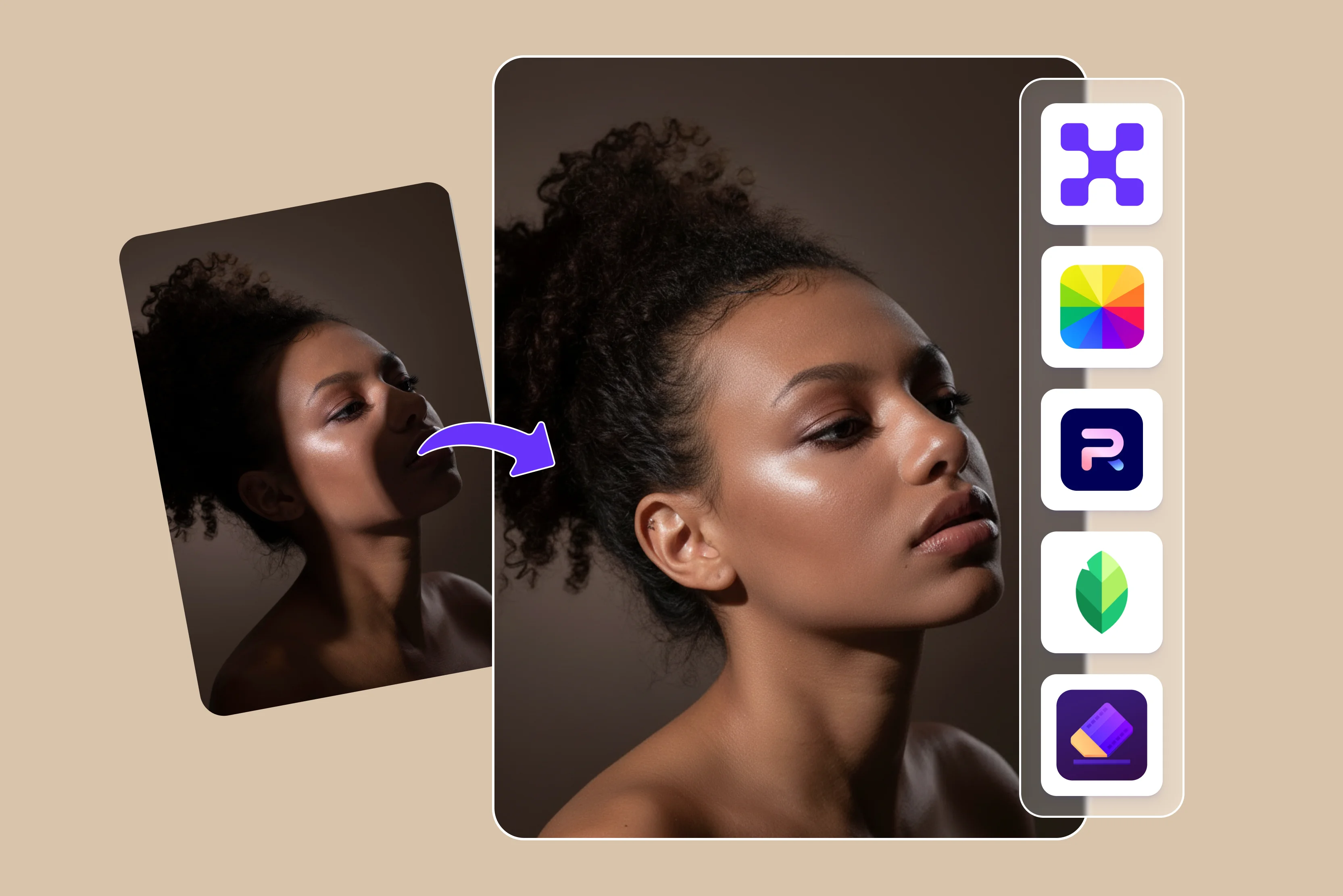


Shadows destroy even the most carefully composed photos by creating harsh contrasts that obscure details and dimensions and draw unwanted attention away from subjects. In a portrait, facial shadows from overhead sunlight or poor indoor lighting can age skin unnaturally, hide expressions and ruin e-commerce product shots where buyers need a clear view of textures and colors.
Photographers and marketers face daily pain points due to manual Photoshop fixes that require hours of masking and cloning. There are free apps that also produce poor results such as blurry fixes or incorrect colors. Many outdoor photos have uneven shadows which can ruin good pictures and prevent them from being posted online.
Many photos at once can also slow down or crash due to challenging lighting causing delays for clients and social media posts. Traditional tools sometimes make photos too bright and noisy and cannot properly fix hard shadows. This leaves professionals spending more time searching for better and more reliable editing solutions.
This blog delivers instant solutions through AI shadow removers like Pixelbin and Media.io AniEraser which remove shadows in seconds via intelligent detection and seamless inpainting, preserving realism without any skills. This guide includes step-by-step instructions, before-and-after comparisons and a free tool to effortlessly test and reclaim perfect shots.
What is a shadow remover app?
A shadow remover app is a digital tool available online on desktop or mobile devices, designed to automatically detect and remove unwanted shadows from photographs. The shadow falls on a face, product, or background; AI tools intelligently detect and remove it while preserving natural lighting and texture.
These AI tools provide a hassle-free way to remove shadows without the need for complex software like Photoshop. Tools use AI-powered computer vision and image processing algorithms to identify dark areas caused by lighting conditions, then adjust brightness, contrast, texture, and color to make the image look more natural.
How AI detects and removes shadows
AI identifies shadows based on visual features like light gradients, edges and illumination patterns. Deep learning methods are trained on pairs of images with and without shadows. These models apply convolutional neural networks CNNs to distinguish unwanted cast shadows from natural face shading by identifying shadow boundaries and illumination inconsistencies.
Pixel Level Analysis in AI Photo Shadow Removers Extensive processing of pixel information. They analyze each pixel's data and perform operations that effectively retouch the image removing shadows and producing a visually enhanced shadow-free image.
Once detected AI inpaints shadow regions by reconstructing textures and lighting from nearby lit areas employing generative adversarial networks (GANs) or diffusion models for realistic fills. There are various tools available that automatically detect lighting imbalances and remove shadow artifacts in seconds while preserving the texture of the background something that would require manual brushwork.
Benefits of using AI shadow from a photo
- Save time: If you’ve tried manually painting out a shadow in traditional software, you know how hard it is to match the lighting properly. AI can handle complex blending in seconds, turning what used to be a 30-minute editing task into a simple one-click fix.
- Look natural: AI shadow removal tools preserve the original texture beneath, whether it's fabric or skin, so the result stays sharp and realistic, not blurry.
- No skills needed: You don’t need expensive lights or studio equipment to get a clean look. If you are selling your product online or building a brand, you can achieve polished, studio-style photos with just an AI shadow-remover tool.
- High-resolution output: You get all exports in high resolution, at no additional cost, ready to use for personal or professional purposes.
- Accessible anywhere: The AI shadow remover works online, simplifying access and utility for users and allowing them to use the tool from any location.
Best App to remove shadows from photos
1. Pixelbin

Remove unwanted shadows and dark spots from any images. Pixelbin AI shadow remover is a free online tool that fixes uneven lighting and removes shadows from photos in seconds. No signup or payment details are needed and you can download HD quality images instantly.
The tool is fully automated you simply upload your photo, and the AI does everything. AI models examine the pixels surrounding the shadow to fully understand the image context like color, lighting, textures and patterns.
It includes batch processing, noise reduction and sharpening tools without compromising quality. The platform offers specialized AI tools like an object remover and an image enhancer that can indirectly address shadows by inpainting affected areas.
Key features
- Ease of use
- Support multiple formats
- Multiple models
- Various aspect ratios
- Real-time preview
- Batch processing
- API access
2. Fotor
Fotor's free online photo shadow remover helps you remove shadows from photos in seconds. With a simple one click you can remove the shadow from the photo. Whether the shadows were caused by poor lighting, harsh lighting, or overhead objects.
Powered by advanced artificial intelligence algorithms Fotor's shadow remover in photo tools delivers natural, authentic results. The process is simple upload an online shadow remover, wait a few seconds and the tool will automatically remove the shadow. With adjustable settings for exposure, highlights, shadows and curves you can easily refine the image and achieve the best results.
Key features
- Ease of use
- High-quality results
- No skills needed
- Support multiple formats
3. Photoroom
Photoroom is an AI photo editor that promises studio-quality pictures in seconds with no design skills needed. The Photoroom Magic Retouch tool handles shadow removal. It takes just 2 seconds to remove shadows, text, and watermarks from a photo.
Select the photo and paint over the element to remove. The same brush-based approach also works for painted-over shadows. It supports various formats select the one that suits your requirements. You can remove shadows from photos on any device such as iPhones, iPads and Androids. The process is simple no additional technical knowledge is required.
Key features
- Ease of use
- High-quality results
- Multiple browser support
- No skills needed
- Support multiple formats
4. Snapseed
Snapseed is another popular tool to remove shadows from a photo. It's an app that lets you remove shadows from photos for free. The process is very simple; no more technical knowledge is needed with Snapseed, you can use the selective tool to adjust a specific area of an image.
Another way to use the brush tool is to brush over the shadow area and remove it. You can also do other photo edits, like adjusting brightness, contrast, image saturation, and DSL effect. It is available on both Android and iOS.
Key features
- Ease of use
- No technical knowledge needed
- No signup
- Available on Android and iOS
- Support multiple formats
- Aspect ratio
5. AniEraser
AniEraser is designed to remove the shadow from a picture. It helps you delete unwanted shadows from photos using advanced algorithms to detect and remove them. It is available on web apps, desktop and mobile devices (iOS/Android).
It uses advanced algorithms for precise shadow detection and inpainting, handling sunlight, studio lighting, shadows in portraits and landscapes, and more. Beyond shadows it also removes text, reflections and emojis while preserving image quality.
Free trials are available with the Pro upgrade for batch processing. The step is easy to use: upload your photo to AniEraser brush over shadow areas, preview the AI-erased result and download.
Key features
- Ease of use
- Support multiple formats
- Various aspect ratios
- Real-time preview
- Batch processing
6. Media.io
Media.io's shadow remover for images is an innovative AI-powered tool designed to transform your photo into clean, professional-looking visuals in a few seconds. Traditional editing software that needs advanced skills and time-consuming manual adjustments.
You have to visit the Media.io page and upload your image. Use the brush tool to paint over the shadow that you want to remove. You can select the brush size for precision. It is designed to automatically detect and remove unwanted, harsh, or distracting shadows, making it particularly useful for enhancing products and photos.
Works as a web-based tool on desktop and mobile browsers and also has an iPhone application. It is free and removes people's reflections and other background distractions.
Key features
- No signup required
- No technical knowledge needed
- No watermark
- Real-time preview
- Batch processing
How to remove shadows from a photo (step-by-step guide)
Here’s how you get a complete step-by-step guide to removing shadows from photos using Pixelbin.
Step 1: Visit Pixelbin • AI tools • Remove shadow from photos for free.
Step 2: Upload your photo. Drag and drop your photo into the upload area. Supported formats like JPEG, JPG, PNG, and WEBP with a max file size of 10 MB. You can also paste the URL if your photo is hosted online.
Step 3: Click the generate button and wait a few seconds, turning what used to be a lengthy manual editing task into a simple one-click fix. The AI automatically detects shadows and dark areas and improves lighting without any manual edits on your part.
Step 4: After processing, you’ll see a before/after preview of your photo. Check that the shadows have been removed and that subject details and textures are preserved.
Step 5: Once satisfied, save your photo in high resolution without any watermarks or text overlays.
FAQs
According to the review, the best free app for removing shadows from photos is Pixelbin, which lets you fix uneven lighting and remove shadows in seconds.
Yes, AI-powered tools can effectively and often completely remove shadows from photos, such as complex shadows on faces, product photos, and landscapes. The tools like Pixelbin often remove shadows from photos in seconds.
The shadow removal depends heavily on the method used, ranging from a few seconds with AI tools to several minutes.
Yes, removing shadows from a photo can degrade its quality if not done carefully, often resulting in an unnatural, flat, or blurry appearance. AI makes it easy to remove shadows from your photo in a few seconds.
Yes, you can remove shadows from a photo directly on your phone using various AI tools that support iPhones and Androids.
Commonly supported image formats across web browsers and applications include JPG, PNG, GIF, WebP, SVG, and TIFF, covering most web and design needs.