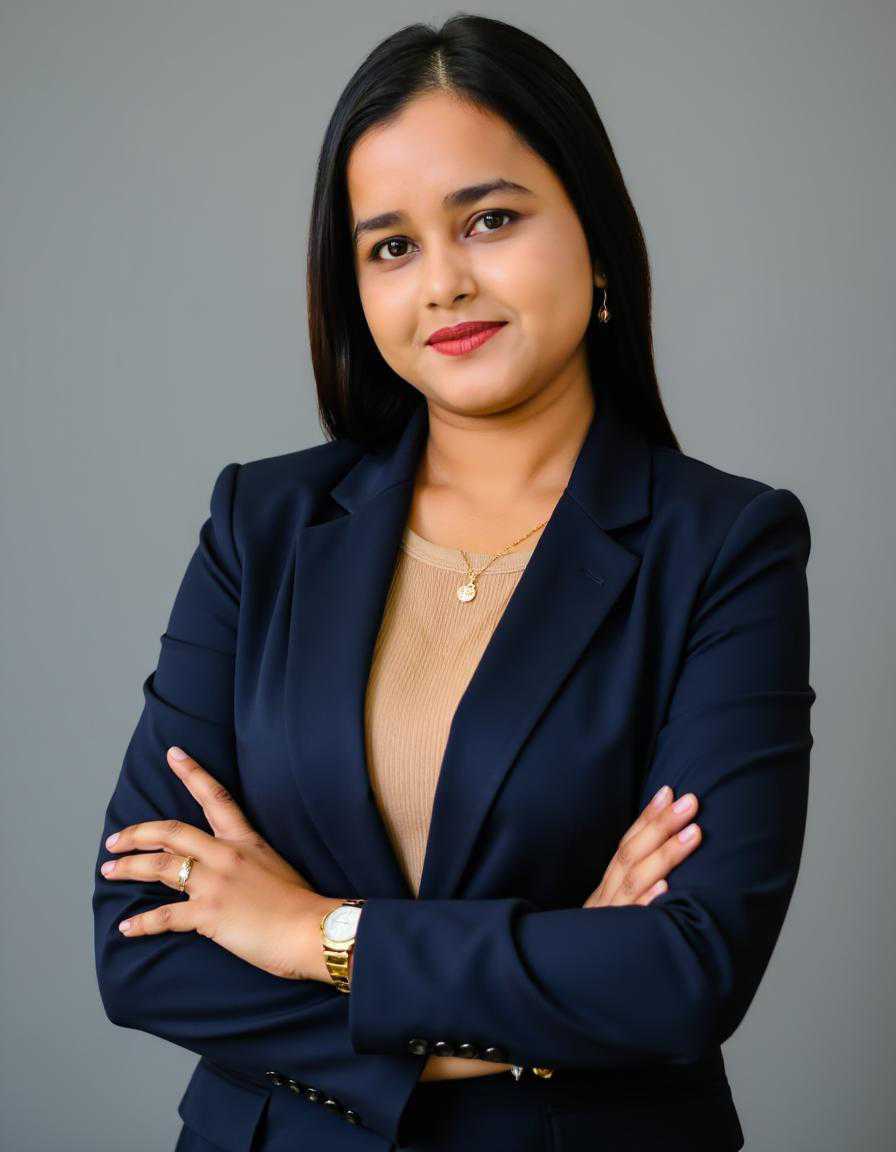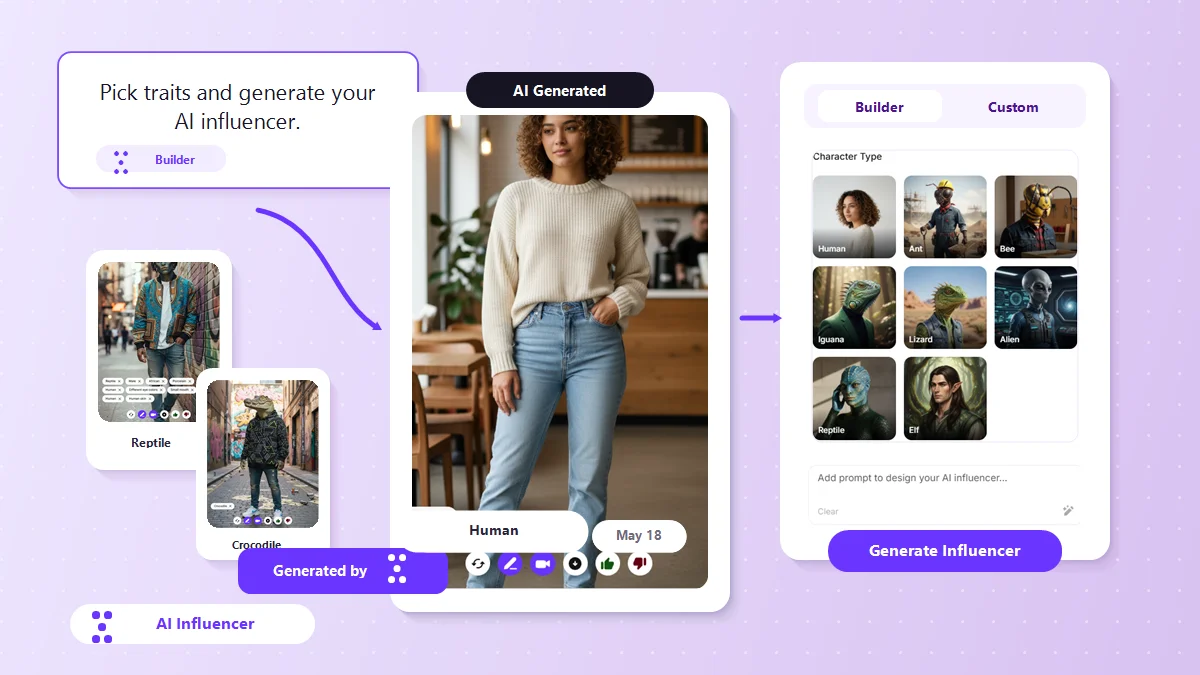


An AI influencer is a digital creator built entirely by software rather than a real person. Even though they are virtual, these personas build large audiences, connect with followers, and partner with brands. Learning how to create an AI influencer used to require expensive computer setups and complex technical knowledge.
Today, a modern AI influencer generator makes it possible for anyone to build a unique virtual person in just a few minutes. This complete guide covers exactly what an AI influencer is, how the creation platforms work, and how to use AI influencer marketing to grow your business safely.
What is an AI influencer generator?
An AI influencer generator is a specific software tool designed to build a repeatable virtual person.
When you use a standard AI image generator, the system creates a completely random face every single time you type a description. A dedicated influencer tool is different because it locks in the underlying facial structure, age, and features.
Whether your character is posing in a local coffee shop or visiting a new city, their face stays exactly the same, so your audience can recognize them instantly.
Using an AI influencer generator allows you to become the director of a digital model. This digital character does not need rest, works on your schedule, and can help you publish fresh content every single day.
What can you customize with an influencer generator tool?
When you use an AI influencer generator, you get to decide exactly who your character is from the ground up. Good platforms give you simple sliders and options to choose every single detail:
- Basic identity: Choose the gender identity, overall age, and cultural background of your character to match the exact audience you want to reach.
- Facial details: Customize unique eye colors, skin details, hair styles, and small traits to make your character look like a real human being.
- Clothing and style: Select a specific wardrobe, ranging from everyday casual clothes to formal outfits or athletic wear.
- Backgrounds: Place your digital creator in realistic settings like modern offices, outdoor parks, or sunny travel destinations.
AI influencer prompt examples based on influencer types
Writing text descriptions for your character is easy. You do not need to use complicated tech terms. Just write your description like you are explaining an idea to a photographer.
How to keep your AI influencer consistent
The main challenge with digital characters is making sure they look like the exact same person in every single photo. If their face or features change in every post, your followers will notice right away.
Here is the simple step-by-step process professionals use to ensure their AI influencers stay consistent:
- Create a base photo: Generate one clear, high-quality portrait facing forward to use as your main reference guide.
- Save different angles: Save views of your character from the front, side, and close-up angles.
- Lock the identity: Upload these images into your tool's memory to teach the software exactly how your character looks.
- Use structured descriptions: When you create new photos, keep the description of the character's face identical. Only change the words for the clothes, actions, and locations at the end of your text.
Best use cases for AI influencer marketing
Using virtual talent goes far beyond just posting pictures for fun. More companies are turning to AI influencer marketing to grow their reach and save time:
- Reaching different countries: A business can make influencer AI content and easily translate the captions and messages into multiple languages while keeping the exact same face for every audience.
- Matching specific products: Stores can design an AI model girl or model guy tailored to fit a specific lifestyle, such as outdoor hiking gear or minimalist jewelry.
- Testing new trends: Marketing teams can use AI influencers to see which clothing styles or products their audience likes best before spending money on a large, real-world photoshoot.
AI influencer generator vs. AI avatar generator vs. AI image generator
While these tools seem similar, they are meant for completely different tasks.
5 Best AI Influencer Generators for 2026
There are dozens of tools out now, and they all claim to be the best. Some make it easy, some give you total control, and others focus on video instead of photos. If you're trying to figure out which one actually fits your needs, this guide walks through the top five AI influencer generators for 2026. We tested them, looked at what real users say, and broke down who each tool works best for.
What Actually Matters When You Pick an AI Influencer Tool
Before jumping into the list, here's what you should think about:
- How easy is it to use? If you've never touched an AI tool before, a complicated interface will just frustrate you.
- Can the face stay the same? One of the biggest headaches with AI characters is that they look different in every photo. You need a tool that keeps the face consistent.
- How good does the output look? Skin texture, lighting, and detail matter. A blurry or plastic-looking influencer won't convince anyone.
- Do you need a video? Some tools only make static images. Others let you create talking videos.
- What's the price? Many tools have free versions, but the good stuff is usually locked behind a paywall.
Once you know what you're looking for, picking the right tool becomes way easier.
1. Pixelbin: Best for high-quality images & videos
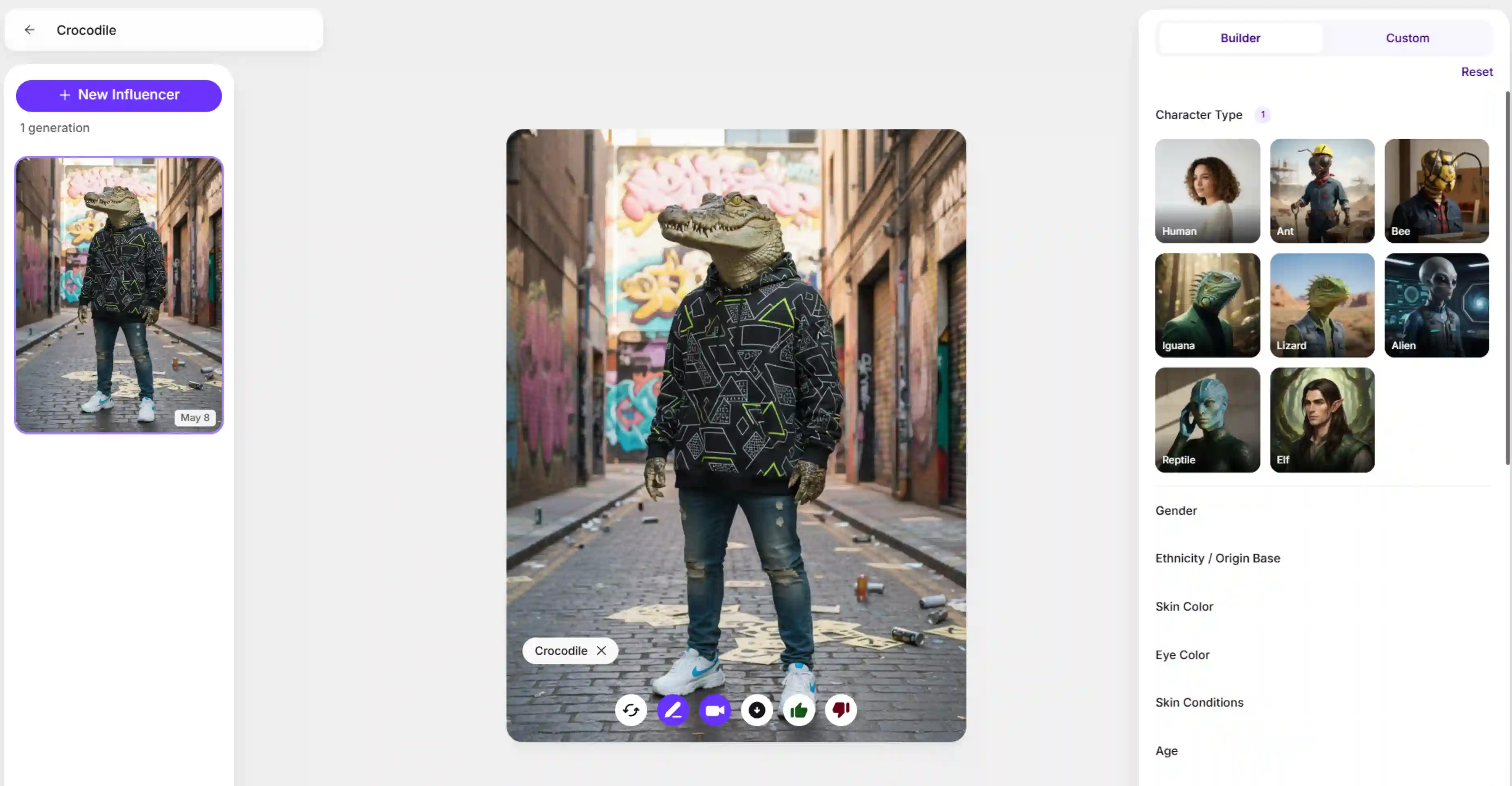
Pixelbin is one of the best AI influencer tools that just works without you needing to tweak a dozen settings. It's built for people who want clean, realistic influencer photos fast. You can type a simple description or upload a reference photo, and it builds a character for you.
What makes Pixelbin stand out is the level of detail you can control. The builder lets you pick:
- Character type (human, alien, elf, reptile, and a few quirky options like ant or bee)
- Gender and ethnicity
- Skin color, eye color, and even skin conditions
- Age
- Fine details like eye type, mouth shape, ears, and horns
- Skin material and surface patterns
- Overall style and body type
There's also an advanced settings section where you can adjust specifics like eye details or face structure. And if you're starting from scratch, you can pick traits and generate to see your influencer here," which makes it super clear what to do. You can also create high-quality videos, as we have various video generation models.
Pros
- High-quality skin textures that look photorealistic
- Fast image generation – get results in seconds
- Simple face-consistency setup using reference photos
- Dedicated creation modes for different character types
- No influencers yet? The platform encourages users to "pick traits and generate to see your influencer"
Cons
- Paid plan required for the highest speeds and advanced features like Nano Banana Pro mode
- The tool is built heavily around URL query parameters and SDK integrations.
If your main goal is Instagram posts, fashion branding, or e-commerce visuals, Pixelbin is probably your best bet.
2. HeyGen: Best when You Need a Talking Video Influencer
HeyGen is in a different lane. It's not about making tons of photos. It's about turning a static character into a video where that character speaks directly to the camera. If you're making content for TikTok, Instagram Reels, or YouTube, this is the tool you want.
The process is straightforward, too. You pick your character, choose a voice, type in what they should say, and the platform generates the video. No editing skills needed.
Pros
- Excellent lip-sync matching; words align naturally with mouth movements
- Large library of natural voices in multiple languages
- Step-by-step process; no video editing skills needed
- Direct-to-camera speaking optimized for social media (Instagram Reels, TikTok, YouTube)
Cons
- Video-focused and is less ideal if teams only need high-volume photo content
- Limited photo generation compared to image-specialized tools
HeyGen works best for marketers who need video spokespeople, educators creating lesson content, or businesses that want a digital host without hiring an actor.
3. Picsart: Best if you want to edit your photos post creation
Picsart is a bit different because it's not just an AI influencer generator. It's a full photo editing app that also has AI features built in. You can generate an influencer, then immediately tweak it with brushes, filters, and adjustments, all in the same place.
The mobile app is really solid, which matters if you create content on your phone. The editing brushes are precise, and there are a bunch of fun, creative filters to play with. You can also use the website if you prefer working on a computer.
Pros
- Excellent editing brushes for detailed adjustments
- Fun, creative filters to customize aesthetics
- Mobile app available – create content directly from a phone
- Web + app accessibility for flexible workflow
- Built-in photo editing suite; no need for separate tools
Cons
- No dedicated face-locking tool; maintaining character consistency across backgrounds requires manual work
- AI features are basic compared to specialized influencer generators
The tool is best for Instagram creators, lifestyle bloggers, and anyone who wants all-in-one editing + generation on mobile devices.
4. OpenArt: Best for people who want total control over every detail
OpenArt is for those who don't trust AI to just "get it right." It gives you granular control over camera angles, poses, lighting, and visual style. If you need your influencer to look exactly right in a complex pose, OpenArt has settings that keep the face stable even when the body moves.
Pros
- Great control over camera angles and character poses
- Advanced visual styles – from realistic to artistic
- Built-in editing canvas for post-generation tweaks
- Face-stability settings prevent face changes during complex poses
- Professional-grade output for brands and agencies
Cons
- A complex menu with many choices can overwhelm beginners
- Learning curve for complete newbies to AI tools
But for professional designers, ad agencies, or creators who've worked with AI for a while, OpenArt is powerful. It's the tool you pick when you need precision and don't want to compromise on details.
5. Zencreator: Best if you want to launch a social profile fast
Zencreator takes the opposite approach from OpenArt. Instead of giving you endless settings, it hands you ready-made lifestyle themes. You pick a background, let the platform generate your character, and you're basically ready to post.
Pros
- Ready-to-use backgrounds
- Automated text help for captions and posts
- Quick social sharing; direct integration with Instagram, TikTok, etc.
- Straightforward interface
- Fast setup; create and launch in under an hour
Cons
- Fewer detail adjustments for facial features compared to other tools
- Less flexibility for unique character designs
This is perfect for beginners, entrepreneurs who are launching a new brand, or anyone who just wants to get started without spending hours learning the tool.
6. Higgsfield: Best for cinematic influencer videos
Higgsfield is a strong pick if you want influencer content that feels more like a polished social ad than a basic AI clip. It is built around camera movement, visual direction, and character consistency, so the final result looks more dynamic and controlled.
Pros
- Great for cinematic motion.
- Useful for short-form influencer videos.
- Helps keep the same character across scenes.
- Good for branded, high-production-looking content.
Cons
- Can feel complex at first.
- Credit use may rise quickly.
This is perfect for creators who want cinematic influencer videos with more visual control and a stronger social-media look.
7. Imagine.art: Best for fast influencer visuals
Imagine.art works well when you want quick influencer-style images and light video content without a heavy setup. It gives creators a flexible space to generate and refine visuals for social platforms.
Pros
- Easy to start with.
- Good for fast concept generation.
- Supports both creation and editing.
- Useful for daily content testing.
Cons
- Not as specialized for influencer identity control.
- Advanced use may take time to learn.
This is perfect for beginners, creators, and marketers who want fast influencer visuals and a simple workflow.
8. Overchat AI: Best as a supporting influencer tool
Overchat AI is not a core influencer generator, but it can support the content process around it. It is more useful for writing captions, generating ideas, and handling text tasks that support influencer content creation.
Pros
- Helpful for captions and post ideas.
- Good for planning content around influencer posts.
- Easy to use for quick text support.
- Useful alongside other visual tools.
Cons
- Not built for character generation.
- Limited value if you need visual influencer creation only.
This is perfect for creators who want help with captions, content planning, and other support tasks.
9. JoggAI: Best for talking avatar influencers
JoggAI is built for creators who want influencer-style videos with a speaking digital host. It works especially well when the goal is to turn a face or script into a polished talking avatar.
Pros
- Strong for avatar-led videos.
- Good for digital clone-style content.
- Useful for social, promo, and training videos.
- Supports polished talking-head output.
Cons
- Less useful for still-image influencer work.
- More focused on video than broad creation.
This is perfect for marketers, trainers, and creators who want talking avatar influencers for video content.
Quick Comparison at a Glance
How to create an AI influencer? Steps explained
If you want to know how to make an AI influencer that looks clean and professional, Pixelbin offers a highly reliable setup.
The platform's features allow you to design your character completely before you generate your first piece of content. Here is the simple step-by-step method to build your virtual creator using their system.
Option 1: Use the builder mode
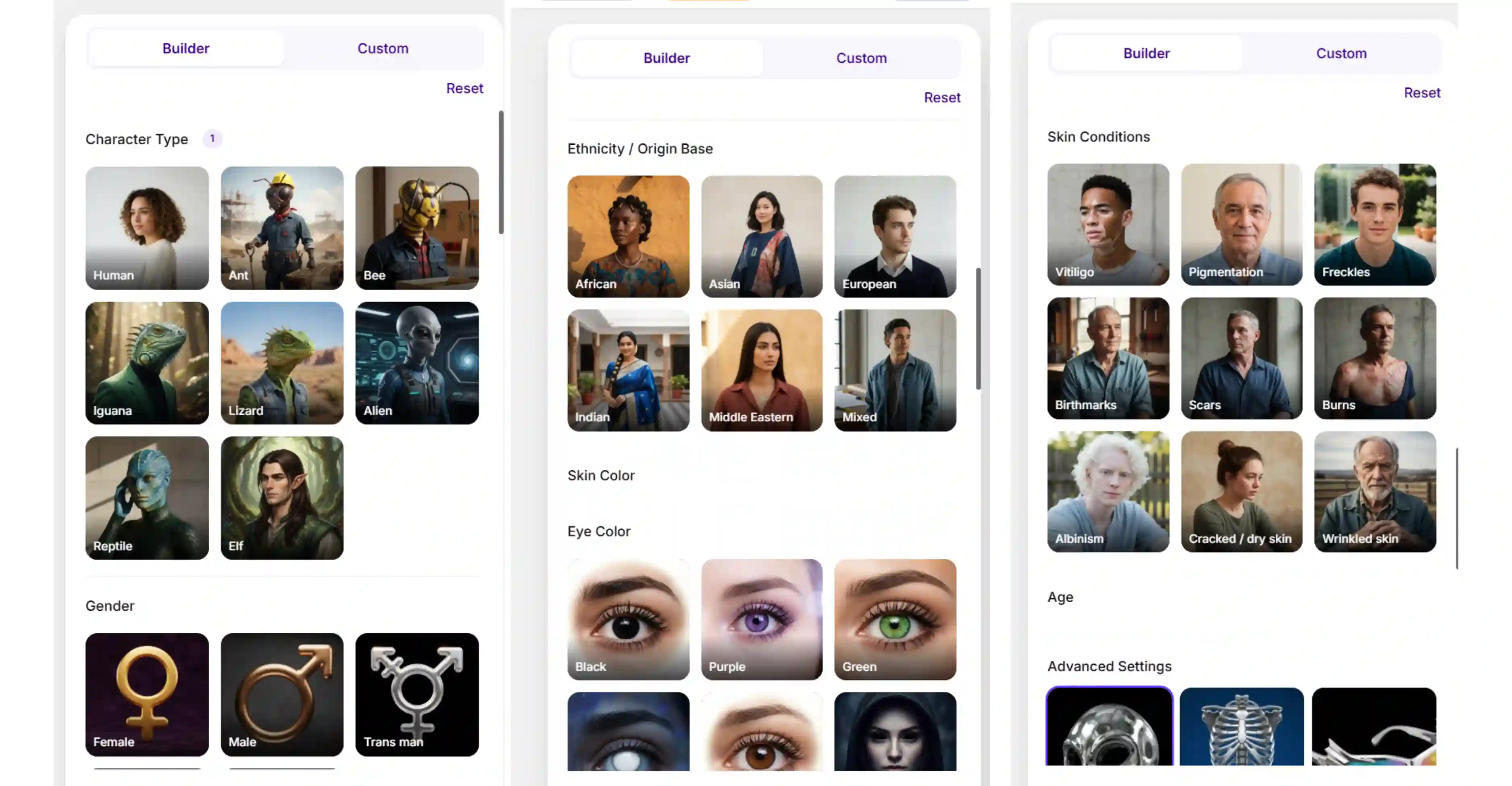
Builder Mode is ideal when you want to create an AI influencer quickly without writing detailed prompts.
- Click on the Builder Mode.
- Choose your influencer's appearance, including character type, gender, ethnicity, skin tone, eye color, age, facial features, body features, style, and other visual traits.
- Add your prompts to design your AI influencer.
- Click Generate Influencer to create your character instantly. Check the result and save it in HD quality.
This approach works best for quickly testing ideas and generating influencer concepts from predefined character settings.
Option 2: Use custom mode
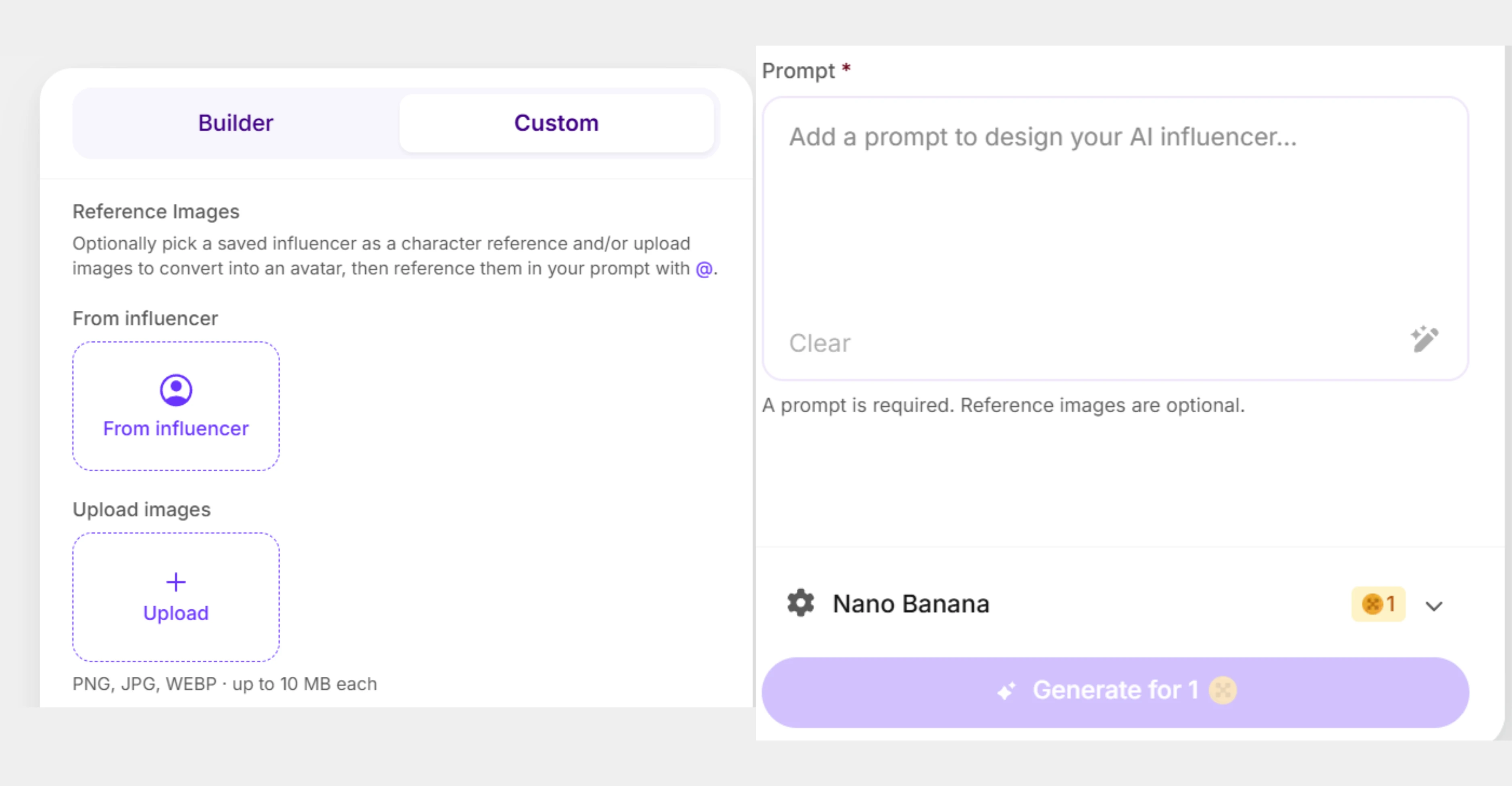
Custom Mode lets you guide the AI using prompts and optional reference images.
- Open Custom Mode.
- Optionally select a saved influencer reference or upload one or more images (PNG, JPG, or WEBP up to 10 MB each).
- Write a prompt describing your influencer, including details such as appearance, niche, clothing, pose, background, lighting, and overall style.
- Click Generate Influencer to create your custom character.
A prompt is required in Custom Mode. Reference images are optional but can help improve consistency and accuracy.
Option 3: Combine builder and custom mode for the best results
For the most consistent and detailed AI influencers, use both modes together.
- Start in Builder Mode and select the character traits that match your vision.
- Switch to Custom Mode and add a detailed prompt, reference images, or a saved influencer reference.
- Generate your influencer and refine the results until you achieve the desired look.
This workflow combines the speed of Builder Mode with the creative flexibility of Custom Mode, making it ideal for creating branded influencers, virtual creators, and long-term character personas.
Tips for better AI influencer results
Making a digital creator look natural requires a basic understanding of how real photos are taken. Use these simple tips to improve your images:
- Do not make your character too perfect. Add simple details like stray hairs or freckles to break the artificial look that makes images obviously fake.
- Tell the tool exactly how the light should look. Use phrases like bright morning sun, soft indoor light, or sunset shadows to get a realistic photo.
- Avoid stiff, unnatural poses. Describe everyday actions like holding a cup of coffee, looking away from the camera, or walking down a quiet sidewalk.
- Once you have saved a collection of nice photos, you can upload them to an AI video generator. Creating quick, simple video clips of your character moving or smiling helps build massive trust with your followers.
How to use the AI influencers ethically?
Building a virtual creator is a fun process, but it is important to be honest and fair with the people who follow your account:
- Be honest about using ai: People appreciate honesty. State clearly in your profile bio or captions that your character is a digital creator or a virtual persona.
- Promote products fairly: Do not claim your virtual character uses physical skincare products or achieved real fitness results from a specific food. Instead, focus your content on digital products, clothing styles, and creative stories.
- Create unique faces: Never upload photos of real, everyday people, models, or celebrities to use as reference pictures without their direct permission. Always ensure your character is a unique creation.
Create your AI influencer today!
The online world is changing quickly. By learning how to use an AI influencer generator, you can turn your creative ideas into beautiful visuals without needing an expensive camera or a large production budget.
Whether you want to create AI girl characters for a local online clothing store, launch a travel ambassador, or build a unique fantasy mascot, modern tools make the process simple. Choose your platform, write down your character's story, and start creating your online presence today!
FAQs
Start by choosing a character type, add key traits, write a prompt, upload a reference image if needed, then generate and refine the result until the character looks consistent.
Yes, if the tool supports reference images. Only upload photos you own or have permission to use, especially when the photo includes a real person.
Yes. You can use AI influencer images for social media concepts, brand pages, campaigns, and creative posts. Be clear when content is AI-generated, especially in ads or sponsored content.
Save the best reference image, use the same core prompt, keep the same visual traits, and change only the scene, outfit, pose, or product when needed.
Include the influencer's niche, age range, face style, outfit, background, lighting, mood, camera framing, and the platform where the image will be used.
Yes, but the content should be honest and not misleading. Avoid fake endorsements, fake results, or claims that make the virtual character seem like a real customer.
.webp)