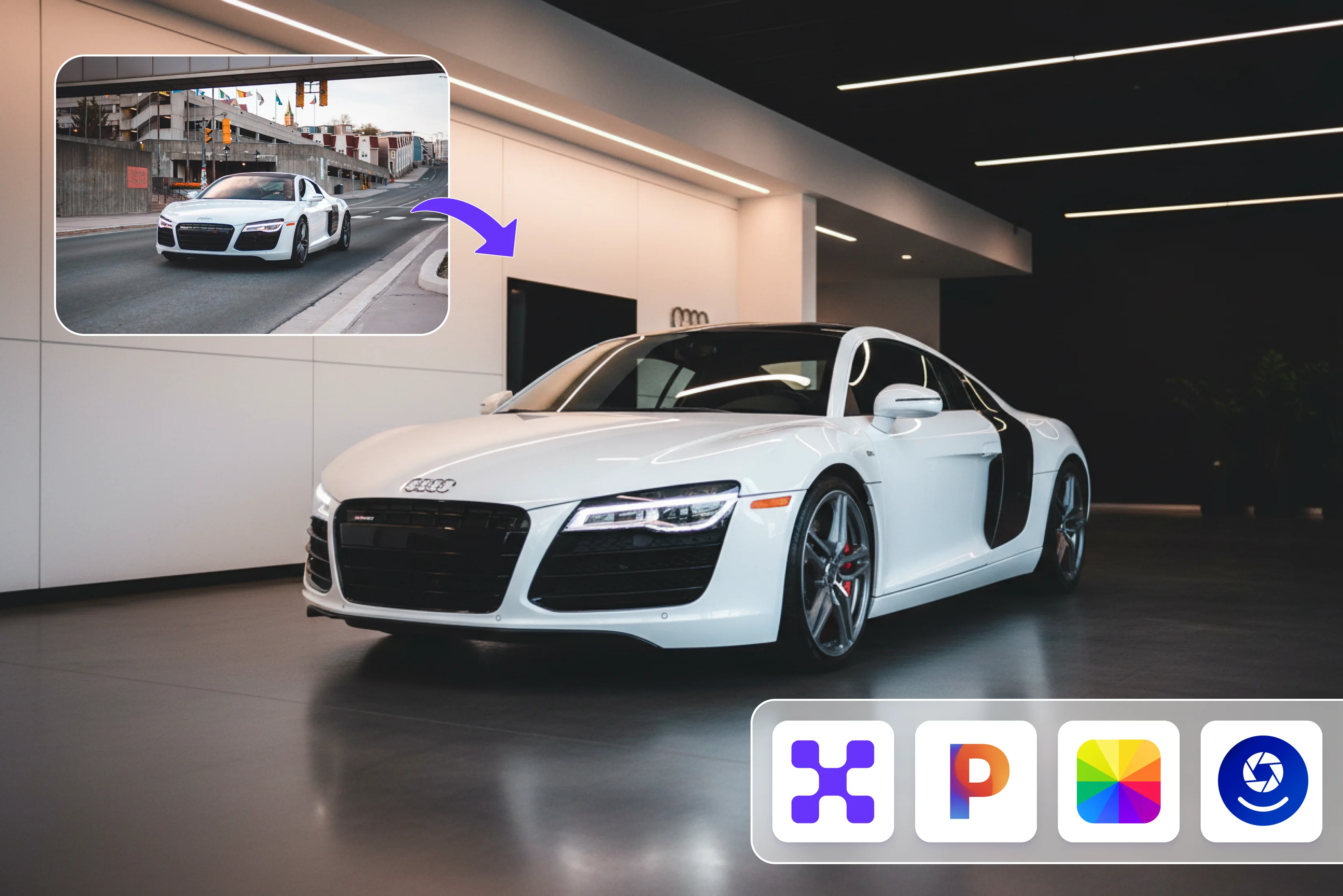


As a car dealer, I regularly face challenges in creating high-quality images and videos that truly attract buyers. For many modern car buyers, the journey doesn't begin with the test drive; it starts with a scroll. Buyers decide in seconds based on what they see.
If the image doesn't look clean and professional, buyers simply move on. Without access to a professional studio editing every car manually becomes time-consuming, costly and difficult to scale. In such a competitive market even a good car could go unnoticed if its visuals didn't stand out.
I also noticed that many dealers on major marketplaces struggle to maintain consistent, realistic and eye-catching images across multiple listings. Before I found a better solution, I faced the same issue. I decided to switch from manual labor to AI-driven solutions to stay ahead.
I spent a lot of time researching and exploring various tools, especially AI image editors designed specifically for cars. Some tools were too complex to use, some didn't deliver results, and others just didn’t meet the quality I required for my listings. That's when I came across my all-time favorite tool, Pixelbin AI image editors for car dealers.
It entirely changed how I handle my car images. With this tool, I can quickly transform my raw images into clean, professional, and marketplace-ready visuals. It helps save time and money, improves consistency, and makes all my cars' listings more eye-catching and ready to sell.
For me, this is not only a tool but also a crucial part of my daily use. In this blog, I will explain what an AI car image editor is, its benefits, key use cases, and how to write effective text prompts. I'll also introduce the top 6 tools for AI-generated car images, explaining their features and how to use each one effectively.
What is an AI car image editor?
A specialized tool called an AI car image editor uses artificial intelligence to automatically improve, edit, and modify car photos. It helps businesses reduce production bottlenecks by transforming raw photos into professional listings with just a single click.
It can remove backgrounds, adjust lighting, fix imperfections, and generate new photos with less effort. It's especially valuable for dealerships, marketplaces, and automotive marketing teams.
Benefits of using an AI car image editor
An AI car image editor has made it much easier for car dealers to handle car photos. Here's how it helps them work faster and get better results. Let’s look at how it is beneficial:
- Faster processing: You can generate an image in a few seconds, eliminating the long wait time for manual edits.
- Brand consistency: Keeps every photo's backgrounds, lighting, and angles uniform to ensure every listing looks professional and consistent with your brand identity.
- High-quality output: Improve the image sharpness, color and overall quality with minimal effort. This makes the car image look clearer and more attractive.
- Bulk processing: Edit multiple car images at once with this feature it saves time and keeps workflows fast and efficient.
- Cost-efficient: Eliminate the need for studio setups or professional editors. This approach allows you to create quality images without spending much on resources.
- Improve engagement: Clear and professional car images attract buyer attention quickly and make them feel more confident in their purchase.
How to write prompts for an AI image editor for a car
To generate simple prompts for an AI image editor for a car, you should focus on clear instructions that guide AI to understand and apply changes to car images. Let's know how to write a simple prompt.
- Be clear and specific: You should be specific about what you want to edit, add or remove. For instance, remove the background and replace it with a red one
- Include car information: Include details like car colors, angles or types and these details help the AI make more proper edits and avoid mistakes.
- Keep it simple and short: You should use short and clear instructions instead of using long-tail sentences; this helps the AI understand exactly what you're looking for.
- Define the background: Describe the background you want, like a bright showroom environment, outdoors, a sloppy mountain road, and more, according to your requirements.
- Specify lighting and mood: Clearly specify the type of lighting you want, such as bright, natural, soft, or other options. You should specify shadow details, like whether to remove or add harsh shadows, to achieve a realistic effect.
Common use cases of AI image editor for car dealers and marketplaces
- Shadow removal: This process helps you to remove dark or harsh shadows that hide the car’s design, making it look unclear and less attractive. By cleaning up the dark spot, the car looks more clear and professional. By adding a soft shadow, you can see that the image looks natural and realistic.
- Background replacement: Replace an unwanted and messy background with a clean and professional setting. This helps the car stand out as the main focus and creates a more uniform look across listings.
- Visual consistency: Make sure that all your car images look the same in terms of colors, lighting, and angles. When all your images follow similar styles and patterns, your catalog looks clean and well-organized and has a strong brand identity. It also makes it easier for your clients to view your listings smoothly and gives your brand a reliable look.
- Image to video ad: The Pixelbin AI car photo editor online tool converts a single car image into a short, eye-catching video in a single click. This helps you create engaging content for your website and social media and make ads without high costs or extra shoots.
For instance, Prompt: “Generate a 10-second cinematic video ad from this car image with smooth motion effects and captions.”
Best tools to create AI car image
1. Pixelbin

I always felt that my small business needed something special to get noticed. I thought about starting and growing my car dealership by using smarter tools, but creating high-quality car images was always a challenge. Like many small dealers, I also found it difficult to make photos that truly attract buyers.
That's when I came across Pixelbin AI an image editor for car dealers. You can refine, correct, and enhance raw car photos quickly with minimal manual editing. The tool is easy to use: you only upload an image, write a simple text prompt, and click the generate button.
You can upload your car's photo in any of the supported formats, such as JPG, PNG, or WEBP. I tried the tool with an uploaded messy car photo and a written prompt "Change the car's background to a clean white studio background." Convert the car color to deep black with a glossy finish.
Add natural sunlight, shadows, and soft reflections on the car's surface to make it look realistic. Ensure proper lighting, accurate reflections, and a professional, high-quality dealership-style image.” After a few seconds, I received a result that turned a messy car photo into clean, professional, and realistic results without needing expensive equipment or advanced editing skills.
What I liked most is that I could make my car in my inventory look completely marketplace-ready without the cost of a professional studio, thanks to the Pixelbin AI image editor for car dealers. Instead of spending hours editing or hiring a professional, I could use AI to get fast, high-quality results. Whether you're a car dealership owner, private seller, automotive marketer, or content creator, Pixelbin AI image editor for car dealers helps you improve your car images.
Key features of Pixelbin AI image editor for car dealers:
- Ease of use
- Prompt based
- Multiple image formats
- No watermark
- No signup required
- No manual editing required
- No technical skill required
- Bulk editing
- Fast processing speed
- Remove background
2. Pixa
Pixe helps turn standard car photos into high-quality, professional images for any car dealers or online marketplaces. Go from a simple photo to a polished, ready-to-use image in seconds. It uses AI to automatically handle background replacement, lighting adjustment, color correction, and more.
The Pixa process is simple: upload the car photo you want to edit. Second, enter your prompt by describing the edit you want to make and click on the generate button. The AI will process your photo and your prompt to create a newly edited image. If you are satisfied with the result, you can download it.
I tried by clicking the “Try now” button, uploading a mess and writing the text prompt, like "Change the car's background to white and make the car black with sunlight shadows on it.” I selected an aspect ratio of 1:1, a number of images of 1, and the arrow button and waited for a few seconds.
The result I received was neither impressive nor accurate. Some parts of the car were either cut off or blurry when using the “Try now” button, uploading a messy image, and writing a text prompt in the background. The image requires manual editing to improve its overall quality.
Key features of Pixa AI's automatic photo editor:
- Ease of use
- No login required
- Background replacement
- Prompt base
- Multiple aspect ratios
- Number of images
- Support multiple models
- No watermark
3. Fotor
After Pixa I decided to try Fotor's car photo editor to improve my car images. The tool offers a car photo editor with both AI-powered and basic editing tools available in free and paid versions. You can upload images in any format like JPG, PNG, JPEG, HEIC and more.
Using the Fotor car photo editor is simple start with your car image and select AI tools to automatically edit it like background removal, photo enhancement, AI content replacement, and more. Select the editing menu for image resizing, blurring, adding frames, and more.
Preview the result and download it if satisfied. I tried using the Fotor car editor tool, expecting a smooth, efficient editing experience, but it ended up frustrating me. One major issue is the lack of a text-prompt feature that lets me enter a prompt without manually selecting every option.
The process was too slow, the background color adjustment wasn't as streamlined, and another drawback was the watermark. After spending this much time, the final output includes a watermark, so I will not continue using Fotor.
Key features of Fotor car photo editor:
- Support multiple image formats
- Background removal
- No technical knowledge needed
- Multiple design templates
4. PhotodotAI
Photodot AI is the fourth tool on my list. PhotodotAI is a specialized AI-powered tool that transforms car images into professional, showroom-quality visuals. You can use Photodot AI to change color, swap wheels, preview body kits, use the background changer, or recolor brake calipers.
Another standout feature of PhotodotAI's car editor is the ability to edit car images using simple text prompts. This means that if you don’t need to make any manual selections or complex adjustments, you can simply describe what you want, and the AI will handle the rest.
The process of using the PhotodotAI car editor is in 3 steps: upload your vehicle photo, select color, wheels, spoilers, and body kits for the preset car, and see instant, realistic changes. If you are satisfied with the result, you can download it. I tried one of my messy images, selected the default body paint in yellow and clicked the generate button.
Wait a few seconds and the generated image will include a visible watermark that cannot be used for professional purposes. This was disappointing and affected my overall experience with the tool. Removing the watermark typically needs upgrading to a paid plan, which can be a limitation for free users.
Key features of PhotodotAI's car editor:
- Ease of use
- Support multiple image formats
- Text-based
- Free to start
- No technical knowledge needed
- Multiple selection of background
5. Media.io
The Medio.io AI car generator helps users turn ideas into polished car images in seconds. You can create supercars, modified JDM builds, luxury sedans, and concept vehicles with flexible styles, aspect ratios, and high-resolution output.
Generate your images at 1K, 2K, or 4K resolution, and select aspect ratios like 1:1, 9:16, and more to suit your needs. Media.io is web-based, so you can make AI car art on Windows, Mac, iPhone, iPad, and Android. Enter the prompt, which should be simple and clear, then select the style, model resolution, and aspect ratio for the result you want.
Click on the generate button to create your AI car image. I tested it by writing the prompt "A high-performance red sports car with an aggressive stance, wide body kit, black alloy wheels and racing decals on a mountain road at sunset, with dynamic motion blur and cinematic photography style" with an aspect ratio of 1:1, number of images 1 and clicking on the “Generate” button. The image is not perfect with a blurry result.
Key features for Media.io AI car generator:
- Ease of use
- Multiple AI models
- Number of images
- Multiple image format support
- No technical skill needed
- Multiple aspect ratios
- Work on any browser
6. Recraft
Recraft is an image-generation and editing tool designed to empower creators and teams. Recraft V3 provides a whole suite of AI image editing tools that help designers create and edit visuals end-to-end. An AI photo generator can turn text prompts into images quickly, producing high-quality designs depending on the input.
Recraft provides a whole suite of AI image editing tools that help designers create and edit visuals end-to-end, like upscalers, AI erasers, background removers, and more. Creators can specify the exact positions and sizes of text on a design.
I used the text prompt: "A high-performance red sports car with an aggressive stance, wide body kit, black alloy wheels, and racing decals on a mountain road at sunset, with dynamic motion blur and cinematic photography style," and then clicked the "Generate for Free" button.
I waited a few minutes for the result. The result I received looks unrealistic. The road's overall finish looks like car photos making the images feel fake rather than professional. The output does not include a watermark. Overall, it may not be the best choice if you're specifically looking for highly realistic car images.
Key features for Recraft car generator:
- Ease of use
- Prompt based
- Multiple model selection
- Aspect ratio
- No watermark
- No technical knowledge needed
How AI car image editors are a game-changer for dealers and marketplaces
For car dealers and online marketplaces, time is a crucial factor. Managing all inventory quickly while keeping the images high quality is always a challenge. The traditional photo editing method can slow down the process and delay listings.
AI car image editing solves these problems when you use the Pixelbin AI image editor for cars in your workflow. It offers several useful features. First, it helps maintain consistency across your car images, ensuring the same background, lighting, and style, making your listings look clean and professional.
It also saves a lot of time. What used to take 15-20 minutes of manual editing per image now takes only seconds. Pixelbin, which lets you upload an image and write a simple, proper text prompt, delivers listings in a few seconds and helps you reach buyers faster.
This also reduces costs as you don't need to pay for professional editing services, and another major advantage is bulk processing. You can add different car images at once instead of working on them one by one. In just one click, you can use multiple images and apply the same styles, background, and lighting. With Pixelbin AI image editor for car dealers, the process becomes even simpler.
FAQs
Yes, AI can make car edits; this refers to using artificial intelligence tools to digitally modify or enhance images of cars. There are many types of car edits AI can perform: color changes, background changes, restoration and cleanup, photo enhancement, and more.
Pixelbin AI's car photo editor lets you enhance and transform car images with simple text prompts, making editing fast and effortless. It helps create high-quality, consistent visuals without advanced design skills.
Yes, you can fully customize your car design using Pixelbin.
You can easily get started with an AI car generator using a simple tool like Pixelbin, a free AI image editor designed for car dealers and marketplaces. Simply upload your car image, type a clear-text prompt describing the changes you want, and click "Generate." The AI instantly produces a polished, professional-looking result with no complex editing.
Pixelbin is the best free AI image editor for cars because it eliminates the need for manual work like brushing and masking. With a single prompt, you can instantly change the background, colors, and lighting. It saves time and delivers high-quality images.










