
Summary
Pixelbin is worth considering when you need flexible image editing, shared transformations across photos, and a broader choice of creative and developer workflows. Photoroom is especially relevant when your main job is preparing product listings, staging merchandise, or showing clothing on AI fashion models. Both platforms offer background editing, bulk work, and AI tools.
The right choice depends on the assets you produce and the steps you repeat. This Pixelbin vs Photoroom comparison explains those differences, along with pricing and usage limits.
Introduction
A good product photo has to be more than just pretty. It needs to show the right item, stick with details, and fit the channel in which it will appear. The seller may also want lifestyle variations, seasonal backgrounds or short promotional videos from the same source photograph.
Pixelbin and Photoroom solve some parts of that process. The useful comparison is to look at how each does the whole job, including editing, review, repeated production, and export. A tool may produce a convincing sample, but may still require too much correction across your real catalogue.
This guide will assist you to select a starting point for individual product photos, recurring catalogue work and more specialised apparel visuals.
What is Pixelbin?

Pixelbin provides creative tools for editing and generating images and videos, alongside a developer platform for image workflows. Its AI Image Editor supports prompt-based changes, reference images, and targeted edits using brush or smart selection.
For routine photo preparation, Image Studio provides controls for backgrounds, cropping, dimensions, visual adjustments, and upscaling. The separate workspaces let you approach a file according to whether it needs a specific correction or a more exploratory creative edit.
Pixelbin is therefore relevant to product photography without being limited to it. A business handling product images, portraits, and campaign assets can evaluate those workflows within the same platform.
What is Photoroom?
.webp)
Photoroom focuses heavily on product visuals for sellers, brands, and commerce teams. Its AI tools include background editing, Product Staging, AI Fashion Models, Ghost Mannequin, and image enhancement.
That specialization is useful when the desired output has a recognizable retail format. A clothing seller may need an on-model image, a flat lay, and a clean product view. A homeware brand may need the same item on a plain background and in a lifestyle setting. Photoroom provides dedicated entry points for several of these tasks.
It also offers web and mobile editing workflows and a separate API for developers. The subscription that suits an individual editor should not be treated as the same purchase as an API plan.
Pixelbin vs Photoroom at a glance
Background removal and product preparation
Optimizing product photography for online retail requires automated cutout precision and seamless background replacement. Both Pixelbin and Photoroom streamline product preparation, catering to high-volume commercial workflows and instant mobile studio creation.
Pixelbin for ecommerce and catalog processing
Pixelbin excels in automated, bulk image workflows designed to standardize product imagery across marketplaces.
- Automated cutouts: Integrates AI tools like Erase.bg to instantly remove backgrounds with sharp edge retention on complex items.
- Bulk catalog optimization: Applies consistent background replacement, padding, and resizing across thousands of SKUs simultaneously.
- Marketplace compliance: Prepares ready-to-publish images matching strict platform guidelines (e.g., pure white background, fixed margins).
Photoroom for instant AI studio creation
Photoroom focuses on mobile-first and web-based AI editing, helping sellers quickly build studio-quality visuals and marketing assets.
- AI background generator: Automatically places isolated products onto realistic studio scenes, textured surfaces, or contextual settings.
- Smart shadows & lighting: Adds natural drop shadows and harmonizes product lighting with newly generated backdrops.
- Template-driven workflows: Provides pre-built layouts tailored for social commerce, banners, and digital storefronts.
AI editing and control over changes
AI image editing requires a balance between automated generation and precise user control. While Pixelbin provides technical, parameter-based precision for scalable editing, Photoroom offers intuitive AI brush tools and studio controls for localized adjustments.
Pixelbin for parameterized and automated control
Pixelbin focuses on rule-based editing, allowing brands to maintain exact technical control across large catalog collections.
- Exact parameter tuning: Control AI models like Upscale.media and Erase.bg with specific configurations for noise reduction, sharpness, and resolution expansion.
- URL-based modifiers: Execute dynamic edits-such as real-time cropping, background recoloring, and format conversions-by modifying image URL strings.
- Batch uniformity: Guarantee identical edit rules across thousands of product images, ensuring zero variance in color accuracy or aspect ratios.
Photoroom for interactive and object-level control
Photoroom delivers hands-on AI editing tools that allow creators to manipulate individual visual elements effortlessly.
- Assistive AI retouching: Remove unwanted objects, shadows, or imperfections with a single swipe of the Magic Retouch brush.
- Layer-based editing: Isolate, scale, reposition, and recolor individual subjects, text layers, and background elements independently.
- Shadow & light tuning: Fine-tune drop shadow angles, softness, and ambient lighting intensity to match newly inserted backdrops naturally
Fashion models and specialized product scenes
Generating lifestyle photography for apparel and specialized products requires sophisticated AI compositing. Both Pixelbin and Photoroom convert flat product shots into high-converting fashion model imagery and tailored contextual environments.
Pixelbin for scalable model and scene generation
Pixelbin focuses on automated, high-volume apparel generation, enabling fashion brands to showcase products on diverse virtual models efficiently.
- AI fashion model generation: Transforms flat lays, mannequins, or ghost mannequin shots into realistic, on-model fashion photography instantly.
- Demographic customization: Allows brands to switch model ethnicity, pose, body shape, and age to suit targeted global markets without extra shoots.
- E-commerce scene consistency: Places apparel and accessories into standardized studio settings, maintaining uniform perspective and lighting across catalog collections.
Photoroom for AI model studio and custom backdrops
Photoroom offers flexible, creative scene-building tools tailored for lifestyle storytelling, luxury accessories, and social commerce.
- AI model studio: Generates hyper-realistic human models for clothing, eyewear, and jewelry, preserving original product textures and fabric folds seamlessly.
- Specialized backdrops: Uses custom text prompts to build thematic staging environments-such as podiums, marble slabs, or outdoor sunlight.
- Realistic product staging: Automatically adjusts depth of field, surface reflections, and contact shadows to blend specialized products into high-end scenes seamlessly.
Shadows and consistent presentation
Creating realistic shadows and maintaining consistent presentation are essential for building a trustworthy, cohesive e-commerce catalog. Both Pixelbin and Photoroom offer automated solutions to align lighting, geometry, and placement across product photography.
Pixelbin for batch uniformity and shadow standardization
Pixelbin emphasizes systemic layout controls and standardized lighting across bulk product catalogs to meet strict marketplace guidelines.
- Automated shadow generation: Adds natural drop, floating, or cast shadows automatically during background removal workflows.
- Standardized margins & framing: Automatically centers, pads, and resizes product cutouts so every SKU maintains uniform scale across category pages.
- Consistent batch output: Applies identical shadow angles, opacities, and canvas proportions across thousands of assets simultaneously.
Photoroom for realistic AI lighting and shadow control
Photoroom focuses on adaptive 3D-aware shadow generation and context-matching ambient lighting for elevated visual merchandising.
- 3D-aware contact shadows: Analyzes product shape to generate realistic contact, floor, and soft ambient drop shadows automatically.
- Light source harmonization: Dynamically shifts product highlights and shadows to match the light direction of newly generated studio backdrops.
- Manual shadow fine-tuning: Offers granular adjustments for shadow opacity, blur softness, angle, and distance for precise custom setups.
Batch editing and catalogue consistency
Maintaining visual consistency across large e-commerce catalogs requires automated batch editing tools that standardize margins, lighting, and resolutions. Both Pixelbin and Photoroom offer high-efficiency solutions to process bulk image libraries without manual intervention.
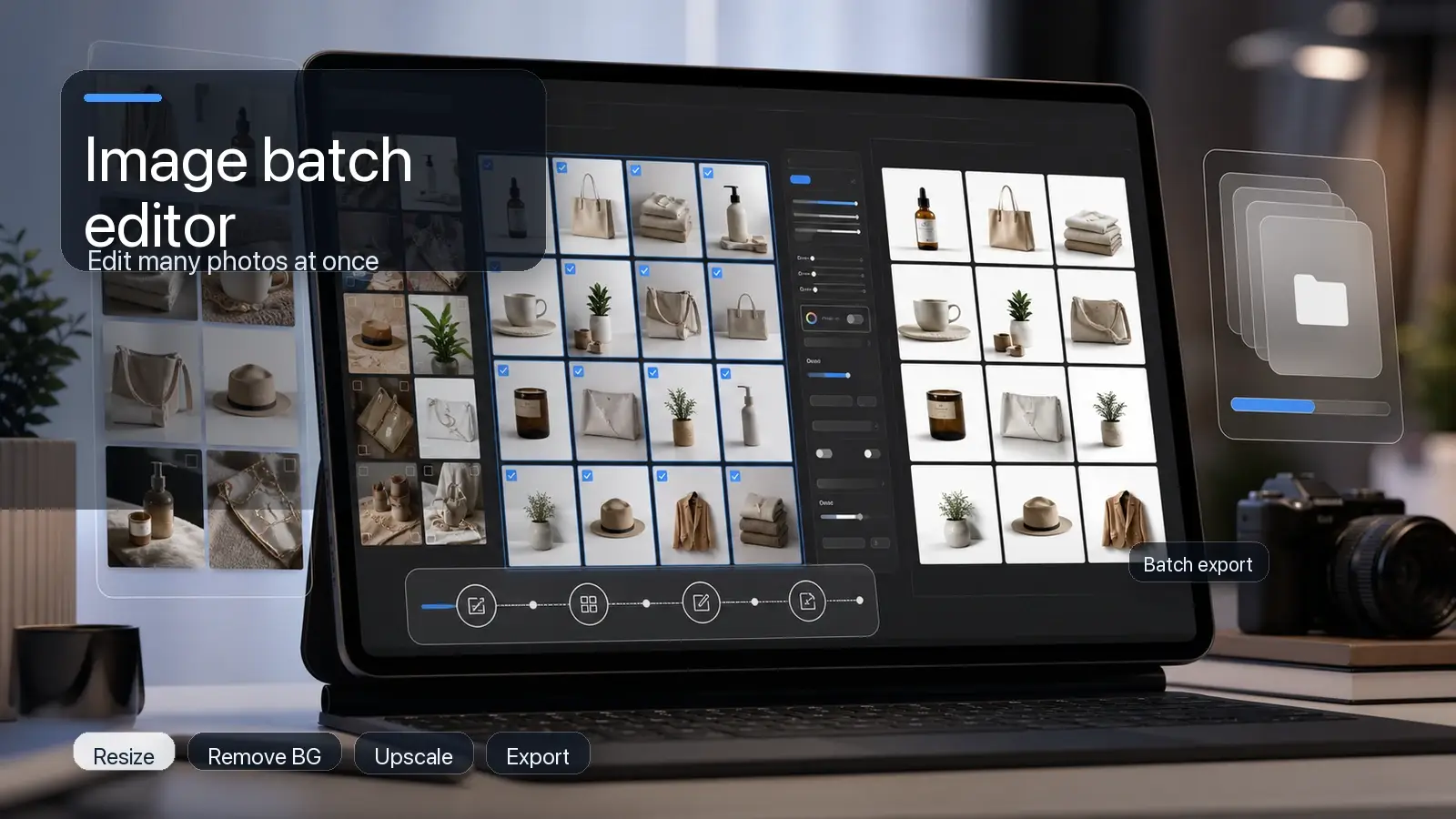
Pixelbin Batch Editor supports up to 50 images in one operation and applies shared settings across the batch. Documented transformations include background changes, prompt-based edits, upscaling, and color adjustments. This is useful when a group of images needs the same treatment.
Pixelbin for enterprise batch automation
Pixelbin excels in high-volume, programmatic processing, enabling large marketplaces to apply uniform editing rules across entire asset repositories.
- URL-based transformations: Applies real-time batch edits-such as background removal, upscaling, and format conversion-via dynamic URL parameters.
- Rule-based presets: Enforces strict marketplace guidelines for margins, background color, and alignment across thousands of SKUs simultaneously.
- Bulk catalog pipelines: Integrates directly with e-commerce platforms to automatically clean up, resize, and optimize incoming product images in real time.
Photoroom for studio-quality batch processing
Photoroom provides an intuitive batch editing mode designed for online sellers and brands managing frequent product drops.
- Multi-image batch mode: Enables users to upload, remove backgrounds, and replace backdrops for dozens of product photos in a single click.
- Template standardization: Replaces varied backgrounds with consistent studio scenes, uniform logos, and standardized aspect ratios across whole collections.
- Bulk export & resizing: Instantly resizes and exports batch edits into pre-formatted dimensions for Shopify, Amazon, and social channels.
Video creation from product images
Pixelbin's Video Generator supports multiple AI models, text prompts, and model-dependent inputs such as images or audio. Duration, resolution, and other controls vary with the chosen model. This gives creators several ways to explore a short motion concept.
Photoroom also supports turning an image into a short video. Its video workflow is aimed at animating a source photo for uses such as product promotion. Its documentation identifies Max and Ultra access for this feature.
Pixelbin for programmatic batching and dynamic media creation
Pixelbin focuses on automated asset transformation pipelines, enabling large e-commerce platforms to maintain strict catalog standards and produce dynamic visuals at scale.
- URL-based batch workflows: Applies standardized background removal, padding, centering, and upscaling across thousands of product SKUs using dynamic URL parameters.
- Automated catalog consistency: Enforces uniform aspect ratios, color spaces, and margin alignment across bulk image repositories automatically.
- Media generation pipelines: Converts clean, standardized product cutouts into rich media assets, animated banners, and interactive spin views for digital storefronts.
Photoroom for AI-powered video creation and studio batching
Photoroom provides intuitive studio batching and video tools to turn static product photos into captivating social media and retail content.
- Instant photo-to-video AI: Converts static product shots into dynamic short-form videos with animated backdrops, camera motion, and smooth transition effects.
- Multi-asset batch mode: Allows sellers to process, clean, and re-theme dozens of product images simultaneously in a single click.
- Social-ready video templates: Applies consistent motion graphic templates and aspect ratios tailored for Instagram Reels, TikTok, and Shopify product pages.
Pixelbin vs Photoroom pricing
Pixelbin is generally the better-value choice for creators who want a flexible, credit-based AI workflow with image generation, video generation, and practical editing tools in one subscription. Photoroom starts at a lower monthly price and is a stronger fit for ecommerce sellers focused on product-image volume, standard editing, and export capacity.
Why Pixelbin is better than Photoroom?
If your work is more than routine product-photo cleanup, Pixelbin is the better choice. The biggest advantage is that it makes pricing clear - you can get an idea of what a job will cost before you begin. Background removal, watermark removal, image upscaling, and prompt based image editing: 1 credit each Nano Banana Pro generations: 2 credits Video models: credit requirements clearly listed.
It also works better if your content workflow includes:
- Product visuals, ad creatives, social-media images or lifestyle scenes.
- Editing, Upgrading existing product images.
- Making AI video content, not just static images.
- Trying out several AI models without registering with different tools.
- Purchasing more credits or upgrading plans when campaigns increase.
Photoroom however is a good value for sellers who mostly need background removal, retouching, resizing, product fixes and large monthly export allowances. These core tools are available on its paid plans without consuming AI-credits, subject to fair-use limits.
Final verdict
Pixelbin and Photoroom have some overlap in background editing, AI changes and repeated image work. Pixelbin is a good option, if you need flexibility in creative edits and image transformation workflows. If you want to do focused, retail photography, such as apparel and standard product presentation, Photoroom is a good choice.
For your first comparison, choose a small set of real products and define the required outputs. Judge accuracy and correction effort alongside subscription cost. Start with Pixelbin's editing tools if image preparation and flexible edits are your priority, and evaluate Photoroom's specialized workflows if fashion or catalog presentation drives the decision. If image preparation and flexible edits are your priority, begin with Pixelbin's editing tools, and if fashion or catalogue presentation drives the decision, evaluate Photoroom's specialised workflows.
FAQs
The answer depends on the task. Pixelbin suits flexible editing and image transformation workflows. Photoroom has dedicated tools for several retail formats. Neither is established here as a universal winner on image quality.
Yes. Both offer background workflows. Compare results on your actual products, particularly transparent objects, fine edges, and detailed packaging.
Photoroom is a strong starting point because it documents AI Fashion Models and other apparel-focused tools. Review garment accuracy before using any generated image in a listing.
No. Its current documentation describes plan-based image export limits. Downloads, sharing, and relevant external publishing count toward the allowance; batch images count individually.
No. Credits are consumed by AI operations, while exports cover taking images out of the workspace for external use. You should budget for both when planning recurring production.
Yes. Pixelbin supports several video-generation models. Photoroom offers an image-to-video workflow with plan-dependent access, documented for Max and Ultra.
Photoroom's API documentation describes API subscriptions as independent of the app subscription. Check the separate API plans when budgeting for an integration.