PixelBin logo
🚀 Pixelbin AI Studio - No Prompt - Idea to final image with our agent Pixie   Click for Free Trial

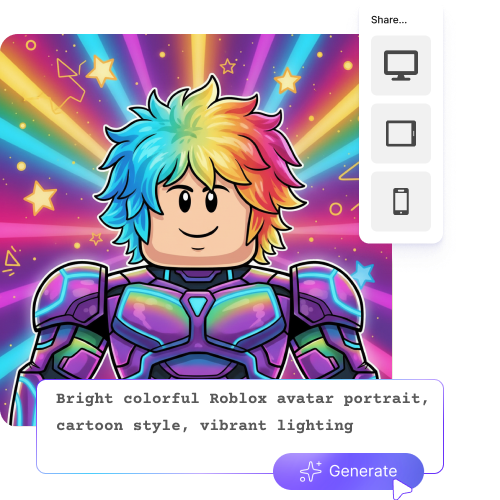
AI Roblox profile picture maker

Generate Roblox avatars from text with custom styles and backgrounds instantly.

2500 chars left
Loading

Generating your Roblox profile...
Refining colors, boosting clarity, improving lighting, and preparing a high-quality Roblox avatar PFP

Roblox profile picture

Your AI Roblox profile image is ready!

Edit image with AI
Get 🔥 free credits for image editing, upscaling, generation and more
Generate more images
Generation Failed

There was some issue on our end. Please try again.

Try Again
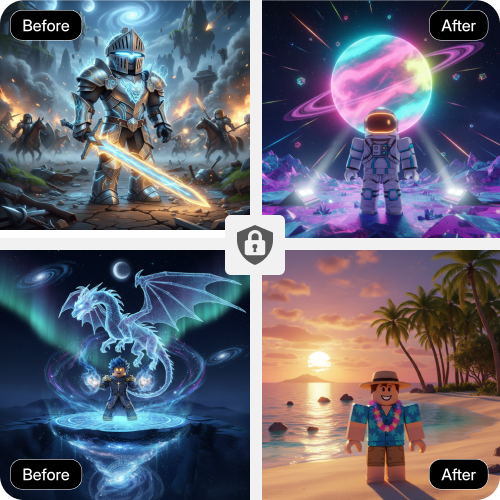
Show case

How to use Pixelbin’s Roblox image generator?

1
Add a prompt
Describe the style, outfit, or look you want in detail for your Roblox avatar.
2
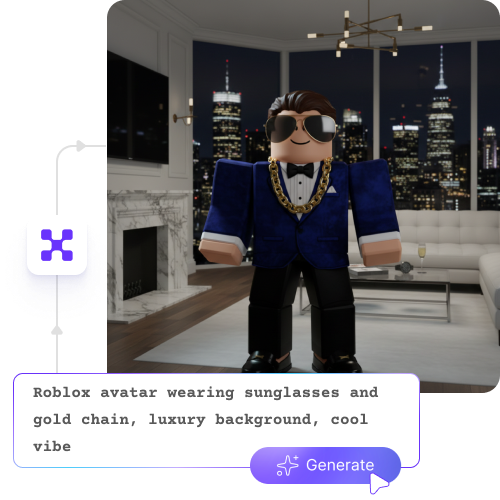
Generate your avatar
Pixelbin instantly creates an image with a custom look, color, and background in seconds.
3
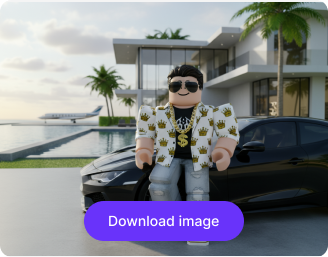
Download the image
Preview the results and save in HD quality, without any watermarks, labels, or logos.

Why use Pixelbin’s Roblox profile picture maker?

Browser-based
Access the tool on any modern browser, such as Chrome, Edge, Safari, or Firefox; no app installations needed.
Instant sharing
Send your avatars to your friends or groups instantly using a simple shareable link.
Image upscaling
Enhance image resolution to 2Ă—, 4Ă—, or 8Ă— while preserving visual clarity and detail.
Folder management
Organize and manage your images using folders for easy access and better control.
Global CDN
Use the tool instantly without registering or entering payment details.
URL-based transformations
Modify your avatars in real time by updating parameters directly in the image URL.

Explore multiple Roblox avatar styles without any editing skills

Try different looks, from cartoon and animated styles to action-themed designs, all generated from your text.

Intuitive interface

Navigate through a clean, simple layout that makes creating your Roblox avatars easy from the first use.

Feature 1
Mobile friendly

Access the AI Roblox image generator easily from your smartphones and tablets.
Feature 2
Complete privacy

Your ideas, prompts, and generated avatars stay private and are not shared with others.
Feature 3
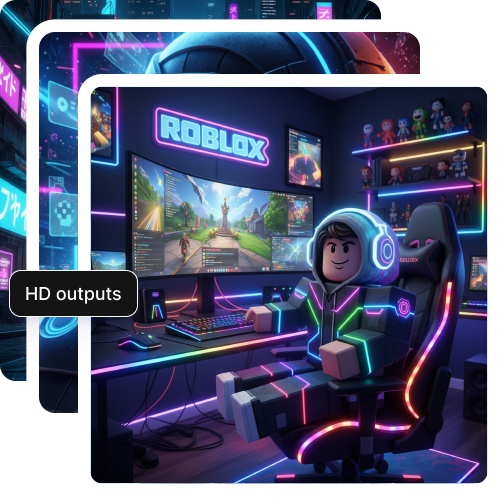
HD outputs

Save your avatars in high-quality with sharp details, ready for use across profiles, chats, and in-game surfaces.
Feature 4

AI tools by Pixelbin

Key highlights of Pixelbin’s AI Roblox profile picture maker

Benefits of using the AI Roblox image generator

  • Create GFX-style visuals: Normally, getting great GFX visuals needs design skills and professional software. With Pixelbin, you can make studio-like Roblox images with just a few words; no tech skills needed.
  • Explore creativity beyond gaming limits: Roblox only lets you use characters, avatars, or scenes that are already in the game. Our tool lets you put your avatar anywhere, like fantasy lands or artistic backgrounds that show off your style.
  • Build real characters: Make poses and faces that show off your avatar’s personality and energy.
  • Instant style updates: Change your avatar's look in seconds for events, trends, or based on your personal choice. Keep things fresh all the time.
  • Time and cost savings: Paying artists or redoing images can cost a lot and take a lot of time. Pixelbin’s Roblox profile picture maker gives you a cost-effective alternative that generates multiple high-quality variations in seconds.

Use cases of best AI Roblox profile picture maker

1. High-contrast social icons

Your profile picture on the Roblox home page is tiny. Most players use regular screenshots that disappear into the gray. With AI, you can make a profile picture with bright colors that stands out right away when friends look through their People list or when you’re on a leaderboard.

2. Talent Hub

If you want to get hired as a scripter, builder, or UI designer, what people think of you at first matters a lot. If your avatar looks ordinary, it might seem you are not professional. Try using AI to make a cool Headshot version of your avatar, such as wearing a suit. It shows employers that you care about how you look and present yourself.

3. Unified group identity and rank portraits

Group owners often have a hard time finding good icons for ranks like Moderator, VIP, or Clan Leader. Try Pixelbin’s AI profile picture generator to come up with profile pictures of your avatar in different levels of armor or fancy clothes. This adds a cohesive virtual hierarchy for your Roblox Group, without spending extra on GFX.

4. Creator-to-game aesthetic syncing

If your game is popular, like a horror game or a simulator set in the future, it would be nice to have a profile that aligns with it. Design avatars thatlook like it belongs in your game's style. If your game uses a cartoon look, anime styles, or anything in between, the AI can help generate different styles with ease. This way, you look like you’re really part of the world you created.

5. Roleplay characters

In Roblox roleplay, players usually want their characters to have a detailed history. You can create avatars as a police officer or a wizard that fits a specific situation. This way, you can showcase your character in specific thematic settings and get noticed in RP groups easily.

How to get the best results using the AI Roblox profile picture maker?

To get the best avatar look, follow the tips below:

  • Mention the character type, gender, pose, and overall vibe you want.
  • Add details like 3D, GFX, anime, cartoon, or aesthetic to finalize the visual style.
  • Describe clothing, armor, hairstyles, hats, or props to make your avatar look more detailed.
  • Specify clearly if the avatar should look happy, serious, confident, mysterious, or energetic.
  • Suggest colors or backgrounds (studio, fantasy, neon, dark, etc.) to enhance the final image quality.

FAQs

Here are some of the most common questions about our AI Roblox profile picture maker. If you can’t find the information you need, contact us at support@pixelbin.io or refer to our documentation for more details.

You can start for free without even creating an account! Your first three edits are completely free because the platform provides three complimentary credits to get you started. If you want to keep creating or making more edits after that, you'll just need to log in and purchase additional credits on a flexible "pay-as-you-go" basis.
Yes, you are free to use the images anywhere. Use them for a Roblox Group icon, a YouTube thumbnail, or any profile on social media.
The tool creates a fresh image from scratch based on your ideas. However, once you have generated that "base" image, you have total control to refine it. You can work on that specific design and make as many changes as you want until it perfectly matches the look you’re going for.
Not at all. When you upscale your image to 8Ă—, the tool ensures that all the fine textures and sharp details are preserved. Even after uploading to Roblox, the image maintains its high-quality appearance, keeping your profile looking crisp and professional.
Yes, you can upload it immediately. The final downloads are delivered in HD quality and are completely free of watermarks or labels.
Edit images in seconds, not hours
Get pixel-perfect results just with your words
Start editing with AI