


Support webp/jpg/jpeg/png, up to 10MB
/pixelbin_blogs/PB_2.0/Apps_New_design_graphics/photo_to_anime_converter/charming-man-black-suit-white-t-shirt-eyeglasses-smiles-widely-looks-into-camera.webp)
/pixelbin_blogs/PB_2.0/Apps_New_design_graphics/photo_to_anime_converter/beautiful-elegant-girl-walking-around-autumn-city.webp)
/pixelbin_blogs/PB_2.0/Apps_New_design_graphics/photo_to_anime_converter/dreamy-honeymoon-just-married-couple-love-winter-mountains-picturesque-frozen-lake.webp)
Convert your photo to anime instantly
Free AI photo to anime converter
Turn your photos into expressive anime art with realistic detail and clarity.
/pixelbin_blogs/PB_2.0/Apps_New_design_graphics/photo_to_anime_converter/download_(3)m.webp)
/pixelbin_blogs/PB_2.0/Apps_New_design_graphics/photo_to_anime_converter/beautiful-girl-city.webp)


How to create anime artwork using Pixelbin?
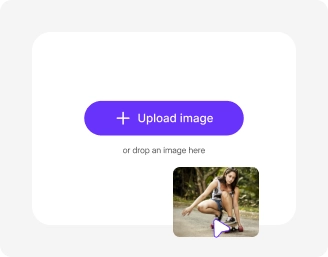
Upload your image
Simply click “Upload Image” to add your file. We support JPG, JPEG, and PNG formats for a quick start.
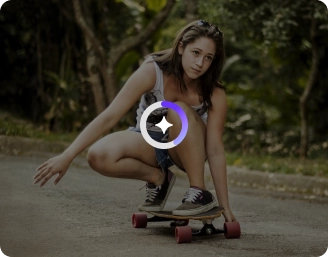
Configure your model
Choose between Nano Banana or Pro. Also, select your preferred aspect ratio that fits your style.
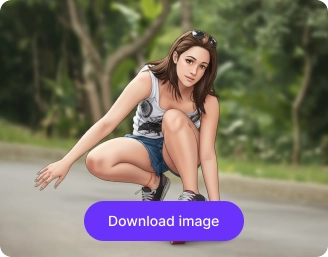
Download your image
Click “Generate” and wait a few seconds. Once your anime is ready, preview and download it instantly.
Why use Pixelbin’s AI photo to anime converter?

Mobile-friendly
Create anime-style edits right from your phone browser anytime, anywhere.

Anime-style background changes
Swap your real background with dreamy skies or fantasy scenes to match your anime vibe perfectly.

Versatile aspect ratios
Choose the perfect shape for your photo, from square posts to cinematic widescreen views.

Style control via prompts
Define the anime look you want, from soft pastel tones to bold, high-contrast styles.

Browser-based platform
Use the photo-to-anime converter directly in your browser - no downloads required.

Vibrant colors
Shift dull tones into rich, vibrant colors that match the signature anime aesthetic.
Generate anime-style portraits online in seconds
Convert selfies, portraits, or even pet photos into anime art using AI - no software or manual editing required.
No design skills required
Create anime-style visuals automatically, no design or editing needed.
High-quality output
Create high-quality anime versions of your images without any loss of sharpness or clarity.
Free trials for everyone
Generate up to three anime-style images each month and download them for free.
No signup required
Access the tool instantly without creating an account or entering payment details.
/pixelbin_blogs/PB_2.0/Apps_New_design_graphics/photo_to_anime_converter/No_technical_skills_required..webp)
AI tools by Pixelbin
/pixelbin_blogs/PB_2.0/Apps_Graphics/Add_noise_to_image/Graphics/thumbnail_(4).png)
/pixelbin_blogs/PB_2.0/Related_apps_tumbnail/erasebg-transformed_-_2026-04-01T130755.340.webp)
/pixelbin_blogs/PB_2.0/Apps_Graphics/watercolor_painting/Graphics/Thumbnail_(14).png)
/pixelbin_blogs/PB_2.0/Related_apps_tumbnail/Main_(1).webp)
AI photo to anime style converter online free
Benefits of using photo to anime style converter online free tools
Using Pixelbin, you can instantly turn your image into expressive anime artwork, just by typing a prompt. Here are some of its benefits:
- Realistic anime effects: Convert images into anime-style art inspired by Japanese culture.
- High-quality output: Our AI preserves key details of your image, ensuring your generated artwork is sharp, clear, and high resolution.
- Image preview: Pixelbin’s photo to anime AI free tool lets you preview the generated output before you download it for free.
Use cases of photo to anime converter online free tools
Pixelbin turns your portraits, selfies, and other images into anime artwork. Here are some of the most common use cases:
1. Merchandise & prints
Illustrate anime-style drawings for t-shirt designs, mugs, posters, or personal merchandise.
2. Storyboarding & comics
Use AI-generated anime-style visuals to create comic strips, storyboards, or illustrations quickly.
3. Educational & creative workshops
Implement anime transformations into art classes, creative drawing exercises, or workshops for inspiration.
4. Gaming avatars
Create a customized anime-style avatar based on your photo to use in video games or virtual worlds.
Tips to get the best results from photo to anime converter AI online free tools
Here, we’ve listed some tips to help you get the best results from Pixelbin’s photo-to-anime converter:
- Upload photos with clear facial features to get the most accurate and expressive anime results.
- You can upload the same photo in various ways to see a comparison, determining the best look.
- For the best results, use high-quality, clear images to ensure sharp and vibrant anime conversions.
FAQs
Here are some of the most commonly asked questions about our AI Photo to Anime Style Converter. If you still can’t find what you’re looking for, contact us at support@pixelbin.io or read through our documentation for more details.


Edit images in seconds, not hours
Get pixel-perfect results just with your words
Start editing with AI