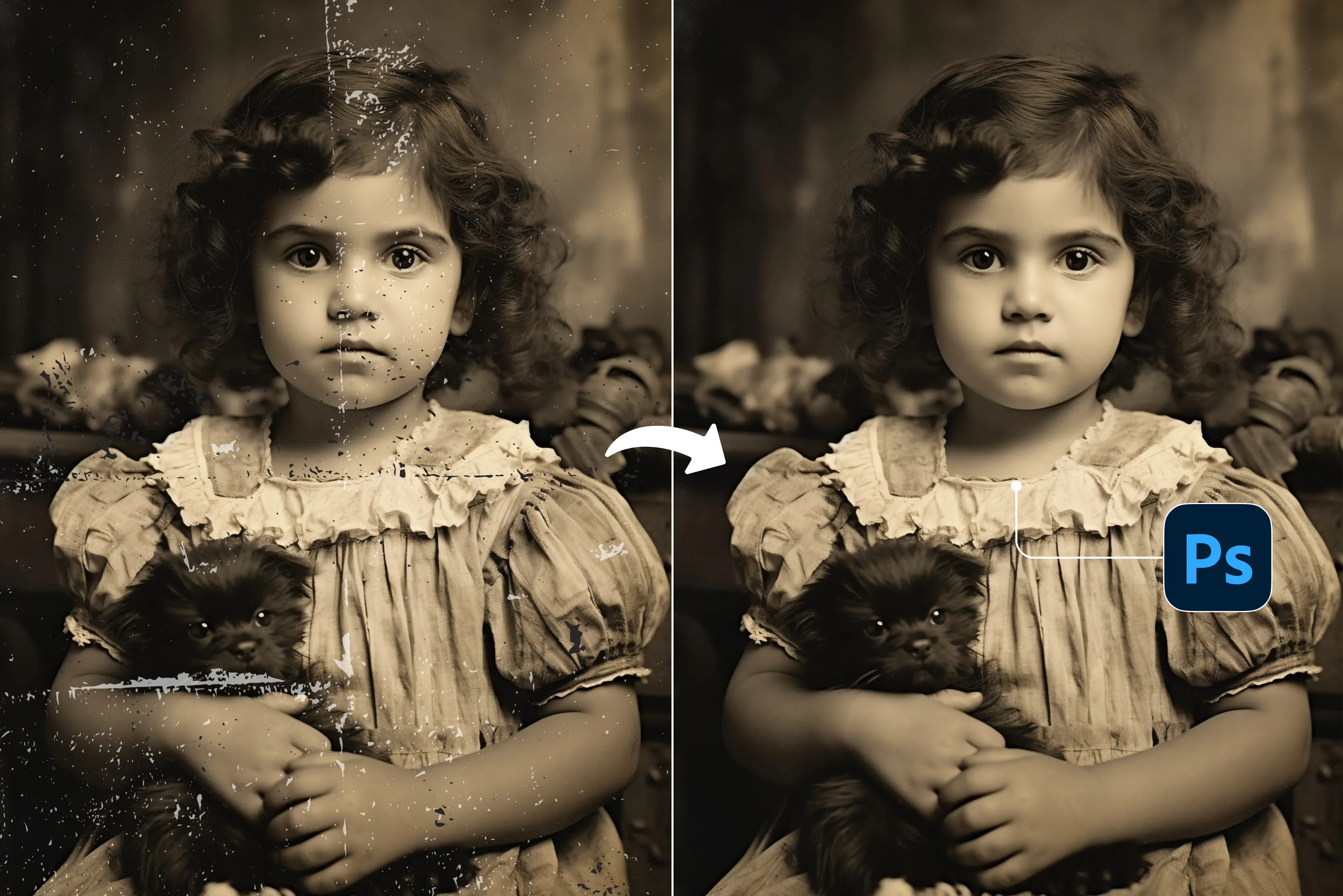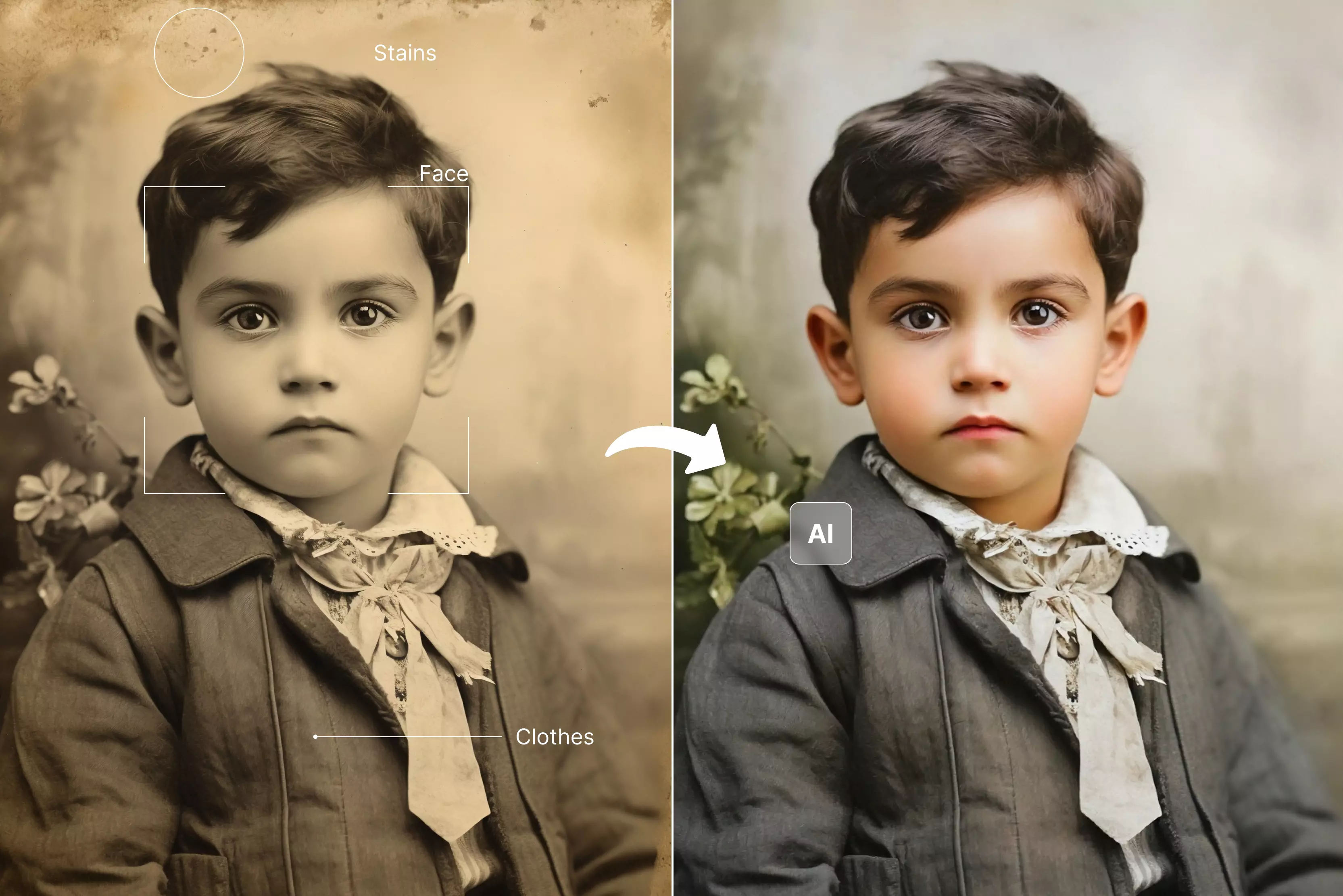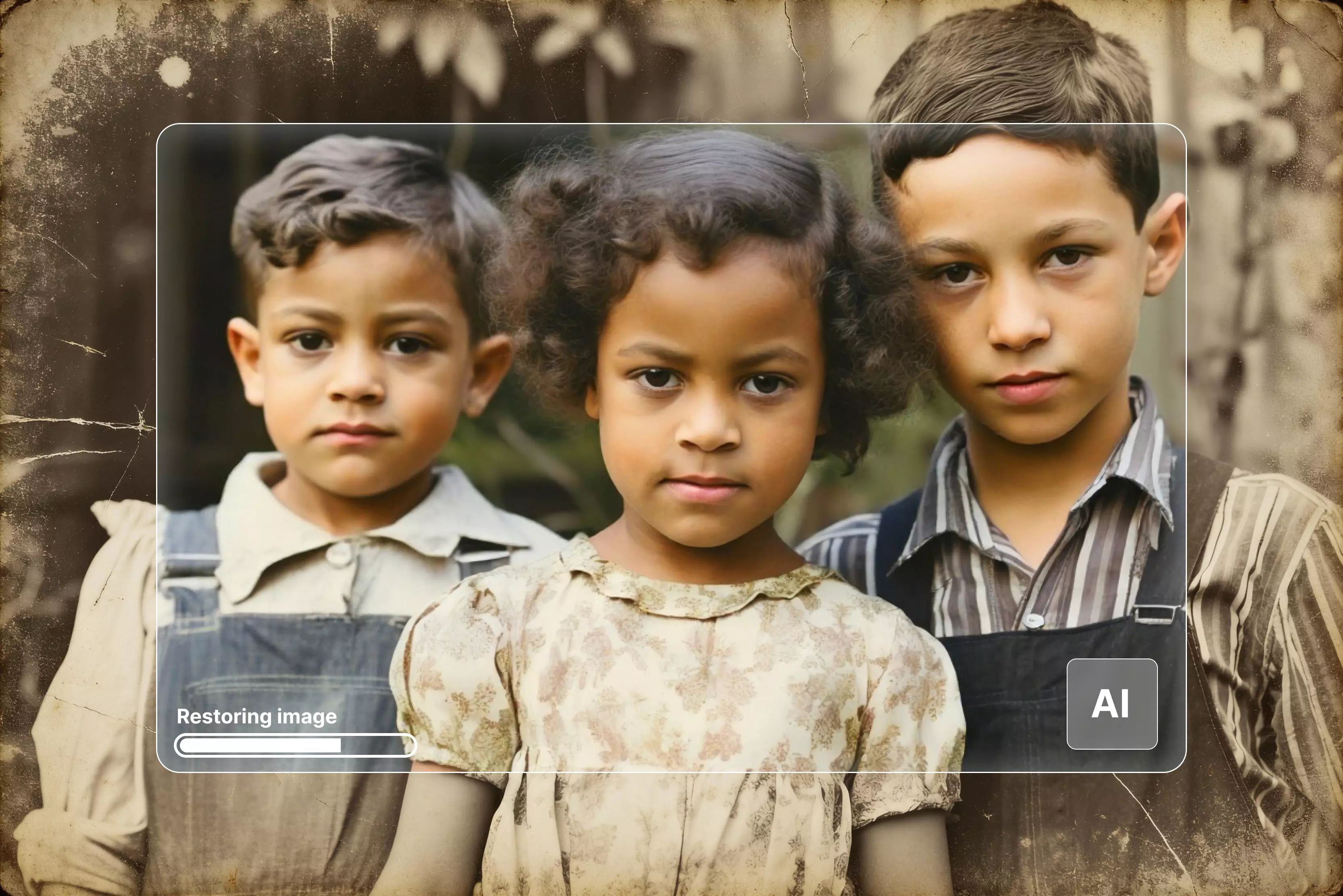


Old photos have a strange kind of magic. No matter how faded or damaged they get, they still hold stories that take us back to moments we never want to forget. Over the years, some of my favorite pictures have lost their colors, gathered scratches, and almost vanished.
That’s when I discovered how powerful AI old photo restoration can be—it brings those worn-out memories back to life. Earlier, restoring a photo used to mean hours of editing, with every mark carefully fixed by hand.
Now, AI tools have made the process faster and surprisingly effortless, without losing that personal touch. I love how these tools can clean up the photo clarity, sharpen faces, and even colorize black-and-white pictures.
In this blog, I’ll guide you through how the process works, and you will get to know about 12 tools like Pixelbin, Fotor, and a few others to make old memories shine again.
Why restore old photos?
Old photos carry more than just faces—they hold memories, emotions, and stories we never want to lose. I have opened old albums many times and seen how time slowly fades them—edges tear, colors fade, and sometimes even the people in them start to blur.
It honestly hurts to see those moments slipping away. That’s why restoring old photos means so much. It’s a way to hold onto the past a little tighter.
Why it really matters:
- They keep family memories alive and real.
- They help us feel close to people we’ve lost or haven’t seen in years.
- They make wonderful keepsakes—something you can share with kids or grandkids.
- Seeing an old picture come up again feels like reliving that exact moment.
Best old photo restoration tools (12 tested tools)
With the below guide, pour new life into faded memories with the best old photo restoration tools—we tested 12 AI-powered apps to restore scratches, colors, and clarity effortlessly.
1. Pixelbin Old Photo Restoration
Pixelbin's old photo restoration is a solid browser-based option to try. You just upload a damaged photo (up to 10MB), and the tool automatically looks for issues like scratches, discoloration, fading, blur, or small tears. It repairs them while keeping the original look and bettering the low resolution intact.
You can view the before-and-after results side by side, and everything happens in a few seconds—no editing experience required. It’s handy for restoring old photos, wedding albums, historical images, or even a large batch of images.
Must known features:
- AI automatically removes scratches, tears, discoloration, and blur from old photos.
- Preserves original image quality, resolution, and natural details during restoration.
- Side-by-side comparison of the original vs the restored versions before downloading.
- Supports bulk photo restoration through API for multiple images at once.
- Handles various photo types: family portraits, wedding photos, and historical documents.
- No photo editing skills required; fully automated one-click process.
- High-definition output downloads are ready for printing or sharing.
- File size limit is 10MB; supports URL paste for online images too.
Steps to know:
Step 1: Open Pixelbin old photo restoration.
Step 2: Upload your damaged photo (under 10MB) or paste an image URL directly.
Step 3: Let the AI automatically detect and fix scratches, blur, and damage.
Step 4: Preview the before/after, then hit "Download" for your HD restored image.
2. ImgUpscaler AI Photo Restoration
ImgUpscaler AI photo restoration tool feels like a quick rescue service for tired, damaged prints. It is designed for people who just want to upload an old photo and see it come back cleaner, sharper, and more vibrant without dealing with complicated settings.
The tool can repair scratches, revive faded tones, and even handle black-and-white images that need color. You can export in high resolutions like 4K, 8K, or even 16K, which is great if you plan to print or frame the restored picture.
Must known features
- AI photo repair that intelligently removes scratches, stains, and tears while reconstructing missing details for a naturally restored look.
- Integrated colorization that revives black-and-white or faded photos with realistic tones and era-accurate colors in a single process.
- Detail-preserving enhancement that sharpens faces, clothing textures, and backgrounds without blurring or plasticizing the image.
- Ultra high-resolution export, allowing restored photos to be upscaled instantly to 4K, 8K, or 16K for prints, exhibitions, and archival use.
- 100% browser-based, fast, and free workflow where users simply upload, choose restoration mode, let AI process, and download secure results in seconds.
3. Picsart AI Photo Restoration
Picsart AI photo restoration tool is ideal if you want something simple and useful for fixing old photos. Upload a photo, and the tool applies AI-based enhancements to help reduce scratches, blur, and fading after processing, without needing any design skills.
It can sharpen soft details, boost color, and contrast from the main subject. For anyone restoring old family photos, it offers an easy way to refresh old images and make them look cleaner and more modern.
Must known features
- Automatic AI restoration that detects and repairs scratches, fading, blurriness, and creases in seconds without manual adjustments.
- Batch processing to restore multiple old photos or entire albums at once, saving time for family archives or large collections.
- High-resolution upscaling and sharpening that recovers fine details like faces and textures for print-ready quality.
- Color correction and revival for faded or black-and-white images, adding natural saturation while preserving original tones.
- Free, browser-based access with no software install, plus integration with object removal and further AI edits for complete photo revival.
4. FlexClip AI Old Photo Restoration
FlexClip AI Old Photo Restoration tool is built for people who want to repair images and maybe turn them into simple videos afterward. You upload an old photo, enable the AI restoration option, and the tool automatically works on common damage like scratches, stains, and creases.
There is also an AI colorizer and upscaler if you want to add color to vintage shots or bump up the resolution for better clarity. It suits beginners who want quick results and content creators who may later reuse the restored images inside FlexClip’s video projects.
Must known features
- Automatic repair of scratches, creases, stains, tears, and fading to restore clarity and detail in vintage photos effortlessly.
- AI colorization for black-and-white or faded images, applying realistic, era-appropriate colors to bring memories to life.
- Integrated image upscaling to enhance resolution up to 4x, making restored photos suitable for high-quality prints or displays.
- Simple drag-and-drop workflow: upload, toggle settings like scratch removal, generate, and download—no editing skills needed.
- Part of a broader AI suite for seamless extensions like object removal or animation, ideal for video creators preserving heritage visuals.
5. VanceAI Old Photo Restoration
VanceAI's old photo restoration focuses on bringing great improvements to damaged or low-quality images with minimal effort from the user. It can remove scratches and stains, repair missing details, fix faded colors, and even colorize black-and-white photos automatically.
The tool runs online, but there is also desktop software if you want batch processing for a large archive of images. VanceAI is especially useful when working with very old family portraits or historical images where faces and small details matter, because it combines restoration, enhancement, and colorization in one place.
Must known features
- One-click AI repair that removes scratches, tears, spots, stains, and creases while reconstructing lost details naturally.
- Automatic colorization transforms faded or black-and-white photos into vibrant, realistic color versions with accurate tone.
- Face enhancement sharpens facial features, eyes, and expressions for clearer portraits without over-processing.
- Batch processing for restoring multiple old photos at once, ideal for albums, archives, or large collections.
- Cross-device support with online and offline PC app options, plus high-resolution upscaling for print-ready outputs.
6. PicWish AI Old Photo Restoration
PicWish AI old photo restoration tool is designed for people who want quick, guided repair options based on how damaged their photos are. You can choose between mild, moderate, or severe damage levels, and then let the AI work on cracks, stains, noise, and blur.
It also has strong face enhancement to restore facial features and expressions, plus the ability to colorize black-and-white images and upscale them up to 2x or 4x. This makes it a handy choice if you are cleaning up old portraits for printing, sharing, or adding to a digital family archive.
Must known features
- Adaptive damage repair selects mild, moderate, or severe modes to remove scratches, creases, blur, and noise precisely.
- Advanced face enhancement that unblurs and refines facial details like eyes and expressions for lifelike portraits.
- One-click colorization adds natural, realistic colors to black-and-white or faded photos without manual editing.
- AI text prompt optimization allows users to describe adjustments post-restoration for personalized enhancements.
- Image enlargement up to 4x resolution while fixing artifacts, perfect for printing or presentations.
7. NoteGPT AI Photo Restoration
NoteGPT's AI Photo Restoration hooked me when I had a box of faded pics gathering dust. No Photoshop headaches—just upload torn, blurry shots, and it patches scratches, revives colors, and sharpens faces automatically.
Perfect for regular folks (like me) who want family albums looking fresh without software crashes or tutorials. Free online access means I saved dozens of "unfixable" memories in minutes. Total game-changer for non-techies!
Must known features
- One-click restoration removes scratches, tears, fading, and blurs while reviving colors and sharpness automatically.
- High-resolution upscaling to 8K that enhances restored photos without losing details or introducing noise.
- Free online access with no sign-up required, processing images in seconds for immediate downloads.
- Consistent edits across multiple images, preserving original facial features and vintage style accurately.
- Seamless integration with NoteGPT's AI suite for further enhancements like upscaling or object removal post-restoration.
8. AIPassportPhotos Old Photo Restoration
AIPassportPhotos are ID photo wizards, but their old photo restoration totally delivers on family portraits. I tossed in some scratched grandma pics with creases and stains, and boom—clean, vibrant faces that actually looked natural, not plastic.
Perfect when you need sharp facial details without fiddling with complex editors. Straightforward online fix for document-style shots or faded prints. Way handier than I expected!
Must known features
- Automatic scratch and crease removal that detects and erases surface imperfections for smooth, clean results.
- Precise tear repair fills in missing areas with context-aware pixels to reconstruct the original image seamlessly.
- Stain and discoloration correction, eliminating spots, mold, mildew, and fading to restore natural vibrancy.
- Instant online processingprovidesg high-resolution outputs in seconds without downloads or sign-ups.
- Free web-based access integrated with passport photo tools for versatile memory preservation.
9. AIEnhancer Photo Restoration
AIEnhancer'srestoration totally saved my stack of grainy old vacation snaps—brightened the heck out of faded colors, cleaned up scratches, and made faces pop without looking fake.
We are based and very simple, no editing skills needed for pro results. I chained it with their upscaler afterward for even crisper prints. Non-techies like me finally get polished family pics without any complicated tools!
Must known features
- Blur and noise reduction that smooths grainy areas while preserving natural textures for crisp results.
- Faded color correction restores vibrancy and balance to washed-out or aged images automatically.
- Detail recovery sharpening faces, edges, and lost elements to make memories vivid and lifelike.
- Instant preview and download of high-quality outputs, compatible with any device for quick use.
- Specialized modes like Old Photo for targeted vintage restoration, handling scratches and imperfections effectively.
10. Media.io AI Photo Restorer
Media.io’s AI photo restorer is built for fast, no-frills online restoration, where you can upload, process, and download within a short time. The tool automatically repairs old photos by improving clarity, fixing blur, and boosting brightness and color, while also working on damaged or greyed-out areas.
It supports multiple file formats, including common photo types and even some RAW files. Beyond restoration, Media.io also includes brightening, denoising, artifact removal, and resolution improvement, making it a flexible option if you want one place for both repairs and general photo enhancement.
Must known features
- Automatic damage detection and repair fixes scratches, tears, fading, and discoloration in seconds.
- Black-and-white colorization adds realistic colors to vintage images effortlessly.
- Additional enhancers like image brightener, face retoucher, resolution improver, and color matcher for polished results.
- Simple three-step workflow: upload, AI restore, preview, and download or share socially.
- Supports multiple formats, including RAW, JPG, and PNG, with high-quality outputs for prints or keepsakes.
11. Phot AI Photo Restoration
Phot AI photo restoration tool is part of a wider AI editing suite aimed at creators, marketers, and everyday users who want polished visuals without great technical skills. The restoration feature focuses on reviving old images by clearing imperfections, sharpening key details, and adjusting color and contrast to make the photo feel fresher while keeping it natural.
Because it is integrated with other AI functions on Phot, users can combine restoration with tasks like background edits or enhancements, which is useful when preparing images for social media, portfolios, or client projects.
Must known features
- Automatic removal of stains, scratches, and blurs while sharpening details and boosting saturation.
- Black-and-white colorization adds realistic, natural hues to vintage images.
- High-resolution enhancement, upscaling, and clarifying photos for print or digital sharing.
- User-friendly workflow with instant upload, AI restore, preview, and tweak options.
- Integrated editing suite for further personalization, like filters, object replacement, and bulk processing.
12. Fotor Photo Restoration
Fotor's photo restoration is my go-to when I'm already messing around in their editor for collages or cards. Toss in scratched-up old family pics, hit a couple buttons—scratches vanish, colors pop back, details sharpen up nice.
No fiddly sliders or Photoshop stress. Then boom, drag right into templates for Instagram stories or printed albums. Perfect when you're turning grandma's faded shots into actual projects instead of only fixing them.
Must known features
- Instant AI repair for scratches, tears, creases, holes, and stains, reconstructing missing parts naturally.
- Face enhancement, sharpening blurry faces, and recovering fine details automatically.
- AI colorization adds context-aware colors to black-and-white or faded images.
- Batch restoration processing multiple photos at once for albums or large collections.
- AI upscaling enlarges and restores images to high resolution without quality loss, ideal for printing.
Final thoughts
Digging through my parents' attic last summer, I found grandma's 1952 wedding photo—yellowed corners torn, faces half-gone under scratches. Restoration brought her smile back sharp, like it was clicked yesterday.
Old photos do that: bridge generations, save family legends from dust. Scratched portraits become heirlooms; faded history class slides turn vivid for kids who need context. AI killed the learning curve.
It's all about some easy tools—Media.io scratches out tears instantly, Picsart batches family albums, Fotor revives black-and-white weddings naturally. Phot.ai handles pro tweaks. But Pixelbin? My go-to for perfect and quick results—restores clean, optimizes pixel-perfect, and has no crashes. Upload done, and memories preserved.
FAQs
Pixelbin, Picsart, Fotor, and all the above-mentioned tools excel at fixing scratches, colors, and sharpness online.
Yes, free tiers are available on Picsart, Pixelbin, Fotor, and a few more for using basic features.
AI tools detect damage, inpaint scratches, sharpen, colorize, and upscale photos in seconds.
Images that have scratches, tears, fading, blur, spots, creases, or discoloration go under AI tools for modification.
Tools like Pixelbin, Fotor, and Picwish are safe as they secure the pictures and are privacy-focused.
Scan at 300 DPI JPEG/PNG, clean dust, crop edges, test one photo first.