PixelBin logo
Image generator is here -   Create Now   and Claim 30% off on Pro Plans. Use code SALE30 at checkout.   Claim Discount

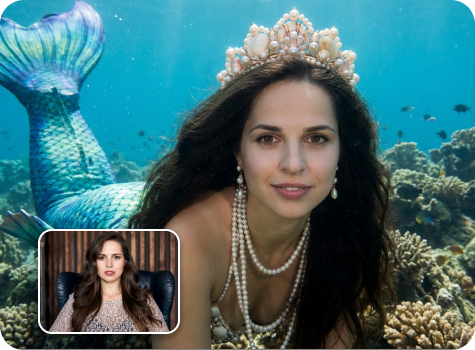
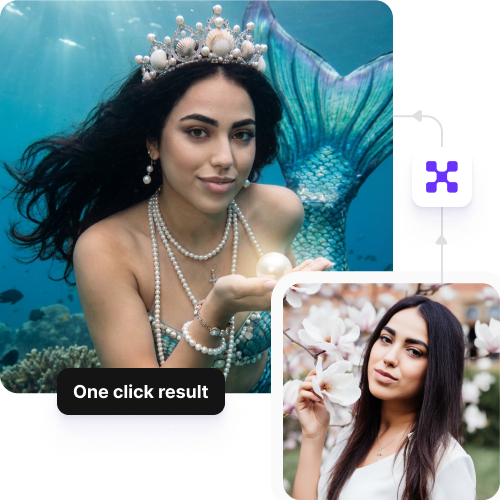
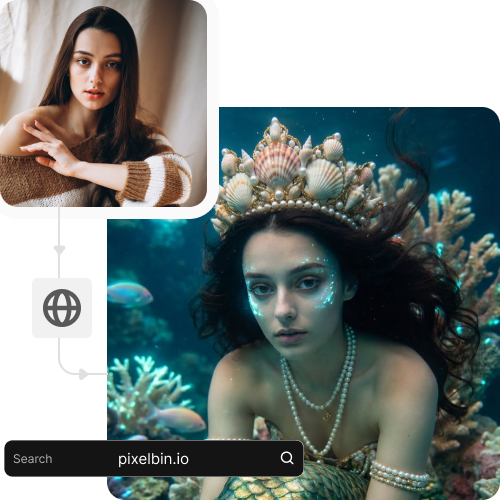
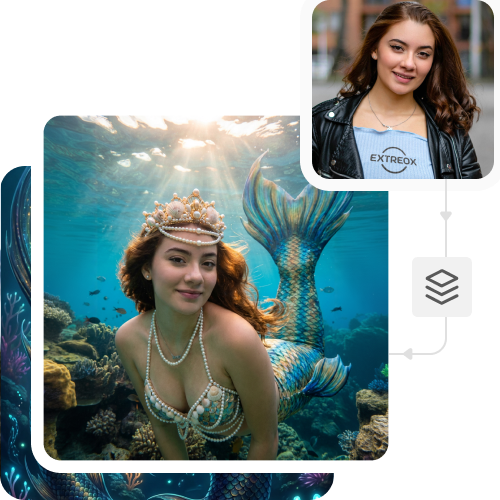
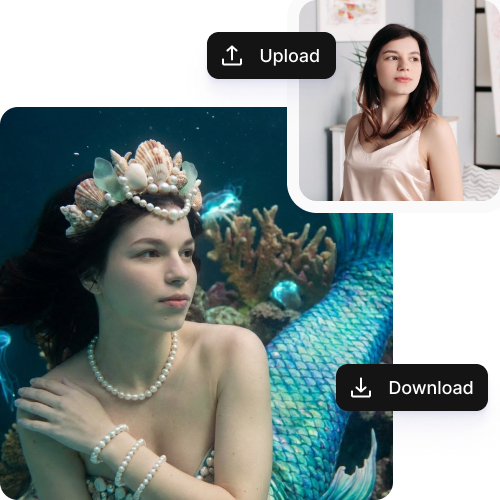
AI Mermaid filter

Animate images with flowing hair, tails, bubbles, and soft water effects for free.

six pack photo editor abs filter tool

File should be less than 10MB

or paste URL

Before
Loading

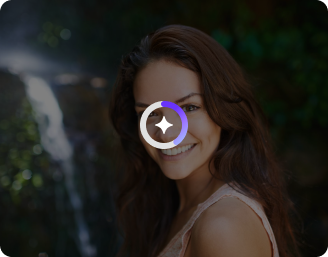
AI Magic in progress
Adding mermaid-style colors, details, and fantasy effects

After

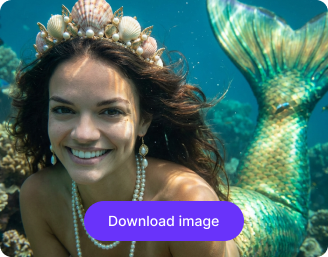
Your mermaid photo is ready!

Edit image with AI
Get 🔥 free credits for image editing, upscaling, generation and more
Try another image
Generation Failed

There was some issue on our end. Please try again.

Try Again
Show case

How to use Pixelbin’s AI mermaid effect?

1
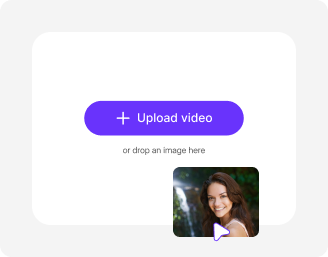
Add image
Paste an image URL or upload a photo from your device in JPEG, JPG, PNG, or WEBP. Selfies, portraits, or even pet images work perfectly.
2
Apply mermaid effects instantly
Pixelbin automatically analyzes your image and applies the mermaid effects, such as tails, hair, and sparkles, for a magical look.
3
Preview & save
Download your image in high definition, at no cost, without watermarks, overlays, or added texts.

Why use Pixelbin’s online AI mermaid generator?

Multiple formats
Upload your images across commonly used formats, such as JPEG, JPG, PNG, or WEBP.
Free trials
Try different mermaid styles and effects without any limitations or upfront charges.
Prompt-free conversions
Skip manual inputs and achieve consistent outcomes with just a single click.
HD quality
Download high-resolution images that stay sharp and detailed across all platforms.
No sign-up
Access the tool instantly without sharing personal details or creating an account.
Global CDN network
Reduce waiting times by distributing your images through a high-speed global content network.

Customize mermaid styles without editing skills

Adjust the mermaid’s look or mood in seconds, ready to use for digital art or social platforms.

Intuitive interface

Create mermaid visuals easily with a clean, user-friendly interface designed for all skill levels.

Sailling ship of sketche to image
Browser-based

Access the AI mermaid filter directly from your browser, such as Firefox, Safari, Edge, or Chrome, without downloading or installing any software.
Mountain sketch to image
Bulk transformations

Apply the mermaid effects to multiple images in one go with our API support without slowing down your workflow.
Sketch hot air baloon to image generator
Complete privacy

Your images are processed on secure servers and never shared or reused without your consent.
sketch to image in HD-resolution pictures

AI tools by Pixelbin

Key highlights of Pixelbin’s AI mermaid filter

Benefits of using the AI mermaid effect

  • Easy to use: With just one click, Pixelbin’s AI mermaid filter adds the effect instantly, without the need for any photo editing or design skills.
  • Text to video transformation: Turn your images into mermaid short video clips with simple text-based instructions.
  • Create viral content: Pixelbin’s mermaid effect turns any photo into shareable content that can help you get more views on TikTok, Instagram Reels, YouTube Shorts, and more.
  • Instant transformations: Turn your selfies or photos into HD-quality mermaid visuals in seconds without needing professional design, editing, or video production skills.
  • Professional output: Get high-quality mermaid images and videos with real effects, such as improved lighting, natural hair, and real underwater looks, which make your content stand out.
  • Plenty of customizations: Our tool lets you change every part of your mermaid look. You can change styles, colors, and backgrounds with simple instructions, allowing you to explore different creative ideas.
  • Cost-effective: You can use our tool online on any device, skipping the need for hiring fancy studios, green screens, or complicated setups.

Use cases of AI mermaid filter

1. Social media content

Turn your photos into engaging short videos for TikTok, Instagram Reels, and YouTube Shorts with Pixelbin, and get more likes, comments, and shares.

2. Fantasy stories

Mix your photos with fantasy backgrounds to create magical scenes, such as exploring a fairy-tale forest or sitting on a sparkling castle.

3. Before and after transformations

Easily turn your regular photos into mermaid looks, complete with effects, showing a dramatic transformation.

4. Avatars

Design one-of-a-kind avatars or profile pictures with a fantasy theme that fits your style.

5. Explore fantasy worlds

Put yourself in underwater places or fantasy lagoons, and explore these environments with our AI mermaid filter.

How to get the best results using Pixelbin’s online mermaid filter?

To get the best mermaid transformation, follow these tips below:

  • Use a photo with good lighting, as this makes the mermaid details look clear.
  • Make sure your photo is not blurry. Sharp focus will help the tool make smooth animations and add realistic details.
  • Use a front-facing photo where your whole face is clearly visible.
  • Avoid heavy-filtered images to ensure the final results look sharp and professional.
  • Choose photos with plain backgrounds. This helps the AI focus on the mermaid effect.
  • Avoid low-quality or pixelated photos, as these can make the transformation look distorted.

FAQs

Here are some of the most common questions about our AI mermaid filter. If you can’t find the information you need, contact us at support@pixelbin.io or refer to our documentation for more details.

The AI mermaid filter is an effect that changes photos into mermaids. It adds flowing hair, tails, fins, bubbles, and soft light to make your pictures or videos look like they are from a mermaid tale.
The AI mermaid filter is best used on photos with a single subject because the AI can easily detect what to edit. However, Pixelbin works well for group photos as well, but the results might not be great for everyone in the picture. If you want the mermaid effects to look good all the time, it's best to use a single, clear subject.
Yes! Pixelbin’s AI mermaid filter can detect and transform not only humans but also pets or certain objects in your photos. This allows you to create imaginative mermaid styles for animals or objects that go beyond just selfies or portraits.
Yes, Pixelbin’s free version gives you three credits a month, and the free limits refresh each month. If you want to continue editing, you need to create an account and purchase extra credits on a pay-as-you-go basis. We also have custom pricing plans.
Yes. Pixelbin provides an image upscaling feature to increase resolution by 2x, 4x, or even 8x, depending on your needs. This makes your pictures clear for downloads, social media, or work.
Edit images in seconds, not hours
Get pixel-perfect results just with your words
Start editing with AI